Photoshop demands more from a laptop than most applications: a colour-accurate display, enough RAM to handle large layered files without grinding to a halt, and a processor that can keep up with filters, neural filters, and export tasks. The 2-in-1 form factor adds a further dimension, letting you sketch directly on the screen with a stylus or prop the machine up in tent mode for reference work. Since last year, the biggest shift has been the arrival of Qualcomm Snapdragon X Plus machines running Windows 11 with Copilot+ features, offering impressive battery life and thin chassis, though Adobe Photoshop's ARM compatibility on Windows has matured considerably and is now largely reliable. Intel Core Ultra processors have also become more widespread, improving integrated graphics performance meaningfully. This guide focuses on the five strongest candidates from current UK stock, ranging from a genuine 360-degree convertible to powerful clamshells with touch displays that serve Photoshop users exceptionally well.
Quick Verdict
Best Overall: Samsung Galaxy Book4 Pro 360, a true 2-in-1 with a stunning Dynamic AMOLED 2X display, Thunderbolt 4, and Intel Core Ultra 7 performance that handles Photoshop with ease. Best Value: Lenovo IdeaPad Slim 3 14-inch, which delivers 16GB RAM and a solid IPS panel at a price that leaves budget for peripherals or a Wacom tablet.
Spec Comparison
The Samsung Galaxy Book4 Pro 360 is the standout choice for anyone who wants a proper 2-in-1 experience alongside serious Photoshop performance. The 360-degree hinge allows the machine to fold flat into tablet mode or sit in tent mode, making it genuinely useful for stylus-based retouching and digital painting when paired with a Samsung S Pen. The 16-inch Dynamic AMOLED 2X panel at 2880x1800 resolution is the headline feature for creative professionals: AMOLED technology delivers true blacks, exceptional contrast, and vivid colour reproduction that makes assessing skin tones, gradients, and colour grading decisions far more reliable than on a standard IPS screen. The display covers a wide colour gamut, which is critical when working in Adobe RGB or Display P3 colour spaces within Photoshop.
Under the hood, the Intel Core Ultra 7 155H is a strong performer for Photoshop tasks. It handles multi-threaded operations such as batch processing, smart object rendering, and neural filter application with confidence, and the Intel Arc integrated graphics contribute meaningfully to GPU-accelerated features within Photoshop, including Select Subject, Sky Replacement, and the generative fill tools. The 16GB of RAM is sufficient for most Photoshop workflows, though photographers working with very large panoramic files or complex composites may occasionally wish for 32GB. The 512GB SSD is fast and adequate for a primary working drive, though a secondary external drive is advisable for large raw libraries.
Connectivity is excellent for a slim convertible: two Thunderbolt 4 ports allow daisy-chaining of monitors, fast external SSDs, and docking stations, while the HDMI port means direct connection to a calibrated external display without an adaptor. The microSD slot is a welcome addition for photographers who want to import directly from a camera card. Battery life is competitive for an Intel-based machine of this calibre, and the build quality is premium throughout, with a slim aluminium chassis that feels robust in both laptop and tablet configurations.
The price is significant, but for a creative professional who wants a single machine that functions as both a high-performance Photoshop workstation and a versatile tablet for sketching and annotation, the Galaxy Book4 Pro 360 justifies the investment. It is the best-rounded 2-in-1 in this category for Photoshop use.
Pros
- Dynamic AMOLED 2X display delivers exceptional colour accuracy and contrast for Photoshop colour work
- Two Thunderbolt 4 ports enable fast external storage and multi-monitor setups
- True 360-degree hinge with S Pen support for stylus-based retouching
Cons
- 16GB RAM may feel limiting when handling very large multi-layered Photoshop files
- Premium price puts it out of reach for hobbyist photographers on a tighter budget
The ASUS Vivobook S 14 S3407QA represents one of the most interesting propositions for Photoshop users in 2025, running on the Qualcomm Snapdragon X Plus processor under the Copilot+ PC umbrella. The 14-inch 2560x1600 IPS display at a 16:10 aspect ratio gives noticeably more vertical screen real estate than a standard 16:9 panel, which is genuinely useful in Photoshop where the toolbar, layers panel, and canvas all compete for space. The 2.8K resolution means fine detail in images is rendered crisply, and the IPS panel offers solid colour accuracy for a machine at this price point.
The Snapdragon X Plus brings exceptional efficiency, with real-world battery life that comfortably exceeds what Intel or AMD machines of comparable performance deliver. For Photoshop users who work on location, in coffee shops, or on commutes, this extended battery endurance is a meaningful practical advantage. Adobe Photoshop now runs natively on Windows ARM, so the compatibility concerns that existed in earlier years have largely been resolved, and performance for typical editing tasks, including layer operations, adjustments, and filters, is smooth and responsive.
The 1TB PCIe Gen4 SSD is a genuine strength here, providing ample local storage for raw files, project archives, and scratch disk space, the latter being important because Photoshop uses the scratch disk heavily when RAM is exhausted. The 16GB of RAM is the same as most competitors at this tier. The port selection is comprehensive, with two USB 4 Type-C ports that support high-speed data transfer and display output, two USB 3.2 Type-A ports for legacy peripherals, and an HDMI 2.1 port for direct monitor connection.
One consideration is that the Snapdragon X Plus uses integrated Qualcomm Adreno graphics rather than a discrete GPU. Photoshop does leverage GPU acceleration for a range of features, and while the Adreno handles everyday tasks adequately, users who rely heavily on GPU-intensive filters or who also use GPU-dependent applications alongside Photoshop may notice limitations compared to machines with Intel Arc or discrete graphics. That said, for the majority of Photoshop workflows, the Vivobook S 14 performs admirably and represents strong value at its price point.
Pros
- 2560x1600 16:10 display gives extra vertical space that is directly useful in Photoshop's multi-panel interface
- 1TB PCIe Gen4 SSD provides ample scratch disk and project storage
- Snapdragon X Plus delivers outstanding battery life for on-location creative work
Cons
- Integrated Adreno GPU is less capable than Intel Arc or discrete options for GPU-accelerated Photoshop features
- No dedicated discrete graphics limits performance headroom for GPU-heavy workflows
The Dell XPS 13 9345 occupies a unique position in this list as a premium ultraportable that prioritises build quality, display refinement, and portability above all else. Running the Qualcomm Snapdragon X Plus processor with Windows 11 Pro, it is a Copilot+ PC that benefits from the same ARM-native Photoshop compatibility as the ASUS Vivobook S 14, but in a significantly more compact and premium chassis. The 13.4-inch FHD+ display at 120Hz is sharp and smooth, and the IPS panel delivers reliable colour accuracy for Photoshop retouching and compositing work.
The 120Hz refresh rate is a detail that matters more than it might initially appear for creative work: smoother cursor tracking and more fluid canvas panning and zooming in Photoshop make the editing experience feel noticeably more responsive and precise, particularly when using a stylus or working with fine selection tools. The FHD+ resolution at 13.4 inches gives a good pixel density without the scaling complexities that can occasionally arise with very high-resolution displays on smaller screens.
With 16GB of RAM and a 512GB PCIe 4 NVMe SSD, the XPS 13 9345 is well-specified for Photoshop work, though the 512GB drive will require disciplined file management or an external drive for photographers with large raw libraries. The Windows 11 Pro operating system is a step above Home, offering BitLocker encryption, Remote Desktop, and Hyper-V virtualisation, which may be relevant for professional users working within managed IT environments or handling sensitive client files.
The XPS 13 is genuinely compact and light, making it the best choice in this selection for professionals who travel frequently and need a capable Photoshop machine that fits easily into a small bag. The Snapdragon X Plus delivers the same excellent battery efficiency seen in the Vivobook S 14. The premium price reflects Dell's build quality, display calibration, and the Pro OS licence, and for professionals who value portability and refinement, it is a compelling option. The integrated GPU shares the same Adreno architecture as the Vivobook S 14, so the same caveats about GPU-intensive Photoshop features apply.
Pros
- 120Hz IPS display makes canvas navigation and fine selection work noticeably smoother
- Windows 11 Pro includes BitLocker and Remote Desktop for professional workflows
- Exceptionally compact and light for a capable Photoshop machine
Cons
- 512GB storage requires external drives or disciplined file management for large raw photo libraries
- Premium price is hard to justify for users who do not specifically need the compact form factor or Pro OS
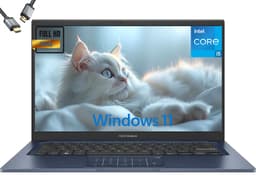
The ASUS Vivobook 14 (2025) takes a different approach to the Photoshop use case, prioritising raw RAM and storage capacity over display resolution or premium build materials. With 24GB of RAM and a 2TB SSD, it offers the most headroom of any machine in this selection for handling large, complex Photoshop files. Photoshop's performance is directly tied to available RAM when working with high-resolution images, multiple adjustment layers, smart objects, and stacked composites, and the jump from 16GB to 24GB is genuinely noticeable when files grow beyond a few hundred megabytes.
The 2TB SSD is a standout specification at this price tier. Photoshop users who work with large raw files, maintain extensive project archives, or use the local drive as a scratch disk will appreciate having this space available without immediately reaching for an external drive. The Intel Core i5-1334U is a 13th-generation processor that delivers solid single-core performance for Photoshop's many single-threaded operations, including brush strokes, tool responses, and real-time adjustment previews. The Intel UHD Graphics handles GPU-accelerated Photoshop features adequately for everyday use.
The 14-inch FHD display at 1920x1080 is the area where compromises are most visible compared to the higher-resolution panels on the Samsung and ASUS Vivobook S 14. At 14 inches, 1080p is a workable resolution for Photoshop, but fine detail in images and the crispness of the interface do not match what a 2K or AMOLED display provides. Colour accuracy on the Intel UHD-equipped IPS panel is reasonable for general editing but may require calibration for professional colour-critical work.
For photographers and designers who primarily care about having enough RAM to work without slowdowns and enough storage to avoid constant file management, the Vivobook 14 (2025) makes a strong practical case. It is the machine in this list that will feel most comfortable handling very large Photoshop files day to day, and the 2TB drive means scratch disk space is never a concern. The price point is notable given the storage and RAM specifications, though the display and GPU are the trade-offs made to reach it.
Pros
- 24GB RAM provides the most headroom in this selection for large, complex Photoshop files
- 2TB SSD eliminates storage anxiety for photographers with large raw libraries and project archives
Cons
- 1920x1080 FHD display lacks the resolution and colour vibrancy of AMOLED or 2K IPS alternatives
- Intel UHD Graphics offers limited GPU acceleration for Photoshop's more demanding GPU-dependent features
- Price is high relative to the display and GPU specification compared to competitors
Buying Guide
RAM: The Most Important Specification for Photoshop
Adobe recommends a minimum of 8GB RAM for Photoshop, but in practice, 16GB is the realistic floor for comfortable use with modern files. Photoshop allocates a percentage of available RAM as its memory allowance, and when files grow beyond a few hundred megabytes, or when you have multiple documents open simultaneously, 8GB becomes a bottleneck very quickly. The application will begin using the scratch disk as virtual memory, which slows operations dramatically even on a fast SSD. At 16GB, most Photoshop workflows run smoothly. At 24GB or 32GB, even very large panoramic stitches, high-resolution composites, and files with dozens of smart object layers remain manageable. If you regularly work with files above 500MB or use Photoshop alongside other demanding applications such as Lightroom or Illustrator, prioritise 24GB or more.
Display Quality: Why It Matters More Than Processor Speed
For Photoshop specifically, the display is arguably more important than raw processor speed. A faster chip will reduce the time a filter takes to apply, but a better display will affect every single decision you make about colour, tone, and detail throughout your entire editing session. Key display specifications to look for are: colour gamut coverage (ideally 100% sRGB as a minimum, with Display P3 or Adobe RGB coverage preferred for professional work), panel technology (AMOLED delivers the best contrast and colour depth, followed by high-quality IPS), resolution (2K or above at 14 inches and larger gives noticeably sharper image rendering), and brightness (400 nits or above for comfortable use in varied lighting conditions). A display that misrepresents colours will lead to editing decisions that look wrong on other screens and in print.
Storage: SSD Speed and Scratch Disk Considerations
Photoshop uses a scratch disk, a portion of your drive used as overflow memory, and the speed of this scratch disk directly affects performance when RAM is exhausted. A PCIe Gen4 NVMe SSD is the fastest option currently available in consumer laptops and will minimise the performance penalty of scratch disk usage. Capacity matters too: 512GB is the practical minimum, but 1TB is preferable if you store raw files locally. If you choose a 512GB machine, plan to use a fast external SSD for your photo library and scratch disk overflow.
GPU Acceleration in Photoshop
Photoshop uses the GPU for a growing number of features, including Select Subject, Sky Replacement, neural filters, Camera Raw rendering, and canvas zoom and pan. Intel Iris Xe and Intel Arc both provide solid GPU acceleration for these tasks. Qualcomm Adreno on Snapdragon X machines is functional but less mature in its Photoshop driver support. Discrete NVIDIA or AMD GPUs offer the most headroom but are typically found in heavier gaming laptops rather than 2-in-1 machines. For most Photoshop users, a capable integrated GPU is sufficient.
2-in-1 Functionality and Stylus Support
If you intend to use the touchscreen or stylus features for retouching, masking, or digital painting within Photoshop, check whether the machine supports an active stylus with pressure sensitivity. A 360-degree hinge that allows tablet mode is the most versatile configuration. Tent mode is useful for reference work and client presentations. Ensure the stylus is either included or available as an accessory, and check compatibility with Photoshop's brush engine for pressure-sensitive input.
The Samsung Galaxy Book4 Pro 360 is the overall winner for Photoshop users seeking a 2-in-1 laptop. Its Dynamic AMOLED 2X display is simply in a different class for colour accuracy and contrast compared to the IPS panels on every other machine in this selection, and for Photoshop work, display quality is the specification that affects your output most directly. The Intel Core Ultra 7 155H handles all Photoshop tasks with confidence, the Thunderbolt 4 ports provide professional-grade connectivity, and the 360-degree hinge with S Pen support makes it a genuine 2-in-1 rather than a laptop with a touchscreen as an afterthought. For those who need the best value, the Lenovo IdeaPad Slim 3 14-inch delivers the 16GB RAM and solid IPS display that Photoshop requires at a price that makes it accessible to students, hobbyists, and professionals working to a tight budget.