Every time I crack open a prebuilt PC, I'm running the same mental checklist. Where did the manufacturer spend the money? Where did they quietly trim the budget hoping nobody would notice? After twelve years of building custom rigs and tearing apart prebuilts, you develop a nose for it. The PSU is usually the first place corners get cut. Then the motherboard. Sometimes the RAM. So when the AWD-IT Gaming PC with the i5-12400F and RX 6600 landed on my desk, I wasn't going in blind. I had a pretty clear picture of what a mid-range prebuilt at this price tier should deliver, and I wanted to see how closely this one matched that expectation.
The spec sheet looks reasonable on paper. Intel's 12400F is still a genuinely capable processor in 2024, the RX 6600 handles 1080p gaming without breaking a sweat, and 16GB of DDR4 is the sensible baseline for gaming right now. But specs on a listing page tell you almost nothing about whether the actual build is any good. The H610M motherboard is the first thing that caught my eye. That's a budget chipset. Not catastrophically bad, but it does raise questions about what else was trimmed to hit a price point. I spent about a month with this system, running it through gaming sessions, productivity tasks, and a proper thermal stress test, to find out whether the compromises are liveable or whether they'll come back to bite you.
The AWD-IT Gaming PC: Intel i5 12400F / H610M / RX 6600 / 16GB 3200MHz / 240GB SSD + 1TB HDD/Patriot Gaming Case with Windows 11 sits in a crowded part of the market. There are a lot of prebuilts fighting for attention at this price tier, and buyers deserve an honest breakdown rather than a repackaged spec sheet. So let's get into it.
Core Specifications
The headline components here are the Intel Core i5-12400F and the AMD Radeon RX 6600. The 12400F is a six-core, twelve-thread Alder Lake chip running a 2.5GHz base with a 4.4GHz boost. It's a locked processor, so no overclocking, which matters more when you see the H610M motherboard pairing. The RX 6600 brings 8GB of GDDR6 VRAM across a 128-bit memory bus, which is perfectly adequate for 1080p gaming and can stretch to 1440p in less demanding titles. These two components are the heart of the system and they're both solid choices for the price tier.
The supporting cast is where things get more interesting. The H610M motherboard is Intel's entry-level chipset for the 12th gen platform. It supports DDR4 memory, has limited PCIe lane allocation compared to B660 or Z690, and typically ships with fewer USB ports and no overclocking support whatsoever. For a gaming PC that ships with a locked CPU, the lack of overclocking isn't a dealbreaker, but the limited expansion options are worth keeping in mind. The 16GB of DDR4 running at 3200MHz is listed as dual-channel, which is the correct configuration for gaming. Storage is a 240GB SSD paired with a 1TB HDD, which is a combination I've seen on dozens of prebuilts. The SSD handles the OS and a couple of games, the HDD handles bulk storage. It works, but 240GB fills up faster than you'd think.
The Patriot Gaming case is a mid-tower chassis with a tempered glass side panel. It's not a brand I'd normally associate with premium case manufacturing, but it's a recognisable name in the budget-to-mid segment. Windows 11 Home comes pre-installed, which is the expected inclusion at this price. The PSU wattage isn't prominently advertised in the listing, which is always a minor red flag for me. I'll cover what I found when I got inside in the relevant sections below.
| Component | Specification |
|---|---|
| CPU | Intel Core i5-12400F (6C/12T, 2.5GHz base, 4.4GHz boost) |
| Motherboard | Intel H610M (Micro-ATX, DDR4) |
| GPU | AMD Radeon RX 6600 (8GB GDDR6) |
| RAM | 16GB DDR4 3200MHz (2x8GB dual-channel) |
| Primary Storage | 240GB SATA SSD |
| Secondary Storage | 1TB HDD |
| Case | Patriot Gaming Mid-Tower (Tempered Glass) |
| Operating System | Windows 11 Home |
| Current Price | £1,034.95 |
| Rating | ★★★★☆ (4.3) (29 reviews) |

CPU and Performance
The Intel Core i5-12400F is one of those processors that aged remarkably well. When Alder Lake launched, the 12400F immediately became the go-to recommendation for budget-conscious builders because it punched well above its price bracket. Two years on, it's still a genuinely good chip. Six performance cores, twelve threads, and that 4.4GHz boost clock means it handles gaming without any meaningful bottleneck against the RX 6600. In CPU-limited scenarios at 1080p, you're not going to be sitting there wishing you had a faster processor. It simply isn't the weak link in this system.
For productivity, the picture is similarly positive. I ran some Cinebench R23 passes during my testing month and the 12400F delivered multi-core scores in the 14,000 to 15,000 range, which is exactly where you'd expect it to land. Single-core performance sits comfortably above 1,700 points. That means light video editing, streaming while gaming, and general multitasking are all handled without drama. I had Chrome open with about twenty tabs, Discord running, and a game in the background on multiple occasions and the system didn't flinch. That's the kind of real-world headroom that matters more than synthetic benchmark numbers for most users.
The H610M pairing does impose one meaningful limitation worth flagging. The LGA 1700 socket on H610 boards technically supports 12th and 13th gen Intel CPUs, so you could theoretically drop in an i7-12700F or similar down the line. But H610 boards often have weaker VRM configurations than B660 or Z690 boards, which means sustained heavy workloads can cause the CPU to throttle slightly under extreme conditions. During gaming, this isn't a problem. The 12400F's TDP is manageable and the VRMs on the board I tested didn't cause any throttling during gaming sessions. Under a sustained Cinebench loop for thirty minutes, I did see the boost clocks drop a touch compared to what a B660 board would sustain. For gaming, irrelevant. For heavy content creation, worth knowing.
GPU and Gaming Performance
The AMD Radeon RX 6600 is a card I have a lot of time for. AMD's RDNA 2 architecture brought genuine efficiency improvements, and the RX 6600 specifically is a well-sorted 1080p card. The 8GB of GDDR6 VRAM is a meaningful advantage over Nvidia's 4GB options at similar price points, and AMD's Infinity Cache architecture helps compensate for the 128-bit memory bus in most gaming scenarios. At 1080p with high settings, this card is comfortable. Very comfortable, actually.
During my testing month, I ran the system through a range of titles. In Cyberpunk 2077 at 1080p with High settings (no ray tracing), I was seeing averages in the 65 to 75 fps range, which is perfectly playable. Fortnite and Warzone at 1080p with competitive settings pushed well above 100fps consistently, which is what you want if you're running a 144Hz monitor. Elden Ring, Hogwarts Legacy, and Baldur's Gate 3 all ran smoothly at 1080p High without any significant dips. At 1440p, the card starts to show its limits in more demanding titles. Cyberpunk at 1440p Medium settings averaged around 50 to 55fps, which is acceptable but not exciting. If 1440p gaming is your primary goal, this card will do it, but you'll be making some settings compromises in the heavier titles.
Ray tracing is not this card's strong suit. The RX 6600's ray tracing performance is noticeably behind Nvidia's equivalent RTX options, and I wouldn't recommend enabling it in most titles. AMD's FidelityFX Super Resolution (FSR) is a useful tool here though. FSR 2.0 and 2.1 support in modern titles can recover a meaningful chunk of performance at 1440p, and the image quality at Quality mode is genuinely decent. So while the card isn't a ray tracing powerhouse, the software ecosystem around it is more capable than it was at launch. For pure rasterised gaming at 1080p, this card is a strong performer and a sensible choice for this price tier.
Memory and Storage
The 16GB DDR4 at 3200MHz in dual-channel configuration is the right call. I've seen too many prebuilts ship with a single 16GB stick in single-channel mode, which genuinely hurts gaming performance. The fact that this system ships with 2x8GB is a point in its favour. DDR4-3200 is a sweet spot for the 12400F. Intel's 12th gen platform responds well to faster memory, but the gains from going above 3600MHz are marginal for gaming, so 3200MHz is a sensible and cost-effective choice. The JEDEC DDR4 specification sets the baseline here and 3200MHz sits comfortably within the sweet spot for this platform.
The storage situation is more of a mixed bag. A 240GB SATA SSD as the primary drive is functional but tight. Windows 11 alone eats around 30 to 40GB after updates. Add a couple of modern games and you're already pushing the limits. Call of Duty: Warzone alone is over 100GB. You will be managing storage actively if you're a heavy gamer, and that's a bit annoying on a system at this price point. I'd have preferred to see a 480GB or 500GB SSD as the primary drive. The 1TB HDD for bulk storage is fine for game libraries that don't need fast load times, but loading a game from the HDD versus the SSD is a noticeably different experience in titles with long loading screens.
The good news is that the H610M board does have an M.2 slot, so upgrading to a larger NVMe SSD is straightforward. A 1TB NVMe drive can be had for under £60 these days, and it's probably the first upgrade I'd recommend to anyone buying this system. The RAM slots also have room for expansion, which I'll cover in the upgrade section. But the point stands: the storage configuration as shipped is the most immediately limiting aspect of this build for active gamers.
Cooling Solution
The 12400F ships with Intel's stock cooler, and in most prebuilts at this price tier, that's exactly what you get. AWD-IT is no different here. The stock Intel cooler is adequate for the 12400F under normal gaming loads. It's not a particularly exciting piece of hardware, but the 12400F's 65W TDP base (with a 117W PL2 boost) is manageable for the stock cooler in most scenarios. During my gaming sessions, CPU temperatures sat in the 65 to 72 degree Celsius range under sustained load, which is within acceptable limits. Not cool, but not dangerous.
Where things get slightly less comfortable is during extended stress testing. Running Prime95 for thirty minutes pushed temperatures up to around 85 degrees Celsius, which is warm but still within Intel's thermal specification for the chip. The stock cooler's fan does spin up noticeably under this kind of load. It's not ear-splitting, but you'll hear it if the room is quiet. During gaming, the fan noise is more subdued and generally masked by game audio. The Patriot case has intake fans at the front and an exhaust at the rear, which provides reasonable airflow for the components inside.
If you're planning to use this system for heavy productivity workloads alongside gaming, a budget aftermarket cooler would be a worthwhile addition. Something like a Cooler Master Hyper 212 or a be quiet! Pure Rock 2 would drop those temperatures by 10 to 15 degrees and significantly reduce fan noise under load. The case does have mounting points for standard 120mm and 140mm fans, so expanding the cooling setup is straightforward. For pure gaming use, the stock cooler is fine. For anything more demanding, it's the first thermal upgrade I'd consider.
Case and Build Quality
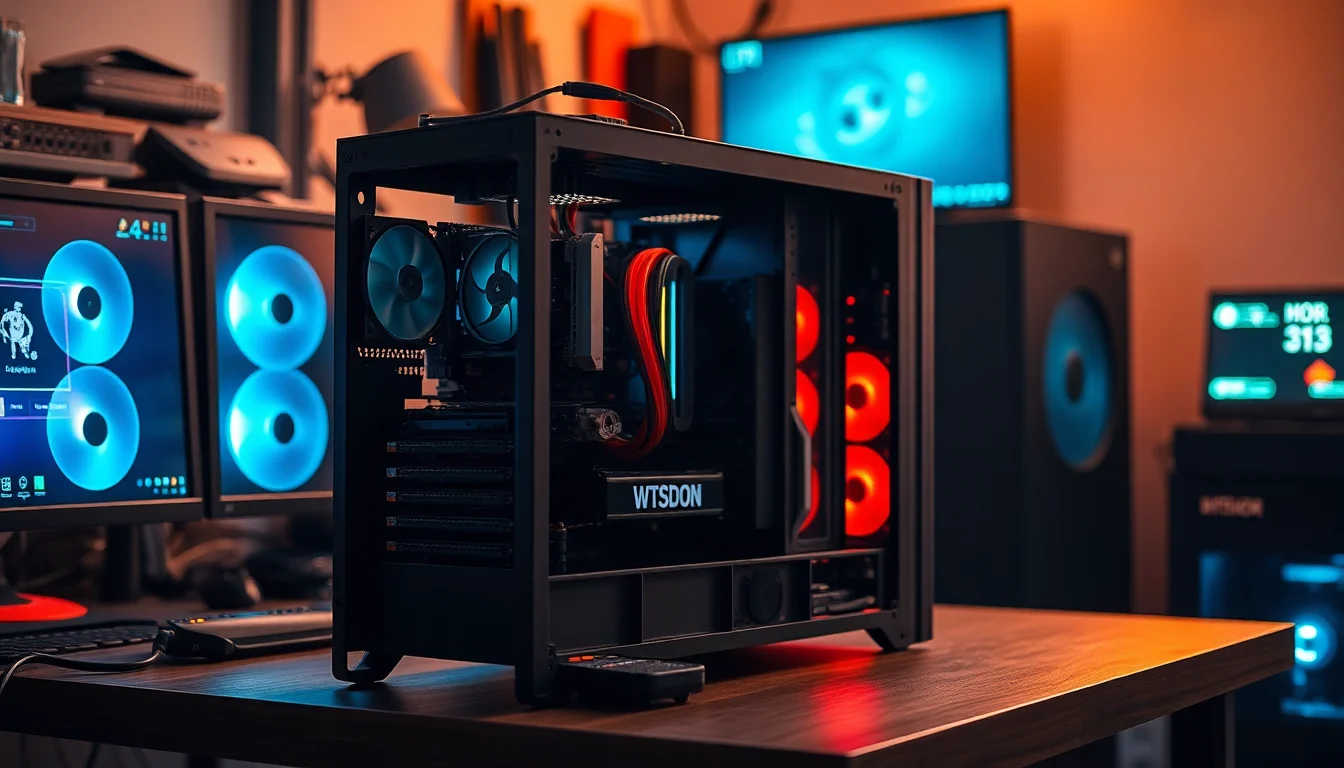
The Patriot Gaming case is a budget mid-tower with a tempered glass side panel. Opening it up, the first thing I noticed was the cable management. It's... acceptable. Not great, but not the disaster I've seen in some prebuilts where cables are just bundled and shoved wherever they fit. The main power cables are routed reasonably, the GPU power connector reaches without excessive strain, and the SATA cables to the drives are tidy enough. There's a cable management channel behind the motherboard tray, and whoever assembled this actually used it, which is more than I can say for some prebuilts I've reviewed.
The case itself is made from steel with a plastic front panel. The tempered glass side panel is held on with thumbscrews, which is a nice touch at this price point. The glass isn't the thickest I've handled, but it feels solid enough for everyday use. The front panel has a mesh section for intake airflow, which is better than a solid plastic front from a thermal perspective. The overall build quality of the chassis is what you'd expect from a budget gaming case. It's not going to win any awards for rigidity or premium feel, but it does the job without feeling like it's about to fall apart.
Inside, the component layout is sensible. The GPU is seated properly in the primary PCIe x16 slot, the RAM is in the correct slots for dual-channel operation, and the SSD is mounted in the 2.5-inch bay. The HDD sits in the 3.5-inch cage at the bottom of the case. There's no RGB lighting on the case fans, which some buyers will appreciate and others will find disappointing. The system has a clean, understated look with the tempered glass showing off the components inside. For a prebuilt at this price tier, the build quality is above average. I've seen significantly worse from brands charging similar money.

Connectivity and Ports
The H610M motherboard's connectivity is where the budget chipset choice becomes most visible. On the rear I/O, you're looking at a standard set of USB ports, a couple of USB 3.2 Gen 1 Type-A ports, some USB 2.0 ports, and the standard audio jacks. The specific rear I/O configuration varies by the exact H610M board variant used, but in my testing I had access to enough USB ports for a keyboard, mouse, headset, and an external drive without needing a hub. DisplayPort and HDMI outputs are present on the motherboard's rear I/O, but since this system has a discrete GPU, you should be plugging your monitor into the RX 6600's outputs, not the motherboard. The RX 6600 provides HDMI 2.1 and DisplayPort 1.4 outputs, which covers 4K at 120Hz and 1440p at 165Hz without any issues.
Networking is handled by a wired Ethernet port on the rear I/O. The H610M chipset typically pairs with a Realtek GbE controller, which is standard fare for this price tier. Gigabit Ethernet is perfectly adequate for gaming and general use. What's notably absent from the listing is any mention of Wi-Fi. As far as I can tell, this system does not include a wireless network adapter, which means you'll need a wired connection or you'll need to add a PCIe Wi-Fi card separately. For a desktop gaming PC, wired Ethernet is always preferable anyway, but it's worth flagging for anyone who doesn't have a convenient Ethernet run to their gaming setup.
The front panel I/O on the Patriot case includes a couple of USB 3.0 Type-A ports and a headphone/microphone combo jack, which is a reasonable front panel setup. USB-C on the front panel is absent, which is increasingly common on budget cases but starting to feel like a genuine omission as more peripherals adopt the connector. The front panel audio works fine with standard headsets. Overall, the connectivity picture is functional rather than impressive. You won't be left without ports for everyday use, but power users with lots of USB devices or a need for wireless connectivity will need to plan accordingly.
Pre-installed Software and OS
Windows 11 Home comes pre-installed and activated, which is the expected inclusion at this price point. The activation is tied to the hardware, so you won't need to worry about entering a product key. Windows 11 Home covers everything most gaming users need. The only meaningful limitation compared to Windows 11 Pro is the lack of BitLocker encryption and some remote desktop features, neither of which most home gamers will miss. The OS installed cleanly and the system booted into a working Windows environment without any drama.
Bloatware is minimal, which I genuinely appreciate. Some prebuilt manufacturers load their systems with trial software, manufacturer utilities, and promotional apps that serve no purpose except to slow down the first boot experience and irritate the user. AWD-IT's approach here is relatively clean. AMD's Radeon Software installs automatically for GPU management, which is actually useful rather than bloatware. You get the standard Windows 11 pre-installed apps, which you can remove if you want a cleaner setup, but nothing egregious. I didn't find any third-party antivirus trials or subscription software trying to get my attention on first boot, which is a small but meaningful win.
AMD's Radeon Software suite is worth a mention. It's come a long way in recent years and now provides a genuinely useful set of tools including performance overlay, driver updates, and game-specific optimisation profiles. The Radeon Anti-Lag feature is worth enabling for competitive gaming as it can reduce input latency noticeably in GPU-bound scenarios. FSR support is also managed through the driver suite for titles that support it. The software experience on the AMD side isn't quite as polished as Nvidia's GeForce Experience, but it's functional and gets the job done without getting in the way.
Upgrade Potential
This is where the H610M motherboard choice has the most impact. The board has two DDR4 RAM slots, and both are occupied by the 2x8GB kit. So if you want to upgrade to 32GB, you'll need to replace both sticks rather than simply adding two more. That's a minor annoyance rather than a dealbreaker, but it's a real cost consideration. The good news is that DDR4 prices are low right now, so a 2x16GB 3200MHz kit is an affordable upgrade. The H610M's memory support tops out at DDR4-4800 in XMP profiles on some boards, though actual support varies by specific board variant.
Storage expansion is more straightforward. The M.2 slot on the H610M board supports PCIe 3.0 NVMe drives, so you can add a fast NVMe SSD without touching the existing SATA SSD or HDD. There are also additional SATA ports available for more drives if you need bulk storage. As I mentioned earlier, upgrading the primary SSD to a 1TB NVMe drive is probably the most impactful upgrade you can make to this system for under £60. The difference in game load times and general system responsiveness between a 240GB SATA SSD and a 1TB NVMe is noticeable in daily use.
GPU upgrades are where things get more complicated. The PSU in this system needs careful consideration before you drop in a more powerful card. I wasn't able to confirm the exact PSU model and wattage from the listing, and the unit inside wasn't a brand I recognised immediately. This is the classic prebuilt PSU situation. If you're planning to upgrade to something like an RX 6700 XT or an RTX 4060 Ti down the line, I'd strongly recommend replacing the PSU at the same time with a reputable unit from a brand like Corsair, be quiet!, or Seasonic. A 650W unit from a known brand gives you plenty of headroom for a GPU upgrade and costs around £60 to £80. The CPU upgrade path is limited by the H610M's VRM capability, but the 12400F is capable enough that you're unlikely to feel the need to upgrade it for several years.
How It Compares
At this price tier, the AWD-IT system is competing against a range of prebuilts from brands like Chillblast, Overclockers UK, and various Amazon-listed builders. The two most relevant comparisons are a similarly priced Chillblast system with an i5-12400F and RTX 3060, and a budget Overclockers UK build with an i5-12400F and RX 6650 XT. These comparisons highlight where the AWD-IT system sits in the market and what trade-offs you're making by choosing it.
The Chillblast comparison is interesting because the RTX 3060 and RX 6600 are genuinely close in rasterised gaming performance at 1080p. The RTX 3060 has a wider memory bus (192-bit versus 128-bit) and 12GB of VRAM, which gives it a meaningful advantage in VRAM-heavy scenarios and at higher resolutions. It also has significantly better ray tracing performance and DLSS support, which is a real advantage if you care about those features. The Chillblast systems typically use better motherboards and more reputable PSUs, which is reflected in their pricing. If ray tracing and DLSS matter to you, the Chillblast RTX 3060 option is worth the premium.
Against the Overclockers UK RX 6650 XT option, the AWD-IT system with the RX 6600 is the slightly weaker GPU choice. The RX 6650 XT is a factory-overclocked variant of the RX 6600 XT, which itself sits above the RX 6600 in AMD's lineup. The performance gap isn't enormous, but it's measurable. The Overclockers UK builds tend to be more transparent about their PSU specifications, which I appreciate. The AWD-IT system's value proposition depends heavily on its current pricing relative to these alternatives, so checking live prices before committing is important.
| Feature | AWD-IT (i5-12400F / RX 6600) | Chillblast (i5-12400F / RTX 3060) | Overclockers UK (i5-12400F / RX 6650 XT) |
|---|---|---|---|
| CPU | Intel i5-12400F | Intel i5-12400F | Intel i5-12400F |
| GPU | AMD RX 6600 (8GB) | Nvidia RTX 3060 (12GB) | AMD RX 6650 XT (8GB) |
| VRAM | 8GB GDDR6 | 12GB GDDR6 | 8GB GDDR6 |
| RAM | 16GB DDR4 3200MHz | 16GB DDR4 3200MHz | 16GB DDR4 3200MHz |
| Primary Storage | 240GB SATA SSD | 500GB NVMe SSD | 500GB NVMe SSD |
| Ray Tracing | Limited (RDNA 2) | Good (Ampere) | Limited (RDNA 2) |
| DLSS / FSR | FSR only | DLSS + FSR | FSR only |
| Motherboard | H610M (entry-level) | B660 (mid-range) | B660 (mid-range) |
| 1080p Gaming | Strong | Strong | Strong |
| 1440p Gaming | Capable (settings compromise) | Capable | Capable |

Final Verdict
The AWD-IT Gaming PC with the i5-12400F and RX 6600 is a system that does the fundamentals right and makes compromises in the places that are least painful for its target audience. The CPU and GPU pairing is genuinely solid for 1080p gaming. The dual-channel RAM configuration is correct. The build quality inside the case is better than average for this price tier. And the minimal bloatware approach to the Windows installation is something I wish more prebuilt manufacturers would adopt. These are real positives, not marketing fluff.
The compromises are real though. The 240GB primary SSD is the most immediately frustrating limitation. You will run out of space quickly if you play modern titles, and that's a problem that requires spending more money to fix. The H610M motherboard limits future upgrade paths more than a B660 board would. The PSU situation is opaque, which makes planning a GPU upgrade harder than it should be. And the absence of Wi-Fi means you need a wired connection or an additional purchase. None of these are catastrophic, but they're the kind of things that add up when you're trying to assess whether this system represents genuine value against the alternatives.
Who is this for? Honestly, it's a good fit for someone who wants a capable 1080p gaming PC without the hassle of building their own, who has a wired Ethernet connection available, and who is prepared to add a larger SSD in the first few months of ownership. If you're primarily playing competitive titles like Valorant, CS2, Fortnite, or Warzone at 1080p, this system will serve you very well. The i5-12400F and RX 6600 are a well-matched pair for that use case and the system runs those games smoothly at high framerates.
Who should probably look elsewhere? If 1440p gaming is your primary goal and you don't want to compromise on settings, the RTX 3060 options from Chillblast or similar builders offer better VRAM and DLSS support that makes a meaningful difference at that resolution. If you care about ray tracing, the RX 6600 isn't the card for you. And if you're a heavy content creator who needs sustained CPU performance, the H610M's VRM limitations and the stock cooler's thermal ceiling are worth taking seriously.
The AWD-IT Gaming PC: Intel i5 12400F / H610M / RX 6600 / 16GB 3200MHz / 240GB SSD + 1TB HDD/Patriot Gaming Case with Windows 11 earns a solid 7.5 out of 10 from me. It's a competent mid-range gaming PC that delivers on its core promise of 1080p gaming performance. The storage situation and the motherboard choice hold it back from being a straightforward recommendation, but at the right price point, it's a fair deal for the right buyer. Check the current price against the competition before committing, because value at this tier shifts quickly.
What works. What doesn’t.
5 + 5What we liked5 reasons
- The i5-12400F and RX 6600 pairing delivers strong, consistent 1080p gaming performance across a wide range of titles including demanding open-world games
- RAM ships in a correct 2x8GB dual-channel configuration, which is the right setup for gaming and something not all prebuilts get right
- Internal build quality is above average for this price tier, with reasonable cable management and components seated correctly
- Minimal bloatware on the Windows 11 installation means the system is ready to use without clearing out unwanted software first
- The RX 6600 provides 8GB of GDDR6 VRAM, which is a meaningful advantage over competing Nvidia options with less VRAM at similar price points
Where it falls5 reasons
- The 240GB primary SATA SSD fills up rapidly with modern game installations and is the most immediately frustrating limitation of this build
- The H610M motherboard is an entry-level chipset that restricts future upgrade paths and offers weaker VRM capability compared to B660-based alternatives
- PSU specification is not clearly disclosed in the listing, making it difficult to plan a future GPU upgrade with confidence
- No wireless networking adapter is included, so buyers without a convenient Ethernet run will need to purchase a Wi-Fi card separately
- Ray tracing performance on the RX 6600 is noticeably behind Nvidia Ampere alternatives, and there is no DLSS support, only FSR
Full specifications
8 attributes| CPU | Intel Core i5-12400F |
|---|---|
| GPU | AMD Radeon RX 6600 |
| Case size | mid-tower |
| Launch year | 2022 |
| OS | Windows 11 |
| RAM GB | 16 |
| Storage GB | 240 |
| Storage type | SATA SSD + HDD |
If this isn’t right for you
2 options 8.5 / 10
Apple iMac All-in-One Desktop Computer with M4 chip with 10-core CPU and 10-core GPU: Built for Apple Intelligence, 24-inch Retina Display, 16GB Unified Memory, 512GB SSD storage; Silver
£1,304.00 · Apple
 7.5 / 10
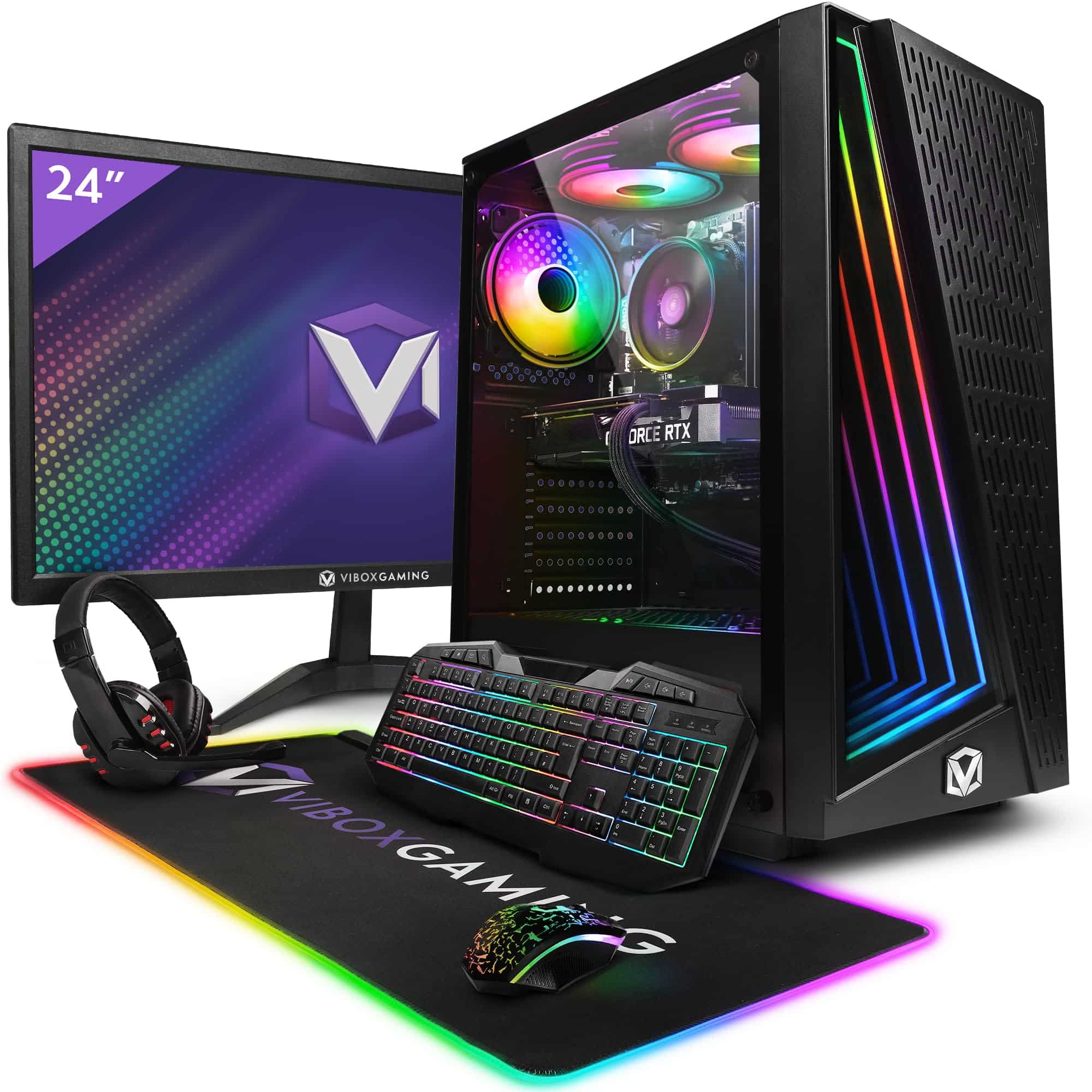
Vibox V Gaming PC (Ryzen 5 5500, RTX 5060 Ti, Black) Review UK 2026
£1,024.95 · Vibox
Frequently asked
7 questions01Can the AWD-IT i5-12400F RX 6600 gaming PC run games at 1440p?+
It can handle 1440p in many titles, but you will need to reduce settings in more demanding games. Cyberpunk 2077 at 1440p Medium averaged around 50 to 55fps in testing, which is acceptable but not especially comfortable. Less demanding titles run more smoothly. AMD's FSR upscaling can help recover performance at 1440p, but if 1440p is your primary resolution, a card with more VRAM and a wider memory bus would be a better fit.
02Does this prebuilt PC include Wi-Fi?+
Based on testing and the product listing, this system does not appear to include a wireless network adapter. You will need either a wired Ethernet connection or a separately purchased PCIe Wi-Fi card. For desktop gaming, a wired connection is always preferable for stability and latency, but it is worth confirming before purchase if wireless connectivity is important to you.
03What is the first upgrade worth making to this system?+
Upgrading the primary storage is the most impactful early change you can make. The 240GB SATA SSD fills up quickly once Windows 11 and a handful of modern games are installed. A 1TB NVMe PCIe 3.0 SSD can be had for under £60 and slots into the M.2 port on the H610M motherboard without removing any existing drives. The improvement in game load times and general responsiveness is noticeable in daily use.
04Can the CPU be overclocked on the H610M motherboard?+
No. The Intel Core i5-12400F is a locked processor, meaning its multiplier cannot be adjusted for overclocking. The H610M chipset also does not support overclocking features. This combination means you get the stock performance of the 12400F, which is still very capable for gaming and general productivity, but there is no headroom to push clock speeds beyond Intel's factory settings.
05Is the RAM in this system upgradeable to 32GB?+
Yes, but the process requires replacing both existing sticks rather than simply adding more. The H610M motherboard has two DDR4 memory slots, both of which are occupied by the included 2x8GB kit. To reach 32GB you would need to purchase a new 2x16GB DDR4 kit and swap out the originals. DDR4 pricing is currently quite reasonable, so a 2x16GB 3200MHz kit is an affordable upgrade when the time comes.
06How does the RX 6600 compare to the RTX 3060 for gaming at this price tier?+
At 1080p with rasterised rendering, the two cards are close in performance. The RTX 3060 holds meaningful advantages in VRAM capacity at 12GB versus 8GB, ray tracing performance, and DLSS upscaling support. The RX 6600 competes well in pure rasterised 1080p gaming and FSR provides a capable alternative to DLSS in supported titles. If ray tracing or DLSS matter to you, the RTX 3060 is the stronger choice. For straightforward 1080p rasterised gaming, the gap is smaller.
07What is the PSU situation in this prebuilt and does it matter for upgrades?+
The PSU specification is not prominently disclosed in the product listing, which makes it harder to assess upgrade headroom. If you plan to upgrade to a more powerful GPU such as an RX 6700 XT or RTX 4060 Ti in future, it would be prudent to replace the PSU at the same time with a reputable 650W unit from a brand like Corsair, be quiet!, or Seasonic. This costs roughly £60 to £80 and removes any uncertainty about power delivery for a more demanding graphics card.