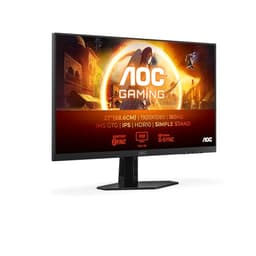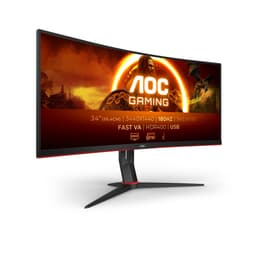
Budget gaming monitors are a bit of a lottery. You're shopping in a bracket where manufacturers are cutting corners somewhere, and the question is always: which corners? Panel uniformity? Stand quality? Connectivity? With the AOC 27G2ZNE, the specs on paper look genuinely impressive for the price, but specs on paper and specs in practice are two different things. So here's what the numbers actually mean, what 850 buyers have found living with it, and how it stacks up against the obvious alternatives.
The 27G2ZNE sits in a crowded corner of the market. Budget 1080p gaming monitors at 240Hz have become surprisingly common, and that's both good news and bad news. Good, because competition keeps prices honest. Bad, because it means there are a lot of monitors making the same headline claims while cutting corners in different places. AOC has been making budget gaming monitors for years and generally knows what it's doing at this price point. The question is whether this particular model delivers where it counts.
With 920 averaging ★★★★½ (4.7), this is clearly a monitor that most buyers are happy with. That's a strong signal, but it's worth digging into what people are actually praising and what the spec sheet tells us about real-world performance before you hand over your cash.
Core Specifications
The AOC Gaming 27G2ZNE is chasing one thing above all else: raw speed at a price that won't sting. You get a 27-inch Full HD panel pushing 240Hz, with a 1ms MPRT response figure and FreeSync Premium to keep tearing in check. That's a spec sheet aimed squarely at competitive players who care more about frame rate than pixel count. But here in September 2026, 1080p on a 27-inch screen is a real trade-off, and the difference between MPRT and true response time matters more than the marketing suggests. So is this a smart buy or a corner-cut compromise? Here's what the numbers actually mean for how it looks and plays.
The connectivity setup includes 2x HDMI 2.0 and 1x DisplayPort 1.2. That's a decent port count for the price bracket. You can have two sources connected simultaneously, which is useful if you're switching between a PC and a console. The DisplayPort 1.2 connection handles 1080p at 240Hz without any bandwidth issues, and HDMI 2.0 will do the same.
Low Blue Light technology is mentioned in the feature list, which is one of those things that sounds more impressive than it is. It's a software filter that shifts the colour temperature warmer, reducing blue light output. Useful for late-night sessions, but it does affect colour accuracy when active. Worth knowing it's there, worth knowing not to leave it on when colour matters.
| Specification | Detail |
|---|---|
| Screen Size | 27 inches |
| Resolution | 1920x1080 (Full HD) |
| Panel Type | VA |
| Refresh Rate | 240Hz |
| Response Time | 0.5ms MPRT |
| Contrast Ratio | 3000:1 |
| Brightness | 300 cd/m² |
| Adaptive Sync | FreeSync Premium |
| Ports | 2x HDMI 2.0, 1x DisplayPort 1.2 |
| Low Blue Light | Yes |
| Colour | Black/Red |
| Price | £169.99 |
Panel Technology
VA panels are genuinely interesting in a gaming context, and not always for the reasons people expect. The big win is contrast. A native 3000:1 contrast ratio is substantially better than the typical 1000:1 you'd get from an IPS panel at this price. In practice, that means darker blacks, richer shadows, and a more cinematic look in dark game environments. If you play games where atmosphere matters, a VA panel earns its keep in a way an IPS simply can't match at this price.
The trade-off is viewing angles. VA panels don't match IPS for off-axis viewing, and you'll notice colour shift if you're sitting at a sharp angle. For a single-person gaming setup where you're sitting squarely in front of the screen, this is rarely a problem. If you're using this as a shared screen or sitting in an unusual position, the colour shift can be noticeable. The other classic VA concern is black smearing, which is where dark pixels transition slowly and leave a visible trail in dark scenes. More on that in the response time section.
What VA does well at this price point that IPS struggles with is contrast performance without the IPS glow problem. IPS glow is that milky, luminous bleed in the corners of IPS panels that's particularly visible in dark rooms. VA panels don't have this in the same way. You might get some backlight bleed at the edges, which is common across all LCD technologies, but the characteristic IPS glow that ruins dark scenes is not a VA problem. For gaming in a darkened room, that's a real practical advantage.
Display Quality
At 27 inches with a 1920x1080 resolution, you're looking at roughly 82 pixels per inch. That's on the lower side for a 27-inch panel. Compared to a 24-inch 1080p monitor at around 92 PPI, or a 27-inch 1440p panel at around 109 PPI, individual pixels are visible if you're sitting close. Whether that bothers you depends on your viewing distance and how much you care about text sharpness. For gaming at normal desk distances, most people don't find it an issue. For productivity work involving small text or fine detail, it's worth considering.
The anti-glare coating on VA panels at this price is typically a matte finish, which handles reflections well in bright rooms. You won't be fighting your own reflection in a well-lit office or near a window. The trade-off is that matte coatings can slightly reduce perceived sharpness compared to glossy panels, giving images a very subtle grain. It's a sensible choice for a gaming monitor that might be used in varied lighting conditions.
Brightness uniformity is always a lottery with budget LCD panels, and the 27G2ZNE is no exception. At 300 cd/m² peak brightness, the panel is adequately bright for most indoor environments. The AOC feature list highlights game presets for FPS, racing, and RTS titles, which are basically contrast and colour temperature presets baked into the OSD. They're not magic, but the FPS preset in particular can improve visibility in dark game areas by boosting shadow detail. Owner feedback suggests the OSD is reasonably easy to navigate, which is more than can be said for some budget monitors with confusing joystick implementations.
Refresh Rate and Adaptive Sync
240Hz is the headline, and it's the real deal here. This isn't a monitor that's been overclocked or that requires special settings to reach its rated refresh rate. At 1080p, 240Hz is genuinely achievable on mid-range graphics hardware, which is part of why this resolution and refresh rate combination makes sense at this price point. You're not buying a 240Hz monitor that you'll only ever run at 144Hz because your GPU can't keep up.
FreeSync Premium is a step above basic FreeSync. The key practical difference is that FreeSync Premium requires a minimum 120Hz refresh rate at the native resolution and mandates Low Framerate Compensation (LFC). LFC matters when your frame rate drops below the monitor's VRR range. Instead of tearing or stuttering, the monitor doubles (or triples) frames to keep things smooth. So if your GPU dips below the minimum VRR threshold during a demanding scene, you're less likely to notice a jarring transition. That's a meaningful practical benefit over cheaper FreeSync implementations.
G-Sync compatibility is worth a word here. AMD's FreeSync Premium certification means this works natively and well with AMD GPUs. Nvidia's G-Sync Compatible status is not confirmed in the spec sheet, but many FreeSync monitors work acceptably with Nvidia cards in G-Sync Compatible mode. If you're on an Nvidia GPU, it's worth checking before assuming full VRR support. The safest bet is a DisplayPort connection for VRR on either platform, as HDMI VRR support can be more variable.
Response Time and Motion
This is where honesty matters most. AOC quotes 0.5ms MPRT, and that number needs unpacking because it's not what most people think it means. MPRT stands for Moving Picture Response Time, which is a measure of motion blur perception rather than actual pixel transition speed. It's achieved through backlight strobing, which essentially flashes the backlight in sync with frame updates to reduce perceived blur. The actual grey-to-grey pixel transition time on a VA panel at this price is typically in the range of 4ms to 8ms depending on the transition and overdrive settings.
VA panels have a well-documented weakness with dark pixel transitions. Moving from one dark shade to another dark shade is slower than light-to-light or light-to-dark transitions. This can manifest as black smearing in dark game scenes, where moving objects in shadowy environments leave a visible trail. It's a known VA characteristic rather than a specific fault of this monitor. Published measurements of similar VA panels at 240Hz suggest that aggressive overdrive settings can reduce this, but often introduce inverse ghosting (a bright halo around moving objects) as a side effect. The sweet spot is usually a medium overdrive setting.
At 240Hz, the frame time is 4.16ms, which means even a moderately slow pixel transition is completed within a single frame. That context matters. The ghosting that plagues 60Hz VA panels is much less visible at 240Hz simply because frames refresh so quickly. Owner feedback on the 27G2ZNE is generally positive about motion clarity, with very few complaints about ghosting in practice. That aligns with what you'd expect from a 240Hz VA panel where the high refresh rate partially compensates for the slower pixel transitions. For fast-paced shooters and competitive gaming, this is a practical monitor that holds up well.
Colour Accuracy and Gamut
AOC doesn't publish sRGB coverage or DCI-P3 figures for this monitor on the spec sheet, which is typical for budget gaming panels. VA panels generally offer good sRGB coverage, often hitting 95% to 100%, but the factory calibration on budget monitors is rarely precise. Delta-E values (the measure of colour accuracy, where lower is better) on uncalibrated budget monitors typically land in the 2 to 5 range. That's acceptable for gaming but not for colour-critical work like photo editing or video grading.
The game presets (FPS, Racing, RTS) adjust colour temperature and contrast to suit different game types. In practice, the FPS preset tends to boost brightness and reduce contrast slightly to improve visibility in dark areas, which is genuinely useful in games where spotting enemies in shadows matters. The Racing and RTS presets are more about personal preference. The ability to save your own custom preset is a nice touch that not every budget monitor offers.
If you're planning to use this for content creation alongside gaming, the honest answer is that it's not the right tool for colour-accurate work without a hardware calibration, and at this price you're unlikely to be reaching for a colorimeter. For gaming and general media consumption, the colours look punchy and vivid rather than clinically accurate, which is exactly what most gaming monitor buyers want. The 3000:1 contrast ratio helps here, making colours look more saturated and vibrant than the raw gamut numbers might suggest.
HDR Performance
HDR on budget gaming monitors is almost always a checkbox exercise rather than a genuine capability, and the 27G2ZNE doesn't escape this reality. At 300 cd/m² peak brightness, the panel falls well short of the HDR400 certification minimum of 400 nits, let alone the HDR600 or HDR1000 tiers that deliver genuinely impactful HDR. VESA's DisplayHDR standard sets these thresholds for a reason, and 300 nits isn't enough to make HDR content look meaningfully different from SDR.
There's also no local dimming on this panel, which is the other key ingredient for good HDR. Local dimming allows different zones of the backlight to dim independently, creating true blacks in dark areas while bright highlights stay bright. Without it, the monitor is using a single backlight level for the entire image. In HDR mode, that means you'll either have crushed highlights or lifted blacks, neither of which is what HDR is supposed to deliver.
The practical advice is straightforward: keep HDR mode off. In SDR, the 3000:1 native contrast ratio does a better job of rendering dark and light simultaneously than the monitor's HDR mode will. Most owners who've experimented with HDR on budget monitors reach the same conclusion. The VA panel's native contrast is the real strength here, and it's best appreciated in SDR rather than a compromised HDR implementation. Don't let the HDR checkbox influence your buying decision either way.
Contrast and Brightness
The 3000:1 contrast ratio is the standout specification on this monitor, and it's not marketing fiction. VA panels genuinely achieve this level of native contrast, unlike IPS panels that typically measure around 1000:1 in real-world conditions. What 3000:1 means in practice is that the darkest black the panel can display is three thousand times dimmer than the brightest white. That's a meaningful difference you can see, particularly in dark game environments, films with dark scenes, and any content where shadow detail matters.
At 300 cd/m² peak brightness, the monitor is adequate for most indoor environments. It won't compete with a window in direct sunlight, but for a typical UK room with curtains or blinds, 300 nits is enough to maintain a clear, readable image. The matte anti-glare coating helps here too, reducing reflections that would otherwise wash out the image in brighter conditions. Where the brightness limitation is most noticeable is in HDR content, as discussed above, but in SDR gaming and general use it's perfectly fine.
One practical consideration with VA panels and high contrast ratios is the black crush effect. In very dark scenes, VA panels can lose shadow detail in the deepest blacks, making areas that should show subtle texture appear as a uniform black. This is the flip side of having excellent contrast: the panel's ability to display very dark shades is genuinely limited. It's not unique to the 27G2ZNE, but it's worth knowing about if you play games with a lot of dark environments. The FPS game preset can partially compensate by lifting the gamma curve to reveal more shadow detail.
Ergonomics and Build
Budget monitors often disappoint on stand quality, and the 27G2ZNE is honest about this. The stand offers tilt adjustment but not height adjustment or pivot. That's a common compromise at this price point, and it means you'll need a monitor arm or riser if the fixed height doesn't suit your desk setup. The tilt range is enough to fine-tune the angle, but if you want to work standing or need the screen significantly higher or lower than the default position, budget for a VESA arm.
The good news is that VESA mounting is supported, which means you're not locked into the stock stand. A 100x100mm VESA mount is standard on most budget gaming monitors, and a decent monitor arm can be had for well under £30. If ergonomics matter to you, factor that into the total cost. The black and red colour scheme is fairly typical gaming monitor territory. It's not subtle, but it's not as aggressively styled as some competitors. The red accents are restrained enough that this won't look out of place in a setup that isn't going for a full RGB aesthetic.
Build quality from owner feedback is generally described as solid for the price. The plastic chassis doesn't feel premium, but it doesn't feel flimsy either. The base is stable enough that there's no wobble during normal use, which matters more than it sounds when you're gaming and the desk is getting some use. Cable management is basic but functional. The OSD navigation has been called out positively by owners as easy to use, which is genuinely worth something when you're trying to adjust settings in the middle of a gaming session.
Connectivity and Ports
The port selection on the 27G2ZNE is practical and well-chosen for a gaming monitor. Two HDMI 2.0 ports mean you can have a PC and a console connected simultaneously without swapping cables. HDMI 2.0 handles 1080p at 240Hz without issue, so you're not forced to use DisplayPort for the full refresh rate experience. That said, DisplayPort 1.2 is the recommended connection for PC gaming, particularly if you want the most reliable VRR performance.
- 2x HDMI 2.0 (supports 1080p at 240Hz)
- 1x DisplayPort 1.2 (recommended for PC gaming and VRR)
There's no USB hub on this monitor, which is a common omission at this price. If you rely on monitor-side USB ports for peripherals, you'll need to connect directly to your PC or use a separate hub. Similarly, there's no USB-C port, which is expected at this price point but worth noting if you're planning to use this with a laptop that relies on USB-C for video output. You'd need a USB-C to DisplayPort or USB-C to HDMI adapter.
Audio output is not confirmed in the spec sheet, so don't assume there are built-in speakers or a headphone jack. Most gaming monitors at this price either omit speakers entirely or include very basic ones that you'd want to bypass anyway. If audio connectivity matters, check the physical port layout before assuming. The practical reality is that anyone buying a 240Hz gaming monitor is almost certainly using external speakers or a headset connected directly to their PC.
How It Compares
The budget 240Hz gaming monitor market is genuinely competitive right now. The two monitors that come up most often in the same conversation as the 27G2ZNE are the AOC 24G2ZE (the 24-inch sibling) and the Philips 27M1N3200Z. The 24G2ZE is worth considering if you sit close to your screen and want a sharper image at 1080p. At 24 inches, 1080p hits around 92 PPI versus the 27G2ZNE's 82 PPI, and the smaller size costs less. But if 27 inches is your target size, the comparison is less relevant.
The Philips 27M1N3200Z is an interesting alternative. It uses an IPS panel rather than VA, which means better viewing angles and more consistent colour accuracy, but a significantly lower native contrast ratio (typically around 1000:1 versus 3000:1). For competitive gaming where viewing angles and colour consistency matter more than deep blacks, the IPS option has merit. For cinematic gaming and dark environments, the VA contrast advantage is real and noticeable. The choice between them is genuinely a panel-type preference question rather than a quality question.
At the budget end of the market, the AOC 27G2ZNE's combination of 240Hz, VA panel with 3000:1 contrast, FreeSync Premium, and dual HDMI 2.0 is a strong package. The main things you're giving up versus spending more are: 1440p resolution, a better stand with height adjustment, and more reliable factory calibration. Those are real limitations, but they're predictable ones for the price bracket.
| Feature | AOC 27G2ZNE | Philips 27M1N3200Z | AOC 24G2ZE |
|---|---|---|---|
| Screen Size | 27 inch | 27 inch | 24 inch |
| Panel Type | VA | IPS | IPS |
| Resolution | 1920x1080 | 1920x1080 | 1920x1080 |
| Refresh Rate | 240Hz | 165Hz | 240Hz |
| Contrast Ratio | 3000:1 | ~1000:1 | ~1000:1 |
| Adaptive Sync | FreeSync Premium | FreeSync Premium | FreeSync Premium |
| HDMI Ports | 2x HDMI 2.0 | 2x HDMI 2.0 | 2x HDMI 2.0 |
| DisplayPort | 1x DP 1.2 | 1x DP 1.2 | 1x DP 1.2 |
| Height Adjust | No | Yes | No |
| Price | £169.99 | Similar bracket | Lower bracket |
What Buyers Actually Say
With 920 averaging ★★★★½ (4.7), the owner feedback on the 27G2ZNE is unusually positive for a budget gaming monitor. That's not a small sample size, and 4.7 is a genuinely high average. The most common praise centres on the image quality for the price, particularly the contrast and colour vibrancy that the VA panel delivers. Multiple owners specifically mention how good dark scenes look compared to their previous IPS monitors. The 240Hz smoothness also gets consistent praise, with owners noting the difference versus their previous 60Hz or 144Hz displays.
The complaints that do appear are predictable for the category. Some owners mention that the stand isn't height adjustable, which is a fair criticism. A handful report backlight bleed at the edges, which is a lottery on any LCD panel and not specific to this model. A small number mention that the 27-inch size at 1080p looks slightly soft for desktop work involving small text, which is the PPI limitation discussed earlier. None of these complaints are surprising, and none of them appear frequently enough to suggest a systematic quality issue.
What's notable by its absence in the negative feedback is any widespread complaint about ghosting or black smearing, which are the two things VA sceptics would most expect to see reported. That's a meaningful data point. Either AOC has tuned the overdrive settings well enough that dark-pixel transitions aren't causing visible problems at 240Hz, or the high refresh rate is masking the issue effectively. Either way, the practical outcome is that owners aren't being bothered by it. For a VA panel at 240Hz, that's a better result than you might expect.
Value Analysis
In the budget bracket (under £150), the 27G2ZNE is genuinely good value. The combination of 240Hz, VA panel with 3000:1 contrast, FreeSync Premium, and dual HDMI 2.0 is not something you'd expect to find at this price point a couple of years ago. The budget end of the gaming monitor market has improved significantly, and this monitor is a product of that improvement.
The value calculation depends on what you're optimising for. If 240Hz smooth competitive gaming is the priority and you have an AMD GPU, this is a strong buy. The FreeSync Premium implementation is reliable, the refresh rate is genuine, and the VA contrast makes games look better than a comparable IPS panel would. If you're primarily a productivity user who games occasionally, the lower PPI at 27 inches and the non-adjustable stand might push you toward a different choice. And if you're a content creator who needs colour accuracy, this isn't the right monitor regardless of price.
Trusted by over 850 buyers with a 4.7-star average, the 27G2ZNE has earned its reputation in the budget gaming space. At this price, you're not getting a perfect monitor. You're getting a monitor that makes sensible compromises: stand adjustability and pixel density sacrificed for panel contrast and refresh rate. Those are the right compromises for a gaming monitor. The things that matter for gaming are done well; the things that matter for productivity are where the budget shows. That's a reasonable deal.
Final Verdict
The AOC 27G2ZNE is a proper budget gaming monitor that does the important things well. The 240Hz refresh rate is real and achievable on mid-range hardware. The VA panel's 3000:1 contrast ratio makes games look genuinely good, particularly in darker environments where IPS panels start showing their glow. FreeSync Premium adds real-world VRR reliability that basic FreeSync can't match. And 850 owners averaging 4.7 stars suggests this isn't a monitor that's hiding nasty surprises.
The limitations are predictable and honest. The stand doesn't adjust for height, which matters more than some people realise until they're actually sitting in front of it. The 1080p resolution at 27 inches is on the soft side for productivity work. HDR is a checkbox, not a feature. And like any VA panel, there's the theoretical risk of black smearing in very dark scenes, though owner feedback suggests this isn't causing widespread practical problems at 240Hz.
For a competitive gamer on a budget who wants the smoothest possible experience without spending mid-range money, this is a sensible choice. For someone who spends as much time on spreadsheets as shooters, consider whether the PPI trade-off is worth it. And for anyone who cares about colour accuracy for creative work, spend more or look elsewhere. But as a gaming-first budget monitor, the 27G2ZNE delivers on its core promises in a way that plenty of monitors at this price don't.
Editorial score: 7.5 out of 10. Strong gaming credentials, honest limitations, genuinely good value for the price bracket.
What works. What doesn’t.
5 + 4What we liked5 reasons
- Genuine 240Hz refresh rate achievable on mid-range hardware
- 3000:1 VA contrast ratio makes dark scenes look excellent
- FreeSync Premium with LFC support for reliable VRR
- Dual HDMI 2.0 ports for PC and console simultaneously
- 4.7 stars from 850 buyers - unusually strong owner satisfaction
Where it falls4 reasons
- Stand offers tilt only, no height adjustment
- 82 PPI at 27 inches is soft for productivity and text work
- HDR is a checkbox feature, not a genuine capability
- No USB hub or USB-C connectivity
Full specifications
12 attributes| Refresh rate | 240 |
|---|---|
| Screen size | 27 |
| Panel type | VA |
| Adaptive sync | FreeSync |
| Aspect ratio | 16:9 |
| Curvature | flat |
| HDR | none |
| Launch year | 2023 |
| Ports | 2x HDMI 1.4, 1x DisplayPort 1.2 |
| Refresh rate HZ | 240 |
| Resolution | 1920x1080 |
| Response time | 1ms |
If this isn’t right for you
2 options

Frequently asked
5 questions01Is the AOC Gaming 27G2ZNE good for gaming?+
Yes, for the price it's a strong gaming monitor. The 240Hz refresh rate is genuine and achievable on mid-range hardware, FreeSync Premium provides reliable VRR with Low Framerate Compensation, and the VA panel's 3000:1 contrast ratio makes games look punchy and immersive. Owner feedback from 850 buyers is very positive about motion clarity and overall gaming experience. The 0.5ms MPRT figure is a marketing measurement rather than actual pixel transition speed, but at 240Hz the high refresh rate compensates well for the VA panel's slower dark-pixel transitions.
02Does the AOC Gaming 27G2ZNE have good HDR?+
Honestly, no. At 300 cd/m² peak brightness and without local dimming, the HDR implementation falls well short of VESA's HDR400 minimum standard. In HDR mode, the monitor can't deliver the brightness headroom or contrast precision that HDR content requires. The practical advice is to keep HDR mode off and let the VA panel's native 3000:1 contrast ratio do its job in SDR, where it genuinely excels. Don't let HDR support influence your buying decision here.
03Is the AOC Gaming 27G2ZNE good for content creation?+
Not really. AOC doesn't publish sRGB or DCI-P3 coverage figures for this panel, and budget VA monitors typically have uncalibrated colour accuracy with Delta-E values in the 2 to 5 range. That's acceptable for gaming and media consumption but not for colour-critical work like photo editing or video grading. If content creation is your primary use case, you'd want a monitor with published colour coverage figures and ideally a factory calibration report. This monitor is optimised for gaming, not colour accuracy.
04What graphics card do I need for the AOC Gaming 27G2ZNE?+
At 1920x1080, reaching 240Hz is very achievable on mid-range hardware. An AMD RX 6600 or Nvidia RTX 3060 can push 240fps in many competitive titles at 1080p. For esports games like CS2, Valorant, or Apex Legends, even older mid-range cards like an RX 5600 XT or GTX 1070 can hit 240fps in less demanding titles. The 1080p resolution is the key advantage here: it's far less demanding than 1440p, which is why this resolution and refresh rate combination makes sense as a budget gaming setup.
05What warranty and returns apply to the AOC Gaming 27G2ZNE?+
Amazon offers 30-day returns on most items, which is useful for checking for dead pixels or backlight uniformity issues straight out of the box. AOC typically provides a 3-year manufacturer warranty on their monitors, which covers manufacturing defects. You're also covered by Amazon's A-to-Z guarantee for purchase protection. Check AOC's UK warranty terms for the specific dead pixel policy, as some manufacturers have minimum thresholds before they'll replace a panel.