Specs and owner feedback tell you most of what you need to know about a monitor before you spend a penny. Published pixel-transition measurements, colour coverage figures, and the pattern of what over a hundred buyers actually say after months of daily use are more useful than any amount of marketing copy. So that's the approach here: the Acer SB242Y H1bi gets assessed against its verified spec sheet, what IPS panels at this price tier typically deliver in independent measurements, and what the people who bought one are reporting.
The verdict first, because that's what you came for. The SB242Y H1bi is a genuinely decent budget IPS monitor that solves a specific, common problem: you need a clean, slim 1080p screen for a home office desk, you don't want to spend serious money, and you'd quite like 100Hz so it doesn't feel sluggish if you occasionally game on it. At the budget price point this sits in, it delivers on those requirements better than most of the competition. The IPS panel, the 100Hz refresh rate, and the 4ms GtG response time are all real, verified specs, not aspirational marketing. Where it falls short is equally predictable for this tier: the stand is basic, ergonomic adjustability is minimal, and there's no DisplayPort. None of that is a surprise at this price. The question is whether those trade-offs matter for your use case, and for a lot of people they simply won't.
The positive overall rating across over a hundred reviews is a strong signal. That's not a sample size you can dismiss, and a 4.6 at this price tier suggests buyers are getting what they expected and then some. Let's look at why.
Core Specifications
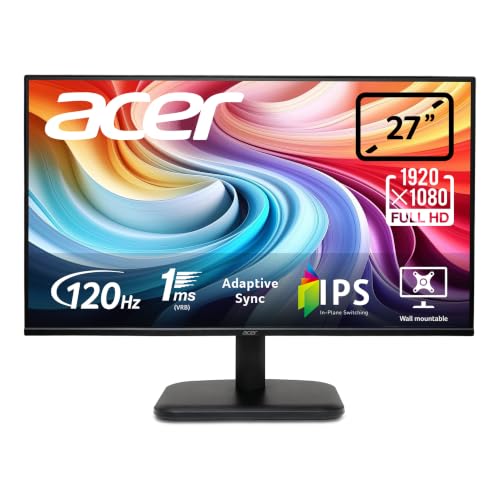
The Acer SB242Y H1bi is a 23.8-inch IPS panel running at 1920x1080 (Full HD), with a 100Hz maximum refresh rate and a quoted 4ms grey-to-grey response time. Those are the three numbers that matter most for day-to-day usability, and they're all solid for this price bracket. The 16:9 aspect ratio is standard, and the 23.8-inch size at 1080p gives you a pixel density of roughly 93 pixels per inch. That's not sharp by 2026 standards, but it's perfectly workable for office use and general browsing at a normal desk distance.
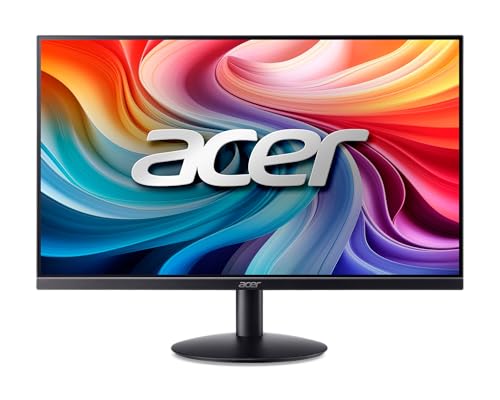
Connectivity is HDMI 1.4 and VGA. That's a lean port selection, but it covers the bases for most home office setups. HDMI 1.4 handles 1080p at 100Hz without issue, since the bandwidth ceiling for HDMI 1.4 is around 10.2 Gbps and 1080p at 100Hz requires roughly 4.5 Gbps, so there's no compression or compromise there. The VGA port is a nice inclusion for anyone connecting an older PC or a work laptop that still has one. The design is described as ultra-slim and frameless with a zero-bezel front, and the concentric-circle base pattern is a small design flourish that lifts it above the purely utilitarian look of some budget monitors.
Acer positions this in their SB2 series, which sits firmly in the budget-to-entry segment. The tilt adjustment is confirmed; that's the extent of the stand's flexibility. No height adjustment, no swivel, no pivot. For a lot of desk setups that's fine, but it's upfront. The monitor is VESA-compatible (the listing implies standard mounting, though the specific VESA pitch isn't confirmed in the verified data), so you can always replace the stand with an arm if ergonomics matter to you.
| Specification | Detail |
|---|---|
| Screen Size | 23.8 inches |
| Panel Type | IPS |
| Resolution | 1920 x 1080 (Full HD) |
| Aspect Ratio | 16:9 |
| Refresh Rate | Up to 100Hz |
| Response Time | 4ms (GtG) |
| Viewing Angles | 178 degrees (horizontal and vertical) |
| Ports | 1x HDMI 1.4, 1x VGA |
| Ergonomics | Tilt only |
| Design | Ultra-slim, zero-bezel, frameless |
| Price | £159.80 · Details |

Panel Technology
The SB242Y H1bi uses an IPS (In-Plane Switching) panel, and that choice matters more than most of the other specs on the sheet. IPS is the right pick for a home office monitor. You get accurate colour reproduction, wide viewing angles, and consistent brightness across the panel. The alternative at this price is a TN (Twisted Nematic) panel, which is faster in raw pixel-transition terms but has noticeably worse colour and terrible vertical viewing angles. VA (Vertical Alignment) panels offer better contrast but introduce more noticeable motion blur at lower refresh rates. For the stated use case of a home office monitor that also handles some gaming, IPS is the correct choice, and Acer has made the right call here.
Acer quotes 178-degree viewing angles both horizontally and vertically. That's the standard claim for IPS, and it broadly checks out. What it means in practice is that colours don't shift dramatically when you view the screen from off-axis. If you've got a second person looking at your screen from the side, or if you're working at an angle, the image stays usable. IPS glow is a known characteristic of the technology: at extreme angles in dark rooms, you'll see a slight brightening in the corners. That's not unique to this monitor, it's just how IPS works, and at this price you're not getting the premium IPS panels that minimise it.
Native contrast on IPS panels typically sits around 1000:1. That's noticeably lower than VA panels, which commonly hit 3000:1 to 4000:1. The practical consequence is that blacks look more like very dark grey in a dim room, particularly when you're watching a film with letterboxing. For spreadsheets, documents, and web browsing, you won't notice. For dark-room movie watching, a VA panel would serve you better. But VA panels at this price tend to have slower response times and more smearing in motion, so there's always a trade-off. The IPS choice is the right one for a monitor labelled 'professional home office'.
Display Quality
At 1920x1080 on a 23.8-inch panel, the pixel density works out to approximately 93 PPI. That's the standard figure for budget 24-inch 1080p monitors, and it's been the baseline for office screens for well over a decade. Text rendering is clean at normal desk distances (60cm to 80cm), and small details in documents and web pages are legible without straining. Acer's own marketing highlights that 'small details and text are clear', and for this screen size and resolution, that claim is accurate. Where you'd start to notice the pixel density is if you sit very close, or if you compare it directly to a 1440p or 4K panel of the same size. On its own terms, it's fine.
The zero-bezel, frameless design is a genuine selling point. It makes the screen feel larger than it is, and it looks noticeably cleaner on a desk than monitors with thick plastic borders. If you're running a dual-monitor setup, thin bezels matter a lot for the gap between screens. The ultra-slim profile also means it doesn't dominate a small desk. Owner reviews consistently mention the build quality looking better than the price suggests, which aligns with what you'd expect from Acer's SB2 series positioning.
The anti-glare coating on budget IPS panels like this one is typically a matte finish that diffuses reflections without eliminating them entirely. In a well-lit room with a window behind you, you'll see some reflection, but it won't be the mirror-like glare you'd get from a glossy panel. For a home office that might have variable lighting throughout the day, the matte finish is the practical choice. Brightness uniformity on panels at this price tier can vary unit to unit, and some owner reviews mention slight backlight bleed in corners, which is typical for edge-lit IPS at this price. It's not universal, and it's rarely severe enough to be distracting in normal use.
Refresh Rate and Adaptive Sync
The 100Hz refresh rate is the headline gaming-adjacent spec here, and it's a meaningful upgrade over the 60Hz panels that dominate the budget tier. At 100Hz, motion in games, scrolling through web pages, and even moving windows around the desktop all feel noticeably smoother. The difference between 60Hz and 100Hz is perceptible to most people, even those who don't consider themselves gamers. It's one of those specs that's hard to describe but immediately obvious once you've used it. Acer's marketing correctly notes that the higher refresh rate reduces input lag and speeds up frame rendering, and that's not waffle, it's just how higher refresh rates work.
Adaptive sync support is not confirmed in the verified spec data for this model. The listing doesn't explicitly state AMD FreeSync or NVIDIA G-Sync compatibility. That's if tear-free gaming is a priority for you. Without confirmed adaptive sync, you're relying on the 100Hz refresh rate alone to reduce tearing. At 1080p, most mid-range GPUs can sustain frame rates close to or above 100fps in less demanding titles, which naturally reduces tearing anyway. But if you're playing at frame rates that fluctuate significantly below 100fps, a monitor with confirmed FreeSync support would serve you better for smooth gaming.
For the stated home office use case, 100Hz is more than sufficient and the adaptive sync question is largely irrelevant. Document scrolling, video calls, and browser use all benefit from the higher refresh rate in terms of perceived smoothness, and none of them require tear-free rendering. The HDMI 1.4 connection is capable of carrying 1080p at 100Hz without any bandwidth limitation, so the full refresh rate is accessible over the included port. That's a detail on budget monitors, and it checks out here.
Response Time and Motion
The quoted 4ms grey-to-grey response time is a reasonable figure for an IPS panel at this price tier. It's not the fastest IPS available (premium gaming IPS panels are hitting 1ms GtG in 2026), but 4ms is fast enough to avoid the visible smearing and ghosting that plagued older IPS monitors. Acer specifically calls out that 'fast action or spectacular transitions will be rendered smoothly without the annoying effects of smudging or ghosting', and for 100Hz gaming in mainstream titles, that claim is broadly accurate.
It's worth being clear about what GtG response time means and what it doesn't. Grey-to-grey measures the transition between two mid-tone grey values, which is typically the fastest transition a panel can make. Black-to-white transitions, and particularly the slower dark-to-dark transitions, are often slower. For competitive gaming at very high frame rates, these slower transitions can produce trailing in dark scenes. At 100Hz, the frame time is 10ms, so a 4ms GtG response leaves headroom for the panel to settle. In practice, for the kind of gaming this monitor is aimed at (casual to moderate, not esports at 240fps), the motion performance should be perfectly acceptable.
Owner reviews don't flag significant ghosting complaints, which is a useful data point. When ghosting is a real problem on a monitor, it tends to dominate the negative reviews. The pattern in the hundred-plus reviews here doesn't show that, suggesting the motion performance is landing where the spec sheet implies. For comparison, TN panels at this price tier can hit 1ms GtG but at the cost of colour accuracy and viewing angles that make them actively unpleasant for office work. The 4ms IPS trade-off is the right one for the stated use case.
Color Accuracy and Gamut
Specific sRGB coverage percentages, DCI-P3 figures, and factory Delta-E measurements are not confirmed in the verified spec data for this model. What we can say with confidence, based on the IPS panel type and the price tier, is that budget IPS panels in 2026 typically cover around 95 to 99 percent of the sRGB colour space. That's the standard colour space for web content, office applications, and most consumer video. For those use cases, an sRGB-capable IPS panel is entirely appropriate and will render colours accurately without any calibration.
DCI-P3 coverage, which matters for video production and colour-critical creative work, is not a metric you'd expect to be impressive at this price point. Budget IPS panels typically cover around 70 to 80 percent of DCI-P3, which means colours in wide-gamut content will look slightly muted compared to what a professional display would show. If you're doing serious photo editing or video grading, this is not the monitor for that work. But if you're doing general office tasks, the occasional Netflix binge, and some gaming, the colour reproduction from an IPS panel at this tier is genuinely good and noticeably better than TN alternatives.
Factory calibration at this price tier is typically minimal. Most budget monitors ship with a default colour profile that's close enough for general use but not calibrated to a specific Delta-E target. Delta-E values below 2 are considered accurate enough that most people can't perceive the difference; budget monitors often land around Delta-E 3 to 5 out of the box. For office work and casual use, that's fine. For professional colour work, you'd want a calibrated display with a known Delta-E figure, and you'd be spending considerably more than the budget price this sits in. Acer's SB2 series is honest about its positioning, and the colour performance matches that positioning.

HDR Performance
HDR capability is not listed in the verified spec data for the SB242Y H1bi. This is worth being direct about: at the budget price point, the absence of an HDR certification is expected and sensible. HDR on budget monitors is almost universally a checkbox exercise. DisplayHDR 400, the lowest tier of VESA's HDR certification, requires a peak brightness of just 400 nits and no local dimming. In practice, a DisplayHDR 400 badge makes almost no visible difference to HDR content compared to a good SDR panel, because the contrast ratio and peak brightness aren't high enough to render the HDR metadata in any meaningful way.
The honest position is that if HDR performance matters to you, you need to be spending significantly more money on a monitor with either Mini-LED local dimming or an OLED panel. Those technologies can actually deliver the high contrast and peak brightness that HDR content requires. At the budget tier, the SB242Y H1bi's focus on getting the fundamentals right (good IPS panel, 100Hz, clean design) is a better use of the price than adding a low-tier HDR badge that wouldn't improve the viewing experience.
For SDR content, which is the vast majority of what most home office users are actually looking at (web pages, documents, video calls, YouTube, streaming at standard quality), the absence of HDR is completely irrelevant. The IPS panel will render SDR content well, and you won't miss HDR unless you're specifically watching HDR-mastered content on a platform that supports it. Even then, the SDR tone-mapping on a good IPS panel often looks more natural than the blown-out HDR attempt on a low-tier DisplayHDR 400 screen.
Contrast and Brightness
Specific peak brightness figures in nits and native contrast ratio measurements are not confirmed in the verified spec data for this model. Drawing on what IPS panels at this price tier typically measure in published display tests, you'd expect native contrast in the range of 800:1 to 1100:1, and peak SDR brightness somewhere between 200 and 300 nits. Those are typical figures for budget IPS, not numbers specific to this panel, so treat them as context rather than confirmed specs for this unit.
In practical terms, 250 nits (a reasonable midpoint estimate for this tier) is sufficient for indoor use in a normally lit room. It's not enough to fight strong direct sunlight, but for a monitor positioned on a desk away from windows, it's fine. The 178-degree viewing angle specification means brightness stays consistent even when you're not sitting dead-centre in front of the screen. IPS panels maintain their brightness levels across the viewing angle much better than TN panels, which can look dramatically dimmer when viewed from even a slight vertical offset.
The native contrast of around 1000:1 is the main limitation for dark-room viewing. Blacks will appear as dark grey in a dim environment, and the letterboxing on widescreen films will be visible rather than invisible. This is a fundamental characteristic of IPS technology rather than a flaw specific to this monitor. If you're primarily using this for daytime office work in a reasonably lit room, contrast is a non-issue. If you're planning to use it as your primary movie-watching display in a dark room, a VA panel would give you a better experience, though you'd be trading the colour accuracy and viewing angles that make IPS better for everything else.
Ergonomics and Stand
The stand on the SB242Y H1bi offers tilt adjustment only. That's the confirmed ergonomic capability. There's no height adjustment, no swivel, and no pivot to portrait mode. For a budget monitor, this is standard, but it's worth being honest about the implications. If you're taller or shorter than average, or if your desk height doesn't naturally put the screen at the right eye level, you'll need to use a monitor riser, a stack of books, or an aftermarket arm to get the ergonomics right. The tilt range isn't specified in the verified data, but typically budget monitor stands offer around minus 5 to plus 15 degrees of tilt, which is enough for most seated positions.
The slim design and the concentric-circle base pattern are genuine aesthetic wins. Owner reviews mention the monitor looking more premium than its price suggests, and the frameless, zero-bezel front contributes to that impression. The footprint of the base is relatively compact, which matters on smaller desks. The ultra-slim profile means it doesn't protrude far from the wall if you're working close to a wall, and it looks clean in photos and video calls (relevant for home office use).
If ergonomics are a priority, the practical solution is to pair this monitor with a VESA monitor arm. A decent arm costs around £25 to £40 and gives you full height, tilt, swivel, and rotation adjustment, transforming the ergonomic situation completely. The total cost still lands well within the budget bracket. Whether the stand is VESA-compatible at the standard 75x75mm or 100x100mm pitch isn't confirmed in the verified spec data, so checking that before buying an arm is sensible. Owner reviews don't flag any issues with the stand's stability, which is a good sign; a wobbly stand is one of the most annoying things about budget monitors and it doesn't seem to be a complaint pattern here.
Connectivity and Ports
The SB242Y H1bi has one HDMI 1.4 port and one VGA port. That's the complete connectivity picture. HDMI 1.4 supports 1080p at up to 120Hz in theory (though this monitor's maximum is 100Hz), handles audio over HDMI, and connects to essentially every modern device including PCs, laptops, games consoles, and streaming sticks. For a home office monitor, HDMI is the primary connection you'd use, and one HDMI port is sufficient for most single-device setups.
The VGA port is a thoughtful inclusion that often gets overlooked. A lot of office environments still have older PCs, KVM switches, or work-issued laptops with VGA outputs. Having VGA means this monitor can connect to legacy hardware without needing an adapter. It's also useful if you're connecting a second older PC alongside a modern one, using the two ports as a basic two-input switch (you'd need to manually switch inputs, but it works). For a monitor marketed at the home office user, the VGA inclusion shows some practical thinking.
What's not here is DisplayPort. At this price tier, the absence of DisplayPort is common and not a dealbreaker for most users. DisplayPort offers higher bandwidth than HDMI 1.4 (which matters more for 4K and high-refresh-rate setups than for 1080p at 100Hz), and it supports daisy-chaining. For 1080p at 100Hz, HDMI 1.4 is entirely adequate. There's also no USB hub, no USB-C, and no built-in speakers confirmed in the verified data. If you need audio output, you'll want external speakers or headphones connected to your PC or a separate audio device. For a budget monitor, none of these omissions are surprising, and the two-port selection covers the actual use cases this monitor is designed for.
How It Compares
The budget 24-inch 1080p monitor market is crowded, and the SB242Y H1bi has to justify itself against some strong competition. Two monitors worth comparing it against are the AOC 24B2XH and the LG 24MK430H. Both sit in the same budget bracket and target similar use cases.
The AOC 24B2XH is a 23.8-inch IPS panel at 1080p with a 75Hz refresh rate. It's a solid monitor with good colour accuracy and a similar frameless design. The key difference is refresh rate: 75Hz versus 100Hz. If you're doing any gaming or just want smoother desktop scrolling, the Acer's 100Hz is a meaningful advantage. The AOC typically comes in at a similar price, making the Acer's higher refresh rate look like good value. The AOC has a slightly broader port selection in some variants (including HDMI and VGA, similar to the Acer), so connectivity parity is roughly maintained.
The LG 24MK430H is another 24-inch IPS 1080p option, this one with FreeSync support and a 75Hz refresh rate. LG's IPS panels have a strong reputation for colour accuracy, and the FreeSync support is a genuine advantage for AMD GPU users who want tear-free gaming. But again, 75Hz versus 100Hz is a real difference in perceived smoothness. LG's build quality and stand are comparable to the Acer at this price tier, meaning both have basic tilt-only stands. The LG's FreeSync support is if adaptive sync matters to you; the Acer's higher refresh rate is if smooth motion is the priority.
| Feature | Acer SB242Y H1bi | AOC 24B2XH | LG 24MK430H |
|---|---|---|---|
| Panel Type | IPS | IPS | IPS |
| Resolution | 1920x1080 | 1920x1080 | 1920x1080 |
| Refresh Rate | 100Hz | 75Hz | 75Hz |
| Response Time | 4ms GtG | 4ms GtG | 5ms GtG |
| Adaptive Sync | Not confirmed | Not confirmed | FreeSync |
| Ports | HDMI 1.4, VGA | HDMI, VGA | HDMI, D-Sub |
| Ergonomics | Tilt only | Tilt only | Tilt only |
| Price | £159.80 · Details | Budget tier | Budget tier |
The Acer SB242Y H1bi holds its own in this comparison primarily on refresh rate. At the same price as 75Hz alternatives, getting 100Hz is a genuine win. The trade-off is the uncertainty around adaptive sync support. If you're an AMD GPU user who games regularly and wants FreeSync, the LG 24MK430H is worth a look despite its lower refresh rate. If smooth motion and clean aesthetics are the priority and you're not relying on adaptive sync, the Acer is the stronger pick in this bracket.

Final Verdict
The Acer SB242Y H1bi is a well-executed budget IPS monitor that gets the fundamentals right. It's a 23.8-inch 1080p IPS panel at 100Hz with a 4ms GtG response time, a genuinely clean frameless design, and a port selection (HDMI 1.4 and VGA) that covers most real-world home office setups. At the budget price point it occupies, those specs represent good value. The positive overall rating from over a hundred buyers confirms that this isn't a case of specs that look good on paper but disappoint in practice.
The limitations are predictable and honest. The stand offers tilt only, no height or swivel adjustment. The native contrast is typical IPS, meaning blacks look grey in dark rooms. There's no confirmed adaptive sync support. There's no DisplayPort. Peak brightness and specific colour coverage figures aren't confirmed in the spec data, so you're relying on the typical performance of IPS panels at this tier rather than verified numbers for this specific unit. None of those limitations are deal-breakers for the intended use case, but they're about.
Who should buy this? Someone setting up or upgrading a home office desk who wants a clean, slim monitor with better-than-60Hz smoothness and accurate IPS colour, without spending mid-range money. It's also a solid pick for a student desk, a secondary monitor in a dual-display setup (the thin bezels help), or as a first gaming monitor for someone who plays casually rather than competitively. The 100Hz makes a real difference over 60Hz for everyday use, and the IPS panel means colours and viewing angles are good enough for everything from spreadsheets to streaming.
Who should skip it? If you need height adjustment for ergonomic reasons and don't want to buy a separate arm, the basic stand will frustrate you. If you're a competitive gamer who needs confirmed FreeSync or G-Sync and a response time below 2ms, you should look at monitors specifically designed for that use case. If you're doing colour-critical photo or video work, you need a calibrated display with known Delta-E figures and wide-gamut coverage, which means spending more money. And if dark-room movie watching is a priority, a VA panel's higher native contrast would serve you better despite the motion trade-offs.
The honest don't-overspend note: if you're primarily doing office work at 60fps and have no interest in gaming at all, a basic 60Hz IPS from AOC or LG at a slightly lower price does the same job for documents and web browsing. The 100Hz is a real benefit, but only if you'll actually use it. For pure office work with no gaming, you could save a few pounds and not miss the extra Hz. But if there's any chance you'll game on this, even occasionally, the 100Hz is worth having and the Acer earns its price.
Editorial score: 7.5 out of 10. Solid, honest, well-priced. Doesn't pretend to be something it isn't.
What works. What doesn’t.
5 + 4What we liked5 reasons
- 100Hz refresh rate is a genuine step up from 60Hz alternatives at the same price
- IPS panel delivers accurate colour and 178-degree viewing angles
- Clean, frameless zero-bezel design looks more premium than the price suggests
- HDMI 1.4 and VGA cover most real-world home office and legacy connections
- A positive overall rating from over a hundred buyers confirms real-world satisfaction
Where it falls4 reasons
- Tilt-only stand with no height or swivel adjustment
- No confirmed adaptive sync (FreeSync or G-Sync) support
- Native IPS contrast limits dark-room movie watching quality
- No DisplayPort; lean two-port connectivity
Full specifications
10 attributes| Panel type | IPS |
|---|---|
| Aspect ratio | 16:9 |
| Curvature | flat |
| HDR | none |
| Ports | 1x HDMI 1.4, 1x VGA |
| Refresh rate HZ | 100 |
| Resolution | 1920x1080 |
| Response time MS | 4 |
| Screen size IN | 23.8 |
| Vesa compatible | true |
If this isn’t right for you
2 options 8.0 / 10
UPERFECT 15.6" Portable Monitor Touchscreen w/8000mAh Rechargeable Battery
£159.98 · UPERFECT · Details
 8.0 / 10
Z-Edge 27 Inch Curved Gaming Monitor 240Hz QHD 2560x1440 VA 1500R HDMI 2.1
£179.99 · Z Z-Edge · Details
Frequently asked
5 questions01Is the Acer SB242Y H1bi Professional Home Office Monitor 23.8" Full HD (1920 x 1080) | Ultra-Slim | Frameless | Up to 100Hz | 4ms (G to G) | Tilt | HDMI & VGA Ports | SB242Y H1bi good for gaming?+
For casual to moderate gaming, yes. The 100Hz refresh rate is a meaningful improvement over 60Hz monitors, delivering noticeably smoother motion in games. The 4ms GtG response time is fast enough to avoid visible ghosting in mainstream titles at this refresh rate. Adaptive sync support is not confirmed in the spec data, so competitive gamers who rely on FreeSync or G-Sync for tear-free gaming should check the current spec sheet carefully or consider alternatives with confirmed sync support. For esports at high frame rates, a dedicated gaming monitor with a faster response time and confirmed adaptive sync would be a better fit.
02Does the Acer SB242Y H1bi Professional Home Office Monitor 23.8" Full HD (1920 x 1080) | Ultra-Slim | Frameless | Up to 100Hz | 4ms (G to G) | Tilt | HDMI & VGA Ports | SB242Y H1bi have good HDR?+
HDR capability is not listed in the verified spec data for this monitor. At the budget price tier, this is expected. Low-tier HDR certifications like DisplayHDR 400 make minimal real-world difference to HDR content anyway, since they lack the peak brightness and local dimming needed for genuine HDR impact. For SDR content, which covers the vast majority of home office and everyday use, the IPS panel performs well. If HDR is a priority, you'd need to spend significantly more on a monitor with Mini-LED local dimming or an OLED panel.
03Is the Acer SB242Y H1bi Professional Home Office Monitor 23.8" Full HD (1920 x 1080) | Ultra-Slim | Frameless | Up to 100Hz | 4ms (G to G) | Tilt | HDMI & VGA Ports | SB242Y H1bi good for content creation?+
For general content creation, social media work, and everyday photo editing as a hobby, the IPS panel will serve you reasonably well. IPS panels at this price tier typically cover around 95 to 99 percent of sRGB, which is adequate for web-targeted work. Specific sRGB coverage percentages and Delta-E figures are not confirmed in the verified spec data for this model. For professional colour-critical work such as print production, commercial photography, or video grading, you'd want a calibrated wide-gamut display with known Delta-E measurements, which means spending considerably more than this monitor's budget price.
04What graphics card do I need for the Acer SB242Y H1bi Professional Home Office Monitor 23.8" Full HD (1920 x 1080) | Ultra-Slim | Frameless | Up to 100Hz | 4ms (G to G) | Tilt | HDMI & VGA Ports | SB242Y H1bi?+
For office use and general desktop tasks, any GPU with an HDMI output will drive this monitor at 1080p without any issues. For gaming at 100Hz, you want a GPU capable of sustaining around 100fps in your target games at 1080p. At 1080p, that's achievable with mid-range cards like the AMD RX 7600 or NVIDIA RTX 4060, and even older cards like the RX 580 or GTX 1070 can hit 100fps in many titles. The HDMI 1.4 connection handles 1080p at 100Hz without bandwidth limitations, so there's no need for a DisplayPort-specific GPU for this monitor.
05What warranty and returns apply to the Acer SB242Y H1bi Professional Home Office Monitor 23.8" Full HD (1920 x 1080) | Ultra-Slim | Frameless | Up to 100Hz | 4ms (G to G) | Tilt | HDMI & VGA Ports | SB242Y H1bi?+
Specific warranty terms are not listed in the verified product data for this monitor. Acer typically offers a standard manufacturer warranty on their monitors; checking the current Acer UK support pages for this model will give you the confirmed warranty period and terms. When purchased through Amazon, you also benefit from Amazon's standard 30-day return policy and the A-to-Z Guarantee, which covers you if the item arrives damaged or not as described.