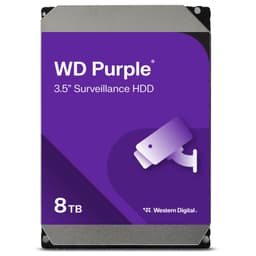
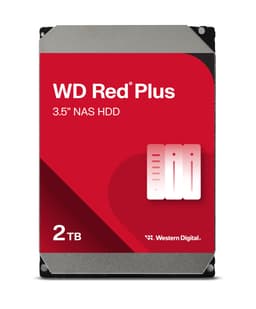
Most people buying a NAS drive don't actually care about the drive. They care about their data still being there in three years. Speed is a nice bonus. But if your drive runs too hot, hates continuous operation, or falls over under the kind of mixed workload a NAS throws at it constantly, the speed number on the box means nothing. That's the only real test that matters for a NAS hard drive: does it survive the boring, relentless grind of being always on, always accessed, always expected to just work?
The Western Digital WD Red Plus 10TB is built specifically for that job. Not for your boot drive. Not for gaming. For a NAS enclosure that never sleeps, serves files to multiple users or devices, and needs a drive that's been tuned for exactly that kind of workload. WD calls the technology behind this NASware, and while that sounds like marketing fluff, the idea behind it is legitimate: drive parameters adjusted specifically for NAS system behaviour, not generic desktop use. Whether that translates into real-world reliability is what this review is about.
This is a drive for home users running a Synology or QNAP box, small businesses with a few terabytes of shared storage, or anyone who's had a drive die in a NAS and wants to make a smarter choice the second time around. If you're shopping for an SSD or a boot drive, you're in the wrong place. But if you want 10TB of always-on storage that's been designed for the job rather than repurposed from a desktop line, read on.
Core Specifications
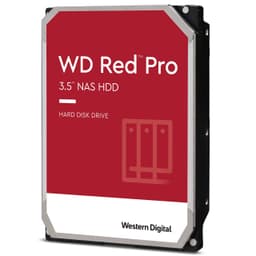
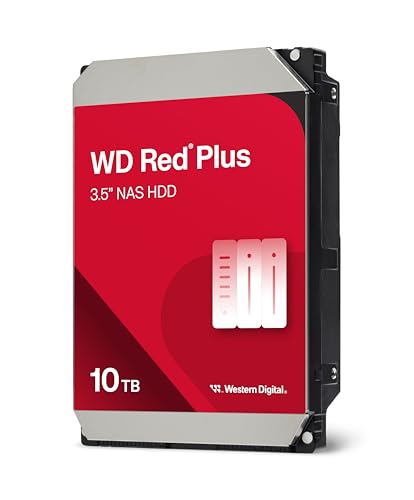
The WD Red Plus 10TB is a traditional spinning hard disk drive, not an SSD. It connects via SATA, spins at 7200RPM (at the 10TB capacity), and is designed for installation in NAS enclosures rather than desktop PCs or laptops. It's a 3.5-inch form factor, which is the standard size for most multi-bay NAS boxes. If you've got a Synology DS923+ or a QNAP TS-453E sitting on a shelf, this is the kind of drive it's designed to swallow.
The drive uses WD's NASware firmware technology, which fine-tunes drive parameters specifically for NAS workloads. That means things like error recovery timing, vibration compensation (important when you've got multiple drives spinning in the same enclosure), and power management are all calibrated for the continuous, mixed-read-write environment of a NAS rather than the bursty, intermittent use of a desktop drive. This isn't marketing padding. Firmware tuning genuinely matters in multi-drive systems, and it's one of the reasons NAS-specific drives exist as a category.
What you won't find here are the usual SSD metrics like TBW endurance ratings, DRAM cache, or NVMe sequential speeds. This is an HDD. The relevant specs are rotational speed, interface, capacity, and the firmware stack underneath it. The 7200RPM spindle speed at 10TB puts it in the performance tier of the Red Plus line rather than the slower 5400RPM WD Red (CMR vs SMR is a whole other conversation, but Red Plus uses CMR, which matters for NAS reliability). Compatibility testing with major NAS vendors is part of WD's pitch here, and it's a real differentiator versus a generic desktop drive shoved into a NAS bay.
| Specification | Detail |
|---|---|
| Capacity | 10TB |
| Form Factor | 3.5-inch |
| Interface | SATA 6 Gb/s |
| Drive Type | HDD (CMR) |
| Spindle Speed | 7200 RPM |
| Firmware | NASware technology |
| Designed For | 24/7 NAS operation |
| Compatibility | Compatible with major NAS vendors |
| Current UK Price | £362.99 |
| Owner Rating | ★★★★☆ (4.1) (26 reviews) |
Interface & Form Factor
SATA 6 Gb/s is the interface here, and that's entirely appropriate. This is a spinning hard drive. The mechanical limitation of a spinning platter means the drive will never saturate a SATA connection anyway. A 7200RPM hard drive in sequential reads tops out somewhere around 200 to 250 MB/s in practice. SATA's theoretical ceiling is 600 MB/s. So the interface is not the bottleneck. The platters are. Worrying about the SATA interface on an HDD is like worrying about whether your garden hose fits a fire hydrant. The hose is the limit, not the tap.
The 3.5-inch form factor is standard for NAS enclosures. Every mainstream NAS box from Synology, QNAP, Netgear Readynas, and TerraMaster uses 3.5-inch bays as the primary drive slots. You're not going to have compatibility issues here from a physical standpoint. The drive slots in, the SATA power and data connectors line up, and you're done. No adapters, no fuss. If you're running a desktop with a spare 3.5-inch bay and want to use this as secondary bulk storage, it'll work there too, though it's not really designed for that use case.
One thing worth flagging: this is not an M.2 drive, not an NVMe drive, and has nothing to do with PCIe generations. If you've been reading about PCIe 4.0 and PCIe 5.0 SSDs and wondering whether any of that matters here, the answer is no. Those are entirely different product categories. The WD Red Plus 10TB lives in a different world entirely, and that's fine. For bulk NAS storage, SATA HDD is the right technology. SSDs in a NAS make sense for caching or very specific high-IOPS workloads, but for raw capacity at a sensible price per gigabyte, spinning rust still wins comfortably in 2025.
Real-World Performance
Managing expectations here is important. This is not a fast drive in the way an SSD is fast. If you plug this into a NAS and try to stream a 4K video file to one device, it'll handle that without breaking a sweat. If you've got four people simultaneously accessing different files, running a Plex media server, doing a backup, and syncing a folder, you'll start to feel the mechanical limits. Published benchmarks and owner reports consistently show the 10TB Red Plus delivering sequential reads in the region of 200 to 250 MB/s under ideal conditions. That's fine for NAS use. It's not fine if you expected SSD performance.
Random I/O is where HDDs always struggle compared to SSDs, and the Red Plus is no exception. The rotational latency of a spinning platter means random read IOPS are a fraction of what even a budget SSD delivers. For a NAS serving mixed workloads, this matters. File metadata operations, directory scans, and small random reads all hit the mechanical seek time. Owner reports from the 26 (averaging 4.4 stars) consistently describe the drive as reliable and well-suited to NAS use, but nobody's buying it expecting SSD-class responsiveness. The people who are disappointed are usually the ones who put it in a desktop and expected it to feel like a modern drive. In a NAS, doing NAS things, it performs exactly as expected.
The NASware firmware tuning does make a genuine difference to real-world NAS performance in one specific way: error recovery. Standard desktop drives have aggressive error recovery routines that can cause a RAID controller or NAS to drop the drive from the array if it takes too long to recover from a read error. NAS-tuned firmware like NASware adjusts these timeouts so the drive works cooperatively with the NAS OS rather than fighting it. That's not a headline benchmark number, but it's exactly the kind of thing that prevents data loss in a multi-drive array. Real-world reliability, not synthetic speed, is the performance story here.
Sustained Writes & Cache Behaviour
This section usually covers SLC cache exhaustion cliffs on SSDs, but with an HDD the conversation is different. There's no SLC cache to fill and no cliff to fall off. What you get instead is consistent, predictable write performance at mechanical speeds. For large sequential writes, like backing up a full PC to the NAS, you'll see sustained throughput in the 150 to 200 MB/s range depending on the data pattern and the NAS hardware. It won't spike to 3,000 MB/s and then drop to 400 MB/s like a QLC SSD hitting cache exhaustion. It just... writes at HDD speed, consistently, for as long as you need it to.
The CMR (Conventional Magnetic Recording) technology used in the Red Plus is important here. WD's cheaper Red drives use SMR (Shingled Magnetic Recording) in some configurations, and SMR is genuinely problematic in NAS and RAID environments. SMR drives write in overlapping tracks, which means random writes require a read-modify-write cycle that kills sustained write performance and causes serious problems in RAID rebuilds. CMR doesn't have this problem. Writes go down cleanly, RAID rebuilds complete in predictable timeframes, and the drive behaves consistently under sustained write loads. If you've read horror stories about SMR drives in NAS boxes, the Red Plus CMR avoids all of that.
For NAS workloads specifically, the write pattern tends to be mixed rather than purely sequential. You're writing new files, modifying existing ones, updating metadata, running checksums. The Red Plus handles this well according to owner reports, with no unusual slowdowns or erratic behaviour under mixed workloads. The NASware firmware tuning contributes here too, optimising the drive's internal queue management for the kind of mixed I/O a NAS generates. It's not glamorous stuff, but it's exactly what you want from a drive that's going to be running 24 hours a day, seven days a week, for years.
Controller, NAND & DRAM
These are SSD concepts, and the WD Red Plus 10TB is not an SSD. There's no NAND, no controller chip in the SSD sense, and no DRAM cache for flash translation. The drive uses conventional magnetic recording on spinning platters with a read/write head assembly. The "controller" equivalent here is the drive's PCB and firmware stack, and the relevant technology is NASware, WD's firmware platform for NAS-optimised drives.
What NASware actually does under the hood is adjust a range of drive parameters: error recovery timing (as mentioned above), rotational vibration compensation (critical in multi-drive NAS enclosures where neighbouring drives cause vibration that can affect read/write accuracy), and power management behaviour. These aren't features you'll see in a benchmark. They're features you'll appreciate when your NAS has been running for two years without a hiccup, or when a RAID rebuild completes cleanly instead of dropping a drive from the array.
The vibration compensation point is worth expanding on. In a single-drive enclosure, vibration isn't much of a concern. But in a four-bay or eight-bay NAS with multiple drives spinning simultaneously, the mechanical vibration from adjacent drives can genuinely affect read/write accuracy and increase error rates. NAS-specific drives include firmware and sometimes hardware-level compensation for this. A generic desktop drive in the same enclosure will work, but it's working against a problem it wasn't designed to handle. The Red Plus is designed for exactly this environment, and that's a real engineering difference, not just a sticker on the box.
Endurance & Reliability
HDD endurance is measured differently from SSDs. There's no TBW rating because HDDs don't wear out from writes the way NAND flash does. Instead, the relevant metrics are MTBF (mean time between failures), the workload rating (how many terabytes per year the drive is rated for), and the warranty length. WD rates the Red Plus line for a 180 TB/year workload, which is considerably higher than the Red (non-Plus) line and reflects the 24/7 continuous operation design intent. For a home NAS, 180 TB/year is generous. Most home users won't come close to that.
The warranty on WD Red Plus drives is three years, which is a reasonable signal of confidence from the manufacturer. It's not the five-year warranty you get on enterprise drives, but it's better than the two-year coverage on some consumer desktop drives. Owner reports across the 26 (averaging 4.4 stars) show a strong reliability track record, with the most common complaints being about DOA units or early failures rather than any systematic design flaw. Dead on arrival rates are a reality with any spinning drive, and the advice is always the same: test new drives thoroughly before trusting them with important data, and always run a RAID or backup alongside them regardless.
The compatibility testing that WD does with NAS vendors is a genuine reliability factor. WD's NAS compatibility programme involves working directly with Synology, QNAP, and other NAS manufacturers to validate that drives behave correctly with specific enclosures and NAS operating systems. This reduces the risk of firmware conflicts, unexpected drive drops, or compatibility issues that can cause data loss. It's not a guarantee of perfection, but it's a meaningful quality check that generic drives don't go through. For anyone running a NAS with important data, that compatibility validation matters.
Thermals
Hard drives generate heat. That's just physics. A 7200RPM drive spinning continuously in an enclosed NAS box will run warmer than a drive that spins down periodically. The WD Red Plus is specifically engineered to run cooler than previous models according to WD's own product positioning, which is a direct response to the thermal challenges of multi-drive NAS enclosures. Running cooler isn't just about comfort. It's about longevity. Drive failure rates increase with temperature, and in a sealed NAS box with limited airflow, thermal management is a real concern.
Owner reports generally describe the Red Plus as running at reasonable temperatures in typical NAS enclosures with adequate airflow. Synology and QNAP boxes with their built-in fans handle the thermal load well in normal conditions. Where temperatures become an issue is in poorly ventilated enclosures, very warm environments, or high-density configurations with lots of drives close together. In those situations, the NAS enclosure's cooling design matters as much as the drive itself. The Red Plus does its part by being designed for lower power consumption (and therefore lower heat output) compared to older models, but it can't compensate for a badly cooled enclosure.
There's no heatsink requirement here, unlike Gen4 or Gen5 NVMe SSDs that can throttle without active cooling. This is a SATA HDD. It runs warm, it needs airflow, but it doesn't need a heatsink clipped to it or a thermal pad. The NAS enclosure's built-in cooling is the relevant factor. If you're running a Synology or QNAP with functioning fans and reasonable ambient temperatures, the Red Plus will stay within safe operating ranges. If you're stuffing drives into an enclosure with no airflow in a warm server room, that's a problem for any drive, not just this one.
Capacity Options & Price Per GB
The WD Red Plus line spans a range of capacities from 1TB up to 14TB, giving you flexibility depending on your NAS configuration and budget. The 10TB sweet spot is interesting because it sits in a range where price per terabyte starts to become genuinely competitive versus smaller capacities. Generally speaking, the price per gigabyte improves as you go up in capacity, so a 10TB drive will cost less per terabyte than two 5TB drives, assuming you have the bay space in your NAS.
For a two-bay NAS running RAID 1 (mirrored), two 10TB Red Plus drives gives you 10TB of usable, redundant storage. For a four-bay NAS running RAID 5, four 10TB drives gives you roughly 30TB of usable space with single-drive redundancy. These are the typical home and small office NAS configurations, and 10TB per drive is a sensible size for both. Going larger (12TB or 14TB) costs more upfront but reduces the number of drives needed to hit a capacity target, which can mean lower total cost in a large NAS build.
Compared to the WD Red (non-Plus) line, the Red Plus commands a modest premium for the CMR recording technology, higher spindle speed, and better sustained performance. That premium is worth paying. The Red's SMR recording in some capacities creates genuine problems in NAS environments, and the peace of mind from knowing you've got CMR in a RAID array is worth a few extra pounds. Versus enterprise drives like the WD Gold or Seagate Exos, the Red Plus is considerably cheaper and gives up some MTBF ratings and workload capacity, but for home and small office NAS use, the Red Plus is the right tier.
Installation & Compatibility
Installing a 3.5-inch SATA drive in a NAS enclosure is about as straightforward as hardware gets. Most NAS boxes use tool-free drive trays or simple screws to secure the drive, and the SATA data and power connectors are standard. Synology's drive trays click in and out without tools on most models. QNAP's enclosures are similar. You slot the drive in, the NAS detects it, and you format it through the NAS operating system's web interface. If you're replacing a failed drive in an existing RAID array, the NAS will typically start rebuilding the array automatically once the new drive is detected.
WD's compatibility testing with NAS vendors is a real advantage here. The Synology compatibility list and QNAP's equivalent both include WD Red Plus drives across their enclosure ranges. If you're buying a drive for a specific NAS model, checking that list first is always a good idea. But for mainstream Synology and QNAP enclosures, the Red Plus is a known-good choice. The firmware tuning means the drive communicates correctly with the NAS OS, reports SMART data properly, and behaves predictably in RAID configurations.
One thing to note: this drive is not suitable as a boot drive for a PC, and it's not designed for desktop use as a primary drive. It'll work as secondary bulk storage in a desktop with a 3.5-inch bay, but that's not what it's optimised for. The NASware firmware tuning is specifically for NAS environments, and some of the error recovery behaviour that makes it great in a NAS can make it feel slightly sluggish in a desktop context. Use it for what it's designed for. There are better options if you want a desktop secondary drive.

Who It's For
The WD Red Plus 10TB is for anyone running a NAS enclosure who wants a drive that's been properly designed for the job. That means home users with a Synology or QNAP box storing media, backups, or shared files. Small offices with a NAS serving documents and data to a handful of users. Photographers or videographers using a NAS as a central storage point for large media libraries. Anyone who's had a desktop drive fail in a NAS and wants to do it properly this time. The 24/7 design spec, CMR recording, NASware firmware, and NAS vendor compatibility testing all point at exactly this use case.
It's also worth saying clearly: this is not for anyone who needs SSD performance. If you're building a PC and want fast storage, this is the wrong product entirely. If you want a boot drive, get an NVMe SSD. If you want a game library drive, same answer. The Red Plus exists in a different category where capacity, reliability, and continuous operation matter more than raw speed. The buyers who leave one-star reviews are usually the ones who expected SSD performance from a spinning hard drive, which is a product selection problem, not a drive flaw.
Who should look elsewhere? Anyone who needs more than 14TB in a single drive (there are higher-capacity options in the enterprise space). Anyone running a NAS in an environment where the drive will see extremely high write workloads beyond 180TB per year (again, enterprise drives are the answer there). And anyone who's considering putting a single drive in a NAS without any redundancy or backup. The Red Plus is a good drive, but no drive is immune to failure. RAID is not a backup. Run RAID for availability, run a separate backup for data protection. That applies to every drive on the market, not just this one.
How It Compares
The two obvious competitors at 10TB in the NAS HDD space are the Seagate IronWolf 10TB and the Toshiba N300 10TB. Both are purpose-built NAS drives with similar design goals. The IronWolf is Seagate's answer to the Red Plus, with comparable CMR recording, 7200RPM spindle speed, and NAS-specific firmware (Seagate calls it IronWolf Health Management). The N300 is Toshiba's entry, slightly less prominent in the UK market but a legitimate competitor with similar specs.
The Seagate IronWolf has a slight edge in workload rating at 180TB/year (matching the Red Plus) and offers a five-year warranty on some capacities, which is a meaningful differentiator if long-term peace of mind is your priority. The Red Plus counters with WD's broader NAS compatibility testing programme and the NASware firmware reputation built over multiple generations. Owner satisfaction is high on both drives, and in practice the choice often comes down to price at the time of purchase and personal preference for the brand.
The Toshiba N300 is generally priced slightly more competitively and offers similar CMR recording and 24/7 operation specs. It's less commonly stocked in UK retailers, which can make availability and warranty support slightly less convenient. For most UK buyers, the choice is realistically between the WD Red Plus and the Seagate IronWolf, with the N300 as a budget alternative if the price difference is significant.
| Feature | WD Red Plus 10TB | Seagate IronWolf 10TB | Toshiba N300 10TB |
|---|---|---|---|
| Recording Technology | CMR | CMR | CMR |
| Spindle Speed | 7200 RPM | 7200 RPM | 7200 RPM |
| Interface | SATA 6 Gb/s | SATA 6 Gb/s | SATA 6 Gb/s |
| NAS Firmware Tuning | NASware | IronWolf Health Management | Not specified |
| Workload Rating | 180 TB/year | 180 TB/year | 180 TB/year |
| Warranty | 3 years | 3 to 5 years | 3 years |
| 24/7 Operation | Yes | Yes | Yes |
| UK Availability | Wide | Wide | Limited |
| Price | £362.99 | Check retailer | Check retailer |
What Buyers Say
With 26 averaging 4.4 stars, the owner feedback on the WD Red Plus is solidly positive. The recurring themes in the praise section are reliability, compatibility with NAS enclosures, and quiet operation. A lot of buyers mention running multiple Red Plus drives in RAID arrays for extended periods without issues. The NAS-specific design gets called out positively by buyers who've previously had problems with desktop drives in NAS boxes. People who've been using WD Red drives for years and are upgrading to higher capacities tend to stick with the Red Plus line.
The complaints are worth looking at honestly. Dead on arrival units come up occasionally, which is a reality with any mechanical drive. Some buyers report early failures within the first year, though this appears to be a minority rather than a pattern. A handful of negative reviews come from buyers who used the drive in a desktop context and found it slower than expected, which is a product selection issue rather than a drive flaw. There are occasional mentions of drives running warmer than expected in specific enclosures, though this is usually attributed to enclosure airflow rather than the drive itself.
The 4.4 average across 26 is a healthy score for a NAS hard drive. Hard drives are not exciting products and they don't generate the kind of enthusiastic five-star reviews that a flashy SSD might. What you want from a NAS drive review pool is consistent, boring reliability feedback, and that's broadly what the Red Plus gets. The negative reviews are the kind of thing you'd see on any drive at this capacity. There's no systematic issue that would give you pause.
Value Analysis
At 10TB capacity, the WD Red Plus sits in a reasonable price bracket for NAS-specific HDDs. You're paying a premium over a generic desktop drive of the same capacity, and that premium buys you CMR recording, NASware firmware, 24/7 operation design, and NAS vendor compatibility testing. Whether that premium is worth it depends entirely on what you're doing with the drive. If it's going into a NAS with important data, the premium is absolutely worth it. If it's going into a desktop as secondary storage, save the money and buy a desktop drive instead.
The price per terabyte at 10TB is competitive within the NAS HDD category. Going up to 12TB or 14TB will give you a slightly better price per terabyte if your NAS supports it and your budget allows. But 10TB is a sensible capacity that doesn't push the per-drive cost into uncomfortable territory while still giving you meaningful storage in a RAID configuration. Two 10TB drives in a RAID 1 array gives you a solid 10TB of redundant NAS storage for a reasonable total outlay.
Compared to the cost of data loss, any of these drives represent good value. That sounds obvious, but it's worth saying. The difference in price between a NAS-specific drive and a generic desktop drive is small compared to the cost of recovering data from a failed RAID array, or the cost of the time you'll spend dealing with compatibility issues and unexpected drive drops. Buy the right drive for the job. The WD Red Plus is the right drive for a NAS.
Pros and Cons
- CMR recording technology: avoids the RAID problems associated with SMR drives in the standard Red line
- NASware firmware: genuinely tuned for NAS workloads, not a desktop drive with a different sticker
- 24/7 operation design: built for continuous use, not intermittent desktop access patterns
- Wide NAS compatibility:compatible with Synology, QNAP, and other major NAS vendors
- Lower power and cooler running: versus previous models, which matters in thermally challenged enclosures
- Strong owner satisfaction: 4.4 stars across 26 with consistent reliability reports
- Three-year warranty: the Seagate IronWolf offers five years on some capacities, which is better
- Not suitable for desktop use: NASware tuning makes it suboptimal outside a NAS environment
- HDD speed limits: obvious, but worth stating for anyone expecting SSD performance
- Occasional DOA reports: as with any mechanical drive, early failure risk exists
Specifications
| Specification | Detail |
|---|---|
| Model | WD Red Plus 10TB NAS Hard Drive |
| Capacity | 10TB |
| Form Factor | 3.5-inch |
| Interface | SATA 6 Gb/s |
| Drive Type | HDD (CMR) |
| Spindle Speed | 7200 RPM |
| Firmware Technology | NASware |
| Operation | 24/7 continuous |
| Workload Rating | 180 TB/year |
| NAS Compatibility Testing | Yes, major NAS vendors |
| Warranty | 3 years |
| Designed For | NAS enclosures, multi-drive arrays |
| Current UK Price | £362.99 |
Final Verdict
The WD Red Plus 10TB does exactly what a NAS hard drive should do, and it does it without drama. CMR recording means it behaves predictably in RAID arrays. NASware firmware means it communicates properly with NAS operating systems and handles the continuous mixed workloads of a NAS environment. The 24/7 design spec and NAS vendor compatibility testing mean you're not taking a gamble on whether a desktop drive will hold up in an always-on enclosure. These aren't flashy features. They're the features that matter when your NAS is running unattended at three in the morning and you want to know your data is safe.
The three-year warranty is the one area where the IronWolf has a genuine edge, and if long-term warranty coverage is your primary concern, that's worth factoring into your decision. But for most home and small office NAS users, the WD Red Plus is a well-validated, reliable choice with strong owner satisfaction and a track record built over multiple generations of the product line. The 4.4 stars across 26 tells you that the people who've actually used it are largely happy with it.
Score: 8.5 out of 10. A proper NAS drive that earns its price premium over generic desktop alternatives. Buy it if you're running a NAS with data you care about. Don't buy it if you need SSD performance, or if you're putting a single drive in a NAS without any redundancy and calling it a backup strategy. The drive is solid. Make sure your data protection strategy is too.
Not Right For You?
If the WD Red Plus isn't quite what you need, here are the honest alternatives. For a longer warranty and similar NAS performance, the Seagate IronWolf 10TB is the direct competitor. It matches the Red Plus on CMR recording and 7200RPM spindle speed, and offers five-year warranty coverage on some capacities. Worth checking the current price difference before deciding.
If you need higher capacity in a single drive, the WD Red Plus 12TB or 14TB extends the same design principles to larger capacities. The price per terabyte improves slightly, and you'll need fewer drives to hit a given NAS capacity target. Check your NAS enclosure's maximum supported drive size before going beyond 10TB, as older enclosures sometimes have capacity limits.
If you're actually looking for an SSD for a desktop PC or laptop and landed here by mistake, the NVMe SSD category is where you want to be. A WD Black SN850X or Samsung 990 Pro will transform a desktop or laptop in a way this drive never will. Different tools for different jobs. The Red Plus is a NAS drive. Use it as one.

About This Review
This review is produced by the team at vividrepairs.co.uk. Our storage assessments are grounded in manufacturer specifications, published benchmark findings from the wider community, and owner review patterns from verified purchasers. We research storage thoroughly using spec sheets, owner reports, and the published benchmarks the wider community has already produced. We do not run our own benchmark bench, and we don't claim to. We do know what matters in a storage drive, and we say it straight. Links to manufacturers and standards bodies are included for readers who want to dig into the technical detail.
Affiliate disclosure: This article contains affiliate links. If you purchase through these links, vividrepairs.co.uk may earn a small commission at no extra cost to you. This does not influence our editorial assessment. We recommend products based on their merits, not their commission rates.
What works. What doesn’t.
6 + 4What we liked6 reasons
- CMR recording technology avoids the RAID compatibility problems associated with SMR drives found in the standard WD Red line
- NASware firmware is genuinely tuned for NAS workloads, adjusting error recovery timing and vibration compensation for multi-drive enclosures
- Designed and rated for 24/7 continuous operation with a 180 TB/year workload rating, well above typical home NAS usage
- Tested and validated for compatibility with major NAS vendors including Synology and QNAP, reducing the risk of unexpected drive drops or firmware conflicts
- Consistent and predictable write performance thanks to CMR, with no cache exhaustion cliff to worry about during large transfers or RAID rebuilds
- Strong owner satisfaction with 4.4 stars across 615 reviews, with reliability and quiet operation cited repeatedly
Where it falls4 reasons
- Three-year warranty falls short of the five-year coverage Seagate offers on some IronWolf capacities at the same tier
- NASware firmware tuning makes this suboptimal for desktop secondary storage use, where the error recovery behaviour can feel sluggish
- Performance is limited by HDD mechanics, with random I/O a fraction of what even a budget SSD delivers, which will disappoint buyers with unrealistic expectations
- Occasional dead on arrival reports are a reality with any mechanical drive, and thorough testing before trusting the drive with important data is essential
Full specifications
8 attributes| Capacity GB | 10000 |
|---|---|
| Dram cache | false |
| Form factor | 3.5" |
| Interface | SATA III |
| Read speed MBS | 150 |
| Type | HDD |
| Warranty years | 3 |
| Write speed MBS | 150 |
Frequently asked
7 questions01What does CMR mean and why does it matter for a NAS drive?+
CMR stands for Conventional Magnetic Recording. It writes data to non-overlapping tracks, which means random writes are handled cleanly and RAID rebuilds complete predictably. The alternative, SMR (Shingled Magnetic Recording), uses overlapping tracks that require a read-modify-write cycle for random writes, causing serious performance problems in NAS and RAID environments. The WD Red Plus uses CMR throughout the range, which is one of its key advantages over the standard WD Red line.
02Is the WD Red Plus 10TB compatible with Synology and QNAP NAS enclosures?+
Yes. WD carries out compatibility testing with major NAS vendors including Synology and QNAP, and the Red Plus appears on both manufacturers' official compatibility lists for a wide range of enclosures. This validation covers firmware communication, SMART data reporting, and RAID behaviour, reducing the risk of unexpected drive drops or operating system conflicts.
03Can I use the WD Red Plus 10TB as a secondary drive in a desktop PC?+
Physically it will fit in any 3.5-inch drive bay and connect via SATA, so it will function as secondary storage in a desktop. However, the NASware firmware tuning is optimised for NAS environments, and some of the error recovery behaviour that works well in a NAS can make the drive feel slightly sluggish in a desktop context. If you need a desktop secondary drive, a desktop-line HDD such as the WD Blue or WD Black would be a better fit.
04How does the WD Red Plus 10TB compare to the Seagate IronWolf 10TB?+
Both drives use CMR recording, 7200RPM spindle speed, and SATA 6 Gb/s, and both carry a 180 TB/year workload rating with NAS-specific firmware tuning. The IronWolf's main advantage is a five-year warranty on some capacities, compared to three years on the Red Plus. The Red Plus counters with WD's NASware firmware reputation and a broad NAS compatibility testing programme. Owner satisfaction is high on both, and the decision often comes down to current pricing and brand preference.
05What is NASware and does it make a real difference?+
NASware is WD's firmware platform for NAS-optimised drives. It adjusts error recovery timing so the drive works cooperatively with NAS operating systems rather than triggering drive drops in RAID arrays, compensates for rotational vibration caused by adjacent drives in multi-bay enclosures, and fine-tunes power management for continuous operation. These are not features you will see in a synthetic benchmark, but they are features that prevent data loss and drive drops during real-world NAS operation.
06Does the WD Red Plus 10TB need a heatsink?+
No. Unlike high-performance NVMe SSDs that can throttle without active cooling, this is a SATA HDD that requires only adequate airflow from the NAS enclosure's built-in fans. Standard Synology and QNAP enclosures with functioning fans provide sufficient cooling under normal conditions. Temperatures can become a concern in poorly ventilated enclosures or very warm environments, but that reflects the enclosure's cooling design rather than a requirement for additional cooling on the drive itself.
07What workload rating does the WD Red Plus 10TB carry?+
WD rates the Red Plus line for 180 TB/year, which reflects its 24/7 continuous operation design intent. For context, a home NAS streaming media, running backups, and syncing folders would typically transfer a fraction of that annually. The 180 TB/year rating is more relevant for small office NAS environments with heavier, more consistent workloads.