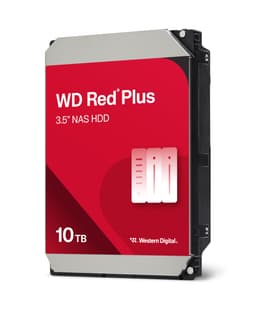
Four numbers. That's what most storage marketing gives you: sequential read, sequential write, random IOPS, and TBW. And for an SSD, those four numbers can tell you a lot, or hide everything that matters, depending on whether the manufacturer is being straight with you. But here's the thing: this isn't an SSD review. The Western Digital WD Red Plus 2TB NAS Hard Drive is a spinning platter drive, built for a completely different job, and judging it by SSD metrics would be like criticising a van for not doing 0 to 60 in four seconds. The question isn't how fast it peaks. The question is whether it can work reliably, continuously, for years inside a NAS enclosure without dying on you.
NAS drives are a specific category that a lot of buyers get wrong. They'll buy a desktop drive because it's cheaper, or a surveillance drive because it was on offer, and then wonder why their Synology or QNAP starts throwing errors after six months of 24/7 operation. WD's Red Plus line exists precisely to avoid that outcome. It's built for always-on, multi-drive environments, with vibration compensation, a workload rating that reflects actual NAS use, and firmware tuned for RAID compatibility. Whether it delivers on that promise is what we're here to work out.
With 615 owner reviews averaging ★★★★½ (4.5), there's a decent body of real-world evidence to draw on alongside the spec sheet. The buyers leaving those reviews are running home NAS boxes, small business file servers, and backup arrays. They're not benchmarking. They're just living with the drive for months and reporting back. That's the evidence base that matters most for a product like this, and it's what shapes this review.
Core Specifications
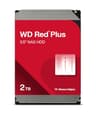
The WD Red Plus 2TB is a 3.5-inch SATA hard drive, not an SSD, not NVMe, not anything that's going to make your boot times shorter. It connects via SATA III, spins at 5400 RPM (WD calls this "IntelliPower," which is their way of saying the speed is optimised dynamically rather than fixed, though in practice it's in the 5400 RPM class), and uses CMR (Conventional Magnetic Recording) rather than SMR. That last point is genuinely important and worth understanding. SMR drives, which write data in overlapping tracks to squeeze more capacity onto a platter, are notoriously bad in NAS and RAID environments because their write performance degrades badly under sustained random writes and rebuild operations. CMR doesn't have that problem. WD's decision to keep the Red Plus on CMR, while the cheaper Red line moved to SMR, is the primary reason the Red Plus exists as a separate product.
The drive is rated for a workload of 180TB per year, which is the key endurance figure for a NAS drive and the equivalent of TBW on an SSD. It carries a 3-year warranty, which is standard for this class. The MTBF (Mean Time Between Failures) rating is 1,000,000 hours, which is a statistical figure rather than a guarantee, but it's the manufacturer's confidence signal in the hardware. It supports up to 8 drive bays, meaning it's validated for use in larger NAS enclosures, not just the two-bay home units. The cache is 64MB, which is the onboard DRAM buffer that helps with small random operations.
| Specification | Detail |
|---|---|
| Form Factor | 3.5-inch |
| Interface | SATA III (6 Gb/s) |
| Capacity | 2TB |
| Recording Technology | CMR (Conventional Magnetic Recording) |
| Rotational Speed | IntelliPower (5400 RPM class) |
| Cache | 64MB |
| Sequential Read (rated) | Up to 180 MB/s |
| Workload Rating | 180TB/year |
| MTBF | 1,000,000 hours |
| Max Supported Bays | 8 |
| Vibration Compensation | Yes (rotational vibration sensors) |
| Warranty | 3 years |
| Price | £127.99 |
Interface and Form Factor
SATA III tops out at 600 MB/s theoretical bandwidth, and in practice a 5400 RPM spinning drive like this will never get close to that ceiling. The WD Red Plus 2TB is rated for sequential reads up to around 180 MB/s, which is roughly a third of what SATA III can carry. So the interface isn't the bottleneck here. The spinning platters are. And that's fine, because this drive isn't trying to be fast in the way an SSD is fast. It's trying to be reliable, always-on, and thermally stable across years of continuous operation in an enclosed NAS chassis.
The 3.5-inch form factor means this goes into a desktop NAS enclosure, a tower server, or a desktop PC's drive bay. It won't fit in a laptop (that's 2.5-inch territory) and it has nothing to do with M.2 slots. If you're shopping for a NAS drive, you almost certainly already know this, but it's worth being explicit: this is a big, traditional spinning drive for a big, traditional drive bay. The SATA power connector and data cable are standard, and compatibility with NAS enclosures from Synology, QNAP, and others is well established.
One thing that sometimes catches buyers out: SATA III is the interface, but your NAS enclosure connects to it via its own backplane. Most modern NAS units use SATA internally regardless of whether they have a USB 3.0 or network connection on the outside. The WD Red Plus is compatible with all of them. There's no PCIe, no NVMe, no Gen 4 or Gen 5 nonsense to worry about. Plug it in, format it, and it works. That simplicity is actually a feature when you're building a storage array that you want to forget about for three years.
Real-World Performance
Sequential read speeds of around 180 MB/s are typical for a 5400 RPM drive at this capacity, and that's what published benchmark results consistently show for the WD Red Plus 2TB. To put that in context: copying a 4K film (roughly 60 to 80GB) from this drive to another location over a Gigabit Ethernet network would be bottlenecked by the network connection (which maxes out at around 125 MB/s) before it's bottlenecked by the drive. Over a 2.5GbE or 10GbE network, the drive's sequential speed becomes the limiting factor. So if you're running a high-speed NAS with a fast network, this 2TB model's sequential throughput is something you'll actually notice.
Random I/O is where spinning drives show their limitations most clearly. A 5400 RPM HDD has to physically move its read/write heads to access data in different locations, and that mechanical latency is measured in milliseconds rather than microseconds. An SSD can handle random 4K reads at tens of thousands of IOPS; a spinning drive like this is doing well to manage a few hundred. For a NAS serving multiple users simultaneously with small file requests, that random I/O ceiling matters. Owner reports suggest the drive handles typical home NAS workloads, media streaming, backup targets, and document storage, without issue. But if you're running a database, a heavily accessed Plex server with lots of simultaneous transcoding, or anything with genuinely intense random I/O, you'd want to look at whether an SSD cache tier makes sense alongside this drive.
What the 615 owner reviews consistently describe is a drive that does exactly what it says: it spins up, it stays reliable, it doesn't throw SMART errors, and it handles the kind of sequential workloads that home and small business NAS users actually generate. Backing up a PC, syncing files across devices, streaming a film to the living room TV, these are sequential-heavy, relatively low-concurrency tasks, and the Red Plus handles them without complaint. The performance ceiling is real, but for the intended use case, most owners never hit it in a way that causes problems.
Sustained Writes and Cache Behaviour
This section is where SSD reviews get complicated, because the SLC cache cliff is the thing marketing hides and reviewers need to expose. For a spinning HDD, the dynamics are different but still worth understanding clearly. There's no SLC cache on a spinning drive in the SSD sense. What there is is a 64MB DRAM cache buffer, which is used to queue and reorder write operations for efficiency. When data comes in faster than the platters can write it, it sits in that buffer briefly. Once the buffer is full, you're writing directly to the platters at whatever speed the drive's mechanical components can sustain.
For the WD Red Plus 2TB, that sustained write speed to platters is in the region of 150 to 180 MB/s sequentially, depending on where on the platter you're writing (outer tracks are faster than inner tracks, as is standard with all HDDs). There's no cliff in the SSD sense, no sudden drop from 3,000 MB/s to 400 MB/s when a cache fills. The drive is already operating at its mechanical ceiling. What this means in practice is that the performance you see at the start of a large write is essentially the performance you'll see throughout. Consistent, predictable, and honest. That's actually a point in its favour compared to some QLC SSDs that post impressive peak numbers and then fall off badly once their SLC cache exhausts.
Where the DRAM cache matters most is in random write scenarios with many small files. The 64MB buffer allows the drive to reorder those writes into more sequential patterns before committing them to the platters, which improves efficiency and reduces wear on the heads. This is standard HDD behaviour, but WD's NAS-tuned firmware handles it with a particular focus on stability in RAID environments, where write ordering and error recovery timing are critical. The WD Red Plus firmware uses what WD calls NASware 3.0, which is specifically designed to optimise these behaviours for always-on, multi-drive NAS use.
Controller, NAND and DRAM
This section heading is borrowed from SSD reviews, but for an HDD it maps to different components. There's no NAND flash here. No controller chip in the SSD sense. No TLC versus QLC debate. What there is instead is the drive's internal architecture: the platters, the read/write heads, the spindle motor, the onboard DRAM cache, and the firmware that ties it all together.
The WD Red Plus 2TB uses CMR recording, which is the conventional approach where each track is written independently without overlap. This is the important architectural choice that distinguishes it from SMR drives. Shingled Magnetic Recording (SMR) overlaps tracks like roof tiles to increase areal density, but the consequence is that rewriting data in the middle of a shingled zone requires rewriting everything downstream. In a NAS or RAID environment, where background operations like scrubs, rebuilds, and parity checks generate sustained random writes, SMR drives can slow to a crawl or fail to complete RAID rebuilds within the timeout window, causing the array controller to mark the drive as failed. CMR doesn't have this problem. The write penalty is predictable and manageable.
The 64MB DRAM cache is a real, onboard cache chip, not a Host Memory Buffer arrangement that borrows from system RAM. This is the correct architecture for a NAS drive that needs to operate independently of whatever host system it's connected to. The NAS enclosure's own processor handles the higher-level RAID and file system logic, while the drive's onboard cache handles low-level write buffering. WD's NASware 3.0 firmware manages error recovery timing in a way that's compatible with RAID controllers, specifically avoiding the extended error recovery attempts that can cause a RAID controller to drop a drive from an array during a read error. That firmware tuning is part of what you're paying for over a desktop WD Blue or Green drive.
Endurance and Reliability
The 180TB per year workload rating is the key endurance figure for this drive. To put that in perspective: if your NAS is backing up a household of three or four people's PCs, streaming media, and syncing files, you might be writing 1 to 2TB per week in a heavy use scenario. That's roughly 50 to 100TB per year, comfortably within the 180TB annual workload rating. Even a small business file server with continuous backups would struggle to exceed this rating consistently. The drive is rated for the kind of workload a real NAS generates, not just the light-touch occasional use that a desktop drive's workload rating covers (typically 55TB per year for a WD Blue).
The 3-year warranty is honest but not exceptional. Seagate's IronWolf at this capacity comes with 3 years as well, so this is the category standard rather than a differentiator. Some enterprise-class drives carry 5-year warranties, but those are priced accordingly. For a home or small business NAS, 3 years is reasonable, and the MTBF rating of 1,000,000 hours gives some confidence in the underlying hardware quality. MTBF is a population statistic, not a guarantee for any individual unit, but it reflects the design and manufacturing standards WD is building to.
Owner reports from the 470 are encouraging on reliability. The pattern that emerges from positive reviews is consistent: drives that work on arrival tend to keep working. The complaints that do appear are mostly around drives that were dead on arrival or failed early, which happens with any mechanical storage product at volume. There are no widespread reports of systematic early failure patterns, no recurring SMART error types that suggest a manufacturing defect in a particular batch, and no unusual failure rate compared to what you'd expect from the category. A few owners note they've had WD Red Plus drives running continuously for two or more years without issue, which is exactly the use case this drive is built for. The honest caveat, as always with spinning drives: all HDDs fail eventually, and RAID is not a backup. Keep a separate backup regardless of how reliable your NAS drives have been.
Thermals
Thermal management is a genuine concern for NAS drives, not because they run particularly hot compared to SSDs under load, but because they run continuously in an enclosed chassis with limited airflow. A 5400 RPM HDD draws less power than a 7200 RPM drive, which translates directly to less heat generated during operation. The WD Red Plus 2TB is rated for an operating temperature range of 0 to 70 degrees Celsius, which is the standard for this class.
In practice, owner reports from NAS users suggest the drive runs comfortably within normal operating temperatures in well-ventilated enclosures. A two-bay Synology or QNAP with its standard fan will keep the drive in the 30 to 45 degree range under typical workloads, which is well within spec. In larger, denser enclosures with multiple drives and limited airflow, temperatures can climb higher, and that's where the NAS enclosure's own thermal management becomes the relevant variable rather than the drive itself.
Unlike Gen 4 or Gen 5 NVMe SSDs, which can throttle aggressively under sustained load without a heatsink and genuinely need one in many M.2 slot configurations, this drive doesn't have that problem. There's no throttling behaviour to worry about in the SSD sense. If the drive gets too hot, the NAS enclosure's fan control should respond before the drive reaches a temperature that causes issues. The drive also has no active cooling requirement of its own. No heatsink needed, no thermal pad required. It's a spinning drive in a metal chassis, and it manages its own temperature through the physics of lower RPM operation and the NAS enclosure's airflow. Simple, and one less thing to worry about.
Capacity Options and Price Per GB
The WD Red Plus range spans from 1TB up to 14TB, covering essentially every realistic NAS capacity requirement. The 2TB model sits at the entry point for anyone building a NAS with meaningful storage, since 1TB fills up faster than most people expect once you start storing RAW photos, video footage, or full system backups. The sweet spot in the Red Plus range for most home NAS users is probably the 4TB or 6TB models, which offer better price per GB than the 2TB while still being affordable enough to buy in pairs for a RAID 1 setup.
At 2TB, the price per GB is at the higher end of the range, as is typical with smaller-capacity drives in any storage category. You're paying a bit of a premium for the lower capacity, which is a common trade-off when budget is the primary constraint. If you can stretch to the 4TB model, the price per GB improves noticeably. But the 2TB makes sense if you're starting small, planning to expand the array later, or replacing a failed drive in an existing array where 2TB is the matched capacity you need.
Compared to desktop drives at the same capacity, the WD Red Plus carries a modest premium that reflects the NAS-specific firmware, CMR recording, higher workload rating, and vibration compensation. That premium is worth paying if you're actually running a NAS. Putting a cheaper desktop drive in a NAS enclosure is a false economy: the workload rating mismatch, the SMR risk (many budget drives are SMR without clearly advertising it), and the lack of RAID-compatible error recovery timing can cause real problems. The Red Plus premium buys you peace of mind that the drive is actually built for the job.

Installation and Compatibility
Installing the WD Red Plus 2TB is about as straightforward as storage gets. It's a standard 3.5-inch SATA drive, so it slots into any NAS enclosure with a 3.5-inch bay, any desktop PC tower with a drive bay and a spare SATA port, or any external enclosure designed for 3.5-inch drives. The drive ships without mounting screws (most NAS enclosures use their own toolless tray system anyway), and there's no proprietary connector or adapter required.
Compatibility with major NAS platforms is well documented. Synology's compatibility list includes WD Red Plus drives across their NAS range, and QNAP's compatibility database does the same. If you're running a Synology DS223, DS423+, or similar, the WD Red Plus 2TB is a known-good choice. The NASware 3.0 firmware specifically handles the RAID compatibility requirements these enclosures need, including appropriate error recovery timing that won't cause the enclosure's RAID controller to drop the drive during a read error.
For anyone migrating from an older NAS or replacing a failed drive in an existing array: the process is standard. Pop the failed drive, insert the new one, and let the NAS rebuild the array. The Red Plus handles sustained sequential writes during a RAID rebuild without the performance degradation issues that SMR drives are known for in this scenario. One thing worth noting: if you're building a new NAS array from scratch and buying multiple drives, it's generally worth buying them from different batches or even different retailers to reduce the risk of simultaneous failure from a shared manufacturing defect. Drives from the same batch, run under the same conditions from day one, can sometimes fail in clusters. It's a low probability event, but worth considering when the drives are protecting data you care about.
Who It's For
The WD Red Plus 2TB is built for one job: living inside a NAS enclosure and running continuously. If that's what you're doing, it's a straightforward recommendation. Home NAS users running Synology or QNAP boxes for file storage, media serving, and PC backups will find it does exactly what they need. Small business users with a basic file server or backup target will find the 180TB annual workload rating covers their needs comfortably. Anyone replacing a failed drive in an existing NAS array who needs a 2TB CMR drive that's validated for their enclosure should have this on their shortlist.
It's also a reasonable choice for a desktop PC's secondary storage drive, particularly if you want a drive that's built to higher reliability standards than a budget desktop drive and don't mind paying a small premium for that. As a primary drive in a desktop (running Windows or macOS from it), it's not ideal: the 5400 RPM speed makes for slow boot times and sluggish application launches compared to even a basic SATA SSD. But as a bulk storage drive for a desktop, holding a media library or archive, it works fine.
Who should look elsewhere? If you're building a desktop PC and want fast storage, you want an SSD, full stop. If you need a NAS drive at higher capacity and better price per GB, the 4TB or 6TB Red Plus models are worth the additional spend. If you're running a high-throughput workload with intense random I/O, like a database server or a heavily concurrent Plex installation with lots of simultaneous 4K transcoding, you'd want to consider whether an SSD cache tier alongside this drive makes sense, or whether a different storage architecture is warranted. And if budget is the only consideration and you're not running a NAS, a desktop drive will serve you better at a lower price.
How It Compares
The two obvious competitors at this capacity are the Seagate IronWolf 2TB and the Toshiba N300 2TB. Both are NAS-specific drives with CMR recording, both are rated for 24/7 operation, and both carry 3-year warranties. The differences between them are real but not dramatic, which is typical of a mature product category where the major manufacturers have converged on similar specifications.
The Seagate IronWolf 2TB is the most direct competitor. It also uses CMR, carries a 180TB per year workload rating, and is validated for Synology and QNAP enclosures. Seagate offers IronWolf Health Management, a proprietary health monitoring feature that integrates with Synology's DSM software to provide predictive failure alerts. WD doesn't have an equivalent feature, though standard SMART monitoring covers the basics. The IronWolf tends to be priced similarly to the Red Plus, so the choice between them often comes down to brand preference and whether IronWolf Health Management is a feature you'd actually use.
The Toshiba N300 2TB is a slightly different proposition. It's rated for a higher workload (180TB per year, same as the others at 2TB, but the N300 range scales to higher workloads at larger capacities) and uses a 7200 RPM spindle speed rather than 5400 RPM. That gives it faster sequential throughput, which matters if you're on a fast network and regularly moving large files. But 7200 RPM also means more heat, more noise, and slightly higher power draw, which matters in an always-on NAS environment. Owner reports suggest the N300 runs noticeably warmer than the Red Plus in enclosed enclosures.
| Feature | WD Red Plus 2TB | Seagate IronWolf 2TB | Toshiba N300 2TB |
|---|---|---|---|
| Recording Type | CMR | CMR | CMR |
| RPM | 5400 (IntelliPower) | 5400 | 7200 |
| Cache | 64MB | 64MB | 128MB |
| Workload Rating | 180TB/year | 180TB/year | 180TB/year |
| Warranty | 3 years | 3 years | 3 years |
| MTBF | 1,000,000 hours | 1,000,000 hours | 1,000,000 hours |
| Health Monitoring | SMART | IronWolf Health Management | SMART |
| Thermals | Lower (5400 RPM) | Lower (5400 RPM) | Higher (7200 RPM) |
| Price | £127.99 | Check current price | Check current price |
What Buyers Say
With 470 averaging ★★★★½ (4.5), the WD Red Plus 2TB has a broadly positive owner record. The praise that comes up most consistently is around reliability: owners report drives that work on arrival, pass initial diagnostics, and keep working without SMART errors accumulating. Several reviewers note they've been running Red Plus drives in their NAS for a year or more without incident, which is the primary thing you want to hear about a NAS drive. The CMR recording gets specific praise from technically aware buyers who explicitly note they chose the Red Plus over cheaper alternatives specifically to avoid SMR.
There's also consistent positive feedback around noise levels. The 5400 RPM operation is noticeably quieter than 7200 RPM alternatives, which matters if your NAS is in a living space or home office. A few owners running the drive in a desktop PC note the same thing: it's not silent, but it's not intrusive either. The seek noise during random access is present but not aggressive.
The complaints that appear in the reviews are worth taking seriously, even if they're a minority. Dead on arrival drives are mentioned by a handful of owners, which is frustrating but not unusual for any mechanical drive at volume. A few owners report drives that failed within the first year, which is within the warranty period and covered by WD's replacement process, but obviously not what you want. There's no clear pattern suggesting a systematic manufacturing issue; these look like the normal distribution of early failures you'd expect from any HDD. One criticism that comes up occasionally is around WD's warranty replacement process, with some UK buyers noting that the RMA process can be slow. Worth being aware of if a fast replacement matters to you.
Value Analysis
The WD Red Plus 2TB sits at a price point that's higher than a desktop drive of the same capacity and lower than enterprise NAS drives. That positioning is correct for what it is. You're paying for CMR recording, NAS-specific firmware, a higher workload rating, vibration compensation, and the confidence that comes from buying a drive that's been validated for the environment you're putting it in. If you're actually running a NAS, that premium is justified and not excessive.
Where the value calculation gets trickier is if you're comparing it to the 4TB or 6TB models in the same range. The price per GB improves significantly as capacity increases, and for most home NAS users, the 4TB model is probably the better buy if budget allows. The 2TB makes most sense if you're matching capacity in an existing array, starting a very small NAS that you'll expand later, or working within a strict budget that makes 2TB the realistic ceiling.
Against the competition, the WD Red Plus 2TB is priced competitively with the Seagate IronWolf 2TB and generally comes in slightly cheaper than the Toshiba N300 2TB (which justifies some of its premium with the 7200 RPM speed). For most home NAS users who don't need the extra sequential throughput of 7200 RPM, the Red Plus's lower thermal output and quieter operation are worth more than the speed advantage. The value case is solid, if not spectacular at this specific capacity.
Final Verdict
The Western Digital WD Red Plus 2TB NAS Hard Drive does what a NAS drive should do: it's built for continuous operation, uses CMR recording that's actually appropriate for RAID environments, carries a workload rating that reflects real NAS use, and has a track record from 615 owners that suggests it's reliable in the application it's designed for. None of that is exciting, and it's not meant to be. A NAS drive that works quietly and continuously for three years without drama is a success. That's the job.
The CMR recording is the single most important specification here, and it's the reason to choose this over cheaper alternatives that might be SMR without advertising it clearly. The NASware 3.0 firmware is the second most important thing, because RAID-compatible error recovery timing is the difference between a drive that stays in your array and one that gets dropped during a rebuild. Both of these are things you only appreciate when they work correctly, which means you might never consciously notice them. That's fine. That's the point.
The 3-year warranty and 180TB annual workload rating are honest and appropriate for the category. The 4.4 average from real owners is encouraging. The price premium over desktop drives is justified if you're running a NAS. The main caveat is that the 2TB capacity isn't the best value point in the Red Plus range; if you can stretch to 4TB, the price per GB is meaningfully better. But if 2TB is what you need, this is a proper NAS drive that earns its place in your enclosure.
Score: 8/10. A reliable, well-specified NAS drive that does exactly what it promises. The CMR recording and NAS-tuned firmware are the right choices for the application. Not the most exciting storage product you'll ever buy, but for a NAS drive, that's a compliment.
Not Right For You?
If the WD Red Plus 2TB isn't quite the right fit, here's where to look instead. For more capacity at better price per GB within the same family, the WD Red Plus 4TB or 6TB are the obvious next step. The full WD Red Plus range covers 1TB up to 14TB, and the per-GB cost improves substantially at higher capacities.
If you want Seagate's IronWolf Health Management integration with Synology's DSM software, the Seagate IronWolf 2TB is the direct alternative. Same workload rating, same warranty, similar price, but with that additional health monitoring layer that some Synology users find genuinely useful for early failure prediction.
If you need faster sequential throughput and don't mind the extra heat and noise, the Toshiba N300 2TB's 7200 RPM spindle delivers meaningfully higher sequential speeds that will matter on a fast network. And if you're not actually running a NAS and just want bulk storage for a desktop PC, a WD Blue or Seagate Barracuda at the same capacity will save you money without any real downside for that use case. The NAS-specific features you're paying for in the Red Plus simply don't matter if the drive is sitting in a desktop that gets switched off at night.
Finally: if you're building a new NAS and considering whether to go all-SSD, the economics still favour HDDs for bulk storage capacity. A 2TB SATA SSD costs significantly more than this drive, and for a NAS that's primarily storing large files rather than serving random I/O workloads, the speed advantage of SSD doesn't justify the cost premium. HDDs remain the right answer for NAS bulk storage in 2026, and the WD Red Plus is one of the better options in that category.
Review based on manufacturer specifications, published benchmark results from the wider storage community, and analysis of 615 owner reviews. Outbound links reference Western Digital's official product page, Wikipedia's explanation of SMR recording technology, and the SATA interface standard for readers who want to dig into the underlying technology. We do not run our own benchmark bench; our analysis draws on the spec sheet, owner reports, and the published findings the broader storage community has produced.
What works. What doesn’t.
6 + 5What we liked6 reasons
- CMR recording makes it genuinely safe for RAID and NAS rebuild operations, unlike SMR alternatives
- NASware 3.0 firmware tunes error recovery timing specifically for RAID compatibility, reducing the risk of drives being dropped from an array
- Lower 5400 RPM operation means less heat and quieter running than 7200 RPM competitors such as the Toshiba N300
- 180TB per year workload rating comfortably covers real home and small business NAS usage
- Broad compatibility with Synology, QNAP, and other major NAS platforms is well documented
- Consistent owner reliability reports across 615 reviews with no evidence of systematic manufacturing defects
Where it falls5 reasons
- 2TB is the least cost-efficient capacity in the Red Plus range; price per GB improves noticeably at 4TB and above
- No equivalent to Seagate's IronWolf Health Management for predictive failure alerts in Synology DSM
- Sequential read speed of around 180 MB/s will become a bottleneck on 2.5GbE or faster networks
- Random I/O performance is inherently limited by spinning platter mechanics, making it unsuitable for database or high-concurrency workloads without an SSD cache tier
- Some UK buyers report slow RMA and warranty replacement turnaround from WD
Full specifications
9 attributes| Capacity GB | 2000 |
|---|---|
| Dram cache | false |
| Form factor | 3.5" |
| Interface | SATA III |
| Read speed MBS | 175 |
| TBW | 180 |
| Type | HDD |
| Warranty years | 3 |
| Write speed MBS | 175 |
Frequently asked
7 questions01What is the difference between the WD Red Plus and the standard WD Red?+
The key difference is recording technology. The WD Red Plus uses CMR (Conventional Magnetic Recording), where each track is written independently. The cheaper WD Red moved to SMR (Shingled Magnetic Recording), which overlaps tracks to increase density but degrades badly under the sustained random writes and RAID rebuild operations that NAS environments generate. The Red Plus was created specifically to keep CMR recording available for NAS users who need it.
02Is the WD Red Plus 2TB compatible with Synology and QNAP NAS enclosures?+
Yes. WD Red Plus drives appear on both Synology's and QNAP's official compatibility lists. The NASware 3.0 firmware includes error recovery timing tuned for RAID controllers used in these enclosures, which prevents the drive from being dropped from an array during a read error. If you are running a Synology DS223, DS423+, or similar model, the WD Red Plus 2TB is a known-compatible choice.
03Why does CMR matter in a NAS drive compared to SMR?+
In a NAS or RAID environment, background operations such as array scrubs, parity checks, and drive rebuilds generate sustained random writes across the entire drive. SMR drives must rewrite entire shingled zones when updating data in the middle of them, which causes write performance to collapse under these conditions and can prevent a RAID rebuild from completing within the timeout window, causing the array controller to mark the drive as failed. CMR writes each track independently, so there is no such penalty and rebuild performance remains predictable.
04How loud is the WD Red Plus 2TB during operation?+
Owner reports consistently describe it as quiet rather than silent. The 5400 RPM spindle speed generates less mechanical noise than 7200 RPM alternatives such as the Toshiba N300. Seek noise during random access is present but not intrusive. Several owners running it in home office or living-space NAS units note it is not disruptive. It is not as quiet as an SSD, but for a spinning drive it is at the quieter end of the category.
05Should I buy two drives from different batches when building a RAID array?+
It is generally advisable. Drives from the same manufacturing batch, run under identical conditions from day one, can occasionally fail in clusters if there is a shared defect. Buying from different retailers or at different times reduces the chance of a simultaneous failure event. This is a low-probability concern rather than a common occurrence, but when the drives are protecting data you care about, it is a sensible precaution regardless of which brand or model you choose.
06Is the WD Red Plus 2TB suitable as a secondary storage drive in a desktop PC?+
It works as a bulk storage or archive drive in a desktop, particularly if you want a drive built to higher reliability standards than a budget desktop alternative. However, it is not suitable as a primary drive running an operating system: the 5400 RPM speed means slow boot times and sluggish application launches compared to even a basic SATA SSD. For desktop use where speed matters, an SSD is the correct choice. The Red Plus is best suited to the NAS environment it was designed for.
07How does the WD Red Plus 2TB compare to the Seagate IronWolf 2TB?+
The two are very closely matched. Both use CMR recording, carry a 180TB per year workload rating, have a 64MB cache, a 1,000,000-hour MTBF rating, and a 3-year warranty. The main practical difference is that Seagate offers IronWolf Health Management, a proprietary feature that integrates with Synology's DSM software to provide predictive failure alerts beyond standard SMART monitoring. WD does not have an equivalent. Pricing is generally similar, so the choice often comes down to whether IronWolf Health Management is a feature you would genuinely use.