

The mesh Wi-Fi pitch is simple: blanket your home in signal, no dead zones, no faff. But here's the bit the marketing glosses over: not all mesh systems are equal, and the difference often comes down to one technical decision you won't find on the box in plain English. Does the system use a dedicated band just for the nodes to talk to each other (the backhaul), or does it share that job with the same band your devices are using? Get that wrong and you've paid more for something that's slower than a decent single router. So before you spend anything, it's worth understanding exactly what you're buying. The Tenda Nova MW6 sits in interesting territory: a budget-to-mid-range three-pack promising up to 6,000 square feet of coverage. Let's see what the spec sheet and thousands of owner reviews actually tell us.
The short version: the Tenda Nova MW6 is a genuinely decent pick for a straightforward house that just needs reliable coverage everywhere. It's not fast by modern standards, it's not future-proof in any meaningful sense, and the backhaul situation is a compromise you need to understand before buying. But for the price, and for the problem it's actually solving (dead zones in a typical UK semi or terrace, an ISP router that can't reach the back bedroom), it does the job better than most people expect. Owner satisfaction across thousands of reviews has a positive overall rating, which is higher than a lot of pricier systems manage. That number deserves some scrutiny, and we'll give it some, but it's a reasonable starting signal.
Core Specifications
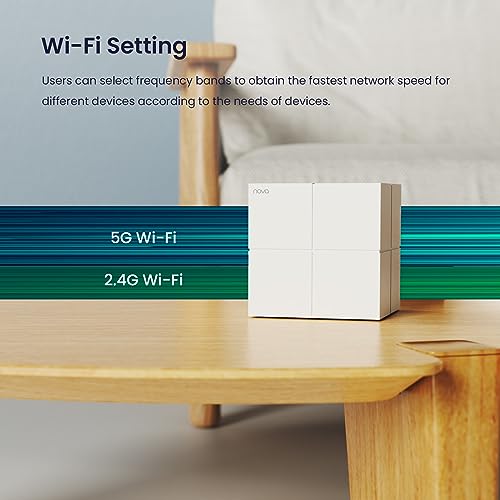
The MW6 is a dual-band Wi-Fi 5 (802.11ac) mesh system. That's the standard that preceded Wi-Fi 6, and yes, it's a generation behind where new kit is launching now. Each node runs a 2.4GHz band at up to 400Mbps and a 5GHz band at up to 867Mbps, giving a combined theoretical figure of 1267Mbps per unit. You will not get 1267Mbps. Nobody does. What that number actually tells you is the aggregate ceiling across both bands under perfect conditions a metre from the antenna, which is not how your house works. The realistic working speed is considerably lower, and we'll get into that properly in the sustained speed section.
Each node has two Gigabit Ethernet ports (one WAN, one LAN on the primary node; both LAN on the satellites). There's no USB port, no 2.5GbE, no link aggregation. The antennas are internal, and Tenda rates the three-pack at 6,000 square feet of combined coverage. Again, that's a best-case figure, measured in open space with no walls, floors, or microwaves in the way. The practical coverage in a real UK home will be less, and we'll cover what owners actually report.
Setup is handled through the Tenda Wi-Fi app. There's no web interface for the initial setup, though some configuration is accessible via browser once running. The system supports parental controls, a guest network, and basic QoS (quality of service, which lets you prioritise certain devices or traffic types over others). It works with Amazon Alexa for basic voice commands. No WPA3 security support, which is given the system's age. Specs in full below.
| Specification | Detail |
|---|---|
| Wi-Fi Standard | Wi-Fi 5 (802.11ac) |
| Band Layout | Dual-band (2.4GHz + 5GHz) |
| Max Theoretical Speed | 1267Mbps (400 + 867) |
| Backhaul Type | Shared 5GHz (no dedicated backhaul band) |
| Wired Backhaul | Yes (via Ethernet between nodes) |
| Ports per Node | 2x Gigabit Ethernet |
| USB | None |
| Coverage Rating | Up to 6,000 sq ft (three-pack) |
| MU-MIMO | Yes (2x2) |
| OFDMA | No |
| Security | WPA2 |
| Parental Controls | Yes (via app) |
| Guest Network | Yes |
| Voice Assistant | Amazon Alexa |
| App | Tenda Wi-Fi (iOS and Android) |

Real-World Coverage
Tenda's 6,000 square feet claim is for the three-pack in open air. In a real house with walls, floors, a boiler cupboard, and whatever else is in the way, you'll get less. That's not a criticism of the MW6 specifically; every manufacturer quotes coverage this way. What matters is what owners in actual homes report, and here the picture is broadly positive for typical UK properties. A three-bed semi or terrace, which is roughly 1,000 to 1,500 square feet across two floors, is well within what the three-pack handles. Owners consistently report solid signal in rooms that their ISP router couldn't reach, including upstairs bedrooms, back gardens, and garages.
For larger detached houses, the picture is more mixed. Owners in bigger properties report that signal drops off more noticeably at the extremes, particularly through thick stone walls or across multiple floors in older builds. The general owner consensus is that two nodes comfortably handle a medium-sized house, and the third extends that meaningfully rather than just adding a small amount of range. Tenda's guidance is to place nodes no more than 40 to 60 feet apart for best performance, and owners who follow that seem to get the most out of it.
One thing: because the MW6 uses a shared 5GHz band for both backhaul (node-to-node communication) and client devices (your phone, laptop, etc.), the further a node is from the primary, the more that shared bandwidth gets squeezed. In practical terms, owners in larger homes report that the satellite nodes feel noticeably slower than the primary, which is exactly what you'd expect from a shared-backhaul design. For a house where the nodes are reasonably close together, this matters less. For a long bungalow or a three-storey house, it matters more.
Sustained Speed Under Load
The MW6's 1267Mbps headline number is theoretical and irrelevant to daily use. What you're actually working with is the usable throughput your devices see in practice, which is shaped by distance from the node, interference, how many devices are active, and the shared-backhaul penalty when you're connected to a satellite node rather than the primary. Owners connected directly to the primary node, via Ethernet or on 5GHz in the same room, report speeds that are genuinely fast for everyday use: streaming 4K, video calls, and large downloads all handled without complaint.
The drop-off comes when you move to a satellite node, particularly the furthest one in a chain. Because the 5GHz band is doing double duty (talking to your devices and talking back to the primary node), the available bandwidth for your device is effectively halved at minimum, and often more depending on signal strength. Owners who've noticed this tend to describe it as "fine for streaming but slower than expected for downloads" on the far node. That's consistent with what the dual-band shared-backhaul architecture would predict. If your use case is mostly video streaming and browsing, the throughput at the satellite nodes is probably adequate. If you're regularly shifting large files or gaming competitively from a room served by a satellite node, you'll feel the limitation.
One thing owners do consistently praise is stability under sustained load. Unlike some budget routers that start dropping connections or slowing down when multiple devices are active for extended periods, the MW6 seems to hold its throughput reasonably well over time. There are reports of occasional slowdowns that resolve with a reboot, but the pattern isn't as frequent as you'd see with some cheaper single-router alternatives. For a household running Netflix, a few phones, a smart TV, and some IoT devices simultaneously, the sustained performance appears to hold up better than the spec sheet might suggest.
Mesh and Backhaul
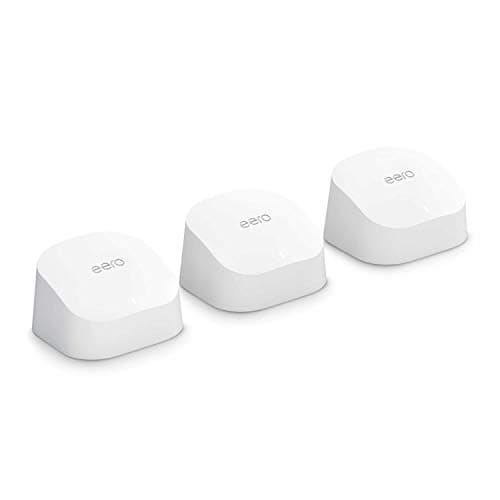
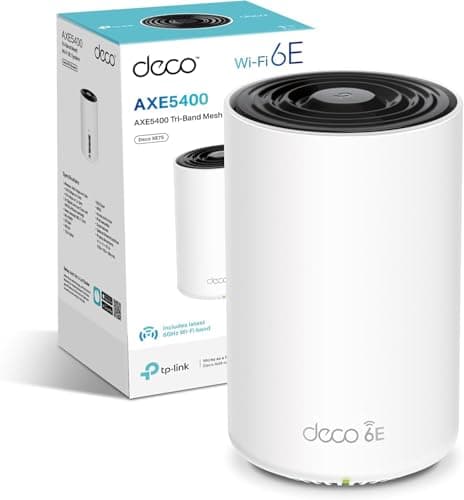
Mesh networking works by having multiple nodes that share a single network name and hand your devices off between them as you move around. The critical engineering question is how the nodes talk to each other. A tri-band system (like the more expensive Eero Pro or some TP-Link Deco models) dedicates an entire band purely to node-to-node communication, leaving both the 2.4GHz and 5GHz bands fully available for your devices. The MW6 is dual-band, which means the 5GHz band has to do both jobs: backhaul and client traffic. This is the most important technical limitation of the MW6, and it's the one most worth understanding before you buy.
In a small to medium home where the nodes are placed close enough together to maintain a strong 5GHz backhaul link, this compromise is manageable. The system is smart enough to dynamically allocate bandwidth between backhaul and client traffic, and in good conditions the penalty isn't crippling. But it is real. Owners who've placed nodes at the edges of their range report that satellite node performance suffers more than they'd like, which is the shared-backhaul penalty showing up in practice. The solution, if you have Ethernet cable running to where you want the satellite nodes, is to use wired backhaul: plug the satellite nodes into your network via Ethernet and the backhaul problem goes away entirely, leaving the full 5GHz band for client devices.
Wired backhaul is genuinely the right answer for anyone who can manage the cabling, and the MW6 supports it. If you're retrofitting a home without existing cable runs, it's not always practical, but if you're setting up in a new build or a house where you can run a cable, it transforms the performance of any dual-band mesh system. Owners who've gone wired report significantly better satellite node speeds, which makes sense: you've eliminated the backhaul penalty entirely. For the majority of buyers who'll go wireless, the MW6 performs fine for typical household use, but it's honest to say that a tri-band system would do better in a larger home with nodes spread further apart.
Device Capacity
Modern homes have a lot of connected devices. A typical UK household in 2024 might have four or five smartphones, a couple of laptops, a smart TV, a games console, a streaming stick, a smart doorbell, several smart bulbs, a thermostat, maybe a NAS drive, and a handful of other IoT bits. That's easily 25 to 40 devices, and it's only going up. The question for any router or mesh system is whether it can handle that load without choking.
The MW6 supports MU-MIMO (Multi-User, Multiple-Input, Multiple-Output), which allows it to communicate with multiple devices simultaneously rather than taking turns. It's a 2x2 configuration, meaning two spatial streams, which is adequate but not impressive by current standards. What it doesn't have is OFDMA (Orthogonal Frequency Division Multiple Access), a Wi-Fi 6 feature that allows the router to serve multiple devices on the same channel simultaneously with much better efficiency. The absence of OFDMA is one of the real practical differences between Wi-Fi 5 and Wi-Fi 6 in a busy home: Wi-Fi 6 handles lots of small simultaneous requests (smart home devices, IoT sensors) much more efficiently.
In practice, owners report that the MW6 handles a typical household load without obvious problems. For a home with 20 to 30 devices doing normal things (streaming, browsing, video calls), it copes. Where it starts to show its limits is in homes with 40-plus devices, particularly a heavy mix of IoT devices all chattering simultaneously. That's where the lack of OFDMA becomes tangible: the system gets busier managing the overhead of all those small devices, and some owners in tech-heavy households report occasional sluggishness that clears with a reboot. For a typical family home, it's fine. For a smart-home enthusiast who's wired up every light switch and plug socket, it might start to feel constrained.
Wi-Fi Standard and Future-Proofing
The MW6 runs Wi-Fi 5 (802.11ac), which is two generations behind the current Wi-Fi 7 standard and one behind Wi-Fi 6. That's worth being clear about. Wi-Fi 6 brought meaningful real-world improvements: OFDMA for better multi-device handling, better performance in congested environments (flats, dense housing), improved battery efficiency for client devices, and target wake time for IoT devices. Wi-Fi 6E added a 6GHz band. Wi-Fi 7 adds multi-link operation and even higher throughput. The MW6 has none of this.
Does that matter for most buyers right now? Honestly, less than the marketing would have you believe. Most devices in most homes are still Wi-Fi 5 capable at best, and the practical difference between Wi-Fi 5 and Wi-Fi 6 is most noticeable in dense multi-device environments and when your internet connection is genuinely fast enough to saturate a Wi-Fi 5 link (which requires a connection above roughly 400 to 500Mbps to a single device, something most UK broadband connections don't deliver). If you're on a standard FTTC connection doing 70 to 80Mbps, the Wi-Fi standard is not your bottleneck.
Where the age of the MW6 does matter is longevity. This is a 2017-era product. It won't get Wi-Fi 6 via firmware update; the hardware doesn't support it. If you're buying networking kit now and want it to still feel relevant in four or five years, particularly as Wi-Fi 6 client devices become universal, a Wi-Fi 6 mesh system is the more forward-looking choice. The MW6 is a buy-it-now, solve-the-dead-zone-problem solution rather than a long-term platform. That's not necessarily wrong at the price, but go in with eyes open.

Features and QoS
The feature set on the MW6 is basic, and that's fine for what it is. The Tenda Wi-Fi app gives you parental controls that let you set internet schedules and block specific websites for named devices. It's not the most granular parental control system available (you won't be setting per-app time limits or getting detailed usage reports), but for keeping a kid's tablet off YouTube at bedtime, it does the job. Owners who use the parental controls generally rate them as adequate for straightforward household use.
QoS (quality of service) is present but limited. You can prioritise specific devices, which is useful if you want to make sure your work laptop or a games console gets priority over the smart TV during peak hours. What you can't do is set up detailed traffic-type prioritisation or advanced bandwidth allocation rules. For most households, the basic device-priority QoS is enough. If you're the sort of person who wants to configure per-application traffic shaping, you'll need something more capable. The guest network is a welcome inclusion: it keeps visitors on a separate network from your main devices, which is basic security hygiene and something not every budget system offers.
There's no VPN server or client functionality built in, no VLAN support, and no advanced firewall configuration. The Alexa integration is limited to basic commands like checking network status or running speed tests via voice, which is a novelty rather than a useful feature. No IFTTT or other automation platform integration beyond Alexa. For a household that just wants reliable Wi-Fi without any configuration complexity, the feature set is right-sized. For anyone with more advanced networking needs, it'll feel thin.
Firmware, App and Security Updates
This is where the MW6's age becomes a more pressing concern. The system launched in 2017, and Tenda's firmware update history for the MW6 is sparse by the standards of what you'd want from a security-conscious perspective. The system uses WPA2 rather than WPA3, which is the current standard for Wi-Fi security. WPA2 is not broken in everyday use, but WPA3 offers meaningfully better protection, particularly on public-facing networks and against certain brute-force attacks. Whichever standard your router uses, pairing it with a good VPN adds a privacy layer on top of your home network and keeps you protected on public Wi-Fi when you are away from it. The absence of WPA3 support reflects the hardware's age.
Tenda's app, the Tenda Wi-Fi app available on iOS and Android, gets mixed reviews from owners on the software side. The setup experience is generally praised: most owners report getting all three nodes up and running in under fifteen minutes, which is genuinely good. The ongoing management experience is more variable. Some owners report the app working reliably for months; others describe it losing connection to the router and requiring a re-login, or the app needing to be reinstalled after a phone software update. It's not catastrophically bad, but it's not as polished as the apps from Eero or TP-Link Deco either.
The reboot question: some owners do report that the system benefits from a periodic reboot, with a handful describing occasional slowdowns that resolve when you power-cycle the nodes. This isn't unique to the MW6 (plenty of routers behave this way). If you set up a weekly automatic reboot via the app's scheduler, most owners seem to find it stays stable. The bigger concern for a security-conscious buyer is the update cadence: if Tenda stops pushing firmware updates for the MW6 (and given its age, that's a real possibility), you're running network hardware that won't get patched for new vulnerabilities. That's a risk worth factoring in, especially since your router sits between the internet and everything in your home.
Setup and Management
Setting up the MW6 is one of its genuine strengths. The Tenda Wi-Fi app walks you through the process step by step, and the system is designed to be as close to plug-and-play as mesh networking gets. You connect the primary node to your modem or ISP router, open the app, and follow the prompts. The satellite nodes are added one at a time, and the app guides you through placement. Most owners report the whole process taking ten to fifteen minutes, even without any prior networking experience. That's a meaningful selling point for buyers who've been putting off sorting their Wi-Fi because they're worried about the technical complexity.
Ongoing management is mostly done through the app. You can see connected devices, run a speed test, adjust parental controls, set up the guest network, and check node status. The interface is clean and not overwhelming. There's no web-based admin panel with the depth you'd get from something like a more advanced system, which will frustrate technically minded users but is genuinely fine for the target buyer. You can also access a basic web interface via a browser once the system is running, but it's limited compared to the app.
One thing owners flag fairly often is that the app can be slow to reflect changes, and occasionally the device list doesn't update in real time. Nothing that breaks the system, but it can be confusing if you've just connected a new device and it's not showing up immediately. The node placement guidance in the app is useful: it gives you a signal strength indicator as you move a satellite node around, which helps you find the best spot. Overall, for a non-technical buyer who wants to set it up once and forget about it, the setup experience is one of the MW6's better qualities.
Ports and Connectivity
Each MW6 node has two Gigabit Ethernet ports. On the primary node, one is the WAN port (connects to your modem or ISP router) and one is a LAN port (for wiring a device directly). On the satellite nodes, both ports are LAN ports, so you can wire a device directly to a satellite node if it's near your TV or games console, which is always a good idea for anything that benefits from a wired connection. Gigabit Ethernet is fine for most home use: it supports up to 1000Mbps wired, which is faster than most UK broadband connections and more than enough for 4K streaming or large file transfers.
What you don't get is 2.5GbE or 10GbE, which are increasingly common on newer mesh systems and matter if you have a multi-gigabit broadband connection (full-fibre services at 2Gbps or above are now available from several UK providers). If you're on standard gigabit fibre or slower, the Gigabit Ethernet ports are not a bottleneck. If you're on a 2Gbps or faster connection, you'd want a system with 2.5GbE WAN ports to take full advantage of it. The MW6 doesn't have that.
There's no USB port on any node, so no USB storage sharing, no USB printer server, and no USB mobile broadband failover. No link aggregation (combining multiple Ethernet ports for higher throughput or redundancy). The port layout is genuinely minimal, which keeps the hardware simple and the price down, but it does mean the MW6 won't grow with you if your needs become more complex. For a household that just wants reliable wireless coverage and the occasional wired connection for a TV or console, the port situation is adequate. For anyone running a home NAS, a home server, or a more complex network, you'll hit the limits quickly.
How It Compares
The MW6's main competition at this price comes from the TP-Link Deco M5 (three-pack, also Wi-Fi 5, dual-band) and the slightly higher-priced TP-Link Deco M9 Plus (tri-band). The Deco M5 is the most direct comparison: similar Wi-Fi standard, similar coverage claims, similar price bracket. The Deco M9 Plus costs more but brings a dedicated 5GHz backhaul band, which addresses the MW6's biggest architectural limitation.
Against the Deco M5, the MW6 holds its own. Both are dual-band Wi-Fi 5 systems with shared backhaul, both have a similar port layout, and both use app-based setup. The Deco M5 has a stronger software ecosystem (TP-Link's HomeShield for security, more granular parental controls, better app polish) and a longer firmware support track record. The MW6 often comes in cheaper, which is its main argument. If the price difference is meaningful to you, the MW6 is a reasonable choice. If you can stretch to the Deco M5 for the software and support track record, it's probably worth it.
Against the Deco M9 Plus, the MW6 loses on architecture (shared vs dedicated backhaul) but wins on price. The M9 Plus's tri-band setup means satellite nodes perform closer to the primary node's speed, which is a real advantage in larger homes. If you're covering a big house or placing nodes far apart, the extra spend on a tri-band system pays off in practice. For a smaller home where nodes are close together, the MW6's shared backhaul is less of a problem and the price saving is more attractive.
| Feature | TP-Link Deco M5 (3-pack) | TP-Link Deco M9 Plus (3-pack) |
|---|---|---|
| Wi-Fi Standard | Wi-Fi 5 (802.11ac) | Wi-Fi 5 (802.11ac) |
| Band Layout | Dual-band | Tri-band |
| Backhaul | Shared 5GHz (wired option) | Dedicated 5GHz backhaul |
| Max Theoretical Speed | 1267Mbps | 2033Mbps |
| Ethernet Ports | 2x Gigabit per node | 2x Gigabit per node |
| OFDMA | No | No |
| WPA3 | No | No |
| Parental Controls | Advanced (HomeShield) | Advanced (HomeShield) |
| App Quality | Strong, well-maintained | Strong, well-maintained |
| Price (approx) | Higher than MW6 | Significantly higher than MW6 |
Final Verdict
The Tenda Nova MW6 is a product that does exactly what it says for the people it's aimed at, and that's actually rarer than it should be. If you're living with a single ISP router that can't reach the far bedroom or the garden, and you want to sort that without spending a lot of money or spending an evening reading networking forums, the MW6 is a legitimate solution. Three nodes, easy setup, decent coverage for a typical UK house, and a positive overall rating across thousands of owners. That's not nothing.
But know what you're buying. It's Wi-Fi 5, not Wi-Fi 6. The backhaul is shared, not dedicated, which means satellite node performance is compromised in larger homes or with nodes placed far apart. The firmware support picture is uncertain given the product's age, and the lack of WPA3 is a real security consideration if you're planning to keep it for several years. The app works but isn't the most polished in the category. These are real limitations, not nitpicks.
Who should buy it: households in a medium-sized UK home (two to three bedrooms, two floors) that are currently fighting with dead zones and want a simple, affordable fix. Buyers who aren't planning to run a 2Gbps fibre connection through it. People who want mesh without the complexity or the price tag of premium systems. Buyers who can run Ethernet to the satellite nodes for wired backhaul will get the best out of it.
Who should skip it: anyone in a larger home who'll be placing nodes far apart and needs satellite node performance to be close to the primary. Tech-forward households with 40-plus devices and heavy IoT loads. Anyone who wants long-term firmware support and WPA3 security. Anyone whose broadband is above 1Gbps. And if you're spending close to the MW6's price anyway, it's whether a Wi-Fi 6 single router (something like the TP-Link Archer AX23 or similar) might serve a smaller home better than a Wi-Fi 5 mesh system with shared backhaul.
The smarter buy if you don't need the three-pack: honestly, if your house is small enough that one good router placed centrally would do the job, a single Wi-Fi 6 router at a similar price will give you better performance, better device handling, and longer software support than the MW6. The MW6 earns its recommendation specifically when you genuinely need the multi-node coverage. If you're not sure you do, start with a single router and save the mesh upgrade for when you've confirmed you actually have a coverage problem rather than a router-placement problem.
Rating: 7 out of 10. Solid value for a specific use case, with real limitations you need to understand before buying. ★★★★☆ (4.3) from 3,297 owners, which tells its own story.
What works. What doesn’t.
6 + 6What we liked6 reasons
- Straightforward app-guided setup that most owners complete in under fifteen minutes
- Solid coverage for a typical UK two or three-bedroom home across two floors
- A positive overall rating from thousands of owners reflects genuine satisfaction for the target use case
- Supports wired backhaul via Ethernet, which eliminates the shared-backhaul penalty entirely
- Stable under sustained load for typical household streaming and browsing use
- Includes guest network and basic parental controls at a budget-friendly price point
Where it falls6 reasons
- Shared 5GHz backhaul means satellite node speeds are noticeably compromised in larger homes or with nodes placed far apart
- Wi-Fi 5 hardware with no upgrade path to Wi-Fi 6 or WPA3 security support
- Firmware update cadence is sparse given the product's 2017 launch date, raising long-term security concerns
- No OFDMA means efficiency with large numbers of simultaneous IoT devices is limited compared to Wi-Fi 6 systems
- The Tenda app can be slow to reflect changes and occasionally requires reinstallation after phone software updates
- No USB ports, no 2.5GbE, and minimal advanced networking features make it unsuitable for more complex home setups
Full specifications
9 attributes| Antennas | 0 |
|---|---|
| Coverage SQM | 557 |
| Launch year | 2018 |
| Mesh capable | true |
| Ports | 2x 1GbE RJ45 per node |
| Security protocols | WPA-PSK, WPA2-PSK |
| TOP speed mbps | 1200 |
| Type | mesh_router |
| Wifi standard | Wi‑Fi 5 |
Frequently asked
7 questions01What does shared backhaul mean on the Tenda Nova MW6, and why does it matter?+
Shared backhaul means the MW6 uses its single 5GHz band for two jobs simultaneously: communicating between nodes (backhaul) and serving your devices (client traffic). On a tri-band system, a dedicated band handles backhaul alone, leaving the other bands fully available for devices. On the MW6, those two jobs compete for the same bandwidth. In practice, this means satellite nodes deliver lower speeds than the primary node, with the penalty growing larger the further apart the nodes are placed. In a smaller home with nodes reasonably close together, the effect is manageable. In a larger property with nodes at the extremes of their range, it becomes more noticeable.
02Can I use wired backhaul with the Tenda Nova MW6?+
Yes, the MW6 supports wired backhaul. If you connect the satellite nodes to your network via Ethernet cable rather than relying on the wireless link, the backhaul penalty disappears entirely. The full 5GHz band then becomes available for client devices on each node. This is the recommended approach for anyone who can manage the cabling, and owners who have gone wired report significantly better performance from their satellite nodes. If your home has Ethernet runs already in place, or if you are setting up in a new build, wired backhaul is worth prioritising.
03Is the Tenda Nova MW6 suitable for a large detached house?+
It depends on the size and layout. The three-pack is rated for up to 6,000 square feet in open conditions, but real-world coverage in a house with thick walls, multiple floors, or an older construction will be lower. For a typical UK three-bedroom semi or terrace, the three-pack handles it well. For a larger detached property, particularly one with stone walls or across three or more floors, owners report more variable results, with the furthest nodes feeling slower than expected. A tri-band system with dedicated backhaul would serve a larger home better.
04Does the Tenda Nova MW6 support Wi-Fi 6?+
No. The MW6 is a Wi-Fi 5 (802.11ac) system and cannot be upgraded to Wi-Fi 6 via firmware. The hardware does not support it. Wi-Fi 6 brings meaningful improvements including OFDMA for better multi-device handling, improved performance in congested environments, and WPA3 security. If you are buying now and want a system that will remain relevant as Wi-Fi 6 client devices become universal over the next few years, a Wi-Fi 6 mesh system is the more forward-looking choice. The MW6 is best understood as a buy-now, solve-the-problem solution rather than a long-term platform.
05How does the Tenda Nova MW6 compare to the TP-Link Deco M5?+
Both are dual-band Wi-Fi 5 mesh systems with shared backhaul and similar coverage claims, so the architecture is comparable. The Deco M5 generally offers a more polished app experience, more granular parental controls through TP-Link's HomeShield platform, and a stronger firmware support track record. The MW6 frequently comes in at a lower price, which is its main argument. If the price difference is significant to you, the MW6 is a reasonable alternative. If you can stretch to the Deco M5, the better software ecosystem and longer support history make it the safer long-term choice.
06What security standard does the Tenda Nova MW6 use?+
The MW6 uses WPA2, not WPA3. WPA2 is not broken in everyday household use, but WPA3 offers meaningfully better protection, particularly against certain brute-force attacks and on networks where security is a higher priority. The absence of WPA3 reflects the product's 2017 launch date. For a security-conscious buyer planning to keep the system for several years, this is worth factoring in alongside the uncertain firmware update cadence. If long-term security patching is important to you, a newer system with WPA3 support and an active firmware programme is a better fit.
07How many devices can the Tenda Nova MW6 handle?+
The MW6 supports MU-MIMO in a 2x2 configuration, which allows it to communicate with multiple devices simultaneously. For a typical UK household running 20 to 30 devices including smartphones, laptops, a smart TV, a games console, and some smart home kit, it copes without obvious problems. Where it starts to show its limits is in homes with 40 or more devices, particularly a heavy mix of IoT sensors and smart home devices all chattering at once. The absence of OFDMA, a Wi-Fi 6 feature, means the MW6 is less efficient at managing large numbers of simultaneous small requests than a newer system would be.