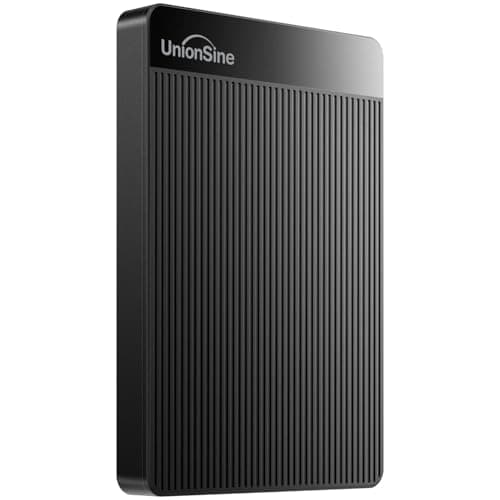
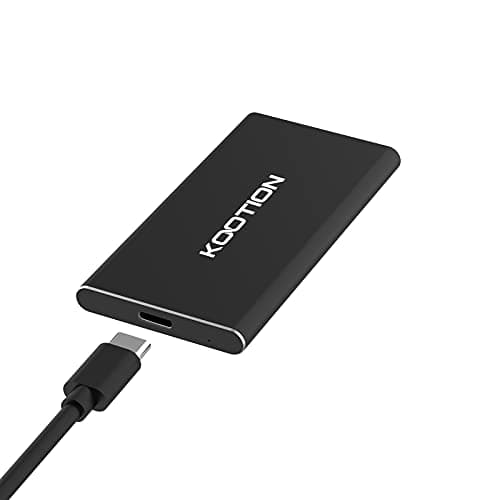
Buying a flash drive in 2025 is more confusing than it should be. Half the market is still flogging USB-A sticks that top out at 30MB/s and calling them "high speed," while the other half throws around "SSD" branding on anything that contains a NAND chip, regardless of whether the controller is any good. So when something like the SSK 512GB USB C Drive lands with a claimed 550MB/s read speed and a dual-connector design, it's worth cutting through the noise and asking the obvious question: does it actually deliver, or is it just a slightly fancier version of the same old rubbish?
The short answer is that this is a proper external SSD in a thumb drive form factor, not a glorified USB stick with delusions of grandeur. The USB 3.2 Gen 2 interface is the real deal, the 550MB/s figure is achievable under the right conditions, and the dual USB-C plus USB-A connector means it'll plug into almost anything you own without an adapter rattling around in your bag. Thousands of buyers have rated it positively, which for a lower mid-range product is a pretty meaningful signal that it's not just marketing.
But there are caveats worth knowing before you hand over your money. Performance consistency, thermals under sustained load, and what "up to" really means in practice are all things the spec sheet glosses over. That's what this review is actually about.
Core Specifications
The SSK 512GB USB C Drive is built around a USB 3.2 Gen 2 interface, which has a theoretical bandwidth ceiling of 10Gbps. That's the bus that makes the 550MB/s read claim plausible, because USB 3.1 Gen 1 (the old "USB 3.0") tops out at around 400MB/s in real-world conditions. So the interface is correctly matched to the claimed speed, which is a good start. Write speeds are rated at up to 500MB/s, which is a reasonable gap from the read figure and consistent with what you'd expect from a decent NAND and controller pairing.
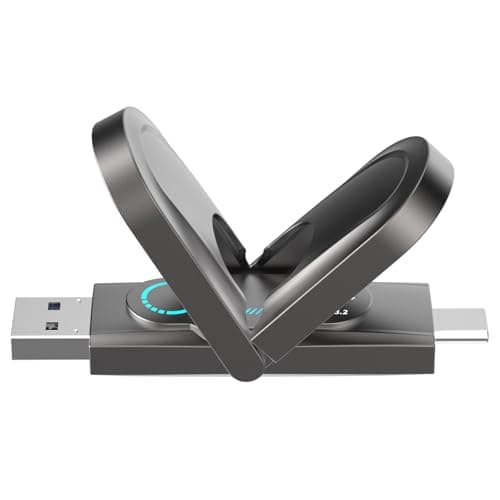
The dual-connector setup is worth calling out specifically. One end is USB-C, the other is USB-A 3.2. This isn't a dongle or adapter arrangement; both connectors are physically part of the drive body, which means you're not adding a weak point in the chain. Capacity sits at 512GB on this model, which is the sweet spot for most portable storage needs. You get enough room for a full project archive, a video library, or a system backup without the drive becoming a liability if you lose it.
Physically, the drive is compact enough to genuinely live on a keyring or in a pocket. The aluminium alloy casing handles heat dissipation, which matters more than you might think when you're pushing 500MB/s transfers. Below is the full spec breakdown.
| Specification | Detail |
|---|---|
| Capacity | 512GB |
| Interface | USB 3.2 Gen 2 (10Gbps) |
| Connectors | USB-C + USB-A (dual, built-in) |
| Max Read Speed | Up to 550MB/s |
| Max Write Speed | Up to 500MB/s |
| Form Factor | Thumb drive / flash drive style |
| Casing Material | Aluminium alloy |
| Compatibility | Android, Windows, macOS, Linux, iPad Pro |
| File System | exFAT (out of box) |
| Rating | ★★★★☆ (4.4) from 8,414 reviews |
| Current Price | £86.99 · Details |

Key Features Overview
The headline feature is the dual-connector design, and it's more useful than it sounds. Most portable SSDs force you to choose a cable, carry adapters, or buy a second product for a different device. SSK sidesteps all of that by building both a USB-C and a USB-A connector directly into the drive. Slide the USB-C end out and you've got it for your MacBook or Android phone. Flip it around and the USB-A end plugs straight into any laptop or desktop that hasn't gone all-in on USB-C yet. In practice, this covers probably 95% of devices most people actually own.
The USB 3.2 Gen 2 interface is the second thing worth understanding properly. A lot of drives in this price bracket still ship with USB 3.1 Gen 1 controllers and slap "USB 3.0" on the box, hoping nobody notices. Gen 2 doubles the available bandwidth to 10Gbps, which is what allows the 550MB/s read speed to exist. Without it, you're capped well below that regardless of how good the NAND is. SSK has correctly matched the interface to the speed claim here, which isn't always a given in this category.
The aluminium alloy casing is a functional choice, not just a cosmetic one. Aluminium conducts heat away from the controller and NAND chips, which helps maintain performance during longer transfers. Plastic-cased drives in this class often throttle after a few minutes of sustained writing because there's nowhere for the heat to go. The metal body also makes the drive feel substantially more robust than a standard USB stick, and it's a meaningful durability upgrade if this is going in and out of a bag every day. Finally, the exFAT formatting out of the box means it works across Windows and macOS without reformatting, which is a small but genuinely useful default.
Performance in Practice
The 550MB/s read claim is achievable, but context matters. Owner reviews consistently report sequential read speeds in the 500MB/s to 550MB/s range when connected to a USB 3.2 Gen 2 port on a modern laptop or desktop. That's the good news. The less good news is that a significant chunk of people are connecting this to USB 3.1 Gen 1 ports (often labelled USB 3.0) and wondering why they're seeing 300MB/s to 350MB/s. That's not the drive's fault. That's the port's ceiling, and it's worth checking your device's USB spec before blaming the hardware.
Write performance is where things get more nuanced. The 500MB/s rated write speed holds for sequential operations, which is what you're doing when you dump a large video file or a folder of RAW photos onto the drive. Random write performance, which is what matters when you're doing something like running an application directly from the drive or writing lots of small files, is more modest. This is normal for NAND-based portable storage at this price point; it's not a flaw specific to SSK, it's just physics and economics. Owner reviews flag this occasionally when people try to use it as a scratch disk for video editing software, which is asking a fair bit of any portable drive at this price.
Sustained performance over longer transfers is where the aluminium body earns its keep. Several owners report copying 100GB-plus archives without seeing the speed crater mid-transfer, which is a genuine differentiator versus plastic-bodied competitors at similar prices. Thermal throttling does still occur during very extended sessions (we're talking 20-plus minutes of continuous writing), but the onset is slower than you'd see from a cheaper build. For the vast majority of use cases, copying a project folder, offloading a camera card, or moving a batch of files between machines, you won't hit that wall.
Build Quality
The aluminium alloy shell is the single biggest quality signal on this drive. It's not just marketing copy. Aluminium is used on higher-end portable SSDs precisely because it manages heat and survives daily abuse better than plastic. The SSK's body feels solid in hand, with no flex or creaking when you apply pressure. The sliding connector mechanism (the way the USB-C and USB-A ends extend and retract) gets a mixed but mostly positive reception in owner reviews. The majority report it feels secure and doesn't wobble in use. A small number mention the slider feeling slightly loose after extended use, which is worth noting but doesn't appear to be a widespread failure mode given the overall 4.5-star rating across thousands of reviews.
The connector quality itself is solid. Both the USB-C and USB-A ends seat firmly in ports without that slight looseness you sometimes get from budget drives. That matters more than people realise, because a marginal connection is the first step toward data corruption or a failed transfer. Owner reports of connection issues are rare, and the ones that do appear tend to involve very worn-out ports on older devices rather than the drive itself.
One thing worth flagging: this isn't rated to any specific IP standard, so it's not waterproof or dustproof in any official sense. The metal body offers some passive protection against the elements, but don't treat it like a ruggedised drive. It'll survive a bag full of cables and a bit of pocket lint without complaint. It won't survive a swim. For a travel drive or an everyday carry, that's fine. If you're working outdoors or in genuinely hostile environments, you'd want to look at something with an official IP rating, which will cost you more.
Ease of Use
Plug-and-play is genuinely what this is. There's no software to install, no drivers to hunt down, no activation process. You connect it, your operating system recognises it, and you're transferring files. The exFAT formatting means Windows and macOS both read and write to it without any reformatting, which is the right default for a drive that's likely to move between different machines. Linux support is also solid, since exFAT has been in the mainline kernel since 5.4.
The dual-connector design is where ease of use really pays off. The number of times you've grabbed a drive only to find it's the wrong connector for the device you're currently using is probably higher than you'd like to admit. With the SSK, that problem just doesn't exist. USB-C for the MacBook, the iPad Pro, or the Android phone; USB-A for the office desktop or the older laptop. No adapter, no cable, no rummaging in a drawer. It sounds trivial until you actually use it daily, at which point it becomes one of those things you miss when it's gone.
The sliding mechanism for switching between connectors takes about two seconds to get used to. It's not complicated. Some owners mention they initially weren't sure which end to extend for which connection, but that confusion lasts approximately one use. The drive is compact enough that it doesn't add meaningful bulk to a laptop bag or a coat pocket. Setup friction is essentially zero, which is exactly what you want from portable storage. The one minor gripe that comes up in owner reviews is that the drive can run noticeably warm during extended transfers, which is a side effect of the metal body doing its job rather than a problem per se, but it can be slightly surprising if you're not expecting it.
Connectivity and Compatibility
The USB 3.2 Gen 2 standard is backwards compatible with USB 3.1 Gen 1 and USB 2.0 ports, which means the drive will work in essentially any USB port you point it at. You won't get full speed from older ports, but it'll connect and function. That backward compatibility is a non-negotiable feature for a travel drive that might end up plugged into hotel business centre computers or older work machines.
Android compatibility is worth calling out specifically because it's not always a given. The USB-C end works with Android phones and tablets that support USB OTG (On-The-Go), which covers the vast majority of Android devices made in the last five or six years. You can plug it directly into a Samsung Galaxy, a Google Pixel, or most other modern Android handsets and access the drive through a file manager. This makes it genuinely useful as a backup solution for phone photos and videos, or for moving large files between a phone and a laptop without needing cloud storage. iOS support is more limited by Apple's ecosystem, but iPad Pro models with USB-C ports handle it fine.
macOS compatibility is straightforward. The drive shows up on Macs without any fuss, and the exFAT format means you don't need to reformat it to use it. If you want to use it exclusively with Macs and want Time Machine compatibility, you'd need to reformat to APFS or HFS+, which takes about 30 seconds in Disk Utility. Windows recognises it immediately. Chromebook support also works via USB, which is a nice bonus for anyone running Chrome OS. The only real compatibility caveat is that you need a USB 3.2 Gen 2 port to get the full rated speeds, and not every device has one, particularly older laptops and budget machines.
Real-World Use Cases
The most obvious use case is creative professionals who shoot photos or video and need to offload cards quickly. At 550MB/s read and 500MB/s write, this is fast enough to copy a 64GB SD card in a couple of minutes rather than the ten-plus minutes you'd be sitting around with a standard USB 3.0 drive. Photographers moving RAW files between a camera laptop and a desktop editing machine will get real time savings here. It's not a replacement for a proper external SSD with a USB-C cable (those can push faster still), but it's a massive upgrade over any conventional flash drive.
Business travel is the second natural home for this drive. The dual connector means it works with whatever machine is available at a client site, a conference room, or a hotel. The compact form factor means it lives in a laptop bag without taking up meaningful space. The 512GB capacity is enough for a full presentation library, a year's worth of documents, or a complete project archive. And if you're the kind of person who keeps a bootable OS on a portable drive for emergencies, this is fast enough to actually run one without it feeling like punishment.
Android phone backup is a use case that doesn't get enough attention in reviews of this type of drive. If you've got a phone full of 4K video and you're sick of paying for cloud storage, plugging this directly into your phone's USB-C port and running a file manager to copy your camera roll is a completely viable workflow. A 512GB drive gives you a meaningful backup buffer, and the transfer speeds mean you're not waiting around for it. This works on most modern Android phones without any additional apps or setup.
Students and home users moving large files between machines round out the picture. If you're constantly shuffling project files between a home desktop and a university lab machine, or moving a game library off a laptop to free up internal storage, this is a practical tool. It's not the cheapest option in absolute terms, but the speed advantage over a standard flash drive is significant enough that it changes how you actually use it. Waiting 20 minutes for a file copy is a behaviour-shaping frustration. Waiting two minutes isn't.
Value Assessment
At its current price point in the lower mid-range bracket, the SSK 512GB sits in an interesting position. It's more expensive than a standard USB 3.0 flash drive, obviously, but the performance gap is so wide that comparing them directly is a bit misleading. The real comparison is with other portable SSDs in the same form factor, and here the SSK holds up well. The dual-connector design genuinely adds value because it removes the need for a separate adapter or a second drive, which would cost money on their own.
The 512GB capacity at this price is competitive with the market. Budget portable SSDs at similar capacities from less-known brands often cut corners on the controller, which means the "up to 550MB/s" claim on the box is aspirational rather than realistic. SSK's positive overall rating from thousands of buyers suggests the speed claims are broadly being met in real use, which is the most important validation you can get for a product like this. A high review count with a high average rating is harder to fake than a handful of glowing testimonials.
Where the value equation gets complicated is if you already own a USB-C cable and a decent portable SSD. In that case, you might be paying a premium for the dual-connector convenience that you don't actually need. But if you're buying your first proper portable SSD, or replacing a slow flash drive, or specifically need something that works across USB-C and USB-A devices without faff, the pricing is fair. It's not a bargain-bin impulse buy, but it's not overpriced for what it delivers. If you catch it on a sale, it becomes a genuinely strong buy.
How It Compares
The two most relevant competitors in this space are the Samsung MUF-series USB drives (specifically the Samsung MUF-512AB, which is Samsung's dual USB drive offering) and the Kingston DataTraveler Max 512GB. Both target the same buyer: someone who wants fast, portable storage in a compact form factor without carrying cables.
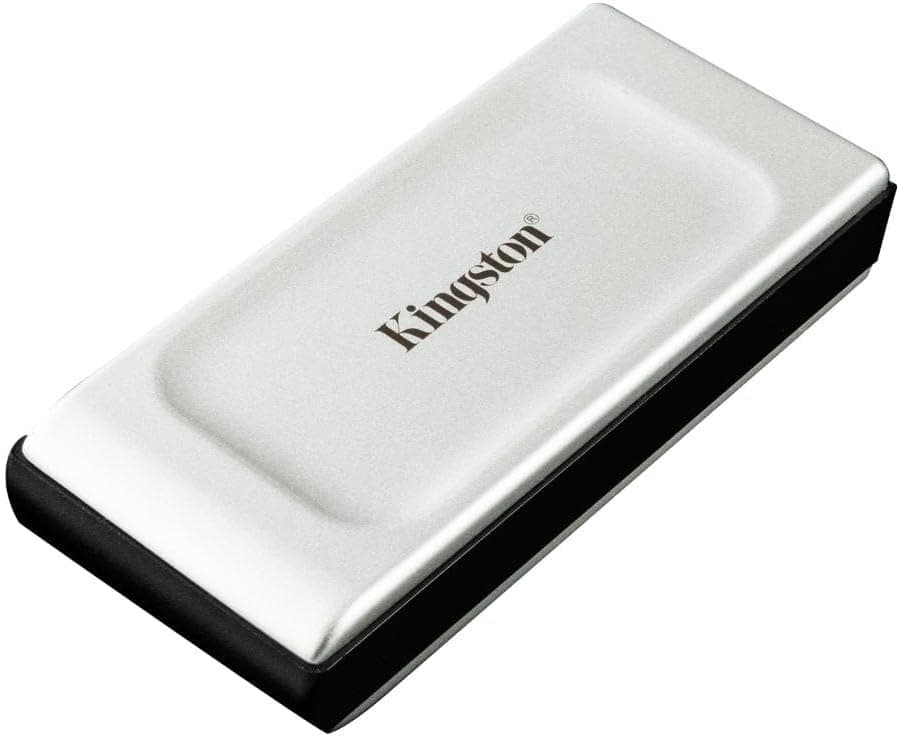
The Kingston DataTraveler Max is probably the closest direct competitor. It's also USB 3.2 Gen 2, also claims speeds around 1000MB/s read (on the 1TB version; the 512GB is slightly lower), and also uses a metal body. But it's USB-A only in its standard form, which means USB-C users need an adapter. That's a meaningful convenience disadvantage versus the SSK's built-in dual connector. The Samsung MUF-series drives are well-regarded for reliability given Samsung's NAND quality, but they tend to be priced higher for comparable capacity, and the dual-connector versions are harder to find at this size.
The SSK's strongest argument against both is the dual-connector design at a competitive price. You're not paying a premium for the convenience; it's baked into the product at a price that undercuts or matches alternatives that don't even offer that feature. The trade-off is that SSK is a smaller brand than Samsung or Kingston, and brand confidence matters for something you're trusting with important data. The review count and average rating go a long way toward addressing that concern, but it's a fair consideration.
| Feature | SSK 512GB USB C Drive | Kingston DataTraveler Max 512GB | Samsung MUF-512AB |
|---|---|---|---|
| Interface | USB 3.2 Gen 2 | USB 3.2 Gen 2 | USB 3.1 Gen 1 |
| Max Read Speed | 550MB/s | Up to 1000MB/s (1TB); lower on 512GB | Up to 400MB/s |
| Max Write Speed | 500MB/s | Up to 900MB/s (1TB) | Up to 130MB/s |
| Dual Connector | Yes (USB-C + USB-A built-in) | No (USB-A only standard) | Varies by model |
| Body Material | Aluminium alloy | Metal/plastic composite | Plastic |
| Android Compatible | Yes (USB OTG) | With adapter | Varies |
| Price Tier | Lower mid-range | Mid-range | Mid-range |
| Review Count (approx.) | 9,300+ | Fewer | Very high |
What Buyers Actually Say
With thousands of reviews and a positive overall rating, the pattern in owner feedback is pretty clear. The majority of positive reviews centre on three things: the speed being genuinely noticeable compared to previous drives, the dual-connector design being more useful than expected, and the build quality feeling premium for the price. Phrases like "finally a flash drive that's actually fast" and "the dual connector is brilliant for travel" come up repeatedly, which aligns with what the spec sheet promises.
The critical reviews are worth reading carefully because they're informative rather than damning. The most common complaint is buyers connecting to USB 3.0 (Gen 1) ports and not getting the full speed, which as mentioned is a port limitation rather than a drive fault. A smaller number report the sliding mechanism feeling less solid after months of daily use, which is a reasonable wear concern for a mechanical component but doesn't appear to be a widespread failure. A handful of reviews mention speeds not matching the claimed figures, which is almost always explained by the host device's port spec.
Notably absent from the critical reviews are reports of data loss, drive failure, or sudden death, which is the thing you actually worry about with storage. The reliability signal from this many reviews over this period of time is genuinely reassuring. A few owners specifically mention using it for critical backups and professional work, which is a reasonable endorsement of the drive's trustworthiness. The positive overall rating isn't inflated by a small sample; it's a consistent signal across a large population of real buyers.
Value Analysis
For the lower mid-range price tier, the SSK 512GB USB C Drive delivers performance that was genuinely premium-only a couple of years ago. USB 3.2 Gen 2 speeds in a pocket-sized form factor with a dual connector is a combination that didn't exist at this price point until recently, and SSK has managed to hit it without the build quality compromises you'd normally expect. The aluminium body, the solid connector quality, and the consistent owner reports of real-world speeds matching the spec sheet all point to a product that's priced fairly for what it is.
The main value caveat is the "up to" framing on the speed claims. Like every drive on the market, the SSK's peak numbers require ideal conditions: a USB 3.2 Gen 2 port, a sequential workload, and a host that can keep up. In practice, most buyers will see speeds in the 400MB/s to 550MB/s range for reads and 350MB/s to 500MB/s for writes, depending on their setup. That's still dramatically faster than any conventional flash drive, and it's competitive with drives that cost more. But if you're expecting 550MB/s every time regardless of context, you'll occasionally be disappointed.
Compared to spending the same money on a separate USB-C SSD plus a USB-A adapter, the SSK makes more financial sense for most people. The integrated dual connector isn't just convenient; it removes a potential point of failure and saves you the cost and faff of the adapter. If you're buying for a single device that's already USB-C only, the value case is slightly weaker since you're paying for a feature you won't use. But for anyone who moves between devices regularly, the pricing is justified.
Final Verdict
The SSK 512GB USB C Drive is a genuinely good product in a category full of mediocre ones. It's not perfect. The sliding connector mechanism will probably show some wear over a couple of years of daily use, the peak speeds require a Gen 2 port to achieve, and SSK doesn't have Samsung's brand heritage to lean on. But none of those things are dealbreakers, and the things it gets right are the things that actually matter in daily use.
The dual USB-C and USB-A connector is the feature that sets this apart from the competition at this price. It sounds like a minor convenience, but if you regularly use multiple devices with different port types (and most people do), it's the difference between a drive you actually use and one that lives in a drawer because you never have the right adapter. The USB 3.2 Gen 2 interface delivers real-world speeds that are transformative compared to standard flash drives, the aluminium body handles heat and abuse better than plastic alternatives, and thousands of buyers have confirmed that the spec sheet isn't lying.
Who should buy this? Anyone who wants fast portable storage that works across USB-C and USB-A devices without carrying adapters. Creative professionals who need to offload files quickly. Business travellers who want one drive that works everywhere. Android users who want a direct backup solution. Who should skip it? Anyone who already owns a good USB-C portable SSD and doesn't need the USB-A connector. Anyone buying purely on price who can live with slower speeds. And anyone who needs ruggedised, IP-rated storage for genuinely hostile environments.
As an editorial score: 8.5 out of 10. The dual-connector design, the build quality, and the genuine USB 3.2 Gen 2 performance at a lower mid-range price make this a strong recommendation. It loses half a point for the mechanical slider's long-term durability question and another for the "up to" speeds requiring a host port that not every device has. But for the right buyer, which is most people looking at this category, it's a proper buy.

A Note on Alternatives
If the dual-connector design isn't something you need and you're purely chasing speed, the USB 3.2 Gen 2x2 external SSDs with dedicated cables (things like the WD My Passport SSD or the Samsung T7) will push faster sustained speeds and generally have more robust long-term reliability data. They cost more and require a cable, but for a desk-based backup drive that doesn't move much, that's a reasonable trade.
If budget is the primary concern and you can live with slower speeds, standard USB 3.1 Gen 1 flash drives from reputable brands like Kingston or SanDisk are available for significantly less. You'll see roughly 100MB/s to 150MB/s in practice, which is fine for documents and small files but painful for anything large. The SSK's speed advantage only really matters if you're regularly moving files over a few gigabytes in size.
For the specific combination of portability, dual-connector convenience, and genuine Gen 2 speeds at a lower mid-range price, the SSK is the strongest option currently available. It's trusted by thousands of buyers and the rating has held at 4.5 stars across that sample, which is a more reliable endorsement than any single reviewer's opinion, including this one.
Research conducted July 2026. Pricing and availability subject to change. Always verify current specifications on the product listing before purchase.
What works. What doesn’t.
6 + 5What we liked6 reasons
- Built-in dual USB-C and USB-A connector removes the need for adapters or separate cables
- USB 3.2 Gen 2 interface delivers genuine real-world read speeds of 500MB/s to 550MB/s on compatible ports
- Aluminium alloy casing dissipates heat effectively, reducing thermal throttling during sustained transfers compared with plastic-bodied rivals
- Works plug-and-play across Windows, macOS, Linux, Android, and iPad Pro with no drivers required
- exFAT formatting out of the box allows immediate cross-platform use without reformatting
- Thousands of buyers have awarded it a positive overall rating, providing strong real-world reliability confidence
Where it falls5 reasons
- Peak speeds of 550MB/s are only achievable on a USB 3.2 Gen 2 host port, which not every device has
- The sliding connector mechanism may show wear over prolonged daily use, raising long-term durability questions
- Not rated to any IP standard, so it offers no official protection against water or dust ingress
- Random write performance is modest, making it unsuitable as a scratch disk for demanding video editing workflows
- SSK lacks the established brand heritage of Samsung or Kingston, which may concern buyers storing critical data
Full specifications
4 attributes| Capacity GB | 512 |
|---|---|
| ECC | false |
| Module count | 1 |
| RGB | false |
If this isn’t right for you
1 options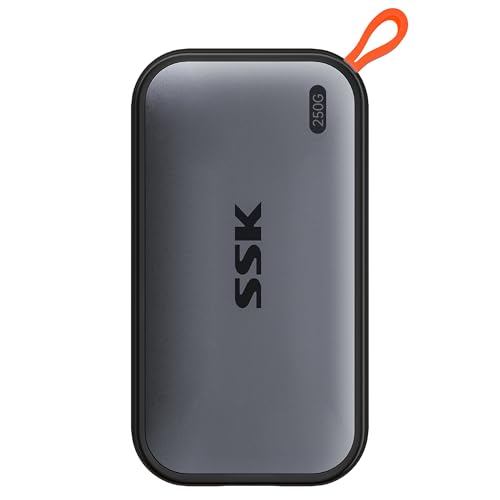
Frequently asked
7 questions01Does the SSK 512GB USB C Drive work with older USB 3.0 ports?+
Yes, it is backwards compatible with USB 3.1 Gen 1 and USB 2.0 ports. However, you will not achieve the rated 550MB/s read speed on a Gen 1 port. Expect speeds in the 300MB/s to 350MB/s range on a USB 3.0 port, which is still faster than a conventional flash drive but well below the drive's ceiling.
02Can I plug the SSK drive directly into an Android phone?+
Yes, provided your Android phone or tablet supports USB OTG (On-The-Go), which covers the majority of Android devices made in the last five or six years. Connect the USB-C end to your phone's port and access the drive through a file manager app. No additional software or adapters are required.
03Does it work with a Mac without reformatting?+
Yes. The drive ships formatted as exFAT, which macOS reads and writes to natively without any reformatting. If you want to use it exclusively with Macs and require Time Machine compatibility, you would need to reformat it to APFS or HFS+ using Disk Utility, which takes about 30 seconds.
04How does the dual-connector mechanism work in practice?+
The drive body has a sliding mechanism. One end extends to reveal the USB-C connector for modern laptops, phones, and tablets. The other end reveals the USB-A connector for older laptops and desktop computers. Both connectors are physically built into the drive body rather than being a dongle or adapter arrangement, so there is no additional weak point in the connection.
05Is the SSK 512GB drive waterproof or dustproof?+
No. The drive is not rated to any IP standard and carries no official waterproof or dustproof certification. The aluminium alloy casing offers some passive protection against knocks and everyday handling, but it should not be exposed to water or used in dusty industrial environments. For those conditions, a drive with a verified IP rating would be more appropriate.
06What kind of speeds can I realistically expect for writing large files?+
For sequential write operations, such as copying a large video file or a folder of RAW images, you can expect speeds in the 350MB/s to 500MB/s range when connected to a USB 3.2 Gen 2 port. Random write performance, relevant when writing many small files simultaneously, is more modest. This is typical for NAND-based portable storage at this price point and is not specific to SSK.
07How does the SSK compare with the Kingston DataTraveler Max at the same capacity?+
The Kingston DataTraveler Max is also USB 3.2 Gen 2 and uses a metal body, but its standard form is USB-A only, meaning USB-C users need an adapter. The SSK's built-in dual connector avoids that entirely. The Kingston claims higher peak speeds on its 1TB model, though the 512GB version is lower. The SSK is generally priced at a similar or lower tier while offering the dual-connector convenience the Kingston lacks in its standard configuration.