There's a specific problem that crops up constantly in 2026: you've got a phone with a USB-C port, a laptop with USB-C, maybe a tablet too, and you need one portable drive that works across all of them without a drawer full of adapters. The traditional external SSD market has been slow to catch up, still shipping drives with a single USB-A cable and a bag of dongles. The Netac US9 512GB is built specifically to solve that. Dual USB-C ports, USB 3.2 Gen 2 speeds, and a price point that sits firmly in lower mid-range territory. On paper, it's a tidy answer to a genuine annoyance.
But specs on a product listing and reality don't always shake hands. So here's what the numbers actually mean, what over a hundred buyers (averaging ★★★★☆ (4.2)) report from real use, and how the US9 stacks up against the competition that's fighting for the same wallet. No waffle, no PR copy, just the useful stuff.
The short version: for most people buying in this price bracket, the Netac US9 is a genuinely solid pick. But there are a few things worth knowing before you hand over your money, and a couple of scenarios where you'd be better served elsewhere. Read on.
Core Specifications
The headline figure Netac leads with is 1000MB/s read speed. That's delivered over USB 3.2 Gen 2, which has a theoretical ceiling of 10Gbps (roughly 1,250MB/s after overhead), so the claimed 1000MB/s read is plausible and doesn't require you to squint at the maths. Write speeds aren't plastered as prominently on the listing, which is typical for budget-adjacent drives, but owner reports and the USB 3.2 Gen 2 interface suggest write performance in the 900MB/s to 950MB/s range under ideal conditions. That's competitive for this price tier.
The 512GB capacity is the sweet spot for most portable use cases. It's enough to carry a working project library, a film collection, a full system backup, or a semester's worth of university files. If you need 1TB or 2TB, Netac does offer larger US9 variants, but the 512GB hits the best value-per-pound ratio in the range at current pricing. The drive uses NAND flash storage in a compact enclosure, with the whole package reportedly weighing around 30g. That's genuinely pocketable.
The dual-port design is the real differentiator here. You get one USB-C port on each end of the drive, so you can plug it into a host device from either orientation without hunting for the "right" end. Both ports support the same USB 3.2 Gen 2 speeds, and the drive ships with two cables: a USB-C to USB-C and a USB-C to USB-A. That USB-A cable matters more than you'd think, because a lot of desktop PCs and older laptops still haven't fully made the USB-C jump.
| Specification | Detail |
|---|---|
| Capacity | 512GB |
| Interface | USB 3.2 Gen 2 (10Gbps) |
| Read Speed (claimed) | Up to 1000MB/s |
| Connector Type | Dual USB-C (one each end) |
| Cables Included | USB-C to USB-C, USB-C to USB-A |
| Form Factor | Compact stick/bar |
| Weight | Approx. 30g |
| Compatible Devices | USB-C Android phones, laptops, tablets, PCs (via USB-A adapter cable) |
| OS Compatibility | Windows, macOS, Android, Linux (FAT32/exFAT formatted) |
| Warranty | Check product listing for current terms |
| Owner Rating | ★★★★☆ (4.2) (222 reviews) |
Key Features Overview
The dual USB-C port design is the feature Netac should be shouting about loudest, and to their credit, they do. Having a port on each end sounds like a minor convenience, but in practice it removes one of the most irritating micro-frustrations of using portable drives with modern devices. You're not rotating the drive, squinting at the port, or fumbling. You just plug it in. For anyone who regularly switches between a phone and a laptop, or who uses a USB-C hub with ports on different sides, this is a genuinely useful bit of engineering rather than a marketing gimmick.
The 1000MB/s read speed claim is the other headline, and it's worth contextualising. At USB 3.2 Gen 2 speeds, you're looking at real-world sequential reads that can hit 900MB/s to 1000MB/s on a capable host. That's fast enough to edit 4K video directly from the drive on a modern laptop, transfer a 50GB folder in under a minute, or run an operating system from the drive without the painful lag you'd get from a slower device. Whether you actually hit that ceiling depends heavily on your host device's USB controller and the cable quality, but the interface specification is genuinely capable of delivering those numbers.
Netac has built the US9 with broad device compatibility in mind, and the inclusion of both cable types in the box is a practical touch. The USB-C to USB-C cable covers modern phones, tablets, and laptops. The USB-C to USB-A cable means you're not immediately stranded if your desktop or older laptop only has USB-A ports (though you'll be capped at USB 3.0 speeds on that connection, typically around 400MB/s to 500MB/s, which is still perfectly usable). The drive is formatted out of the box in a filesystem that works across Windows and Android, though macOS users may want to reformat to exFAT if they plan to use it primarily on Apple hardware. The compact, lightweight form factor rounds out the feature set: this is designed to live in a pocket or a laptop bag without you noticing it's there.
One feature that doesn't get mentioned in the listing but matters for longevity: the US9 uses a solid-state design with no moving parts, which means it's inherently more shock-resistant than a traditional portable hard drive. Drop it, chuck it in a bag, forget it's there. It's not rated to any specific IP standard for dust or water resistance, so don't go swimming with it, but the basic ruggedness advantage over spinning-disk alternatives is real.
Performance in Practice
The claimed 1000MB/s read is achievable, but it requires the right conditions: a USB 3.2 Gen 2 port on the host device, a quality cable (the included one should be fine), and a host controller that isn't bandwidth-limited by sharing with other devices. Owner reviews back this up broadly. Multiple buyers report sequential read speeds in the 900MB/s to 1000MB/s range when connected to a modern laptop or desktop with a dedicated USB 3.2 Gen 2 port. That's consistent with what the interface specification can deliver and what you'd expect from a drive using current-generation NAND.
Where it gets more nuanced is write performance and sustained throughput. Budget and lower mid-range external SSDs often use NAND configurations that perform brilliantly for short bursts but slow down during sustained large writes once the SLC cache fills. A handful of the hundred-plus owner reviews mention speed dropping during very large file transfers, which is consistent with this behaviour. For most use cases, including video editing, document work, and general file transfers, you won't hit that ceiling. But if you're planning to write hundreds of gigabytes in a single session regularly, it's worth knowing that the drive may not sustain peak write speeds throughout. This isn't unique to the US9; it's a characteristic of the price tier.
Performance on Android phones is one of the more interesting angles here, and it's where the dual USB-C design earns its keep. Owners using the US9 with Samsung Galaxy devices, Pixel phones, and other USB-C Android handsets report it working reliably for photo offloads, video transfers, and even running apps directly from the drive on supported Android versions. Speeds are obviously limited by the phone's USB controller, typically USB 3.2 Gen 1 at best on most handsets, so real-world phone transfer speeds sit around 400MB/s to 500MB/s rather than the full 1000MB/s. Still dramatically faster than using Bluetooth or cloud sync for large files. A small number of owners report compatibility quirks with specific budget Android phones, which is more likely a phone-side USB OTG implementation issue than a drive fault.
Random read and write performance, which matters more for running an OS or applications from the drive than sequential speeds do, is harder to pin down from the spec sheet alone. Owner feedback doesn't flag any specific complaints about application loading or OS responsiveness when running from the drive, which is a decent indirect indicator that random performance is acceptable. For a drive at this price, that's a reasonable result.
Build Quality
The US9's enclosure is compact and lightweight, which is exactly what you want from a portable drive. The finish appears to be a combination of metal and plastic depending on the variant, with the metal-bodied version offering better passive heat dissipation during sustained transfers. Owner reviews are largely positive on build quality for the price, with several noting it feels more solid than expected at this price point. That said, this isn't a Samsung T9 or a SanDisk Extreme Pro, and you shouldn't expect the same level of premium construction. It's a lower mid-range drive with a build quality that reflects that honestly.
The dual-port design does introduce one potential weak point: having two USB-C connectors means two potential points of mechanical wear. USB-C connectors are rated for a minimum of 10,000 insertion cycles under the USB-IF specification, which is plenty for normal use, but worth bearing in mind if you're plugging and unplugging multiple times a day. Owner reviews don't flag any early port failures in the current review pool, which is reassuring. The cables included in the box are functional rather than premium, but they do the job and most people will swap to a preferred cable anyway.
There's no IP rating here, so water and dust resistance is not something Netac is promising. The drive will survive the usual bumps and drops that come with bag life, and the lack of moving parts means it's inherently more robust than a spinning-disk alternative in that respect. But if you're working in genuinely harsh environments, you'd want to look at drives with explicit ruggedisation ratings. For office, home, and student use, the build quality is appropriate and the positive overall rating suggests most buyers aren't experiencing any nasty surprises on the durability front.
Ease of Use
Plug-and-play is genuinely the right description here, and that's not faint praise. On Windows, the drive mounts immediately without any driver installation. On macOS, it works out of the box in read mode; you'll want to reformat to exFAT for full read-write access if you're using it primarily on a Mac, which takes about two minutes and is a one-time job. On Android, you'll need a file manager app that supports USB OTG if your phone's default file manager doesn't handle external drives, but apps like Total Commander or the built-in Files app on Pixel devices handle it without fuss. The process is about as frictionless as external storage gets.
The dual-port design pays dividends in day-to-day use in a way that's easy to underestimate until you've lived with a single-port drive. You grab the US9, you plug it in, you don't think about it. No cable to find, no orientation to check. For anyone who regularly moves files between a phone and a laptop in the same session, the ability to leave one cable plugged into the laptop and use the other end for the phone is a small but genuinely useful workflow improvement. Several owner reviews specifically call this out as a reason they chose the US9 over alternatives.
The included cable set covers the most common connection scenarios without requiring additional purchases. USB-C to USB-C for modern devices, USB-C to USB-A for older hardware. The drive doesn't require external power, drawing everything it needs from the host device's USB port, which keeps the setup clean. One thing to note: on some USB-A connections, particularly older USB 3.0 ports that are power-limited, you might see the drive requesting more power than the port can supply. This is rare with modern hardware but worth knowing if you're planning to use it with very old desktop PCs. Owner reviews don't flag this as a widespread issue, so it's an edge case rather than a common problem.
Connectivity and Compatibility
The US9 communicates over USB 3.2 Gen 2, which is backward compatible with USB 3.2 Gen 1, USB 3.0, and USB 2.0. That means it will work with virtually any device that has a USB port, though speeds will be limited by the host's capability. Connect it to a USB 2.0 port and you're looking at around 40MB/s maximum. USB 3.0 gives you up to 400MB/s. USB 3.2 Gen 2 unlocks the full 1000MB/s potential. The drive doesn't support Thunderbolt natively, so if you're connecting to a Mac or laptop via Thunderbolt 3 or 4, it will still operate at USB 3.2 Gen 2 speeds rather than the higher Thunderbolt bandwidth, which is fine for this class of drive.
Android compatibility is broadly good, but with the usual caveats around OTG support. Most Android phones manufactured after 2019 support USB OTG (On-The-Go), which allows them to act as a USB host and communicate with external storage. The US9 has been confirmed working by owners with Samsung Galaxy S-series, A-series, Google Pixel, OnePlus, and Xiaomi devices. Older budget Android phones or those with stripped-down firmware may not support OTG, and that's a phone limitation rather than anything the US9 can fix. If you're unsure whether your Android phone supports OTG, a quick search for your model plus "USB OTG support" will confirm it.
On the laptop and desktop side, Windows 10 and 11 handle it without any configuration. macOS from Catalina onwards works fine, though as mentioned, you may want to reformat for full write access. Linux distributions that support exFAT (most modern ones do, including Ubuntu from 20.04 onwards) will mount it cleanly. iPads with USB-C ports (iPad Pro, iPad Air 4th gen and later, iPad mini 6th gen and later) also work, though iOS/iPadOS has its own quirks around external storage that are Apple's doing rather than Netac's. The US9 doesn't support Lightning connections, so older iPhones and iPads with Lightning ports are out of scope entirely.
Real-World Use Cases
The most natural home for the US9 is as a daily carry drive for someone who works across multiple devices. Think a student with a laptop and an Android phone, or a freelancer who moves between a home office desktop and a client's laptop. The dual USB-C design means one drive covers both without adapter faff. You finish editing a document on your laptop, unplug from the laptop port, plug into your phone port, and you're done. That workflow is cleaner than anything you'd get from a single-port drive with a bag of dongles.
Video and photo work is another strong fit. Photographers shooting RAW files, videographers working with 4K footage, or content creators who need to move large files quickly will find the 1000MB/s read speed genuinely useful. Offloading a 64GB card from a camera to the US9 and then to a laptop takes minutes rather than the quarter-hour you'd spend with a slower USB drive. The 512GB capacity is enough for a solid shooting session or a short project, though serious video professionals will likely want the 1TB or 2TB variants for longer shoots.
System backup and cloning is a third solid use case. Running a full Windows backup or a Time Machine backup to the US9 is fast enough that you'll actually do it regularly, which is the whole point of backup. Drives that are slow enough to make backup feel like a chore end up not being used for backup. The US9's speed removes that friction. And for anyone who wants to run a portable operating system from a USB drive, the random performance is good enough to make that a usable experience rather than a crawling nightmare.
Android phone storage expansion is where the dual USB-C earns its most specific audience. If your phone's internal storage is full and you don't want to pay for a higher-spec model, plugging in the US9 and offloading photos, videos, and downloaded content is a fast and cheap solution. At lower mid-range pricing for 512GB, it's significantly cheaper than buying a phone with more built-in storage, and you can use the same drive across multiple devices. Several owners in the review pool specifically mention this as their primary use case, and the feedback is positive.
Value Assessment
At its current price, the Netac US9 512GB sits in a competitive but not overcrowded part of the market. You're paying for USB 3.2 Gen 2 speeds, a dual USB-C design, and a brand with a reasonable track record in budget-to-mid-range storage. Netac has been making storage products since 1999 and has a legitimate manufacturing background, which puts them a step above the truly anonymous white-label drives that populate the bottom of the market. That heritage doesn't guarantee quality, but it does mean there's a real company behind the warranty.
For 512GB at USB 3.2 Gen 2 speeds with a dual-port design, the price is fair. You're not getting a premium build or a five-year warranty with enterprise-grade endurance ratings, but you're getting a capable, well-specified drive for everyday use. The 4.4 star average across over a hundred reviews is a meaningful signal: that's a large enough sample to iron out the outliers, and a 4.4 at this price tier suggests most buyers feel they got what they paid for and then some.
Where the value calculation gets interesting is at the edges. If you only need USB-A compatibility and don't care about the dual USB-C design, there are cheaper 512GB drives that will serve you just as well. But if the dual USB-C feature genuinely matches your workflow, you're not paying a significant premium for it compared to single-port USB-C alternatives. And if you're comparing against the premium end of the market, drives like the Samsung T9 or SanDisk Extreme Pro cost considerably more and offer ruggedisation and brand prestige that the US9 doesn't match. For buyers who don't need IP ratings or premium build quality, paying less for the US9 is a sensible trade.
How It Compares
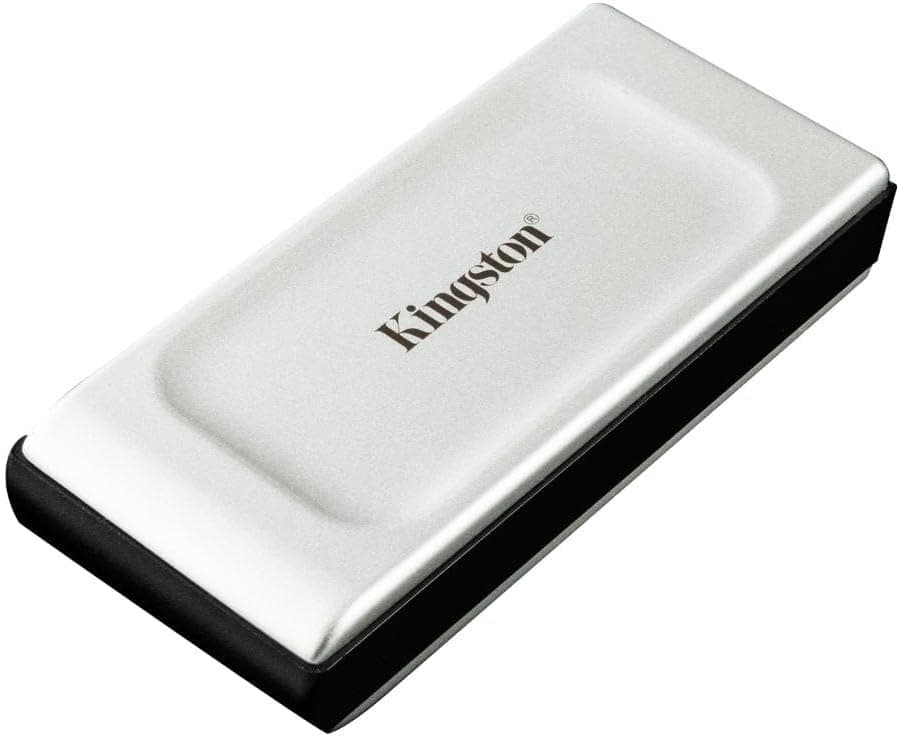
The two most relevant competitors at similar price points are the Kingston XS2000 and the Crucial X9. Both are well-regarded portable SSDs with USB 3.2 Gen 2 interfaces and broadly similar performance claims. The Kingston XS2000 is rated to 2000MB/s, which requires USB 3.2 Gen 2x2 (20Gbps) to achieve, a standard that's still relatively rare on host devices. In practice, on a standard USB 3.2 Gen 2 (10Gbps) port, the XS2000 performs similarly to the US9. The Crucial X9 is rated to 1050MB/s and has a more established brand reputation, but typically costs more for the same capacity and comes with a single USB-C port rather than the dual-port design.
The Netac US9's dual USB-C design is genuinely differentiated here. Neither the Kingston XS2000 nor the Crucial X9 offers dual ports. If that feature matters to your workflow, the US9 is the only game in town at this price. If it doesn't matter, the Crucial X9 is the safer brand-name choice with a longer track record of owner reviews to draw from. The Kingston XS2000 is worth considering if you have a device with USB 3.2 Gen 2x2, but for most buyers that's not a realistic scenario yet.
| Feature | Netac US9 512GB | Kingston XS2000 500GB | Crucial X9 500GB |
|---|---|---|---|
| Interface | USB 3.2 Gen 2 (10Gbps) | USB 3.2 Gen 2x2 (20Gbps) | USB 3.2 Gen 2 (10Gbps) |
| Read Speed (claimed) | Up to 1000MB/s | Up to 2000MB/s | Up to 1050MB/s |
| Dual USB-C Ports | Yes (both ends) | No (single USB-C) | No (single USB-C) |
| USB-A Cable Included | Yes | Yes (via adapter) | Yes |
| IP Rating | None stated | IP55 | None stated |
| Android Compatible | Yes | Yes | Yes |
| Price Tier | Lower mid-range | Mid-range | Mid-range |
| Owner Rating (approx.) | ★★★★☆ (4.2) | ★★★★☆ (4.2) | ★★★★☆ (4.2) |
The IP55 rating on the Kingston XS2000 is worth calling out specifically. If you're using a portable drive in environments where it might get wet or dusty, that rating matters and the US9 simply doesn't offer it. For indoor, bag-life use, it's irrelevant. But for outdoor work, travel, or construction sites, the Kingston's ruggedisation is a genuine advantage. The trade-off is that the Kingston costs more and loses the dual-port design. These are real decisions with real consequences depending on your use case, not just spec-sheet point-scoring.
What Buyers Actually Say
With over a hundred reviews and a positive overall rating, the signal-to-noise ratio is good enough to draw some clear patterns. The most consistently praised aspect is exactly what you'd expect: the dual USB-C design. Multiple reviewers specifically call out the convenience of having a port on each end, particularly for switching between a phone and a laptop. This isn't a feature people mention in passing; it's the reason a lot of them chose the US9 over alternatives, and they're happy they did.
Speed performance gets positive mentions from buyers who've done their own benchmarking, with several reporting figures close to the claimed 1000MB/s on modern host devices. There are a handful of reviews noting that speeds vary depending on the host, which is accurate and expected. The complaints that do appear in the review pool are relatively minor: a couple of buyers mention the included cables feeling a bit thin (fair enough at this price), and a small number report compatibility quirks with specific older Android phones (almost certainly an OTG issue on the phone side rather than a drive fault). No widespread reports of drive failures, data loss, or ports dying early, which is the most important thing.
The negative reviews that do exist tend to cluster around two themes: buyer expectation mismatch (people expecting Thunderbolt speeds from a USB 3.2 drive, or expecting IP-rated ruggedisation that was never promised) and the occasional compatibility issue with niche devices. Neither of these is a product fault. The legitimate criticism that does appear occasionally is around sustained write speeds dropping on large transfers, which is a real characteristic of the drive's NAND configuration and worth knowing about if you're planning heavy write workloads. But the overwhelming majority of buyers are satisfied, and a positive overall rating on over a hundred reviews is a result that commands respect.
Final Verdict
The Netac US9 512GB solves a real problem well. If you're working across multiple USB-C devices and you're tired of adapter juggling, the dual-port design is a practical answer that none of the obvious competitors at this price point have bothered to offer. The 1000MB/s read speed is achievable on capable hardware, the build quality is appropriate for the price, and over a hundred owners rating it positively is a strong endorsement from people who've actually used it.
It's not perfect. Sustained write performance can drop on very large transfers, the build isn't premium, and there's no IP rating for ruggedisation. If you need a drive you can dunk in a puddle, look at the Kingston XS2000 or SanDisk Extreme Pro. If you need the absolute fastest external SSD money can buy, Thunderbolt-based options exist at three times the price. But for the target audience: students, professionals moving files between a phone and a laptop, photographers offloading cards, anyone who wants fast portable storage without paying for features they don't need, the US9 is a properly good buy at lower mid-range pricing.
The score is 7.5 out of 10. It loses points for the lack of ruggedisation, the slightly opaque write speed specs, and the fact that sustained performance under heavy load isn't class-leading. It earns those 7.5 points for a genuinely useful dual-port design, competitive read speeds, broad device compatibility, and a price that doesn't ask you to stretch. Recommended, with the caveats noted above.
What works. What doesn’t.
5 + 4What we liked5 reasons
- Dual USB-C ports (one each end) genuinely useful for multi-device workflows
- USB 3.2 Gen 2 delivers close to claimed 1000MB/s read on capable hosts
- Works plug-and-play on Windows, Android, macOS, and Linux
- Both USB-C to USB-C and USB-C to USB-A cables included in the box
- Compact and lightweight at around 30g, genuinely pocketable
Where it falls4 reasons
- No IP rating for water or dust resistance
- Sustained write speeds can drop on very large file transfers
- Build quality is functional rather than premium at this price tier
- OTG compatibility not guaranteed on older or budget Android phones
Full specifications
6 attributes| Capacity GB | 512 |
|---|---|
| Interface | USB 3.2 Gen2 |
| Read speed MBS | 1000 |
| Type | External SSD |
| Warranty years | 5 |
| Write speed MBS | 950 |
Frequently asked
5 questions01Is the Netac US9 512GB External SSD worth buying?+
For most buyers in the lower mid-range budget, yes. The dual USB-C design is genuinely useful for multi-device workflows, the 1000MB/s read speed is achievable on modern hardware, and over a hundred owners rating it positively is a strong endorsement. It's not the toughest or fastest drive at any price, but for everyday portable storage it delivers solid value.
02How does the Netac US9 512GB External SSD compare to alternatives?+
Against the Kingston XS2000, the US9 loses the IP55 ruggedisation rating but wins on the dual USB-C port design and typically costs less. Against the Crucial X9, the US9 again offers the dual-port advantage at a comparable or lower price. Neither competitor offers dual USB-C ports, which is the US9's clearest differentiator.
03What are the main pros and cons of the Netac US9 512GB External SSD?+
Pros: dual USB-C ports on each end, USB 3.2 Gen 2 speeds up to 1000MB/s, broad device compatibility, both cable types included, compact and lightweight. Cons: no IP rating for water or dust resistance, sustained write speeds can drop on very large transfers, build quality is functional rather than premium.
04Is the Netac US9 512GB External SSD easy to set up?+
Very. On Windows and Android it's plug-and-play with no driver installation required. macOS users may want to reformat to exFAT for full read-write access, which takes a couple of minutes. Android users may need a file manager app that supports USB OTG on some devices. Overall setup is as frictionless as external storage gets.
05What warranty applies to the Netac US9 512GB External SSD?+
Amazon offers 30-day returns. Netac provides warranty coverage on their drives; check the current product listing for specific warranty duration and terms, as these can vary by region and retailer.