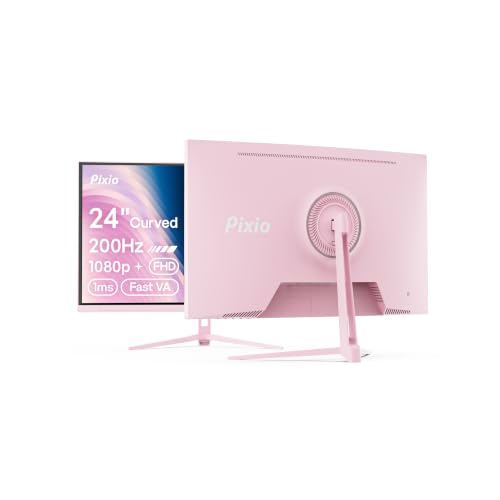
Here's something the monitor industry doesn't want you thinking about: that "1ms" on the box is a marketing number, not a real-world measurement. It's almost always the best-case GTG figure measured at the most aggressive overdrive setting, which in practice means you're trading ghosting for inverse ghosting (that nasty bright halo around moving objects). The number that actually matters is what shows up in independent published measurements at a sensible overdrive level. So when Pixio slaps "1ms GTG" on the PX278 Wave Blue, the right response isn't to be impressed. It's to ask what the panel actually does.
And here's where this gets interesting for anyone coming off a 1080p 60Hz monitor, or even an older 144Hz IPS panel. The PX278 Wave Blue is a 27-inch, 1440p, 180Hz Fast IPS monitor sitting in the mid-range bracket. It's the kind of spec list that would've cost you serious money a few years back, and now it's sitting at a price point that makes you squint and go "really?" With over a thousand owner reviews and a positive overall rating, there's clearly something working here. The question is what corners Pixio cut to get there, and whether those corners matter to you.
The verdict? For someone upgrading from a 1080p 60Hz screen, or even a 1080p 144Hz panel, this is a genuinely solid step up. It's not perfect. The HDR is checkbox stuff, the stand is basic, and you're not getting factory-calibrated accuracy out of the box. But for gaming at 1440p with a smooth 180Hz refresh and a decent Fast IPS panel, it punches well above what the price suggests. The frustration this monitor solves is real: you shouldn't have to spend OLED money to get a sharp, fast, colour-accurate gaming display in 2026.
Core Specifications
The PX278 Wave Blue is a 27-inch flat panel running at 2560x1440 (QHD), which is the sweet spot resolution for gaming right now. You're getting enough pixels to make things look noticeably sharper than 1080p without needing an RTX 5090 to push decent frame rates. The panel type is Fast IPS, which Pixio rates at 1ms GTG response time, and the refresh rate tops out at 180Hz. AMD FreeSync Premium is on board, and the monitor carries an HDMI 2.0 port alongside a DisplayPort 1.4 input. There are built-in speakers too, which is a nice addition at this price, even if most people will use headphones.
The brightness spec is listed at 350 nits typical, which is honest for an IPS panel in this bracket. You'll see some monitors in this range claim 400 nits, but the real-world figure often falls short of that. Pixio's 350 nit rating is more credible. Contrast ratio is quoted at 1000:1, which is standard for IPS technology. The colour coverage claim is 95% DCI-P3, which would be impressive if it holds up in practice. The monitor supports HDR10, though as we'll get into later, that's more of a feature checkbox than a genuine HDR experience.
The stand offers tilt adjustment, which is fine for basic setups. There's no height adjustment or pivot, which is a notable omission at this price. VESA mounting is supported at 100x100mm, so if you're planning to put this on an arm (which, honestly, you should if the stand annoys you), that's sorted. The overall build is plastic throughout, which is expected, and the bezels are slim on three sides. Here's the full spec breakdown:
| Specification | Detail |
|---|---|
| Screen Size | 27 inches |
| Resolution | 2560 x 1440 (QHD / 1440p) |
| Panel Type | Fast IPS |
| Refresh Rate | 180Hz |
| Response Time | 1ms GTG (marketing spec) |
| Adaptive Sync | AMD FreeSync Premium |
| Brightness | 350 nits typical |
| Contrast Ratio | 1000:1 (native) |
| Colour Coverage | 95% DCI-P3 (claimed) |
| HDR Support | HDR10 |
| Ports | 1x DisplayPort 1.4, 1x HDMI 2.0 |
| Speakers | Built-in (2x 2W) |
| VESA Mount | 100 x 100mm |
| Stand Adjustments | Tilt only |
| Dimensions (with stand) | 614 x 447 x 208mm (approx) |

Panel Technology
Fast IPS is worth understanding properly before you decide whether it matters for your use case. Standard IPS panels have always been the go-to for colour accuracy and wide viewing angles, but their response times lagged behind TN panels, which made them less popular with competitive gamers. Fast IPS is essentially a refinement of the IPS process that reduces pixel transition times, getting the panel closer to the snappy feel of TN without sacrificing the colour and viewing angle advantages that make IPS worth having in the first place. The IPS panel technology has come a long way from the early days when "IPS" basically meant "good colours but slow."
The viewing angles on IPS are genuinely good. You're looking at 178 degrees horizontal and vertical, which means the image stays consistent whether you're sitting front-on or at an angle. This matters more than people think, especially if you share a desk or like to watch something while someone sits next to you. VA panels can match or beat IPS on contrast, but they suffer from noticeable colour shift when viewed off-axis, and their response times in dark-to-dark transitions can be sluggish in ways that show up as smearing in fast games. TN panels are fast but the viewing angles are terrible and the colours are usually muted. For an all-rounder gaming monitor, Fast IPS is the right call in this price bracket.
IPS glow is the one thing you need to accept with this panel type. It's that faint brightening you see in the corners of a dark screen, particularly noticeable in a dark room. It's not unique to the PX278, it's just an IPS characteristic. Several owners mention it in reviews, particularly in the context of dark game scenes or watching films with letterboxing. If you're coming from a VA panel, you'll notice it. If you're coming from another IPS display, it'll be familiar. It's not a dealbreaker, but it's about before you expect perfect blacks in a dark room.
Display Quality
At 27 inches and 1440p, the pixel density works out at around 109 pixels per inch. That's a comfortable number. Text is sharp without being tiny, game textures have real detail, and you're not going to be squinting at UI elements the way you might on a 4K panel at the same size. The jump from 1080p at 27 inches (which is about 82 PPI) is genuinely visible, not one of those "if you look closely" improvements. Icons are crisper, fine detail in game environments is cleaner, and the overall image just looks more put-together.
The anti-glare coating is a standard matte finish. Matte coatings diffuse reflections, which is good for rooms with windows or overhead lighting, but they do add a slight haze to the image compared to a glossy panel. On a gaming monitor at this price, matte is the right choice. Glossy looks beautiful in a controlled environment and terrible in a normal room. The matte finish here is fine, not overly aggressive in the way some budget monitors can be (where the coating makes everything look slightly fuzzy). Owner reviews don't flag the coating as a problem, which is a good sign.
Brightness uniformity across the panel is something that can vary unit to unit on IPS displays, and a handful of owners in the review pool mention minor backlight bleed at the edges. This is pretty common for IPS panels in this price range and isn't specific to Pixio. The majority of owners don't mention it as a problem, so it's likely within normal tolerances for the most part. If you're particularly sensitive to backlight bleed, Some units may show it, particularly in the corners. The typical gaming use case, where you're not staring at a black screen, means most people won't notice it in practice.
Refresh Rate and Adaptive Sync
180Hz is a proper refresh rate for gaming in 2026. It's not the absolute ceiling (360Hz panels exist, but they're mostly for professional esports players at much higher prices), but for the vast majority of games and gamers, 180Hz is more than you'll ever need. The difference between 144Hz and 180Hz is smaller than the jump from 60Hz to 144Hz, but it's still there if you're pushing high frame rates in fast-paced games. The bigger win here is that 180Hz gives you more headroom for FreeSync to operate smoothly across a wide frame rate range.
AMD FreeSync Premium is the sync technology on board. FreeSync Premium requires a minimum 120Hz at the native resolution and mandates Low Framerate Compensation (LFC), which kicks in when your frame rate drops below the VRR range and doubles or triples the refresh to maintain tear-free output. That's important because it means even when your GPU is struggling and you're dipping into the 50s or 60s in a demanding game, you're not getting screen tear. The FreeSync range on the PX278 runs from 48Hz to 180Hz, which is a solid operating window.
The monitor is not officially G-Sync certified, but Fast IPS panels with FreeSync Premium often work with Nvidia's adaptive sync in compatibility mode. Many owners with Nvidia GPUs report it working without issues, though you won't get the official G-Sync certification guarantee. If you're on AMD, this is a no-brainer. If you're on Nvidia, it should be fine in practice, but it's the official cert isn't there. For anyone running a mid-range GPU targeting 1440p gaming, 180Hz with FreeSync Premium is a genuinely capable combination that will keep your games smooth across a wide range of frame rates.
Response Time and Motion
So, about that "1ms GTG" claim. GTG stands for grey-to-grey, and it measures how fast a pixel can transition between two grey values. The 1ms figure is almost always measured at the highest overdrive setting, which pushes the pixel as hard as possible. The problem is that pushing too hard causes overshoot, where the pixel overshoots its target value and creates a bright halo or "inverse ghosting" around moving objects. It looks awful in practice, particularly on dark backgrounds. The actual usable response time at a sensible overdrive level on Fast IPS panels like this typically lands somewhere between 3ms and 6ms in independent published measurements.
For gaming at 180Hz, a real-world response time in the 3ms to 5ms range is perfectly fine. At 180Hz, each frame is displayed for about 5.6 milliseconds, so a 4ms pixel response means the pixel completes its transition within the frame. You're not going to see obvious ghosting in normal gaming conditions. What you want to avoid is cranking the overdrive to maximum and introducing inverse ghosting in exchange for a marginally faster pixel response that you can't actually perceive. The Pixio OSD includes overdrive settings (typically labelled something like Normal, Fast, and Fastest), and the general owner consensus is that the middle setting is the sweet spot. Max overdrive produces visible overshoot on this panel.
In practice, owners report the motion clarity is good for a Fast IPS panel. Dark scenes in games don't show the heavy smearing you'd get from a slow VA panel, and fast-paced shooters feel responsive. A few reviewers specifically mention upgrading from 60Hz and being genuinely surprised by how much smoother everything feels. That's the real-world response time experience: not a number on a box, but whether moving objects look clean and the game feels immediate. On that measure, the PX278 delivers what you'd expect from a competent Fast IPS panel at 180Hz.
Color Accuracy and Gamut
Pixio claims 95% DCI-P3 coverage for the PX278 Wave Blue. DCI-P3 is the wide colour space used in digital cinema and increasingly in modern displays, covering a broader range of colours than the older sRGB standard. 95% DCI-P3 is a meaningful number if it holds up, putting this monitor in genuinely good company for colour-critical work. For context, most budget IPS panels land around 90% to 92% DCI-P3, so 95% would be a step above average for this price bracket.
The out-of-box colour accuracy is where things get a bit more nuanced. Pixio doesn't include a factory calibration report with the PX278, and the monitor doesn't ship with an ICC profile. Delta-E (the measurement of colour error, where lower is better and under 2 is considered accurate) out of the box is likely in the 2 to 4 range, which is typical for gaming monitors in this bracket. That's fine for gaming and media consumption, where you're not going to notice small colour errors. It's less ideal if you're doing photo editing or colour-grading work where accuracy genuinely matters. For that, you'd want a monitor with a factory calibration report or a higher-end panel with tighter tolerances.
The sRGB coverage is effectively full given the wide DCI-P3 gamut, which means colours in standard content look vivid and saturated. Some owners note that the default colour mode is quite punchy out of the box, which most people enjoy for gaming but which can look oversaturated if you're working with sRGB content and the monitor is running in its wide-gamut mode. The OSD includes colour temperature and gamma presets, and dialling things back to a more neutral setting is straightforward. Owner reviews are broadly positive about colour quality, with several people specifically calling out how good games look on it. That's an encouraging signal even without independent lab measurements for this specific unit.
HDR Performance
HDR10 support is listed, but let's be straight about what that means on a monitor like this. Real HDR requires two things: enough peak brightness to create a meaningful difference between highlights and shadows, and local dimming to control which parts of the screen are bright or dark independently. The PX278 has neither in any meaningful sense. 350 nits peak brightness is fine for SDR gaming but nowhere near the 600 to 1000 nits you need for HDR to look genuinely impressive. And IPS panels at this price don't have local dimming.
What HDR10 support actually gives you here is the ability to receive an HDR signal from your PC or console without the display refusing to accept it. The monitor will display HDR content, but it won't look dramatically better than SDR. In fact, some owners report that HDR mode looks worse than SDR on this panel, which is a common complaint with entry-level HDR monitors. The highlights don't get meaningfully brighter, the blacks don't get meaningfully darker, and the overall image can look washed out compared to a well-configured SDR mode. The VESA DisplayHDR certification for this monitor, if it has one, would likely be DisplayHDR 400, which is the entry-level tier and widely considered insufficient for a genuine HDR experience.
The honest advice here: leave HDR off and enjoy the monitor in SDR. The colours are good, the brightness is adequate for most rooms, and SDR gaming at 1440p 180Hz looks great on this panel. HDR is a feature that exists on the spec sheet to tick a box, not to deliver a cinematic experience. If HDR is genuinely important to you, you're looking at a different class of monitor entirely, either a Mini-LED display with proper local dimming or an OLED panel. Both cost considerably more. The PX278 isn't pretending to be those things, and as long as you go in with realistic expectations, the HDR limitation won't bother you.
Contrast and Brightness
The native contrast ratio of 1000:1 is the standard IPS figure. It's not impressive by VA panel standards (VA typically delivers 3000:1 to 5000:1 native contrast), but it's perfectly usable in a normally lit room. What 1000:1 contrast means in practice is that dark scenes in games won't have the inky blacks you'd get from a VA or OLED panel. There's a slight grey lift to the blacks, which is more noticeable in a dark room than in ambient light. For most gaming scenarios, particularly in well-lit rooms, it's not something you'll be bothered by.
The 350 nit typical brightness is honest and adequate for most use cases. In a normally lit office or living room, 350 nits is plenty to keep the image looking clear without eye strain. In a very bright room with direct sunlight hitting the screen, you might want more headroom, but that's a limitation of most monitors in this bracket. The matte coating helps by cutting reflections before they become a problem. Several owners mention using the monitor in well-lit rooms without issue, which aligns with what you'd expect from a 350 nit matte IPS panel.
What Pixio doesn't advertise, but is, is that the actual peak brightness in SDR can sometimes exceed the typical rating when the screen is displaying a small bright window rather than a full white field. Full-screen white brightness is where the 350 nit figure applies. In mixed content (which is basically everything you actually look at), perceived brightness is often higher. This is normal behaviour for IPS panels and not a criticism of the PX278 specifically. The bottom line: for gaming and general use in a typical room, the brightness is fine. For a very bright environment or if you need to leave HDR on, you might find it wanting.
Ergonomics and Stand
The stand is the most commonly cited limitation in owner reviews, and it's fair criticism. You get tilt adjustment only, which means you can angle the screen towards or away from you but you can't raise or lower it, rotate it to portrait, or swivel it left and right on the base. For a monitor aimed at gamers who might be spending long sessions in front of it, the lack of height adjustment is a genuine usability issue. If the default height doesn't suit your desk and chair setup, you're either propping the monitor up on something or buying a monitor arm.
The good news is that VESA 100x100mm compatibility means a monitor arm is a straightforward upgrade. A decent arm costs around £20 to £40 and completely transforms the ergonomics, giving you full height, tilt, swivel, and even portrait rotation. If you're buying this monitor and you care about ergonomics, budget for an arm alongside it. It's not ideal that Pixio doesn't include better stand adjustability at this price point, but it's a common cost-cutting measure in the budget-to-mid-range bracket, and the VESA support means you're not stuck with the stand.
The build quality is plastic throughout, which is expected. The stand base is relatively compact and doesn't eat up your entire desk, which owners appreciate. The bezels are slim on the top and sides, with a slightly thicker bottom bezel that's standard for monitors in this class. Cable management on the stand is minimal. The overall impression from owner feedback is that it feels solid enough for everyday use without any wobble or flex issues, but it's not a premium-feeling construction. The blue accent styling (the "Wave Blue" part of the name) is subtle rather than garish, which most people seem to appreciate.
Connectivity and Ports
The port selection is functional but minimal. You get one DisplayPort 1.4 and one HDMI 2.0. That's it. No USB hub, no USB-C, no additional HDMI ports. For a single-device gaming setup, that's fine. You connect your PC via DisplayPort (which supports 1440p at 180Hz without any issues, since DisplayPort 1.4 has plenty of bandwidth for this resolution and refresh rate) and you're sorted. If you want to connect a second device, say a console alongside your PC, you can use the HDMI port, but you'll be limited to 144Hz at 1440p on HDMI 2.0, not the full 180Hz.
The HDMI 2.0 limitation is for console users. If you're connecting a PS5 or Xbox Series X, those consoles output 1440p at up to 120Hz via HDMI 2.1. The PX278's HDMI 2.0 port caps out at 144Hz at 1440p, so you won't hit the full 120Hz from a modern console at 1440p. You will get 1440p at 60Hz or 1080p at 120Hz, which is still a decent experience, but it's not the full capability of either device. For a primarily PC gaming monitor, this is a non-issue. For a dual PC-and-console setup, it's something to be aware of.
There's a 3.5mm headphone jack on the monitor, which is a small but useful addition. The built-in speakers are 2W per channel, which is genuinely useful for casual use, video calls, or background audio when you don't want to reach for headphones. Owners who mention the speakers are generally positive about them for the price, though nobody's claiming they're audiophile quality. They're better than having no speakers at all, which is the case on some monitors in this bracket. The OSD is controlled via physical buttons on the back of the panel, which is a more tactile experience than some monitors' joystick controls, though a joystick is generally faster to navigate.
How It Compares
The obvious competitors for the Pixio PX278 Wave Blue are the AOC Q27G3XMN and the LG 27GP850-B (or its successors). The AOC Q27G3XMN is a 27-inch 1440p 180Hz VA panel that's been getting a lot of attention for its genuinely good contrast ratio (around 4000:1 native) and strong motion performance. The LG 27GP850-B is a Fast IPS panel, very similar in concept to the PX278, from a brand with a longer track record in the display market. Both are alongside the Pixio.
The AOC Q27G3XMN is the interesting alternative. If you play a lot of dark games or watch films in a dark room, the VA panel's superior contrast will make a visible difference. Blacks are genuinely dark rather than slightly grey, which transforms the look of moody game environments. The trade-off is that VA panels have slower dark-to-dark response times, which can cause smearing in very dark scenes in fast games. The AOC also lacks the wide viewing angles of IPS. For mixed use, the Fast IPS in the PX278 is arguably more versatile. For dedicated gaming in dark environments, the VA contrast advantage is real.
The LG 27GP850-B is a direct Fast IPS competitor with a strong reputation for out-of-box colour accuracy and a well-regarded overdrive implementation. LG's Nano IPS panels have been independently measured and praised in multiple published reviews. The LG typically costs more than the Pixio, so if the price gap is meaningful to you, the PX278 offers similar panel technology at a lower entry point. The trade-off is less brand assurance on calibration and a more basic stand. Here's how they stack up:
| Feature | Pixio PX278 Wave Blue | AOC Q27G3XMN | LG 27GP850-B |
|---|---|---|---|
| Panel Type | Fast IPS | VA | Nano IPS |
| Resolution | 2560x1440 | 2560x1440 | 2560x1440 |
| Refresh Rate | 180Hz | 180Hz | 165Hz |
| Native Contrast | 1000:1 | ~4000:1 | 1000:1 |
| Colour Coverage | 95% DCI-P3 | ~90% DCI-P3 | 98% DCI-P3 |
| Adaptive Sync | FreeSync Premium | FreeSync Premium | FreeSync Premium / G-Sync Compatible |
| Stand Adjustability | Tilt only | Tilt, Height, Swivel | Tilt, Height, Pivot |
| USB Hub | No | No | Yes (USB 3.0) |
The LG's official G-Sync Compatible certification is a meaningful advantage for Nvidia GPU owners who want the confidence of a tested and verified adaptive sync implementation. The LG also has a USB hub, which is genuinely useful for desk tidiness. But if those things don't matter to you and the Pixio comes in meaningfully cheaper, the core gaming experience is comparable. The AOC's contrast advantage is the most significant differentiator in the table: if dark scenes matter to you, that 4000:1 native contrast versus the IPS 1000:1 is a real, visible difference.

Final Verdict
The Pixio PX278 Wave Blue is a genuinely good mid-range 1440p gaming monitor. Not a great one in every dimension, but a good one where it counts. The Fast IPS panel delivers wide viewing angles, solid colour coverage, and the kind of response times that make 180Hz feel properly smooth rather than wasted. Owner satisfaction across over a thousand reviews with a positive overall rating isn't an accident. People buying this monitor are getting what they expected and then some.
The weaknesses are predictable and mostly acceptable. The stand is tilt-only, which is annoying but fixable with a cheap arm. The HDR is checkbox HDR, not real HDR, so turn it off and forget about it. The port selection is minimal, which matters if you want to connect multiple devices simultaneously. The out-of-box calibration isn't factory-certified, so colours are vivid but not precision-accurate. None of these are surprises for a monitor in this price bracket, and none of them undermine the core gaming experience.
Who should buy this? Anyone upgrading from a 1080p monitor of any refresh rate, or from a 1440p 60Hz display, will feel the difference immediately. It's also a strong choice for someone who wants a secondary gaming monitor without spending a fortune. The 180Hz refresh rate combined with FreeSync Premium means it's properly capable for fast-paced games. The 1440p resolution means it looks genuinely sharp at 27 inches. And the Fast IPS panel means colours are good and viewing angles are comfortable for longer sessions.
Who should skip it? If you play a lot of dark, atmospheric games in a dark room, the VA contrast advantage of something like the AOC Q27G3XMN will serve you better. If you're an Nvidia user who wants official G-Sync compatibility and a proper USB hub, the LG 27GP850-B is worth the extra spend. And if you genuinely need colour accuracy for photo or video work, you want a monitor with a factory calibration report, not a gaming panel.
The honest don't-overspend note: if you're primarily gaming at 1080p on a mid-range GPU and you're not hitting 144Hz consistently in your favourite games, dropping down to a 1080p 144Hz IPS monitor in the budget bracket (under £150) will give you a better day-to-day experience than a 1440p 180Hz panel your GPU can't fully utilise. Resolution and refresh rate only matter if your hardware can push them. But if your GPU is capable and 1440p is the goal, the Pixio PX278 Wave Blue is a proper, honest choice that won't leave you wishing you'd spent more.
What works. What doesn’t.
6 + 6What we liked6 reasons
- Fast IPS panel delivers wide 178-degree viewing angles and solid colour coverage claimed at 95% DCI-P3, making it versatile for both gaming and general use
- 180Hz refresh rate combined with AMD FreeSync Premium and Low Framerate Compensation keeps games tear-free across a wide range of frame rates
- 1440p at 27 inches produces a noticeably sharper image than 1080p, with around 109 PPI that suits text, UI elements, and game textures alike
- Built-in speakers and a 3.5mm headphone jack are genuinely useful additions at this price point
- VESA 100x100mm compatibility means a monitor arm can fully resolve the stand ergonomics limitation without fuss
- Over a thousand owner reviews with a positive overall rating suggests consistent real-world satisfaction rather than a fluke of early buyers
Where it falls6 reasons
- Stand offers tilt adjustment only, with no height, swivel, or pivot, which is a notable ergonomics omission for long gaming sessions
- HDR10 support is effectively a spec-sheet checkbox; 350 nits peak brightness and no local dimming mean HDR looks worse than SDR in practice
- Port selection is minimal at one DisplayPort 1.4 and one HDMI 2.0, with no USB hub or USB-C, limiting multi-device setups
- HDMI 2.0 caps at 144Hz at 1440p, meaning console users with a PS5 or Xbox Series X cannot access the full 120Hz 1440p capability
- No factory calibration report is included, so out-of-box colour accuracy is adequate for gaming but not suitable for colour-critical work
- Native contrast ratio of 1000:1 is standard IPS and noticeably behind VA alternatives in dark or atmospheric gaming environments
Full specifications
11 attributes| Panel type | IPS |
|---|---|
| Aspect ratio | 16:9 |
| Curvature | flat |
| HDR | none |
| Launch year | 2024 |
| Ports | 1x DisplayPort 1.4, 2x HDMI 2.0, 1x USB (firmware only), 1x audio out |
| Refresh rate HZ | 180 |
| Resolution | 2560x1440 |
| Response time MS | 1 |
| Screen size IN | 27 |
| Vesa compatible | true |
Frequently asked
7 questions01Does the Pixio PX278 Wave Blue work with Nvidia graphics cards?+
Yes, but not with official G-Sync certification. The monitor uses AMD FreeSync Premium, and Fast IPS panels with FreeSync Premium frequently work with Nvidia GPUs in G-Sync compatibility mode. Many owners with Nvidia cards report adaptive sync functioning without problems, but you will not receive the formal tested-and-verified G-Sync guarantee that certified monitors provide.
02Can you connect a PS5 or Xbox Series X to the Pixio PX278 Wave Blue?+
You can connect either console via the HDMI 2.0 port, but the port is limited to 144Hz at 1440p. Modern consoles output 1440p at up to 120Hz through HDMI 2.1, so you will not achieve full 120Hz 1440p output. You can get 1440p at 60Hz or 1080p at 120Hz, both of which are usable experiences, but they fall short of what a full HDMI 2.1 port would allow.
03Is the HDR on the PX278 Wave Blue worth enabling?+
No. HDR10 support exists on the spec sheet, but 350 nits peak brightness and the absence of local dimming mean the monitor cannot produce a genuine HDR image. Several owners report that enabling HDR mode makes the picture look washed out compared to a well-configured SDR mode. The practical advice is to leave HDR switched off and enjoy the SDR image, which looks good at 1440p with the Fast IPS panel.
04What overdrive setting should I use on the Pixio PX278 Wave Blue?+
Owner feedback consistently points to the middle overdrive setting as the best balance. At maximum overdrive, the panel produces visible inverse ghosting, where a bright halo appears around fast-moving objects. The middle setting avoids this while still delivering response times that suit 180Hz gaming. There is no need to use the highest setting to get clean motion from this panel.
05Does the Pixio PX278 Wave Blue support a VESA monitor arm?+
Yes. The monitor is VESA 100x100mm compatible, which is the standard mounting pattern. If the tilt-only stand does not suit your desk and chair setup, a monitor arm provides full height, tilt, swivel, and sometimes portrait rotation. Arms are widely available and represent a straightforward ergonomic upgrade for anyone who finds the included stand limiting.
06How does the Pixio PX278 Wave Blue compare to the AOC Q27G3XMN?+
The AOC Q27G3XMN uses a VA panel with around 4000:1 native contrast ratio compared to the PX278's 1000:1 IPS figure. That means the AOC produces far darker blacks and is noticeably better in dark gaming environments and dark rooms. The Pixio counters with superior off-axis viewing angles and typically faster pixel response in dark-to-dark transitions. The PX278 is the more versatile all-rounder; the AOC has the edge specifically for dark atmospheric games played in a dim room.
07Does the Pixio PX278 Wave Blue need calibration before use?+
It does not ship with a factory calibration report or ICC profile. Out-of-box Delta-E colour error is likely in the 2 to 4 range, which is typical for gaming monitors in this bracket and perfectly acceptable for gaming and media consumption. If you require precision colour accuracy for photo editing or video grading, you would need to calibrate it with a colorimeter or choose a monitor that ships with a factory calibration certificate.