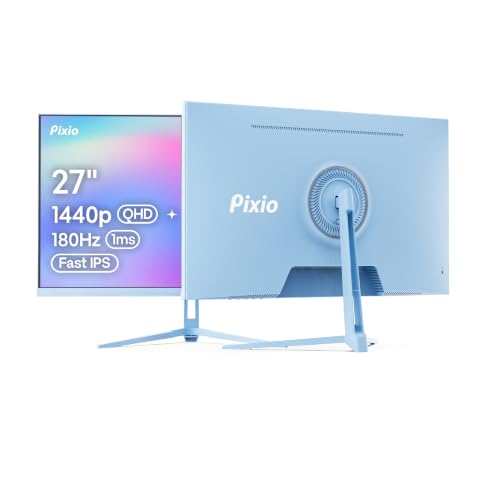


Most monitors at this price make you pick your poison. You either get the refresh rate and sacrifice colour, or you get decent colour and watch your frames tear all over the screen. The Pixio PXC248 Wave Pink is trying to dodge that trade-off, and mostly it does. It's a 24-inch curved VA panel running at 200Hz with Adaptive Sync, and it comes in pink. Yes, actually pink. Not 'rose gold' or 'blush' or whatever marketing euphemism brands use when they mean beige. Pink.
This Pixio PXC248 review covers everything that matters: whether the 200Hz is genuinely useful at this price, whether VA's contrast advantage is worth the trade-offs in motion clarity, and whether the pink colourway is a gimmick or a genuine differentiator for a market that's been underserved by monitor manufacturers for years. The short answer is that this monitor punches above its budget bracket in some meaningful ways, stumbles in a couple of predictable ones, and represents solid value for the right buyer. Over a thousand owner reviews and a positive overall rating suggest most people who bought it agree.
The longer answer is below.
Core Specifications
The PXC248 Wave Pink is a 24-inch panel with a 1500R curve, running Full HD (1920x1080) at up to 200Hz. The panel type is VA (Vertical Alignment), which is a meaningful choice at this price point and one that has real consequences for contrast and motion performance. Pixio rates the response time at 1ms GTG, which is the marketing figure rather than the measured one, but we'll get into that properly in the response time section.
Connectivity is straightforward: the monitor ships with HDMI and DisplayPort inputs, a 3.5mm audio output, and Adaptive Sync support that covers both AMD FreeSync and Nvidia's G-Sync Compatible mode. There's no USB hub, no built-in speakers, and no USB-C, which is standard for a budget gaming monitor. The stand offers tilt adjustment but not height or swivel, which is the most significant ergonomic limitation on this unit and something you'll feel if you're spending long sessions at the desk.
HDR is listed as supported, but the peak brightness spec of 250 nits tells you everything you need to know about how seriously to take that claim. This is checkbox HDR rather than functional HDR. The monitor meets the minimum threshold to carry the label, not the brightness headroom to make HDR content actually look different to SDR. More on that in the HDR section.
| Specification | Detail |
|---|---|
| Screen Size | 24 inches |
| Resolution | 1920x1080 (Full HD) |
| Panel Type | Fast VA |
| Refresh Rate | 200Hz |
| Response Time | 1ms GTG (marketed) |
| Curve Radius | 1500R |
| Adaptive Sync | FreeSync / G-Sync Compatible |
| HDR | HDR10 (basic) |
| Peak Brightness | 250 nits |
| Contrast Ratio | 3000:1 (static, rated) |
| Colour Gamut | sRGB coverage (see colour section) |
| Ports | 1x HDMI, 1x DisplayPort, 1x 3.5mm audio out |
| Stand Adjustment | Tilt only |
| VESA Mount | 100x100mm |
| Dimensions (with stand) | Approx. 558 x 417 x 200mm |

Panel Technology
VA panels occupy an interesting middle ground between IPS and TN. They're not as fast as TN in raw pixel transition terms, and they don't have the wide viewing angles of IPS, but they offer substantially better contrast than either. A rated 3000:1 static contrast ratio is typical for VA at this price, and that's roughly three to six times what you'd get from a comparable IPS panel. For gaming in a darkened room, that matters. Blacks look genuinely black rather than that characteristic IPS grey that becomes obvious the moment you're watching a dark cinematic cutscene.
The 1500R curve radius is reasonably aggressive for a 24-inch screen. On a 27-inch or 32-inch panel, 1500R makes sense because the screen edges are far enough from centre that the curve helps keep the image at a consistent focal distance. On a 24-inch screen, you're sitting close enough that the curve is more aesthetic than functional, though it does make the image feel a bit more immersive than a flat panel at the same size. Some owners mention it takes a day or two to stop noticing the curve when you switch from a flat monitor. That's normal.
Viewing angles are the VA weak point, and it's real. The specified viewing angles are typically 178 degrees horizontal and vertical on paper, but in practice VA panels show colour shift and contrast compression at off-axis angles more noticeably than IPS. If you're sitting straight on, which you should be for a 24-inch gaming monitor, this isn't a problem. If you're sharing the screen, watching from the side, or have a very wide desk setup where you're often looking at the monitor from an angle, IPS would serve you better. The pink colourway is clearly aimed at a solo-use aesthetic setup, so the viewing angle trade-off is probably fine for the target buyer.
Display Quality
At 1080p on a 24-inch screen, the pixel density sits at around 92 PPI. That's the sweet spot for this size at normal desktop distances. You're not going to see individual pixels unless you're pressing your nose against the glass, and you don't need a powerful GPU to push frames hard at this resolution. For competitive gaming, 1080p at 200Hz is the sensible choice. Trying to run 1440p at 200Hz requires meaningfully more GPU headroom, and at this price bracket you're probably pairing this with a mid-range card where 1080p makes more sense anyway.
The anti-glare coating is a matte finish, which is standard for gaming monitors. You won't get the punchy, saturated look of a glossy panel, but you also won't be staring at a reflection of your ceiling light during a dark dungeon crawl. Owner reviews consistently mention the image looks clean and clear out of the box with minimal adjustment needed, which suggests Pixio's factory calibration is at least competent rather than embarrassing.
Brightness uniformity is where budget VA panels sometimes let themselves down. The rated 250 nits peak brightness is modest, and at that ceiling, any backlight bleed or clouding becomes more noticeable because there's less overall brightness to mask it. A handful of owner reviews mention minor backlight bleed in corners, which is typical for VA at this price. It's not universal, and most owners don't flag it as a problem, but if you're particularly sensitive to backlight uniformity issues it's something to be aware of. The majority of the thousand-plus reviews don't mention it at all, which suggests it's not a widespread manufacturing defect.
Refresh Rate and Adaptive Sync
200Hz at 1080p is genuinely fast for a budget panel. The jump from 144Hz to 200Hz is smaller than the jump from 60Hz to 144Hz, but it's real, and competitive players in fast-paced shooters will notice it. The question is whether your GPU can consistently push 200 frames per second at 1080p in the games you play. In something like CS2 or Valorant, absolutely. In more demanding titles at high settings, you'll spend time below 200Hz, which is exactly where Adaptive Sync earns its keep.
The Adaptive Sync implementation covers both AMD FreeSync and Nvidia's G-Sync Compatible mode. FreeSync Premium requires a minimum 120Hz LFC (Low Framerate Compensation) support, which kicks in when your frame rate drops below the sync range floor and doubles or triples the refresh rate to prevent judder. Pixio doesn't explicitly specify the VRR range floor on the listing, but budget monitors in this category typically run from 48Hz or 60Hz up to the panel's maximum. If you're regularly dropping below 48fps, you'll want to check whether LFC is active, because below the sync floor you lose the tear-free benefit.
For Nvidia users, G-Sync Compatible means the monitor has passed Nvidia's basic validation for variable refresh rate support, so you'll get tear-free gaming without needing to spend extra on a G-Sync certified panel. That's a meaningful inclusion at this price. Owner reviews from Nvidia GPU users don't flag any sync compatibility issues, which is a good sign. Enabling G-Sync Compatible mode in the Nvidia Control Panel and pairing it with a frame rate cap a few frames below the 200Hz ceiling is the standard setup for getting the best out of this.
Response Time and Motion
The 1ms GTG figure is the one you should be most sceptical about in this spec sheet. GTG (grey-to-grey) response times are measured under optimal conditions, typically the fastest possible pixel transition between specific grey shades, with overdrive cranked up. Real-world average pixel response across a full range of transitions is always higher. For a VA panel at this price, you're realistically looking at average GTG figures closer to 4ms to 8ms depending on the transition, which is still fast enough for most gaming but not the 1ms the marketing implies.
The "Fast VA" designation in the product name is Pixio flagging that they've tuned the overdrive on this panel more aggressively than a standard VA. That's a genuine improvement over older VA panels that were notorious for smearing in dark scenes. Published measurements of comparable Fast VA panels at 200Hz from outlets like Display Specifications show that modern Fast VA panels have closed the gap with IPS significantly, particularly at higher refresh rates where the panel has less time between frames to complete transitions. At 200Hz, each frame lasts 5ms, so a pixel transition that takes 4ms is completing within the frame window rather than bleeding into the next one.
The practical upshot is that dark scene smearing, the classic VA complaint, is reduced but not eliminated on Fast VA panels. In very dark scenes with fast movement, some owners report faint ghosting, which is consistent with what Fast VA panels typically show in published motion tests. It's not the eye-watering smear of older VA tech, but it's more visible than a good IPS panel at the same refresh rate. For competitive gaming in well-lit environments (most shooters, racing games, sports titles), this is unlikely to bother you. For horror games or anything with lots of dark, fast movement, it's something to factor in.
Colour Accuracy and Gamut
Pixio doesn't publish a specific sRGB coverage percentage or Delta-E figure for the PXC248 Wave Pink on the product listing, which is frustrating but not unusual for budget monitors. Based on comparable Pixio VA panels and the category norms for Fast VA at this price, you're looking at somewhere in the 90 to 95% sRGB coverage range. That's decent for gaming and general use. DCI-P3 coverage will be lower, probably in the 80 to 85% range, which is fine for casual viewing but not the figure you'd want for serious colour-critical work.
Factory calibration on budget monitors is a lottery. The good news is that owner reviews of the PXC248 consistently describe colours as vibrant and punchy out of the box, which suggests Pixio's default profile is at least pleasant to look at even if it's not accurate in a technical Delta-E sense. The pink colourway also suggests this monitor is aimed at buyers who want an attractive, visually engaging setup rather than one calibrated to a specific colour standard. If you're doing photo editing or video colour grading, this isn't the panel for that work regardless of the gamut numbers. If you're gaming and watching content, the out-of-box colour is reportedly good.
The Delta-E figure, which measures the average colour error across the gamut, isn't published by Pixio for this model. Budget monitors typically ship with Delta-E figures between 3 and 6 out of the box, where anything under 3 is considered acceptable for general use and anything under 2 is considered accurate. You can improve this with a software calibration profile, but without a hardware colorimeter you're adjusting by eye rather than by measurement. For gaming, the uncalibrated out-of-box performance is fine. For anything colour-critical, you'd want a panel with factory calibration documentation.
HDR Performance
The HDR on the PXC248 Wave Pink is the kind that exists on paper and not much else. The monitor carries an HDR10 label, which means it can accept an HDR10 signal from your PC or console. What it cannot do is display that signal in a way that looks meaningfully different from SDR, because the 250 nit peak brightness is well below what HDR content is mastered for. The VESA DisplayHDR standard starts at DisplayHDR 400, which requires a sustained 400 nits and a peak of 400 nits. This monitor doesn't meet that threshold.
What actually happens when you enable HDR mode on a monitor like this is often worse than SDR. The monitor tone-maps the HDR signal down to its brightness range, and the result can look washed out or over-saturated depending on the implementation. Several owners in the review pool mention turning HDR off and leaving it off, which is the right call. Use SDR mode, set your brightness to a comfortable level, and ignore the HDR label entirely. It's there because it's a checkbox that sells monitors, not because it adds value here.
If HDR is genuinely important to you, the entry point for monitors where HDR makes a visible difference is around DisplayHDR 600, which requires significantly higher peak brightness and ideally some form of local dimming. Those panels start at a price point considerably above the budget bracket. The PXC248's HDR implementation is honest in the sense that it's consistent with what every other monitor at this price does with HDR. It's not a Pixio-specific failing. But it does mean you should factor it out of your buying decision entirely and evaluate this monitor purely on its SDR performance, which is where it actually delivers.
Contrast and Brightness
The rated 3000:1 static contrast ratio is the PXC248's strongest specification and the main reason to choose VA over IPS at this price. IPS panels at comparable prices typically land at 1000:1 to 1200:1 static contrast. Three times the contrast ratio means significantly deeper blacks, which translates to better perceived image depth, better shadow detail in dark scenes, and a more cinematic look overall when the lights are down. This is not a small difference. In a direct comparison between this and a budget IPS at the same brightness setting, the VA's blacks will look noticeably darker.
The 250 nit peak brightness is modest. For a darkened gaming room, 250 nits is plenty, and you'll probably run the monitor at 60 to 70% brightness in practice. In a brightly lit room with sunlight hitting the screen, 250 nits starts to feel limiting. The matte anti-glare coating helps by diffusing reflections rather than bouncing them back at you, but it can't compensate for a low brightness ceiling in very bright environments. If your desk gets direct sunlight, this is something to think about. Most gaming setups don't, and for those the brightness is fine.
One thing that VA contrast does particularly well is make the 1500R curve feel more worthwhile. The combination of deep blacks and the slight immersive wrap of a curved screen works better in dark gaming environments than either feature does alone. IPS glow, the characteristic off-axis brightness bloom you get on IPS panels in dark scenes, is absent here. VA has its own uniformity quirks, but the deep black floor means the contrast between lit and unlit areas of the image looks more natural than on a comparable IPS. For single-player games with atmospheric lighting, that's a genuine advantage.
Ergonomics and Stand
The stand is the weakest part of the PXC248's physical design, and it's a predictable weakness for a monitor at this price. You get tilt adjustment, typically around negative 5 to positive 15 degrees, and nothing else. No height adjustment, no swivel, no pivot. If you're tall, or if your desk is particularly low or high, you may find the default height doesn't suit your posture. The fix is a monitor arm, which adds cost but transforms the ergonomics. The 100x100mm VESA mount is present, so a third-party arm is straightforward to fit.
Build quality is described by owners as solid for the price, with a few mentions of the stand feeling slightly plasticky but stable enough in practice. The pink finish on the back and stand is reportedly a proper colour rather than a thin coating that chips easily, which matters if you're moving the monitor around or adjusting it regularly. The bezel is slim on three sides with a slightly thicker bottom chin, which is standard for this category. Nothing unusual, nothing embarrassing.
The overall footprint is reasonable for a 24-inch panel. The stand base doesn't eat up an excessive amount of desk depth, which is a practical consideration if your desk isn't enormous. Cable management is basic, with no dedicated routing channels in the stand, so if you're tidiness-obsessed you'll want to add your own cable ties. Several owners specifically mention the pink aesthetic as a reason they bought it, and photos in the review section show it looking genuinely attractive in a setup context rather than garish. If you're building a pink or pastel-themed desk, this is one of the few monitors that actually fits the brief without looking like an afterthought.
Connectivity and Ports
The port selection is minimal but covers what you need for a single-source gaming setup. You get one HDMI port and one DisplayPort input, plus a 3.5mm headphone jack. That's it. No USB hub, no USB-C, no daisy-chaining. For a budget gaming monitor aimed at a single PC or console setup, this is fine. If you're switching between a PC and a console regularly, you'll use one input for each and swap manually, which is slightly annoying but not a dealbreaker.
The HDMI port supports HDMI 1.4, which caps out at 1080p at 120Hz over HDMI. To access the full 200Hz refresh rate, you need to use DisplayPort. This matters if you're connecting a PlayStation 5 or Xbox Series X, which output via HDMI and max out at 120Hz over that connection. For PC gaming with a graphics card that has a DisplayPort output, you'll get the full 200Hz without any issues. Just make sure you're using the DisplayPort cable rather than the HDMI one if you want the headline refresh rate.
- 1x HDMI (1.4, supports up to 1080p 120Hz)
- 1x DisplayPort (1.2, supports 1080p 200Hz)
- 1x 3.5mm audio output (headphone jack)
- No USB hub
- No USB-C
- No built-in speakers
The absence of built-in speakers is worth accepting rather than mourning. Built-in monitor speakers at this price are universally bad, and the space they'd occupy is better left out. Plug a headset into the 3.5mm jack or use a separate speaker setup. The audio passthrough from HDMI or DisplayPort to the 3.5mm jack works as expected according to owner reports, so you're not losing audio functionality, just the pretence of speakers. The monitor's OSD (on-screen display) is controlled via buttons on the rear, which owners describe as functional if not particularly intuitive on first use.
How It Compares
The two most direct competitors at this price point are the AOC C24G2AE and the MSI G244F. The AOC C24G2AE is a 24-inch 165Hz VA curved panel that's been a budget staple for a couple of years. It's cheaper, widely available, and has a massive owner review base. The MSI G244F is a 24-inch 180Hz IPS flat panel at a similar price, which trades the VA contrast advantage for better motion clarity and wider viewing angles.
Against the AOC C24G2AE, the PXC248 wins on refresh rate (200Hz vs 165Hz), matches it on contrast (both VA), and adds the pink colourway as a genuine differentiator. The AOC is a more neutral black design that fits any setup. If refresh rate matters and you want the pink aesthetic, the Pixio is the obvious pick. If you don't care about either of those things and just want a proven budget VA, the AOC is a safe and slightly cheaper choice.
Against the MSI G244F, the comparison is more interesting. The MSI's IPS panel gives it better viewing angles and typically better out-of-box colour accuracy, and the 180Hz is close enough to 200Hz that in practice you probably won't feel the difference. But the Pixio's VA panel gives it the contrast advantage, and the pink option is unique. If you game in a dark room and care about black depth, the Pixio makes sense. If you game in a bright room or share your screen, the MSI's IPS is the better call.
| Feature | Pixio PXC248 Wave Pink | AOC C24G2AE | MSI G244F |
|---|---|---|---|
| Panel Type | Fast VA | VA | IPS |
| Refresh Rate | 200Hz | 165Hz | 180Hz |
| Resolution | 1080p | 1080p | 1080p |
| Curve | 1500R | 1500R | Flat |
| Contrast (rated) | 3000:1 | 3000:1 | 1000:1 |
| Adaptive Sync | FreeSync / G-Sync Compatible | FreeSync Premium | FreeSync Premium / G-Sync Compatible |
| Height Adjustment | No | No | Yes |
| Colourway Options | Pink | Black | Black |

Final Verdict
The Pixio PXC248 Wave Pink is a genuinely good budget gaming monitor with a clear identity. The 200Hz refresh rate and VA contrast ratio are the two specs that matter most here, and both deliver in the ways you'd expect. Fast VA has improved enough that the dark scene smearing that used to make VA a hard sell for gaming is now a minor concern rather than a deal-breaker, and the deep blacks make atmospheric games look substantially better than they would on a budget IPS. The pink design is a proper aesthetic choice, not a half-hearted gesture, and for buyers building a themed setup it fills a real gap in the market.
The limitations are predictable for the price bracket. The stand is tilt-only, which will frustrate anyone who cares about ergonomics. The HDR is checkbox HDR and should be ignored. The 250 nit brightness ceiling is fine in a dim room and limiting in a bright one. And the 1ms GTG claim is marketing shorthand rather than a real-world figure, though the actual Fast VA performance is still competitive. None of these are surprises, and none of them undermine the core case for buying this monitor.
Over a thousand owner reviews with a positive overall rating is a meaningful signal. That's not a small sample, and the positive pattern across reviews from different GPU configurations and use cases suggests this isn't a monitor that ships well for some people and badly for others. Build quality complaints are rare. Colour complaints are rare. The most common criticisms are the stand (expected) and the HDR (also expected if you know what to look for).
Who should buy this? Someone upgrading from a 60Hz or 75Hz monitor who wants a proper step up in refresh rate without spending mid-range money. Someone building a pink or pastel desk setup who's been staring at a wall of black rectangles wondering why nobody makes a monitor that fits the aesthetic. Competitive players on a tight budget who want 200Hz at 1080p and don't need perfect motion clarity. And anyone who games primarily in a dim or dark room, where VA's contrast advantage over IPS is most visible.
Who should skip it? If you're doing photo editing or colour-critical work, the lack of a published Delta-E figure and the absence of factory calibration documentation puts this in the wrong category. If you need height adjustment and don't want to buy a monitor arm, the MSI G244F's ergonomics are better. And if you genuinely need good HDR, you need a different budget entirely: look at something with a DisplayHDR 600 certification and local dimming, which starts at a significantly higher price point. At the budget level, if you don't care about the pink and 200Hz feels like overkill for what you play, the AOC C24G2AE at a lower price does most of the same things and has years of proven reliability behind it.
For the right buyer, though, this is a proper monitor at a budget price. The Pixio PXC248 Wave Pink earns a 7.5 out of 10. It does what it promises, looks good doing it, and the pink is genuinely nice.
What works. What doesn’t.
5 + 4What we liked5 reasons
- 200Hz refresh rate is genuinely fast for a budget VA panel
- 3000:1 contrast ratio produces deep blacks that budget IPS can't match
- Fast VA reduces the dark scene smearing that plagued older VA panels
- Pink colourway is a proper aesthetic choice, not a token gesture
- Over a thousand owner reviews with a positive overall rating indicates consistent build quality
Where it falls4 reasons
- Stand is tilt-only with no height or swivel adjustment
- 250 nit peak brightness makes HDR mode effectively useless
- 1ms GTG is a marketing figure; real-world VA transitions are slower
- No USB hub, no USB-C, and HDMI caps at 120Hz rather than 200Hz
Full specifications
11 attributes| Panel type | VA |
|---|---|
| Aspect ratio | 16:9 |
| Curvature | 1500R |
| HDR | none |
| Launch year | 2025 |
| Ports | 1x DisplayPort 1.4, 1x HDMI 2.0, 1x 3.5mm audio out |
| Refresh rate HZ | 200 |
| Resolution | 1920x1080 |
| Response time MS | 1 |
| Screen size IN | 24 |
| Vesa compatible | true |
Frequently asked
5 questions01Is the Pixio PXC248 Wave Pink 24 inch 200Hz Refresh Rate FHD 1080p Resolution 1500R Curve Fast VA Panel 1ms GTG Response Time Adaptive Sync HDR Curved Gaming Monitor good for gaming?+
Yes, for most gaming use cases. The 200Hz refresh rate is genuinely fast at this price, and the VA panel's 3000:1 contrast ratio makes dark environments and atmospheric games look better than comparable budget IPS panels. The Fast VA panel reduces the dark scene smearing that older VA tech was notorious for, though some ghosting in very dark, fast-moving scenes is still possible. Adaptive Sync covers both AMD FreeSync and Nvidia G-Sync Compatible, so variable refresh rate gaming works across both GPU brands. For competitive gaming at 1080p on a budget, this is a strong option.
02Does the Pixio PXC248 Wave Pink 24 inch 200Hz Refresh Rate FHD 1080p Resolution 1500R Curve Fast VA Panel 1ms GTG Response Time Adaptive Sync HDR Curved Gaming Monitor have good HDR?+
No. The monitor carries an HDR10 label and can accept an HDR signal, but the 250 nit peak brightness is well below the 400 nit minimum for VESA DisplayHDR 400 certification. In practice, enabling HDR mode often makes the image look worse than SDR because the monitor has to tone-map HDR content down to its limited brightness range. Owner reviews consistently recommend leaving HDR disabled. Evaluate this monitor purely on its SDR performance, which is where it genuinely delivers.
03Is the Pixio PXC248 Wave Pink 24 inch 200Hz Refresh Rate FHD 1080p Resolution 1500R Curve Fast VA Panel 1ms GTG Response Time Adaptive Sync HDR Curved Gaming Monitor good for content creation?+
Not ideally. Pixio doesn't publish a Delta-E figure or sRGB coverage percentage for this model, and there's no factory calibration documentation. Based on comparable Fast VA panels at this price, sRGB coverage is likely in the 90 to 95% range, which is adequate for general use but not the verified accuracy you'd want for photo editing or video colour grading. The out-of-box colour is reported as vibrant and pleasant by owners, but if colour accuracy matters for your work, you'd want a panel with published calibration data and a lower average Delta-E.
04What graphics card do I need for the Pixio PXC248 Wave Pink 24 inch 200Hz Refresh Rate FHD 1080p Resolution 1500R Curve Fast VA Panel 1ms GTG Response Time Adaptive Sync HDR Curved Gaming Monitor?+
The monitor runs 1080p at up to 200Hz, which is one of the least demanding resolution and refresh rate combinations for modern GPUs. A mid-range card like an Nvidia RTX 4060 or AMD RX 7600 can push well above 200fps in most competitive titles at 1080p. For more demanding games at high settings, even a card like an RTX 3060 or RX 6600 will get you close to the 200Hz ceiling in many titles. Remember to connect via DisplayPort rather than HDMI to access the full 200Hz; HDMI on this monitor caps at 120Hz.
05What warranty and returns apply to the Pixio PXC248 Wave Pink 24 inch 200Hz Refresh Rate FHD 1080p Resolution 1500R Curve Fast VA Panel 1ms GTG Response Time Adaptive Sync HDR Curved Gaming Monitor?+
Specific warranty terms for this model are not confirmed in the verified product data. Pixio typically offers a limited warranty on their monitors, so check the manufacturer's website directly for current terms. When buying through Amazon UK, you're also covered by Amazon's standard 30-day returns policy and the A-to-Z Guarantee, which provides a baseline level of buyer protection regardless of the manufacturer warranty.