Every case review I've ever read leads with the same thing: a glossy render, a few bullet points about fan counts, and a verdict that could have been written from the spec sheet alone. What you don't get is whether the 24-pin cable actually reaches without looking like it's been stretched over a fence post, or how much clearance sits between the back of the GPU and the side panel once you've gone vertical. Those are the things that matter when you're three hours into a build and your knuckles are bleeding. So that's what I'm going to focus on here.
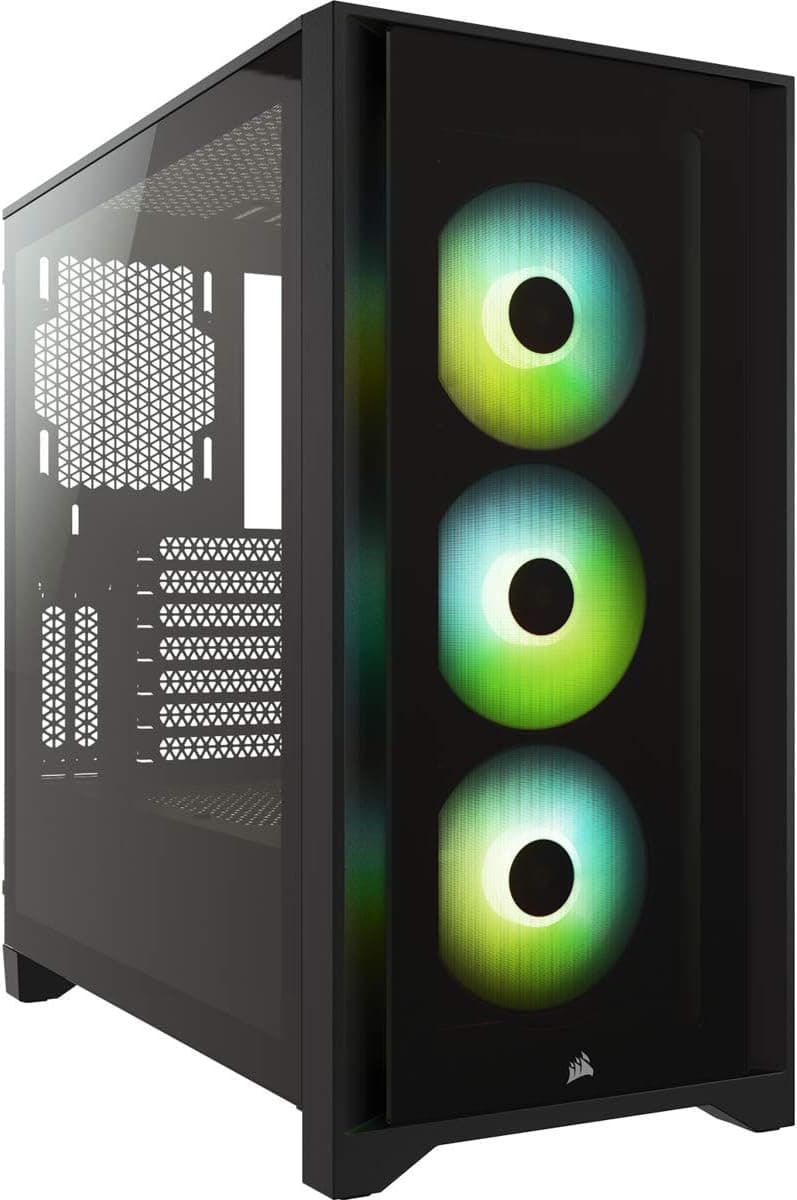
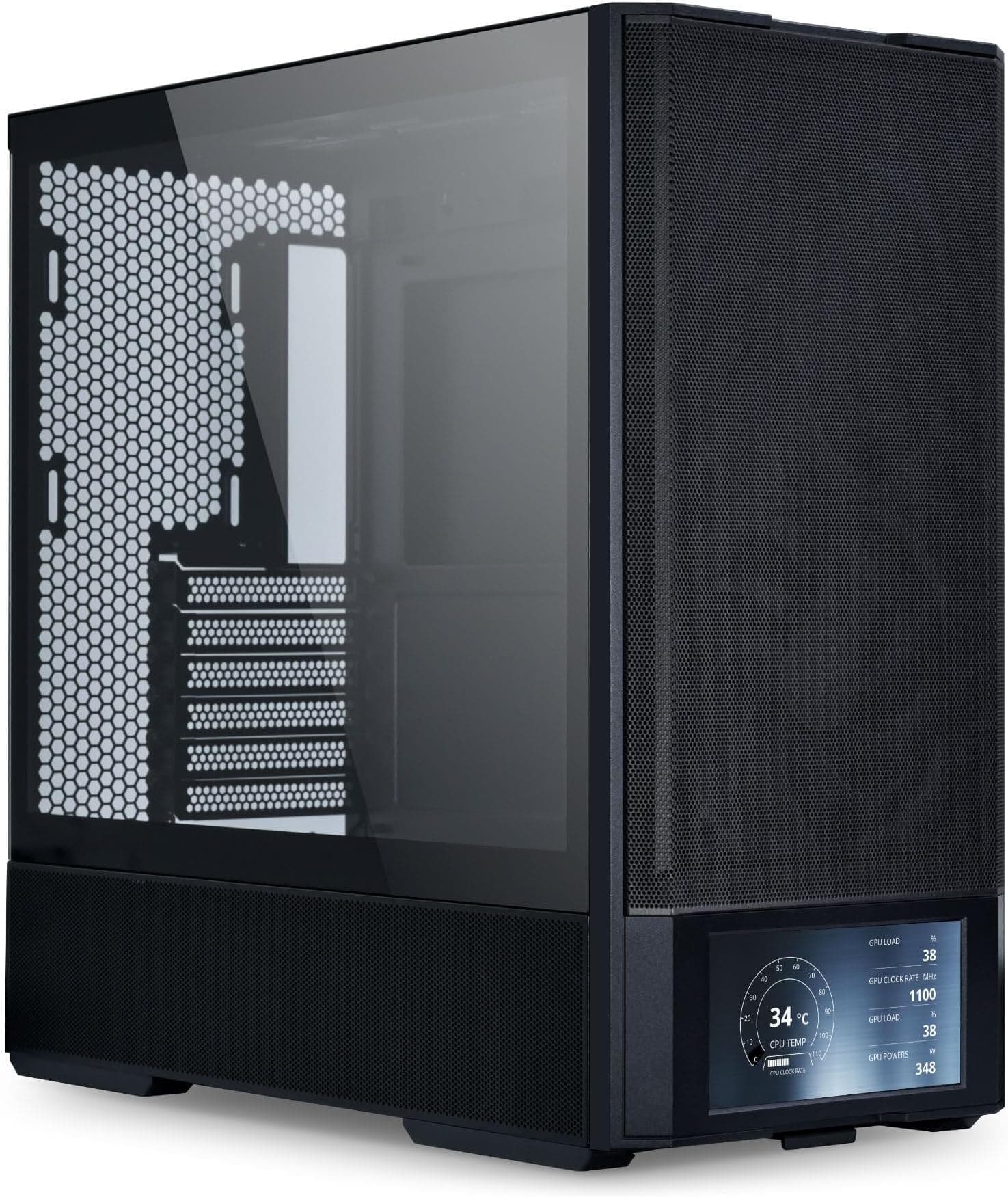
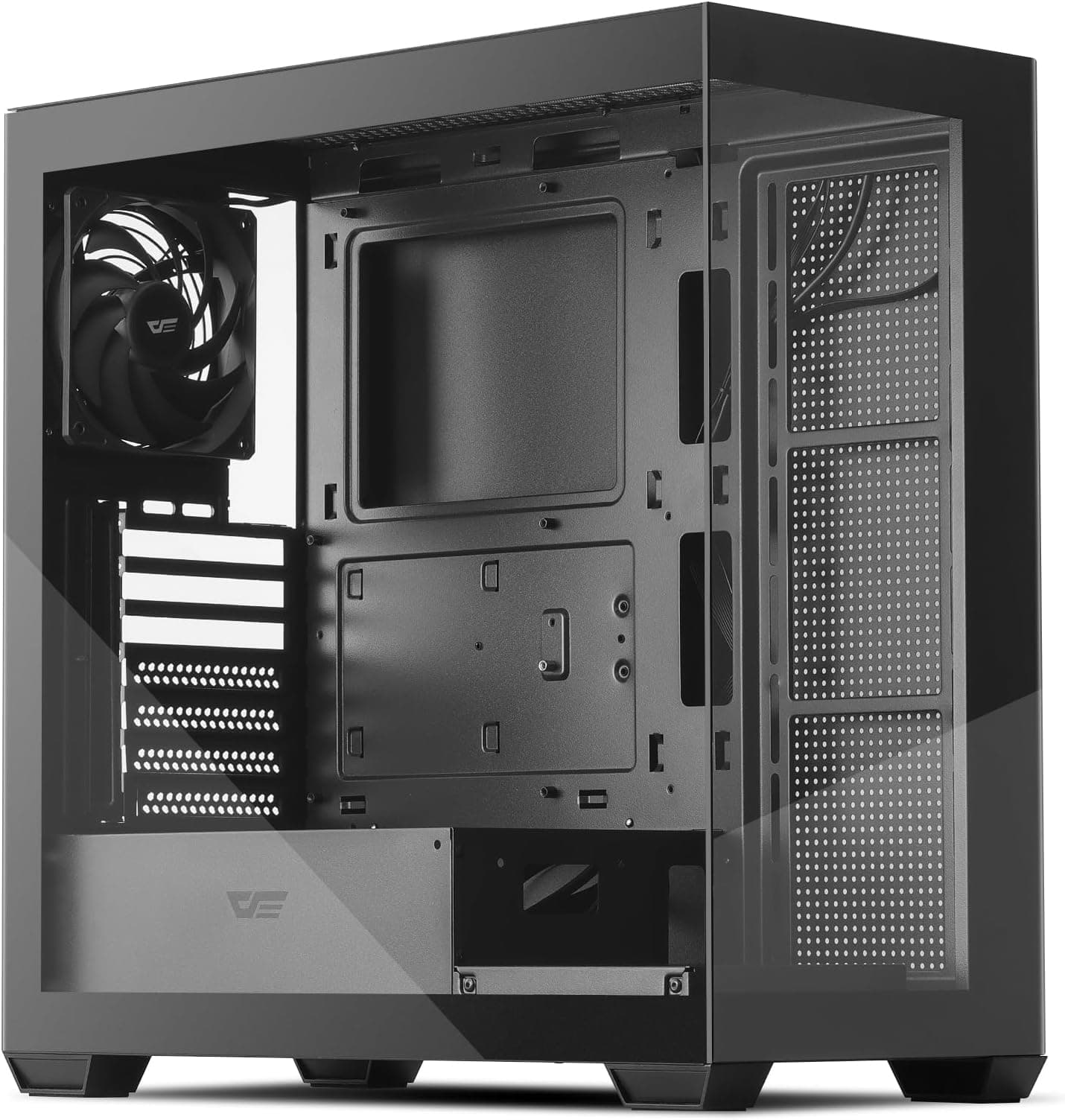
The MSI MEG PROSPECT 700R Full Tower Gaming Computer Case 'Black, 4x 140mm ARGB Fans, 4.3'' Touch Panel, Vertical GPU Mount, USB Type-C, Tempered Glass, MSI Center, E-ATX, ATX, mATX, mini-ITX' landed on my bench two weeks ago and I've had a full system running inside it since day one. E-ATX board, a 360mm AIO up front, a triple-slot GPU in the vertical position, and a full cable management job behind the tray. I wanted to stress every clearance and routing channel this thing has, not just drop components in and call it done.
At its price point, this sits firmly in premium territory. You're competing with the likes of the Lian Li O11 Dynamic EVO and the Fractal Torrent XL, and buyers spending this kind of money have every right to be demanding. So let's see whether MSI has built something that justifies the outlay, or whether you're paying for a touch screen and some ARGB fans bolted onto a mediocre chassis.
Core Specifications
The PROSPECT 700R is a full tower. That's not marketing fluff, it genuinely is a big chassis. The external dimensions come in at approximately 560mm tall, 240mm wide, and 530mm deep. That's a meaningful footprint and you'll want to measure your desk or floor space before ordering. The case ships with four 140mm ARGB fans pre-installed, which is a decent starting point, and the fan and radiator support is extensive enough to satisfy even the most cooling-obsessed builder.
The chassis supports E-ATX, ATX, mATX, and mini-ITX motherboard form factors, which covers virtually every mainstream platform you'd want to drop in here. Steel construction throughout the main chassis with tempered glass on the side panel. The PSU shroud is present and covers the bottom chamber cleanly. MSI quotes a maximum GPU length of 400mm in standard horizontal orientation, and the vertical mount option is included in the box, which is worth noting because a lot of cases charge extra for that bracket or don't include it at all.
Drive storage is handled by a combination of 3.5-inch and 2.5-inch bays, and there's a 4.3-inch touch panel on the front for fan speed and lighting control that integrates with MSI Center software. Front I/O includes USB Type-C, which is good to see at this price. The full spec breakdown is in the table below.
| Specification | Detail |
|---|---|
| Form Factor Support | E-ATX, ATX, mATX, mini-ITX |
| Dimensions (approx.) | 560mm H x 240mm W x 530mm D |
| Included Fans | 4x 140mm ARGB |
| Max GPU Length | 400mm (horizontal) |
| Max CPU Cooler Height | 185mm |
| Radiator Support (Front) | Up to 420mm (3x 140mm) |
| Radiator Support (Top) | Up to 360mm (3x 120mm) |
| Radiator Support (Rear) | 120mm or 140mm |
| Drive Bays (3.5") | 2 |
| Drive Bays (2.5") | 4 |
| Front I/O | USB 3.2 Gen 2 Type-C, USB 3.0 Type-A x2, HD Audio |
| Touch Panel | 4.3" LCD display |
| Vertical GPU Mount | Included |
| Side Panel | Tempered glass |
| Material | Steel chassis, tempered glass |
| Weight | Approx. 14.5kg |
| Price | £352.21 |

Form Factor and Dimensions
Full towers get a bit of a bad reputation for being overkill, and honestly, for a lot of builds they are. But if you're running an E-ATX board, a 420mm front radiator, and a vertical GPU, you need the space and the PROSPECT 700R provides it without feeling wasteful. The internal volume is well used. There's no dead space that serves no purpose, which is something I can't say about every large chassis I've worked in.
The 240mm width is on the narrower side for a full tower, which actually helps it fit on a desk without dominating the entire surface. The depth at 530mm is where you feel the size most. Make sure you've got clearance behind your desk for the rear exhaust and cable routing. I had this sitting on a floor-mounted shelf and it was perfectly manageable, but on a desk it would be a statement piece rather than something that quietly sits in the corner.
The footprint is also worth considering if you're planning to move this around. At roughly 14.5kg empty, it's not light. Add a full build and you're looking at something that genuinely needs two people to shift safely. That's not a criticism exactly, it's just the reality of a chassis this size with a proper steel construction. Cheap cases are light because the steel is thin. This one has some weight to it, and you feel that in the rigidity of the panels.
Motherboard Compatibility
The standoff layout covers E-ATX up to 305mm x 277mm, which handles the majority of enthusiast boards from ASUS, MSI, Gigabyte, and ASRock without issue. The board tray takes an ATX board, and the E-ATX standoff positions are all pre-installed correctly. No hunting around for the right standoffs in a bag of mixed hardware, which is a small thing but one that saves time.
Mini-ITX support is there on paper, though I'd question why you'd put a mini-ITX board in a chassis this large. It works, the standoffs are in the right place, but you'd be wasting a lot of space. mATX is a more sensible fit if you want something smaller than ATX but still want the radiator and storage options this case provides. The board tray itself is solid, no flex when you're pushing down on the CPU cooler mounting hardware, which matters more than people think when you're torquing down an LGA1700 bracket.
Cable routing holes around the board tray are well positioned. The main 24-pin hole sits directly to the right of where the connector lands on an ATX board, so you get a clean horizontal run with no awkward bends. The CPU EPS holes are positioned high enough to reach both 8-pin and 4+4-pin connectors on extended cable sets without any strain. That's the kind of layout planning that separates a well-designed case from one that was clearly designed by someone who's never actually built a PC.
GPU Clearance
MSI quotes 400mm maximum GPU length in horizontal orientation. In practice, with a front radiator installed, you'll want to check your specific radiator depth because thick radiators with thick fans can eat into that clearance. With a standard 30mm thick 420mm radiator and 25mm fans, I had no issues fitting a 340mm GPU horizontally. The clearance was comfortable, not tight. But if you're running a particularly chunky radiator setup, measure twice.
The vertical GPU mount is where this case gets interesting. The riser cable is included, which is a proper PCIe x16 riser, and the bracket positions the GPU close to the tempered glass side panel. The gap between the side of a triple-slot card and the glass panel is approximately 15mm. That's tight but workable, and it means the GPU is displayed well through the glass. Some cases give you so much clearance that the card looks like it's floating in the middle of the case, which defeats the point of vertical mounting aesthetically.
One thing to flag: when the GPU is in vertical position, the PCIe slot on the bracket only supports one card. There's no room for a second slot below it in this configuration. That's fine for 99% of builds in 2026, but worth knowing. Also, the riser cable is PCIe 4.0 rated. If you're running a PCIe 5.0 GPU and want to avoid any potential bandwidth discussion, you might want to verify compatibility with MSI directly, though in practice most games won't saturate even PCIe 4.0 x16 bandwidth.
CPU Cooler Clearance
The maximum air cooler height is 185mm. That clears the vast majority of tower coolers on the market, including the Noctua NH-D15 at 165mm and the be quiet! Dark Rock Pro 5 at 162mm. You'd have to be running something genuinely exotic to hit that ceiling. A 165mm tower cooler leaves 20mm of clearance to the side panel, which is enough that the panel goes on without any resistance.
AIO support is where this case really opens up. Front panel takes up to a 420mm radiator, which means three 140mm fans in push or push-pull. Top panel supports up to 360mm, so three 120mm fans. Rear takes a single 120mm or 140mm. That's an enormous amount of radiator real estate. You could theoretically run a 420mm front AIO and a 360mm top AIO simultaneously, though at that point you're building a cooling system that costs more than most people's entire PC.
The front takes a 360mm AIO mounted in push configuration with three 120mm fans. The pump head cleared the VRM heatsink on my ATX board with about 8mm to spare, which was closer than I'd have liked but didn't cause any installation issues. If you're running a board with particularly tall VRM heatsinks, check that measurement before committing to a front-mounted AIO. Top mounting a 360mm AIO is the safer option if you're unsure, and the clearance there is more generous.
Storage Bay Options
The PROSPECT 700R provides two 3.5-inch drive bays and four 2.5-inch mounting positions. In 2026 that's honestly enough for most builds. The days of needing six hard drives in a gaming rig are largely behind us, and if you're running NVMe as your primary storage (which you should be at this price point), the 3.5-inch bays are for bulk storage or backup drives. The bays themselves are located in the lower chamber behind the PSU shroud, which keeps them hidden from view through the glass panel.
The 2.5-inch mounts are split between positions on the back of the motherboard tray and dedicated brackets in the lower chamber. The tray-mounted positions are tool-free, which is a nice touch. You slide the drive in and a clip holds it. No screwdriver needed, no fiddling around in tight spaces. The lower chamber positions use traditional screws, which is fine given the access you have down there.
What's missing is any provision for more than two 3.5-inch drives if you're a heavy storage user. Some full towers at this price offer four or even six 3.5-inch positions. If you're building a NAS-adjacent gaming rig with multiple spinning disks, this case isn't the right choice. But for a focused gaming or workstation build with NVMe primary storage and one or two HDDs for overflow, the storage situation is perfectly adequate. The NVMe slots on your motherboard will handle the fast stuff, and the two 3.5-inch bays handle everything else.

Cable Management
The rear panel clearance between the back of the motherboard tray and the side panel measured at 28mm across most of the routing area. That's good. You need at least 25mm to route cables without the panel bulging, and 28mm gives you room to actually bundle things neatly rather than just cramming them in and hoping the panel clips shut. There are Velcro straps pre-installed at several points along the tray, which I always appreciate because it means you don't have to source your own or use cable ties that you'll regret the next time you need to reroute something.
The PSU shroud covers the entire bottom chamber cleanly. All the PSU cables route up through a large opening at the front of the shroud, and there's a secondary opening at the rear for the 24-pin and other motherboard cables. The routing channels are wide enough to handle sleeved cables without issue. A full modular PSU with individually sleeved cables routes cleanly without any forcing. The cable channels have rubber grommets on the larger openings, which is a premium detail that cheaper cases skip.
One minor frustration: the EPS cable routing hole at the top left of the board tray is slightly further from the edge than I'd like. With a short EPS cable, you might find yourself routing it across the top of the board rather than behind the tray. Most modern PSUs come with cables long enough to route behind, but if you're using an older unit or a budget PSU with shorter cables, it's worth checking your cable lengths before you start. This isn't unique to the PROSPECT 700R, plenty of cases have this issue, but it's worth flagging.
Airflow and Thermal Design
The front panel is where MSI has made a deliberate design choice that will divide opinion. It's not a mesh front. It's a solid panel with a perforated section that allows airflow, but it's not the wide-open mesh you'd get on something like the Fractal Torrent. The included dust filter behind the front panel covers the full intake area, which is good for dust management but does add some restriction. The front intake restriction is noticeable but not catastrophic. CPU temperatures with the 360mm front AIO were within 3-4 degrees Celsius of what I'd expect from a fully open mesh front case.
The four included 140mm ARGB fans are split between front intake positions. The rear exhaust position uses a separate fan mount that accepts 120mm or 140mm, and it's not populated by default, so you'll want to add a fan there. The top panel has mesh ventilation and supports up to three 120mm or 140mm fans for exhaust or a top-mounted radiator. The bottom of the case has a filtered intake for the PSU. Dust filters are present on the front, bottom, and top, and they're all removable without tools. That's the kind of thing that matters six months down the line when you're cleaning the system.
Running the system under sustained load for extended periods, GPU temperatures in vertical mount position were slightly higher than horizontal due to the restricted airflow around the card, which is expected with vertical mounting in any case. The touch panel on the front lets you adjust fan curves directly without going into software, which is genuinely useful during initial setup when you're dialling in your thermal profile. The ARGB lighting on the fans is controlled through the same panel and integrates with MSI Center for sync with other MSI components. If you're not in the MSI ecosystem, the standalone touch panel control still works fine.
Front I/O and Connectivity
The front I/O sits at the top of the case, which is the right place for a floor-standing full tower. You've got USB 3.2 Gen 2 Type-C, two USB 3.0 Type-A ports, and a combined headphone and microphone jack. The USB Type-C port requires a USB 3.2 Gen 2 header on your motherboard, which most modern ATX and E-ATX boards provide. If you're on an older platform, check your board's header availability before assuming you'll get full speed from that port.
The power button is large and has a satisfying click to it. It's not one of those soft-touch buttons that you're never quite sure whether you've pressed. The reset button is smaller and recessed slightly, which is the correct design choice because accidentally hitting reset during a build is one of the more annoying things that can happen. The 4.3-inch touch panel sits just below the I/O ports and is bright enough to read in a lit room. The touch response is decent, not quite smartphone quality, but responsive enough that you're not jabbing at it repeatedly to get a response.
What's not on the front panel is a USB 2.0 port, which some builders still want for wireless dongles or older peripherals. You'll need to use the rear I/O on your motherboard for those. It's a minor omission and one that reflects the forward-looking design of the case, but worth knowing if you've got older peripherals. The overall front I/O layout is clean and well thought out. Nothing feels like an afterthought, and the cable management for the internal I/O headers is handled by a pre-routed bundle that reaches most motherboard header positions without extension cables.
Build Quality and Materials
The steel on the PROSPECT 700R is noticeably thicker than budget and budget and mid-range cases. I'd estimate around 0.8mm to 1mm on the main chassis panels, which gives the case a rigidity that you feel immediately when you pick it up. There's no flex in the side panels, no wobble in the front panel, and the tempered glass side panel is thick enough that it feels genuinely solid rather than like something that would shatter if you looked at it wrong. The glass is secured with a tool-free latch system that holds it firmly without any rattle.
Sharp edges. I always check for these because they're the mark of a case that's been properly finished versus one that's been rushed through production. The PROSPECT 700R is clean. There are no internal edges sharp enough to catch skin or cables. The cable routing holes are all properly deburred and fitted with rubber grommets on the larger openings. The smaller holes have smooth edges. This is the level of finish you expect at premium pricing and MSI has delivered it.
The panel alignment is good across the board. The front panel sits flush with the chassis, the top panel aligns correctly, and the tempered glass side panel closes without any adjustment needed. The feet on the bottom of the case are large rubber pads that provide good grip and lift the chassis enough for the bottom PSU intake filter to breathe properly. The only thing I'd flag is that the front panel clips feel slightly plasticky compared to the rest of the chassis. They work fine, but they don't have the same premium feel as the rest of the construction. It's a minor point but noticeable when you're handling the case.
How It Compares
The main competition at this price point comes from the Lian Li O11 Dynamic EVO XL and the Fractal Design Torrent XL, though builders with smaller desk footprints might also consider mid-tower alternatives. Both are well-regarded full towers with strong reputations in the enthusiast community. The O11 Dynamic EVO XL is arguably the most popular large format case in this price bracket, and the Torrent XL is the airflow benchmark. So how does the PROSPECT 700R stack up?
Against the O11 Dynamic EVO XL, the PROSPECT 700R wins on included accessories. The vertical GPU mount and riser cable are in the box, the touch panel is a genuine differentiator, and the four included 140mm fans are better than the zero fans the O11 ships with. The O11 has a more flexible radiator layout with its dual-chamber design, and it's a more established platform with a huge ecosystem of compatible components and accessories. The PROSPECT 700R is newer and doesn't have that ecosystem depth yet.
Against the Fractal Torrent XL, the airflow comparison is where the PROSPECT 700R takes a hit. The Torrent XL's open mesh front is genuinely better for raw airflow, and Fractal's included fans are excellent. The PROSPECT 700R counters with the touch panel, the ARGB lighting ecosystem, and the vertical GPU mount. If pure thermal performance is your priority, the Torrent XL has an edge. If you want a more feature-rich, visually focused build with good but not class-leading airflow, the PROSPECT 700R makes a strong case.
| Feature | MSI MEG PROSPECT 700R | Lian Li O11 Dynamic EVO XL | Fractal Torrent XL |
|---|---|---|---|
| Form Factor | Full Tower | Full Tower | Full Tower |
| Included Fans | 4x 140mm ARGB | None | 2x 180mm + 3x 140mm |
| Max GPU Length | 400mm | 446mm | 467mm |
| Max CPU Cooler Height | 185mm | 167mm | 188mm |
| Front Radiator Support | 420mm | 360mm | 420mm |
| Vertical GPU Mount | Included | Optional extra | Not supported |
| Touch Panel | 4.3" LCD | No | No |
| USB Type-C Front I/O | Yes (Gen 2) | Yes (Gen 2) | Yes (Gen 2) |
| Front Panel Airflow | Perforated (moderate) | Mesh (good) | Open mesh (excellent) |
| E-ATX Support | Yes | Yes | Yes |
| Price Tier | Premium | Premium | Premium |

Final Verdict
Two weeks with the MSI MEG PROSPECT 700R Full Tower Gaming Computer Case 'Black, 4x 140mm ARGB Fans, 4.3'' Touch Panel, Vertical GPU Mount, USB Type-C, Tempered Glass, MSI Center, E-ATX, ATX, mATX, mini-ITX' has left me with a clear picture of what this case is and who it's for. It's a feature-packed, well-built full tower that prioritises the build experience and visual presentation over absolute airflow performance. The 28mm rear cable clearance, the included vertical GPU mount, the four 140mm ARGB fans, and the 4.3-inch touch panel all add up to a case that feels genuinely premium rather than just expensive.
The thermal performance is good but not class-leading. If you're chasing the lowest possible temperatures and airflow is your only metric, the Fractal Torrent XL is a better choice. But if you want a case that's a pleasure to build in, looks excellent with a vertical GPU, and gives you direct fan and lighting control without needing to open software every time, the PROSPECT 700R has a lot going for it. The build quality is solid, the finish is clean, and the included accessories are genuinely useful rather than just box-filling.
At its current price point, it's competitive with the top-tier alternatives. You're not paying a premium for nothing here. The touch panel alone is a differentiator that no competitor at this price offers, and the included riser cable saves you the cost and hassle of sourcing one separately. For an MSI ecosystem build, it's an obvious choice. For everyone else, it's still a strong contender that deserves serious consideration alongside the O11 and the Torrent XL. My rating: 8.5 out of 10.
What works. What doesn’t.
5 + 4What we liked5 reasons
- Vertical GPU mount and PCIe riser cable included in the box
- 4.3-inch touch panel for fan and lighting control without software
- 28mm rear cable clearance makes routing genuinely easy
- Four 140mm ARGB fans pre-installed, clean finish with no sharp edges
- Excellent radiator support: 420mm front, 360mm top, rear 140mm
Where it falls4 reasons
- Front panel airflow is moderate, not class-leading like Fractal Torrent XL
- Only two 3.5-inch drive bays limits heavy storage builds
- Rear exhaust fan position not populated, requires an additional purchase
- Front panel clips feel slightly cheap compared to the rest of the chassis
Full specifications
11 attributes| Form factor | Mid-Tower |
|---|---|
| CPU cooler clearance MM | 185 |
| Dimensions MM | 585 x 257 x 537 |
| Fans included | 4 |
| GPU clearance MM | 400 |
| MAX FAN count | 10 |
| MAX radiator MM | 360 |
| PSU support | Standard ATX up to 220mm |
| Side panel | tempered glass |
| Supported motherboard | E-ATX, ATX, M-ATX, ITX |
| Weight KG | 15.95 |
If this isn’t right for you
1 options
Frequently asked
5 questions01Is the MSI MEG PROSPECT 700R Full Tower Gaming Computer Case 'Black, 4x 140mm ARGB Fans, 4.3'' Touch Panel, Vertical GPU Mount, USB Type-C, Tempered Glass, MSI Center, E-ATX, ATX, mATX, mini-ITX' good for airflow?+
Airflow is good but not class-leading. The front panel uses a perforated design rather than a fully open mesh, which adds some restriction compared to cases like the Fractal Torrent XL. CPU temperatures with a 360mm front AIO were within 3-4 degrees Celsius of a fully open mesh case, so the restriction is real but manageable. The four included 140mm fans provide solid intake coverage, and the top and rear positions give you plenty of exhaust options. Dust filters on the front, top, and bottom are all removable without tools, which helps maintain airflow over time.
02What's the GPU clearance on the MSI MEG PROSPECT 700R Full Tower Gaming Computer Case 'Black, 4x 140mm ARGB Fans, 4.3'' Touch Panel, Vertical GPU Mount, USB Type-C, Tempered Glass, MSI Center, E-ATX, ATX, mATX, mini-ITX'?+
MSI quotes a maximum GPU length of 400mm in standard horizontal orientation. In practice with a front radiator installed, you'll want to verify clearance based on your specific radiator and fan thickness. With a 30mm thick 360mm radiator and 25mm fans, a 340mm GPU fits comfortably with room to spare. In vertical mount position, the gap between a triple-slot GPU and the tempered glass side panel measured approximately 15mm, which is tight but sufficient for airflow and display purposes.
03Can the MSI MEG PROSPECT 700R Full Tower Gaming Computer Case 'Black, 4x 140mm ARGB Fans, 4.3'' Touch Panel, Vertical GPU Mount, USB Type-C, Tempered Glass, MSI Center, E-ATX, ATX, mATX, mini-ITX' fit a 360mm AIO?+
Yes, easily. The front panel supports up to a 420mm radiator (three 140mm fans), and the top panel supports up to 360mm (three 120mm fans). A 360mm AIO fits in either position. Front mounting gives better CPU cooling performance in most configurations, but check that your pump head clears the VRM heatsinks on your specific motherboard, as clearance can be tight on boards with tall VRM cooling. Top mounting a 360mm AIO is the safer option if you're unsure about front clearance with your board.
04Is the MSI MEG PROSPECT 700R Full Tower Gaming Computer Case 'Black, 4x 140mm ARGB Fans, 4.3'' Touch Panel, Vertical GPU Mount, USB Type-C, Tempered Glass, MSI Center, E-ATX, ATX, mATX, mini-ITX' easy to build in?+
Yes, genuinely. The 28mm rear cable clearance is generous enough to route and bundle cables neatly without the side panel bulging. Pre-installed Velcro straps at multiple points on the tray make cable management straightforward. Rubber grommets on the larger cable routing holes protect cables and look clean. The 24-pin and EPS routing holes are well positioned for standard ATX builds. No sharp edges were found during the build process. The main minor frustration is the EPS cable routing hole position, which may require longer EPS cables on some PSU configurations.
05What warranty and returns apply to the MSI MEG PROSPECT 700R Full Tower Gaming Computer Case 'Black, 4x 140mm ARGB Fans, 4.3'' Touch Panel, Vertical GPU Mount, USB Type-C, Tempered Glass, MSI Center, E-ATX, ATX, mATX, mini-ITX'?+
Amazon offers 30-day hassle-free returns if the case doesn't suit your build. MSI typically provides a 1-2 year warranty on manufacturing defects. Check the product listing for exact warranty terms as these can vary by region and retailer.