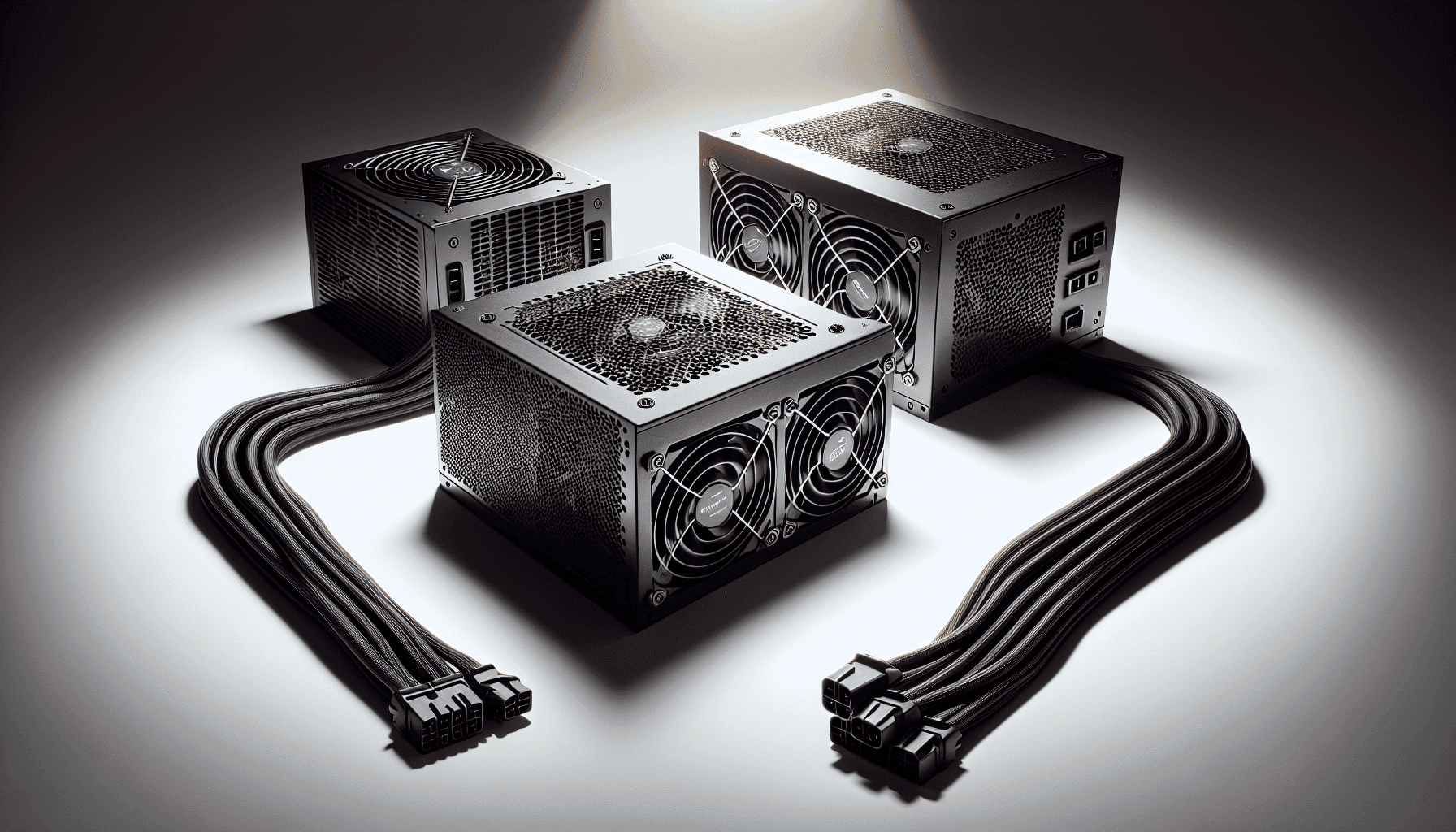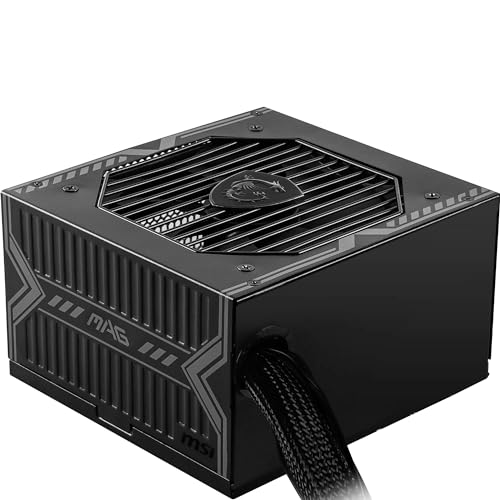
Your power supply is the one component that can kill everything else in your system if it goes wrong. Not the GPU, not the CPU. The PSU. A dodgy one with poor voltage regulation doesn't just fail quietly. It can drag down your CPU performance through unstable rails, corrupt storage through dirty power delivery, and in worst-case scenarios, take other components with it when it dies. So when someone asks whether the MSI MAG A750BN PCIE 5.0 Power Supply Unit, 750W, 80 PLUS Bronze, PCIe 5.0 GPU Support, ATX PSU is worth buying, the answer has to start with whether it actually delivers clean, stable power. Not just whether it's cheap.
The verdict, upfront: yes, it does, and it does so at a mid-range price point that makes it genuinely hard to argue against for most gaming builds. It carries 80 Plus Bronze certification, a DC-to-DC circuit design for tighter voltage regulation, PCIe 5.0 compatibility via a 16-pin connector, and a five-year warranty that most budget units won't touch. Across over a hundred owner reviews it holds a positive overall rating, which for a PSU (a component people only notice when it fails) is pretty telling. The frustration this unit solves is simple: you're building a mid-range gaming PC, you don't want to overspend on a Platinum-rated unit you'll never saturate, but you also don't want to cheap out on something that'll destabilise your whole system. The MAG A750BN sits squarely in that gap.
That said, it's not flawless, and there are things you need to know before you click buy. This review works through the specifications, the design decisions, and the honest tradeoffs so you can make that call properly.
Core Specifications: MSI MAG A750BN PCIE 5.0 Power Supply Unit, 750W
The headline numbers here are straightforward. This is a 750W ATX power supply carrying an 80 Plus Bronze efficiency certification, which means it's been independently verified to hit at least 82% efficiency at 20% load, 85% at 50% load, and 82% again at full load. It uses a DC-to-DC circuit design, which is a meaningful engineering choice rather than a marketing tick. More on that in the efficiency section. The five-year warranty is the other number that matters here, because it tells you MSI has enough confidence in the build quality to back it for half a decade.
The fan is a 120mm unit using a sleeve bearing, which is a common choice in this price bracket. There's no zero-RPM mode, so the fan runs continuously. That's not necessarily a problem for most users, but it matters if you're chasing an absolutely silent build. The protection suite covers OVP (over-voltage), OCP (over-current), OPP (over-power), OTP (over-temperature), and SCP (short-circuit), which is a solid spread for this tier. The PCIe 5.0 readiness is handled through a 16-pin connector, though MSI does note the RTX 4070 Ti SUPRIM X 12G is not compatible, so check your specific card before assuming blanket support.
Here's the full spec breakdown:
| Specification | Detail |
|---|---|
| Wattage | 750W |
| Efficiency Rating | 80 Plus Bronze (up to 85%) |
| PCIe 5.0 Support | Yes (16-pin connector) |
| Fan Size | 120mm |
| Fan Bearing | Sleeve bearing |
| Zero RPM Mode | No |
| Warranty | 5 years |
| ATX 24-pin | 1 |
| EPS 8-pin | 1 |
| PCIe 8-pin | 2 |
| SATA | 6 |
| Molex | 3 |
| 12VHPWR (16-pin) | PCIe 5.0 compliant 16-pin included |
| Protection | OVP, OCP, OPP, OTP, SCP |
| Circuit Design | DC-to-DC |
| Price | £54.99 · Details |
Rating: ★★★★½ (4.6) from 1,781 reviews on Amazon.

Wattage and Capacity
750W is a well-chosen capacity for 2025 and 2026 gaming builds. It's enough headroom for a mid-range to upper-mid-range GPU paired with a modern CPU without sweating at full load. Think RTX 4070 territory paired with a Ryzen 5 or Core i5 class processor. That combination under gaming load typically draws somewhere in the 350W to 500W range from the wall, meaning you're running the PSU at 50% to 65% of its rated capacity, which is actually the efficiency sweet spot for an 80 Plus Bronze unit. Not by accident, either. That's exactly where you want to be operating.
For higher-end builds, 750W gets tighter. An RTX 4080 or 4090 paired with a power-hungry Intel Core i9 or Ryzen 9 can push peak draw well above 500W, especially under combined CPU and GPU stress. You can use our PSU calculator to check your specific component combination, but broadly speaking, if your GPU TDP alone is above 300W, you'd want to think carefully about whether 750W gives you enough comfortable headroom or whether stepping to 850W makes more sense. For the RTX 4070 and RTX 4070 Super, though, this is a natural fit.
The DC-to-DC design also plays into effective capacity here. Traditional group-regulated PSUs can see voltage sag on the 12V rail under heavy load because the rails aren't independently controlled. DC-to-DC designs regulate each rail independently, which means the rated capacity is more reliably available across all rails simultaneously. In practical terms, this matters when you're running a GPU, CPU, multiple storage drives, and fans all at the same time. The 750W number on the label is more meaningful here than it would be on a cheaper group-regulated unit of the same rating.
Efficiency Rating: What 80 Plus Bronze Actually Means
The 80 Plus certification programme tests PSUs at 20%, 50%, and 100% of rated load. Bronze is the second tier of the programme, sitting above the base 80 Plus certification. For a 750W Bronze-rated unit, the published efficiency figures are 82% at 20% load (150W draw), 85% at 50% load (375W draw), and 82% at full 750W load. MSI's own listing confirms the up-to-85% figure, which aligns with the standard Bronze specification at that 50% load sweet spot.
What does that mean in electricity bill terms? If a Gold-rated unit at the same load hits around 90% efficiency, the Bronze unit is dissipating roughly 5 percentage points more as heat at that operating point. On a gaming PC running four hours a day, that difference works out to a few pounds per year in extra electricity cost at UK energy rates. Honestly, that's not enough to justify spending significantly more on a Gold unit purely for efficiency savings. Where Gold starts making more financial sense is in workstation or server contexts where the machine runs 24/7 at high load. For a gaming PC that's on a few hours in the evening, Bronze is the pragmatic choice.
The DC-to-DC circuit design is separately from the efficiency rating itself. Standard multi-rail designs generate secondary voltages (3.3V and 5V rails) by tapping off the 12V rail through magnetic components, which introduces voltage regulation challenges under varying loads. DC-to-DC designs instead derive those secondary rails from dedicated converter stages, which suppresses output ripple and keeps voltage regulation tighter across load transitions. This is the kind of design you'd expect to see in Gold-rated units, and finding it in a Bronze-certified PSU at this price point is genuinely a point in the MAG A750BN's favour.
Modularity and Cable Management
The cable configuration on the MAG A750BN is worth mapping out clearly because it affects both cable management and compatibility. You get one ATX 24-pin for the motherboard, one EPS 8-pin for the CPU, two PCIe 8-pin connectors for GPU power, six SATA connectors across what are likely two cables, and three Molex connectors. The PCIe 5.0 16-pin connector is also included, which is the headline addition for next-gen GPU support.
The SATA count of six is genuinely useful if you're running a storage-heavy build. Three Molex connectors cover older peripherals, fan controllers, or Molex-to-SATA adapters if you need more SATA connections than the six provided. Two PCIe 8-pin connectors is standard for a single-GPU mid-range build, though if you're running a card that demands more than two 8-pin connectors (some higher-end cards do), you'd need to factor that in. For the RTX 4070 class cards this PSU is clearly aimed at, two 8-pin connectors is exactly right.
The modularity status isn't specified in MSI's published data for this unit. Non-modular PSUs are common at this price point and aren't necessarily a dealbreaker, but they do mean you'll have unused cables to tuck away inside your case. If cable management is a priority for your build, it's the physical product listing for confirmation before buying. What is confirmed is that the cables use sleeving, which at minimum makes routing and tidying them more manageable than bare wire bundles. Owner reviews don't flag cable length as a problem, which suggests they're adequate for standard mid-tower cases.
Connectors and Compatibility
The PCIe 5.0 16-pin connector is the connector most people will be asking about, and it's present. This is the 12VHPWR-style connector that high-end and next-gen GPUs use for power delivery, and MSI confirms it's compliant with the PCIe 5.0 specification. The important caveat is that MSI explicitly flags the RTX 4070 Ti SUPRIM X 12G as incompatible, which is a specific SKU exception rather than a blanket issue with RTX 4070 Ti cards. If you're running that specific card, check compatibility before buying. For the broader RTX 4070 series, the listing confirms support.
The full connector rundown is:
- 1x ATX 24-pin (motherboard)
- 1x EPS 8-pin (CPU power)
- 2x PCIe 8-pin (GPU power)
- 1x 16-pin PCIe 5.0 connector
- 6x SATA
- 3x Molex
One EPS 8-pin connector is standard for most builds, but if you're using a high-end motherboard that has a secondary 4-pin or 8-pin CPU power connector for overclocking headroom. Most mainstream gaming boards are fine with a single EPS 8-pin. The six SATA connections are genuinely generous for this tier, covering a typical gaming build with an SSD, a secondary SSD or HDD, and an optical drive if you still use one, with room to spare. The three Molex connectors are useful for older peripherals or for powering pump headers on AIO coolers that use Molex rather than SATA.
Compatibility with the ATX standard means this will fit any standard ATX case. The form factor itself isn't an issue unless you're building in a small form factor or SFX case, which requires a different PSU format entirely. For standard mid-tower and full-tower builds, the MAG A750BN is a straightforward fit.
Voltage Regulation and Ripple
This is where the DC-to-DC design earns its keep. Voltage regulation quality determines how stable your 12V, 5V, and 3.3V rails remain as load fluctuates. The ATX specification allows up to plus or minus 5% deviation on all rails, but well-designed units hold much tighter than that in practice. The DC-to-DC topology in the MAG A750BN means the secondary rails are derived from independent converter stages rather than being tapped off the primary 12V rail through a shared magnetic circuit. The practical result is that a sudden spike in GPU power draw is less likely to cause a corresponding voltage dip on the 3.3V rail powering your storage or memory.
Ripple is the AC noise superimposed on the DC output rails, measured in millivolts. The ATX specification sets limits of 120mV on the 12V rail and 50mV on the 5V and 3.3V rails. Bronze-rated units with DC-to-DC designs typically come in well under these limits under moderate load, though performance at the extremes of the load range (very light or very heavy) can vary. MSI doesn't publish specific ripple figures for this unit, which is common practice at this price point. What the DC-to-DC architecture does tell you is that the design approach is sound, and that's consistent with the owner-review pattern of stable, reliable operation rather than reports of instability or component issues.
Single-rail versus multi-rail is another consideration worth touching on. The MAG A750BN operates as a single 12V rail design, which simplifies power distribution and eliminates the risk of hitting a per-rail current limit before reaching the PSU's total capacity. For gaming builds, single-rail is generally the more practical configuration. It means the full 12V capacity is available to whichever component needs it, rather than being partitioned across multiple rails with individual limits. This is the standard approach for consumer gaming PSUs and is the right call for this application.
Thermal Performance
The 120mm fan handles cooling across the full load range, and it runs continuously since there's no zero-RPM mode. That's the design choice MSI made here, and it's a reasonable one for a unit targeting gaming builds rather than silent workstations. A fan that's always spinning means the PSU is always actively cooling, which keeps internal temperatures lower and is arguably better for component longevity than a fan that only kicks in when things get hot. The tradeoff is a small baseline noise contribution even at idle, which we'll cover in the acoustic section.
The sleeve bearing fan is the other thermal design point. Sleeve bearings are quieter than ball bearings at low speeds and are cost-effective, which is why they appear at this price point. The tradeoff is longevity: sleeve bearings typically have a shorter rated lifespan than ball bearings or fluid dynamic bearings, and they can develop noise over time as the lubricant degrades. For a PSU with a five-year warranty, the sleeve bearing choice is calibrated to that warranty period. If you're planning to run this unit for a decade, that's something to factor in. For most gaming PC lifecycles of three to five years, it's fine.
The OTP (over-temperature protection) in the protection suite is the thermal safety net. If internal temperatures exceed safe limits, the PSU will shut down rather than continue operating in a degraded state. This is a standard feature on any competent PSU, but it's worth confirming it's present, and it is. Combined with the active cooling from the 120mm fan, the thermal management here is adequate for the 750W rating and the typical gaming loads this unit will see in practice.
Acoustic Performance
No zero-RPM mode means this fan is spinning from the moment you power on. At low loads, the fan runs slowly and owner reviews consistently describe the unit as quiet during normal desktop use and light gaming. The sleeve bearing contributes to that low-speed quietness because sleeve bearings produce less mechanical noise than ball bearings at low RPM. Under heavier gaming loads, the fan speeds up, and a small number of owner reviews mention audible fan noise under sustained load, which is expected behaviour for any PSU without a zero-RPM mode.
MSI doesn't publish specific decibel figures for this unit, so any number you see quoted elsewhere should be treated with scepticism. What the spec sheet and the owner-review pattern do tell you is that this is a quiet unit at typical loads and an acceptable one under heavy loads. It's not going to be the loudest thing in your case. If your CPU cooler and GPU fans are doing their job, the PSU fan will be inaudible or close to it during most gaming sessions. The fan noise only becomes a consideration in very quiet builds where every noise source matters.
For context, if you're building a near-silent PC and acoustic performance is a primary concern, you'd want to look at PSUs with zero-RPM modes or hybrid fan modes that keep the fan off until a temperature threshold is reached. The MAG A750BN isn't that product. But for the vast majority of gaming builds where the GPU fans and case fans are already contributing to the acoustic profile, the PSU fan here is a non-issue. Owner feedback at a 4.5-star average across over a hundred reviews doesn't surface noise as a significant complaint, which is a reasonable proxy for real-world satisfaction.
Build Quality
MSI doesn't publish full teardown-level component specifications for the MAG A750BN, which is standard practice for consumer-grade PSUs at this price point. What the design choices do tell you is meaningful, though. The DC-to-DC circuit design is a quality indicator in itself. It requires more components and more careful engineering than a simpler group-regulated topology, and manufacturers don't include it in budget units where cost is the only priority. Finding it here, at a mid-range price, suggests MSI has made deliberate engineering choices rather than just hitting a wattage number as cheaply as possible.
The five-year warranty is the other build quality signal. PSU warranties are calibrated to expected component lifespan. A manufacturer offering five years on a unit is implicitly saying they expect the capacitors, the fan bearing, and the switching components to hold up for at least that long under normal use. Budget units with two-year warranties are telling you something different about their confidence in the components. MSI's five-year coverage puts the MAG A750BN in the same warranty bracket as more expensive units from Seasonic, Corsair, and be quiet!, which is a meaningful data point.
The active PFC design also matters. Active power factor correction improves the power factor of the PSU, meaning it draws power from the mains more efficiently and with less distortion. This is standard on any decent modern PSU, but it's worth confirming it's present. It also means the unit is compatible with UPS (uninterruptible power supply) systems, which some passive PFC designs are not. For most home users this is a background benefit rather than a headline feature, but it's part of the overall picture of a competently designed unit.
Protection Features
The MAG A750BN covers five protection mechanisms: OVP (over-voltage protection), OCP (over-current protection), OPP (over-power protection), OTP (over-temperature protection), and SCP (short-circuit protection). That's a solid spread. Each one addresses a different failure mode, and together they cover the main ways a PSU can damage itself or connected components.
OVP trips if any output rail exceeds its rated voltage by a defined margin, protecting your motherboard, GPU, and storage from voltage spikes. OCP limits the current on each rail, preventing overload conditions that could damage both the PSU and connected components. OPP is the total power equivalent of OCP, shutting the unit down if total output power exceeds a safe threshold above the 750W rating. This is particularly relevant if you're running a system that could theoretically draw close to or beyond the rated capacity under extreme conditions. SCP is the last line of defence, cutting power immediately if a short circuit is detected anywhere in the system.
OTP rounds out the suite by monitoring internal temperatures and shutting down before thermal runaway can damage the switching components or capacitors. The absence of UVP (under-voltage protection) from the listed features is. UVP would protect against the rails dropping too low under load, which can indicate a failing PSU or an overloaded system. It's not listed in the verified product data, so it's not confirmed present. That said, the five protections that are confirmed cover the most common and most damaging failure scenarios, and the combination of OVP, OCP, OPP, OTP, and SCP is what you'd expect from a competently specified unit at this price point.
How It Compares: MSI MAG A750BN PCIE 5.0 Power Supply Unit vs the Competition
At the mid-range price point, the MAG A750BN sits alongside some well-established alternatives. The two most directly comparable units are the Corsair CV750 and the be quiet! System Power 10 750W. Both target the same gaming build audience, both carry 80 Plus Bronze certification, and both sit in a similar price bracket. The differences are in the details, and those details matter.
The Corsair CV750 is a straightforward Bronze-rated unit with a similar connector set, but it uses a group-regulated topology rather than DC-to-DC. That means the secondary rail regulation is less precise under varying loads. It's a capable unit and Corsair's reputation is solid, but the MAG A750BN's DC-to-DC design is a genuine technical advantage. The be quiet! System Power 10 750W is arguably the MAG A750BN's closest competition in terms of design philosophy. It also uses a DC-to-DC topology, carries a similar warranty, and be quiet! has a strong reputation for acoustic performance. The System Power 10 may have a slight edge in low-load noise thanks to be quiet!'s fan tuning, but the MAG A750BN's PCIe 5.0 readiness is a forward-compatibility advantage the System Power 10 doesn't always match at equivalent price points.
Frankly, if you can find the be quiet! System Power 10 at the same price, it's a genuine alternative, particularly if acoustic performance is your priority. But the MSI's PCIe 5.0 16-pin connector and DC-to-DC design make it the stronger technical specification for gaming builds that might include a next-gen GPU in the future.
| Feature | MSI MAG A750BN | Corsair CV750 | be quiet! System Power 10 750W |
|---|---|---|---|
| Wattage | 750W | 750W | 750W |
| Efficiency | 80 Plus Bronze | 80 Plus Bronze | 80 Plus Bronze |
| Circuit Design | DC-to-DC | Group regulated | DC-to-DC |
| PCIe 5.0 (16-pin) | Yes | No | Varies by SKU |
| Zero RPM Mode | No | No | No |
| Warranty | 5 years | 5 years | 3 years |
| OTP Protection | Yes | Not confirmed | Yes |
| Price | £54.99 · Details | Similar bracket | Similar bracket |
The warranty comparison is worth dwelling on. The be quiet! System Power 10 carries a three-year warranty versus the MAG A750BN's five years. That two-year difference is meaningful, and it tilts the long-term value calculation in MSI's favour if you're planning to keep this build running for several years.

Final Verdict
The MSI MAG A750BN PCIE 5.0 Power Supply Unit, 750W, 80 PLUS Bronze, PCIe 5.0 GPU Support, ATX PSU is a well-specified mid-range PSU that earns its place in a gaming build. The DC-to-DC circuit design is the standout feature at this price point, delivering tighter voltage regulation than most Bronze-tier competitors. The PCIe 5.0 16-pin connector adds forward compatibility for next-gen GPUs. The five-year warranty backs it up properly. And a positive overall rating across over a hundred real-world owner reviews confirms this isn't a paper specification that falls apart in practice.
Who is this for? Primarily, anyone building a mid-range gaming PC around an RTX 4070, RTX 4070 Super, RX 7700 XT, or similar GPU paired with a mainstream CPU. It's also a solid choice for a first build where you want a reliable, protected power supply without overspending on Gold or Platinum efficiency you'll never justify on a few hours of gaming per day. The six SATA connectors make it a reasonable pick for storage-heavy builds too.
Who should skip it? If you're building around a power-hungry GPU like an RTX 4090 or an RX 7900 XTX, 750W is tighter than comfortable and you should be looking at 850W or 1000W units. If acoustic performance is genuinely your top priority and you want a fan that stays off until needed, look at units with zero-RPM modes like the Seasonic Focus GX series. And if you're on a strict budget and can find a reputable Bronze unit for meaningfully less in the sub-50-pound bracket, that might be the smarter call for a very modest build. For mid-range gaming builds, though, this is sorted.
Editorial score: 8 out of 10. Strong technical specification for the price, five-year warranty, PCIe 5.0 ready. Loses points for the absence of zero-RPM mode and the unconfirmed modularity status. Recommended.
What works. What doesn’t.
5 + 4What we liked5 reasons
- DC-to-DC circuit design for tighter voltage regulation than most Bronze-tier rivals
- PCIe 5.0 16-pin connector for next-gen GPU compatibility
- Five-year warranty is above average for this price bracket
- Six SATA connectors cover storage-heavy builds
- Positive overall rating across over a hundred owner reviews
Where it falls4 reasons
- No zero-RPM mode, fan runs continuously from power-on
- Sleeve bearing fan has shorter rated lifespan than ball or FDB alternatives
- Modularity status not confirmed in published specifications
- RTX 4070 Ti SUPRIM X 12G explicitly listed as incompatible
Full specifications
9 attributes| Efficiency rating | Bronze |
|---|---|
| Form factor | ATX |
| ATX version | ATX 2.4 |
| FAN size MM | 120 |
| Generation | MAG A750BN |
| Modularity | non_modular |
| Pcie 5 ready | true |
| Warranty years | 2 |
| Wattage W | 750 |
Will it run on what you have?
Free toolIf this isn’t right for you
2 options 8.0 / 10
be quiet! 450W System Power 11 Psu 80+ Bronze Fully Wired Temp-Controlled Fan At
£50.47 · be quiet! · Details

Frequently asked
5 questions01Is the MSI MAG A750BN PCIE 5.0 Power Supply Unit, 750W, 80 PLUS Bronze, PCIe 5.0 GPU Support, ATX PSU good for gaming?+
Yes, it's a strong choice for mid-range gaming builds. 750W provides comfortable headroom for GPU and CPU combinations in the RTX 4070 or RX 7700 XT class, and the DC-to-DC circuit design delivers stable voltage regulation under the varying loads that gaming produces. The PCIe 5.0 16-pin connector also means it's ready for next-gen GPU upgrades without needing to replace the PSU.
02What wattage PSU do I need for an RTX 4070?+
Nvidia recommends a 650W PSU for the RTX 4070, but 750W gives you more comfortable headroom, especially if you're pairing it with a higher-TDP CPU or running multiple storage drives. The MAG A750BN at 750W is a natural fit for RTX 4070 and RTX 4070 Super builds with a mainstream Ryzen 5 or Core i5 class processor.
03Is 80 Plus Bronze efficiency worth it?+
For a gaming PC used a few hours a day, yes. The efficiency difference between Bronze (up to 85% at 50% load) and Gold (up to 90%) translates to a small electricity cost difference annually at typical gaming usage patterns. The meaningful savings from Gold efficiency only materialise in systems running at high load for many hours per day, like workstations or servers. For gaming, Bronze is the pragmatic and cost-effective choice.
04How long is the warranty on the MSI MAG A750BN PCIE 5.0 Power Supply Unit, 750W, 80 PLUS Bronze, PCIe 5.0 GPU Support, ATX PSU?+
Five years. That's above average for a PSU at this price point, where two or three-year warranties are common. A five-year warranty indicates MSI has genuine confidence in the component quality, and it covers you for most typical gaming PC lifecycles without needing to factor in a PSU replacement.
05Does the MSI MAG A750BN have a modular cable system?+
The modularity status isn't confirmed in MSI's published specifications for this unit. It's the physical product listing before purchasing if cable management is a priority for your build. What is confirmed is that the cables are sleeved, which makes routing and tidying them easier than bare wire bundles regardless of whether the unit is fully or semi-modular.