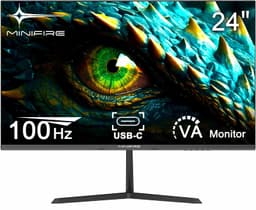
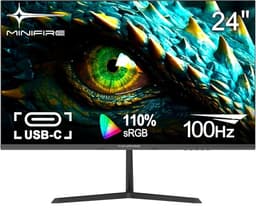
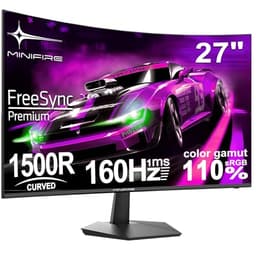
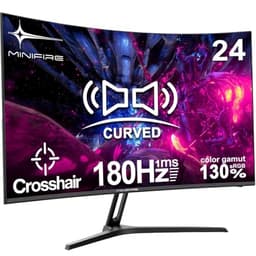
Specs and owner feedback tell you most of what you need to know about a budget gaming monitor. The numbers on the box matter, sure, but so does what happens six months in when the novelty wears off and you're staring at the screen for four hours straight. So when a monitor like the Minifire 24-inch 1080p 180Hz Gaming Monitor lands in the budget bracket with a VA panel, a 1500R curve, and 180Hz stamped on the front, the question isn't whether it looks good in a marketing photo. It's whether the spec sheet adds up to something genuinely useful, or whether it's just a list of impressive-sounding numbers papering over a mediocre experience.
The short answer? For the money, this is a surprisingly decent shout. Over 3,308 owners have rated it ★★★★☆ (4.4) on Amazon, which for a budget monitor from a brand most people haven't heard of is properly encouraging. It's not perfect, and there are trade-offs you need to understand before buying. But if you're coming off a 60Hz IPS panel and want to feel what 180Hz actually does to your gaming, this could be the upgrade that makes you wonder why you waited so long.
The Minifire 24-inch 1080p 180Hz Gaming Monitor sits firmly in the budget bracket, under £150, and it punches reasonably hard for that price. Here's the full breakdown.
Core Specifications
Start with the basics. This is a 24-inch curved monitor with a 1920x1080 resolution, which at this screen size gives you a pixel density of around 92 PPI. That's not going to blow anyone away if you've been using a 4K screen, but for a 24-inch gaming monitor it's entirely fine. Text is sharp enough, game assets look clean, and you're not going to be squinting at blurry edges. The 1500R curve is fairly aggressive for a 24-inch panel. Some people love it, some find it a bit much at close range. before you commit.
The panel is VA, which is the key thing to understand about this monitor. It's not IPS, it's not OLED. VA has its own set of strengths and weaknesses, and they matter a lot here. The refresh rate is 180Hz, which is genuinely fast for this price point, and the claimed response time is 1ms MPRT. AMD FreeSync is on board for variable refresh rate support. Connectivity covers HDMI 1.4 and DisplayPort 1.2. There are built-in speakers rated at 2W per channel, and a headphone output. The stand is tilt-only, adjusting from negative 5 degrees to positive 15 degrees (with a plus or minus 2 degree tolerance). VESA compatibility is present at 75x75mm using M4x8mm bolts, so you can wall-mount it or throw a third-party arm on it without much fuss.
The colour spec is where things get interesting for a budget monitor. Minifire quotes sRGB 130% coverage and DCI-P3 95%, which sounds almost too good for this price tier. We'll dig into what those numbers actually mean in practice in the colour section. Peak brightness is rated at 300 nits, and the panel is listed as 8-bit. Blue light reduction and flicker-free backlight are both included, which matters if you're doing long sessions.
| Specification | Detail |
|---|---|
| Screen Size | 24 inches |
| Resolution | 1920x1080 (Full HD) |
| Panel Type | VA (Vertical Alignment) |
| Refresh Rate | 180Hz |
| Response Time | 1ms MPRT |
| Curve | 1500R |
| Adaptive Sync | AMD FreeSync |
| Brightness | 300 nits |
| Colour Coverage | sRGB 130% | DCI-P3 95% |
| Bit Depth | 8-bit |
| HDR | HDR (DCI-P3 95%) |
| Inputs | HDMI 1.4, DisplayPort 1.2 |
| Audio | 2x 2W speakers, headphone out |
| Stand Adjustment | Tilt -5° to +15° (±2°) |
| VESA | 75x75mm (M4x8mm) |
| Viewing Angle | 178° |
| Features | PIP/PBP, Blue light reduction, Flicker-free |
| Price | £92.99 |

Panel Technology
The VA panel is the single most important thing to understand about this monitor. Vertical alignment panels sit between IPS and TN in most respects, but they have one trick that neither can match: native contrast. A decent VA panel will hit 3000:1 to 4000:1 native contrast ratio, compared to roughly 1000:1 for IPS. What does that mean in practice? Blacks look genuinely dark. Not "dark grey with a slight glow" dark, but actually dark. If you play games with dark environments, horror titles, space games, anything where deep blacks matter, VA is going to look noticeably better than an IPS at the same price.
The flip side is viewing angles. Minifire quotes 178 degrees, which is technically accurate in the same way that a car manufacturer's claimed fuel economy is technically accurate under ideal conditions. VA panels do get noticeably washed out when viewed from off-axis, more so than IPS. At a 24-inch curved screen sitting directly in front of you at a normal desk distance, this rarely matters in practice. You're not watching the screen from the side. But if you're planning to share the screen with someone sitting next to you, or you're mounting it somewhere that puts you off-centre, IPS would serve you better. For solo gaming at a desk, the viewing angle concern is largely theoretical.
One thing about VA panels specifically: black smear, sometimes called dark level smearing or black crushing, is a known characteristic of the technology. It shows up as a kind of trailing or smearing effect on dark objects moving against dark backgrounds. It's less of an issue at higher refresh rates and with good pixel overdrive, and at 180Hz this panel is working in its favour. Owner reviews don't flag it as a major complaint, which is encouraging. But if you're extremely sensitive to motion artefacts in dark scenes, it's something to be aware of before you buy rather than after.
Display Quality
At 24 inches and 1920x1080, you're sitting at around 92 pixels per inch. For gaming, that's fine. For sitting at a typical desk distance of 50 to 60cm, it's comfortable. You won't be counting individual pixels, but you also won't be mistaking this for a 4K panel. The sweet spot for 1080p is really anything up to about 27 inches; beyond that the pixel density starts to feel a bit thin. At 24 inches, it's a non-issue.
The anti-glare coating on VA panels at this price point tends to be a fairly standard matte finish. It does the job of killing reflections in a normally lit room, which matters more than people give it credit for. Glossy screens look stunning in a dark room and terrible in an office with a window behind you. The matte finish here is the practical choice. Owner reviews generally don't flag any unusual graininess or haze from the coating, which suggests it's applied reasonably well rather than being the thick, sparkly mess you sometimes see on cheap panels.
Brightness uniformity is something budget panels can struggle with. The 300 nit peak brightness rating is adequate for a dimly lit room or an evening gaming setup, but it's not going to compete with a sunny room. If your desk gets a lot of direct daylight, you may find yourself pushing the brightness to its limit and still fighting reflections. That's not unique to this monitor; it's a reality of 300 nit panels in general. For the typical gaming setup in a reasonably controlled environment, it's perfectly workable. PIP and PBP (picture-in-picture and picture-by-picture) support is a nice addition at this price, useful if you want to run two sources simultaneously.
Refresh Rate and Adaptive Sync
180Hz is the headline number, and it genuinely matters. If you've been gaming on a 60Hz screen, the jump to 180Hz is one of those things that's hard to describe but immediately obvious the moment you experience it. Motion looks cleaner, aiming feels more responsive, and fast-paced games like shooters or racing titles just feel better. It's not a placebo. The difference between 60Hz and 144Hz is dramatic; the jump from 144Hz to 180Hz is more subtle but still noticeable in competitive play.
AMD FreeSync support means that if you're running an AMD GPU, the monitor will synchronise its refresh rate to your GPU's frame output, eliminating screen tearing without the input lag penalty of V-Sync. AMD FreeSync is a well-established adaptive sync standard at this point, and it works well. The spec sheet doesn't confirm the exact FreeSync range (the lower and upper Hz limits for VRR). Most budget FreeSync monitors operate across a reasonable range, but if you're regularly dropping below 48fps in demanding titles, you'll want to confirm the LFC (Low Framerate Compensation) support before assuming tear-free performance at low frame rates.
For NVIDIA GPU owners: FreeSync monitors can work with G-Sync Compatible mode on modern NVIDIA cards, though NVIDIA hasn't officially validated this panel. In practice, many FreeSync monitors work fine with G-Sync Compatible enabled in the NVIDIA control panel. It's worth trying if you have an NVIDIA card, but it's not guaranteed. If you're on a budget GPU pairing with a budget monitor, AMD's ecosystem is the cleaner choice here. The combination of 180Hz and FreeSync at this price point is genuinely competitive, and it's one of the stronger arguments for this monitor over some of its rivals.
Response Time and Motion
The 1ms MPRT claim needs some unpacking, because this is where monitor marketing gets slippery. MPRT stands for Moving Picture Response Time, which is a measure of how long a pixel appears to be in motion, not how long it takes to actually transition from one colour to another. It's achieved through backlight strobing (the backlight flickers to reduce perceived blur), and the 1ms figure is essentially a marketing number that sounds impressive but doesn't reflect the actual pixel transition speed of the panel. Real grey-to-grey (GtG) response times on VA panels at this price typically land somewhere between 4ms and 8ms depending on the transition and the overdrive setting. That's still fast enough for 180Hz gaming, but it's not the same as 1ms GtG.
What matters more for day-to-day gaming is how the overdrive implementation is tuned. Aggressive overdrive on VA panels can introduce inverse ghosting (a bright halo trailing behind moving objects), which is often more visually distracting than mild ghosting. Owner reviews on this monitor don't consistently flag inverse ghosting as a problem, which suggests the overdrive is reasonably well calibrated. That's actually a good sign. Plenty of budget monitors get this wrong and end up with artefacts that are worse than the problem they're trying to solve.
For the kind of gaming this monitor is aimed at, which is casual to mid-level competitive play at 1080p, the motion performance is more than adequate. You're not going to be competing at the top level of CS2 tournaments where every millisecond of pixel response matters, and if you were, you'd be spending significantly more on a monitor. For Fortnite, Apex Legends, racing games, RPGs, and most other titles, 180Hz with a well-tuned VA panel is a genuinely good experience. The dark smear characteristic of VA is the bigger motion concern for this panel type, and as noted earlier, it's not a major complaint in the owner feedback.
Color Accuracy and Gamut
The colour spec on this monitor is, frankly, more ambitious than you'd expect at this price. Minifire claims sRGB 130% and DCI-P3 95% coverage. DCI-P3 is the colour space used in cinema and increasingly in content creation, and 95% coverage is a figure you'd normally associate with mid-range to higher-end panels. If accurate, it means colours are vibrant and the gamut is wide. The sRGB 130% figure means the panel can display colours beyond the standard sRGB gamut, which sounds great but also means that sRGB content (which is most web content and many games) will appear oversaturated unless you're running an sRGB clamp mode or your system is handling colour management properly.
Factory calibration on budget monitors is almost never impressive. There's no Delta-E figure published, and no independent lab measurement available for this specific panel. What we can say is that wide-gamut panels without a proper sRGB mode tend to make skin tones look a bit orange and colours generally look punchy in a way that's pleasing for gaming but not accurate for photo editing or colour-critical work. If you're a photographer or video editor, this is not your monitor. The colour will look vivid and engaging, but it won't be calibrated or trustworthy for professional work.
For gaming and general media consumption, the wide gamut is a net positive. Games look colourful and punchy, video content pops, and the overall visual impression is lively. The 8-bit panel depth means you're not going to see banding in gradients under normal conditions, which is good. Some budget monitors cut corners with 6-bit plus FRC (frame rate control, a dithering technique to simulate 8-bit), but the spec sheet here lists 8-bit natively. Owner reviews broadly mention colours looking good and vibrant, which aligns with the wide gamut spec. Nobody's complaining about washed-out or dull colours, which is always a good sign.

HDR Performance
There's HDR listed on the spec sheet, and then there's HDR that actually makes a visible difference to your experience. This monitor falls into the first category. At 300 nits peak brightness with no local dimming, the HDR implementation here is what the industry sometimes calls "checkbox HDR". It technically supports the HDR signal and can display HDR content, but it doesn't have the hardware to do HDR justice. Proper HDR requires either very high peak brightness (HDR600 or HDR1000 tier, so 600 to 1000 nits) or precise local dimming to create genuine contrast between bright highlights and deep shadows.
The VESA DisplayHDR certification tiers start at DisplayHDR 400, which requires 400 nits peak brightness. This monitor at 300 nits doesn't meet even that entry-level certification. That's not a criticism unique to this panel; it's the reality of HDR in the budget bracket. Essentially every monitor under £150 is in the same boat. Enabling HDR mode on this monitor in Windows or on a console will technically switch the panel into HDR mode, but the visual improvement over a well-set-up SDR image is marginal at best, and can sometimes make the image look worse due to the tone mapping required to fit HDR content into a 300 nit display.
The honest advice here: leave HDR disabled in Windows and on your console if you're using this monitor. Set it up properly in SDR mode, dial in the brightness and contrast to suit your room, and you'll get a better image than forcing HDR onto hardware that can't deliver it. The wide colour gamut (DCI-P3 95%) means SDR content still looks vibrant and colourful without needing to invoke HDR mode. This is a common situation with budget monitors, and it's not a dealbreaker. Just don't buy this expecting a genuine HDR experience.
Contrast and Brightness
This is where the VA panel really earns its place. Native contrast on VA panels is typically in the 3000:1 to 4500:1 range, which is dramatically better than the 1000:1 you get from most IPS panels at this price. In practical terms, when you're playing a game with dark environments, the blacks on a VA panel look genuinely dark rather than a slightly elevated grey. It makes a real difference to atmosphere in horror games, space simulators, and anything with a dark colour palette. This is the VA panel's strongest selling point, and it's a meaningful one.
Peak brightness at 300 nits is adequate for a dimly lit or controlled environment. In a bright room with sunlight coming through windows, you'll be fighting the ambient light. This isn't unusual for monitors in this bracket, but it matters if your setup is in a room that gets a lot of natural light during the day. Evening gaming and darkened room setups are where this monitor will look its best. The high contrast ratio means that even at moderate brightness settings, the image has good depth and punch because the blacks are genuinely dark rather than lifted.
Brightness uniformity across the panel is something that owner reviews occasionally flag on budget curved monitors. Slight backlight bleed at the edges is common with VA panels, particularly in the corners. It's most visible on dark scenes with a full black background. Most owners don't find it distracting during normal use, but if you're the type who notices backlight bleed on a pitch-black screen, it's worth being aware that budget VA panels aren't immune to it. The 1500R curve itself can sometimes exacerbate edge uniformity issues slightly, though at 24 inches the panel isn't large enough for this to be a major concern.
Ergonomics and Stand
The stand is tilt-only, adjusting from negative 5 degrees (tilting the top of the screen away from you) to positive 15 degrees (tilting it toward you), with a tolerance of plus or minus 2 degrees. There's no height adjustment, no swivel, and no pivot. For a budget monitor, this is entirely normal. You're not getting a premium ergonomic stand at this price point, and nobody should expect one. If you need height adjustment, a monitor arm is the answer, and the 75x75mm VESA mount (using M4x8mm bolts) makes that straightforward. A decent monitor arm will cost you £20 to £30 and transform the ergonomics completely.
Owner reviews have a few mentions of the stand feeling a bit plasticky, which is unsurprising given the price. It's not reported as wobbly or unstable to the point of being annoying, just not the kind of solid, premium-feeling stand you'd get on a more expensive monitor. The footprint of the stand is if desk space is tight. Curved monitors tend to have wider, more spread-out bases to handle the weight distribution, and a 24-inch curved panel on a budget stand is going to take up a reasonable chunk of your desk. If space is genuinely limited, a VESA arm solves this too.
The 178-degree viewing angle spec is the manufacturer's claimed horizontal and vertical viewing angle, which as noted in the panel section is a somewhat optimistic figure for a VA panel. In practice, for a single person sitting directly in front of the screen at a desk, it's completely fine. The curve of the panel actually helps slightly here by angling the edges of the screen toward you, which partially compensates for the VA panel's off-axis colour shift. PIP and PBP functionality is a nice touch for a monitor at this price, and the built-in speakers, while not going to replace a proper audio setup, are useful for casual use or when you've forgotten your headphones.
Connectivity and Ports
The port selection is straightforward. You get one HDMI 1.4 port and one DisplayPort 1.2 port. HDMI 1.4 supports up to 1080p at 120Hz, which means if you're trying to hit 180Hz you'll need to use the DisplayPort connection. This is an important point that catches some buyers out. Plug in via HDMI and you'll likely be capped at 120Hz or lower unless the monitor's firmware handles the bandwidth differently. For 180Hz, use the DisplayPort 1.2 connection. DisplayPort 1.2 has more than enough bandwidth for 1080p at 180Hz, so that's your go-to cable for gaming.
There's no USB-C, no USB hub, and no built-in KVM. For a budget monitor, none of that is a surprise. If you need USB-C video input, you're looking at a different class of monitor entirely. The headphone output is a useful addition, letting you plug headphones directly into the monitor and use the monitor's volume control rather than reaching around to your PC. Combined with the 2W per channel built-in speakers, the audio setup is modest but functional. The speakers won't impress anyone who's used a decent soundbar or headset, but they're perfectly adequate for system sounds, casual YouTube, and not having to reach for headphones every time you want to hear something.
- HDMI 1.4 (note: 180Hz requires DisplayPort)
- DisplayPort 1.2 (recommended for 180Hz gaming)
- Headphone output (3.5mm)
- Built-in speakers: 2W x 2
The dual-input setup is genuinely useful if you're running two devices, a PC and a console for example, and want to switch between them without swapping cables. PIP and PBP support means you can theoretically display both inputs simultaneously, which is a neat feature for the price. Most people won't use it, but it's there. The lack of a USB hub is the one connectivity omission that some users might feel, particularly if your PC is under the desk and you regularly plug in USB devices. A small USB hub on the desk solves that for a few pounds.
How It Compares
The budget 24-inch 1080p gaming monitor market is genuinely crowded, and the Minifire is competing against some well-established names. Two monitors that frequently come up in this conversation are the AOC 24G2 and the MSI G244F. The AOC 24G2 is an IPS panel at a similar price point, offering better viewing angles and more consistent colour accuracy out of the box, but with lower native contrast than the Minifire's VA panel. The MSI G244F is a 180Hz IPS panel that's similarly priced and well-regarded in owner reviews. Both are depending on what matters most to you.
The key differentiator for the Minifire is the VA panel's contrast advantage. If you play games where deep blacks matter, the Minifire's VA panel will look noticeably better than an IPS rival at the same price. If you prioritise colour accuracy, wide viewing angles, and consistent brightness uniformity, the IPS options have the edge. The 180Hz refresh rate and FreeSync support put the Minifire on a level playing field with its IPS competitors in terms of gaming performance. The curve is a matter of personal preference; some people love it, some don't, and neither the AOC 24G2 nor the MSI G244F are curved panels, so if you specifically want a curved screen, the Minifire has the field largely to itself in this price bracket.
The built-in speakers are a small but genuine advantage over some competitors that ship without them. At 2W per channel they're not impressive, but having speakers at all means one less thing to buy if your setup is basic. The VESA mount support is standard across all three monitors, so arm compatibility isn't a differentiator. Where the Minifire potentially falls behind is brand recognition and long-term support. AOC and MSI have established warranty and customer service infrastructure in the UK. Minifire is a less familiar name, and owner reviews, while broadly positive, do include a handful of mentions of customer service interactions that were less smooth than you'd get from a bigger brand.
| Feature | Minifire 24-inch 180Hz | AOC 24G2 (IPS) | MSI G244F (IPS) |
|---|---|---|---|
| Panel Type | VA | IPS | IPS |
| Resolution | 1920x1080 | 1920x1080 | 1920x1080 |
| Refresh Rate | 180Hz | 144Hz | 180Hz |
| Curve | 1500R | Flat | Flat |
| Native Contrast | High (VA typical 3000:1+) | ~1000:1 typical | ~1000:1 typical |
| Adaptive Sync | AMD FreeSync | AMD FreeSync | AMD FreeSync |
| Built-in Speakers | Yes (2Wx2) | No | No |
| VESA Mount | 75x75mm | 100x100mm | 100x100mm |
| Height Adjust | No (tilt only) | Yes | Yes |
| Price | £92.99 | Similar bracket | Similar bracket |

Final Verdict
The Minifire 24-inch 1080p 180Hz Gaming Monitor is a legitimate budget gaming monitor that does more right than wrong. The VA panel delivers the kind of deep, punchy contrast that makes games with dark environments genuinely atmospheric, and 180Hz with FreeSync is a proper gaming feature set, not a watered-down compromise. Over 3,308 owners have given it a 4.4-star average, which is a meaningful signal that the real-world experience broadly matches the spec sheet rather than falling apart on arrival.
The honest caveats are these: the 1ms MPRT response time is a marketing figure, not a true GtG measurement, and VA panels have inherent dark-scene smearing characteristics that IPS panels avoid. The HDR implementation is checkbox-level and best left disabled. The stand is tilt-only, and if ergonomic flexibility matters to you, budget for a monitor arm. And as a lesser-known brand, Minifire doesn't have the customer service track record of AOC or MSI, which is worth factoring in if long-term support matters to you.
Who is this for? Someone upgrading from a 60Hz or 75Hz screen who wants to feel what high-refresh gaming actually does, without spending mid-range money. Someone who plays dark, atmospheric games and wants the contrast advantage of VA over budget IPS. Someone who wants a curved screen in this price bracket and doesn't have many other options. And honestly, someone who just wants a decent gaming monitor under £150 without overthinking it.
Who should skip it? If you do any colour-critical work, photo editing, or video production, you need a properly calibrated IPS panel with a known Delta-E score. If you play exclusively fast-paced competitive shooters and dark-scene smearing on VA panels drives you mad, the AOC 24G2 or MSI G244F on IPS are cleaner choices. And if you need height adjustment on the stand without buying an arm, the Minifire's tilt-only stand will frustrate you.
If you're after a cheaper entry point and 180Hz isn't a priority, there are solid 144Hz IPS monitors in the budget bracket that offer better ergonomics and more predictable colour accuracy for less. The Minifire earns its place specifically when you want that combination of high refresh rate, curved VA contrast, and built-in speakers in one package at budget money. For that specific brief, it delivers. Score: 7 out of 10.
What works. What doesn’t.
5 + 4What we liked5 reasons
- 180Hz refresh rate with AMD FreeSync at a genuinely budget price
- VA panel delivers strong native contrast for dark gaming environments
- DCI-P3 95% colour coverage makes games look vivid and punchy
- Built-in 2Wx2 speakers included where many rivals omit them
- VESA 75x75mm mount means easy arm upgrade if needed
Where it falls4 reasons
- 1ms MPRT is a marketing figure; real GtG response is higher
- HDR at 300 nits is checkbox-level only, best left disabled
- Tilt-only stand with no height or swivel adjustment
- Lesser-known brand with less established UK customer service track record
Full specifications
10 attributes| Panel type | VA |
|---|---|
| Aspect ratio | 16:9 |
| Curvature | flat |
| HDR | none |
| Launch year | 2026 |
| Ports | HDMI 1.4, DisplayPort 1.2 |
| Refresh rate HZ | 180 |
| Resolution | 1920x1080 |
| Response time MS | 1 |
| Screen size IN | 24 |
If this isn’t right for you
2 options 7.5 / 10
KOORUI 27 Inch Gaming Monitor, 180Hz Curved Monitor FHD 1080P VA 1ms 1500R
£114.99 · KOORUI
 7.5 / 10
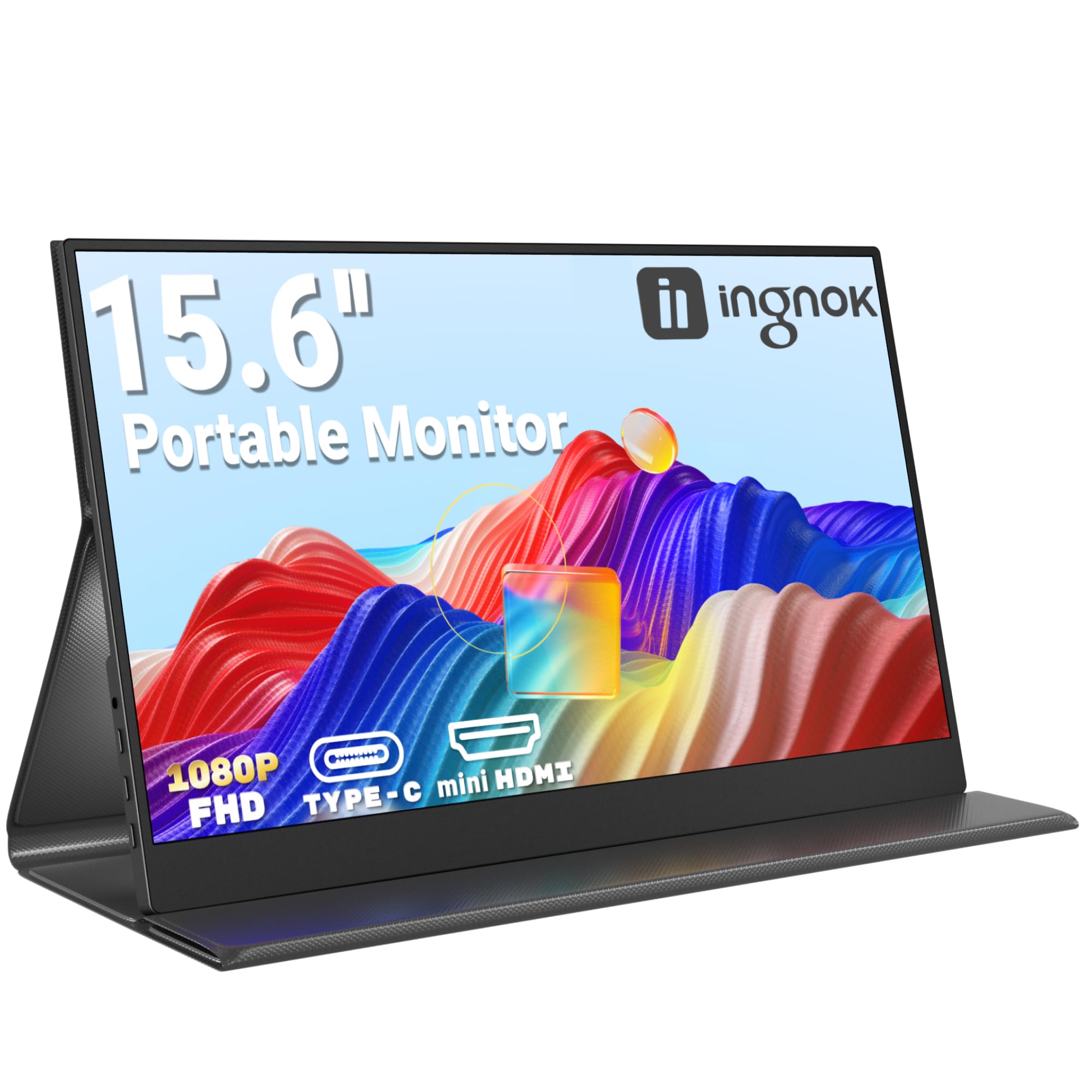
Ingnok Portable Monitor 15.6" FHD 1080P IPS Portable Screen with Magnetic Smart Cover, Ultra-Slim Second Screen for Laptop/PC/Mac/PS3/4/5/Xbox - USB C & HDMI,Valentine's Day Gifts
£65.99 · Ingnok
Frequently asked
5 questions01Is the Minifire 24-inch 1080p 180Hz Gaming Monitor good for gaming?+
Yes, for the price it's a strong gaming monitor. The 180Hz refresh rate makes motion noticeably smoother than 60Hz or 75Hz screens, AMD FreeSync eliminates screen tearing when paired with a compatible AMD GPU, and the VA panel's high native contrast adds depth to dark gaming environments. The 1ms MPRT response time is a marketing figure rather than a true grey-to-grey measurement, but owner reviews don't consistently flag ghosting as a problem, suggesting the overdrive is reasonably well tuned. For casual to mid-level competitive gaming at 1080p, it delivers well above its price point.
02Does the Minifire 24-inch 1080p 180Hz Gaming Monitor have good HDR?+
Honestly, no. The HDR implementation here is what the industry calls checkbox HDR. At 300 nits peak brightness with no local dimming, the monitor technically accepts an HDR signal but lacks the hardware to render genuine HDR contrast or highlight brightness. VESA DisplayHDR certification starts at 400 nits (DisplayHDR 400), and this panel doesn't meet that threshold. The practical advice is to leave HDR disabled and use the monitor in SDR mode, where the wide colour gamut (DCI-P3 95%) still produces vibrant, punchy images without the tone-mapping issues that come from forcing HDR onto a 300 nit display.
03Is the Minifire 24-inch 1080p 180Hz Gaming Monitor good for content creation?+
Not really, if you need colour accuracy. The monitor claims DCI-P3 95% coverage, which sounds impressive, but there's no published Delta-E figure and no factory calibration data available. Wide-gamut panels without a proper sRGB clamp mode tend to oversaturate sRGB content, making skin tones and colours look vivid but inaccurate. For photo editing, video colour grading, or any work where colour truth matters, you'd want a properly calibrated IPS panel with a verified Delta-E score below 2. For gaming and general media consumption, the wide gamut is a positive, but it's not a content creation tool.
04What graphics card do I need for the Minifire 24-inch 1080p 180Hz Gaming Monitor?+
For 1080p at 180Hz, you don't need a flagship GPU. A mid-range card like an AMD RX 6600, RX 7600, or NVIDIA RTX 3060 can push well above 180fps in many popular titles at 1080p with settings adjusted appropriately. For competitive games like Fortnite, Apex Legends, or CS2, even older cards like an RX 580 or GTX 1070 can hit high frame rates at 1080p. One important note: use the DisplayPort 1.2 connection rather than HDMI 1.4 to reach 180Hz. HDMI 1.4's bandwidth limitations may cap you at 120Hz or lower.
05What warranty and returns apply to the Minifire 24-inch 1080p 180Hz Gaming Monitor?+
No specific warranty terms appear in the verified product data for this monitor. When buying through Amazon UK, you're covered by Amazon's standard 30-day return window and the Amazon A-to-Z Guarantee, which provides a meaningful safety net if the product arrives damaged or doesn't match the listing. For warranty beyond the 30-day return period, check the product listing or contact the seller directly before purchasing to confirm what cover is offered.