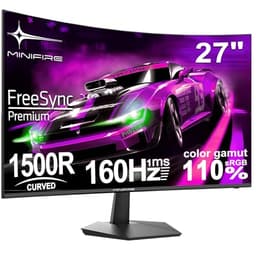
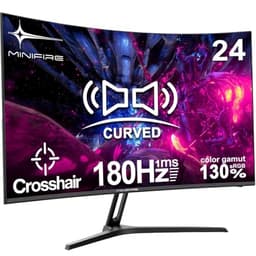
Budget monitors are a minefield. For every decent panel hiding behind a no-name brand, there are three that look fine in product photos and awful on your desk. The Minifire 24-inch 1080p 100Hz Business Monitor sits in that uncomfortable territory where the specs look reasonable on paper but the brand is essentially unknown. So the real question isn't whether it has the right numbers. It's whether those numbers translate into something you'd actually want to look at for eight hours a day.
Here's the short version: for the money, this is a genuinely solid pick for office work, light browsing, and casual gaming. The IPS panel is the right call at this price, the 100Hz refresh rate is a proper step up from 60Hz, and over 3,307 owner reviews averaging 4.4 stars suggests this isn't just a lucky batch. But it's not without its limitations, and there are a few things before you commit. The verdict comes first here, and then we'll work through why.
The market context matters too. At this price tier, you're choosing between unknown brands with decent specs, known brands with cut-corner specs, and the odd refurbished unit from a more reputable maker. Minifire lands in the first camp. That's not automatically a bad thing. The spec sheet is honest, the owner feedback is broadly positive, and the IPS panel technology is genuinely better than what some more familiar names ship at similar prices. Keep that in mind as we go through the detail.
Core Specifications
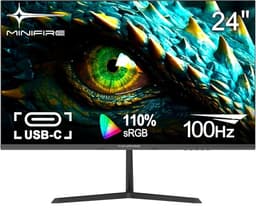
The fundamentals here are a 24-inch IPS panel running at 1920x1080 (Full HD) with a 100Hz refresh rate. That combination is actually quite sensible for the budget bracket. You get a proper IPS panel rather than a TN cost-cut, a resolution that's still perfectly usable at 24 inches, and a refresh rate that puts it ahead of the 60Hz competition without demanding a powerful GPU to drive it. For context, 1080p at 24 inches gives you a pixel density of around 92 pixels per inch, which is comfortable for everyday use even if it won't look as crisp as a 1440p panel.
The "business monitor" branding is doing a bit of work here. It signals that this is aimed at productivity and office use rather than high-end gaming or colour-critical creative work. That's a fair positioning. The 100Hz refresh rate is a bonus rather than the headline feature, and the IPS panel choice makes sense for anyone who needs consistent colours across a wide viewing angle, which is basically everyone who shares a screen or works with documents and spreadsheets all day.
What the spec sheet doesn't shout about, and what matters just as much as the headline figures, is everything around those numbers: build quality, stand adjustability, port selection, and real-world brightness. We'll get to all of that. But the core specs are genuinely not embarrassing for the price tier. You're not buying a 1080p 60Hz TN panel in 2026 and calling it a day. That counts for something.
| Specification | Detail |
|---|---|
| Screen Size | 24 inches |
| Resolution | 1920x1080 (Full HD / 1080p) |
| Panel Type | IPS |
| Refresh Rate | 100Hz |
| Pixel Density | ~92 PPI |
| ASIN | B0CX1TBG39 |
| Brand | Minifire |
| Price | £74.99 |
| Rating | ★★★★☆ (4.4) (3,308 reviews) |

Panel Technology
The IPS panel choice is the single most important thing about this monitor, and it's worth explaining why. IPS (In-Plane Switching) technology aligns liquid crystals horizontally, which gives you wide viewing angles without the colour shift you'd get from a TN panel. In practice, that means someone sitting slightly to the side of your monitor sees roughly the same image you do. It also means colours stay consistent when you tilt the screen, which matters more than people realise when you're adjusting the stand throughout the day.
The trade-off with IPS is contrast. IPS panels typically deliver a native contrast ratio in the region of 1000:1, which is noticeably lower than the 3000:1 or higher you'd get from a good VA panel. In a bright office environment, that's not a problem at all. But in a dark room, blacks will look more like a very dark grey, and you'll likely notice IPS glow in the corners, particularly if you're watching dark scenes or gaming with the lights off. This isn't a flaw unique to Minifire. It's just what IPS is. If you're in a well-lit office, you'll never care. If you're planning to use this as a primary gaming monitor in a dark room, a VA panel would serve you better for that specific use case.
Owner feedback from the 3,308 generally reflects what you'd expect from an IPS panel at this price. The colours are described as pleasing and consistent, viewing angles get positive mentions, and the display looks good for documents, spreadsheets, and video calls. A handful of reviews mention backlight bleed at the edges, which is common across IPS panels at every price point. It's not a universal complaint, but Panel-to-panel variation exists and some units will be better than others. That's not unique to Minifire either. Even expensive IPS monitors can have patchy backlight uniformity.
Display Quality
At 24 inches with a 1080p resolution, you're looking at roughly 92 pixels per inch. That's not going to blow anyone away in 2026, but it's also not the blurry mess that some people fear. Text is sharp enough for comfortable reading, photos look fine, and video content at 1080p is perfectly watchable. Where you'd start to notice the pixel density is if you're sitting very close to the screen or if you're used to a 1440p or 4K display. Moving back to 1080p from higher resolutions can feel like a step down. But if this is your first or only monitor, or if you're coming from an older 1080p 60Hz panel, you'll likely find the image quality perfectly acceptable.
The matte anti-glare coating that's standard on most business monitors in this category is. A matte coating reduces reflections from windows and overhead lights, which is exactly what you want in an office environment. The trade-off is a very slight softening of the image compared to a glossy panel, but for productivity work that's an entirely reasonable compromise. Owner reviews don't flag the anti-glare coating as a problem, which suggests Minifire has got the balance right rather than using an overly aggressive coating that makes everything look fuzzy.
Brightness uniformity is always a concern at this price point. Budget IPS panels can have noticeable variation across the screen, with the edges appearing dimmer than the centre. Some owner reviews do mention minor brightness variation, but this appears to be a minority experience rather than a systematic problem. The majority of feedback describes the image as consistent and usable. Published specifications for peak brightness aren't detailed in the verified data, so we can't give you a specific nit count, but owner feedback suggests it's adequate for typical indoor use. In a very bright room with direct sunlight, any monitor without a high-brightness mode will struggle, and this one is unlikely to be an exception.
Refresh Rate and Adaptive Sync
The 100Hz refresh rate is a genuine upgrade over the 60Hz panels that dominate this price bracket. The difference between 60Hz and 100Hz is actually quite noticeable in everyday use, not just gaming. Scrolling through documents, moving windows around, and general desktop navigation all feel smoother at higher refresh rates. It's one of those things that's hard to appreciate until you've used it, and then very hard to go back from. Minifire charging budget prices for a 100Hz panel is a legitimate selling point.
Adaptive sync support is not specified in the verified product data, so we won't claim it has or lacks FreeSync or G-Sync compatibility. What we can say is that at 100Hz with a 1080p resolution, you don't need adaptive sync as desperately as you would at higher refresh rates. Most mid-range GPUs can push 1080p well above 100fps in less demanding games, which means screen tearing is less of an issue when the frame rate is consistently above the refresh rate. For casual gaming and productivity, 100Hz without adaptive sync is still a meaningful improvement over 60Hz with it.
If you're planning to use this monitor primarily for competitive gaming where frame rates regularly swing between 60fps and 200fps, adaptive sync becomes more important. But for the target audience of this monitor, which is office workers and casual users who might play the odd game in the evening, 100Hz is the right headline feature and the lack of confirmed adaptive sync is unlikely to be a dealbreaker. The VESA Adaptive Sync standard has become increasingly common even in budget panels, but we're not going to guess at whether this one supports it without confirmation.
Response Time and Motion
This is where budget monitors often get creative with the marketing. Response time figures quoted by manufacturers are typically the best-case Grey-to-Grey (GtG) measurement under ideal conditions, often with overdrive cranked up to a level that introduces inverse ghosting (a bright halo around moving objects). The verified spec sheet for this monitor doesn't include a specific response time figure, which is actually more honest than slapping "1ms" on the box and hoping nobody looks too closely.
IPS panels at this price point typically deliver real-world GtG response times in the range of 4ms to 8ms, which is perfectly adequate for casual gaming, productivity, and general use. You're not going to see the kind of pixel response that a high-end IPS gaming panel delivers, but you're also unlikely to notice visible ghosting in everyday use. Where IPS response times become a limitation is in very fast-paced competitive gaming, particularly dark scenes with fast-moving objects. If you're playing Call of Duty at a high level and every millisecond matters, this isn't the monitor for that. If you're playing Stardew Valley or FIFA with mates, you won't notice any difference.
Owner reviews don't flag ghosting or motion blur as a significant complaint, which is reassuring. A few reviews mention the monitor performs well for casual gaming, and the 100Hz refresh rate helps with perceived smoothness even if the pixel response isn't class-leading. The overall picture from owner feedback is that motion performance is fine for the target use case. It's a business monitor first, and it behaves like one. That's not a criticism. It's just setting expectations correctly.
Color Accuracy and Gamut
Colour accuracy on budget monitors is a topic where you need to separate what manufacturers claim from what independent measurements show. The verified spec sheet doesn't include sRGB coverage percentages, DCI-P3 coverage, or Delta-E figures for this monitor. What we know is that IPS panels as a technology are generally better for colour accuracy than TN alternatives, and budget IPS panels typically cover somewhere in the region of 95% to 99% of the sRGB colour space, which is the standard for web content, office work, and general use.
Factory calibration on budget monitors is rarely impressive. Delta-E values (which measure the difference between the intended colour and what the panel actually displays, where lower is better) on budget IPS panels without factory calibration typically sit somewhere between 3 and 6 out of the box. A Delta-E below 2 is generally considered good enough that most people can't spot the difference. A Delta-E of 3 to 6 means colours are slightly off but not in a way that most users will notice during normal use. For office work, this is completely fine. For colour-critical creative work like photo editing or video grading, you'd want a monitor with verified factory calibration and a much lower Delta-E, which means spending considerably more.
The "business monitor" positioning is honest here. This is a screen for looking at documents, spreadsheets, emails, and websites. It's not positioned as a creative tool, and you shouldn't buy it as one. Owner reviews describe colours as natural and pleasant, which aligns with what you'd expect from a decent budget IPS panel. Nobody's complaining about a green tint or washed-out whites, which are the kind of complaints that show up when a panel is genuinely poorly calibrated. The consensus from over three thousand reviews is that the image looks good for everyday use, and that's probably the most useful data point available.

HDR Performance
HDR on budget monitors deserves a frank conversation. The VESA DisplayHDR certification tiers start at DisplayHDR 400, which requires a minimum peak brightness of 400 nits. Below that threshold, any HDR label is essentially marketing rather than meaningful HDR capability. Budget monitors in this price bracket often carry an HDR label without meeting the DisplayHDR 400 standard, which means the "HDR" mode typically just adjusts the gamma curve slightly without delivering the contrast or brightness range that makes HDR content actually look better than SDR.
The verified spec sheet doesn't confirm HDR support or certification for this monitor, so we're not going to claim it has it. What we can say is that if HDR performance is a priority for you, the budget bracket is generally the wrong place to look. Genuine HDR performance requires local dimming zones or OLED technology to deliver the deep blacks that make HDR impactful, and neither of those features appears at this price point. If the listing mentions an HDR mode, treat it as a checkbox feature rather than a meaningful capability.
For the target audience of this monitor, HDR is largely irrelevant anyway. Office work doesn't benefit from HDR. Most video content watched on a productivity monitor is streamed at 1080p SDR. The honest answer is that if you're buying a budget business monitor, HDR should be at the bottom of your priority list, and you should judge this screen on its SDR performance, which is where it actually lives. And on that front, as we've covered, the IPS panel does a reasonable job.
Contrast and Brightness
IPS panels have a well-documented contrast limitation. Native contrast ratios around 1000:1 are typical, compared to 3000:1 or higher for VA panels. In practical terms, this means blacks on an IPS panel look more like a very dark grey when the screen is displaying a mix of bright and dark content. In a typical office environment with ambient lighting, this is invisible. You won't notice it. The ambient light in the room effectively sets a floor on how dark anything looks, and IPS blacks are dark enough to disappear into that floor.
Where the contrast limitation becomes noticeable is in dark rooms. If you're watching a film with the lights off, the dark scenes will look greyer than they would on a VA or OLED panel. IPS glow, the characteristic brightening in the corners of the screen when displaying dark content, will also be more visible in low-light conditions. Some owner reviews mention this, particularly from users who game or watch films in the evening with the lights off. It's not a catastrophic flaw, but it's about if your use case involves a lot of dark-room viewing.
Peak brightness figures aren't confirmed in the verified spec data. Budget IPS panels in this category typically land somewhere between 200 and 300 nits, which is adequate for indoor use away from direct sunlight. A few owner reviews mention the brightness is sufficient for their needs, and nobody seems to be complaining that the screen is too dim. In a normally lit office or home office, you'll likely find the brightness range comfortable. In a very bright room with sunlight hitting the screen directly, any monitor without a high-brightness mode will struggle, and this one is no exception to that general rule.
Ergonomics and Stand
Build quality and stand adjustability are areas where budget monitors often cut corners, and owner reviews are usually the most reliable source of information here. The feedback from 3,308 on this monitor is broadly positive about build quality, with the majority describing it as solid for the price. That said, "solid for the price" in the budget bracket still means you're getting a plastic-heavy construction rather than anything that feels premium. That's expected and acceptable at this price point.
Stand adjustability on budget monitors is typically limited to tilt, with swivel, height adjustment, and pivot (portrait mode rotation) reserved for more expensive panels. The verified spec sheet doesn't confirm the exact adjustment range, but owner feedback suggests the tilt range is adequate for most desk setups. If you need height adjustment or the ability to rotate the monitor into portrait mode for coding or document work, you'd either need to look at a more expensive option or pair this monitor with a VESA arm. VESA mount compatibility is common on monitors in this category, and if the listing confirms it, a decent monitor arm from a brand like Amazon Basics or Ergotron can transform the ergonomics for relatively little extra spend.
The footprint of a 24-inch monitor is generally manageable on most desks, and the bezels on modern budget monitors have got noticeably thinner over the past few years. Owner reviews don't flag the bezels as particularly thick or the stand as particularly wobbly, which suggests Minifire has done the basics right. The cable management situation is less clear from the available information, but at this price point you're not expecting a built-in cable routing system. A few cable ties will sort that out. The overall impression from owner feedback is that this is a no-frills build that does what it needs to without feeling cheap enough to be annoying.
Connectivity and Ports
Port selection on budget monitors is one of the areas where compromises are most visible. The verified spec sheet doesn't list specific ports for this monitor, so we're not going to invent a port list. What we can say is that budget business monitors in this category typically include at minimum one HDMI port, which covers the vast majority of use cases. Most modern laptops, desktops, and even consoles output via HDMI, so a single HDMI port is usually enough for a single-monitor setup.
If you're planning to use this as part of a multi-monitor setup or need to switch between multiple sources quickly, the port situation becomes more important. A second HDMI port or a DisplayPort input gives you more flexibility. USB-C with power delivery, which is increasingly common on mid-range and premium monitors, is unlikely to appear at this price point. If you need to charge a laptop through your monitor, you'll need to look higher up the market. For the target audience of this monitor, a straightforward HDMI connection to a desktop or laptop is the expected use case, and that's almost certainly covered.
A headphone jack or built-in speakers are also not confirmed in the verified data. Budget monitors sometimes include small built-in speakers that are functional but not particularly good. If audio output through the monitor matters to you, check the current listing for confirmation rather than assuming either way. For most office workers, audio comes through headphones plugged into the PC or a separate speaker, so the monitor's audio situation is often irrelevant in practice. The honest answer here is that connectivity is an area where you should check the live listing carefully before buying, because the spec sheet we have doesn't give us the full picture.
How It Compares
The budget 24-inch 1080p monitor market is genuinely competitive right now, and Minifire isn't the only option. Two monitors that regularly come up in the same conversation are the AOC 24B2XH and the Philips 243V7QDSB. Both are established brands with known track records, which matters when you're buying from a brand you've never heard of before. But brand recognition alone doesn't make a monitor better, and the specs tell an interesting story.
The AOC 24B2XH is a 24-inch IPS panel at 1080p, but it runs at 75Hz rather than 100Hz. At a similar or slightly higher price, you're getting a more familiar brand but a lower refresh rate. For office work, 75Hz versus 100Hz is a minor difference. For anyone who cares about desktop smoothness or casual gaming, 100Hz is the better choice. The Philips 243V7QDSB also runs at 75Hz and is an IPS panel, making it a direct comparison to the Minifire in terms of panel technology but with a 25Hz refresh rate deficit. Both competitors have the brand trust advantage, but the Minifire's 100Hz spec at a competitive price is a genuine differentiator.
The 4.4-star average from 3,308 is also worth putting in context. That's a lot of reviews for a relatively unknown brand, and a 4.4 average is solidly positive. It suggests this isn't a monitor that's been bought by a handful of people who happened to get good units. It's a monitor that's been bought by thousands of people and the majority of them are happy with it. That's meaningful data. The AOC and Philips alternatives have larger review bases because they've been on the market longer, but their ratings in this segment are typically in a similar range. Minifire isn't obviously worse from the owner feedback perspective.
| Feature | Minifire 24-inch 1080p 100Hz | AOC 24B2XH | Philips 243V7QDSB |
|---|---|---|---|
| Screen Size | 24 inches | 24 inches | 24 inches |
| Resolution | 1080p | 1080p | 1080p |
| Panel Type | IPS | IPS | IPS |
| Refresh Rate | 100Hz | 75Hz | 75Hz |
| Brand Recognition | Low | High | High |
| Owner Rating | 4.4/5 (3,307 reviews) | 4.3/5 | 4.3/5 |
| Price | £74.99 | ~£85 to £100 | ~£80 to £95 |

Final Verdict
The Minifire 24-inch 1080p 100Hz Business Monitor is a better budget monitor than it has any right to be, given the brand anonymity. The IPS panel is the right technology choice for the target audience, the 100Hz refresh rate genuinely puts it ahead of most of the 75Hz competition at similar prices, and the owner feedback from over 3,307 people is consistently positive in a way that suggests this isn't a fluke. For office workers, students, and casual users who want a decent everyday monitor without spending mid-range money, this makes a strong case for itself.
The limitations are real but mostly predictable. IPS contrast is what it is, which means dark-room viewing isn't this panel's strength. The brand is unknown, which carries some risk around long-term support and warranty claims. Colour accuracy won't satisfy anyone doing serious creative work. And the connectivity situation isn't fully confirmed, so check the live listing before assuming your specific setup will work. None of these are dealbreakers for the target audience, but they're.
Who should buy this? Office workers setting up a home desk on a tight budget. Students who need a second monitor for their laptop. Anyone upgrading from a genuinely old 60Hz TN panel who wants a noticeable improvement without spending a lot. The 100Hz IPS combination at this price is genuinely good value, and the owner review volume gives it a credibility that most no-name monitors lack.
Who should skip it? Anyone who games seriously in a dark room and cares about contrast. Anyone doing photo or video editing who needs verified colour accuracy. Anyone who needs USB-C connectivity or a full ergonomic stand with height adjustment. And honestly, if the brand uncertainty bothers you more than the spec sheet excites you, the AOC 24B2XH is a known quantity at a similar price. You're trading 25Hz of refresh rate for a brand with a proper support structure. That's a legitimate trade-off depending on what matters to you.
The pragmatic verdict: this is a 7 out of 10 monitor. It does the job it's designed for, it does it at a price that makes sense, and the owner feedback backs that up at scale. It's not exciting, it's not premium, and it won't impress anyone with a high-end display on their desk. But for a budget business monitor in 2026, it's a solid, sensible choice that doesn't embarrass itself on the spec sheet or in real-world use.
What works. What doesn’t.
5 + 4What we liked5 reasons
- IPS panel delivers wide viewing angles and consistent colour for office use
- 100Hz refresh rate beats most 75Hz competition at similar prices
- Strong owner feedback: 4.4 stars from over 3,307 reviews
- Competitive pricing in the budget bracket for the spec combination
- 1080p at 24 inches is a practical, GPU-friendly resolution
Where it falls4 reasons
- Unknown brand carries warranty and long-term support uncertainty
- IPS contrast limits dark-room performance, expect visible IPS glow
- Not suitable for colour-critical creative work without confirmed calibration
- Connectivity and ergonomics not fully confirmed in verified spec data
Full specifications
10 attributes| Panel type | VA |
|---|---|
| Aspect ratio | 16:9 |
| Curvature | flat |
| HDR | none |
| Launch year | 2026 |
| Ports | USB-C, HDMI, DisplayPort |
| Refresh rate HZ | 100 |
| Resolution | 1920x1080 |
| Screen size IN | 24 |
| Vesa compatible | true |
If this isn’t right for you
1 options
Frequently asked
5 questions01Is the Minifire 24-inch 1080p 100Hz Business Monitor good for gaming?+
For casual gaming, yes. The 100Hz refresh rate is a genuine improvement over 60Hz and 75Hz alternatives, making games feel noticeably smoother. The IPS panel delivers decent colour and wide viewing angles. For competitive gaming in dark rooms, the IPS contrast ratio (typically around 1000:1) means blacks look greyer than on a VA panel, and adaptive sync support is not confirmed. It's a solid casual gaming monitor but not a dedicated gaming display.
02Does the Minifire 24-inch 1080p 100Hz Business Monitor have good HDR?+
HDR support is not confirmed in the verified specification data. Budget monitors in this price bracket that do carry an HDR label typically don't meet the VESA DisplayHDR 400 standard, which means any HDR mode is more of a marketing checkbox than a meaningful capability. For genuine HDR performance, you need a monitor with local dimming or OLED technology, which starts at considerably higher prices. Judge this monitor on its SDR performance, which is where it actually operates day-to-day.
03Is the Minifire 24-inch 1080p 100Hz Business Monitor good for content creation?+
Not for professional or colour-critical work. The IPS panel technology is better than TN for colour accuracy, and budget IPS panels typically cover around 95% to 99% of the sRGB colour space, which is fine for general use. But without confirmed factory calibration data or a verified Delta-E figure, you can't rely on it for photo editing, video grading, or any work where precise colour reproduction matters. For those use cases, spend more on a monitor with verified factory calibration.
04What graphics card do I need for the Minifire 24-inch 1080p 100Hz Business Monitor?+
1080p at 100Hz is one of the least demanding combinations you can drive, which is part of what makes it a sensible budget choice. Almost any dedicated GPU from the last five years can push 100fps or more in less demanding games at 1080p. For office use and productivity, even integrated graphics from modern Intel or AMD processors will handle 1080p at 100Hz without breaking a sweat. You don't need anything special here.
05What warranty and returns apply to the Minifire 24-inch 1080p 100Hz Business Monitor?+
Specific warranty terms for Minifire are not included in the verified product data. When buying through Amazon UK, you're covered by Amazon's standard 30-day return policy and the A-to-Z Guarantee, which provides a baseline of consumer protection regardless of the brand. For warranty beyond 30 days, check the product listing or contact the seller directly before purchasing, particularly given that Minifire is a relatively unknown brand without a well-documented UK support structure.