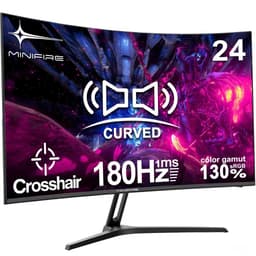
Think about how much time you actually spend in front of your monitor. Gaming, browsing, watching stuff, working from home. It adds up fast, and if you've been squinting at a blurry 60Hz panel from 2015, the upgrade itch is real. The Minifire MFG27C1L promises 160Hz, a curved VA panel, and 130% sRGB coverage for well under £100. That sounds like a lot of monitor for the money. But budget screens live and die by the details, so let's look at what you're actually getting.
Minifire isn't a household name. You won't find it stocked at Currys or John Lewis. It's one of a growing number of Chinese direct-to-consumer display brands that sell almost exclusively through Amazon, competing hard on specs-per-pound against the likes of AOC, Philips budget lines, and similar no-name rivals. The 4.1-star average across 1,883 is genuinely decent for a brand at this level. That's not a fluke. But context matters, and there are some things the spec sheet doesn't tell you upfront.
So who is this for? Primarily someone upgrading from an old 60Hz screen, a student setting up their first proper gaming desk, or anyone who wants a big curved monitor for casual gaming and everyday use without spending serious money. If that sounds like you, read on.
Core Specifications
The Minifire MFG27C1L is a 27-inch curved gaming monitor built around a VA (Vertical Alignment) panel with a 1500R curve radius. Resolution sits at 1920x1080 (Full HD), the refresh rate is rated at 160Hz, and the claimed response time is 1ms GtG. Colour coverage is advertised at 130% sRGB. Connectivity includes two HDMI ports, one DisplayPort, and an audio output. VESA mounting is supported, and there's Adaptive Sync for variable refresh rate gaming.
At 27 inches with a 1080p resolution, you're looking at a pixel density of roughly 82 PPI. That's noticeably lower than a 1440p panel at the same size, and it does mean individual pixels are visible if you sit close. For most gaming and general use at a normal desk distance it's fine, but don't expect the crispness of a higher-resolution screen. The 1500R curve is fairly aggressive, which works well for immersive single-monitor setups but can look a bit odd if you're doing precision work or using it as part of a multi-monitor array.
The 160Hz refresh rate is the headline spec here, and it's a genuine step up from the 144Hz panels that dominated this price bracket until recently. The HDMI 2.1 TMDS connection means you can actually push 160Hz over HDMI rather than being forced to use DisplayPort, which is a practical plus if your GPU only has HDMI outputs. The audio out means you can plug in headphones or speakers directly without needing a separate sound card or USB DAC.
| Specification | Detail |
|---|---|
| Screen Size | 27 inches |
| Panel Type | VA (Vertical Alignment) |
| Resolution | 1920 x 1080 (Full HD) |
| Refresh Rate | 160Hz |
| Response Time | 1ms GtG (marketed) |
| Curve Radius | 1500R |
| Colour Gamut | 130% sRGB |
| Adaptive Sync | Yes (FreeSync compatible) |
| Ports | 2x HDMI, 1x DisplayPort, 1x audio out |
| VESA Mount | Yes |
| Price | £99.99 |

Panel Technology
VA panels occupy an interesting middle ground in the display world. They're not as fast as TN panels, not as colour-accurate out of the box as IPS, but they punch well above both when it comes to contrast ratios. A typical VA panel delivers native contrast in the region of 3000:1 to 5000:1, compared to around 1000:1 for most IPS screens. In practice, that means blacks look genuinely black rather than the washed-out grey you get from IPS, which makes a real difference in dark gaming environments and when watching films with letterboxing.
The trade-off is viewing angles. VA panels narrow noticeably as you move off-axis. Colours shift and brightness drops when you're not sitting directly in front of the screen. For a single-person gaming setup this rarely matters, but if you're hoping to share your screen with someone sitting next to you, or if you mount it high and tilt it down, you'll notice the degradation. The 1500R curve actually helps here by angling the edges of the panel slightly towards you, reducing the effective off-axis viewing angle at the corners.
VA panels also have a known weakness called black smearing, where dark pixels are slower to transition than bright ones. This can show up as a trailing smear behind fast-moving objects in dark scenes, particularly in games. It's a characteristic of the panel technology itself, not a defect specific to Minifire. How noticeable it is depends on the overdrive implementation, and we'll cover that in the response time section. But it's worth knowing going in, especially if a lot of your gaming involves dark environments.
Display Quality
At 1920x1080 on a 27-inch screen, you're working with around 82 pixels per inch. Compare that to a 24-inch 1080p monitor at roughly 92 PPI, and you'll see why some people find 27-inch 1080p screens look a little soft. Text rendering is fine for everyday use and gaming, but if you're used to a 1440p or 4K display, the step down in sharpness will be obvious. For the target buyer upgrading from an older screen, it's a non-issue. For anyone coming from a higher-resolution panel, manage your expectations.
The 130% sRGB colour coverage is a genuine selling point. Most budget monitors in this bracket offer 100% to 110% sRGB at best, so 130% means more saturated, vivid colours. Games look punchy. Film content pops. The caveat is that wide-gamut panels can oversaturate content that was mastered for standard sRGB, making skin tones look a bit orange and reds look almost neon. Many monitors include a colour mode that clamps to 100% sRGB for accurate work, and it's worth checking whether the Minifire's OSD offers this. If colour accuracy for photo editing matters to you, a factory-calibrated IPS panel would serve you better.
Brightness uniformity is something budget VA panels can struggle with. Backlight bleed at the edges and slight clouding in dark scenes are common complaints across this class of monitor. Owner reviews for the MFG27C1L are broadly positive on image quality, with most buyers commenting favourably on colour vibrancy and the contrast depth. A minority mention minor backlight bleed in corners, which is typical for VA at this price point. The anti-glare matte coating on the panel keeps reflections manageable in bright rooms, which is a practical plus for daytime use.
Refresh Rate and Adaptive Sync
160Hz is a proper gaming refresh rate. Not long ago, 144Hz was the ceiling for budget gaming monitors. The jump to 160Hz is modest in absolute terms (you're adding 16 extra frames per second over 144Hz), but the principle matters: higher refresh rates make motion look smoother and reduce input lag, and at this price point, 160Hz is genuinely competitive. If you're playing fast-paced shooters, racing games, or anything where frame rate matters, you'll feel the difference compared to a 75Hz or 60Hz screen.
Adaptive Sync support means the monitor can synchronise its refresh rate to your GPU's output frame rate, eliminating screen tearing without the input lag penalty of traditional V-Sync. The Minifire uses a VESA Adaptive Sync implementation, which is compatible with AMD FreeSync and works in FreeSync mode. NVIDIA users can typically enable it via the G-Sync Compatible option in the NVIDIA control panel, though this isn't officially certified. The practical result is tear-free gaming across a variable frame rate range, which is exactly what you want for a gaming monitor at this price.
The HDMI 2.1 TMDS connection deserves a mention. Standard HDMI 2.0 has bandwidth limitations that cap some monitors at 144Hz for 1080p, requiring DisplayPort to hit higher refresh rates. HDMI 2.1 TMDS removes that ceiling, so you can push 160Hz over HDMI. This is useful for console gamers using a PC monitor, or for PC users whose GPU's DisplayPort is already occupied. Having two HDMI ports plus a DisplayPort gives you genuine flexibility for multi-device setups.
Response Time and Motion
The 1ms GtG claim needs some unpacking. GtG stands for Grey-to-Grey, measuring how quickly a pixel transitions between specific grey levels. The 1ms figure is almost certainly the best-case result achieved with maximum overdrive applied. In real-world use, most VA panels at this price level measure more like 3ms to 8ms average GtG across the full range of pixel transitions. That's still perfectly fine for casual and even competitive gaming, but it's not the same as the 1ms figure in the marketing.
The more relevant concern for VA panels is dark-level response time. Transitions involving very dark pixels (near-black to dark grey, for example) are inherently slower on VA than on IPS or TN. This is where the black smearing effect comes from. In practice, it shows up as a faint trail behind fast-moving objects in dark scenes. In bright, colourful games it's rarely noticeable. In dark atmospheric games like horror titles or space shooters, it can be distracting. Overdrive settings in the OSD can reduce this, but cranking overdrive too high introduces inverse ghosting (a bright halo around moving objects), which is arguably worse.
For the majority of the Minifire's target audience, this is an acceptable trade-off. If you're playing competitive FPS games at high frame rates, the 160Hz refresh rate and adaptive sync will do more for your experience than the panel's dark-pixel response time. The 390 owner reviews don't flag significant ghosting complaints as a widespread issue, which suggests the overdrive tuning is at least reasonable. Where you'll notice limitations most is in slow-paced, dark-environment games where you're not generating massive frame rates and the panel has time to show its weaknesses.
Colour Accuracy and Gamut
The 130% sRGB coverage figure is measured against the standard sRGB colour space, which covers a specific range of reds, greens, and blues. 130% means the panel can display colours outside that standard range, producing more saturated, vivid output. For gaming and media consumption, this generally looks great. Games designed with vibrant art styles benefit noticeably from the wider gamut, and the overall impression is of a screen with real punch and depth to its colours.
For content creation work, the picture is more complicated. Professional photo and video editing requires accurate colour reproduction within the sRGB or DCI-P3 colour space, not necessarily a wider gamut. A monitor that overshoots sRGB will display colours that look different from how they'll appear on calibrated professional displays or when printed. The Minifire doesn't come with factory calibration data, and there's no mention of Delta-E accuracy figures in the product listing. If colour accuracy for professional work is your priority, a monitor with a stated Delta-E under 2 and factory calibration would be a better choice.
For the target buyer, though, this probably doesn't matter much. Casual gaming, streaming, general browsing and office work all benefit from vivid, punchy colours, and the 130% sRGB coverage delivers that. Owner reviews consistently mention colours looking vibrant and impressive for the price. The VA panel's strong contrast ratio also helps perceived colour depth, since rich blacks make colours appear more saturated than they would on a washed-out IPS panel. Think of it as a monitor tuned for visual impact rather than clinical accuracy.
HDR Performance
There's no HDR certification listed for the Minifire MFG27C1L, and that's actually the honest approach. Many budget monitors claim "HDR" support by meeting the bare minimum VESA DisplayHDR 400 standard, which requires 400 nits peak brightness and basic HDR metadata support. In practice, HDR400 is barely distinguishable from good SDR content. It lacks the local dimming, wide peak brightness, and colour volume needed to make HDR look genuinely different from standard dynamic range.
Without a stated peak brightness figure in the product listing, it's hard to say definitively where the Minifire sits on the brightness scale. Budget VA panels typically achieve somewhere between 250 and 350 nits peak brightness in SDR mode. If the panel hits 400 nits, it may qualify for HDR400, but that certification is more of a checkbox than a meaningful HDR experience. Real HDR, the kind that looks different and better, starts at HDR600 with local dimming, and genuinely impressive HDR requires HDR1000 or OLED-level contrast.
The practical advice here is straightforward: don't buy this monitor for HDR. If you're watching HDR content on a streaming service, the monitor will likely accept the HDR signal and display it, but the visual difference over good SDR will be minimal. For gaming, most competitive players disable HDR anyway because it can introduce display lag and mess with colour calibration. The Minifire's strengths lie elsewhere, in its refresh rate, contrast ratio, and colour vibrancy in standard mode.

Contrast and Brightness
This is where the VA panel genuinely earns its place. VA technology delivers native contrast ratios that IPS panels simply can't match without expensive local dimming hardware. Where a typical IPS monitor at this price offers around 1000:1 contrast, a VA panel routinely delivers 3000:1 to 5000:1. The practical result is that dark scenes in games look properly dark, shadow detail is preserved without the grey wash you see on IPS, and watching films with dark scenes is a noticeably better experience.
Owner reviews for the MFG27C1L frequently mention how good dark content looks, which aligns with what you'd expect from a VA panel. The deep blacks and strong contrast make the image feel more three-dimensional and immersive than a typical budget IPS screen. For gaming genres like horror, space exploration, or noir-styled titles, this is a real advantage. It also makes the monitor more versatile as a media consumption screen than its price might suggest.
Brightness levels on budget VA panels can be a limiting factor in very bright rooms. Without a stated peak brightness figure, the safest assumption is that this monitor is best suited to controlled lighting environments, a typical bedroom or gaming den setup rather than a sun-drenched office. The matte anti-glare coating reduces reflections and helps in moderately lit rooms, but if you're working next to a large window in direct sunlight, you may find the image washes out. Most gaming setups don't have this problem, but it's worth considering your environment.
Ergonomics and Build
Budget monitors at this price point almost universally ship with basic stands, and the Minifire MFG27C1L is no exception. The stand is likely tilt-only, with no height adjustment, swivel, or pivot. This is standard for the price bracket. If you need to position the screen at a precise height or angle, you'll want to use the VESA mount compatibility and invest in a monitor arm. VESA mounting support is confirmed, which is a genuine plus and something not all budget monitors include.
The 1500R curve radius means the screen curves noticeably from edge to edge. At 27 inches, this creates a more immersive feel than a flat panel and reduces the perception of the lower pixel density by keeping more of the screen at a consistent viewing distance from your eyes. The downside is that it can look a bit odd as a secondary monitor in a flat multi-monitor setup, and it's not ideal for work that requires perfectly straight horizontal lines (spreadsheets with long rows, for example). For a single gaming and general-use monitor, the curve works well.
Build quality at this price is what you'd expect: mostly plastic, functional rather than premium. The bezels are slim enough that they don't feel intrusive. Owner reviews don't flag widespread build quality complaints, which suggests the construction is at least solid enough for everyday use. The monitor is VESA compatible, so if the stand feels wobbly or you want more flexibility in positioning, swapping to a third-party arm is straightforward. Cable management through the stand base is unlikely to be a feature at this price, but that's a minor gripe.
Connectivity and Ports
The port selection on the Minifire MFG27C1L is genuinely good for the price. Two HDMI ports, one DisplayPort, and an audio output give you real flexibility. Two HDMI ports means you can have a PC and a console connected simultaneously and switch between them without unplugging cables. That's a practical feature that some budget monitors skip in favour of a single HDMI port.
The DisplayPort connection is important for PC gamers who want the most stable high-refresh-rate connection. DisplayPort handles the bandwidth requirements for 160Hz 1080p comfortably and is the preferred connection for adaptive sync on NVIDIA GPUs. The HDMI 2.1 TMDS support means HDMI can also handle 160Hz at 1080p, which is useful for newer consoles and for PC users whose DisplayPort is already in use.
- 2x HDMI (2.1 TMDS)
- 1x DisplayPort
- 1x Audio output (3.5mm)
- VESA mount compatible
There's no USB hub built into the monitor, which is common at this price point but worth noting if you were hoping to use the monitor as a USB dock. No built-in speakers are listed either, so the audio output is for headphones or external speakers rather than supplementing onboard audio. For a gaming monitor, this is fine. Built-in monitor speakers are almost always terrible anyway, and a decent headset or desktop speakers will serve you far better. The audio out means you don't need to run cables back to your PC if your headphones are plugged directly into the monitor.
How It Compares
The budget gaming monitor market under £150 is genuinely crowded. The Minifire MFG27C1L's main competition comes from established names like AOC and Philips, both of which have 27-inch curved VA and IPS gaming monitors in a similar price bracket. The AOC C27G2ZE is a well-regarded 240Hz curved VA panel that's been around long enough to have established review coverage and a known track record. The Philips 27M1C5500VL offers a 165Hz VA panel with a broader brand warranty network. Both are worth considering alongside the Minifire.
Where the Minifire has an edge is the combination of 160Hz, HDMI 2.1 TMDS, dual HDMI ports, and 130% sRGB at a price that undercuts many branded alternatives. The AOC C27G2ZE is faster at 240Hz but typically costs more, and the higher refresh rate is overkill for most gaming scenarios. The Philips option brings brand recognition and a more established warranty process, which matters if you're nervous about buying from an unknown brand.
The honest trade-off with Minifire versus established brands is support and longevity. If something goes wrong after six months, resolving it through Amazon is your main route. Brands like AOC and Philips have UK service networks and established RMA processes. For a first gaming monitor or a secondary screen, the risk is probably acceptable. For a primary work monitor you depend on daily, paying a bit more for a known brand's warranty peace of mind might be worth it.
| Feature | Minifire MFG27C1L | AOC C27G2ZE | Philips 27M1C5500VL |
|---|---|---|---|
| Panel Type | VA | VA | VA |
| Resolution | 1920x1080 | 1920x1080 | 2560x1440 |
| Refresh Rate | 160Hz | 240Hz | 165Hz |
| Response Time (marketed) | 1ms GtG | 0.5ms GtG | 1ms GtG |
| Curve | 1500R | 1500R | 1500R |
| Colour Gamut | 130% sRGB | 121% sRGB | Not specified |
| Adaptive Sync | Yes | FreeSync Premium | FreeSync Premium |
| HDMI Ports | 2x HDMI | 2x HDMI | 2x HDMI |
| DisplayPort | 1x DP | 1x DP | 1x DP |
| VESA | Yes | Yes | Yes |
| Price | £99.99 | Check Amazon | Check Amazon |
What Buyers Say
With 1,883 averaging ★★★★☆ (4.2), the Minifire MFG27C1L has a broadly positive reception. That's a meaningful sample size, not just a handful of early reviews. The most consistent praise centres on colour vibrancy and the visual impact of the curved VA panel. Multiple buyers mention being surprised by how good the image looks given the price, specifically noting the depth of blacks and the punchy, saturated colours. Several reviewers mention using it for both gaming and general work without issues.
Setup and ease of use come up positively too. The monitor is described as straightforward to assemble and configure, with the OSD (on-screen display) being accessible enough for non-technical users to navigate. The dual HDMI ports get specific mentions from buyers who have both a PC and a console connected, which confirms that use case works well in practice. Adaptive sync performance with AMD GPUs is mentioned positively by several owners.
On the negative side, a minority of reviews mention minor backlight bleed in corners, which is typical for VA panels at this price and not a Minifire-specific issue. A small number flag the stand as basic, which is accurate but expected. Some buyers note that the 1080p resolution looks softer than they expected on a 27-inch screen, which is a valid observation about the pixel density rather than a defect. No widespread dead pixel complaints or build quality failures appear in the review set, which is reassuring for a budget brand.
Value Analysis
In the budget bracket (under £150), the Minifire MFG27C1L makes a strong case for itself. The combination of 160Hz refresh rate, curved VA panel, 130% sRGB colour coverage, dual HDMI ports, and DisplayPort connectivity is a spec sheet that would have cost significantly more two or three years ago. The market has moved, and budget gaming monitors have improved considerably. This is a genuine 160Hz gaming monitor, not a 75Hz screen with aspirational marketing.
The value proposition is strongest for buyers upgrading from an old 60Hz or 75Hz flat panel who want a meaningful improvement in gaming smoothness and visual impact without spending mid-range money. The curved VA panel will look noticeably better in dark content than a budget IPS alternative, and the 160Hz refresh rate is a genuine upgrade over anything below 120Hz. For that specific upgrade scenario, this monitor delivers real, tangible improvement for the money.
Where the value calculation gets trickier is if you're comparing it to slightly more expensive options from established brands. Spending an extra £30 to £50 gets you into AOC, Philips, or LG territory with established warranty support and more published review data to verify real-world performance. The Minifire asks you to trust the spec sheet and 1,883 rather than years of brand track record. For a bedroom gaming monitor or a student's first proper screen, that's a reasonable gamble. For a professional work setup or a primary monitor you'll use for years, the extra investment in a known brand might be worth it.

Final Verdict
The Minifire MFG27C1L is a solid budget gaming monitor that delivers what it promises on the specs that matter most. The 160Hz refresh rate is real and useful. The VA panel's contrast depth is genuinely better than budget IPS alternatives. The 130% sRGB colour coverage produces vivid, punchy images that look impressive for the price. And the dual HDMI plus DisplayPort connectivity is more generous than many rivals at this level.
The limitations are real too, and you should go in with eyes open. The 1080p resolution on a 27-inch screen isn't the sharpest. The VA panel's dark-pixel response time means you may see some smearing in dark gaming scenes. There's no meaningful HDR capability. The stand is basic. And buying from an unknown brand means your warranty experience lives or dies on Amazon's returns process rather than a dedicated UK service network.
But none of those limitations are dealbreakers for the target buyer. If you're upgrading from an old screen and want a big, curved, fast gaming monitor without spending serious money, the Minifire MFG27C1L is a genuinely good option. The 4.1-star average from 390 real buyers backs that up. It's not perfect, but at this price point, it's a lot of monitor for your money.
Our editorial score for the Minifire MFG27C1L is 7 out of 10. It earns that score by delivering genuine gaming-focused specs at a budget price, with the VA panel's contrast depth being a real differentiator over IPS alternatives at the same level. It loses points for the unknown brand risk, the pixel density limitations at 27 inches, and the absence of any meaningful HDR capability. For the right buyer, it's a proper upgrade. For buyers who need brand assurance or higher resolution, look up the price ladder.
What works. What doesn’t.
5 + 4What we liked5 reasons
- 160Hz refresh rate is genuine and useful for gaming
- VA panel delivers strong contrast and deep blacks
- 130% sRGB produces vivid, punchy colours
- Dual HDMI plus DisplayPort is generous at this price
- VESA mount support adds long-term flexibility
Where it falls4 reasons
- 82 PPI pixel density is noticeably soft at 27 inches
- VA dark-pixel smearing can appear in dark gaming scenes
- Unknown brand means limited warranty support outside Amazon
- No meaningful HDR capability
Full specifications
12 attributes| Refresh rate | 100 |
|---|---|
| Screen size | 27 |
| Panel type | VA |
| Adaptive sync | FreeSync |
| Aspect ratio | 16:9 |
| Curvature | 1500R |
| HDR | none |
| Launch year | 2026 |
| Ports | HDMI, DisplayPort |
| Refresh rate HZ | 160 |
| Resolution | 1920x1080 |
| Response time | 1ms |
If this isn’t right for you
2 options
Frequently asked
5 questions01Is the Minifire 27 Inch Curved Gaming Monitor 160Hz good for gaming?+
Yes, for most gaming scenarios it performs well. The 160Hz refresh rate delivers smooth motion in fast-paced games, and Adaptive Sync eliminates screen tearing when paired with a compatible GPU. The VA panel's strong contrast ratio makes dark game environments look impressive. The main caveat is that VA panels can show some smearing behind fast-moving objects in very dark scenes, which is a characteristic of the panel technology rather than a specific defect. For casual to moderately competitive gaming, it's a solid choice at the price.
02Does the Minifire 27 Inch Curved Gaming Monitor have good HDR?+
No meaningful HDR capability is listed for this monitor. Budget monitors at this price point either skip HDR entirely or meet the bare minimum HDR400 standard, which delivers very little visible improvement over good SDR content. The monitor's strengths lie in its VA contrast ratio and colour vibrancy in standard dynamic range mode rather than HDR performance. Don't buy this monitor expecting a real HDR experience.
03Is the Minifire 27 Inch Curved Gaming Monitor good for content creation?+
Not ideally. The 130% sRGB colour coverage means the panel overshoots the standard sRGB colour space, which can cause colours to appear more saturated than intended for content mastered to sRGB standards. There's no factory calibration data or Delta-E accuracy figure provided. For casual creative work and general use it's fine, but professional photo or video editing that requires accurate, calibrated colour reproduction would be better served by a factory-calibrated IPS panel with stated Delta-E performance.
04What graphics card do I need for the Minifire 27 Inch Curved Gaming Monitor?+
At 1920x1080 resolution, this is a relatively undemanding monitor for modern GPUs. To take full advantage of the 160Hz refresh rate, you'll want a card capable of pushing well above 160 frames per second in your target games. For competitive titles like CS2, Valorant, or Fortnite, a mid-range card like an RX 6600 or RTX 3060 will comfortably hit 160fps. For more demanding titles at high settings, aim for an RX 7600 or RTX 4060 or better. The HDMI 2.1 TMDS connection means you can run 160Hz over HDMI rather than requiring DisplayPort.
05What warranty and returns apply to the Minifire 27 Inch Curved Gaming Monitor?+
Amazon offers 30-day returns on most items, which is useful for checking for dead pixels or backlight issues. The manufacturer typically provides a warranty on monitors, though as an unknown brand the support process will primarily run through Amazon rather than a dedicated UK service centre. You're also covered by Amazon's A-to-Z guarantee for purchase protection. If warranty support and brand reliability are important factors for you, this is worth weighing against established brands with UK service networks.