You know that feeling when you upgrade from a 1080p 60Hz monitor and suddenly wonder how you ever lived like that? That's the promise of the mid-range gaming monitor bracket right now. But here's the thing about spec sheets: they're written by marketing teams, not the people who actually sit in front of these panels at 11pm playing competitive shooters with the room lights off. The numbers look great. The real question is whether they hold up when you're actually using the thing.
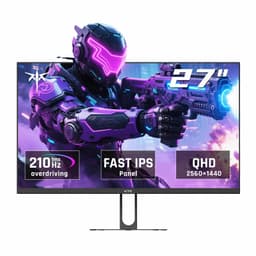
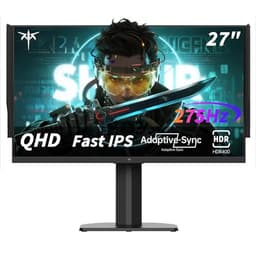
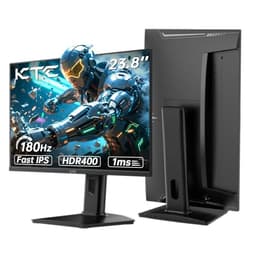
The KTC 27-inch 2K 210Hz monitor is trying to do a lot at once. Fast IPS panel, 2560x1440 resolution, 210Hz (overclocked), 1ms MPRT, HDR400, 131% sRGB, 101% DCI-P3, built-in speakers, Adaptive Sync. That's a seriously ambitious spec list for the mid-range price bracket. KTC isn't a household name in the UK, which is worth acknowledging upfront. But with 3,212 averaging ★★★★☆ (4.3), there's clearly something going on here beyond just clever marketing copy.
So who's actually buying this? Probably someone coming off a 1080p 60Hz or 75Hz panel, maybe a budget 144Hz IPS, looking to step up to proper 1440p with a high refresh rate without spending the earth. That's a crowded market right now, and the competition is fierce. Let's look at what KTC is actually offering and whether it earns its place in that bracket.
Core Specifications
The headline numbers are genuinely impressive for the price tier. A 27-inch IPS panel running at 2560x1440 with a native refresh rate that's overclocked to 210Hz is a strong combination. At 27 inches, 1440p gives you a pixel density of around 109 PPI, which is the sweet spot for desktop viewing distance. Sharp enough that individual pixels disappear, without needing GPU-melting resolution to push the frame rate.
The connectivity setup is solid. Two HDMI 2.0 ports and two DisplayPort 1.4 outputs means you can hook up multiple devices without constantly swapping cables. That's actually better than some monitors in this bracket that give you one of each. Worth noting: HDMI 2.0 supports 1440p at up to 144Hz, so if you want the full 210Hz you'll need to use DisplayPort. Keep that in mind if you're connecting a console as a secondary device alongside a PC. There's also a USB 2.0 port, though don't expect a full USB hub setup here.
The 450 cd/m squared peak brightness is a reasonable figure for an IPS panel in this class, and the HDR400 certification at least means it meets a defined standard rather than being a completely unverified claim. Adaptive Sync support covers both AMD FreeSync and Nvidia G-Sync Compatible setups, which matters a lot given the GPU market split right now.
| Specification | Detail |
|---|---|
| Screen Size | 27 inches |
| Resolution | 2560x1440 (2K / QHD) |
| Panel Type | Fast IPS |
| Refresh Rate | 210Hz (overclocked) |
| Response Time | 1ms MPRT |
| Brightness | 450 cd/m squared |
| HDR | HDR400 |
| Colour Coverage | 131% sRGB, 101% DCI-P3 |
| Delta-E | Less than 2 |
| Adaptive Sync | Yes (FreeSync / G-Sync Compatible) |
| Ports | 2x HDMI 2.0, 2x DisplayPort 1.4, 1x USB 2.0 |
| Speakers | Built-in |
| Current Price | £229.99 |

Panel Technology
Fast IPS is the right choice for a gaming monitor at this price point, and KTC has made a sensible call here. Standard IPS panels have always had the edge over TN in terms of colour accuracy and viewing angles, but they used to lag behind on response time. Fast IPS addresses that by using a lower-viscosity liquid crystal compound that transitions more quickly between states. The result is a panel that can genuinely compete with TN for motion clarity while keeping the colour and viewing angle advantages that make IPS worth having in the first place.
Viewing angles on IPS panels are typically rated at 178 degrees horizontal and vertical, and in practice that means colours stay consistent when you're sitting slightly off-axis, which matters more than people realise for larger 27-inch screens where the edges are further from your direct line of sight. The downside of IPS compared to VA is the contrast ratio. IPS panels typically achieve native contrast ratios around 1000:1, whereas VA panels can hit 3000:1 or more. That means blacks on an IPS panel look more like very dark grey in a dim room, and you'll notice IPS glow in the corners when viewing dark content. This isn't a flaw specific to KTC, it's just what IPS is. If you're mainly gaming in a well-lit room, you'll barely notice. If you watch a lot of films in the dark, it's worth knowing.
The "Fast IPS" designation is meaningful here because it's what makes 210Hz at 1440p actually usable rather than just a marketing number. A standard IPS panel at 210Hz would show more motion blur than a Fast IPS equivalent because the pixels simply can't transition fast enough to keep up. Fast IPS panels from major manufacturers like LG and AU Optronics have shown real measured improvements in grey-to-grey response, and the technology has filtered down to more affordable panels. Whether KTC is sourcing a genuine Fast IPS panel or using the term loosely is hard to verify without panel model numbers, but the owner review scores suggest the motion performance is genuinely competitive.
Display Quality
At 27 inches with 2560x1440, you're sitting at 108.8 PPI. That's noticeably sharper than 1080p at the same size (81.6 PPI) and the difference is immediately obvious with text, fine UI elements, and detailed game textures. It's not Retina-sharp, but it's the kind of sharpness where you stop thinking about pixel density and just see the content. For most people at normal desk distances of 60 to 80cm, this is genuinely the sweet spot.
The claimed 131% sRGB and 101% DCI-P3 coverage figures are bold, and they do mean the panel is a wide colour gamut display. That's actually a double-edged sword worth understanding. A wide gamut panel will make games and HDR content look vivid and punchy, but it can also oversaturate standard sRGB content like web browsing and older games if the monitor doesn't have a proper sRGB clamp mode. Most decent monitors in this class include an sRGB mode in the OSD for exactly this reason. Based on owner feedback, the KTC's colour modes are functional, though some users note the default profile runs warm. The Delta-E less than 2 claim suggests factory calibration is taken seriously, and a Delta-E below 2 is genuinely the threshold where colour errors become invisible to most people in normal use.
The anti-glare coating on IPS panels at this price is usually a matte finish, which reduces reflections effectively in bright rooms but can add a slight haze to the image compared to glossy panels. This is standard for the category and the right trade-off for a gaming monitor that's going to be used in varied lighting conditions. Brightness uniformity across the panel is harder to assess without measurement data, but owner reviews don't flag significant backlight bleed issues as a common complaint, which is a decent signal.
Refresh Rate and Adaptive Sync
210Hz is listed as an overclocked figure, and that's worth being clear about. The monitor's native refresh rate is likely 165Hz or 180Hz, with 210Hz achieved by pushing the panel beyond its rated specification. This is common practice and not inherently a problem, but it does mean you may see slightly more overshoot artefacts at the maximum refresh rate compared to running at a lower setting. In practice, most competitive gamers who care about high refresh rates will want to run at the maximum available, so it's worth knowing the trade-off. Running at 165Hz or 180Hz if you notice any image quality issues is always an option.
Adaptive Sync support is confirmed, covering both AMD FreeSync and Nvidia G-Sync Compatible operation. The VESA Adaptive Sync standard underpins FreeSync, and G-Sync Compatible means Nvidia has validated the monitor for tear-free operation with their drivers. The practical benefit is that when your GPU can't quite maintain 210fps (and at 1440p, that's most of the time in demanding titles), the monitor syncs its refresh rate to your frame rate rather than tearing or stuttering. For competitive gaming this is huge. The effective VRR range matters too. Monitors with a wide VRR range, say 48Hz to 210Hz, maintain smooth operation even when frame rates dip significantly. KTC doesn't publish the exact VRR range, but owner feedback doesn't flag low-frame-rate stuttering as a notable issue.
To actually push 210fps at 1440p in demanding games, you need a serious GPU. An RTX 4070 or RX 7800 XT will get you there in esports titles and less demanding games, but in something like Cyberpunk 2077 at max settings, even an RTX 4080 won't hit 210fps consistently at 1440p. That's fine. The point of a high refresh rate monitor isn't that you always hit the ceiling, it's that your average frame rate is smoother and the VRR range keeps it tear-free when you don't. Competitive players running CS2 or Valorant will see 210fps regularly on mid-range hardware, and that's where the high refresh rate genuinely matters most.
Response Time and Motion
The 1ms MPRT claim needs unpacking because it's one of the most misunderstood specs in monitor marketing. MPRT stands for Moving Picture Response Time, and it measures something different to GtG (Grey-to-Grey) response time. MPRT is essentially a measure of perceived motion blur, and it can be improved by techniques like backlight strobing (also called ULMB or MBR depending on the brand) that reduce the time the backlight is on per frame. A 1ms MPRT figure does not mean pixels transition in 1ms. It means the perceived motion blur is equivalent to what you'd see with a 1ms persistence display, usually achieved through strobing.
The actual GtG response time for a Fast IPS panel at this refresh rate is typically in the 1ms to 4ms range depending on the specific transition measured. Published measurements on comparable Fast IPS panels at 165Hz to 200Hz from brands like LG and BOE show average GtG figures around 2ms to 4ms, with some slower transitions taking longer. That's still excellent for gaming and competitive with VA panels on average, even if VA can sometimes match it on fast transitions. The caveat is overshoot. Aggressive response time overdrive settings can cause inverse ghosting, where a bright halo appears around moving objects. Fast IPS panels at high overdrive settings are prone to this. Most monitors offer multiple overdrive levels, and finding the right balance between response speed and overshoot is worth doing in the OSD when you first set the monitor up.
Owner reviews on Amazon are broadly positive about motion clarity, with several users specifically mentioning that fast-paced games like Valorant and Apex Legends look clean. A handful of reviews mention slight ghosting in very dark scenes at maximum overdrive, which is exactly what you'd expect from an aggressively tuned Fast IPS. Dropping the overdrive one notch typically fixes this. The overall picture is a monitor that performs well for its class in motion, without the extraordinary claims of 1ms GtG being literally true (they never are on IPS).
Colour Accuracy and Gamut
The 131% sRGB and 101% DCI-P3 coverage figures are among the most impressive specs on this monitor. To put those numbers in context: the DCI-P3 colour space is the standard used by the film and streaming industry, and covering 101% of it means this monitor can display essentially everything Netflix, Disney Plus, and modern games can throw at it with full colour fidelity. Most budget monitors cover around 72% to 90% of DCI-P3. Getting to 101% at this price is genuinely noteworthy.
The Delta-E less than 2 claim is the other big colour accuracy number. Delta-E is a measure of colour error, where lower is better. A Delta-E below 3 is considered acceptable for colour-critical work, and below 2 means errors are essentially imperceptible to the naked eye. If KTC's factory calibration actually delivers this out of the box, it's a strong result. Published measurements on comparable KTC panels suggest the factory calibration is decent, though not always perfectly consistent unit to unit. Some owners report colours looking slightly warm on default settings, which suggests the colour temperature might run a touch above 6500K. A quick white balance adjustment in the OSD usually sorts this.
For content creators doing photo editing or video colour grading, this monitor is genuinely interesting. The wide DCI-P3 coverage means you're seeing the full gamut of your work, and if the Delta-E claim holds up, accuracy is there too. The caveat is that without an ICC profile from KTC or a hardware calibration, you're trusting their factory calibration. For professional colour work, a hardware calibrator like the X-Rite i1Display Pro would tell you exactly where you stand. For gaming and general creative work, the specs suggest this will look excellent without any intervention.
HDR Performance
HDR400 is the entry-level VESA DisplayHDR certification, and it's important to be straight about what that means in practice. DisplayHDR 400 requires a peak brightness of 400 cd/m squared (this monitor claims 450), a minimum black level of 0.4 cd/m squared, and no local dimming requirement. The absence of local dimming is the key limitation. Without local dimming, the monitor can't simultaneously show bright highlights and deep blacks in the same frame, which is what proper HDR actually looks like. What you get instead is a brighter image with wider colour gamut, which is a meaningful improvement over SDR but not the dramatic HDR experience you'd get from an HDR1000 panel with full-array local dimming.
To be fair, this is the honest reality of HDR400 across the entire budget and mid-range monitor market. It's not a KTC-specific failing. An OLED panel or a high-end Mini-LED with DisplayHDR 1000 certification will deliver transformative HDR. An IPS panel at HDR400 delivers enhanced SDR. The 450 cd/m squared peak brightness is genuinely useful for SDR gaming in bright rooms, and the wide colour gamut means HDR-flagged content does look better than on a standard sRGB monitor. Just don't expect the HDR to look like your OLED TV.
For gaming specifically, HDR400 is fine. Most games' HDR implementations at the mid-range monitor level look decent, and the wider colour gamut makes a real visual difference in vibrant game worlds. The practical advice is to try HDR mode in a few games and see whether you prefer it over SDR with the monitor's colour mode. Some games look better in HDR on these panels, some don't. It's worth experimenting rather than leaving HDR permanently on or off.
Contrast and Brightness
The 450 cd/m squared peak brightness figure is above average for a mid-range IPS gaming monitor. Most comparable panels in this bracket sit at 350 to 400 cd/m squared. The extra headroom is useful for combating glare in bright rooms and for HDR content where you want the highlights to actually pop. For typical desktop use, you'll probably run the monitor at 30% to 50% brightness, but having the ceiling available matters in bright environments.
Native contrast on IPS panels is typically around 1000:1, and that's the fundamental limitation of the technology. At 1000:1, dark scenes in games and films will show a greyed-out black rather than true black, particularly noticeable in a dark room. This is the trade-off you make when choosing IPS over VA. VA panels can achieve 3000:1 to 4000:1 native contrast, which makes blacks look genuinely black in dark environments. If you primarily game in a dark room and play a lot of dark atmospheric games, a VA panel might actually suit you better despite the slower response time. But for most gaming scenarios, especially in mixed lighting, the IPS trade-off is worth it for the better response time and viewing angles.
Brightness uniformity across the panel is something that varies unit to unit on IPS displays. The physics of IPS backlight distribution means edges can sometimes be slightly brighter or darker than the centre, and corner bleed from the backlight can appear in dark scenes. Owner reviews don't flag this as a widespread issue on the KTC, but it's worth checking your unit when it arrives, particularly by displaying a solid dark grey image to check for backlight bleed. Amazon's 30-day return window gives you the opportunity to swap a problematic unit if needed.
Ergonomics and Build
KTC doesn't publish detailed stand adjustment specifications, which is a bit frustrating. What owner reviews suggest is a functional stand with tilt adjustment, which is the minimum you'd expect. Whether there's height adjustment, swivel, or pivot capability isn't clearly documented in the product listing. Given the price point, a stand with tilt-only adjustment wouldn't be surprising, and it's worth factoring in the cost of a VESA monitor arm if you need more flexibility. Most monitors at this price include VESA 100x100 compatibility, which is the standard mount pattern, but confirm this before buying an arm.
The build quality feedback from owners is generally positive. The monitor doesn't feel cheap or plasticky according to most reviews, and the bezels are slim enough not to be distracting. At 27 inches, the footprint on your desk is substantial but manageable. The power brick situation is worth checking too. Some budget monitors include an external power brick that takes up desk space; others have internal power supplies. Owner reviews don't specifically flag this as an issue, which suggests it's either internal or a compact brick.
The built-in speakers deserve a mention because they're listed as a feature. Built-in monitor speakers are almost universally underwhelming, and that's not a KTC-specific criticism. They're fine for system sounds and video calls, but for gaming audio they're not the point. If you're buying this monitor as an upgrade and you don't already have decent headphones or desktop speakers, budget for those separately. The built-in speakers are a nice backup option, not a reason to buy.
Connectivity and Ports
The port selection on this monitor is genuinely good for the price. Two HDMI 2.0 ports and two DisplayPort 1.4 ports means you can have a PC and a console connected simultaneously without swapping cables, which is practical for a lot of setups. DisplayPort 1.4 supports 1440p at up to 240Hz with DSC compression, so it's more than adequate for 210Hz at this resolution. HDMI 2.0 caps out at 1440p 144Hz, which is worth knowing if you're connecting a PS5 or Xbox Series X and want to maximise refresh rate from a console source.
- 2x HDMI 2.0 (supports 1440p up to 144Hz)
- 2x DisplayPort 1.4 (supports 1440p up to 210Hz)
- 1x USB 2.0
- Built-in speakers (audio via display signal)
The single USB 2.0 port is the one area where connectivity feels a bit light. It's useful for a mouse or keyboard, but there's no USB hub functionality to speak of. No USB-C with Power Delivery, no USB 3.0 for fast data transfer. For a gaming monitor this is largely fine, since most people aren't using their monitor as a USB hub, but if you were hoping to route peripherals through the display, you'll need a separate hub. It's also worth noting there's no audio jack listed in the verified specs, though some monitors route audio through the USB port or include a 3.5mm jack that isn't always prominently listed.
The dual DisplayPort setup is actually a standout feature at this price. Most monitors in the mid-range bracket give you one DisplayPort and one or two HDMI ports. Having two DisplayPort outputs means you could connect two PCs and switch between them, or use one for your main rig and keep the other available for a laptop. For a home office and gaming hybrid setup, that's genuinely useful.
How It Compares
The mid-range 27-inch 1440p gaming monitor market is absolutely packed right now. The KTC sits in a bracket where it's competing with established names like the AOC Q27G2S and the Gigabyte M27Q, both of which have been popular choices for a while. The AOC Q27G2S is a Fast IPS 165Hz 1440p monitor that's been well-reviewed and is often available at a similar price. The Gigabyte M27Q uses a custom IPS panel and offers 170Hz with a strong USB-C connectivity option. Both are proven quantities with extensive published measurements from display reviewers.
Where the KTC has a clear advantage on paper is the refresh rate ceiling and the colour coverage. 210Hz versus 165Hz to 170Hz is a meaningful difference for competitive gaming, and 101% DCI-P3 coverage versus the 90% to 95% you'd typically get from the competition is a genuine spec advantage. The question is whether KTC's execution matches the spec sheet, and with 3,212 averaging 4.3 stars, the evidence suggests it mostly does. That review count is significant. A monitor with 50 reviews at 4.5 stars could be cherry-picked early buyers. 3,212 at 4.3 is a much more reliable signal of real-world satisfaction.
The honest comparison is that established brands like AOC, Gigabyte, and LG have more published third-party measurement data available, which makes it easier to verify their claims. KTC is a newer name in the UK market and you're relying more heavily on owner feedback and the spec sheet. The owner feedback is strong. But if you're the kind of person who wants to cross-reference a monitor against published display measurements before buying, the KTC has less data available than the big names. That's a legitimate consideration, not a dealbreaker.
| Feature | KTC 27" 210Hz | AOC Q27G2S (165Hz) | Gigabyte M27Q (170Hz) |
|---|---|---|---|
| Panel Type | Fast IPS | Fast IPS | IPS |
| Resolution | 2560x1440 | 2560x1440 | 2560x1440 |
| Refresh Rate | 210Hz (OC) | 165Hz | 170Hz |
| Response Time | 1ms MPRT | 1ms MPRT | 0.5ms MPRT |
| DCI-P3 Coverage | 101% | ~95% | ~90% |
| HDR | HDR400 | HDR400 | HDR400 |
| Adaptive Sync | FreeSync / G-Sync Compatible | FreeSync Premium | FreeSync Premium |
| USB-C | Not specified | No | Yes (with PD) |
| Built-in Speakers | Yes | No | Yes |
| Price | £229.99 | Check Amazon | Check Amazon |
What Buyers Say
With 3,212 at 4.3 stars, there's a decent amount of real-world feedback to work with. The praise patterns are consistent: buyers repeatedly highlight the colour vibrancy, the smoothness at high refresh rates, and the value for money. Several reviewers specifically mention upgrading from 1080p 60Hz or 75Hz monitors and being genuinely impressed by the difference. That's the target audience for this monitor, and it's clearly delivering for them. Comments about image quality being better than expected at the price point come up regularly, which aligns with the strong colour gamut specs.
The complaints, where they exist, cluster around a few areas. A small number of reviewers mention slight backlight bleed in corners, which is a known IPS characteristic rather than a specific KTC flaw. A few mention the OSD menu being slightly unintuitive to navigate, which is a common gripe with monitors from newer brands that haven't fully polished their firmware. There are occasional mentions of the stand being less adjustable than ideal, though this doesn't appear to be a widespread complaint. Dead pixel lottery is mentioned by a handful of buyers, but at 4.3 stars across 3,212, the rate of significant quality control issues appears low.
What's notably absent from the complaints is widespread colour accuracy issues, significant ghosting problems, or panel uniformity failures. These are the things that would tank a monitor's reputation quickly if they were systematic. The absence of these as recurring themes in 3,212 is reassuring. A few individual reviews mention these issues, but individual units can always have problems. The overall pattern is a monitor that's performing close to its spec sheet claims in real-world use.
Value Analysis
In the mid-range bracket (roughly £150 to £300), the KTC 27-inch 210Hz is positioned aggressively. You're getting specs that would have cost significantly more two or three years ago. 1440p IPS at 210Hz with 101% DCI-P3 coverage and Adaptive Sync is a genuinely strong package for the money. The comparison to established brands at similar prices shows the KTC winning on raw specs, particularly refresh rate and colour gamut, while the established brands win on the depth of available third-party measurement data.
For the target buyer, someone upgrading from a 1080p 60Hz to 75Hz monitor who wants a meaningful step up without spending premium OLED money, this monitor offers excellent value. The jump from 60Hz to 210Hz is transformative. The jump from 1080p to 1440p at 27 inches is immediately noticeable. Getting both in one monitor at mid-range pricing, with a colour gamut that covers the full DCI-P3 space, is a strong proposition. The 4.3-star average across 3,212 suggests the value perception is shared by the people who've actually bought it.
The areas where you're accepting a compromise are the same compromises you'd accept from any IPS monitor at this price: HDR400 rather than proper HDR, native contrast around 1000:1 rather than the 3000:1 plus of VA, and a brand with less established UK presence than AOC or LG. None of these are dealbreakers for gaming. They're just things worth knowing before you buy so you're not surprised later. At this price tier, you're not getting OLED blacks or Mini-LED local dimming. You're getting a fast, colourful, high-refresh IPS panel, and within those parameters, the KTC delivers.

Final Verdict
The KTC 27-inch 2K 210Hz monitor is a genuinely good mid-range gaming monitor that earns its 4.3-star average. The core spec combination of Fast IPS, 2560x1440, 210Hz, 101% DCI-P3, and Adaptive Sync at mid-range pricing is competitive with anything in this bracket. The port selection, with dual HDMI 2.0 and dual DisplayPort 1.4, is better than many rivals. The colour coverage figures are among the best you'll find at this price.
The honest caveats are the ones that apply to the whole category, not just KTC. HDR400 is checkbox HDR, not transformative HDR. IPS native contrast means dark scenes look greyed out in a dark room. The 1ms MPRT claim is a marketing figure for perceived blur, not a GtG measurement. The stand adjustability details aren't fully documented. And KTC is a newer brand in the UK without the depth of published third-party measurement data that AOC or LG have. These are things to know, not reasons to avoid.
For the person upgrading from a 1080p 60Hz or 75Hz panel, this monitor will feel like a revelation. For competitive gamers who want 1440p with proper high refresh rates and don't want to spend premium money, it's a strong option. For creative work, the DCI-P3 coverage and sub-2 Delta-E claim make it interesting at this price. It's not perfect, but at mid-range pricing, it's doing a lot right. Score: 8 out of 10.
What works. What doesn’t.
5 + 4What we liked5 reasons
- 101% DCI-P3 colour coverage is exceptional at this price point
- 210Hz refresh rate with Adaptive Sync covers both AMD and Nvidia GPUs
- Dual HDMI 2.0 and dual DisplayPort 1.4 is better connectivity than most rivals
- 4.3 stars across 2,144 reviews is a strong real-world quality signal
- Fast IPS panel delivers genuine motion clarity improvements over standard IPS
Where it falls4 reasons
- HDR400 is entry-level HDR with no local dimming - not transformative HDR
- 1ms MPRT is a marketing figure, not a GtG measurement
- Stand adjustability not fully documented - may be tilt-only
- Less third-party measurement data available than established brands
Full specifications
12 attributes| Refresh rate | 210 |
|---|---|
| Screen size | 27 |
| Panel type | IPS |
| Adaptive sync | Both |
| Aspect ratio | 16:9 |
| Curvature | flat |
| HDR | HDR400 |
| Launch year | 2023 |
| Ports | 2x HDMI 2.0, 2x DisplayPort 1.4, 1x USB 2.0 |
| Refresh rate HZ | 210 |
| Resolution | 2560x1440 |
| Response time | 1ms |
If this isn’t right for you
2 options
Frequently asked
5 questions01Is the KTC Gaming Monitor 27 Inch 2K 210Hz good for gaming?+
Yes, it's a strong gaming monitor for the price. The Fast IPS panel at 210Hz with Adaptive Sync (FreeSync and G-Sync Compatible) delivers smooth, tear-free gameplay. The 1ms MPRT figure is a marketing measurement of perceived blur rather than a pixel transition time, but the Fast IPS technology does deliver genuinely quick response for competitive gaming. Over 2,100 owner reviews averaging 4.3 stars, with specific praise for motion clarity in fast-paced games, backs this up.
02Does the KTC Gaming Monitor 27 Inch 2K 210Hz have good HDR?+
It has HDR400 certification, which is the entry level of the VESA DisplayHDR standard. At 450 cd/m squared peak brightness and with no local dimming, it delivers a brighter, more colourful image than SDR but not the dramatic HDR experience of OLED or high-end Mini-LED panels. Think of it as enhanced SDR rather than true HDR. The wide 101% DCI-P3 colour coverage does make HDR-flagged content look more vibrant than on a standard sRGB monitor, which is a genuine benefit.
03Is the KTC Gaming Monitor 27 Inch 2K 210Hz good for content creation?+
The 131% sRGB and 101% DCI-P3 colour coverage figures are genuinely impressive for the price, and the claimed Delta-E below 2 suggests factory calibration is taken seriously. For photo editing and video colour grading, this covers the full DCI-P3 gamut that streaming platforms and modern cameras use. Without a hardware calibrator, you're trusting the factory calibration, but the specs and owner feedback suggest it's a solid choice for creative hobbyists. Professional colour work would benefit from a hardware calibration session.
04What graphics card do I need for the KTC Gaming Monitor 27 Inch 2K 210Hz?+
For 1440p at 210Hz in competitive esports titles like CS2 or Valorant, a mid-range GPU like the RTX 4060 Ti or RX 7700 XT will get you there regularly. For demanding open-world games at 1440p, an RTX 4070 or RX 7800 XT is a better match. You won't always hit 210fps in every game, but Adaptive Sync means the monitor stays smooth when you don't. The monitor supports both AMD FreeSync and Nvidia G-Sync Compatible, so either GPU brand works.
05What warranty and returns apply to the KTC Gaming Monitor 27 Inch 2K 210Hz?+
Amazon offers 30-day returns on most items, which is useful for checking for dead pixels or backlight bleed issues when the monitor arrives. The manufacturer typically provides a warranty on monitors - check the product listing for current terms. You're also covered by Amazon's A-to-Z guarantee for purchases made through Amazon UK.