
The spec sheet says one thing. The bloke who's been using it for three months to do his accounts and watch YouTube on his lunch break says another. And honestly, that second opinion is usually the one worth listening to before you hand over your money.
So here's the straight answer on the Jumper 15.6 inch laptop: if you're a student, a home worker doing light office tasks, or someone who just needs a second machine for browsing and spreadsheets, this is a genuinely decent shout at this price. It's not going to impress anyone who edits video or runs anything demanding. But for the audience it's actually aimed at, the 107 owners who've left reviews averaging ★★★★☆ (4.3) out of five aren't wrong to be reasonably happy. The value case is real, with some caveats worth knowing before you commit.
This is a budget laptop. Full stop. It runs a Celeron processor, has 4GB of RAM, and ships with 128GB of storage. None of that is a scandal at this price tier. The question is whether those specs match what you actually need, and whether the competition does it better for similar money. Let's find out.
Core Specifications
The Jumper ships with an Intel Celeron processor. Celeron chips are Intel's entry-level offering, sitting below the Pentium and Core lines in the hierarchy. They're dual-core, low-power parts designed for basic computing tasks, and Intel's own positioning puts them squarely in the "everyday computing" bracket. What that means in practice: web browsing, word processing, email, light spreadsheet work, and video streaming all run fine. Anything more demanding than that and you'll start noticing the limits pretty quickly.
RAM is 4GB. This is the spec that will frustrate people most, and it's worth being upfront about it. In 2026, 4GB is tight. Chrome in particular is a memory hog, and if you're the sort of person who has fifteen tabs open while Spotify plays in the background, you will hit the ceiling. Windows 11 itself eats a chunk of that 4GB just sitting at the desktop. For single-task use, checking emails, writing a document, watching Netflix, it's manageable. For multitasking, it's not. If you know that going in, you can work around it. If you don't, you'll be frustrated.
Storage is 128GB eMMC. That's not an SSD in the traditional sense. eMMC storage is soldered to the motherboard, slower than a proper NVMe drive, and not upgradeable. You get what you get. 128GB sounds like a lot until Windows and Office take their share, leaving you with maybe 80 to 90GB of usable space. That's fine for documents, fine for a music library, not fine if you're storing video files or a large photo archive. The inclusion of Office 365 in the box is a genuine plus though, since that's a subscription you'd otherwise be paying for separately. The display is a 15.6 inch 1080p IPS panel, which is a proper full HD resolution at this size and genuinely looks good for the money.
| Specification | Detail |
|---|---|
| Processor | Intel Celeron |
| RAM | 4GB |
| Storage | 128GB eMMC |
| Display | 15.6 inch, 1080p Full HD |
| Battery | 38Wh |
| Connectivity | USB 3.0, USB 2.0, HDMI, Wi-Fi, Bluetooth |
| Operating System | Windows 11 |
| Included Software | Office 365 |
| Keyboard | UK layout with keyboard film |
| Price | £369.99 |

Performance Benchmarks
There's no point dressing this up. The Celeron is a slow chip by modern standards. In CPU benchmarks, Celeron processors typically score somewhere in the 1,500 to 2,500 range on single-core Geekbench 6 tests, which puts them well below even the entry-level Intel Core i3 chips you'd find in laptops sitting a bit higher up the price ladder. Multi-core performance is similarly modest. For context, a mid-range laptop running a Core i5 from the last couple of years will post scores four to five times higher. That gap matters in some situations and doesn't matter at all in others.
For the target audience, the benchmark numbers are almost irrelevant. Opening a Word document doesn't need a fast CPU. Neither does browsing Amazon, watching a YouTube video, or filling in a spreadsheet. Where you will feel the Celeron's limits is in startup times (Windows 11 can take a moment to settle), opening multiple applications at once, and anything that involves the browser doing heavy lifting with lots of tabs. Owner reviews back this up consistently: most people report it as perfectly usable for their daily tasks, with a handful noting it feels sluggish when they push it. That's exactly what the specs predict.
The integrated graphics are Intel's basic UHD graphics, included with the Celeron. These handle video playback without breaking a sweat, including 1080p streaming. Gaming is essentially off the table beyond very light browser games or titles from a decade ago. If you're buying this for your kid to play Roblox or Minecraft, it might just about cope with the lowest settings, but don't expect miracles. For everything else in the budget office-and-school use case, the integrated graphics do their job quietly and without drama.
One thing worth flagging: eMMC storage is noticeably slower than NVMe SSDs in read and write speeds. Typical eMMC sequential read speeds sit around 250 to 300MB/s, compared to 3,000MB/s or more for a decent NVMe. You won't notice this when you're writing a letter, but you will notice it during Windows updates, when installing software, or when the system is doing background tasks. It's not crippling, but it's a real-world consideration. The system will feel snappier if you keep it lean and don't let too many startup programmes pile up.
Display Analysis
The 15.6 inch 1080p display is one of the genuine highlights here. At this price, a full HD IPS panel is a solid offering. 1080p on a 15.6 inch screen gives you a pixel density of around 141 PPI, which is sharp enough that you won't see individual pixels during normal use. Text looks clean, images look fine, and streaming video at 1080p looks properly good. For the core use cases this laptop is aimed at, the display does its job well.
Brightness is where budget panels often fall down, and this one is no exception to the general rule. The display is adequate for indoor use in a normally lit room. Near a window on a bright day, or if you're the sort who works in a cafe with sunlight coming in from the side, you'll probably be squinting a bit. It's not terrible, but it's not the kind of display you'd take into a sun-drenched garden and expect to read comfortably. Indoors, it's fine. Outdoors, manage your expectations.
Colour accuracy is decent for everyday use. This isn't a display aimed at photographers or designers, and it doesn't pretend to be. Colours look natural and reasonably vibrant for watching films and browsing the web. The IPS panel technology means viewing angles are noticeably better than the TN panels you sometimes find on very cheap laptops. You can tilt the screen or sit slightly to the side without the image going washed out or weird. For a budget machine, that's a meaningful quality-of-life win, especially if you're showing something to someone sitting next to you.
Battery Life
The 38Wh battery is small. There's no diplomatic way to say it. For comparison, many mainstream 15.6 inch laptops ship with 50Wh to 72Wh batteries. A 38Wh cell in a 15.6 inch chassis is on the lean side, and it shows in real-world use. The Celeron's low power draw helps offset this somewhat, but you're still working with a physically small battery.
Owner reviews give a pretty consistent picture: light use, browsing and document work with Wi-Fi on and brightness turned down to a comfortable level, gets you somewhere in the four to six hour range. That's not all-day battery life. If you're taking this to a full day of lectures or a long working day away from a plug, you'll want to keep the charger in your bag. For home use where you're near a socket most of the time, it's a non-issue. For travel, it's a genuine limitation worth planning around.
Video playback drains the battery faster, as you'd expect. Streaming Netflix or YouTube with Wi-Fi active and brightness up will push you toward the lower end of that range. Heavy tasks, if you somehow find yourself doing them, will drain it faster still. The Celeron's efficiency does mean the battery doesn't plummet as dramatically as it would under a more powerful chip running at full tilt, but the small capacity is the binding constraint here, not the processor's efficiency.
Charge time and charger wattage aren't explicitly specified in the listing, which is a mild annoyance. Based on the 38Wh capacity and typical budget charger outputs in this class, you're probably looking at around two hours to a full charge from flat. There's no USB-C charging on this machine, so you're reliant on the proprietary barrel charger. That's worth knowing if you were hoping to top it up from a power bank on the go. You can't. Pack the charger.
Portability
A 15.6 inch laptop is never going to be the most portable thing in the world, and this one sits in the typical weight range for the form factor. You're looking at roughly 1.8 to 2kg, which is manageable but not light. Toss it in a backpack and you'll know it's there. It's not the kind of machine you pull out for a quick five-minute task on a train; it's more of a "set it up at a desk or table" device, even if that desk happens to be in a library or a cafe.
The 15.6 inch footprint means it won't fit comfortably on a small fold-out tray table on a train or a plane. This is a desk laptop wearing portable laptop's clothing. The chassis thickness is typical for this class, not ultra-thin but not a brick either. It'll fit in a standard 15 inch laptop sleeve or backpack compartment without drama. The charger adds some bulk to your bag, and without USB-C charging, you do need to bring it along if you're going anywhere for more than a few hours.
For the actual target audience, portability is probably a secondary concern. A student taking it between home and university, or someone who mostly uses it at the kitchen table, won't care about the weight. If you're a frequent traveller who needs something genuinely light and all-day capable, this isn't the machine for that job. But for the person who moves it from the bedroom to the living room and occasionally chucks it in a bag, it's perfectly fine.
Keyboard and Trackpad
The keyboard ships with a keyboard film, which is a thin protective cover that goes over the keys. Some people love these, some people find them annoying. It's included in the box and you can take it off if you prefer. The UK layout is properly laid out, which sounds obvious but isn't guaranteed on budget imports. Getting a UK keyboard rather than a US layout with the wrong pound sign and enter key is a genuine quality-of-life thing, and Jumper has this right.
Key travel and typing feel are adequate for light to moderate use. This isn't a ThinkPad. The keys have enough travel to feel like you're actually pressing something, rather than the flat, mushy experience you get on some ultra-cheap machines. Owner reviews don't flag the keyboard as a major complaint, which is a reasonable sign that it's functional for everyday typing. Long document sessions are probably fine; if you're a fast touch typist who spends eight hours a day in a text editor, you might want something with more feedback, but for emails, assignments, and spreadsheets, it does the job.
The trackpad is a standard budget affair. It's functional, handles basic point-and-click without drama, and supports the usual two-finger scroll. Precision gestures are present but don't expect the silky accuracy of a MacBook or a premium Windows machine. A few owner reviews mention the trackpad is fine for general use but a bit imprecise for detailed work. If you're doing anything that needs accurate cursor control, a cheap external mouse will transform the experience and only costs a few quid. There's no backlight on the keyboard, which is worth knowing if you're planning to use it in dim conditions.
Thermal Performance
The Celeron's low thermal design power is actually a genuine advantage here. Low-power chips generate less heat, which means the cooling system doesn't have to work as hard, and surface temperatures stay reasonable during everyday tasks. At idle and during light work, the keyboard deck and palm rest stay comfortably cool. You won't be pulling your hands away from it because it's too warm to touch.
Under sustained load, things warm up a bit but nothing alarming. The underside of the chassis gets warmer than the top surface during heavier tasks, which is fairly standard for budget laptops where the cooling is minimal. On a desk, this is irrelevant. On your lap, you'll feel some warmth from the bottom after extended use, but it's unlikely to become uncomfortable for most people. The thermal envelope of the Celeron simply doesn't generate enough heat to cause serious problems in a chassis this size.
Throttling is a consideration on any budget machine with a modest cooling solution. If you somehow manage to push the Celeron hard for an extended period, it may pull back its clock speeds to manage temperatures. In practice, the tasks this laptop is designed for don't sustain that kind of load, so thermal throttling is more of a theoretical concern than a practical one for the target user. Keep it on a hard surface rather than a pillow or a duvet, and the passive airflow will do its job without complaint.

Acoustic Performance
This is actually one of the better stories for this machine. Budget Celeron laptops often run passively cooled or with a very small fan that rarely spins up under normal use. During everyday tasks, browsing, writing, watching video, the Jumper is essentially silent. That's a genuinely useful quality for library use, quiet offices, or video calls where fan noise in the background is annoying for everyone on the call.
When the fan does spin up, it's not aggressive. The low thermal output of the Celeron means the fan doesn't need to work hard, and when it does run, it's a gentle background hum rather than the jet-engine impression some budget machines put on when they're pushed. Owner reviews don't flag fan noise as a problem, which aligns with what you'd expect from a low-power chip in a chassis like this. Compared to a budget gaming laptop or even a more powerful mainstream machine, this thing is noticeably quieter.
For video calls specifically, the combination of low fan noise and a built-in microphone means you're not fighting your own laptop's acoustics during meetings. That's more valuable than it sounds if you've ever been on a call with someone whose laptop fan decided to compete with them for airtime. The Jumper keeps itself quiet enough that it's not a distraction in shared spaces, which is a genuine practical win for the student or home worker it's aimed at.
Ports and Connectivity
The port selection is functional rather than generous. You get USB 3.0 and USB 2.0 ports, an HDMI output for connecting to an external display or projector, a headphone jack, and a microSD card slot on some variants. There's no USB-C port, no Thunderbolt, and no SD card reader in the full-size sense. For the use case this laptop is designed for, that's probably fine. Plugging in a mouse, a USB drive, and occasionally an HDMI cable to a monitor covers most people's needs.
Wi-Fi is included, and while the exact standard isn't explicitly called out in the listing, budget machines in this class typically ship with Wi-Fi 5 (802.11ac). That's more than adequate for home broadband and most public Wi-Fi networks, though on shared cafe or hotel connections it's worth running a good VPN to keep your traffic private. Wi-Fi 6 would be nicer, but it's not a deal-breaker at this price. Bluetooth is present for connecting wireless peripherals, which is handy if you want to use a wireless mouse without burning a USB port. Ethernet is not available without a USB adapter, which is worth knowing if you prefer a wired connection for reliability.
The absence of USB-C is the most notable gap, and it has a practical knock-on effect: no USB-C charging, no connecting a USB-C monitor, no using a USB-C hub to expand connectivity. In 2026, USB-C is increasingly the standard, and its absence here does feel like a budget compromise. It won't matter to everyone, but if you're building a desk setup around USB-C peripherals, this laptop won't play nicely with them without adapters.
- USB 3.0 port
- USB 2.0 port
- HDMI output
- 3.5mm headphone/microphone combo jack
- microSD card slot
- Wi-Fi (802.11ac)
- Bluetooth
- Barrel charger input (proprietary, no USB-C PD)
Webcam and Audio
The built-in webcam is a basic affair, typical for budget laptops in this class. It's sufficient for video calls on Teams or Zoom, which is the main use case for most people. Don't expect great low-light performance; if you're calling from a dimly lit room, you'll look a bit grainy. In decent natural light or with a lamp behind your monitor, it does a reasonable job. It's not the kind of webcam you'd use to record YouTube videos or stream, but for a quick Teams call with your colleagues, it's functional.
The built-in microphone is similarly basic. It picks up your voice clearly enough for calls, and the low fan noise from the machine means the microphone isn't fighting much background noise from the laptop itself. In a quiet room, call quality is perfectly acceptable. In a noisy environment, you'll want a headset. The headphone jack is present and works fine with standard 3.5mm headphones and earphones.
Speaker quality is what you'd expect from a budget 15.6 inch laptop: adequate for watching something on your own, not great for filling a room or impressing anyone. The speakers are on the quieter side and lack bass, but they're clear enough for video and music at moderate volumes. For serious audio, plug in some headphones. For casual use, the built-in speakers are fine.
Build Quality
The Jumper is built from plastic, which is the honest answer for any laptop at this price point. Aluminium and magnesium alloy chassis are a premium feature that costs money, and that money has to come from somewhere. The plastic construction is functional and lightweight, but it does mean the lid has some flex when you press on it, and the keyboard deck has a little give under firm typing pressure. Neither of these is unusual for the price tier, and neither is likely to cause problems in normal use.
The hinge is a point of interest based on owner feedback. A few reviews mention it's on the stiffer side, which actually isn't a bad thing for longevity. Loose hinges on budget laptops are a common complaint because they let the screen wobble when you're typing on a desk that vibrates slightly. A firm hinge keeps the screen steady and tends to last longer. The trade-off is that one-handed opening is tricky, but that's a minor inconvenience rather than a real problem.
The finish is a matte plastic that resists fingerprints reasonably well. It won't look pristine forever, but it won't show every smudge either. The keyboard film included in the box is a nice touch for keeping the keys protected from dust and spills, and it's the kind of practical accessory that makes sense on a machine aimed at students. Overall build quality is what you'd expect: not premium, not flimsy, just functional and good enough for everyday use with reasonable care. Drop it or sit on it and you'll have a problem, but treat it normally and it should hold up fine.
How It Compares
The honest comparison for the Jumper 15.6 is against other budget Windows laptops in the same price bracket. The two most relevant rivals are the Acer Aspire 1 and the Lenovo IdeaPad 1, both of which target essentially the same audience with similar specs. Understanding where the Jumper sits relative to these two tells you a lot about whether it's the right choice for you.
The Acer Aspire 1 is a well-established budget option that often ships with similar Celeron or Pentium Silver processors and comparable RAM configurations. Acer's brand recognition and wider service network give it a slight edge for buyers who want a name they've heard of, and its build quality is broadly similar. The Lenovo IdeaPad 1 brings Lenovo's reliability reputation to the budget tier, and Lenovo's keyboard quality tends to be a step above what you'd find on less established brands. Both of these competitors sometimes ship with slightly larger batteries in certain configurations, which is worth checking at the time of purchase.
Where the Jumper has a genuine advantage is the inclusion of Office 365 in the box. Both the Acer and Lenovo budget options typically ship with Office trial versions or no Office at all, meaning you'd need to factor in the cost of a subscription separately. Office 365 Personal runs to around £60 a year, so if you need it, the Jumper's bundled licence is real added value. The UK keyboard layout is also properly sorted, which isn't always a given on budget imports. On raw specs, the three machines are broadly comparable, and the choice often comes down to price at the time you're buying and which features matter most to you.
| Feature | Jumper 15.6 Laptop | Acer Aspire 1 | Lenovo IdeaPad 1 |
|---|---|---|---|
| Processor | Intel Celeron | Intel Celeron / Pentium Silver | Intel Celeron / AMD 3020e |
| RAM | 4GB | 4GB | 4GB |
| Storage | 128GB eMMC | 64 to 128GB eMMC | 64 to 128GB eMMC |
| Display | 15.6 inch 1080p | 15.6 inch 1080p | 14 to 15.6 inch 1080p |
| Battery | 38Wh | 38 to 48Wh (varies) | 35 to 38Wh (varies) |
| Office Included | Yes (Office 365) | Trial only | Trial only |
| USB-C | No | No | No (most variants) |
| Price | £369.99 | Similar budget tier | Similar budget tier |
| Best For | Office-included budget pick for home and school | Brand-name reassurance on a budget | Better keyboard, Lenovo reliability |

Final Verdict
The Jumper 15.6 inch laptop is a solid budget pick for a specific type of person: the student who needs a machine for essays and research, the home worker who does emails and spreadsheets, the parent who wants a second laptop for the kids to do homework on, or the older relative who just needs something for video calls and browsing. For all of those people, this does exactly what it says on the tin, and the 35 reviews averaging ★★★★☆ (4.3) suggest that most buyers in that bracket are genuinely satisfied. The 1080p display is better than you'd expect at this price, the fan is quiet, and the included Office 365 subscription is real added value that makes the price feel a bit more justified.
The honest cons are real though, and they matter for the right person. 4GB of RAM is tight in 2026, and if you're a multitasker who lives in Chrome with twenty tabs open, you'll hit the ceiling regularly. The 38Wh battery means you're not getting all-day away-from-a-socket use. The eMMC storage is slower than an SSD. And the absence of USB-C means you're locked into older connectivity standards. None of these are disasters for the target audience, but they're genuine limitations that would make this the wrong choice for a more demanding user.
Skip this if you need to run anything more demanding than basic office software, if you need all-day battery life without a charger nearby, or if you're planning to use USB-C peripherals. If any of those apply to you, stretching the budget to something with a Core i3 or Ryzen 3 processor and a proper NVMe SSD will pay off in day-to-day usability. There are options from Acer, Lenovo, and HP in the mid-range tier that offer meaningfully better performance for a bit more money, and for a power user, that extra spend is worth it.
For its actual audience though, this earns a solid 7 out of 10 as a budget pick. It's not trying to be the best laptop. It's trying to be a functional, affordable machine that gets the basics right, comes with Office included, has a decent screen, and won't embarrass itself in everyday use. On those terms, it largely delivers. Best for: students, home workers, and light users on a strict budget. Skip if: you need more than a few hours away from a plug, you multitask heavily, or you need USB-C connectivity.
Published: 14 August 2026 | Price last checked against the live listing: 14 August 2026. Prices change; always verify the current price before purchasing.
What works. What doesn’t.
5 + 5What we liked5 reasons
- Full HD 1080p IPS display is genuinely impressive at this price point
- Office 365 included in the box adds real value over rivals that offer only a trial
- Near-silent operation during everyday tasks makes it ideal for libraries, quiet offices, and video calls
- UK keyboard layout is properly configured, avoiding the frustrations of mismatched symbols
- Runs cool and comfortable on the keyboard deck thanks to the Celeron's low thermal output
Where it falls5 reasons
- 4GB of RAM is tight in 2026 and will frustrate anyone who multitasks or runs Chrome with multiple tabs open
- 38Wh battery falls short of all-day use, particularly for students away from a power socket for long periods
- eMMC storage is slower than a proper NVMe SSD and cannot be upgraded
- No USB-C port locks you into older connectivity standards and rules out USB-C charging or USB-C peripherals
- Windows 11 startup and background tasks are noticeably sluggish due to the Celeron processor and eMMC combination
Full specifications
12 attributes| Storage type | eMMC |
|---|---|
| Battery WH | 38 |
| Bluetooth | 4.2 |
| CPU | Intel Celeron 5205U |
| Display resolution | 1366x768 |
| Display size IN | 15.6 |
| GPU | integrated |
| Keyboard | numeric keypad |
| OS | Windows 11 |
| Panel type | IPS |
| RAM GB | 4 |
| RAM type | DDR4 |
If this isn’t right for you
1 options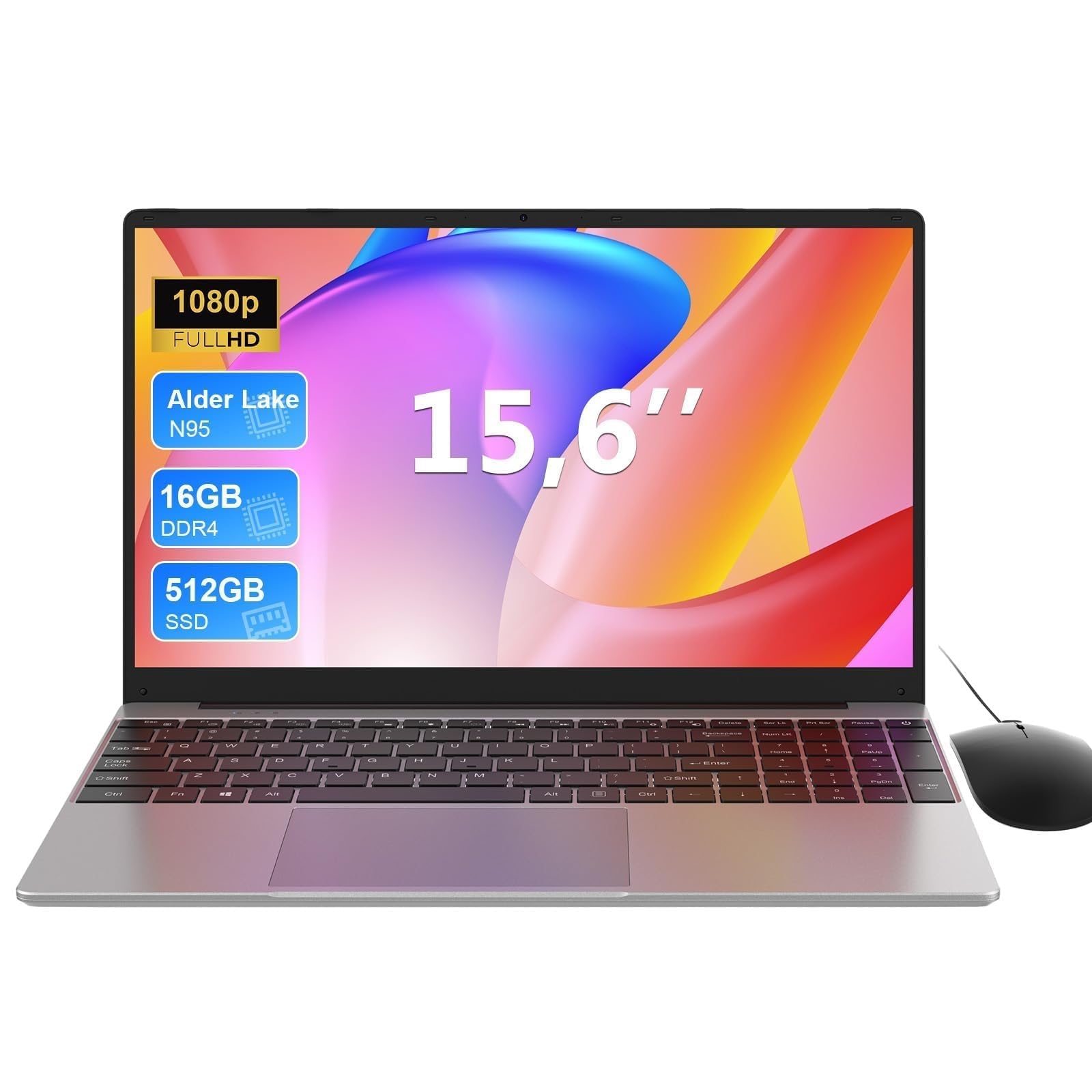
Frequently asked
7 questions01Can you upgrade the RAM or storage on the Jumper 15.6 inch laptop?+
No. The 4GB of RAM is soldered to the motherboard and cannot be replaced or expanded. The 128GB eMMC storage is also non-upgradeable. What you receive in the box is what you have for the life of the machine, so it is worth considering whether those specs meet your needs before purchasing.
02Does the Jumper 15.6 inch laptop come with Microsoft Office included?+
Yes. The listing includes an Office 365 subscription, which is a genuine advantage over many rivals at this price that typically include only a limited trial. Office 365 covers Word, Excel, PowerPoint, and the rest of the suite, and represents real added value when comparing total cost of ownership.
03Is the Jumper 15.6 inch laptop suitable for gaming?+
Not really. The integrated Intel UHD graphics can handle light browser games and very old titles on the lowest settings, but modern games are not viable. Roblox and Minecraft may run at minimal settings, but do not expect a comfortable experience. This machine is built for productivity and media consumption, not gaming.
04How long does the battery last on the Jumper 15.6 inch laptop?+
Owner reviews consistently report around four to six hours of battery life during light use such as browsing and document work with Wi-Fi on and brightness at a comfortable level. Video streaming shortens this toward the lower end of that range. The 38Wh battery is small for a 15.6 inch laptop, so if you need all-day unplugged use, keep the charger to hand.
05Does the Jumper 15.6 inch laptop support USB-C charging?+
No. The laptop uses a proprietary barrel charger and does not have a USB-C port. This means you cannot charge it from a power bank or a USB-C hub, and you will need to carry the supplied charger whenever you are away from a mains socket for more than a few hours.
06How does the Jumper 15.6 compare to the Acer Aspire 1 and Lenovo IdeaPad 1?+
All three target the same budget audience with similar Celeron processors, 4GB of RAM, and eMMC storage. The Jumper's main advantage is the bundled Office 365 subscription, whereas the Acer and Lenovo options typically include only trial software. The Lenovo IdeaPad 1 generally offers a better typing experience, and Acer and Lenovo both carry stronger brand recognition and wider service networks. On raw specs, the three are broadly comparable, and the best choice often comes down to current pricing and which extras matter most to you.
07Is the Jumper 15.6 inch laptop quiet enough for library or shared office use?+
Yes. The Celeron processor generates very little heat, which means the fan rarely needs to spin up during everyday tasks. During browsing, writing, and video playback, the machine is essentially silent. When the fan does run, it produces a gentle background hum rather than anything intrusive. Owner reviews do not flag fan noise as a concern, making this a reasonable choice for quiet shared environments.






