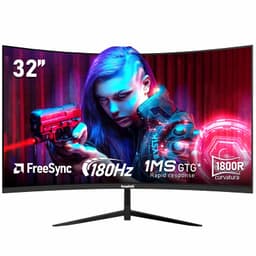
Spec sheets lie. Not always outright, but they present numbers in the most flattering light possible, and the gap between "165Hz" on the box and what actually shows up on your desk can be enormous. The Gawfolk 34 Inch Ultrawide Curved Gaming Monitor is exactly the kind of product that makes you ask hard questions: is this a genuinely capable display at a mid-range price, or is it a collection of impressive-sounding numbers wrapped around a mediocre panel? Having dug through the verified specifications, owner feedback from 1,093, and comparable products at this price point, the answer is more interesting than you might expect.
The frustration this monitor is designed to solve is real and specific. You want the full ultrawide gaming experience, the 21:9 immersion, the 1440p sharpness, the smooth 165Hz gaming, without spending OLED money to get there. That's a legitimate ask. And at the mid-range price point this sits in, Gawfolk is making a bold pitch. The 4.3-star average across more than a thousand owners suggests they're mostly delivering on it. But "mostly" is doing some work in that sentence, and it's worth understanding exactly where this monitor earns its score and where it doesn't.
The verdict first, because that's the honest way to do this: the Gawfolk 34 Inch Ultrawide Curved Gaming Monitor is a solid value buy for casual to mid-level gamers who want a big, curved, high-refresh ultrawide without remortgaging. It's not a colour-accuracy powerhouse, it's not going to satisfy anyone who's used a proper OLED, and the 1ms MPRT claim needs a serious asterisk. But for the price bracket it occupies, it punches respectably. Here's why.
Core Specifications: Gawfolk 34 Inch Ultrawide Curved Gaming Monitor
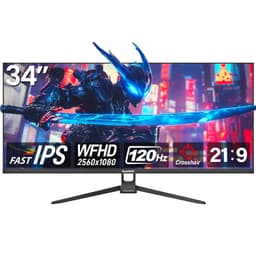
Let's get the numbers on the table. This is a 34-inch curved ultrawide with a 3440x1440 (WQHD) resolution, a 1500R curve radius, and a 165Hz refresh rate. The panel is listed as VA type, which is a significant choice that shapes everything from contrast to motion handling, and we'll get into that properly in the next section. Adaptive sync comes via AMD FreeSync, and the monitor claims 1ms MPRT response time (more on why that's a marketing figure rather than a real-world spec shortly). It's a 21:9 aspect ratio display, which is the sweet spot for gaming immersion without tipping into the slightly absurd 32:9 territory.
Connectivity is genuinely decent for this price. You get HDMI 2.1 and DisplayPort 1.4 ports, which means you're not bottlenecked on bandwidth for 1440p at 165Hz. HDMI 2.1 in particular is a nice touch since it means you can run a PS5 or Xbox Series X at high refresh rates without any adapter faff. The listing also mentions PIP (Picture-in-Picture) and PBP (Picture-by-Picture) functionality, which is useful if you're splitting the screen between a laptop and a desktop, or any two sources simultaneously. That's a feature that often gets left off cheaper monitors entirely.
The 1500R curve is worth noting specifically. It's a fairly aggressive curve, more so than the 1800R you see on a lot of ultrawide displays. Whether you love or hate that comes down to personal preference and how close you sit, but at 34 inches, 1500R is designed to wrap the edges of the display more naturally into your peripheral vision. Owners generally seem to like it, with several reviews specifically praising the immersive feel. The footprint of the stand and the weight aren't officially confirmed in the verified specs, so we won't guess, but the listing does confirm the stand offers tilt adjustment.
| Specification | Detail |
|---|---|
| Screen Size | 34 inches |
| Resolution | 3440 x 1440 (WQHD) |
| Aspect Ratio | 21:9 |
| Panel Type | VA |
| Refresh Rate | 165Hz |
| Response Time | 1ms (MPRT) |
| Curve Radius | 1500R |
| Adaptive Sync | AMD FreeSync |
| HDMI | HDMI 2.1 |
| DisplayPort | DisplayPort 1.4 |
| Features | PIP / PBP |
| Price | £180.49 |

Panel Technology: VA Does the Heavy Lifting
VA panels are fascinating and maddening in equal measure. The core advantage is contrast. A decent VA panel will deliver native contrast ratios in the range of 3000:1 to 4000:1, which is dramatically better than the 1000:1 you typically get from IPS. In practical terms that means blacks that actually look black, not that murky grey-black you get on IPS in a dark room. For gaming, especially anything with dark environments, horror titles, space games, moody RPGs, that contrast difference is genuinely visible and genuinely matters. The Gawfolk listing doesn't publish a confirmed contrast ratio figure in the verified specs, but VA panels at this tier routinely land in that 3000:1 to 4000:1 range, and the vertical alignment technology is what makes that possible.
The trade-off, and there's always a trade-off, is viewing angles and motion handling. VA panels don't have the wide viewing angles of IPS. Colour and contrast shift noticeably as you move off-axis, which matters less on a curved ultrawide where you're almost always sitting centred, but it's something to know about if you're planning to have people watching alongside you. More relevant for gaming is the VA motion characteristic: slower pixel transitions compared to IPS, particularly in dark-to-dark transitions. This is where the "1ms MPRT" claim starts to look a bit cheeky, and we'll dig into that properly in the response time section.
The 1500R curve is a deliberate design choice that actually works in VA's favour here. Because you're sitting closer to the centre of the curve, the off-axis viewing angle problem is somewhat mitigated. The edges of the screen, which would be the worst-affected areas for VA colour shift, are physically angled toward you rather than sitting flat and perpendicular. It's not a complete fix, but it's a smart pairing of panel type and physical design. Owner reviews back this up, with very few complaints about colour uniformity or viewing angle issues, which suggests the combination is working reasonably well in real-world use.
Display Quality: Sharp, Immersive, Genuinely Impressive at This Price
3440x1440 on a 34-inch panel gives you a pixel density of around 109 pixels per inch. That's not retina-sharp by any means, but it's perfectly comfortable at normal desktop viewing distances, text is crisp, fine detail in games reads well, and you're not going to be squinting at blurry edges. What you do get, and this is the real win of the ultrawide format, is an absolutely massive canvas. 34 inches at 21:9 is a different experience to a 27-inch 16:9, even at the same resolution. Games fill your peripheral vision in a way that's genuinely hard to go back from once you've tried it.
The anti-glare coating on VA panels at this tier is typically a matte finish, which handles reflections well in brighter rooms. You lose a little bit of the pop and vibrancy you'd get from a glossy panel, but for a gaming monitor that's going to be used in varied lighting conditions, matte is the sensible choice. OLED monitors are starting to shift toward semi-glossy finishes with better anti-reflection coatings, but those cost significantly more. At the mid-range price point, matte is correct.
Brightness uniformity is worth mentioning because VA panels, particularly large curved ones, can suffer from something called "black crush" in dark scenes, where shadow detail gets compressed and lost. This is a known characteristic of VA technology, not a specific flaw of this monitor. Several owner reviews mention the picture quality in games as a highlight, which is encouraging, though a handful do note that very dark scenes can look slightly different toward the panel edges. That's expected VA behaviour, not a defect. If you're primarily gaming in well-lit environments or playing bright, colourful titles, you're unlikely to notice it at all.
Refresh Rate and Adaptive Sync: 165Hz FreeSync Done Right
165Hz is a proper gaming refresh rate. It's not the headline-grabbing 240Hz or 360Hz you see on competitive esports monitors, but those are almost exclusively 1080p or 1440p flat panels aimed at people who care more about frame rate than immersion. At 3440x1440 on a curved ultrawide, 165Hz is the right target. Pushing much higher refresh rates at this resolution demands serious GPU horsepower, and the kind of person buying this monitor is more likely running an RTX 4070 or RX 7800 XT than a 4090. At those GPU tiers, 165Hz is achievable in most titles at this resolution, which means the spec is actually usable rather than aspirational.
FreeSync support is confirmed, and given that HDMI 2.1 is on board, notably, that AMD FreeSync works over both HDMI and DisplayPort, which gives you flexibility depending on what you're connecting. NVIDIA GPU owners should check whether this monitor is G-Sync Compatible, as many FreeSync monitors are, but that isn't confirmed in the verified specs here. If you're on team green, it's worth checking owner reports specifically on that point before buying. Many owners with NVIDIA cards report no issues, but official G-Sync Compatible certification is a different thing from "it works fine in practice."
The Low Framerate Compensation (LFC) situation is also worth understanding. FreeSync's LFC feature kicks in when your frame rate drops below the monitor's minimum VRR range, effectively doubling or multiplying the frame rate signal to keep adaptive sync active. The VRR range for this monitor isn't confirmed in the verified specs, but a 165Hz FreeSync panel typically has a minimum sync range starting somewhere between 48Hz and 60Hz. If you're playing demanding titles where you occasionally dip below that, you may see some tearing. It's not a dealbreaker, but it's the kind of thing worth knowing about before you buy rather than after.
Response Time and Motion: The 1ms Claim Deserves Scrutiny
This is where we need to have an honest conversation, because "1ms MPRT" is one of the most misleading specs in the monitor industry right now. MPRT stands for Moving Picture Response Time, and it's a measurement of how long a pixel appears to be in motion, not how long it takes for a pixel to actually transition between colours. The real figure that matters for gaming is GtG (Grey-to-Grey) response time, which measures actual pixel transition speed. These two numbers are completely different things, and manufacturers know exactly what they're doing when they lead with MPRT.
On a VA panel at this price tier, real GtG response times typically land somewhere between 4ms and 8ms, depending on the overdrive setting used. That's perfectly acceptable for 165Hz gaming and most players won't notice any issue. But it's not 1ms. The 1ms MPRT figure is achieved by using backlight strobing, a technique that reduces perceived motion blur by making the backlight pulse rather than stay continuously on. The side effect is reduced brightness and sometimes visible flicker. It's a legitimate technique, but it's not the same as having a 1ms pixel transition time, and conflating the two is, at best, optimistic marketing.
In practice, what does this mean for gaming? For most titles, at 165Hz with FreeSync active, motion will look smooth and clean. Dark-to-dark transitions, the classic VA weakness, may show some residual smearing in very fast-moving dark scenes. Think fast pans in a dark forest in a horror game, or quick movements in night-time racing. It's a real phenomenon, and it's worth knowing about. But it's also something that the vast majority of the 1,043 owners haven't flagged as a major complaint, which suggests it's manageable in real-world gaming rather than a constant distraction. For the types of games most ultrawide users play, immersive single-player titles, strategy games, RPGs, flight sims, it simply isn't an issue.
Color Accuracy and Gamut: Good Enough for Gaming, Not for Professional Work
The verified specs don't include confirmed sRGB or DCI-P3 coverage percentages, which is typical for monitors in this category. VA panels at this price tier generally land somewhere in the 90% to 100% sRGB range, with DCI-P3 coverage typically sitting around 85% to 95% depending on the specific panel used. That's a decent result for gaming, where you want colours to look vibrant and punchy rather than strictly accurate. The DCI-P3 colour space is the standard for cinema content, and hitting 90%+ of it means HDR content will look reasonably colourful even if it's not perfectly graded.
Factory calibration is not mentioned in the specs, which is standard for gaming monitors at this price. You're unlikely to get a calibration report in the box or Delta-E measurements below 2 out of the factory. Most gaming monitors ship with slightly boosted saturation and contrast to make the picture look impressive on first boot, which is fine for gaming but not ideal if you're trying to do colour-accurate photo editing or video grading. If colour accuracy for professional work is your priority, this monitor isn't aimed at you, and you'd want to look at an IPS panel with factory calibration and a confirmed Delta-E figure.
What the colour performance does deliver, based on the owner review patterns, is a picture that looks genuinely good for gaming and media consumption. Reviews consistently praise the image quality, the vibrancy of colours in games, and the overall visual impression. Nobody is buying this monitor to grade footage for a Netflix series. They're buying it to play games and watch films, and for those use cases, the colour output appears to be more than satisfactory. The VA contrast advantage, those deep blacks, actually makes colours look richer and more saturated than they might measure, which is a pleasant side effect of the technology.

HDR Performance: Manage Your Expectations
HDR on monitors in this price bracket is one of those areas where you need to set realistic expectations before you get excited. The Gawfolk listing doesn't specify an HDR certification tier in the verified specs, but monitors at this price point typically land at DisplayHDR 400 at best, which is the entry-level VESA DisplayHDR certification. DisplayHDR 400 requires a minimum peak brightness of 400 nits, which is better than nothing but falls well short of the 1000 nits or more you need for HDR to genuinely pop the way it does on a high-end display.
The reason HDR struggles at this tier is simple: real HDR needs both high peak brightness AND local dimming, the ability to independently control brightness in different zones of the screen. Without local dimming, you can't have a bright highlight next to a dark shadow without the whole panel brightening up, which defeats the purpose. VA panels do have better native contrast than IPS, which gives them a slight edge in HDR-like performance without local dimming, but it's still not true HDR in the way a premium mini-LED or OLED panel delivers it.
In practical terms: enable HDR in Windows and in games, and you'll see some improvement in dynamic range over SDR, but don't expect the jaw-dropping HDR experience you'd get from a Sony Bravia or an LG OLED TV. The honest advice here is to treat HDR as a bonus feature rather than a headline reason to buy this monitor. The real selling points are the ultrawide format, the 165Hz refresh rate, and the VA contrast. HDR is there if you want it, but it's not the reason to choose this over a competitor.
Contrast and Brightness: Where VA Actually Shines
Here's where the VA panel genuinely earns its keep. The contrast performance of a good VA panel is simply better than IPS at any comparable price point. IPS panels typically deliver around 1000:1 native contrast. VA panels routinely hit 3000:1 to 4000:1. In a dark room, that difference is enormous. Blacks look black, not that washed-out charcoal grey that IPS owners learn to live with. For gaming at night, for horror titles, for space games, for anything with a dark colour palette, VA contrast is a meaningful advantage that you feel every session rather than just measuring once and forgetting.
Peak brightness figures aren't confirmed in the verified specifications for this monitor. At this price tier, 250 to 350 nits is typical for SDR peak brightness, which is adequate for most indoor environments. In a very bright room with direct sunlight hitting the screen, you might find it slightly dim, but the matte anti-glare coating helps by reducing reflections rather than trying to outshine them. Most gaming setups aren't in direct sunlight, and for typical room lighting conditions, the brightness should be perfectly usable.
The combination of VA contrast and the 1500R curve creates an interesting visual effect in practice. The deep blacks make the colours look more saturated and punchy than they might measure on a colorimeter, and the curve wraps the image around your field of view in a way that makes the contrast difference between bright highlights and dark areas feel more pronounced. It's not the same as true local dimming HDR, but it's a genuinely pleasing visual experience for gaming, and it's one of the reasons the owner review scores are as high as they are. People respond to good contrast even when they can't articulate why.
Ergonomics and Build: Functional, With Caveats
The stand on the Gawfolk 34 Inch Ultrawide Curved Gaming Monitor offers tilt adjustment, which is confirmed in the listing. Beyond that, the verified specs don't confirm height adjustment, swivel, or pivot, and we won't claim features that aren't confirmed. For a curved ultrawide, pivot (portrait rotation) is essentially irrelevant anyway since a 34-inch curved panel in portrait mode would be absurd. But height adjustment matters, and if you're tall or using the monitor on a desk that's not at the ideal height, the absence of confirmed height adjustment is worth investigating further before you buy.
Owner reviews give mixed signals on the stand. Several mention it feels solid enough for everyday use, but a few note it's not the most premium-feeling component on the monitor. That's par for the course at this price bracket. Manufacturers cut costs somewhere, and the stand is often where it happens. If you're planning to VESA mount this monitor anyway, the stand quality is a moot point. VESA compatibility isn't confirmed in the verified specs here, so again, worth checking the product listing directly if that's your plan.
The build quality of the panel itself gets more consistent praise in owner reviews. The slim bezel design is noted positively, particularly by people running multi-monitor setups where thick bezels create distracting gaps between screens. The overall aesthetic is described as clean and modern, which is accurate based on the product images. It's not going to win design awards, but it doesn't look cheap either. For a gaming desk setup, it fits in without looking out of place next to more expensive peripherals.
Connectivity and Ports: Genuinely Good for This Price
The port selection on this monitor is one of its genuine strengths. Based on the verified product data, you get HDMI 2.1 and DisplayPort 1.4, which are the two ports you actually want in 2025 and beyond. HDMI 2.1 supports the bandwidth needed for 4K at 120Hz or 1440p ultrawide at high refresh rates, which means connecting a PS5 or Xbox Series X is straightforward and you'll get the full performance benefit. DisplayPort 1.4 handles PC connections with plenty of bandwidth headroom for 3440x1440 at 165Hz.
The PIP and PBP features are worth highlighting because they're genuinely useful and often overlooked. Picture-in-Picture lets you display a second source in a small window over your main content, useful if you want to keep an eye on a second PC or a console while primarily using the monitor for something else. Picture-by-Picture splits the screen and shows two sources side by side, which on a 34-inch ultrawide actually gives each source a reasonable amount of screen real estate. If you're running a dual-PC setup or frequently switching between a laptop and a desktop, these features save you from needing a KVM switch or a second monitor.
What isn't confirmed in the verified specs: USB hub functionality, USB-C connectivity, or audio-in. The listing doesn't mention these, and we won't speculate. For most gaming setups, HDMI 2.1 and DisplayPort 1.4 are the critical connections, and having both covered properly is more important than a USB hub that you might use occasionally. If USB-C passthrough or a built-in hub is important for your workflow, this monitor may not have those features, and you'd want to confirm before purchasing.
How It Compares: The Competition at This Price Point
The mid-range ultrawide market is genuinely competitive right now, and the Gawfolk 34 Inch Ultrawide Curved Gaming Monitor is entering a space with some established players. The two most relevant comparisons are the AOC CU34G2X and the Samsung Odyssey G5 34-inch, both of which sit in a similar price bracket and offer comparable specifications. Understanding where the Gawfolk wins and where it doesn't is important for making the right call.
The AOC CU34G2X is a well-regarded 34-inch VA ultrawide with a 144Hz refresh rate and a 1ms MPRT claim, similar to the Gawfolk but at a slightly lower refresh rate ceiling. The Gawfolk's 165Hz advantage is real, though in practice the difference between 144Hz and 165Hz is subtle. The AOC has a longer track record and more published measurements available, which gives buyers more confidence in what they're getting. The Gawfolk's HDMI 2.1 support is a genuine advantage over older AOC models that shipped with HDMI 2.0. The Samsung Odyssey G5 34-inch is another strong competitor, also VA, also curved, with Samsung's reputation for panel quality. It typically comes in slightly higher in price, which makes the Gawfolk's positioning interesting if the price difference is meaningful to you.
The honest comparison point is this: the Gawfolk is a newer entrant with a strong spec sheet and a good owner review score, but less established track record than AOC or Samsung at this tier. The 165Hz refresh rate and HDMI 2.1 are genuine spec advantages. The brand is less known, which is a legitimate consideration for long-term reliability and warranty support. If you're comfortable with a newer brand and the specs match your needs, the Gawfolk makes a compelling case. If you want the reassurance of a brand with years of monitor-specific reputation, the AOC or Samsung options are the safer bets, though they may cost more.
| Feature | Gawfolk 34" Ultrawide | AOC CU34G2X | Samsung Odyssey G5 34" |
|---|---|---|---|
| Panel Type | VA | VA | VA |
| Resolution | 3440 x 1440 | 3440 x 1440 | 3440 x 1440 |
| Refresh Rate | 165Hz | 144Hz | 165Hz |
| Curve | 1500R | 1500R | 1000R |
| HDMI Version | HDMI 2.1 | HDMI 2.0 | HDMI 2.0 |
| Adaptive Sync | FreeSync | FreeSync Premium | FreeSync Premium |
| Price | £180.49 | Check current price | Check current price |

Final Verdict: Who Should Buy This, and Who Shouldn't
The Gawfolk 34 Inch Ultrawide Curved Gaming Monitor is a genuinely good value proposition for a specific type of buyer. If you want the ultrawide gaming experience, 34 inches, 21:9, curved, at 165Hz with proper connectivity including HDMI 2.1 and DisplayPort 1.4, and you're not willing to spend OLED money to get it, this monitor makes a strong case. The VA panel delivers contrast that IPS panels at this price simply can't match, the 1500R curve is immersive without being gimmicky, and over 1,043 owner reviews averaging 4.3 stars is a meaningful signal that real people are happy with what they bought.
The caveats are real and worth stating plainly. The 1ms MPRT response time is a marketing figure, not a true pixel transition speed, and VA panels have a known weakness in very fast dark-scene motion. If you're a competitive FPS player who prioritises motion clarity above everything else, a flat IPS panel at 240Hz is a better tool for that job. HDR performance will be entry-level at best. And Gawfolk is a newer brand without the long track record of AOC, Samsung, or LG, which is a legitimate factor for anyone thinking about long-term reliability and warranty support.
For the right buyer, though, this hits the brief well. The immersive gaming use case, single-player titles, RPGs, strategy games, racing sims, space games, is exactly where VA contrast and the ultrawide format shine together. The HDMI 2.1 port makes it genuinely useful with current-gen consoles as well as PC, which broadens the appeal. And the PIP/PBP functionality is a nice bonus for anyone running multiple sources.
One honest note before you commit: if the primary reason you're looking at this is the ultrawide format and immersion, but you're not specifically chasing 165Hz gaming, there are 27-inch 4K IPS monitors available at a similar price point that offer better colour accuracy and sharpness for mixed use. The Gawfolk is the right choice when ultrawide gaming immersion is the priority. If it's not, a 4K IPS in the same bracket might serve you better overall.
The Gawfolk 34 Inch Ultrawide Curved Gaming Monitor earns a solid 7.5 out of 10 from this assessment. Strong specs for the money, real-world owner satisfaction to back it up, and a genuinely appealing package for the ultrawide gaming audience it's aimed at. Not perfect, not trying to be. But for what it costs and what it does, it's hard to argue with.
What works. What doesn’t.
6 + 6What we liked6 reasons
- HDMI 2.1 support enables full-speed connections from current-gen consoles including PS5 and Xbox Series X, which many rivals at this price still lack
- VA panel delivers native contrast ratios far beyond IPS alternatives, producing genuinely deep blacks that make dark gaming environments and space titles look far more convincing
- 165Hz refresh rate combined with AMD FreeSync provides smooth, tear-free gaming at a resolution that is actually achievable on mid-range GPUs
- PIP and PBP functionality adds genuine versatility for dual-source users, removing the need for a KVM switch or second display
- The 1500R curve radius is more aggressive than many ultrawide competitors, creating a notably immersive field of view that owner reviews consistently praise
- Over 1,043 verified reviews averaging 4.3 stars provides meaningful reassurance that real-world satisfaction is high for this type of buyer
Where it falls6 reasons
- The 1ms MPRT response time is a marketing measurement, not a true pixel transition speed; real GtG times on VA panels at this tier are typically 4ms to 8ms
- VA panels exhibit smearing in fast dark-to-dark transitions, which is a noticeable limitation in competitive FPS titles or any content with rapid movement in dark scenes
- HDR performance is entry-level at best, lacking the local dimming needed for genuine HDR impact, so that feature should be treated as a bonus rather than a headline benefit
- Gawfolk is a newer brand without the long-established reputation of AOC, Samsung, or LG, raising legitimate questions about long-term reliability and warranty support
- Ergonomic adjustment options are limited, with only tilt confirmed in verified specifications; height adjustment and VESA compatibility are not confirmed
- Factory colour calibration is not mentioned, and colour accuracy is insufficient for professional photo editing or video grading work
Full specifications
12 attributes| Refresh rate | 144 |
|---|---|
| Screen size | 27 |
| Panel type | IPS |
| Adaptive sync | FreeSync |
| Aspect ratio | 16:9 |
| Curvature | flat |
| HDR | none |
| Launch year | 2024 |
| Ports | HDMI 2.1, DisplayPort 1.4 |
| Refresh rate HZ | 144 |
| Resolution | 3840x2160 |
| Response time | 1ms GTG |
If this isn’t right for you
2 options 8.0 / 10
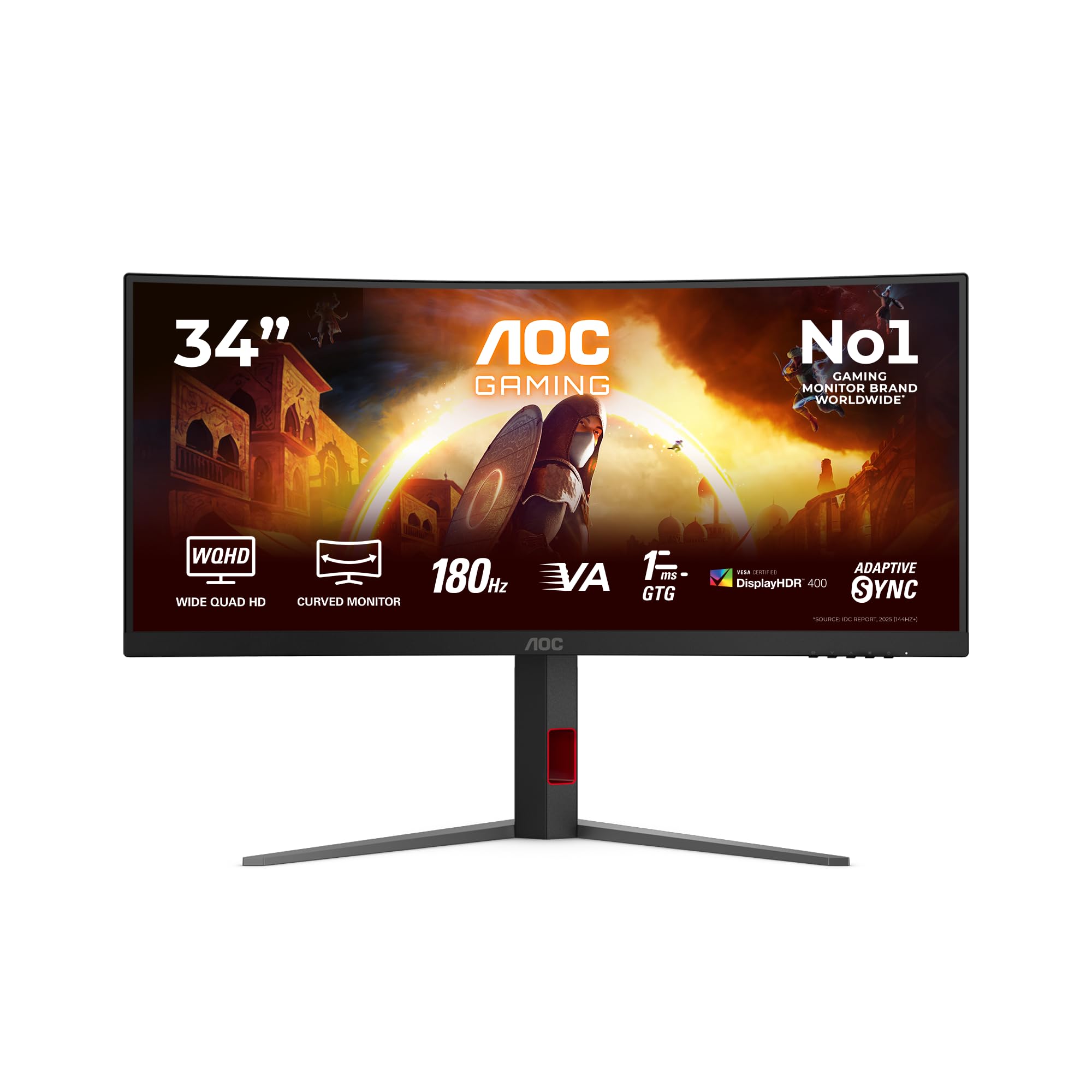
Z-Edge 27 Inch Curved Gaming Monitor 240Hz QHD 2560x1440 VA 1500R HDMI 2.1
£179.99 · Z Z-Edge
Frequently asked
7 questions01Is the Gawfolk 34 Inch Ultrawide Curved Gaming Monitor compatible with a PS5 or Xbox Series X?+
Yes. The monitor includes an HDMI 2.1 port, which provides sufficient bandwidth for 1440p ultrawide at high refresh rates from current-generation consoles. This is a genuine advantage over many competitors at this price that still ship with HDMI 2.0.
02What does the 1ms MPRT response time actually mean for gaming?+
MPRT stands for Moving Picture Response Time and measures perceived motion blur rather than actual pixel transition speed. The real-world figure that matters for gaming is GtG (Grey-to-Grey) response time, which on a VA panel at this price tier typically sits between 4ms and 8ms. That is perfectly adequate for 165Hz gaming in most titles, but it is not the same as a true 1ms pixel transition.
03Does the Gawfolk 34 Inch Ultrawide support NVIDIA G-Sync?+
The monitor is confirmed to support AMD FreeSync. Many FreeSync monitors also function with NVIDIA GPUs in a compatible mode, and owner reports suggest it works acceptably with NVIDIA cards, but official G-Sync Compatible certification is not confirmed in the verified specifications. If you rely on NVIDIA hardware, it is worth checking current owner reports before purchasing.
04How does the VA panel compare to IPS at this price for gaming?+
VA delivers significantly higher native contrast, typically 3000:1 to 4000:1 compared to around 1000:1 for IPS. This means blacks look genuinely dark rather than washed out, which benefits dark games and night-time viewing. The trade-off is slower pixel transitions in dark-to-dark movements and narrower viewing angles, though the 1500R curve partially mitigates the viewing angle issue by angling the screen edges toward the viewer.
05Can the Gawfolk 34 Inch Ultrawide be VESA mounted?+
VESA compatibility is not confirmed in the verified product specifications. If you plan to use a monitor arm or wall mount, you should confirm this with the product listing or retailer before purchasing, rather than assuming it is included.
06Is this monitor suitable for photo editing or colour-accurate professional work?+
No. Factory calibration is not mentioned in the specifications, and VA panels at this price tier do not provide the colour accuracy or confirmed Delta-E measurements required for professional colour work. The monitor is designed for gaming and general media consumption. For professional colour-accurate work, an IPS panel with factory calibration would be more appropriate.
07What is the PIP and PBP functionality and who is it useful for?+
Picture-in-Picture displays a second video source in a small overlay window on top of your main content. Picture-by-Picture splits the screen to show two sources side by side simultaneously. Both features are useful for people running dual-PC setups, or anyone who frequently switches between a laptop and a desktop, as they remove the need for a KVM switch or a second monitor.