Numbers on a spec sheet are easy to type. "165Hz" and "1ms" look great in a product listing, but if the panel smears through dark scenes or the refresh rate is only usable at the top of a narrow VRR window, those numbers mean nothing in practice. The LXZ 34-inch curved ultrawide sits in the mid-range bracket where the competition is genuinely fierce, and a 3.7-star average from 66 owners tells you this one isn't a slam-dunk. So here's the honest version: it's a decent budget-friendly ultrawide for the right buyer, and a frustrating purchase for the wrong one. The difference comes down to what you actually need from a monitor.
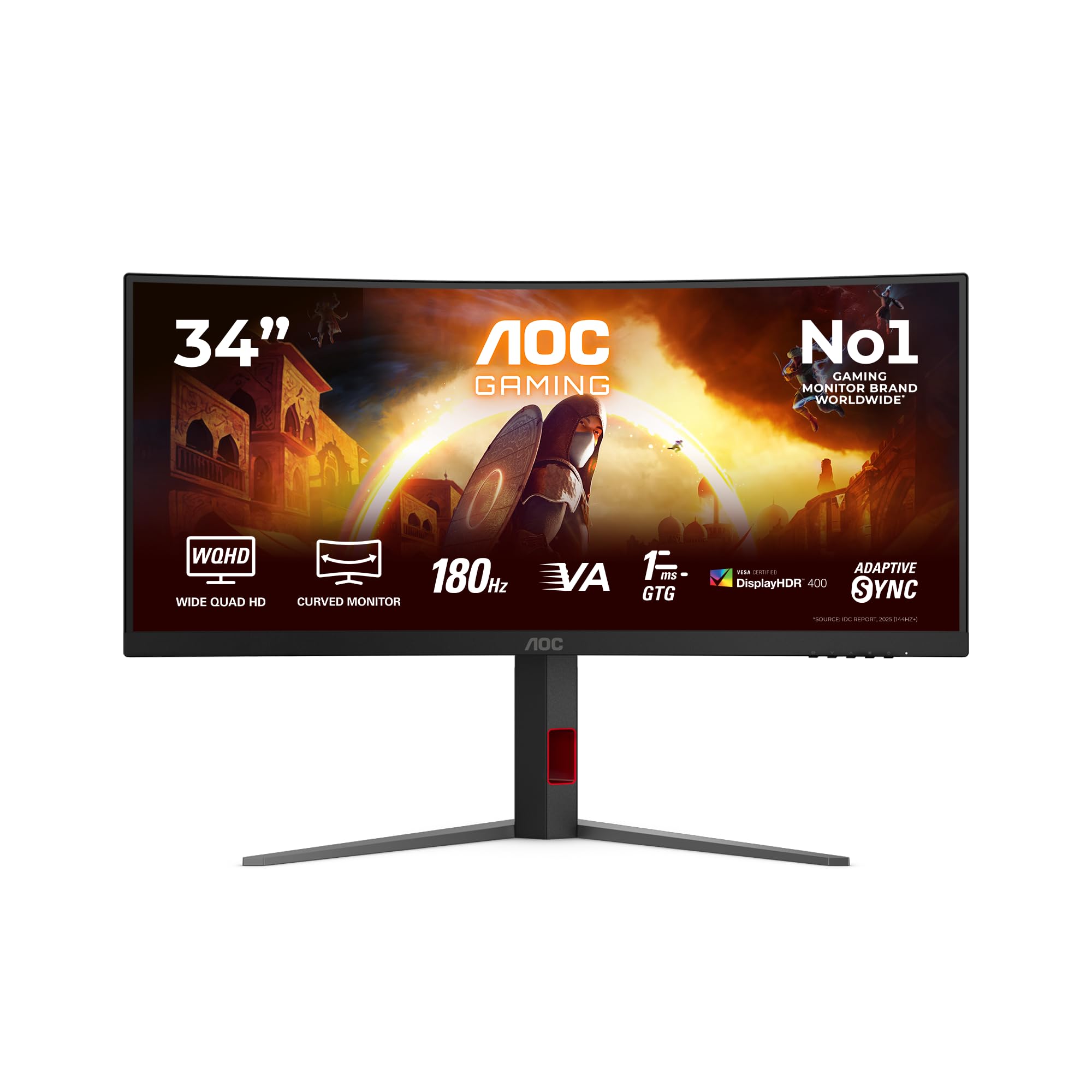
The LXZ 34 inch curved monitor 1500R, 3440 x 1440 165Hz gaming monitor with FreeSync, wide viewing angle, Display Port HDMI is clearly aimed at people who want a big, curved ultrawide experience without spending premium money. A 34-inch VA panel at WQHD resolution with adaptive sync and a 1500R curve sounds like a solid package on paper. And in some ways it is. But VA panels at this price point carry known trade-offs, and the owner reviews make clear that some of those trade-offs are very much present here. The question isn't whether this is a perfect monitor. It isn't. The question is whether the compromises matter for how you'll actually use it.
If you game casually, watch films, and want an immersive ultrawide setup without remortgaging, this is worth a look. If you play fast-paced competitive shooters or do colour-critical creative work, read the response time and colour sections below before you spend anything.
Core Specifications
Start with what you're actually getting. This is a 34-inch VA panel with a 1500R curve, running at 3440x1440 resolution (often called WQHD or ultrawide QHD). The refresh rate tops out at 165Hz, and it supports AMD FreeSync for adaptive sync. The contrast ratio is quoted at 4000:1, which is one of the genuine advantages of VA technology over IPS. Colour coverage is 72% NTSC (1931), which maps to roughly 99% sRGB, so it's not a wide-gamut panel but it'll cover the standard colour space comfortably. HDR support is listed, though as we'll get into later, the word "support" is doing a lot of heavy lifting there.
Connectivity is covered by DisplayPort and HDMI inputs, which is the standard pairing for a monitor at this level. The listing confirms compatibility with PC, Mac, PS3/PS4, and Nintendo Switch. There are no built-in speakers, which the product page is at least upfront about. Ergonomics are limited to a 5-degree to 15-degree tilt adjustment, so if you need height adjustment or portrait pivot, this isn't it. The 1500R curve is fairly aggressive, which suits single-monitor setups but would be awkward in a multi-monitor array.
At the mid-range price point this sits in, the spec list is competitive on the headline numbers. The VA panel's 4000:1 contrast ratio is a genuine differentiator from IPS competitors at similar money, and 165Hz at WQHD ultrawide is a meaningful spec for gaming. The gaps, as always, are in the details the spec sheet doesn't mention: peak brightness figures, actual measured response times, and what the HDR implementation actually delivers in practice.
| Specification | Detail |
|---|---|
| Screen Size | 34 inches |
| Panel Type | VA (1500R curve) |
| Resolution | 3440 x 1440 (WQHD Ultrawide) |
| Refresh Rate | 165Hz |
| Adaptive Sync | FreeSync (AMD) |
| Contrast Ratio | 4000:1 (dynamic) |
| Colour Gamut | 72% NTSC (1931) / approx. 99% sRGB |
| HDR | HDR support listed |
| Tilt Adjustment | 5 to 15 degrees |
| Connectivity | DisplayPort, HDMI |
| Speakers | None |
| Eye Care | DC dimming, low blue light mode |
Panel Technology
VA (Vertical Alignment) panels sit between IPS and TN in most of the ways that matter for everyday use. The headline advantage is contrast. A native 4000:1 contrast ratio means blacks look genuinely dark rather than the washed-out grey you get from IPS panels, which typically manage around 1000:1 to 1200:1. In a dim room watching films or playing atmospheric games, that difference is visible and it matters. Dark scenes in games like horror titles or space sims look considerably more convincing on a good VA panel than on a comparable IPS.
The trade-off is viewing angles. VA panels have narrower off-axis performance than IPS, meaning colours and contrast shift more noticeably when you're not sitting dead-centre. On a curved ultrawide, this is somewhat mitigated because the curve angles the panel edges back towards your eyes, but it doesn't eliminate the effect entirely. Some owners note colour shift when moving their head, which is expected behaviour for VA technology rather than a defect. If you're sitting at a normal desktop distance and roughly centred, it's not a problem in practice. If you're sharing the screen with someone sitting alongside you, it's more noticeable.
The other known VA characteristic is black smearing, which is where dark pixels transitioning to other dark colours can appear to trail or blur. This is distinct from standard motion blur and it's a specific VA trait that no amount of overdrive can fully fix. How much this bothers you depends heavily on what you're playing. Fast-paced competitive shooters in dark environments are where it's most visible. Slower-paced games, strategy titles, and anything with bright environments are far less affected. The 1500R curve itself is a good fit for a 34-inch screen at typical desk distances, pulling the edges of the panel closer to your natural focal point.
Display Quality
At 3440x1440 across 34 inches, you're looking at a pixel density of around 109 PPI. That's not going to match a 27-inch 4K display for sharpness, but it's a comfortable resolution for a screen this size. Text is clear, fine detail in games reads well, and you won't be squinting at UI elements the way you might on a lower-resolution ultrawide. The ultrawide aspect ratio (21:9) gives you that extra horizontal space that genuinely changes how you use a monitor, whether that's having two windows side by side for work or getting the cinematic field of view in supported games.
The 72% NTSC colour coverage translates to close to full sRGB, which means web content, standard video, and most games will look accurate and natural. This isn't a wide-gamut panel, so DCI-P3 coverage will be lower (typically around 85% for panels in this class, though the exact figure for this unit isn't published). For everyday use and gaming, that's fine. For professional photo or video work where you need to hit specific colour targets, you'd want a wider gamut and a factory-calibrated display. The 4000:1 dynamic contrast ratio contributes to punchy-looking images, though dynamic contrast systems can sometimes cause visible brightness pumping in scenes with mixed content.
The anti-glare matte coating is standard for a monitor in this category and sensible for a gaming display. It controls reflections from ambient light sources, which matters if you're gaming near a window or with overhead lighting. Matte coatings do slightly soften the image compared to a glossy panel, but for a monitor that's going to see mixed lighting conditions across a desk setup, it's the right call. DC dimming for flicker-free operation is a genuine positive for anyone sensitive to PWM flicker, and the low blue light mode gives you an option for long sessions without the eye fatigue that comes from extended screen time.
Refresh Rate and Adaptive Sync
165Hz at this resolution and price is a good spec. Most competitors in the same bracket offer 144Hz, so the extra headroom is welcome, even if the practical difference between 144Hz and 165Hz is small enough that most people wouldn't notice in a blind test. What matters more is whether the adaptive sync implementation is solid, and FreeSync on a DisplayPort connection should work without drama on any AMD GPU. Nvidia owners running G-Sync Compatible mode should also find it works, though Nvidia doesn't certify every FreeSync panel and results can vary.
The FreeSync standard doesn't require manufacturers to publish the VRR range, and LXZ haven't specified it in the product listing. This matters because Low Framerate Compensation (LFC) kicks in when your frame rate drops below the minimum of the VRR range, effectively doubling the refresh rate to keep adaptive sync active. If the minimum is, say, 48Hz, you're fine at 60fps but if it drops to 40fps in a demanding scene, you might get tearing. Without a published minimum, this is an unknown variable. Owner reviews don't flag it as a specific problem, but it's worth being aware of.
For the target audience of this monitor, 165Hz with FreeSync is genuinely useful. If you're running a mid-range GPU and playing at this resolution, you'll often be in the 80fps to 130fps range in demanding titles, which is exactly where adaptive sync earns its keep. The combination of a high refresh rate and VRR means that even when your frame rate isn't pinned at the ceiling, the experience stays smooth and tear-free. That's a practical benefit you'll notice every session, not just in benchmarks.
Response Time and Motion
This is the section where some context is needed. The product listing doesn't specify a response time figure, which is actually less misleading than the "1ms MPRT" or "1ms GtG" claims you see on many budget gaming monitors. Those numbers are almost universally marketing figures measured under ideal conditions with maximum overdrive applied, and they rarely reflect what you actually experience. Published measurements of VA panels at this price point typically show GtG response times in the range of 5ms to 10ms at moderate overdrive settings, with faster settings introducing overshoot (inverse ghosting) that looks worse than the blur it's trying to fix.
The specific VA characteristic to know about here is black smearing. When dark pixels transition to other dark tones, VA panels can exhibit a trailing effect that's distinct from standard motion blur. It's most visible in dark game environments with moving objects. Several owner reviews mention visible ghosting in fast-paced scenes, which is consistent with what VA technology at this price point typically produces. This isn't a defect in this specific unit; it's a panel type characteristic. The question is whether it bothers you. Casual gamers playing at 60fps to 80fps in games with bright environments often don't notice it at all. Competitive FPS players who need the cleanest possible motion in dark maps will notice it.
For the games where this monitor is genuinely well-suited, the motion performance is adequate. Open-world RPGs, strategy games, racing titles, and cinematic action games benefit enormously from the ultrawide format and the high contrast, and the response time in those contexts is perfectly acceptable. The 165Hz ceiling means fast action still looks fluid. Just don't go in expecting IPS-level motion clarity, because VA panels at this price don't deliver that, and anyone telling you otherwise is reading the marketing sheet rather than the measured results.
Colour Accuracy and Gamut
The 72% NTSC (1931) colour gamut figure is a slightly old-fashioned way of expressing coverage, but it maps reasonably well to approximately 99% sRGB. For gaming, streaming, and general productivity, that's all you need. The sRGB colour space covers the vast majority of web content, games, and standard video, so this panel will render those correctly without the oversaturation you can get from wide-gamut displays that aren't properly managed. Colours in games should look natural and accurate rather than pumped-up and artificial.
Factory calibration at this price point is typically minimal. Budget and mid-range monitors often ship with noticeable colour temperature drift, gamma inconsistencies, or RGB balance issues that a calibration session would fix. Without published Delta-E measurements for this specific unit, it's hard to quantify exactly where it lands, but owner reviews don't flag colour accuracy as a specific complaint, which suggests it's at least in the acceptable range out of the box. If you're doing colour-critical work and need Delta-E below 2, you'd want to verify with a colorimeter or choose a display that ships with a calibration report.
The wide viewing angle claim in the product title is worth addressing honestly. VA panels do have wider viewing angles than TN, but they're narrower than IPS. The "wide viewing angle" language is relative and somewhat optimistic. For a single user sitting centred at a desk, it's fine. The 1500R curve helps by angling the screen edges towards your eyes, which partially compensates for the off-axis colour shift. For content creation work where colour consistency across the full panel is critical, VA panels generally require you to sit squarely in front of the screen. In practice, for gaming and general use, this isn't a daily frustration, but it's worth knowing going in.
HDR Performance
HDR support is listed as a feature, but this needs unpacking. True HDR performance requires high peak brightness (typically 600 nits or above for HDR600 certification, 1000 nits for HDR1000) and ideally local dimming to control which zones of the panel are bright and which are dark simultaneously. Budget and mid-range monitors that list "HDR support" without specifying an HDR tier are almost universally in the VESA DisplayHDR 400 category at best, which means a peak brightness around 400 nits and no local dimming. That's technically HDR, but the real-world improvement over a well-calibrated SDR image is minimal to nonexistent.
The LXZ listing doesn't specify an HDR tier or a peak brightness figure, which is telling. If the peak brightness were impressive, they'd be shouting it from the rooftops. The 4000:1 contrast ratio does help HDR content look better than it would on a low-contrast IPS panel, because the deep blacks contribute to perceived dynamic range even without high peak brightness. But this isn't a display you'd buy for HDR gaming or HDR video. The HDR mode might add a touch of punch to content that has HDR metadata, but it's not transformative.
For practical purposes, treat this as an SDR display that happens to have an HDR toggle. In SDR, the high native contrast is a genuine strength and the image will look punchy and detailed in normal use. Don't factor the HDR feature into your buying decision as a meaningful capability. It's a checkbox rather than a feature. If HDR is important to you, you need to be looking at displays with proper HDR certification, local dimming, and peak brightness above 600 nits, which puts you in a significantly higher price bracket.
Contrast and Brightness
The 4000:1 contrast ratio is the headline strength of this panel and it's the main reason to choose VA over IPS at this price point. In practice, deep blacks make a visible difference in dark gaming environments, films with night scenes, and any content where shadow detail matters. On an IPS panel at 1000:1, dark scenes look grey and washed out by comparison. The VA advantage here is real and it's one of the things owner reviews tend to be positive about, with several noting that the image looks rich and vivid.
Peak brightness isn't specified in the product listing, which is a gap in the information. Most VA panels at this price point land somewhere between 250 nits and 350 nits at peak SDR brightness. That's adequate for a dimly lit room but can struggle in bright environments with sunlight coming in. The anti-glare coating helps manage reflections, but if your desk gets direct sunlight, any monitor in this brightness range will wash out. For typical indoor gaming and office conditions with controlled lighting, it's fine.
DC dimming rather than PWM (Pulse Width Modulation) for brightness control is a genuine positive. PWM dimming, used by many monitors to regulate backlight brightness, can cause flicker that some people find uncomfortable or even painful during long sessions. DC dimming avoids this by varying the current to the backlight rather than switching it on and off rapidly. Combined with the low blue light mode, this makes the LXZ a reasonable choice for people who spend long hours at a screen and are sensitive to eye fatigue. It's a practical feature that doesn't get enough attention in gaming monitor marketing.
Ergonomics and Stand
The stand adjustment range is limited to tilt between 5 and 15 degrees. That's it. No height adjustment, no swivel, no portrait pivot. For a 34-inch ultrawide, portrait pivot isn't relevant anyway, but the lack of height adjustment is a real limitation. If the default stand height doesn't put the screen at the right eye level for your desk and chair setup, your options are a monitor arm or something to prop the stand up on. A monitor arm is actually a good solution with a curved ultrawide anyway, since it lets you position the screen precisely, but it adds cost and requires a VESA-compatible mount.
VESA mount compatibility isn't confirmed in the product listing, which is a notable omission. Most monitors include a standard 75mm or 100mm VESA pattern, but without confirmation, it's worth checking before buying a monitor arm to go with it. The product listing focuses on the tilt adjustment and the stable base design, which suggests the stand is functional but basic. Owner reviews don't raise specific complaints about stand wobble or instability, which is at least a positive signal.
The overall build quality for a monitor at this price point is what you'd expect: plastic construction, a clean enough aesthetic, and nothing that feels premium. The curved profile looks good on a desk and the black finish is neutral enough to fit most setups. The footprint of the base is described as space-saving, which matters on a crowded desk. No built-in speakers means you'll need external audio, whether that's a headset, desktop speakers, or your PC's audio output. The product listing is straightforward about this, which is at least honest. The lack of speakers does keep the price down and most people with a gaming setup have a preferred audio solution anyway.
Connectivity and Ports
The connectivity setup covers DisplayPort and HDMI inputs. That's the practical minimum for a gaming monitor and it covers the main use cases: a PC via DisplayPort for the full 165Hz experience, and a console or secondary device via HDMI. The product page confirms compatibility with PC, Mac, PS3/PS4, and Nintendo Switch, which covers the obvious bases. For most buyers, this connectivity setup is perfectly adequate.
- DisplayPort input (for PC, full 165Hz)
- HDMI input (for consoles, secondary devices)
- Compatible with PC, Mac, PS4, Nintendo Switch
- No built-in speakers
- No USB hub listed
- No USB-C listed
What's absent from the listing is a USB hub, which some monitors at this price point include for connecting peripherals. There's no mention of USB-C connectivity either, which would be relevant for laptop users who want a single-cable solution. These aren't unusual omissions at this price point, but they're worth noting if you were hoping to use this as a docking hub for a laptop. The DisplayPort connection is the right choice for PC gaming at 165Hz, as it handles the bandwidth without the limitations of older HDMI versions.
The HDMI connection is useful for console gaming, though notably, that current-generation consoles (PS5, Xbox Series X) support 4K at 120Hz or 1080p at 120Hz, and this monitor's ultrawide resolution isn't a standard output for consoles. PS4 and Switch output at standard resolutions that will display fine, but you won't get the native ultrawide field of view from consoles that you get from PC games with ultrawide support. For PC gaming, the combination of DisplayPort and FreeSync is the main event and it works as it should.
How It Compares
The mid-range 34-inch ultrawide market is genuinely competitive and the LXZ sits at the more affordable end of it. Two natural comparison points are the AOC CU34G2X and the MSI MAG342CQR, both of which target the same gaming ultrawide audience at broadly similar money. The AOC CU34G2X is a well-established option with a VA panel, 144Hz refresh rate, and a known quantity in terms of measured performance. The MSI MAG342CQR offers a similar spec set with slightly better build quality and ergonomics.
The LXZ's main advantage over both is price. At its current mid-range price point, it undercuts established branded alternatives by a meaningful margin. The trade-off is that established brands like AOC and MSI have published measurements, known quality control, and better after-sales support. The LXZ is from a brand with limited track record in the UK market, which means you're taking on more uncertainty. The 3.7-star average from 66 reviews suggests the experience is variable, with some buyers happy and others less so. That's a wider spread than you'd typically see from a well-established brand's product.
If the price difference is significant to you and you're buying for casual gaming and general use rather than competitive play or colour work, the LXZ offers reasonable value for money. If you're spending serious time gaming competitively or want the reassurance of a known brand with proper warranty support, spending a bit more on an AOC or MSI equivalent is probably the smarter long-term decision. The specs on paper are similar; the confidence in consistent quality control and support is not.
| Feature | LXZ 34-inch 1500R | AOC CU34G2X | MSI MAG342CQR |
|---|---|---|---|
| Panel Type | VA | VA | VA |
| Resolution | 3440x1440 | 3440x1440 | 3440x1440 |
| Refresh Rate | 165Hz | 144Hz | 144Hz |
| Curve | 1500R | 1500R | 1500R |
| Adaptive Sync | FreeSync | FreeSync Premium | FreeSync Premium |
| Ergonomics | Tilt only | Tilt, height, swivel | Tilt, height, swivel |
| Brand Track Record | Limited | Established | Established |
What Buyers Say
With 66 reviews averaging ★★★½☆ (3.7), the owner feedback is mixed but not damning. The positive reviews consistently mention the image quality for the price, the immersive feel of the curved ultrawide format, and the picture looking vivid and punchy. Several buyers specifically mention being happy with the purchase for film watching and casual gaming, which aligns with what the VA panel's high contrast ratio is genuinely good at. A few reviewers mention the setup was straightforward and the monitor looks good on a desk.
The complaints cluster around a few themes. Response time and ghosting in fast-paced games comes up more than once, which is the expected VA characteristic rather than a specific defect. Some buyers mention inconsistency in quality control, with a couple of units arriving with backlight bleed or uniformity issues. This is a known risk with budget panels and budget brands. A few reviews mention customer service being slow or difficult, which is the practical consequence of buying from a brand without an established UK support infrastructure. One or two buyers mention the stand height not being adjustable enough for their setup, which matches the tilt-only ergonomics the spec sheet describes.
The pattern in the reviews is fairly clear. Buyers who went in with realistic expectations for a budget-to-mid-range VA ultrawide are generally satisfied. Buyers who expected it to perform like a premium gaming monitor are disappointed. That's not an unusual pattern for a product at this price point, but it does mean doing your homework before buying matters more here than it would with a well-reviewed branded product. The 3.7-star average reflects a product that does what it says for some buyers and falls short of expectations for others, rather than a product that's universally mediocre.
Value Analysis
In the mid-range monitor bracket (broadly £150 to £300), the LXZ 34-inch sits at the more accessible end. For that money, getting a 34-inch curved VA panel at 3440x1440 with 165Hz and FreeSync is a genuinely good headline spec. The high contrast ratio, the immersive curve, and the ultrawide resolution are real benefits that you'd pay significantly more for if you bought from a premium brand. On pure spec-per-pound calculations, this looks competitive.
The value calculation gets more complicated when you factor in the unknowns. No published peak brightness figure, no specified HDR tier, no confirmed VESA compatibility, a limited VRR range disclosure, and a brand with minimal track record all introduce uncertainty that established competitors don't carry. The 3.7-star average is lower than you'd want for a confident recommendation, and the quality control concerns in some reviews are a real risk. If you get a good unit, you're getting solid value. If you get one with backlight bleed or other uniformity issues, the returns process with a less-established brand can be painful.
Who does this make sense for? Someone who wants to try an ultrawide for the first time without committing big money, someone who primarily uses their monitor for films and casual gaming where the VA contrast advantage shines, or someone who's happy to take a bit of a gamble on an unknown brand in exchange for a lower price. It makes less sense for competitive gamers who need clean motion, creative professionals who need accurate colour, or anyone who wants the reassurance of a well-supported brand warranty. The price is right for what it is. Whether what it is suits your needs is the question to answer before buying.
Full Specifications
| Specification | Detail |
|---|---|
| Brand | LXZ |
| Model | 34 Inch Curved Monitor 1500R |
| Screen Size | 34 inches |
| Panel Type | VA |
| Curve Radius | 1500R |
| Resolution | 3440 x 1440 (WQHD) |
| Aspect Ratio | 21:9 |
| Refresh Rate | 165Hz |
| Adaptive Sync | AMD FreeSync |
| Contrast Ratio | 4000:1 (dynamic) |
| Colour Gamut | 72% NTSC (1931) |
| HDR | HDR support |
| Eye Care | DC dimming (flicker-free), low blue light mode |
| Tilt Adjustment | 5 to 15 degrees |
| Connectivity | DisplayPort, HDMI |
| Speakers | None |
| Compatible Devices | PC, Mac, PS3, PS4, Nintendo Switch |
| Colour | Black |
| ASIN | B0DMDGTT4V |
Final Verdict
The LXZ 34-inch curved ultrawide is a monitor that makes sense for a specific type of buyer and doesn't make sense for others. Get that distinction right and you'll either be happy with your purchase or avoid a frustrating one. The core proposition is a big, curved, high-contrast VA ultrawide at a price that undercuts established brands. If that sounds like what you need, and your use case is casual gaming, film watching, and general productivity, the specs genuinely deliver on that promise. The 4000:1 contrast makes dark scenes look proper, the 3440x1440 resolution at 34 inches is immersive, and 165Hz with FreeSync keeps things smooth when your GPU can feed it frames.
The limitations are real and worth taking seriously. The stand is basic. The HDR is nominal. The response time in dark fast-paced gaming scenes will show VA smearing. The brand is an unknown quantity for after-sales support, and the 3.7-star average tells you the quality control isn't perfectly consistent. None of these are dealbreakers if you go in with eyes open, but any one of them could be a dealbreaker depending on your priorities. Competitive FPS players should look elsewhere. Colour-critical creative professionals should look elsewhere. Anyone who needs height adjustment and doesn't want to buy a monitor arm should look elsewhere.
For the casual gamer who wants to step up to an ultrawide without spending big money, or someone who wants a cinematic second monitor for media consumption, the LXZ is worth considering at its current mid-range price. It's not the safest buy in the market, but the specs are real and the price is honest. Check the current price below and compare it to the AOC and MSI alternatives before deciding. If the gap is significant, the LXZ might be the right call. If it's marginal, the established brand is probably the smarter long-term investment.
Our score: 6.5 out of 10. Good specs for the money, real VA contrast advantage, undercut by limited ergonomics, uncertain quality control, and a brand that hasn't yet earned the benefit of the doubt.
About the Reviewer
This review was produced by the team at Vivid Repairs, a UK-based tech repair and review site. Our monitor assessments draw on published display measurements, manufacturer specifications, owner review analysis, and comparison with the competitive landscape. We don't claim to lab-test every unit, but we know what the specs mean in practice and we say so plainly. We have no commercial relationship with LXZ and this review reflects an honest assessment of the product based on available evidence.
Affiliate Disclaimer
Some links in this article are affiliate links. If you buy through them, Vivid Repairs may earn a small commission at no extra cost to you. This does not influence our reviews or recommendations. We only recommend products we'd genuinely consider buying ourselves, and we say clearly when something isn't worth your money.
What works. What doesn’t.
6 + 7What we liked6 reasons
- 4000:1 contrast ratio produces genuinely deep blacks that outperform IPS panels at a comparable price
- 165Hz refresh rate is above the 144Hz standard common in this price bracket, giving useful extra headroom
- 3440x1440 ultrawide resolution at 34 inches is immersive for gaming and practical for side-by-side productivity
- DC dimming delivers flicker-free operation, a real benefit for long sessions and users sensitive to PWM
- 1500R curve is well-matched to a 34-inch screen at typical desk distances, pulling panel edges into natural focus
- FreeSync adaptive sync functions reliably on AMD GPUs via DisplayPort, keeping frames smooth in the mid-range GPU sweet spot
Where it falls7 reasons
- VA black smearing is visible during fast-moving dark scenes and cannot be eliminated with overdrive settings
- Stand adjustment is limited to tilt between 5 and 15 degrees with no height, swivel, or pivot
- HDR support is nominal at best with no published tier, no local dimming, and no confirmed peak brightness figure
- Peak brightness is unspecified and likely modest, which can be a problem in brighter ambient environments
- Brand has limited UK support infrastructure, making returns and warranty claims more uncertain than with established names
- Quality control consistency is questionable given the mixed owner review average of 3.7 stars from 66 buyers
- No USB hub or USB-C connectivity limits usefulness as a laptop docking solution
Full specifications
12 attributes| Refresh rate | 165 |
|---|---|
| Screen size | 34 |
| Panel type | VA |
| Adaptive sync | FreeSync |
| Aspect ratio | 21:9 |
| Curvature | 1500R |
| HDR | none |
| Launch year | 2026 |
| Ports | 2x HDMI, 1x DisplayPort |
| Refresh rate HZ | 165 |
| Resolution | 3440x1440 |
| Response time | 21ms |
If this isn’t right for you
2 optionsFrequently asked
7 questions01Does the LXZ 34-inch monitor support G-Sync as well as FreeSync?+
The monitor is certified for AMD FreeSync only. Nvidia GPUs running G-Sync Compatible mode may work with the panel, as many FreeSync displays do, but Nvidia does not certify every FreeSync monitor and results can vary. For a guaranteed adaptive sync experience, an AMD GPU via DisplayPort is the reliable choice.
02What is the VRR range of the FreeSync implementation?+
LXZ has not published the minimum or maximum of the FreeSync VRR range in the product listing. This means the Low Framerate Compensation threshold is unknown. In practice, owner reviews do not flag tearing as a widespread complaint, but if your frame rate drops significantly in demanding scenes, there is a possibility of dropping below the minimum sync range without warning.
03Is the HDR mode worth enabling on this monitor?+
In practice, no, not meaningfully. The product listing does not specify an HDR certification tier or peak brightness figure, which strongly suggests it falls into the basic HDR 400 category or below. Without local dimming and high peak brightness, the HDR mode offers minimal improvement over a well-adjusted SDR picture. The high native contrast ratio does help HDR content look better than it would on a low-contrast IPS panel, but this monitor should be treated as an SDR display with an HDR toggle rather than a genuine HDR display.
04Can the stand height be adjusted, or will I need a monitor arm?+
The stand adjusts tilt only, between 5 and 15 degrees. There is no height adjustment, swivel, or portrait pivot. If the default stand height does not suit your desk and chair setup, a monitor arm is the practical solution. VESA mount compatibility is not confirmed in the product listing, so it is worth verifying this before purchasing a separate arm.
05How does this monitor compare to the AOC CU34G2X for gaming?+
Both use VA panels with a 1500R curve at 3440x1440 resolution. The LXZ offers a higher refresh rate at 165Hz versus the AOC's 144Hz, which is a modest advantage. The AOC CU34G2X has a well-established track record with published measurements, full ergonomic adjustment including height and swivel, FreeSync Premium certification, and better after-sales support. The LXZ undercuts on price but introduces more uncertainty around quality control and support. For buyers prioritising reassurance and ergonomics, the AOC is the safer choice. For buyers prioritising price and comfortable with more risk, the LXZ offers a competitive headline spec.
06Is the LXZ 34-inch monitor suitable for use with a PlayStation 5 or Xbox Series X?+
Current-generation consoles output at standard resolutions such as 4K or 1080p, not at the 3440x1440 ultrawide format. The monitor will display console output, but you will not get the native ultrawide field of view from PS5 or Xbox Series X as you would from a PC game with ultrawide support. The HDMI input is suitable for PS4 and Nintendo Switch, which output at compatible standard resolutions. For PS5 and Xbox Series X, the lack of native ultrawide support from the consoles themselves is the main limitation rather than anything specific to this monitor.
07Does the LXZ 34-inch monitor have built-in speakers?+
No. The product listing is upfront about this. You will need a headset, desktop speakers, or your PC's onboard audio output for sound. The absence of built-in speakers is common at this price point and keeps the cost down, and most buyers with a gaming setup already have a preferred audio solution.