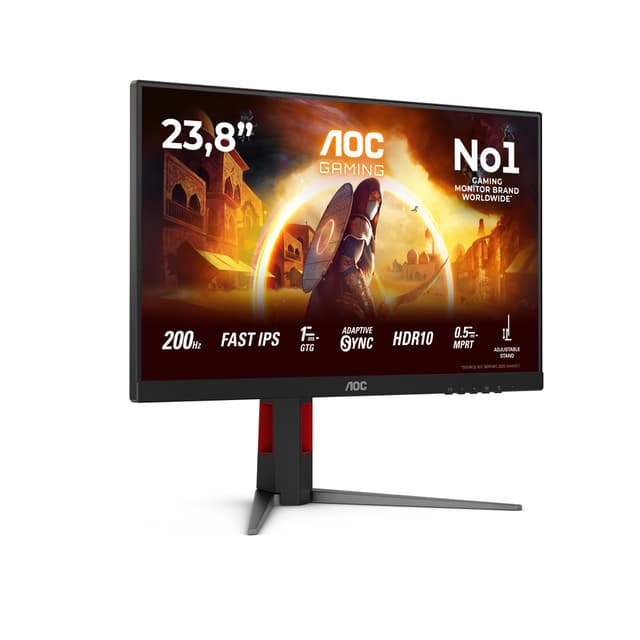
Best Overall Value
Start with the port selection, because it is what sets this one apart in a field of £69 screens. You get HDMI, DisplayPort and VGA on one panel. Almost every rival at this price gives you HDMI and VGA and stops there, or offers a single HDMI. That DisplayPort input matters if you are running a modern PC or want to daisy a second display off a laptop dock, and it is the reason this sits at the top rather than the Philips 24E1N1100A that undercuts it by a few pence.
Then there is the 120Hz refresh. At 23.8 inches and 1080p, 120Hz is the sweet spot for a budget screen: sharp enough that you do not see the pixel grid, fast enough that scrolling and cursor movement look smooth. Owners consistently report the higher refresh working over both HDMI and DisplayPort, not just one, which is not a given at this money.
The VESA 100x100 mount pattern is the checkable detail that earns its place. Plenty of sub-£70 monitors skip it to save on the rear housing, leaving you stuck with the bundled stand. This one takes a standard arm or wall bracket, so you can clear desk space or set up a dual-monitor arm later. The stand itself is tilt-only, no height adjustment, which is the compromise. If you need the screen higher, you are propping it on books or buying an arm, and at that point the VESA support pays for itself.
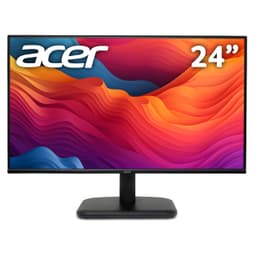
Against the acer EK241YGbif, which matches the 24-inch size and 120Hz for the same £69.90, the Amazon Basics wins purely on that DisplayPort. The Acer gives you HDMI only for its high-refresh input. For most home and office setups the difference is small, but if you ever want a second cable route, the Amazon Basics is the safer buy. No speakers here, so budget for a headset.
Pros
- Three video inputs including DisplayPort, rare under £70
- VESA 100x100 mount, so it takes any standard arm
- 120Hz confirmed over both HDMI and DP by owners
Cons
- Tilt-only stand, no height adjustment
- No built-in speakers
- Amazon Basics warranty support can be slow to reach a human
Buy on Amazon£88.46
Best for Eye Comfort
The word "gaming" in the name is marketing. What this actually is, is the most comfortable screen to stare at all day on the list. BenQ's Brightness Intelligence adjusts the backlight to the light in your room, so the panel dims in the evening and lifts in daylight without you touching a button. Combined with flicker-free backlighting and a low blue light mode, it is the pick if you get tired eyes from a screen.
Connectivity beats most rivals here: two HDMI ports plus DisplayPort. That is three inputs, one more than the AOC 24B3HA2 below it, which means a PC, a console and a laptop can all stay plugged in. The IPS panel gives wide viewing angles and honest colour, and there are speakers built in, thin-sounding but fine for calls and system audio.
At this price it costs a tenner more than the Amazon Basics top pick, and the trade is 100Hz instead of 120Hz. For office work and browsing you will not notice the 20Hz. What you get in return is the adaptive brightness and the extra HDMI, so if your eyes are the priority, this is the smarter spend.
Pros
- Three inputs: 2x HDMI plus DisplayPort
- Adaptive brightness adjusts to room light automatically
- Flicker-free with low blue light mode
Cons
- 100Hz, slightly below the 120Hz picks at similar money
- Tilt-only stand
- Speakers are quiet, fine for calls only
Check availability
Best Big Screen
Twenty-seven inches of IPS at 120Hz for under £85 is the headline, and it holds up. The 99% sRGB coverage is the number that matters if you do any light photo work or just want colours that look right, since a lot of budget panels cover 70% or so and look washed out next to this. Adaptive Sync smooths out tearing if you game casually.
The catch with any 27-inch 1080p screen is pixel density. Spread 1920x1080 across 27 inches and the pixels are larger than on a 24-inch panel, so text looks slightly softer if you sit close. Against the MSI PRO MP275, the other 27-incher here, the Acer wins on refresh (120Hz to MSI's 100Hz) and on that 99% sRGB figure, but the MSI adds speakers the Acer lacks.
Inputs are HDMI and VGA only, no DisplayPort, which is the real limitation for a modern desk. If your PC has DisplayPort out, you will be running HDMI here. For the full breakdown see our full Acer EK271G review.
Pros
- 27-inch IPS with 99% sRGB, unusually accurate for the price
- 120Hz with Adaptive Sync
- Largest usable screen area under £85
Cons
- 1080p stretched over 27 inches looks softer than 24-inch panels
- No DisplayPort, HDMI and VGA only
- No speakers
Buy on Amazon£84.90Read full review
Best Under £70 IPS
This one nearly took the top spot, and it undercuts the Amazon Basics winner. IPS panel, 120Hz, built-in speakers, all for well under £70. So why fourth? Look at the input line: HDMI 1x 1.4. One HDMI port. That is it. No DisplayPort, no VGA, no second HDMI.
For a single-machine setup that is fine, and you get a genuinely good IPS panel with the 120Hz refresh most rivals charge more for. The speakers are a bonus the Amazon Basics lacks. But the moment you want a console and a PC on the same screen, you are unplugging cables, and that single input is why it sits behind the Amazon Basics and the BenQ, both of which give you room to grow.
Against the acer EK241YGbif at the same money, the Philips adds IPS and speakers where the Acer is a plainer panel. If you want colour accuracy and audio on a tight budget, this is the pick. Our full Philips 24E1N1100A review goes deeper on the panel.
Pros
- IPS at 120Hz for under £70
- Built-in speakers included
- 1ms MPRT for smooth motion
Cons
- Single HDMI input, no other ports at all
- No DisplayPort limits PC use
- Tilt-only stand
Buy on AmazonRead full review
Best for Dual Inputs
The DP 1.4 input is what earns this its badge. For the money you get IPS, 100Hz and both HDMI and DisplayPort, so a laptop and a desktop can share the screen without cable-swapping. The Philips 24E1N1100A above it gives you 120Hz but only one HDMI, so the choice comes down to refresh versus flexibility.
The 250 cd/m brightness is average, enough for a normally lit room but not for a conservatory in summer. Adaptive Sync and the 1ms response make it fine for casual gaming, and the ultra-narrow border looks tidy in a dual-monitor pairing. FlickerFree backlighting helps with eye strain over long sessions.
No speakers here, so it sits behind the BenQ for anyone who wants audio built in. But for a two-input IPS panel that will stretch to a multi-device desk, it is the sensible middle-of-the-road pick.
Pros
- HDMI and DisplayPort both included
- IPS with Adaptive Sync
- Narrow bezel suits dual-monitor setups
Cons
- 100Hz, behind the 120Hz picks at similar money
- 250 cd/m brightness struggles in bright rooms
- No speakers
Buy on Amazon£74.97
Best 120Hz Under £70
At this price this matches the Amazon Basics winner on size, refresh and price. The 120Hz over 24 inches is the same smooth-scrolling combination that makes cheap screens feel less cheap. Where it falls behind is inputs and features: no DisplayPort on the high-refresh path and no speakers, so it is the plainer option next to the Amazon Basics.
The 4ms response is fine for office work and casual play, a hair slower than the 1ms MPRT panels here but not something you will spot outside fast games. Owners rate it a straightforward, no-fuss screen. If the Amazon Basics is out of stock, this is the direct swap. Read our full Acer EK241YGbif review for the finer points.
Pros
- 120Hz, matching the top pick's refresh
- Simple, reliable panel with good owner ratings
- Acer warranty backing
Cons
- No DisplayPort
- No speakers
- 4ms response, slightly slower than 1ms rivals
Buy on Amazon£59.99Read full review
Best for Office
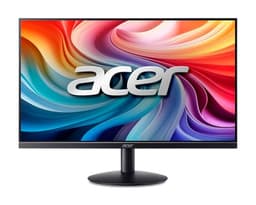
The selling point here is the physical profile. Ultra-slim, frameless on three sides, the kind of screen that looks smart on a tidy desk rather than bulking it up. At this price the 100Hz refresh and 4ms response are competent for office work and light play.
Where it slips behind the AOC 24B3HA2 at similar money is inputs. HDMI and VGA only, no DisplayPort, so it is a step down in flexibility from the AOC's dual digital inputs. It also lacks speakers. So you are paying for the slim looks and the Acer name rather than a spec advantage. If aesthetics on your desk matter and you run a single HDMI source, it makes sense; otherwise the AOC gives you more for the money.
Pros
- Frameless three-side design looks clean on a desk
- 100Hz refresh
- Acer warranty backing
Cons
- HDMI and VGA only, no DisplayPort
- No speakers
- Priced close to better-connected rivals
Buy on Amazon£90.42
Best Budget
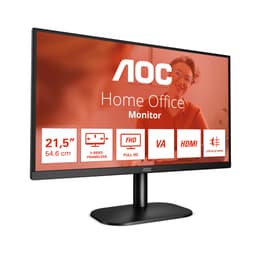
The cheapest genuine monitor here. It is a 22-inch VA panel, so blacks are deeper and contrast better than the IPS rivals, but the 7ms response and 75Hz refresh mark it as a budget pick for basic use. VA also shifts colour off-angle more than IPS. For a second screen or a first monitor on a tight budget it does the job. See our full AOC 22B2H review for detail.
Pros
- Cheapest real monitor on the list
- VA panel gives strong contrast
- Flicker-free with low blue light mode
Cons
- 75Hz and 7ms, the slowest here
- Only 22 inches
- VA colour shifts off-axis
Buy on Amazon£69.97Read full review
Best for Second Screen
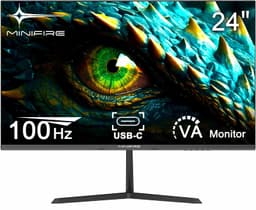
At this price the Minifire offers a 24-inch 100Hz panel, but the brand is unknown and reviews are thin, which is why it lands here. On spec it matches pricier rivals; in practice you are gambling on warranty support if something goes wrong. Fine as a cheap second screen if you already have a trusted main monitor. Our full Minifire review weighs the risk.
Pros
- 100Hz 24-inch panel on paper
- Priced under the branded 100Hz rivals
Cons
- Unknown brand, sparse owner reviews
- Warranty and support uncertain
Buy on Amazon£74.99Read full review
Not a Monitor
Buying Guide: What to Look For in the Best Monitors Under £100 UK 2026 | 11 Compared & Ranked
Under £100 you are almost always buying 1080p. That is fine at 24 inches, where the pixels are dense enough to keep text sharp. Push to 27 inches at the same 1080p and text softens, since the same pixels are spread over more screen. If sharpness matters, a 24-inch panel is the safer size at this budget.
Panel type. IPS is what you want for colour and viewing angles, and most of the good picks here use it. VA, like the AOC 22B2H, gives deeper blacks but shifts colour off-angle and tends to be slower. TN, once the budget default, has mostly vanished from this bracket, which is a good thing.
Refresh rate. The jump from 60Hz to 100Hz or 120Hz is real even for office work: smoother scrolling, a snappier cursor. Several screens here hit 120Hz at no premium, so there is little reason to settle for 75Hz unless you want a specific panel like the white Philips.
Inputs. This is where budget screens quietly cut corners. Many give you a single HDMI or HDMI plus VGA only. If you run a modern PC or want a second device on the same screen, look for DisplayPort or a second HDMI. The Amazon Basics and BenQ lead the list here.
Mistakes to avoid. Do not pay for 27 inches expecting a sharper image, it is a bigger image, not a crisper one. Do not assume speakers sound good, budget monitor speakers are for calls, not music. And check the stand: most at this price are tilt-only, so if you need height, factor in VESA support and an arm.
How We Compared These
We ranked these eleven on published manufacturer specifications, verified owner reviews on Amazon UK, and current pricing against the £100 ceiling. We weighted panel type, refresh rate, input selection and value hardest, since those decide daily use at this budget. Where a product carried a review sample gap or thin owner feedback, like the Minifire, we said so and ranked it accordingly. We hold no bench and no test rig; every judgement here comes from specs, owner reports and cross-referencing independent coverage, not from a unit in our hands.
Best Overall
Amazon Basics 23.8-inch Computer Monitor 120 Hz
Three inputs including DisplayPort, VESA mounting and 120Hz for £69. Nothing else under £70 gives you this much room to grow.
Check Price£88.46Best Value
Philips 241V8AW 24" FHD Monitor White
A full 24-inch screen with speakers and a rare white finish for £75, the price of many 22-inch panels.
Check Price
For more on panel technology, the RTINGS office monitor guide is a solid independent reference, and BenQ's own GW2490E product page details the eye-care features in full.
Final Verdict: Best Monitors Under £100 UK 2026 | 11 Compared & Ranked
For the fullest value under £100, the Amazon Basics 23.8-inch 120Hz takes it, thanks to a DisplayPort input and VESA mounting that almost no rival matches at £69. If you want the most screen for your money instead, the Philips 241V8AW gives you a full 24-inch panel with speakers and a rare white finish for £75, which is our best budget call. Between them sit the BenQ GW2490E for tired eyes and the Acer EK271G for a big screen. Buy the Amazon Basics unless you specifically need speakers or a matching white desk, in which case the Philips is the one to reach for.