Finding a capable laptop for music production on a budget is harder than it looks. DAWs such as Ableton Live, FL Studio, Cubase, and Reaper are CPU-hungry, demand low-latency audio performance, and benefit enormously from fast storage and generous RAM. The good news is that the £700 ceiling now buys you genuinely capable Windows hardware, with Qualcomm Snapdragon and Intel 12th-generation processors offering real multi-core grunt at prices that would have seemed impossible two years ago. Since last year, the Snapdragon X platform has matured considerably, ARM-native plugin support has expanded, and 16GB of RAM has become the new baseline at this price point. This guide covers the best options available right now in the UK, from a pair of proper Windows laptops suited to serious DAW work, to Chromebook alternatives for those who work primarily with browser-based tools or lightweight Linux audio environments. Whether you are a bedroom producer tracking vocals, a podcaster editing in Audacity, or a composer sketching ideas on the move, there is a machine here for your workflow and your budget.
Quick Verdict
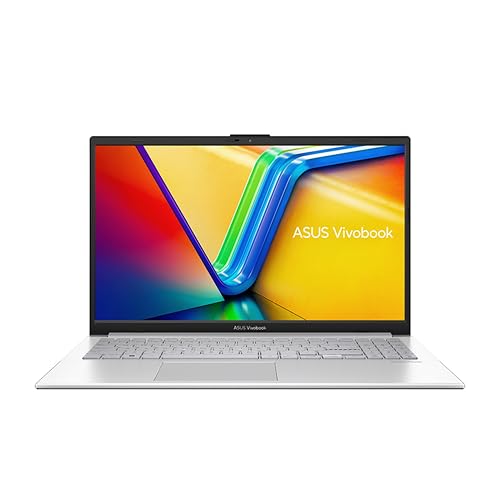
Best Overall: ASUS Vivobook S 14 S3407QA. A 2.8K screen, 16GB RAM, 1TB PCIe Gen4 SSD, and the Snapdragon X Plus chip make this the most capable all-round music production laptop in this price bracket. ARM compatibility is improving rapidly, and for most mainstream DAWs it is already a non-issue.
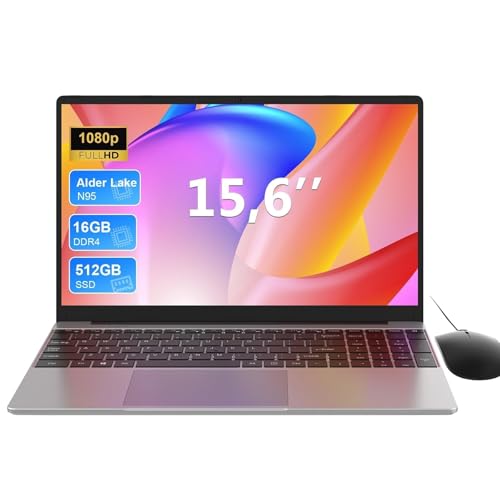
Best Value Windows Laptop: Lenovo IdeaPad Slim 3 (i5-12450H). At this price it pushes the budget ceiling, but you get a proven Intel platform with rock-solid DAW compatibility, 16GB RAM, and a 512GB SSD. If ARM plugin compatibility worries you, this is the safer choice.
Best Budget Option: ASUS Chromebook Plus 15 CX1505. For producers who work with browser-based DAWs such as BandLab or Soundtrap, or who run Linux audio tools via Crostini, the 15.6-inch screen and 8GB RAM offer the most usable Chromebook experience at a very accessible price.
The ASUS Vivobook S 14 S3407QA is the standout pick for any UK producer who wants a capable, portable Windows laptop without exceeding £600. It is built around Qualcomm's Snapdragon X Plus processor, part of the Copilot+ PC generation, and it represents a meaningful shift from the x86 laptops that have dominated this category for years. The Snapdragon X Plus is a genuinely multi-core chip with a high-efficiency architecture that keeps the machine cool and quiet during extended DAW sessions, which matters enormously when you are recording or mixing and cannot have fan noise bleeding into your microphone.
For music production, the headline specs are encouraging. You get 16GB of RAM as standard, which is the practical minimum for running a modern DAW with a reasonable number of virtual instruments and effects plugins simultaneously. The 1TB PCIe Gen4 SSD is fast enough to stream large sample libraries without the stuttering or dropouts that plague slower eMMC storage. The 2.8K IPS display at 2560x1600 resolution is genuinely excellent for this price, giving you enough screen real estate to have your DAW arrangement view, mixer, and a plugin window open at the same time without constantly resizing panels.
The port selection is thoughtful for a machine aimed at creative professionals. Two USB 4 Type-C ports mean you can connect a USB-C audio interface directly, and the two USB 3.2 Type-A ports handle legacy peripherals such as MIDI controllers and USB hubs without needing an adapter. The HDMI 2.1 output allows connection to an external monitor, which is a significant quality-of-life improvement for serious production work. A 3.5mm audio combo jack is present for headphone monitoring.
The main caveat with the Snapdragon X platform is ARM compatibility. Most major DAWs, including Ableton Live 12, FL Studio 21, and Reaper, now run natively or via emulation on ARM Windows with no meaningful performance penalty, and plugin support through emulation is broad. However, some older or more obscure VST plugins may still present compatibility issues. If your workflow relies on a specific legacy plugin that has not been updated, it is worth checking compatibility before purchasing. For producers using mainstream tools, this is increasingly a non-issue in 2024 and 2025.
Battery life is a genuine strength of the Snapdragon platform, with real-world endurance comfortably exceeding what an equivalent Intel or AMD machine would offer. For producers who work on the move, in cafes, or in studios without convenient power sockets, this is a meaningful practical advantage. The machine runs cool and quiet under typical DAW loads, which is exactly what you want when tracking audio.
Verdict: The best all-round music production laptop under £700 in the UK right now. Excellent display, fast storage, generous RAM, and improving ARM compatibility make it a compelling choice for the majority of producers.
Pros
- 16GB RAM and 1TB PCIe Gen4 SSD cover serious DAW workloads at this price
- 2.8K IPS display gives genuine screen real estate for complex DAW layouts
- USB 4 Type-C ports support fast audio interfaces and external displays directly
Cons
- Snapdragon X ARM platform may cause compatibility issues with older or niche VST plugins
- Qualcomm Adreno integrated GPU offers no meaningful GPU-accelerated audio processing
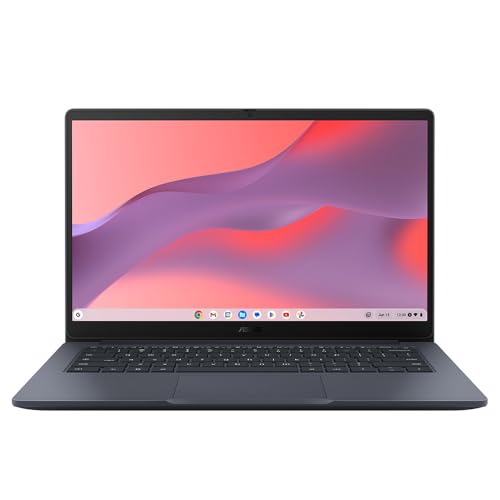
The ASUS Chromebook 14 CX1405CTA is a budget-focused Chromebook built around the Intel Core 3 N355 processor and running ChromeOS on a 14-inch Full HD IPS display. It sits in a lower price bracket than the Chromebook Plus 15 above, and the trade-offs compared to that machine are significant for anyone considering it for music production purposes.
The most important limitation to understand upfront is the 4GB of RAM. For music production, even with browser-based DAWs, 4GB is tight. BandLab and Soundtrap will run, but if you have multiple tracks, effects, and browser tabs open simultaneously, you will encounter slowdowns. ChromeOS itself is lightweight enough that 4GB is usable for general computing, but audio production is more demanding than web browsing, and the headroom disappears quickly when you start layering tracks and effects in a browser-based DAW.
The Intel Core 3 N355 is an efficiency-focused processor from Intel's N-series line, designed for low-power Chromebook applications rather than sustained performance workloads. It will handle casual music tasks, voice recording in a browser, and light mixing without complaint, but it will struggle with more complex projects that involve many simultaneous audio tracks or CPU-intensive effects processing.
On the positive side, the 14-inch IPS display at 1920x1080 is genuinely good for the price. IPS panels offer better colour accuracy and viewing angles than TN alternatives, which matters when you are spending hours looking at a DAW interface or waveform editor. The port selection is reasonable: two USB-C 3.2 Gen1 ports, one USB-A 3.2 Gen1 port, HDMI 1.4b output, a 3.5mm audio jack, and a Kensington lock slot. The dual USB-C ports mean you can charge on one side while connecting a USB-C audio interface on the other, which is a practical advantage over some more expensive machines.
The 64GB eMMC storage is the absolute minimum for a music production machine, and it will fill rapidly once ChromeOS, Android apps, and any downloaded content are installed. Cloud storage via Google Drive partially mitigates this, and browser-based DAWs store projects in the cloud by default, but local sample libraries and downloaded audio files will quickly consume the available space. An external USB drive or SD card is effectively a necessity rather than an optional extra.
This machine makes most sense for a student or beginner producer who wants the cheapest possible entry point to browser-based music making, understands the platform's limitations, and plans to upgrade within a year or two as their skills and requirements grow.
Verdict: A very budget-friendly entry point for casual browser-based music production, but the 4GB RAM and 64GB storage are genuine constraints that will limit more ambitious projects. Best suited to absolute beginners exploring music production for the first time.
Pros
- IPS display at 1920x1080 offers good colour accuracy for the price, useful for extended DAW sessions
- Dual USB-C ports allow simultaneous charging and USB-C audio interface connection
Cons
- 4GB RAM is insufficient for anything beyond the most basic browser-based DAW projects
- 64GB eMMC storage fills extremely quickly once apps and audio files are added
- Intel Core 3 N355 lacks the sustained performance needed for CPU-intensive audio processing
The ASUS Chromebook 11 CR1100 is the most affordable laptop in this guide, and it comes with a three-year warranty that is unusual at this price point. It is powered by an Intel Celeron N4500 processor, carries 4GB of RAM, 64GB of eMMC storage, and runs ChromeOS on an 11.6-inch HD TN display. It is important to be direct: this is not a music production laptop in any meaningful professional sense. It is a basic computing device that can, at a stretch, handle the very lightest browser-based audio work.
The Intel Celeron N4500 is a dual-core processor with a maximum boost clock of 2.8GHz, and it is designed for basic productivity tasks such as word processing, web browsing, and video streaming. Under the demands of a browser-based DAW with multiple tracks and effects, it will show its limitations clearly. Expect audio dropouts, sluggish interface response, and frustration if you attempt anything beyond a simple two or three track recording in BandLab or a similar platform.
The 11.6-inch TN display at 1366x768 resolution is the weakest screen in this guide. TN panels have narrow viewing angles and poor colour reproduction compared to IPS alternatives, which makes extended DAW sessions uncomfortable. The low resolution also means that DAW interfaces, which are typically designed for at least 1080p displays, will feel cramped and require frequent scrolling to access different sections of your project.
Where the CR1100 does have genuine merit is in its physical durability and the included three-year warranty. ASUS has built this machine to withstand the rigours of student use, with a reinforced chassis and spill-resistant keyboard. For a young person who wants to experiment with music for the first time, record voice memos, or use simple audio tools in a school or college environment, the durability and warranty coverage provide real peace of mind. The port selection is adequate: two USB-C ports, two USB-A ports, a microSD card slot, and a 3.5mm audio jack.
The microSD slot is worth noting as a practical storage expansion option. A 128GB or 256GB microSD card can be purchased cheaply and inserted permanently, effectively tripling or quadrupling the available storage for audio files and downloaded content. This partially addresses the storage limitation, though it does not resolve the performance constraints imposed by the Celeron processor and 4GB RAM.
If budget is the absolute primary constraint and the user's music production ambitions are genuinely modest, this machine provides a functional starting point. For anyone with serious production goals, however, saving up for one of the Windows laptops in this guide will deliver a dramatically better experience.
Verdict: The most affordable option in this guide, with a reassuring three-year warranty, but the Celeron processor, 4GB RAM, and TN display make it suitable only for the most basic browser-based audio experimentation. Producers with any serious ambitions should look elsewhere.
Pros
- Three-year warranty provides exceptional peace of mind at this price point
- MicroSD card slot offers a cheap and easy way to expand storage for audio files
Cons
- Intel Celeron N4500 dual-core processor is too slow for meaningful DAW work, even in a browser
- 11.6-inch TN display at 1366x768 is cramped and colour-inaccurate for DAW use
- 4GB RAM causes slowdowns when running a browser-based DAW alongside other applications
Buying Guide
How much RAM do you really need for music production?
RAM is one of the most critical specifications for music production, and the honest answer is that 16GB is the practical minimum for serious work in 2025. A modern DAW project with 20 to 30 tracks, several instances of a sampler such as Native Instruments Kontakt, and a handful of effects plugins can easily consume 8 to 12GB of RAM during playback. With 8GB, you will hit the ceiling quickly and experience slowdowns or crashes. With 16GB, you have comfortable headroom for complex projects. The two Windows laptops in this guide both offer 16GB, which is why they rank above the Chromebooks that are limited to 4GB or 8GB.
What processor should you look for?
For Windows-based music production, a modern multi-core processor is essential. Intel's 12th-generation H-series chips (as in the Lenovo IdeaPad Slim 3) and Qualcomm's Snapdragon X Plus (as in the ASUS Vivobook S 14) both offer the multi-core performance that DAWs exploit for parallel processing of audio tracks and effects. Avoid Celeron and Pentium processors, which lack the core count and sustained performance for anything beyond the most basic audio tasks. For Chromebook-based production, the processor matters less because the workload is lighter, but even here an N355 or better is preferable to a Celeron N4500.
Is a Mac or PC better for music production?
This is one of the most debated questions in music production, and the honest answer is that both platforms are excellent in 2025. Apple's M-series MacBooks offer outstanding performance per watt and are the preferred platform for Logic Pro users, but they start well above the £700 budget of this guide. For producers working under £700, a Windows laptop is the only realistic option for a traditional DAW workflow. Windows supports every major DAW including Ableton Live, FL Studio, Cubase, Reaper, and Studio One, and the plugin ecosystem is vast. The performance gap between Mac and PC has narrowed considerably at equivalent price points.
What size laptop is best for music production?
A 14-inch laptop is the sweet spot for most producers who need portability without sacrificing too much screen space. It is large enough to display a DAW arrangement view and mixer simultaneously at 1080p or higher resolution, while remaining light enough to carry to sessions. A 15.6-inch machine offers more screen real estate but adds weight and bulk. An 11.6-inch laptop is too small for comfortable DAW use, with interfaces feeling cramped and requiring constant scrolling. If you work primarily at a desk, connecting any of these laptops to an external monitor transforms the experience significantly.
Which ports do you need for music production?
At minimum, you need one USB-A or USB-C port for your audio interface, plus a headphone jack for monitoring. A second USB port for a MIDI controller is highly desirable. If you plan to connect an external monitor, HDMI output is valuable. USB-C ports that support USB 4 or Thunderbolt offer the lowest latency connections for high-end audio interfaces. The ASUS Vivobook S 14's dual USB 4 Type-C ports and dual USB 3.2 Type-A ports represent the best port selection in this guide for audio production purposes.
What about storage?
A PCIe NVMe SSD is strongly preferred over eMMC storage for music production. The difference in read and write speeds is substantial: a PCIe Gen4 SSD can read at over 5,000MB/s, while eMMC storage typically manages 300 to 500MB/s. This matters when streaming large sample libraries in real time. eMMC storage is adequate for basic browser-based production but will bottleneck any workflow involving large orchestral or drum sample libraries. Aim for at least 512GB of PCIe SSD storage, with 1TB being preferable if your budget allows.
The ASUS Vivobook S 14 S3407QA is the overall winner for music production under £700 in the UK. It combines 16GB of RAM, a 1TB PCIe Gen4 SSD, a high-resolution 2.8K IPS display, and a versatile port selection including USB 4 Type-C connectivity, all. The Snapdragon X Plus platform's ARM architecture is the only meaningful caveat, but for producers using mainstream DAWs and current plugins, compatibility is no longer the barrier it once was. The machine runs cool, quiet, and efficiently, which are qualities that matter enormously in a recording environment. For producers who need the absolute certainty of x86 compatibility, the Lenovo IdeaPad Slim 3 is the alternative to choose, accepting the smaller 512GB SSD in exchange for a proven Intel platform. The Chromebook options in this guide are honest inclusions for producers whose workflows are genuinely centred on browser-based tools, but they are not substitutes for a proper Windows laptop when serious DAW work is the goal.