Best Overall Value
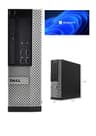
Here's the thing: when we talk about the best desktops for working from home under £300, this one reframes the entire conversation. It costs under £100. And it's genuinely good.
The Intel Core i5-4570 is a quad-core processor from Intel's Haswell generation. Yes, it's old. But for home office work, it's more than capable. Email, video calls, spreadsheets, browser tabs, PDF editing. It handles all of it without complaint. Pair that with 8GB of RAM and you've got a machine that won't stutter when you've got Teams open alongside Chrome with twelve tabs.
The 120GB SSD is the one area where you'll feel the pinch. Windows 11 Pro takes up a fair chunk of that, leaving you maybe 60 to 70GB for everything else. If you're storing documents locally or downloading large files regularly, you'll want to add an external drive or a cheap internal SSD fairly quickly. That said, the small form factor Dell OptiPlex chassis makes upgrading storage straightforward.
Windows 11 Pro is a genuine bonus at this price. Most budget machines ship with Home. Pro gives you BitLocker encryption, Remote Desktop, and better domain support if your employer needs it. For a work-from-home machine, that matters.
Owner feedback is largely positive. Most buyers report it arriving clean, booting quickly, and running quietly. A few mention the 120GB storage as the obvious weak point, which is fair. But at this price, you're not going to find better performance elsewhere. This is the pick if you want a capable home office PC without spending more than a tank of petrol.
Pros
- Exceptional value, well under £100
- Quad-core i5 handles everyday work tasks comfortably
- Windows 11 Pro included
- Compact small form factor fits any desk
- Easy to upgrade storage internally
Cons
- 120GB SSD fills up fast
- No monitor included
- Older generation processor
- RAM not expandable beyond what's needed for most tasks
Buy on Amazon£87.30
Best Build Quality
If budget isn't your primary concern and you want the most capable machine in this roundup, this is it. The Intel Core i7-6700 is a 6th generation processor that still holds up well in 2026. Four cores, boost speeds up to 4.0GHz, and paired with a frankly generous 32GB of RAM. That's more memory than most home workers will ever use, but it means you'll never hit a ceiling.
The 1TB SSD is the other headline. You won't run out of space. Ever. For working from home, that means storing project files, downloads, video recordings of meetings, and whatever else your job throws at you without constantly managing storage. It just works.
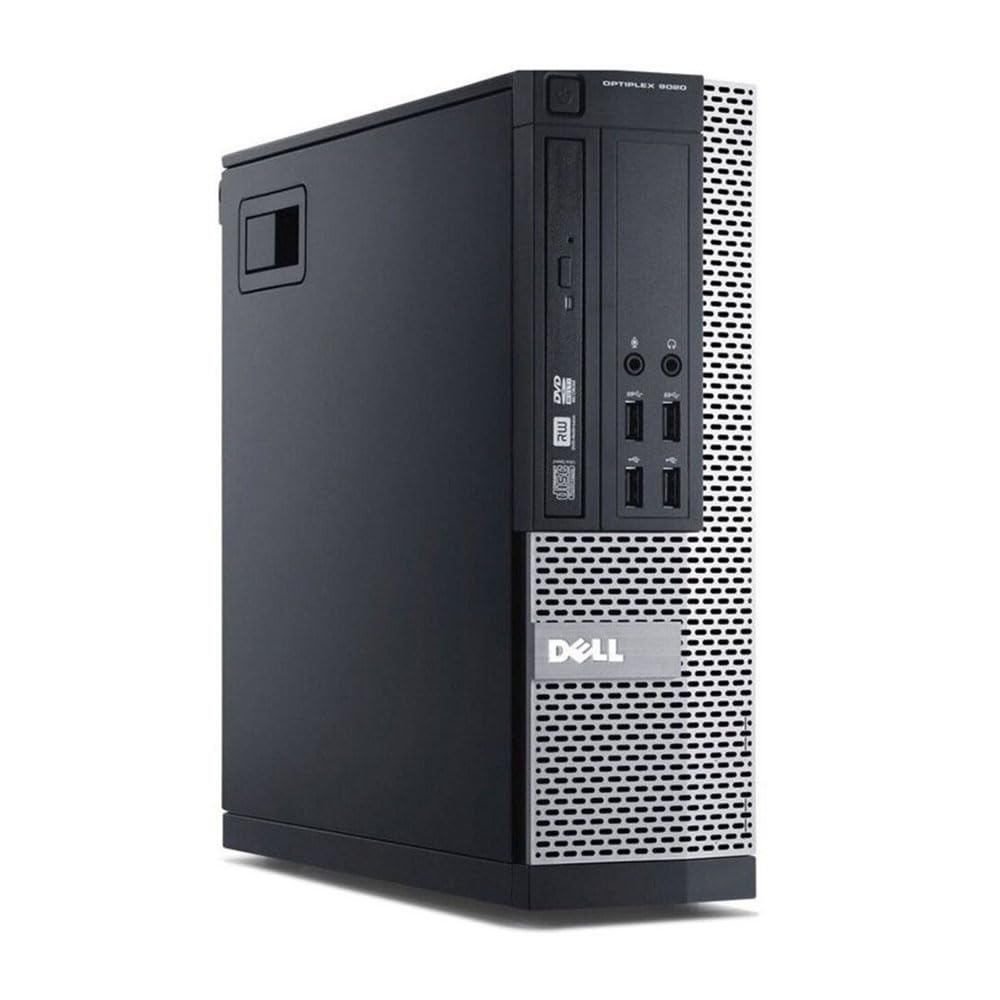
Dell's OptiPlex SFF chassis is one of the most reliable business PC designs ever made. These machines were built for corporate environments where they run eight hours a day, five days a week, for years. A refurbished unit from this range is typically in better shape than a cheap new PC from a no-name brand.
The included USB WiFi adapter handles 300Mbps, which is fine for most home broadband connections. HDMI output means connecting a modern monitor is straightforward. Windows 11 Pro comes pre-installed.
The price sits near the top of our £300 ceiling, so it's not for everyone. But if you're doing demanding work, running multiple applications simultaneously, or just want a machine that won't need replacing for years, this is where to spend your money. Among the best desktops for working from home under £300, this one offers the most headroom.
Pros
- 32GB RAM is exceptional at this price
- 1TB SSD, plenty of storage for any home worker
- i7-6700 still performs well in 2026
- Dell OptiPlex build quality is excellent
- Windows 11 Pro included
Cons
- Near the top of the £300 budget
- No monitor included
- 6th gen processor, not the newest architecture
Buy on Amazon£252.37
Best for Beginners
The OptiPlex 7020 sits in a comfortable middle ground. It's not the cheapest option here, but it's not stretching the budget either. And for someone setting up a home office for the first time, it's a genuinely sorted package.
The i7-4770 is a 4th generation Intel processor. Older, yes. But it's still a quad-core i7 with Hyper-Threading, which means it handles multitasking well. Running Zoom, a browser with multiple tabs, and a spreadsheet simultaneously? No problem. The 16GB of RAM helps enormously here. You won't be hitting memory limits doing normal home office work.
The 512GB SSD is a proper comfortable amount of storage. Enough for Windows, your applications, and a decent chunk of files without constantly watching the storage meter. For a beginner who doesn't want to think about upgrading anything, this machine is largely plug-and-play.
The Dell OptiPlex 7020 chassis is well regarded. It's quiet, compact, and the internals are accessible if you ever do want to upgrade. The 300Mbps USB WiFi adapter is included, which saves you buying one separately.
Windows 11 Pro is pre-installed. For a beginner, that means no faffing with activation keys or upgrade prompts. It's ready to go. If you're new to working from home and want something that just works without needing any technical knowledge, this is the one to pick.
Pros
- 16GB RAM handles multitasking well
- 512GB SSD is a comfortable amount of storage
- Beginner-friendly, minimal setup required
- Quiet and compact design
- Windows 11 Pro pre-installed
Cons
- 4th generation i7 is showing its age
- No monitor included
- Mid-range price for older hardware
Buy on Amazon£147.00
Best Overall Value
Look, if you need a complete home office setup and don't want to hunt around for a monitor separately, this bundle is hard to argue with. For £200, you get a capable desktop and a 23-inch monitor. That's a proper deal.
The desktop itself is a Dell OptiPlex 7020 or 9020 (the listing covers both, which is worth knowing before you buy). Either way, you're getting a 4th generation Intel Core i7 with four cores and boost speeds up to 3.9GHz. Paired with 16GB of RAM and a 500GB SSD, it's a genuinely capable work-from-home machine. Video calls, documents, email, browser tabs. All handled without fuss.
The 23-inch monitor is the real differentiator here. Working from home on a small laptop screen is miserable. A proper desktop monitor transforms productivity. You can have your video call on one side and your documents on the other. It's the kind of setup that makes working from home feel like working from home, not squinting at a tiny screen on the kitchen table.
The 300Mbps USB WiFi adapter is included, Windows 11 Pro is pre-installed, and the Dell OptiPlex build quality is, as always, solid. For anyone looking at the best desktops for working from home under £300 who needs a complete package, this is the strongest all-in-one option in the roundup.
One caveat: the 7020/9020 listing means you might get either model. Both are fine, but it's worth messaging the seller if you want to know exactly which one you're getting.
Pros
- 23-inch monitor included, complete setup out of the box
- 16GB RAM and 500GB SSD are solid specs
- Excellent value at £200 for everything included
- Dell OptiPlex reliability
- Windows 11 Pro pre-installed
Cons
- 7020 or 9020 model not guaranteed, check with seller
- 4th gen i7 is older hardware
- Monitor quality unknown without more detail from seller
Buy on Amazon£200.00
Best Under £100
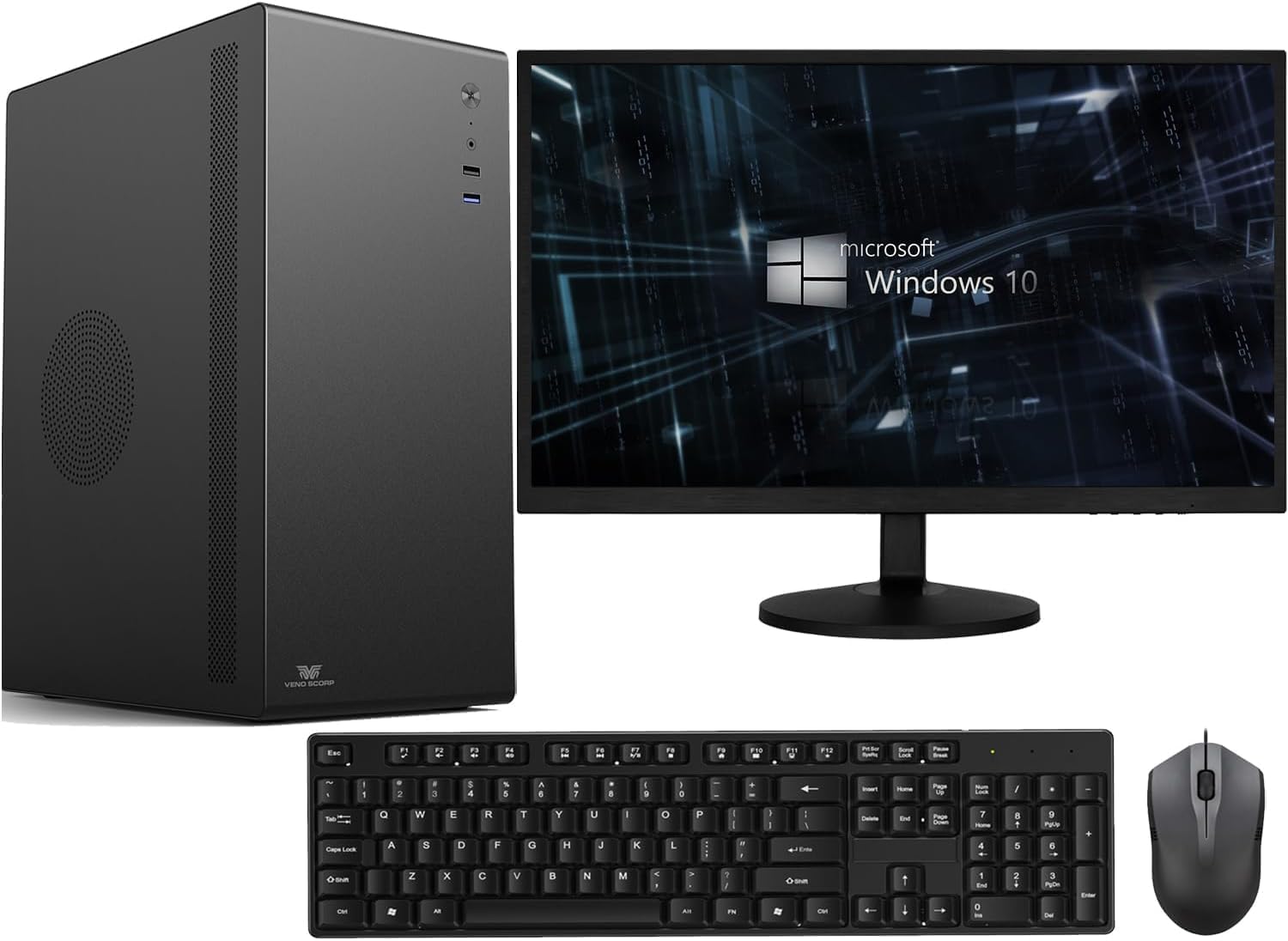
The Veno Scorp bundle has some genuinely impressive specs on paper. A 1TB NVMe SSD is the highlight. NVMe is faster than standard SATA SSDs, and 1TB is a generous amount of storage for any home worker. The 16GB of RAM is also solid. And the 21.5-inch monitor bundle means you've got a complete setup.
Here's where it gets complicated, though. The processor is an Intel Core i5-2400. That's a 2nd generation Intel chip from around 2011. It's not terrible for basic tasks, but it's noticeably older than the 4th and 6th generation processors in other machines here. For straightforward email, documents, and light browsing, it'll cope. But if you're running demanding applications or multiple video calls, you might start to feel it.
At £249, it's also sitting in a price bracket where the competition is strong. The Dell bundle with a 23-inch monitor and a 4th gen i7 costs £200. That's a better processor for less money, though the Veno Scorp's NVMe SSD and larger storage are genuine advantages.
For working from home, the 21.5-inch monitor is useful and the storage situation is excellent. If your work is mostly document-based and you value storage space over raw processing power, this makes sense. But if you're doing anything more demanding, the older processor is a real limitation at this price point.
Pros
- 1TB NVMe SSD is fast and generous
- 16GB RAM handles multitasking
- 21.5-inch monitor included
- Windows 11 included
Cons
- i5-2400 is very old hardware for the price
- Stronger alternatives available at similar or lower prices
- 2nd gen processor may struggle with demanding workloads
Buy on Amazon£279.00
Best Under £50
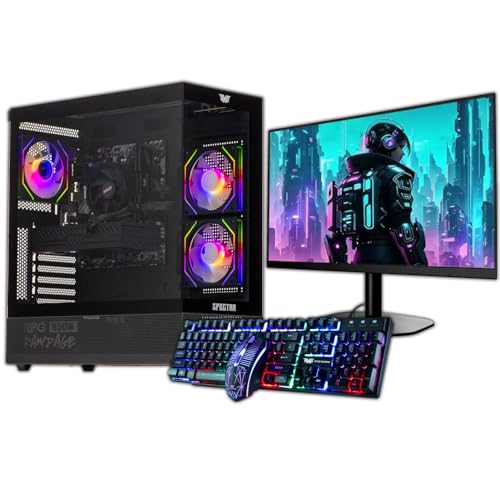
This one's a bit of an odd fit for a work-from-home roundup, but hear us out. The GTX 750 4GB dedicated graphics card means this machine can handle light gaming after work hours, which is a genuine bonus if you want one PC that does double duty. For working from home specifically, the integrated graphics on any other machine here would be perfectly adequate, so the GPU is more of a lifestyle perk than a work necessity.
The 16GB of RAM is good. The 22-inch monitor bundle is handy. And Windows 11 is pre-installed. So far, so reasonable. But the storage situation is genuinely awkward. You get a 120GB SSD and a 500GB HDD. The SSD is where Windows lives, and 120GB is tight. You'll want to keep your working files on the HDD, which is slower. It works, but it's not ideal.
The ARGB gaming case is... fine. It looks flashy, which some people love and others find distracting in a home office. It's also larger than the compact SFF machines elsewhere in this roundup, so it'll take up more desk or floor space.
At £289, this is near the top of the budget. For pure work-from-home use, the Dell i7-6700 with 32GB RAM and a 1TB SSD is a better choice at a similar price. But if you genuinely want to game occasionally and work from home on the same machine, this is the only option here that offers that combination.
Pros
- GTX 750 4GB enables light gaming alongside work use
- 16GB RAM is solid
- 22-inch monitor included
- Windows 11 pre-installed
Cons
- 120GB SSD is very tight for a primary drive
- Large gaming case takes up more space
- Near top of budget with weaker work credentials than the Dell i7
- Processor generation not clearly specified in listing
Buy on Amazon
Best Under £50
We're going to be straight with you: this machine is hard to recommend for working from home in 2026. And we mean that genuinely, not as a throwaway caveat.
Windows 8.1 is the biggest problem. Microsoft ended support for Windows 8.1 in January 2023. That means no security updates, no patches, and an operating system that many modern applications simply won't run on. Zoom, Teams, and most modern browsers have dropped support for it. For a work-from-home machine, that's not a minor inconvenience. It's a fundamental problem.
The Intel Celeron 1017U runs at 1.60GHz with just two cores. It was a budget processor when it launched, and it hasn't aged well. Paired with only 4GB of RAM, you'll feel the strain doing anything beyond basic web browsing. Video calls will be a struggle. Running multiple applications simultaneously will be painful.
The 500GB HDD is the only generous spec here, but it's a spinning hard drive, not an SSD. Boot times will be slow. Application loading will be slow. Everything will feel slow compared to any SSD-equipped machine.
You could potentially upgrade to Windows 10 or 11 if the hardware supports it, but that's extra effort and cost on top of a machine that's already limited. At its listed price, there are far better options. The i5-4570 machine at the top of this list costs less and is dramatically more capable. Unless this is genuinely all you can find, look elsewhere.
Pros
- Compact and quiet design
- Built-in WiFi
- 500GB HDD provides storage space
Cons
- Windows 8.1 is unsupported and incompatible with most modern work apps
- Celeron 1017U is very slow for any real workload
- Only 4GB RAM, limiting for multitasking
- HDD only, no SSD
- Overpriced for what you get compared to alternatives
Buy on Amazon£199.99