Best Overall Value
Price: £87.30 | Rating: ★★★★☆ (4.3)
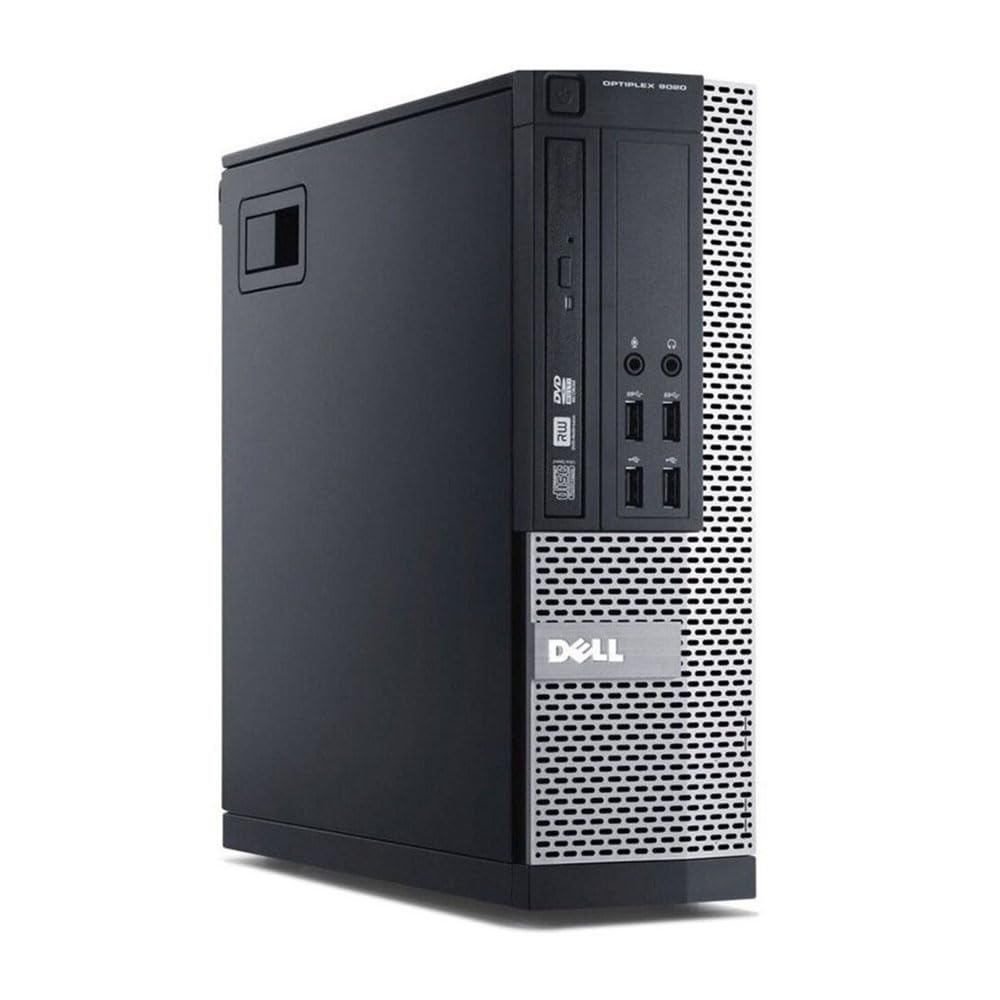
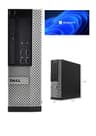
Here's the thing: when you are looking at the best desktops for office work under £300, you rarely expect to find something this capable for under a hundred pounds. But this refurbished OptiPlex genuinely delivers. The Intel Core i5-4570 is a quad-core processor from Intel's Haswell generation, and while it is not cutting-edge, it handles Microsoft 365, email, video calls, and browser-based tools without breaking a sweat.
The 120GB SSD is the real hero here. Boot times are fast, apps open quickly, and day-to-day responsiveness feels far more modern than the CPU generation might suggest. Yes, 120GB is tight if you are storing large files locally, but for most office workers who use cloud storage (OneDrive, Google Drive), it is perfectly workable. You can always add an external drive later.
Windows 11 Pro comes pre-installed and activated, which matters. You are not buying a machine and then scrambling for a licence key. The small form factor means it sits neatly on or under a desk without taking up much space. Connectivity is decent for the price, with USB ports, display outputs, and audio jacks all present.
8GB of RAM is the one area where you might feel a pinch if you are a heavy multi-tasker. Running Teams, Chrome with 15 tabs, and Excel simultaneously will push it. But for focused, single-task office work, it is absolutely fine. And at this price, you could buy two of these for the cost of some of the other machines on this list.
Owner feedback is broadly positive, with most buyers highlighting the fast boot time and the value for money. A few mention that the SSD size is limiting, which is fair. But as a primary office machine for light to moderate use, this is our top pick among the best desktops for office work under £300.
Pros
- Exceptional value at under £100
- Fast SSD boot and app loading
- Windows 11 Pro pre-installed and activated
- Compact small form factor
- Handles core office tasks without fuss
Cons
- 120GB SSD is tight for local file storage
- 8GB RAM limits heavy multi-tasking
- Older 4th-gen CPU architecture
- No monitor included
Buy on Amazon£87.30
Best Build Quality
Price: £252.37 | Rating: ★★★★☆ (4.3)
If you want the most capable machine in this roundup and your budget stretches to the top end of the £300 bracket, this is it. The i7-6700 is a 6th-generation Intel processor, which is meaningfully newer than the 4th-gen chips found in several other options here. It boosts up to 4.0GHz, and paired with a genuinely impressive 32GB of RAM and a 1TB SSD, this machine is built for serious office work.
That RAM figure is the standout. 32GB means you can run Teams, Chrome with dozens of tabs, Excel, Outlook, and a video call simultaneously without the machine even blinking. For anyone who works across multiple applications all day, this is a proper productivity machine. The 1TB SSD means storage is not a concern either, which is a relief after looking at some of the 120GB options elsewhere in this list.
The Dell OptiPlex SFF chassis is well-built. These machines were originally designed for corporate environments where reliability matters, and that shows in the build quality. The USB WiFi adapter included in the bundle is a practical touch, and HDMI output means connecting a modern monitor is straightforward.
The honest limitation is the CPU generation. The i7-6700, while capable, is now several years old. Microsoft's support timelines are worth keeping in mind, and while Windows 11 runs fine on it today, future OS updates could become trickier. For a three to five year office machine, though, it is absolutely fine. This is the pick for anyone who wants the best build quality and raw performance among the best desktops for office work under £300.
Pros
- 32GB RAM is exceptional at this price
- 1TB SSD, no storage compromises
- 6th-gen i7 is the newest CPU in this roundup
- Solid Dell OptiPlex build quality
- Windows 11 Pro included
Cons
- Near the top of the £300 budget
- 6th-gen CPU is still ageing
- No monitor included
- USB WiFi adapter rather than built-in
Buy on Amazon£252.37
Best Under £100
Price: £147.00 | Rating: ★★★★☆ (4.2)
This one sits in a sweet spot. You get an i7-4770 processor (quad-core, Haswell generation), 16GB of RAM, and a 512GB SSD, all in the reliable OptiPlex 7020 chassis. At around £148, it offers a meaningful step up from the entry-level i5 option without pushing you anywhere near the £300 ceiling.
For office work, the 16GB RAM makes a real difference over 8GB. You can run your full suite of office applications without worrying about memory pressure. The 512GB SSD is also a proper amount of storage. You can keep local files, downloads, and applications without constantly managing space. That alone makes this a more comfortable daily driver than the 120GB machines.
The OptiPlex 7020 is a well-regarded machine in the refurbished market. It was a premium business desktop in its day, and the build quality reflects that. Ports are plentiful, the chassis is solid, and the internals are easy to access if you ever want to upgrade further down the line.
The i7-4770 is a 4th-generation chip, which is the same era as several others here. It is not the newest architecture, but it handles office tasks without complaint. Video calls on Teams or Zoom, large spreadsheets, multi-tab browsing, all fine. The 300Mbps WiFi adapter is included, so you are not hunting for a dongle on day one.
Honestly, for anyone who wants a balanced machine without spending a lot, this is a strong contender among the best desktops for office work under £300.
Pros
- 16GB RAM handles multi-tasking well
- 512GB SSD is genuinely usable storage
- Solid OptiPlex 7020 build
- Good mid-range price point
- WiFi adapter included
Cons
- 4th-gen i7 is an older architecture
- No monitor included
- Refurbished, so condition varies by seller grade
Buy on Amazon£147.00
Best for Beginners
Price: £200.00 | Rating: ★★★★☆ (4.2)
For anyone setting up a home office or a first proper workstation from scratch, this bundle is genuinely hard to beat. You get a capable Dell OptiPlex with a 4th-gen Core i7, 16GB of RAM, and a 500GB SSD, plus a 23-inch monitor, all for £200. That is a complete working setup for the price of just the monitor in some shops.
The monitor inclusion is what makes this stand out for beginners. If you do not already have a screen, buying separately can easily add £80 to £150 to your total. This bundle sidesteps that entirely. The 23-inch display is not going to win awards, but for spreadsheets, documents, email, and video calls, it does the job.
The PC itself is solid. 16GB RAM means you are not going to hit memory walls doing normal office work. 500GB SSD storage is comfortable. Windows 11 Pro is pre-installed. The WiFi adapter means you can set it up anywhere in the house without running a cable. For someone who just wants to plug in and get working, this is the most complete out-of-the-box experience in this roundup.
The 4th-gen i7 is the same caveat as elsewhere: capable today, but not the newest architecture. And the monitor quality is unknown until you see it. But at £200 for a complete setup, the value is clear. This earns its place as the best pick for beginners among the best desktops for office work under £300.
Pros
- Complete setup including 23" monitor
- Excellent value for a full workstation
- 16GB RAM and 500GB SSD are solid specs
- Windows 11 Pro pre-installed
- WiFi included, truly plug-and-play
Cons
- Monitor quality is not premium
- 4th-gen CPU is ageing
- Refurbished condition varies
Buy on Amazon£200.00
Best Under £50
Price: £279.00 | Rating: ★★★★☆ (4.1)
Look, the specs on paper here are interesting. 16GB of RAM and a 1TB NVMe SSD sound impressive, and they are. But the CPU is an Intel Core i5-2400, which is a Sandy Bridge processor from 2011. That is genuinely old. And it shows in certain tasks, particularly anything that involves modern web apps, video calls, or browser-heavy workflows.
The NVMe SSD does help. The machine boots quickly and apps open fast, because storage is rarely the bottleneck. But when the CPU is under load, you will notice the age of the architecture. Teams calls can stutter. Chrome with many tabs open gets sluggish. For very basic office work, word processing, email, and light spreadsheet use, it copes. But it is not a comfortable daily driver for 2026 workflows.
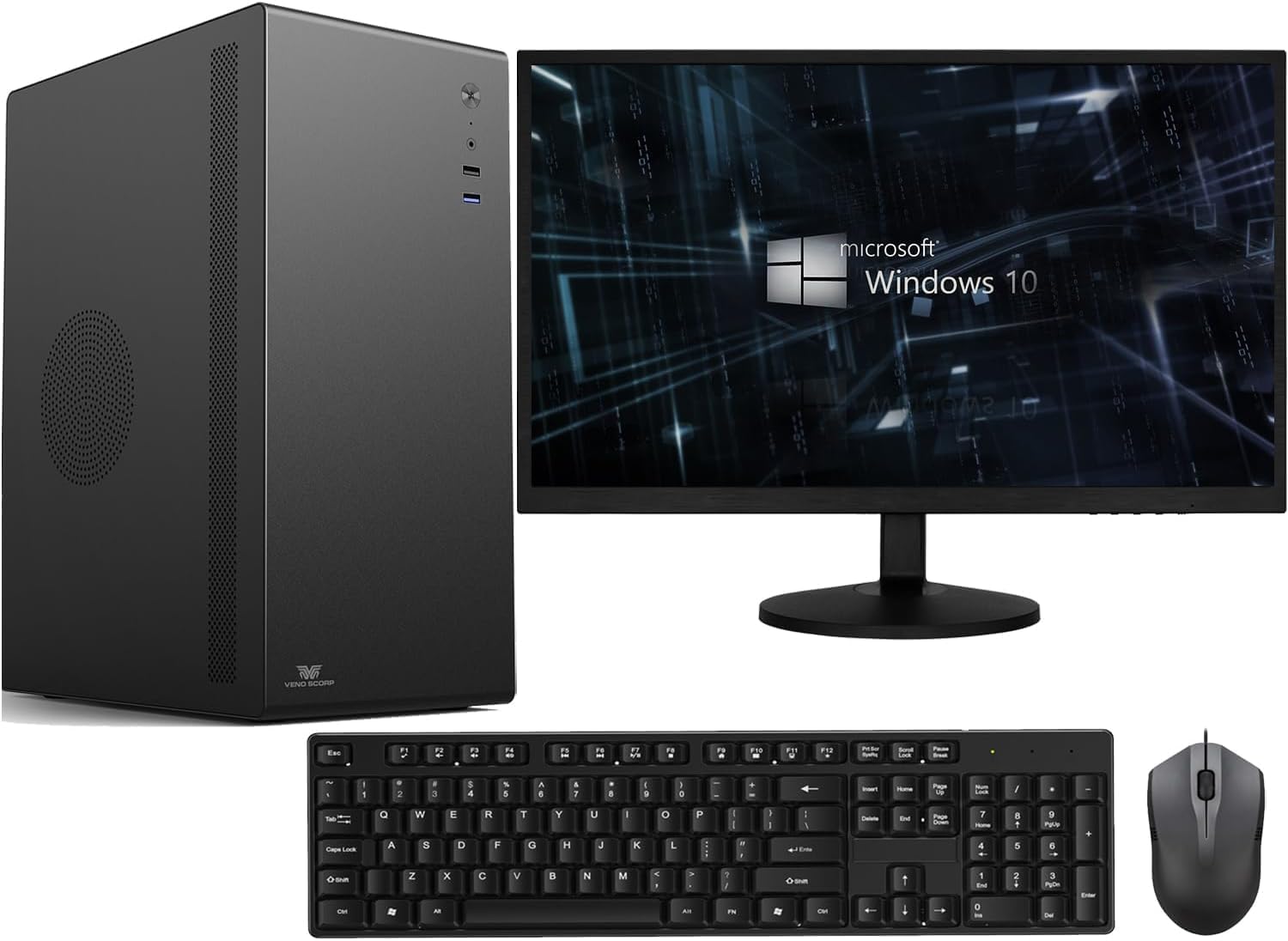
The 21.5-inch monitor bundle is a genuine plus. Like the Dell bundle above, having a screen included saves money if you are starting from zero. The Veno Scorp branding is less well-known than Dell, but the underlying hardware is still an OptiPlex chassis, which is reassuring.
At £249, this is actually more expensive than the Dell bundle with a 23-inch monitor and a newer CPU. That is a problem. The value proposition here is weaker than it first appears. If you are on a very tight budget and need a monitor included, the Dell bundle at £200 is a better choice. This one earns its badge for being the most affordable complete bundle, but the CPU age is a real limitation you should go in knowing about.
Pros
- 1TB NVMe SSD is genuinely fast
- 16GB RAM handles basic multi-tasking
- Monitor included in the bundle
- WiFi built into the package
Cons
- i5-2400 is a very old CPU (2011)
- Struggles with modern video calls and heavy browser use
- Priced higher than better-specced alternatives
- Less-known seller brand
Buy on Amazon£279.00
Best for Gaming Side
Price: £289.00 | Rating: ★★★☆☆ (3.0)
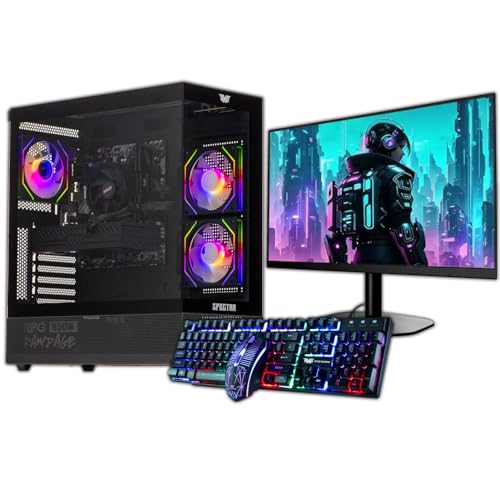
This one is a bit of an odd fit for an office work roundup, and we will be straight with you about that. The Veno Scorp gaming bundle comes in an ARGB gaming case with a GTX 750 4GB graphics card, which is fine for light gaming but adds cost that office workers simply do not need. Integrated graphics handles everything a typical office workload requires.
The 120GB SSD paired with a 500GB HDD is a workable combination, but 120GB for Windows and applications is genuinely tight. You will be managing storage from day one. The HDD is slower for anything stored on it, which means file access and app loading from the secondary drive will feel sluggish compared to a pure-SSD machine.
The 22-inch monitor is a nice inclusion, and 16GB of RAM is solid. But at £289, this is the most expensive machine in the roundup, and the spec balance is skewed towards gaming aesthetics rather than office practicality. The GTX 750 is also an older GPU that would not handle modern gaming particularly well anyway, so you are not even getting a great gaming machine for the premium.
So who is this for? Someone who wants a complete setup, does light office work, and fancies the occasional casual game on the side. In that narrow use case, it makes some sense. But as a pure office machine, the Dell bundle at £200 offers better value and a more sensible spec balance. This is the most niche pick in our best desktops for office work under £300 roundup.
Pros
- GTX 750 adds light gaming capability
- 22" monitor included
- 16GB RAM is solid
- Windows 11 pre-installed
Cons
- Most expensive in the roundup at £289
- 120GB SSD is far too small
- Gaming case and GPU add cost without office benefit
- GTX 750 is too old for modern gaming anyway
Buy on Amazon
Best Under £50
Price: £199.99 | Rating: No rating
We have to be honest here. The Lenovo Q190 is listed at a price that puts it in the same bracket as some far more capable machines, which makes it very difficult to recommend for office work in 2026. The Intel Celeron 1017U is a dual-core processor running at 1.60GHz, which was modest even when it launched. In 2026, it struggles with modern web apps, Teams calls, and anything beyond very basic document editing.
The 4GB of RAM is the other problem. Windows 11 (if you upgrade from the included Windows 8.1) needs at least 4GB to run, and that leaves almost nothing for applications. You will feel the pinch immediately. And Windows 8.1 itself is end-of-life, meaning no security updates. Running it as-is in 2026 is not advisable for any machine handling work files or email.
The 500GB HDD is the one generous spec, but it is a spinning hard drive, so boot times and app loading are slow compared to any SSD-equipped machine. The compact form factor is genuinely nice, and the built-in WiFi is convenient. But these positives do not overcome the fundamental spec limitations.
The Q190 might have a place as a very basic secondary machine, perhaps for a child doing homework or a dedicated media player. But as a primary office desktop for work in 2026, it falls short. There are better options at similar or lower prices in this roundup. Consider this one only if the price drops significantly below everything else listed here.
Pros
- Compact and quiet form factor
- Built-in WiFi
- 500GB storage is generous for the tier
Cons
- Celeron 1017U is very underpowered for 2026
- 4GB RAM is insufficient for modern office apps
- Windows 8.1 is end-of-life
- HDD-only, no SSD
- Poor value compared to refurbished i5/i7 options
Buy on Amazon£199.99