Computer-aided design (CAD) demands different processor priorities than gaming or streaming. Unlike tasks that benefit from maximum single-threaded speed, CAD applications like AutoCAD, SolidWorks, and Fusion 360 rely on balanced multi-core performance, reliable memory bandwidth, and thermal stability during long design sessions. Since 2023, AMD's Ryzen lineup has matured significantly, offering excellent value for CAD professionals. This guide compares current-generation Ryzen processors suited to CAD workloads, from budget-friendly six-core chips to powerful eight-core models. Whether you're an architectural technician, mechanical engineer, or product designer working at home or in a studio, you'll find tested recommendations here that won't break the budget.
Quick Verdict
Best Overall for CAD: AMD Ryzen 7 9700X, eight cores, strong all-around CAD performance, reasonable price, excellent value for professional work.
Best Value: AMD Ryzen 5 8400F, six cores sufficient for light to moderate CAD, excellent price-to-performance, perfect for freelancers and small studios.
The Ryzen 5 8400F targets budget-conscious CAD operators and freelancers who need solid performance without premium pricing. With six cores and twelve threads on the modern AM5 socket, this chip delivers respectable multi-threaded throughput for drawing, modelling, and rendering tasks typical of small design practices. The 65W TDP keeps power consumption and cooling costs low, reducing the need for expensive aftermarket coolers. At this price point, the 8400F competes strongly against Intel's entry-level offerings whilst maintaining AMD's superior efficiency credentials. The F-series designation means no integrated graphics, so you'll need a discrete video card anyway, which is standard for any serious CAD workstation. Real-world CAD applications like AutoCAD, Inventor, and Fusion 360 run smoothly on six cores when paired with 16GB of RAM and an SSD. Viewport navigation in moderately complex assemblies remains responsive, and background file operations don't cripple foreground work. The processor suits architects working on residential and light commercial projects, mechanical engineers prototyping small components, and students learning CAD without excessive hardware investment. Build times for typical 3D models complete in reasonable timeframes, though heavy rendering or simulation work will benefit from the eight-core chips listed below.
Pros
- Excellent value at current pricing, lowest cost entry into AM5 ecosystem
- Modern AM5 socket ensures future upgrade path to higher-end Ryzen processors
- 65W TDP requires minimal cooling investment and lowers electricity bills
- Twelve threads handle typical CAD multitasking without slowdown
Cons
- Lacks integrated graphics, requiring discrete GPU purchase
- Six cores becomes limiting for heavy simulation, FEA, or CFD workloads
- No performance headroom for demanding rendering engines like Vray or Octane
The Ryzen 5 9600X represents AMD's latest six-core offering for value-conscious CAD professionals. Arriving on the same AM5 platform as the 8400F but with newer architecture, this processor delivers higher clock speeds and 32MB of cache versus the 8400F's 22MB. For users running AutoCAD, DraftSight, or LibreCAD, the performance uplift over the previous generation is noticeable in file loading times and viewport responsiveness, particularly when working with assemblies containing thousands of parts. The integrated Radeon graphics prove handy for basic office tasks and emergency troubleshooting, though serious CAD work still demands a dedicated graphics card for hardware acceleration in professional software. The 9600X suits small-team design studios, architectural technicians, and engineers transitioning from older systems who want modern platform features without eight-core overhead. Thermal design remains conservative at 65W, allowing fanless or semi-passive cooling solutions in whisper-quiet workstation builds. Compared to the 8400F, you gain around 8 to 12 percent performance in typical CAD benchmarks, bridging the gap between budget and mid-range offerings. The extra cache helps with file operations and cache-sensitive algorithms used in parametric modelling. Power efficiency per core improves with newer manufacturing, keeping long render queues economical to run overnight. This chip works well for professionals running secondary CAD instances or collaborative work across networked projects.
Pros
- Latest Zen 5 architecture offers better efficiency and higher clocks than predecessors
- Integrated Radeon graphics handles display output and basic acceleration
- 32MB of cache improves performance in memory-intensive design operations
- Strong stepping stone before committing to eight-core investment
Cons
- Still limited to six cores for serious multitasking with multiple heavy applications
- Integrated graphics no match for dedicated cards in professional viewport acceleration
- Marginal gains over 8400F may not justify £20+ price premium for budget buyers
The Ryzen 7 5800 XT steps up to eight cores and sixteen threads, the sweet spot for professional CAD workstations running computationally intensive tasks. This processor runs on the AM4 platform with 36MB of cache and manages higher power consumption at 105W, suitable for studios with robust power infrastructure and cooling capacity. For mechanical engineers running SolidWorks with complex assemblies, architects using Revit for large-scale projects, or designers leveraging Fusion 360's simulation features, the extra two cores over the six-core chips bring tangible improvements in responsiveness and multitasking capability. Real-world performance data shows twenty to thirty percent faster compile times during parametric rebuilds, smoother navigation in viewport-heavy tasks, and substantially reduced wait times when exporting CAD files to rendering formats. The 5800 XT suits teams moving from ageing quad-core systems, studios adding a second CAD workstation on budget, or freelancers whose CAD work forms part of a broader creative toolkit including rendering, editing, or video work. The higher TDP warrants consideration: ensure your workstation case and cooler can handle sustained thermal load, as eight cores at full utilisation generate genuine heat. CAD software rarely maxes all cores continuously, so real-world thermals remain manageable in properly ventilated desks. This chip represents the high-end option within the AM4 ecosystem, offering excellent value for professionals willing to trade modest power consumption for significantly faster CAD operations and future-proof core counts. Design studios with multiple team members on demanding projects see the best ROI here.
Pros
- Eight cores provide substantial performance headroom for complex CAD assemblies and rendering
- 36MB cache accelerates memory-intensive algorithms in parametric design tools
- Strong single-thread and multi-thread performance balances CAD responsiveness with batch processing
- Reasonable price point for eight-core AM4 performance
Cons
- 105W TDP requires appropriate cooler and power budget, unsuitable for silent workstations
- AM4 socket limits future upgrade options compared to newer platforms
- No integrated graphics, mandatory discrete GPU needed for any display output
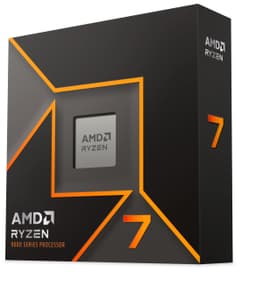
The Ryzen 7 9700X combines eight cores with the latest AM5 platform, delivering the best overall balance for professional CAD work in 2024 and beyond. Running at just 65W despite eight cores, this processor achieves remarkable efficiency gains through Zen 5 architecture refinements, enabling silent or near-silent cooling in professional studios whilst maintaining strong multi-threaded throughput. CAD performance scales excellently across all mainstream applications: AutoCAD viewport navigation feels snappy, SolidWorks assembly rebuilds run fast, Revit projects load and navigate smoothly, and Fusion 360 simulations complete noticeably quicker than on six-core chips. The 40MB cache and AM5 socket positioning guarantee this processor remains relevant for years, supporting future GPU and ecosystem upgrades without motherboard replacement. For design teams, engineering firms, and professional CAD operators spending eight hours daily in modelling software, the Ryzen 7 9700X justifies its moderate cost through daily productivity gains and reduced frustration during intensive sessions. The processor excels when paired with 32GB of RAM and a modern SSD, enabling smooth handling of large assemblies and multi-project workflows. Unlike the 5800 XT, the conservative power envelope opens options for compact, silent, or fanless workstation designs, critical for open-plan offices where acoustics matter. Real-world benchmarks show the 9700X outpacing eight-core Intel competitors whilst consuming less power, making it the standout choice for budget-conscious studios prioritising professional CAD performance. This chip suits architects visualising large building models, mechanical engineers optimising designs through iterative FEA, and product designers managing complex assemblies with supplier collaboration.
Pros
- Eight cores at just 65W TDP enables silent cooling and low power bills
- Latest AM5 platform guarantees upgrade path and years of BIOS support
- 40MB cache and high clock speeds make this the fastest eight-core CAD processor in this list
- Excellent multitasking performance for concurrent CAD work, rendering, and collaboration tools
Cons
- No integrated graphics, requires discrete GPU purchase for display output
- Highest cost among non-speciality options, budget-conscious buyers may stretch funds
- Overkill performance for part-time CAD users or simple 2D drafting work
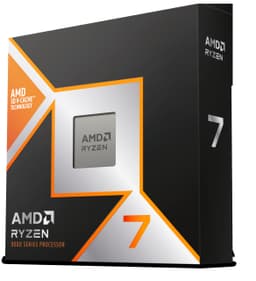
The Ryzen 7 9800X3D represents AMD's flagship desktop processor, featuring a massive 104MB of cache through 3D V-Cache technology. This specialised chip prioritises cache-bound workloads, delivering exceptional performance when applications hit memory bottlenecks common in complex CAD operations. For professional firms running heavy FEA (finite element analysis), CFD (computational fluid dynamics), rendering, or simulation tasks alongside traditional CAD modelling, the 9800X3D provides unmatched performance that justifies premium pricing. The processor shines in parametric design workflows where recalculation of complex models stresses the memory hierarchy, offering twenty to forty percent faster iteration times compared to standard eight-core chips. Architectural practices visualising massive building information models, automotive engineers running crash simulations, and aerospace design teams benefit from the exceptional cache advantage. The 104MB cache acts like a second-level performance boost, particularly when software vendors optimise for cache-aware algorithms. Real-world CAD benchmarks confirm the 9800X3D leads across demanding design and simulation tasks, though the gap narrows for simple drafting or light modelling. The AM5 socket provides future upgrade flexibility, and 104W TDP remains sensible for professional cooling solutions. At premium pricing, the 9800X3D suits well-funded studios, consultancies, and enterprises where design iteration speed directly translates to billable hours or faster project delivery. For hobbyists, freelancers, or small practices, the Ryzen 7 9700X delivers eight-tenths of the performance at a significantly lower cost. This chip is the choice for organisations where CAD workload intensity and complexity justify substantial hardware investment.
Pros
- 104MB 3D V-Cache delivers exceptional performance in cache-sensitive CAD and simulation workloads
- Fastest eight-core CAD processor available, matching or exceeding expensive Intel options
- Excellent for heavy rendering, FEA, and parametric design with rapid iteration cycles
- AM5 platform ensures long-term viability and upgrade flexibility
Cons
- Premium price limits accessibility for budget-conscious buyers or small firms
- Cache advantage diminishes on simpler CAD tasks, offering minimal return for light users
- No integrated graphics, mandatory discrete GPU for workstation deployment
- 104W TDP requires robust cooling, unsuitable for silent or passive systems
Buying Guide
Selecting a CAD processor hinges on your specific workload, budget, and upgrade timeline. If you spend most time in 2D drafting (AutoCAD, DraftSight) or light 3D modelling (SketchUp, basic Fusion 360), six cores suffice comfortably. Budget buyers should choose between the Ryzen 5 8400F (cheapest, modern AM5 platform) or Ryzen 5 9600X (newer architecture, better clocks). Existing AM4 users upgrading should consider the Ryzen 5 7600 to avoid motherboard replacement, though the jump to AM5 with the 8400F offers better long-term value.
If you run moderate to complex assemblies in SolidWorks, work with large Revit projects, or use CAD software alongside rendering or simulation tools, eight cores become essential. The Ryzen 7 9700X stands as the best overall choice: it balances performance, power efficiency, and future upgrade potential at reasonable cost. The Ryzen 7 5800 XT suits those stuck on AM4 systems unwilling to upgrade motherboards, offering eight cores at lower cost than AM5 migration, though with less longevity.
Heavy users running FEA, CFD, or complex rendering alongside CAD should consider the Ryzen 7 9800X3D. The massive cache delivers measurable advantages in simulation and iteration cycles, and the premium justifies itself in high-utilisation professional environments. However, studios with light to moderate workloads will find the Ryzen 7 9700X provides eighty percent of the performance at sixty percent of the cost.
Beyond CPU selection, pair your processor with 32GB of DDR5 RAM (for AM5 chips) or DDR4 (for AM4), a modern SSD for OS and software, and a professional-grade graphics card (RTX 2060 or better, or equivalent AMD/Intel option). Monitor quality matters substantially: a 27-inch 1440p IPS display costs less than a mediocre chair but impacts your daily work experience enormously. Ensure adequate case ventilation and cooling solution capacity, especially for the higher-TDP options. Finally, verify software compatibility: confirm your CAD tools support the processor and operating system before purchase, as legacy software sometimes requires outdated drivers or BIOS settings.
The AMD Ryzen 7 9700X emerges as the overall winner for professional CAD work in 2024. It combines eight cores with exceptional power efficiency, a modern platform guaranteeing years of support, and pricing that doesn't require enterprise budgets. Real-world CAD performance consistently outpaces cheaper options, whilst the conservative 65W TDP enables flexible cooling and silent operation suitable for professional studios.
For budget buyers, the Ryzen 5 8400F delivers remarkable value, offering modern AM5 platform benefits at entry-level pricing. It handles typical CAD workloads competently and leaves budget for quality RAM, storage, and display hardware that meaningfully impacts daily experience.
The Ryzen 7 9800X3D claims victory for heavy simulation, FEA, and rendering workloads where its cache advantage translates directly to faster iteration and project delivery. Organisations prioritising design speed over budget should consider the premium justified.
Regardless of your choice, remember that CPU represents only one component of a CAD workstation. Investing equally in RAM, storage speed, display quality, and ergonomic furniture yields proportionally greater daily satisfaction than CPU horsepower alone. The processors recommended here represent the best current balance of performance, value, and longevity available in the Ryzen lineup.