Best Overall Value
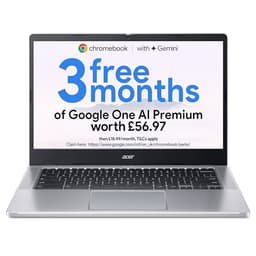
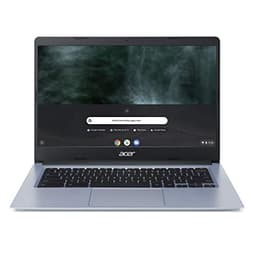
Start with the price. At under £190 this is the cheapest laptop on the list that gets the fundamentals right: a 14-inch panel that is genuinely 1920 by 1080, not the 1366 by 768 HD screen you find on the older Chromebook 314 further down. That resolution difference is the single reason this sits at the top and the CB314-H sits at the bottom. On a 14in screen, Full HD means sharper text for reading, tidier Google Docs and a video call window that does not look like a postage stamp.
The Celeron N4500 is a two-core, low-power chip. Nobody is pretending otherwise. But Chrome OS is built to run on exactly this class of silicon, so browsing, Gmail, streaming and Zoom or Google Meet calls all run smoothly as long as you are not stacking twenty tabs. Owners consistently report all-day battery, and Acer rates it around the ten-hour mark, which is the sort of figure that lets you leave the charger at home.
The 4GB of RAM is the ceiling here, and it is worth being clear about. Push past roughly ten tabs, or run a video call with a heavy web app behind it, and Chrome OS starts closing background tabs to cope. For the target buyer, a student, a second machine, someone who lives in a browser, that ceiling rarely gets hit. The 64GB eMMC storage is small and cloud-first, so this is a Google Drive laptop, not a photo library one.
Against the 15.6in Chromebook 315 lower down, which shares the same N4500 and 4GB, you are choosing screen size over portability. The 314 is lighter, easier to carry and, at times, cheaper. Unless you specifically want a big screen, the 314 is the smarter buy of the two. One checkable detail owners like: the black chassis hides fingerprints far better than the silver models Acer sells alongside it. See our full Acer Chromebook 314 CBOA314-1H review for the full breakdown.
Pros
- Full HD panel, rare at this price point
- Acer rates battery around ten hours
- Chrome OS auto-updates supported for years
- Light enough to carry daily
Cons
- 4GB RAM is a hard ceiling for heavy multitasking
- 64GB eMMC fills fast if you store locally
- No Windows software at all
Buy on Amazon£209.00Read full review
Best Chrome OS Power
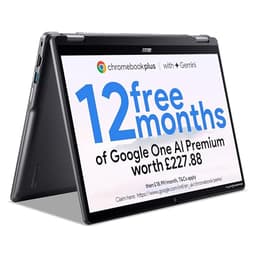
This is the Chromebook for anyone who tried a cheap one and hated it. The Core i3-1315U is a proper laptop processor, not a low-power Celeron, and it pairs with 8GB of RAM and a real 256GB SSD rather than eMMC. That combination is what earns the Plus branding, part of Google's tier that guarantees stronger hardware and extra AI and offline features baked into Chrome OS.
The practical upshot is headroom. Where the Chromebook 314 at the top starts struggling past ten tabs, the Plus 514 shrugs off far more, so it stays smooth with a video call running and a stack of docs open behind it. The 14in WUXGA panel is 1920 by 1200, a taller 16:10 shape that shows more of a webpage or spreadsheet than the 16:9 panels elsewhere on the list. For anyone reading and scrolling all day, that extra vertical space adds up.
The 256GB SSD is the other big win. It is four times the storage of the 64GB Chromebooks and dramatically faster than eMMC, so app installs, Android apps from the Play Store and local downloads all load quicker. Owners rate it as the Chromebook that finally feels like a full laptop.
At around £300 it costs noticeably more than the Chromebook 314, and if all you do is browse and email, that extra money is wasted. But if you want one Chromebook to last five or six years, this is the one to spend on. We covered the specifics in our Acer Chromebook Plus 514 review.
Pros
- Core i3 handles far more tabs than any Celeron here
- 256GB SSD, four times the cheaper Chromebooks
- 16:10 WUXGA panel shows more vertical content
- Chromebook Plus AI and offline features
Cons
- Overkill and overpriced for basic browsing
- Still Chrome OS, so no Windows apps
Buy on Amazon£331.00Read full review
Best Windows Value
If you need Windows rather than Chrome OS, this is where the money goes furthest. Around £428 buys a six-core Ryzen 5 5625U, 16GB of RAM and a 512GB SSD. Spell that out against the Chromebooks: three to four times the storage, four times the RAM of the cheap models, and a CPU that runs actual desktop software including Microsoft Office, Steam games at low settings and photo editors.
The 16GB of RAM is the star. Windows 11 is hungrier than Chrome OS, and 8GB machines feel tight the moment you open Chrome and Office together. With 16GB you get real multitasking room, which matters for video calls with tabs open behind them, and for anyone who works with several apps at once. The 512GB SSD gives you space for files, downloads and programs without the constant delete-to-make-room dance the 64GB Chromebooks force on you.
The Ryzen 5 5625U is a 2022-era chip, so it is not the newest here. The Aspire Go 15 AG15-71P below uses a fresher Intel Core i5-13420H. But that Intel model ships with only 8GB, so this Ryzen version's 16GB makes it the more balanced buy for most people. Owners praise the value and note the plastic chassis feels sturdier than the price suggests.
Full breakdown in our Acer Aspire Go 15 AG15-42P review.
Pros
- 16GB RAM, rare at this Windows price
- Six-core Ryzen 5 runs desktop software
- 512GB SSD for real local storage
- Runs the software Chromebooks cannot
Cons
- Ryzen 5 5625U is a 2022 chip
- Integrated graphics, not for serious gaming
- Heavier than the Chromebooks
Buy on Amazon£429.99Read full review
Best CPU Under £450
The pull here is the processor. The Core i5-13420H is an eight-core, 13th-gen Intel chip with far more grunt than the Ryzen 5 in the AG15-42P above, especially for tasks that lean on single-core speed. On raw CPU, this is the strongest Windows machine under £450 on the list.
The compromise is the 8GB of RAM. For a Core i5 that can genuinely churn through work, 8GB is the bottleneck, and Windows 11 will lean on the page file once you open Chrome plus Office plus a video call. Check whether the RAM is user-upgradable before you buy, because a jump to 16GB would transform this machine. The 512GB SSD matches its Ryzen sibling.
Buy this over the AG15-42P if your workload is CPU-heavy and light on multitasking. Buy the Ryzen version if you keep lots of apps open. See our Acer Aspire Go 15 AG15-71P review for the detail.
Pros
- Eight-core Core i5-13420H, strongest CPU under £450
- Newer 13th-gen silicon than the Ryzen model
- 512GB SSD
Cons
- Only 8GB RAM holds the CPU back
- Integrated graphics limit gaming
Buy on Amazon£461.97Read full review
Best All-Rounder
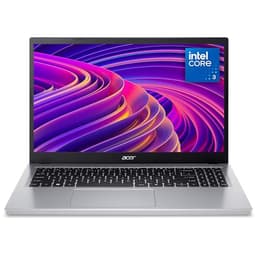
The Aspire 3 is the safe, boring, dependable pick, and there is nothing wrong with that. Ryzen 5 5500U, 16GB and a 512GB SSD is the same balanced recipe as the Aspire Go 15 AG15-42P, just in Acer's longer-running Aspire 3 body. The 5500U is a rung below the 5625U, so on pure CPU the Go 15 edges it, and at around £629 the Aspire 3 is the pricier of the two.
So why buy it? Availability and the mature chassis. The Aspire 3 line has been around for years, spares and support are easy, and owners rate its keyboard and build. For a household laptop that runs Office, video calls and browsing without fuss, 16GB and a 512GB SSD is plenty of room. It handles Teams or Zoom with tabs behind them comfortably thanks to that RAM.
If budget is the priority, the Go 15 AG15-42P does the same job for less. Pick the Aspire 3 if you find it on offer or prefer the established model. Our Acer Aspire 3 A315-44P review goes deeper.
Pros
- 16GB and 512GB SSD, roomy for multitasking
- Well-established, easy to support model
- Owners rate the keyboard
Cons
- Pricier than the near-identical Go 15 AG15-42P
- Ryzen 5 5500U is a notch slower than the 5625U
Buy on Amazon£529.00Read full review
Best Big Screen
The reason to buy this is the 17.3-inch screen and nothing else. That is a lot of Full HD real estate for spreadsheets, split-window working or watching films, and at around £600 it is the only big-panel Windows machine here. The Core i5-1334U, 16GB and 512GB SSD are a solid mid-range set, roughly on par with the other Aspires for everyday work.
The trade is portability. A 17.3in laptop is heavy and awkward in a bag, so this is a machine that lives on a desk and rarely moves. If you want a desktop replacement that saves the cost of a monitor, it makes sense. If you carry your laptop about, the 14in Chromebook 314 or the 15.6in Aspires are far more sensible.
Against the Aspire 3, you are paying a similar amount for the bigger screen and a slightly newer Intel chip, at the cost of weight. Our Acer Aspire 17 A17-51M review has the full picture.
Pros
- Large 17.3in Full HD screen
- 16GB and 512GB SSD
- Doubles as a desktop replacement
Cons
- Heavy and awkward to carry
- Integrated graphics, no gaming muscle
Buy on AmazonRead full review
Best 2-in-1
The trick here is the hinge. The Spin 312 flips fully around into a tablet, and the 12.2in WUXGA touchscreen makes it handy for reading, drawing or watching in tent mode. At around £156 it is the cheapest way into a convertible on this list. The N100 is a newer, more efficient chip than the older Celerons, and 128GB of storage doubles the 64GB Chromebooks.
Only 4GB of RAM keeps it a light-duty machine, so treat it like the Chromebook 314 with a party trick. Best for anyone who values the flip form factor over raw grunt.
Pros
- 360-degree convertible touchscreen
- 128GB storage, double the cheap Chromebooks
- Efficient N100 chip
Cons
- 4GB RAM limits tab count
- Small 12.2in screen for long sessions
Buy on Amazon£305.06Read full review
Best Budget Big Screen
Same N4500, same 4GB, same 64GB as the top-ranked Chromebook 314, but stretched onto a 15.6in Full HD panel for around £220. That larger screen is easier on the eyes for long browsing or video calls, but the machine is bigger and heavier for it.
It sits below the 314 purely because most people who buy a cheap Chromebook want portability, and the 314 is lighter and often cheaper. Buy the 315 only if screen size beats carrying it about. Full detail in our Acer Chromebook 315 CB315-4H review.
Pros
- Roomy 15.6in Full HD screen
- Same efficient N4500 as the winner
- Long Chrome OS update support
Cons
- 4GB RAM and 64GB storage, same ceilings as the 314
- Bigger and heavier for the same internals
Buy on Amazon£269.69Read full review
Best Under £220 Bargain
This is the entry point, and it shows its age. The N4000 is older and slower than the N4500 in the top pick, the storage is a cramped 32GB, and the 14in panel is HD 1366 by 768 rather than Full HD. Text and images look noticeably softer as a result.
For the small saving over the far better Chromebook 314 CBOA314-1H, it is hard to recommend unless it drops to a genuine giveaway price. Buy the Full HD model instead. Our Acer Chromebook 314 CB314-H review explains why.
Pros
- Cheapest way into Chrome OS
- Light and simple
Cons
- HD screen, not Full HD
- Only 32GB storage
- Older, slower N4000 chip
Buy on Amazon£249.99Read full review