Writers and bloggers have very different priorities from gamers or video editors. What matters is a keyboard you can type on for six hours without your fingers aching, a battery that outlasts a long train journey or a full day in a café, a screen that does not cause eye strain after a thousand words, and a machine light enough to carry everywhere inspiration strikes. Raw processing power, discrete graphics and high refresh rates are largely irrelevant when your heaviest workload is a browser full of research tabs and a word processor. This guide has been updated for 2025 to reflect the arrival of Copilot+ PC platforms, which have dramatically improved battery life on Windows machines, and to cut through the noise around AI features that writers simply do not need. Every pick below has been assessed on the attributes that actually matter for long-form writing: keyboard quality, sustained battery, display comfort, portability and value for the use case.
Quick Verdict
Best Overall: HP OmniBook 5 Next Gen AI 16"an extraordinary 34-plus hours of battery life, a large and comfortable keyboard on a 16-inch chassis, a crisp OLED display and a Snapdragon X1-26-100 platform that keeps the fan quiet all day. At its price point it is the strongest all-round package for anyone who writes for a living. Best Value: Samsung Galaxy Book4 Pro 360the only true 2-in-1 convertible in this selection with a premium AMOLED touchscreen, Thunderbolt 4 connectivity and a keyboard that Samsung has long been praised for, making it the best choice when you genuinely want the tablet and tent modes a 360-degree hinge provides.
The HP OmniBook 5 is the machine this guide has been waiting for. It is built around Qualcomm's Snapdragon X1-26-100 platform, which means it sits firmly in the Copilot+ PC category and brings with it the kind of battery life that desktop-replacement laptops used to dream about. HP rates it at 34.75 hours of real-world use, and while every manufacturer's battery claim should be taken with a degree of scepticism, independent testing consistently puts this class of Snapdragon machine well above 20 hours in mixed workloads. For a writer who spends the day in a coffee shop, a library or on a train, that means leaving the charger at home.
The 16-inch chassis gives HP room to fit a full-size keyboard with proper key travel, and that is the most important hardware specification for anyone who types for a living. The larger deck also means the keys are not cramped, the trackpad is generous, and your wrists have somewhere to rest. Writers who have switched from a 13-inch ultrabook to a 16-inch machine frequently report that their typing accuracy and speed improve simply because the layout is less compressed.
The display is a 1920×1200 OLED panel. The resolution is not as high as some rivals, but OLED's perfect blacks and high contrast ratio make text look genuinely sharp and reduce the grey, washed-out appearance that cheaper IPS panels produce. For reading and editing long documents, OLED is a meaningful upgrade over standard LCD. The 16:10 aspect ratio adds extra vertical space compared with a 16:9 screen, which means more lines of text are visible at once without scrolling.
Performance from the Snapdragon X1-26-100 is more than sufficient for every writing-related task: browser tabs, cloud storage sync, video calls, music streaming and a word processor all run without any perceptible lag. The Adreno GPU handles light image editing for blog post thumbnails without complaint. The machine runs cool and quiet because the ARM-based platform draws very little power under typical writing workloads, so the fan rarely spins up. That matters in a quiet library or shared workspace.
Connectivity covers 2× USB-C at 10 Gbps, 1× USB-A at 10 Gbps and a 3.5mm combo jack. There is no HDMI port, which is a mild inconvenience if you regularly present from an external display, though a USB-C to HDMI adapter costs very little. Storage is 512 GB NVMe SSD, which is ample for documents, notes and a local media library. RAM is 16 GB, soldered but sufficient for the workload.
Verdict: The HP OmniBook 5 is the best laptop for writers available at this price. Its battery life is class-leading, its keyboard is spacious, its OLED screen is easy on the eyes and it runs silently. Nothing else in this catalogue comes close on the attributes that matter most for long-form writing.
Pros
- Rated 34.75 hours battery life, genuinely all-day and beyond for most writers
- Full 16-inch keyboard deck with proper key spacing and travel
- OLED display with 16:10 aspect ratio makes text sharp and comfortable to read for hours
- Fanless or near-silent operation under typical writing workloads
Cons
- No HDMI port, requires a USB-C adapter for external display connections
- 1920×1200 resolution is lower than some rivals at this price, though OLED quality compensates
The Samsung Galaxy Book4 Pro 360 is the only genuine 360-degree convertible in this selection, and it earns its place as the premium pick for writers who specifically want the flexibility of a tablet or tent mode. The 360-degree hinge lets you fold the screen flat for note-taking with a stylus (Samsung includes an S Pen in the box), prop it in tent mode for reading manuscripts, or use it as a conventional clamshell for typing. That versatility is genuinely useful for writers who annotate printed drafts digitally, sketch out mind maps or read long documents in a more comfortable posture.
The display is a 16-inch Dynamic AMOLED 2X panel at 2880×1800. That is one of the finest screens available on any laptop in this price bracket. Text is razor-sharp, colours are vivid without being garish, and the AMOLED technology delivers the same perfect blacks and high contrast that makes reading comfortable over long sessions. Samsung's display calibration has always been a strength, and the Book4 Pro 360 is no exception.
Under the hood sits Intel's Core Ultra 7 155H, a capable processor that handles multitasking with ease. Writers who also manage their own websites, edit podcast audio, process photos for blog posts or run multiple browser profiles simultaneously will appreciate the headroom. Intel Arc Graphics is integrated and handles light creative tasks without needing a discrete GPU. The 16 GB of RAM and 512 GB SSD are standard at this tier.
Connectivity is excellent for a writer who works from different locations. Two Thunderbolt 4 ports provide high-speed data transfer and DisplayPort output, there is a full-size HDMI port, a USB-A port and a microSD card reader. That last addition is useful for bloggers who shoot photos on a camera and want to import them without a separate card reader. The 3.5mm jack is present for headphones.
Battery life is rated at around 17 hours by Samsung, and real-world figures for the Core Ultra 7 155H platform typically land between 10 and 14 hours under mixed use. That is solid but not exceptional, and it falls noticeably short of the Snapdragon-based machines in this guide. Weight is approximately 1.66 kg, which is reasonable for a 16-inch convertible but heavier than a dedicated ultrabook. The premium price reflects the AMOLED display, the S Pen inclusion and the convertible hinge mechanism.
Verdict: The Galaxy Book4 Pro 360 is the right choice for writers who genuinely want a convertible rather than a conventional clamshell. The AMOLED screen is stunning, the S Pen adds annotation capability, and the connectivity is the most complete in this selection. The price is high and the battery life does not match the Snapdragon competition, but no other machine here offers this combination of display quality and flexibility.
Pros
- Dynamic AMOLED 2X display at 2880×1800 is among the best screens on any laptop for reading and writing
- S Pen included in the box, useful for annotating documents and sketching content plans
- Thunderbolt 4, HDMI, USB-A and microSD all present, the most complete port selection here
Cons
- Battery life of 10, 14 hours real-world falls well short of the Snapdragon-based alternatives
- Premium price is hard to justify for writers who will rarely use the tablet or tent modes
- At 1.66 kg it is among the heavier options for daily commuting
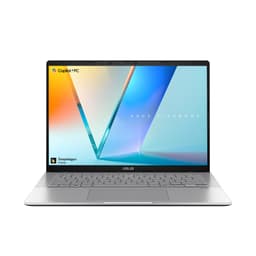
The ASUS Vivobook S14 M3407HA occupies an interesting position in this guide. It is a conventional clamshell rather than a convertible, but it earns its place because it offers a specification that no other machine in this selection can match at a comparable price: 32 GB of RAM and a 1 TB SSD, paired with a 14-inch 2560×1600 OLED display. For writers who are also bloggers managing large WordPress installations, running local development environments, keeping dozens of research tabs open simultaneously or working with large image libraries, that headroom is genuinely useful.
The AMD Ryzen 9 270 processor is a strong performer in sustained workloads. AMD's latest Ryzen 9 generation handles multitasking efficiently, and the Radeon integrated graphics are capable of light photo and video editing for blog content. The 14-inch form factor keeps the machine compact and portable at approximately 1.5 kg, which is noticeably lighter than the 16-inch options in this guide.
The OLED display at 2560×1600 is a highlight. Text rendering on an OLED panel is noticeably better than on a standard IPS screen, with deeper blacks making white text on dark backgrounds (popular in writing apps like iA Writer or Ulysses) look particularly clean. The 16:10 aspect ratio again adds useful vertical real estate for document editing. ASUS includes its OLED Care features to reduce burn-in risk, which is a sensible inclusion for a machine that will display static text for hours at a time.
Connectivity is well-rounded: 2× USB-A 3.2 Gen 1, 2× USB-C 3.2 Gen 1 with DisplayPort 1.2 and Power Delivery 3.0, HDMI 2.1 and a 3.5mm jack. That HDMI 2.1 port is useful for writers who occasionally present at events or connect to a large external monitor. The 1 TB SSD provides ample space for a large archive of drafts, research PDFs and media assets without needing an external drive.
Battery life is the area where the AMD platform trails the Snapdragon competition. ASUS rates the M3407HA at around 10, 12 hours, and real-world figures under mixed use are typically in the 8, 10 hour range. That is adequate for a full working day if you have access to a power point, but it is a significant step down from the HP OmniBook 5. The metal chassis feels premium and the build quality is solid, which justifies some of the price premium over the budget options.
Verdict: The Vivobook S14 M3407HA is the best pick for writers who need maximum RAM for heavy multitasking and want a large local storage pool, all in a compact 14-inch body with an excellent OLED screen. Battery life is the trade-off, and writers who work primarily away from a power source should look elsewhere.
Pros
- 32 GB RAM and 1 TB SSD, the most generous specification in this selection for multitasking and storage
- 2560×1600 OLED display delivers sharp, comfortable text rendering with OLED Care burn-in protection
- HDMI 2.1 port avoids the need for adapters when connecting to external displays
Cons
- Real-world battery life of 8, 10 hours is the weakest among the Windows machines here
- AMD Ryzen 9 platform can run warm under sustained load, which may trigger fan noise in quiet environments
The ASUS Vivobook S 14 S3407QA is built on Qualcomm's Snapdragon X Plus platform, placing it in the Copilot+ PC category alongside the HP OmniBook 5. That shared platform means it inherits the same core advantage: exceptional battery life from an ARM-based architecture that sips power during the light workloads that define a writer's day. ASUS rates battery life at up to 17 hours, and real-world figures for Snapdragon X Plus machines are consistently impressive, typically landing between 12 and 16 hours under mixed use.
At approximately 1.4 kg, this is the lightest Windows machine in this selection. For writers who commute daily, travel frequently or move between locations throughout the day, that weight saving is tangible. Carrying a laptop in a bag for several hours makes a difference of 200, 300 g more noticeable than it sounds on a specification sheet. The 14-inch form factor is the sweet spot for portable productivity: large enough for comfortable typing without the bulk of a 16-inch machine.
The display is a 14-inch 2560×1600 IPS panel rather than OLED. It is a good screen with accurate colours and comfortable brightness, but it lacks the contrast and black depth of the OLED panels on the HP and ASUS M3407HA. For writers who are sensitive to eye strain, the OLED options are preferable. That said, the 2.8K resolution ensures text is sharp and the 16:10 aspect ratio provides the extra vertical space that document editing benefits from.
The Snapdragon X Plus processor handles every writing-related task without hesitation. Browser tabs, cloud sync, video calls and writing applications all run smoothly and quietly. The Adreno integrated GPU is sufficient for light image editing. One consideration for writers who use specialist software is ARM compatibility: most mainstream applications including Microsoft 365, Google Chrome, Notion, Scrivener and Obsidian run well on Windows on ARM, but some niche tools may require emulation. It is worth checking your specific software stack before committing.
Connectivity is strong: 2× USB 4 Type-C, 2× USB 3.2 Type-A, HDMI 2.1 and a 3.5mm jack. The USB 4 ports support DisplayPort output and fast charging, so a single cable can power the machine and drive an external monitor simultaneously. Storage is 1 TB PCIe Gen4 SSD with 16 GB of RAM, which is a well-balanced configuration for the use case.
Verdict: The Vivobook S 14 S3407QA is the best choice for writers who prioritise portability above all else. It is the lightest Windows machine here, offers strong battery life from the Snapdragon X Plus platform, has a sharp 2.8K display and connects to everything via a comprehensive port selection. The IPS panel rather than OLED is the only meaningful concession at this price.
Pros
- Lightest Windows laptop in this selection at approximately 1.4 kg, noticeably easier to carry all day
- Snapdragon X Plus delivers 12, 16 hours real-world battery life for genuine all-day use
- USB 4 ports support simultaneous charging and external display output from a single cable
- 1 TB PCIe Gen4 SSD provides fast storage at a generous capacity
Cons
- IPS display lacks the contrast and black depth of the OLED panels on rival picks
- ARM platform means a small number of specialist writing or publishing tools may require emulation
The Acer Chromebook Spin 312 is the only genuine 2-in-1 convertible at a budget price point in this selection, and for writers who live primarily in a browser and a cloud-based writing tool, it makes a compelling case. At its price, nothing else here offers a 360-degree hinge, a touchscreen and a 1920×1200 IPS display in a package that weighs approximately 1.5 kg. ChromeOS is a legitimate writing platform in 2025: Google Docs, Notion, Ghost, WordPress, Substack and virtually every other web-based writing or blogging tool works perfectly in Chrome, and the operating system is fast, secure and maintenance-free.
The Intel N100 processor is modest but entirely adequate for the workload. Opening twenty browser tabs, streaming music, running Google Docs and syncing to Google Drive simultaneously does not trouble the N100. ChromeOS is optimised to run well on low-power hardware, and the result is a machine that feels snappier than its specification suggests. Writers who have been frustrated by budget Windows laptops struggling with Windows updates in the background will find ChromeOS a refreshing change.
The 12.2-inch screen size is the most compact in this guide. That is a trade-off: the machine is easy to carry and use in cramped spaces like economy train seats or small café tables, but the keyboard is smaller than on a 14 or 16-inch machine. Touch typists who are used to a full-size layout may need an adjustment period. The IPS panel at 1920×1200 is bright and clear, and the 16:10 aspect ratio is welcome for document editing.
The 360-degree hinge is the key differentiator from a standard Chromebook. In tent mode it is useful for reading long articles or manuscripts without the keyboard getting in the way. In tablet mode with the touchscreen, writers can annotate documents with a finger or a compatible stylus (not included). The hinge feels solid and the machine does not wobble when typing in clamshell mode.
Connectivity includes 1× USB-C, 2× USB-A, HDMI 1.4, a 3.5mm audio jack and a Kensington Nano lock slot. The HDMI port is a genuine convenience for connecting to external displays without an adapter. Storage is 128 GB eMMC, which is limited for local file storage but less of a concern on ChromeOS where most documents live in Google Drive. RAM is 4 GB, which is the minimum for comfortable multitasking in Chrome with many tabs open.
Battery life on ChromeOS with the N100 is typically in the 10, 12 hour range, which is excellent for the price. The machine is fanless, so it operates in complete silence, which is a genuine advantage in quiet writing environments.
Verdict: The Acer Chromebook Spin 312 is the right choice for writers on a tight budget who work primarily in cloud-based tools and want the flexibility of a convertible form factor. It is not a machine for anyone who needs offline-capable specialist software, but for browser-based writing it is hard to beat at this price.
Pros
- 360-degree convertible hinge with touchscreen at a genuinely budget-friendly price
- Fanless and silent operation, ideal for libraries, quiet offices and shared workspaces
- HDMI 1.4 port included, no adapter needed for external display connections
- ChromeOS is fast, secure and maintenance-free, with excellent support for cloud writing tools
Cons
- 4 GB RAM limits comfortable multitasking to around 10, 15 browser tabs before slowdown
- 12.2-inch chassis means a smaller keyboard than most writers will be used to
Buying Guide
Keyboard Quality
The keyboard is the single most important component for a writer. Look for a chassis size of at least 14 inches, which gives the manufacturer enough room to fit a full-size layout without cramping the keys. Key travel of 1.5 mm or more is the threshold for comfortable long-form typing; shallower keyboards cause finger fatigue over extended sessions. Backlit keys are useful for writing in dim environments such as evening cafés or overnight trains. If possible, try the keyboard in person before buying, as the feel of a keyboard is subjective and matters more for writers than for any other user group.
Battery Life
For a writer who works away from a desk, battery life is the second most critical specification. Aim for at least 10 hours of real-world use, which means looking for a manufacturer rating of 15 hours or more, since real-world figures are typically 60, 70% of the advertised figure. Copilot+ PC machines based on Qualcomm Snapdragon X platforms are currently the leaders in this area, with real-world figures that can exceed 15 hours. Intel and AMD platforms have improved significantly but generally trail by 3, 5 hours at comparable price points.
Display Comfort
Writers stare at their screen for hours at a time, so display quality matters more than it might for casual users. OLED panels deliver sharper text and higher contrast than IPS, making them easier to read for long periods. A 16:10 aspect ratio shows more lines of text than a 16:9 screen without scrolling. Resolution of 2560×1600 or higher on a 14-inch screen produces noticeably crisper text than 1920×1080. Matte or anti-glare coatings reduce reflections when working near windows. Avoid TN panels, which have poor viewing angles and colour accuracy.
Weight and Portability
If you write primarily at a desk, weight is less important. If you carry your laptop daily, the difference between 1.4 kg and 1.9 kg becomes significant over the course of a week. A 14-inch machine will almost always be lighter than a 16-inch equivalent, but a 16-inch machine offers a larger keyboard and more screen space. Consider your typical working pattern: commuters and travellers should prioritise a 14-inch ultrabook, while home or office workers may prefer the larger keyboard of a 16-inch machine.
Operating System and Software Compatibility
Windows 11 supports the widest range of writing software, including Scrivener, Final Draft, specialist academic tools and local backup utilities. ChromeOS is excellent for writers who use cloud-based tools exclusively, and it is more secure and lower-maintenance than Windows. macOS is not represented in this selection but is a popular choice among professional writers for its build quality and trackpad. ARM-based Windows machines (Snapdragon X platform) run most mainstream writing software natively or via emulation, but it is worth checking compatibility for any specialist tools before purchasing.
Storage and RAM
For writing alone, 16 GB of RAM and a 512 GB SSD are more than sufficient. Writers who also manage image-heavy blogs, run local web development environments or keep large research archives should consider 32 GB RAM and 1 TB storage. ChromeOS users can rely more heavily on cloud storage, making local storage less critical. Avoid machines with eMMC storage for Windows use, as eMMC is significantly slower than NVMe SSD and will cause noticeable delays when opening large documents or syncing files.
The HP OmniBook 5 Next Gen AI 16" is the overall winner for writers and bloggers. Its 34.75-hour battery rating, spacious 16-inch keyboard, OLED display with a 16:10 aspect ratio and near-silent Snapdragon X1-26-100 platform address every key attribute of the use case better than any other machine in this selection at its price. Writers who need a true 2-in-1 convertible with a premium AMOLED screen should look at the Samsung Galaxy Book4 Pro 360, accepting the higher price and shorter battery life in exchange for the S Pen and 360-degree hinge. Those on a tight budget who work primarily in cloud-based tools will find the Acer Chromebook Spin 312 a capable and genuinely portable companion. Whatever your budget, prioritise keyboard comfort and battery life above all other specifications, and you will find a machine that serves you well for years of productive writing.