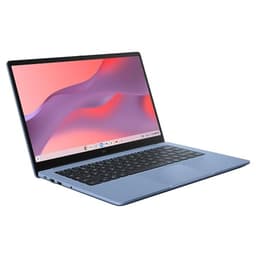
Finding a reliable laptop as a student means juggling a tight budget against the very real demands of long library sessions, lectures, and the occasional Netflix break. The 2-in-1 and convertible category has matured considerably since last year: Qualcomm's Snapdragon X-series chips have arrived in mid-range machines, bringing genuinely all-day battery life that was previously reserved for premium devices, while Chromebook convertibles have quietly become more capable thanks to better local storage options and improved Android app support. This guide focuses on students who need a machine that can survive a full day of lectures without hunting for a plug socket, is light enough to carry across campus without wrecking your back, and won't leave you eating instant noodles for a month. Whether you want a full Windows experience, a no-fuss Chromebook, or something in between, these five picks cover the realistic price range for student buyers in the UK in 2025.
Quick Verdict
Best Overall: HP OmniBook 5 16"extraordinary battery life, a stunning OLED display, and Copilot+ AI features at a price that makes sense for students who want a laptop to last all four years of their degree. Best Value: Acer Chromebook Spin 312under £160, a genuine 360-degree convertible with a sharp IPS screen and ChromeOS simplicity that suits students who live in a browser and Google Workspace.
The HP OmniBook 5 is the standout pick for students who want a laptop that genuinely lasts all day, every day, without compromise. Powered by Qualcomm's Snapdragon X1-26-100, this is a Copilot+ PC that brings Microsoft's AI features to a machine priced well below the Surface Pro or Surface Laptop. The headline figure is the battery life: HP rates this at up to 34.75 hours, which is exceptional by any measure and means you could realistically go two full days of lectures before needing to plug in. That alone is transformative for students who move between buildings, libraries, and cafes.
The 16-inch OLED display running at 1920x1200 is a significant step up from the IPS panels found on most laptops at this price. Colours are rich and accurate, black levels are genuinely deep, and the slightly taller 16:10 aspect ratio means you get more vertical space for documents, web pages, and code editors, which matters enormously during long study sessions. The Snapdragon X1-26-100 is an efficient ARM-based chip that handles everyday tasks, web browsing, Office 365, light photo editing, and video calls without breaking a sweat. It is not a chip for heavy video rendering or gaming, but for the vast majority of student workloads it is more than sufficient.
Port selection is sensible: two USB-C ports running at 10Gbps, one USB-A at 10Gbps, and a 3.5mm combo jack. You can charge via either USB-C port, which means you are not hunting for a proprietary charger. The 16GB of RAM is generous for this price point and ensures the machine remains capable as software demands grow over a four-year degree. The 512GB NVMe SSD is fast and large enough for most students, though those studying film production or working with very large datasets may want to supplement with external storage.
The 16-inch form factor does mean this is not the most compact machine on this list. At approximately 1.8 kg it is manageable but not featherweight. Students who prioritise portability above all else may prefer the 14-inch options below. That said, the larger screen makes it far more comfortable for extended work sessions, and the exceptional battery life offsets the slightly larger bag footprint. Running Windows 11 natively means full compatibility with university software, VPNs, and specialist applications that ChromeOS simply cannot run.
Verdict: The best all-round student laptop on this list. The OLED display, extraordinary battery life, and Copilot+ features at this price make it the clear Best Overall pick for students who want a machine that will serve them reliably for their entire degree.
Pros
- Up to 34.75 hours rated battery life, genuinely all-day and then some
- 16" OLED display with 16:10 aspect ratio is excellent for documents and study
- 16GB RAM and fast NVMe SSD at a competitive student price point
Cons
- At ~1.8 kg it is heavier than the 14-inch options on this list
- ARM-based Snapdragon chip means some legacy x86 Windows software may not run natively
The ASUS Vivobook S14 M3407HA is a strong choice for students who need genuine performance headroom alongside a premium display, and who can stretch their budget a little further than the HP OmniBook. The AMD Ryzen 9 270 processor is a powerful chip that handles multitasking, data analysis, light creative work, and even some gaming without complaint. Paired with a generous 32GB of RAM and a 1TB SSD, this machine is specced more like a mid-range professional laptop than a student device, which means it will remain capable well beyond graduation.
The 14-inch OLED display at 2560x1600 resolution is genuinely beautiful. The 2.5K WQXGA panel offers sharp text, vivid colour, and the kind of contrast that makes reading long PDFs and academic papers far less fatiguing than on a standard IPS screen. The 16:10 aspect ratio again adds useful vertical space. At approximately 1.4 kg, this is noticeably lighter than the HP OmniBook, making it a better choice for students who carry their laptop across a large campus or commute by public transport.
Port selection is excellent for a 14-inch laptop: two USB-A 3.2 Gen 1 ports, two USB-C 3.2 Gen 1 ports with DisplayPort 1.2 and Power Delivery 3.0, a full-size HDMI 2.1 port, and a 3.5mm audio combo jack. That HDMI port is genuinely useful for connecting to lecture theatre displays or a monitor at home without needing a dongle. The USB-C ports support charging, so you have flexibility on which cable you use.
The main caveat is price. At over £700, this sits at the upper end of what most students would consider a budget machine. However, the combination of 32GB RAM, 1TB storage, and a high-end OLED display means you are getting genuine value per pound compared to similarly specced machines from other brands. Students studying engineering, data science, computer science, or creative subjects who need real processing power will find this machine pays for itself in productivity. Battery life is good but not exceptional compared to the ARM-based Snapdragon machines on this list, so carrying a charger for very long days is advisable.
Verdict: The most powerful machine on this list for the price. Best suited to students with demanding workloads who can justify the higher spend and want a laptop that punches well above its weight class.
Pros
- 32GB RAM and 1TB SSD is exceptional storage and memory for the price
- 2.5K OLED display is among the sharpest and most vivid on any student laptop
- Full HDMI 2.1 port means no dongle needed for external displays
Cons
- Price exceeds £700, which is a significant stretch for budget-conscious students
- Battery life is good but not class-leading compared to Snapdragon-based rivals
The Samsung Galaxy Book4 Pro 360 is the only true 2-in-1 convertible in the premium tier on this list, and it brings a genuinely stunning 16-inch Dynamic AMOLED 2X display to the table alongside a full 360-degree hinge that lets you use it as a tablet, in tent mode for presentations, or flat on a desk for note-taking. For students who want the flexibility of a tablet experience alongside the power of a full Windows laptop, this is a compelling proposition, even if the price is the highest on this list.
The Intel Core Ultra 7 155H is a powerful H-series processor with Intel Arc integrated graphics, which means this machine can handle demanding tasks including video editing, 3D modelling, and data-heavy applications that the more efficient ARM chips on this list would struggle with. The 16GB of RAM and 512GB SSD are appropriate for most student workloads, though the storage feels slightly modest given the price. The 2880x1800 Dynamic AMOLED 2X display at 16 inches is genuinely spectacular: it is the kind of screen you would normally find on a device costing considerably more, and it makes watching lecture recordings, working with visual content, and even casual entertainment a pleasure.
Port selection is comprehensive: two Thunderbolt 4 ports, a full-size HDMI port, one USB-A, a microSD card slot, and a 3.5mm jack. Thunderbolt 4 means you can connect high-speed external drives, docks, and external GPUs if needed. The microSD slot is useful for photographers and students who work with camera footage. Samsung's ecosystem integration with Galaxy phones and tablets is a bonus for students already in that ecosystem.
The price is the elephant in the room. At over £1,400, this is not a budget machine by any reasonable definition, and it sits well above the other picks on this list. Battery life with an H-series Intel chip is also less impressive than the Snapdragon-based machines, and at approximately 1.67 kg it is not the lightest 16-inch option. Students who genuinely need the 2-in-1 flexibility and the AMOLED display quality, and whose parents are feeling generous, will love it. Everyone else should look at the HP OmniBook 5 first.
Verdict: A premium 2-in-1 with a show-stopping display and genuine versatility, but the price puts it out of reach for most students on a true budget. Consider it only if the 360-degree hinge and AMOLED quality are non-negotiable requirements.
Pros
- 16" Dynamic AMOLED 2X display at 2880x1800 is class-leading for visual quality
- True 360-degree convertible hinge adds genuine tablet and tent-mode flexibility
- Thunderbolt 4 and microSD slot make it the most versatile port selection on this list
Cons
- Priced above £1,400, making it the most expensive pick and difficult to justify on a student budget
- Intel H-series chip delivers shorter battery life than the ARM-based alternatives
The Acer Chromebook Spin 312 is the Best Value pick on this list and, at under £160, it is genuinely remarkable what Acer has managed to deliver. This is a true 360-degree convertible Chromebook with a 12.2-inch IPS display at 1920x1200 resolution, which is a sharper and taller panel than you might expect at this price. The 16:10 aspect ratio is a thoughtful choice that adds useful vertical space for reading and writing. The Intel N100 processor is a modern, efficient chip that handles ChromeOS tasks, Google Workspace, web browsing, video streaming, and Android apps without hesitation.
For students whose university work revolves around Google Docs, Sheets, Slides, and web-based tools, ChromeOS is a genuinely excellent operating system. It boots in seconds, updates automatically in the background, requires no antivirus software, and is virtually immune to the kind of malware and performance degradation that plagues Windows machines over time. The 128GB of eMMC storage is more than sufficient for ChromeOS, given that most files live in Google Drive. The 4GB of RAM is the one area where this machine shows its budget roots: heavy multitasking with many browser tabs open will cause some slowdown.
The 360-degree hinge is the key feature that sets this apart from a standard Chromebook. You can fold it into tablet mode for reading and annotating PDFs with a stylus (not included), use tent mode for watching lecture videos on a desk, or keep it in standard laptop mode for typing. This flexibility is genuinely useful for students and is not something you typically find at this price point. Port selection is solid: one USB-C, two USB-A, HDMI 1.4, a 3.5mm audio jack, and a Kensington Nano lock slot for securing it in a library. The HDMI port means you can connect to a monitor or projector without a dongle.
The main limitations are the 4GB RAM ceiling, the eMMC storage (which is slower than an NVMe SSD), and the 12.2-inch screen size, which some students may find cramped for extended work sessions. ChromeOS also cannot run full Windows applications, so students who need specialist software such as MATLAB, AutoCAD, or Adobe Creative Cloud's desktop apps will need to look elsewhere. Battery life is typically strong on Chromebooks of this class, with most users reporting 10 to 12 hours of real-world use.
Verdict: The Best Value pick on this list by a significant margin. For students on the tightest budgets who live in Google Workspace and a browser, this is a remarkably capable and genuinely flexible convertible machine.
Pros
- True 360-degree convertible hinge at under £160 is exceptional value
- 1920x1200 IPS display with 16:10 ratio is sharper than expected at this price
- HDMI 1.4 port and full port selection avoids the need for dongles
Cons
- 4GB RAM limits heavy multitasking and future-proofing over a long degree
- ChromeOS cannot run full Windows or Mac desktop applications
The ASUS Chromebook 14 CX1405CTA is the most affordable 14-inch option on this list and represents a sensible entry point for students who want a larger screen than the Acer Spin 312 but still need to keep costs as low as possible. At under £175, this is a machine that does the basics well: it runs ChromeOS on an Intel Celeron N4500 processor, delivers a 1920x1080 IPS display at 14 inches, and offers a port selection that includes two USB-C, two USB-A, a microSD card reader, and a 3.5mm audio jack. That is a genuinely complete set of ports for a Chromebook at this price.
The 14-inch Full HD IPS panel is the headline advantage over the Acer Spin 312. More screen real estate makes it easier to work with multiple documents side by side, follow along with lecture slides while taking notes, and generally feel less cramped during long study sessions. The IPS panel delivers decent colour accuracy and viewing angles, which is appropriate for a machine at this price. The Celeron N4500 is a modest dual-core processor, but it is well-matched to ChromeOS, which is a lightweight operating system that does not demand much from the hardware.
The 4GB of RAM and 64GB of eMMC storage are the most significant limitations. The storage is tight even for ChromeOS: students who download a lot of offline content, work with larger files, or install many Android apps may find 64GB constraining. Google Drive integration helps, but it requires a reliable internet connection. The 4GB RAM limit means this machine is best suited to students who keep their browser tabs disciplined and do not multitask heavily. It is not a machine for running Android apps alongside multiple Chrome windows and a Google Meet call simultaneously.
This is not a 2-in-1 convertible in the traditional sense: unlike the Acer Spin 312, it does not have a 360-degree hinge. However, it is included here as the most affordable full-size Chromebook option that covers the core student use case of web browsing, Google Workspace, and video streaming. ASUS build quality is generally reliable, and the machine is light enough to carry comfortably between classes. Battery life on Chromebooks with Celeron N4500 chips typically reaches 10 hours or more of mixed use, which is sufficient for a full day of lectures.
Verdict: The most affordable 14-inch option on this list. Best for students on the tightest possible budgets who primarily use Google Workspace and a browser, and who do not need the 360-degree flexibility of the Acer Spin 312.
Pros
- 14" Full HD IPS display offers more working space than smaller budget Chromebooks
- Complete port selection including two USB-C and two USB-A avoids dongle dependency
Cons
- 64GB eMMC storage is tight and will require careful file management or cloud reliance
- No 360-degree hinge, so lacks the convertible flexibility of the Acer Spin 312 at a similar price
- 4GB RAM limits multitasking capability over a long degree programme
Buying Guide
Battery Life: The Most Important Spec for Students
Battery life is the single most important specification for a student laptop, more important than processor speed or display resolution. A machine that dies at 2pm forces you to either find a power socket or stop working, neither of which is ideal in a busy library or lecture hall. Look for a rated battery life of at least ten hours, and treat manufacturer claims with some scepticism: real-world battery life is typically 70 to 80 percent of the rated figure under mixed use. ARM-based chips such as Qualcomm's Snapdragon X-series consistently outperform Intel and AMD chips for battery efficiency, which is why the HP OmniBook 5 with its 34.75-hour rated life stands so far ahead of the competition. If you are buying a Windows laptop, prioritise Snapdragon or AMD Ryzen U-series chips over Intel H-series chips for battery longevity.
Weight and Portability
Carrying a heavy laptop across a large campus every day adds up. A machine that weighs 2.5 kg feels very different to one that weighs 1.4 kg when you are also carrying textbooks, a water bottle, and a packed lunch. As a general rule, aim for under 1.8 kg for a 15 to 16-inch machine, and under 1.5 kg for a 13 to 14-inch machine. Smaller machines are inherently lighter, but the 14-inch form factor offers a good balance between screen size and portability for most students.
Operating System: Windows vs ChromeOS
This is a critical decision. ChromeOS is fast, secure, and virtually maintenance-free, but it cannot run full Windows applications. If your course requires software such as MATLAB, SPSS, AutoCAD, Adobe Premiere Pro, or specialist engineering tools, you need a Windows machine. If your work revolves around Google Workspace, web-based tools, and general browsing, ChromeOS is a genuinely excellent choice that will serve you well and cost significantly less. Check your university's software requirements before committing to a Chromebook.
RAM and Storage
For Windows laptops, 16GB of RAM is the recommended minimum in 2025. Eight gigabytes is workable but will feel constrained as browser tabs, Office applications, and background processes compete for resources. For ChromeOS, 4GB is sufficient for basic use but limits heavy multitasking. Storage of 256GB or more is recommended for Windows machines, as the operating system and applications consume significant space. ChromeOS users can rely more heavily on Google Drive, making 64 to 128GB of local storage workable.
Display Quality
Students spend hours reading documents, writing essays, and attending online lectures. A poor display causes eye strain and fatigue that compounds over long sessions. IPS panels offer good colour accuracy and viewing angles at budget prices. OLED panels, found on the HP OmniBook 5 and ASUS Vivobook S14, offer significantly better contrast and colour, which makes extended reading noticeably more comfortable. A 16:10 or 3:2 aspect ratio adds useful vertical space compared to the standard 16:9 format, which is worth prioritising if you spend a lot of time reading long documents.
Ports: Avoid Dongle Dependency
Check the port selection carefully before buying. A laptop with only USB-C ports will require you to buy a hub or dongle to connect to a monitor, projector, or USB-A peripheral. Look for at least one USB-A port and ideally a full-size HDMI port. The ability to charge via USB-C is a bonus, as it means you can use a single charger for your laptop and phone.
The HP OmniBook 5 Next Gen AI 16" is the clear overall winner for students on a budget. Its rated 34.75-hour battery life is genuinely transformative for student life, the 16-inch OLED display is a pleasure to work on for long sessions, and the 16GB RAM with 512GB NVMe SSD provides plenty of headroom for a full degree programme. The Snapdragon X1-26-100 chip handles every everyday student task efficiently, and the Copilot+ AI features add genuine utility for note-taking and summarisation. At its price point, no other machine on this list offers a comparable combination of display quality, battery endurance, and capable specifications. For students on the tightest budgets who primarily use Google Workspace, the Acer Chromebook Spin 312 is the Best Value pick: a true 360-degree convertible at under £160 that punches well above its price. Start with the HP OmniBook 5 if your budget allows, and consider the Acer Spin 312 if you need to keep costs as low as possible.