Small business owners need laptops that can keep up with back-to-back video calls, client presentations, spreadsheet marathons and the occasional scribbled note in a meeting, all without dying before the afternoon. The 2-in-1 form factor has matured considerably over the past year: Qualcomm's Snapdragon X-series chips have brought genuine all-day battery life to Windows machines, Samsung's AMOLED convertibles have become sharper and lighter, and Microsoft's Surface Pro line has grown more capable as a standalone tablet. This guide focuses on reliability, keyboard comfort, webcam quality and battery endurance rather than raw gaming benchmarks, because those are the attributes that actually matter when you are running a business. Whether you need a slim convertible for client visits, a workhorse for the home office or a tablet that doubles as a notepad, there is a pick here for you.
Quick Verdict
Best Overall: HP OmniBook 5 Next Gen AI 16"exceptional battery life, a large OLED display and Copilot+ AI features make it the most complete all-day work machine in this list at a price that does not require a board meeting to approve. Best Value: Samsung Galaxy Book4 Pro 360a premium 360-degree convertible with a stunning Dynamic AMOLED 2X display and Thunderbolt 4 connectivity, offering genuine 2-in-1 versatility for business users who need both laptop and tablet modes throughout the working day.
Spec Comparison
The HP OmniBook 5 Next Gen AI is built squarely for the small business owner who spends long days away from a power socket. Powered by Qualcomm's Snapdragon X1-26-100 processor, it is a Copilot+ PC, which means it has on-device AI acceleration for tasks like live captions during video calls, intelligent noise suppression and real-time translation, features that are genuinely useful in a business context rather than marketing fluff. HP rates the battery at 34.75 hours, and while real-world figures will be lower, independent testing consistently places it well above 12 hours of mixed office use, which is among the best in this category.
The 16-inch OLED panel at 1920×1200 resolution is a highlight. OLED delivers true blacks, vivid colour accuracy and excellent contrast, making it far easier to review design assets, marketing materials or financial charts than a typical IPS screen. The display's larger footprint also means you can have two documents side by side without squinting, a genuine productivity benefit. The Qualcomm Adreno GPU handles everyday graphics tasks without complaint, and the 16GB of RAM with 512GB of NVMe SSD storage is exactly what a typical small business workload demands.
Connectivity is solid for the price: two USB-C ports running at 10Gbps, one USB-A at 10Gbps and a 3.5mm combo jack. You will want a USB-C hub if you regularly connect multiple peripherals, but the port speeds are fast enough to drive an external display and transfer files simultaneously without bottlenecks. The keyboard on the OmniBook 5 has received praise for its comfortable travel and accurate layout, which matters when you are typing proposals and emails for hours at a stretch. The webcam and microphone array are tuned for video conferencing, with AI-assisted framing and noise cancellation working through the Snapdragon's neural processing unit.
Weight sits at a level that makes it portable without being fragile, and the build quality reflects HP's business-grade design philosophy. Windows 11 comes pre-installed and the Snapdragon platform means the machine runs cool and quiet in most scenarios, which is welcome in open-plan offices or client meeting rooms. For small business owners who want the best balance of battery life, display quality, AI-powered productivity tools and everyday reliability, the OmniBook 5 is the standout choice in 2025.
Verdict: The best all-day work machine in this round-up. Exceptional battery, a gorgeous OLED screen and Copilot+ AI features at a price that makes business sense.
Pros
- Industry-leading battery life rated at 34.75 hours, comfortably lasting a full working day in real use
- 16-inch OLED display with rich contrast and colour accuracy, ideal for reviewing documents and presentations
- Copilot+ AI features including live captions and noise suppression work natively on the Snapdragon NPU
Cons
- Limited to two USB-C and one USB-A port, so a hub is needed for multi-peripheral desk setups
- 1920×1200 resolution is lower than some rivals at this price, though OLED quality compensates
The Samsung Galaxy Book4 Pro 360 is the most polished true 2-in-1 convertible in this line-up, and it earns its place as Best Value for business owners who genuinely need to flip between laptop and tablet modes throughout the day. The 360-degree hinge is robust and precise, and the 16-inch Dynamic AMOLED 2X display at 2880×1800 resolution is simply stunning. Colours are accurate, brightness is high enough for use near windows, and the touch response is excellent whether you are annotating a PDF with an S Pen or scrolling through a spreadsheet with your fingers.
Under the lid sits Intel's Core Ultra 7 155H, a capable processor that handles multitasking with ease. Running Teams, Chrome with a dozen tabs, Outlook and a local accounting package simultaneously is no problem at all. The 16GB of RAM keeps things fluid, and the 512GB SSD is fast enough for everyday file operations. Intel Arc Graphics handles the display output and light creative tasks without issue.
Connectivity is a genuine strength. Two Thunderbolt 4 ports mean you can connect to a high-resolution external display, a fast external SSD and charge simultaneously using a single cable to a Thunderbolt dock, which is exactly the kind of clean desk setup that many small business owners want. There is also a full-size HDMI port, a USB-A port and a microSD slot, so you are rarely caught short at a client site or in a meeting room.
Samsung has integrated the Galaxy ecosystem well, so if you use a Galaxy phone or tablet alongside this laptop, features like Quick Share and Link to Windows work smoothly. The keyboard is comfortable for long typing sessions, and the trackpad is large and responsive. Battery life is respectable rather than class-leading, typically delivering eight to ten hours of mixed office use, which is enough for a full working day if you are not running heavy workloads continuously.
The price reflects the premium specification, but for a business owner who wants a convertible that doubles as a presentation device, a digital notepad and a full laptop, the Galaxy Book4 Pro 360 justifies every penny. It is the pick for those who need genuine 2-in-1 versatility alongside top-tier display quality.
Verdict: The most versatile true convertible in this guide. A stunning AMOLED display, Thunderbolt 4 connectivity and a reliable Intel Core Ultra processor make it ideal for business owners who work across multiple modes.
Pros
- Dynamic AMOLED 2X display at 2880×1800 is among the best screens available on any laptop in this price range
- Two Thunderbolt 4 ports plus HDMI and USB-A give excellent connectivity for desk and travel use
- 360-degree hinge enables genuine tablet, tent and presentation modes with precise touch response
Cons
- Battery life of eight to ten hours is good but falls short of Snapdragon-powered rivals in this list
- Premium price point requires a larger budget than the HP OmniBook 5
The Microsoft Surface Pro has long been the benchmark for detachable 2-in-1 devices, and the 2024 Copilot+ edition continues that tradition with a Snapdragon X Plus processor that brings genuine AI acceleration to the Surface platform. For small business owners who spend significant time in tablet mode, whether annotating contracts, sketching layouts or presenting to clients, the Surface Pro's form factor is hard to beat. The 12-inch 2880×1920 LCD display is sharp, bright and responsive, and the aspect ratio feels natural for reading documents in portrait orientation.
The Snapdragon X Plus delivers strong performance for office workloads: Word, Excel, Teams, Outlook and browser-based tools all run smoothly, and the neural processing unit handles Copilot+ features like live captions and Recall natively. The 16GB of RAM is generous for a device of this size, though the 256GB SSD will fill up quickly if you store large files locally, so cloud storage or an external drive is advisable.
The Surface Pro's biggest practical limitation for business users is its port situation: a single USB-C port is all you get on the device itself, plus the proprietary Surface Connect port for charging. This means a USB-C hub is essentially mandatory for anyone who connects to external displays, wired ethernet or USB peripherals at a desk. That said, Microsoft's own Surface Dock accessories address this elegantly if you are willing to invest further.
The Type Cover keyboard (sold separately in most configurations) is one of the better detachable keyboards available, with decent key travel and a good trackpad. The Surface Slim Pen 2 integrates well for note-taking and annotation. The build quality is exceptional: the magnesium chassis feels premium and durable, and the kickstand mechanism is one of the most flexible in the industry, allowing you to prop the device at almost any angle.
Battery life on the Snapdragon X Plus platform is strong, typically reaching ten to thirteen hours of mixed use, which is a significant improvement over previous Intel-based Surface Pro models. For business owners who prioritise portability and tablet functionality above all else, the Surface Pro 2024 is the most refined option available on Windows.
Verdict: The best detachable tablet experience on Windows, with strong AI features and excellent battery life. The single USB-C port and separate keyboard cost are the main compromises.
Pros
- Compact 12-inch form factor with a sharp 2880×1920 display excels in tablet and presentation modes
- Snapdragon X Plus delivers strong battery life and Copilot+ AI features for productivity tasks
- Flexible kickstand mechanism works on desks, laps and aircraft trays at virtually any angle
Cons
- Single USB-C port on the device makes a hub or dock essential for desk use
- Type Cover keyboard is typically sold separately, adding to the total cost of ownership
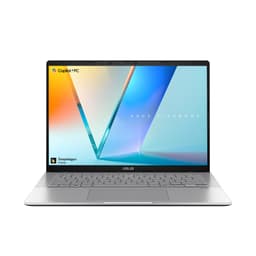
The ASUS Vivobook S14 M3407HA is the specification powerhouse of this line-up, pairing an AMD Ryzen 9 270 processor with 32GB of RAM and a 1TB SSD in a 14-inch chassis. For small business owners who run demanding local applications, such as video editing software, large Excel models, local databases or multiple virtual machines, this is the machine that will not slow you down. The 2560×1600 OLED display is vivid and colour-accurate, making it a strong choice for anyone who works with visual content or simply wants a beautiful screen for long working days.
The metal chassis feels premium and the all-aluminium construction gives it a durability that plastic-bodied laptops cannot match. The port selection is excellent for a 14-inch laptop: two USB-C 3.2 Gen 1 ports with DisplayPort 1.2 and Power Delivery 3.0, two USB-A 3.2 Gen 1 ports, a full-size HDMI 2.1 port and a 3.5mm audio jack. This means you can connect an external display, a wired mouse and a USB drive without any adapters, which is a genuine convenience in a busy office environment.
The Ryzen 9 270 is a high-performance processor, and while it delivers exceptional speed, it does consume more power than the Snapdragon X-series chips in this guide. Battery life is typically in the seven to nine hour range under mixed workloads, which is adequate but not class-leading. If you frequently work away from power sockets for extended periods, the HP OmniBook 5 or Surface Pro will serve you better. However, if you primarily work at a desk and need maximum processing headroom, the Vivobook S14 is the right tool.
The keyboard is comfortable for extended typing, with good key travel and a well-spaced layout. The webcam is capable for video calls, and the microphone array performs well in quiet environments. Windows 11 comes pre-installed and the AMD Radeon integrated graphics handle everyday display tasks without issue. The 32GB of RAM is particularly valuable if you use browser-heavy workflows or keep dozens of tabs open alongside productivity applications.
At its price point, the Vivobook S14 M3407HA represents strong value for a business owner who needs serious local processing power in a portable, well-built package. It is not the lightest or the longest-lasting on battery, but it is the most capable for demanding workloads.
Verdict: The performance leader in this guide. Thirty-two gigabytes of RAM and a 1TB SSD make it ideal for demanding business applications, though battery life lags behind Snapdragon alternatives.
Pros
- 32GB RAM and 1TB SSD provide the most headroom for demanding local workloads of any pick in this guide
- Comprehensive port selection including HDMI 2.1 and two USB-C ports with DisplayPort and Power Delivery
- 2560×1600 OLED display delivers excellent colour accuracy for visual content and long working sessions
Cons
- Battery life of seven to nine hours is shorter than Snapdragon-powered rivals in this round-up
- Higher price than some alternatives with similar everyday productivity performance
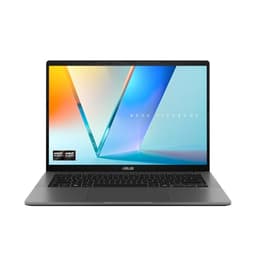
The ASUS Vivobook S 14 S3407QA is a Copilot+ PC built around Qualcomm's Snapdragon X Plus processor, and it occupies an interesting position in this guide: it combines the AI-accelerated productivity features and strong battery life of the Snapdragon platform with a generous 1TB of PCIe Gen4 SSD storage and a sharp 2560×1600 IPS display, all in a compact 14-inch chassis. For small business owners who want a portable, capable machine with plenty of local storage and modern AI tools, it is a well-rounded choice.
The Snapdragon X Plus handles office workloads, video calls and browser-heavy tasks with ease. Copilot+ features including live captions, real-time translation and AI-powered noise suppression work natively on the chip's neural processing unit, which is genuinely useful for business owners who conduct frequent calls with international clients or in noisy environments. The 16GB of RAM is sufficient for most office workflows, and the 1TB SSD means you are unlikely to run out of local storage even if you keep large project files on the device.
The port selection is excellent for a Snapdragon-based laptop: two USB 4 Type-C ports, two USB 3.2 Type-A ports, a full-size HDMI 2.1 port and a 3.5mm audio jack. The USB 4 ports support DisplayPort output, so you can connect an external monitor without an adapter. This level of connectivity is notably better than the Microsoft Surface Pro in this guide and compares favourably with much more expensive machines.
Battery life on the Snapdragon X Plus platform typically reaches ten to fourteen hours of mixed office use, which is a significant advantage over AMD and Intel alternatives at similar price points. The IPS display at 2560×1600 is sharp and pleasant to use, though it lacks the contrast and colour depth of the OLED panels found on the HP OmniBook 5 and ASUS Vivobook S14 M3407HA. The keyboard is comfortable for extended typing and the overall build quality is solid, with a design that looks professional in client-facing environments.
For a business owner who wants a Copilot+ PC with strong battery life, ample storage and good connectivity at a competitive price, the Vivobook S 14 S3407QA is a sensible and well-specified choice. It does not lead in any single category but excels as a balanced, reliable daily driver.
Verdict: A well-balanced Copilot+ PC with 1TB storage, strong battery life and comprehensive connectivity. The IPS display is its only meaningful compromise compared to OLED alternatives.
Pros
- 1TB PCIe Gen4 SSD provides generous local storage without the need for frequent cloud offloading
- USB 4 Type-C ports with DisplayPort support and full-size HDMI 2.1 give excellent connectivity without adapters
- Snapdragon X Plus delivers strong battery life and Copilot+ AI features for everyday business use
Cons
- IPS display lacks the contrast and colour depth of the OLED panels on rival picks in this guide
- 16GB RAM is adequate but leaves less headroom than the 32GB Vivobook S14 M3407HA for heavy multitasking
Buying Guide
Battery Life
For small business owners, battery life is arguably the single most important specification. A laptop that dies at 3pm is a liability, not an asset. Aim for a machine rated at ten hours or more under mixed use, and treat manufacturer claims with healthy scepticism: real-world figures are typically 20 to 30 per cent lower than quoted numbers. Qualcomm Snapdragon X-series processors have transformed this category in 2025, consistently delivering twelve or more hours of genuine mixed-use battery life on Windows machines. If you frequently work away from power sockets, prioritise a Snapdragon or Apple Silicon machine over AMD and Intel alternatives at similar price points.
Display Quality
You will spend most of your working day looking at the screen, so display quality matters more than many buyers realise. OLED panels offer superior contrast, colour accuracy and viewing angles compared to IPS, and they are now available at mainstream price points. A resolution of at least 2560×1600 on a 14-inch screen or 1920×1200 on a 16-inch screen will give you sharp text and comfortable reading. Touch capability is worth paying for if you plan to use the device in tablet or tent mode for presentations and annotations.
RAM and Storage
For typical small business workloads, 16GB of RAM is the sensible minimum in 2025. It handles browser-heavy workflows, video calls, local accounting software and document editing without slowdown. If you run virtual machines, large Excel models or local databases, step up to 32GB. For storage, 512GB is workable if you use cloud storage regularly, but 1TB gives you more breathing room for local project files, software installations and offline backups. Prioritise NVMe SSD storage over older SATA drives for faster file operations.
Connectivity and Ports
Consider how you will use the laptop at your desk versus on the move. At a desk, you will likely want to connect an external display, a wired mouse or keyboard and possibly a USB hub. Thunderbolt 4 or USB 4 ports give you the most flexibility, supporting high-resolution external displays, fast external storage and charging through a single cable. A full-size HDMI port is useful for connecting to projectors and meeting room screens without an adapter. If you are buying a compact device like the Surface Pro, budget for a quality USB-C hub or dock from the outset.
Keyboard and Trackpad
A comfortable keyboard is non-negotiable for anyone who types for hours each day. Look for at least 1.2mm of key travel, a well-spaced layout and a backlit keyboard for low-light environments. The trackpad should be large enough to navigate comfortably without a mouse. If you are considering a detachable 2-in-1 like the Surface Pro, factor in the cost of the keyboard cover, as it is typically sold separately and can add significantly to the total price.
Video Call Quality
With remote and hybrid working now standard for most small businesses, webcam and microphone quality deserve serious consideration. Look for laptops with at least 1080p webcams and multi-microphone arrays with noise suppression. Copilot+ PCs from Qualcomm and Intel offer AI-powered noise cancellation and auto-framing that work at the hardware level, which is more reliable than software-only solutions. Test the microphone in your actual working environment before committing to a purchase if possible.
The HP OmniBook 5 Next Gen AI 16" is the overall winner for small business owners in 2025. Its combination of industry-leading battery life, a large and vivid OLED display, Copilot+ AI productivity features and solid everyday performance at a competitive price is simply unmatched in this round-up. It is the machine you can take to a full day of client meetings, a conference or a long-haul flight and trust to keep working. The Samsung Galaxy Book4 Pro 360 earns the Best Value convertible title for those who specifically need a 360-degree hinge and a premium AMOLED display, while the Microsoft Surface Pro 2024 remains the best choice for business owners who primarily want a tablet with laptop capability. The ASUS Vivobook S14 M3407HA is the right call for demanding local workloads, and the ASUS Vivobook S 14 S3407QA offers a balanced Copilot+ alternative with generous storage. For most small business owners, though, the HP OmniBook 5 is where the money should go.