Professional photographers need more than a capable processor and a decent screen. They need a machine that can handle RAW file editing in Lightroom or Capture One, display colours accurately enough to trust for print and web work, and ideally fold into tablet mode for on-location culling or client presentations. The 2-in-1 form factor has matured considerably since last year: OLED panels have become far more accessible at mid-range price points, Intel's Core Ultra generation has pushed integrated graphics performance to genuinely useful levels for photo editing, and stylus support has improved across the board. This round-up focuses on convertible and detachable laptops that suit photographers working at every level, from enthusiastic amateurs processing weekend shoots to working professionals who need a reliable editing station they can carry to a studio. We have assessed colour gamut coverage, panel brightness, processor performance on RAW workloads, storage speed, port selection for card readers and external drives, and the quality of the hinge and stylus experience where relevant.
Quick Verdict
Best Overall: Samsung Galaxy Book4 Pro 360, for its stunning Dynamic AMOLED 2X display, Thunderbolt 4 connectivity and genuine 360-degree flexibility that suits both desk editing and client-facing tablet use.
Best Value: Acer Aspire Spin 14, which delivers an OLED panel and Thunderbolt 4 ports at a price that undercuts the Samsung by a significant margin, making it the most compelling mid-range pick for photographers on a tighter budget.
Spec Comparison
The Samsung Galaxy Book4 Pro 360 is the pick for professional photographers who want the most capable all-round 2-in-1 experience available in 2024. Its 16-inch Dynamic AMOLED 2X panel runs at 2880x1800 resolution with a 120Hz refresh rate, and AMOLED technology delivers the kind of deep blacks, saturated colours and high contrast that makes assessing shadow detail in RAW files genuinely reliable. Samsung claims coverage well into the DCI-P3 colour space, which is the standard that matters most for photographers delivering work to digital clients and online galleries. The panel is also touch-enabled and supports the S Pen stylus, which photographers will find useful for precise masking work in Photoshop or for annotating images during client review sessions in tablet mode.
Under the hood, the Intel Core Ultra 7 155H is a 16-core processor built on Intel's Meteor Lake architecture. It handles Lightroom Classic catalogues with thousands of RAW files without breaking a sweat, and the integrated Intel Arc Graphics contribute meaningfully to GPU-accelerated tasks such as Lightroom's AI masking, Photoshop's Neural Filters and DaVinci Resolve's colour grading engine. The 16GB of LPDDR5X RAM is adequate for most photographic workflows, though photographers who routinely work with large panoramic stitches or composite files in Photoshop may find themselves wanting more. The 512GB SSD is fast enough for active project work, but most photographers will want to supplement it with an external drive via one of the two Thunderbolt 4 ports.
Port selection is thoughtful for a slim convertible: two Thunderbolt 4 ports handle fast external storage and display output simultaneously, the HDMI port connects to a studio monitor or projector without an adapter, the USB-A port accommodates legacy card readers and accessories, and the microSD slot handles cards from mirrorless cameras directly. The 360-degree hinge is robust and well-damped, making it easy to flip between laptop, tent and tablet modes without feeling fragile. Battery life is competitive for a 16-inch machine, and the chassis is slim enough to carry in a camera bag alongside lenses and a body. The Moonstone Grey finish is professional and understated.
Verdict: The Galaxy Book4 Pro 360 is the most complete 2-in-1 for professional photographers in this round-up, combining a reference-quality AMOLED display with strong processing power, excellent connectivity and a versatile form factor.
Pros
- Dynamic AMOLED 2X panel delivers exceptional contrast and wide colour gamut for accurate photo editing
- Two Thunderbolt 4 ports plus HDMI and microSD slot cover all photographer connectivity needs
- S Pen stylus support enables precise masking and annotation in tablet mode
- Intel Core Ultra 7 155H handles large RAW catalogues and AI-accelerated editing tools efficiently
Cons
- 16GB RAM may feel limiting for large panoramic stitches or heavy Photoshop compositing work
- 512GB internal storage fills quickly with RAW files, making external storage essential
The Apple MacBook Air with M1 chip remains a relevant option for photographers in 2024, particularly those already embedded in the Apple ecosystem or those who prefer macOS for its colour management infrastructure. Apple's ColorSync framework and the tight integration between macOS and applications like Lightroom, Capture One and Affinity Photo mean that colour accuracy workflows are often smoother on a Mac than on Windows, particularly when calibrating to ICC profiles for print output.
The M1 chip, while now two generations old, remains genuinely capable for photography work. Its 8-core CPU and 7-core GPU handle Lightroom catalogues, AI masking and basic Photoshop compositing without difficulty. The unified memory architecture means the 8GB of RAM is shared efficiently between CPU and GPU tasks, though photographers working with very large files or running multiple applications simultaneously will feel the constraint of 8GB more acutely than users of the 16GB machines elsewhere in this list. The 256GB SSD fills up quickly with RAW files, making external storage or cloud backup essential from day one.
The 13-inch Retina IPS display at 2560x1600 is sharp and well-calibrated from the factory. Apple's True Tone technology adjusts white balance to ambient lighting, which can be helpful or distracting depending on whether you disable it during colour-critical editing sessions. The panel covers the sRGB colour space accurately and handles the DCI-P3 gamut reasonably well, though it does not match the absolute colour depth of an AMOLED or OLED panel.
It is important to note that the MacBook Air is not a 2-in-1 convertible: it does not fold into tablet mode and does not support stylus input. Its inclusion here reflects the fact that many photographers consider it alongside convertible options when evaluating their next laptop, and at this price point it represents strong value for macOS users. Port selection is minimal, with only two Thunderbolt/USB 4 ports and a 3.5mm jack, so a hub is necessary for photographers who need to connect card readers, external drives and a monitor simultaneously.
Verdict: The MacBook Air M1 suits photographers who prefer macOS and prioritise silent fanless operation and excellent software integration, but its limited RAM, small storage and lack of convertible functionality make it a compromise pick in this category.
Pros
- Fanless design runs completely silently, which is ideal for quiet studio environments
- macOS colour management and ColorSync integration streamline ICC profile workflows for print photographers
- M1 chip delivers strong performance per watt, with excellent battery life for a 13-inch machine
Cons
- 8GB unified memory is restrictive for large RAW files, panoramic stitches and multi-application workflows
- Not a convertible: no tablet mode, no stylus support, limiting its 2-in-1 credentials
- Only two ports requires a hub for typical photographer connectivity needs
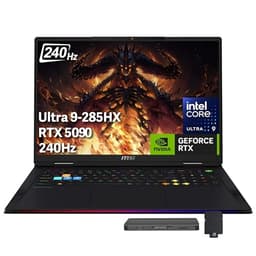
The MSI Raider 18 is an outlier in this round-up: it is not a 2-in-1 convertible, and it is not designed with photographers as its primary audience. However, for professional photographers who also work in video production, 3D visualisation or who need the absolute maximum processing headroom available in a portable form factor, it deserves serious consideration. Its Intel Core Ultra 9 285HX processor is one of the fastest mobile CPUs available, and the NVIDIA GeForce RTX 5090 with 24GB of GDDR7 VRAM is a graphics card that transforms GPU-accelerated editing workflows.
In Lightroom Classic, the RTX 5090 accelerates AI-powered Denoise, masking and super-resolution exports to a degree that makes the experience feel fundamentally different from integrated graphics machines. Photographers who shoot high-ISO wildlife or sports and routinely apply AI Denoise to hundreds of files will find the time savings substantial. Capture One's GPU acceleration also benefits enormously. For photographers who have moved into commercial video work alongside stills, DaVinci Resolve runs at full speed with the RTX 5090 handling colour grading, noise reduction and effects in real time.
The 18-inch IPS panel at 2560x1600 and 240Hz is large and sharp, though photographers should note that IPS does not deliver the contrast depth of OLED. The 64GB of DDR5 RAM and 5TB of NVMe SSD storage mean running out of working memory or internal space is essentially impossible. Port selection is outstanding: two Thunderbolt 5 ports, three USB-A 3.2 Gen2 ports, HDMI 2.1 and a full-size SD card reader mean no hub is required for any typical photographer workflow.
The obvious caveats are weight, size and price. The MSI Raider 18 is a large, heavy machine that is not designed for casual portability, and its price is far beyond what most photographers would consider reasonable for a laptop. It is also not a convertible in any meaningful sense. For the rare photographer who genuinely needs this level of performance and has the budget to match, it is without peer in this list. For everyone else, the Samsung or Acer picks represent far better value.
Verdict: The MSI Raider 18 is a specialist pick for photographers with demanding video or composite workloads and an unlimited budget, but its size, weight and price make it impractical for the majority of professional photographers.
Pros
- RTX 5090 with 24GB GDDR7 VRAM dramatically accelerates AI Denoise, masking and GPU-heavy export tasks in Lightroom and Capture One
- 64GB RAM and 5TB NVMe SSD eliminate memory and storage constraints entirely for even the most demanding workflows
- Full-size SD card reader and Thunderbolt 5 ports provide the fastest possible data transfer for large RAW files
Cons
- Price is prohibitively high for the vast majority of professional photographers
- Large, heavy chassis is not practically portable for location work or travel
Buying Guide
Display Quality: The Most Important Specification
For professional photographers, the display is the single most important component in a laptop. A panel that misrepresents colours will cause you to make editing decisions that look wrong when the images are viewed on a calibrated monitor, printed or delivered to a client. OLED and AMOLED panels are the gold standard for laptop photography work because they offer effectively infinite contrast ratios, accurate colour reproduction and wide gamut coverage. When evaluating a display, look for panels that cover at least 95% of the sRGB colour space for web-focused work, or 90% of DCI-P3 for photographers delivering to digital cinema or commercial clients. IPS panels can also be excellent if they are well-calibrated from the factory, but they cannot match the contrast depth of OLED. Avoid TN panels entirely for colour-critical work.
Processor and RAM for RAW Editing
Modern RAW editing applications are increasingly GPU-accelerated, meaning the graphics processor matters as much as the CPU for tasks like AI masking, noise reduction and super-resolution upscaling in Lightroom and Capture One. Intel's Arc integrated graphics, found in the Core Ultra 5 and Ultra 7 chips, provide meaningful GPU acceleration for these tasks. For RAM, 16GB is the practical minimum for professional photography workflows. Photographers who work with large panoramic stitches, heavy Photoshop composites or who run multiple applications simultaneously should look for 32GB if the budget allows. Unified memory architectures, as found in Apple's M-series chips, use RAM more efficiently than traditional discrete memory configurations.
Storage and Connectivity
RAW files from modern mirrorless cameras range from 20MB to over 100MB per image, meaning storage fills up quickly. A 512GB SSD is the minimum sensible starting point, and photographers should plan for external storage from the outset. A Thunderbolt 4 or Thunderbolt 5 port is essential for connecting fast external SSDs at speeds that do not create a bottleneck during large imports or exports. A built-in SD or microSD card reader saves carrying a separate adapter. HDMI output is useful for connecting to a calibrated studio monitor or a client-facing display without an adapter.
2-in-1 Form Factor Considerations
The 360-degree hinge design allows a laptop to fold flat into tablet mode, which is genuinely useful for photographers presenting work to clients, annotating images with a stylus or culling on location. When evaluating hinge quality, look for models where the hinge is well-damped and does not wobble when the screen is touched in laptop mode. Stylus support varies considerably: Samsung's S Pen ecosystem is among the most refined on Windows, while other manufacturers offer more basic stylus implementations. Consider whether you will actually use tablet mode regularly, as it adds weight and complexity compared to a standard clamshell design.
Operating System and Software Compatibility
Windows 11 is the most compatible platform for professional photography software, with the broadest support for plug-ins, tethering software and colour management tools. macOS offers excellent colour management through ColorSync and tight application integration, but the MacBook Air is not a convertible. ARM-based Windows machines, such as the Dell XPS 13 9345, run Lightroom and Photoshop natively but may have compatibility issues with older plug-ins. ChromeOS is not suitable for professional photography work due to its limited application support and storage constraints.
The Samsung Galaxy Book4 Pro 360 16" is the overall winner for professional photographers. Its Dynamic AMOLED 2X panel is the best display in this round-up for colour-critical editing work, its Intel Core Ultra 7 155H processor handles demanding RAW workflows with ease, and its port selection covers every connectivity need a photographer is likely to encounter. The S Pen stylus support and well-engineered 360-degree hinge make it a genuinely versatile tool that earns its place in a professional kit bag. For photographers who want OLED quality at a more accessible price, the Acer Aspire Spin 14 is the best value alternative, delivering a genuine OLED panel and full Thunderbolt 4 connectivity at a significantly lower cost. The Dell XPS 13 suits the travel-focused photographer who prioritises battery life, while the MacBook Air M1 remains relevant for macOS loyalists despite its lack of convertible functionality. The MSI Raider 18 is a specialist tool for the rare photographer whose workload justifies its considerable size and expense.