DaVinci Resolve is one of the most demanding creative applications you can run on a portable machine, and pairing it with a 2-in-1 laptop adds an extra layer of complexity. You need a convertible or detachable that can handle multi-stream 4K timelines, colour grading on a calibrated display, and Resolve's notoriously memory-hungry Fusion page, all without throttling the moment you fold the screen back into tablet mode. Since last year, the landscape has shifted noticeably: Qualcomm's Snapdragon X platform has matured with better driver support for GPU-accelerated Resolve features, Intel's Arc Graphics have received meaningful optimisation patches, and OLED panels have become more accessible at the premium end. This guide is aimed at video editors, content creators, and film students who want the flexibility of a touchscreen or stylus workflow alongside genuine Resolve performance. Whether your budget stretches to a flagship AMOLED convertible or a capable mid-range option, the five picks below cover the realistic range of what the current UK market offers.
Quick Verdict
Best Overall: Samsung Galaxy Book4 Pro 360, which combines an Intel Core Ultra 7, Thunderbolt 4 connectivity, and a stunning Dynamic AMOLED 2X display in a genuine 360-degree convertible chassis. Best Value: ASUS Vivobook S 14 S3407QA, delivering a sharp 2.8K IPS panel, 16GB RAM, and a 1TB SSD at a price that leaves budget for external storage and a hub.
The Samsung Galaxy Book4 Pro 360 sits at the top of this list for one straightforward reason: it is the only genuine 360-degree convertible in the pool that combines a professional-grade display, a genuinely capable CPU for DaVinci Resolve, and the connectivity that a working video editor actually needs. Released in 2024, it targets creative professionals and power users who want a laptop that doubles as a digital canvas for annotation, storyboarding, or colour grading with a stylus, without sacrificing the raw performance required to scrub through a multi-layer 4K timeline.
The processor is Intel's Core Ultra 7 155H, part of the Meteor Lake generation. This chip brings a dedicated Neural Processing Unit alongside the standard Performance and Efficiency cores, which matters for DaVinci Resolve because Blackmagic Design has been progressively integrating AI-accelerated features, including Magic Mask and Speed Warp, that can offload work to the NPU. The integrated Intel Arc Graphics are a meaningful step up from the Iris Xe found in older Intel laptops. Arc supports hardware AV1 encoding and decoding, which is increasingly relevant as YouTube and streaming platforms push the format. In Resolve, Arc's compute shaders handle noise reduction and colour science noticeably better than entry-level integrated graphics, though you will still want to keep project proxies enabled for sustained 4K editing sessions.
The display is the headline feature. The 16-inch Dynamic AMOLED 2X panel runs at 2880x1800 resolution with a 120Hz variable refresh rate. AMOLED panels offer true blacks and extremely wide colour gamut coverage, which is exactly what you want when grading footage. The panel covers the DCI-P3 colour space comprehensively, meaning the colours you grade on screen will translate well to cinema projectors and streaming platforms. At 16 inches, there is enough real estate to keep Resolve's node editor, timeline, and viewer open simultaneously without feeling cramped.
Connectivity is where the Galaxy Book4 Pro 360 genuinely earns its premium price. Two Thunderbolt 4 ports mean you can attach a high-speed external NVMe drive for project media, a 4K monitor for a dual-display grading setup, and still have bandwidth left over. The HDMI port provides a direct output to a reference monitor without needing a dongle. The microSD slot is a practical touch for ingesting footage directly from a camera card. The 16GB of LPDDR5X RAM is soldered, which is the only real limitation: Resolve's Fusion page and complex colour pipelines can push past 16GB on large projects, so you will want to manage your cache settings carefully.
At its price point, this is a significant investment, but for a creative professional who needs a portable, versatile machine that can handle Resolve without constant compromise, the Galaxy Book4 Pro 360 is the strongest all-round option in this selection.
Pros
- Dynamic AMOLED 2X display covers DCI-P3 for accurate colour grading
- Two Thunderbolt 4 ports enable fast external storage and 4K monitor output simultaneously
- Intel Arc GPU supports hardware AV1 encode/decode, reducing Resolve render times
- 360-degree hinge with stylus support for annotation and storyboarding
Cons
- 16GB RAM is soldered and cannot be upgraded, which limits headroom on complex Fusion compositions
- Premium price makes it a significant outlay for hobbyist editors
The ASUS Vivobook S 14 S3407QA represents the most compelling value proposition in this selection for editors who want a capable, portable machine without paying flagship prices. Built around Qualcomm's Snapdragon X Plus platform and carrying the CoPilot+ PC designation, it is aimed at content creators, students, and hybrid workers who need sustained performance in a slim chassis. The 2.8K IPS display and the generous 1TB PCIe Gen4 SSD make it particularly well-suited to DaVinci Resolve workflows where fast storage access is critical for smooth playback.
The Snapdragon X Plus is an ARM-based chip, which introduces an important caveat for DaVinci Resolve users. As of 2025, Blackmagic Design has released a native ARM64 build of Resolve for Windows on Snapdragon, which means you are no longer relying on emulation for the core application. Performance in the cut page and colour page is genuinely usable for 1080p and compressed 4K formats. The Adreno integrated GPU handles OpenCL acceleration within Resolve reasonably well for a machine at this price, though sustained 4K RAW grading will require proxy workflows. Battery life on the Snapdragon X platform is a genuine strength: real-world usage in Resolve at moderate settings can exceed six hours, which is exceptional for a creative workload laptop.
The 2560x1600 IPS panel at 14 inches is sharp and comfortable for detailed work. While it does not match the AMOLED contrast of the Samsung, it offers good colour accuracy out of the box and covers a wide enough gamut for most content creation work destined for web and social platforms. The 16:10 aspect ratio provides more vertical screen space than a standard 16:9 display, which is genuinely useful when Resolve's interface is open, giving more room to the timeline or the node editor without scrolling.
Port selection is strong for the price: two USB 4 Type-C ports, two USB 3.2 Type-A ports, and an HDMI 2.1 output. USB 4 supports external GPU enclosures and high-speed NVMe docks, which is a meaningful future-proofing consideration. The 1TB PCIe Gen4 SSD provides fast read and write speeds that allow Resolve to cache and decode footage without the bottlenecks you encounter on slower eMMC or SATA storage. The 16GB of unified RAM is adequate for most Resolve projects at 1080p and compressed 4K, though large multicam timelines will push it.
The Vivobook S 14 is the pick for editors who want a capable, portable machine that handles Resolve's core editing and colour grading tasks without the premium price of the Samsung. It is the Best Value recommendation in this selection.
Pros
- 1TB PCIe Gen4 SSD provides fast media access for smooth Resolve playback
- USB 4 ports support external GPU enclosures and high-speed NVMe docks
- Snapdragon X Plus ARM64 native Resolve support eliminates emulation overhead
- 2560x1600 16:10 IPS panel gives extra vertical space for Resolve's interface
Cons
- Adreno integrated GPU struggles with sustained 4K RAW grading without proxies
- ARM architecture means occasional compatibility issues with older Resolve plug-ins
The Dell XPS 13 9345 is the premium ultraportable option in this selection, carrying a Copilot+ AI PC designation and running Windows 11 Pro. It is built around the same Qualcomm Snapdragon X Plus platform as the ASUS Vivobook S 14, but Dell's implementation prioritises chassis refinement, build quality, and the Windows 11 Pro licence, which brings additional features relevant to professional workflows including BitLocker encryption and Remote Desktop. This machine is aimed at travelling editors, journalists, and creative professionals who need a genuinely pocketable machine that can handle Resolve on location.
The 13.4-inch FHD+ display runs at 120Hz, which is a meaningful advantage over standard 60Hz panels when scrubbing through timelines and navigating Resolve's interface. The IPS panel provides accurate colour reproduction suitable for review and light grading work. At FHD+ resolution, the display is not as sharp as the Samsung's AMOLED or the ASUS's 2.8K panel, but the 120Hz refresh rate makes the overall experience feel noticeably more responsive, particularly when using touch input or a stylus for annotation.
The Snapdragon X Plus in this configuration brings the same ARM64 advantages as the Vivobook S 14: native Resolve support, strong efficiency, and good sustained performance for compressed 4K editing. The 512GB PCIe 4 NVMe SSD is fast enough for active project files, though editors working with large RAW formats will want to supplement it with an external drive. The 16GB of unified RAM is the same as the ASUS, adequate for most single-camera projects but worth monitoring on complex timelines.
Where the XPS 13 9345 distinguishes itself is in build quality and the Windows 11 Pro licence. The Pro licence is genuinely useful for professional editors who need to connect to studio networks, use Hyper-V for virtualisation, or require the additional security features for client work. Dell's build quality is among the best in the Windows laptop market, with a rigidity and premium feel that justifies part of the price premium over the ASUS.
The price is notably higher than the ASUS Vivobook S 14 for broadly similar underlying hardware, which means the XPS 13 9345 makes most sense for professionals who specifically value the Pro licence, the brand's support infrastructure, or the chassis quality, rather than for editors prioritising raw performance per pound. It is a refined, capable machine for Resolve on the go, but the value equation requires careful consideration.
Pros
- Windows 11 Pro licence included, adding BitLocker and Remote Desktop for professional workflows
- 120Hz IPS display makes timeline scrubbing and touch input noticeably more responsive
- Premium build quality and Dell's support infrastructure suit professional use
Cons
- Significantly higher price than the ASUS Vivobook S 14 for similar Snapdragon X Plus performance
- 512GB storage is limited for RAW video projects without an external drive
- Integrated GPU means no discrete graphics acceleration for Resolve's GPU-heavy effects
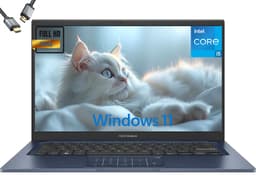
The ASUS Vivobook 14 (2025) takes a different approach to the Resolve workflow: instead of a cutting-edge ARM processor or a premium display, it prioritises raw RAM capacity and storage generosity. With 24GB of RAM and a 2TB SSD, this machine offers the most headroom of any option in this selection for Resolve's memory-hungry operations, particularly the Fusion page, which can consume RAM rapidly when working with complex motion graphics, particle systems, or multi-layer compositing. It runs an Intel Core i5-1334U, a 13th-generation processor that, while not as efficient as the newer Meteor Lake or Snapdragon X chips, is thoroughly proven in Resolve workflows and benefits from years of driver optimisation.
The Intel Core i5-1334U is a dual-architecture chip with two Performance cores and eight Efficiency cores. In DaVinci Resolve, the Performance cores handle the heavy lifting during exports and real-time effects, while the Efficiency cores manage background tasks. The integrated Intel UHD Graphics are the weakest GPU in this selection, and editors should be aware that GPU-accelerated effects in Resolve, including noise reduction, optical flow, and certain colour science operations, will be noticeably slower than on machines with Arc or Adreno graphics. However, the 24GB of RAM compensates meaningfully: Resolve can cache more decoded frames in memory, reducing the frequency of dropped frames during playback on compressed 4K timelines.
The 2TB SSD is a practical advantage for editors who work with large project libraries. Resolve's cache files, project databases, and media can consume storage rapidly, and having 2TB available means you can keep multiple active projects on the internal drive without constantly managing space. For editors who work with multiple clients or maintain large personal archives, this is a genuine quality-of-life improvement over the 512GB options elsewhere in this list.
The 14-inch FHD IPS display is functional for editing work, though it lacks the resolution and colour gamut of the Samsung or ASUS Vivobook S 14. For editors who use an external reference monitor for final grading, this is less of a concern, but those relying solely on the built-in display for colour decisions will want to calibrate it carefully. The Intel UHD Graphics do not support hardware AV1 decode, which is worth noting if your workflow involves AV1 source footage.
This machine suits editors who prioritise RAM and storage capacity over GPU performance, particularly those working on complex Fusion compositions or managing large project libraries. The price point is notable given the specifications, and it is worth comparing carefully against the Samsung and ASUS Vivobook S 14 before committing.
Pros
- 24GB RAM provides the most headroom of any pick for complex Fusion page compositions
- 2TB SSD accommodates large project libraries and Resolve cache files without constant management
- Intel Core i5-1334U has mature, well-optimised driver support for Resolve on Windows
Cons
- Intel UHD Graphics are the weakest GPU in this selection, limiting GPU-accelerated Resolve effects
- FHD resolution display lacks the sharpness and colour gamut of the Samsung or ASUS Vivobook S 14
- Intel UHD does not support hardware AV1 decode, which matters for modern source footage
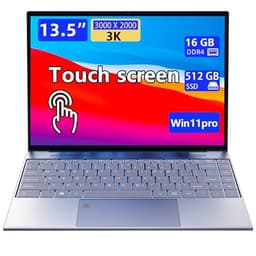
The Morostron 13.5-inch portable touchscreen laptop is the most accessible entry point in this selection, and it occupies a specific niche: editors on a tight budget who want a touchscreen machine capable of running DaVinci Resolve for lighter workloads. With 16GB of RAM and a 512GB SSD, it meets the minimum practical requirements for running Resolve on 1080p and compressed 4K timelines, and the 3K touchscreen is a genuine differentiator at this price point, offering a sharp, high-resolution display that makes Resolve's interface comfortable to navigate.
The 3K resolution on a 13.5-inch screen results in a pixel density that is noticeably sharper than the FHD displays found on budget laptops. For editors who are reviewing footage, checking sharpness, or working with detailed colour grades, this extra resolution is a practical benefit. The touchscreen functionality enables direct interaction with Resolve's colour wheels, timeline, and node editor, which can feel more intuitive than trackpad navigation for certain tasks. The 3:2 aspect ratio of the 13.5-inch form factor, if applicable, also provides more vertical screen space, which suits Resolve's stacked interface panels.
The 16GB of RAM is the most important specification for Resolve compatibility, and the Morostron meets this threshold. Editors should be realistic about the workloads this machine can handle: 1080p timelines with moderate effects will run adequately, and compressed 4K with proxies is achievable. Sustained 4K RAW grading or complex Fusion work will be slow, and the integrated GPU, while unspecified in detail, will be the primary bottleneck. Export times will be longer than on machines with dedicated or higher-performance integrated graphics.
The 512GB SSD provides reasonable working storage for active projects, though editors will want an external drive for media libraries. The portable form factor and touchscreen make this a practical choice for on-location review work, client presentations, or editing on the go when a heavier machine is impractical. The brand is less established than Samsung, ASUS, or Dell, which means the after-sales support and long-term driver reliability are less certain, a consideration worth factoring into the purchase decision.
For budget-conscious editors who need a touchscreen Windows laptop capable of running Resolve for lighter work, the Morostron offers a functional starting point. It is not a machine for professional production work, but it is a credible option for students, hobbyists, and editors working primarily with compressed formats.
Pros
- 3K touchscreen at 13.5 inches provides sharp, high-resolution display for Resolve's interface
- 16GB RAM meets the practical minimum for running Resolve on compressed 4K timelines
Cons
- Unspecified integrated GPU limits GPU-accelerated Resolve effects and extends export times significantly
- Less established brand means after-sales support and long-term driver reliability are uncertain
- 512GB storage fills quickly with Resolve cache files and project media
Buying Guide
RAM: The Single Most Important Specification
DaVinci Resolve is unusually demanding on system memory compared with other creative applications. The minimum for a usable experience is 16GB, and this is the floor we applied to every pick in this selection. Resolve uses RAM for decoded frame caching, which directly affects how smoothly the timeline plays back without dropping frames. The Fusion page, which handles motion graphics and compositing, can consume RAM rapidly when working with particle systems, 3D scenes, or multi-layer effects. If your budget allows, 24GB or 32GB provides meaningful headroom, particularly if you run Resolve alongside a browser, reference images, or a DAW for audio work. The ASUS Vivobook 14 (2025) with its 24GB is notable in this regard.
GPU: Integrated vs Discrete
DaVinci Resolve is GPU-accelerated by design. The application offloads colour science, noise reduction, optical flow, and many effects to the GPU via OpenCL or CUDA. Machines with discrete GPUs will always outperform those with integrated graphics for these tasks. However, within the 2-in-1 category, discrete GPUs are rare due to thermal and battery constraints. Intel Arc Graphics, as found in the Samsung Galaxy Book4 Pro 360, represent the most capable integrated option in this selection, with hardware AV1 encode and decode support. Qualcomm's Adreno GPU in the Snapdragon X Plus machines offers good OpenCL performance relative to its power envelope. Intel UHD Graphics, found in the ASUS Vivobook 14 (2025) and Morostron, are the weakest option and will require proxy workflows for 4K editing.
Display Quality for Colour Grading
The display you grade on directly affects the quality of your output. An AMOLED panel, such as the one on the Samsung Galaxy Book4 Pro 360, offers true blacks, high contrast, and wide DCI-P3 coverage, making it the most accurate option for colour grading in this selection. IPS panels, found on the ASUS Vivobook S 14 and Dell XPS 13, offer good colour accuracy and are well-suited to content creation work. Resolution matters too: a 2.8K or higher panel allows you to see fine detail in footage and assess sharpness accurately. If you plan to use an external reference monitor for final grading, the internal display matters less, but for portable work, panel quality is a significant factor.
Storage Speed and Capacity
Resolve's performance is closely tied to storage speed. PCIe Gen4 NVMe SSDs, as found in the ASUS Vivobook S 14 and Dell XPS 13, provide fast read speeds that allow Resolve to decode and cache footage without bottlenecks. eMMC storage, found in some budget machines, is significantly slower and will cause stuttering on any meaningful video project. For capacity, 512GB is a workable minimum for active projects, but editors working with RAW or high-bitrate formats will fill this quickly. The ASUS Vivobook 14 (2025) with its 2TB SSD is the most generous option in this regard.
Connectivity for a Video Editing Workflow
A working video editor needs to connect external drives, reference monitors, and camera cards. Thunderbolt 4, as found on the Samsung Galaxy Book4 Pro 360, provides the highest bandwidth and the most flexibility. USB 4 ports, found on the ASUS Vivobook S 14, are nearly as capable. An HDMI output is essential if you want to connect a reference monitor without a dongle. An SD card reader or microSD slot saves time when ingesting footage from cameras. Assess your specific peripheral requirements before choosing: the Samsung's port selection is the strongest in this group for a professional video editing setup.
The Samsung Galaxy Book4 Pro 360 is the overall winner for DaVinci Resolve on a 2-in-1 laptop. Its Dynamic AMOLED 2X display provides the colour accuracy and contrast that grading work demands, the Intel Core Ultra 7 155H with Arc Graphics offers the best GPU-accelerated Resolve performance of any machine in this selection, and the dual Thunderbolt 4 ports give you the connectivity to build a proper editing setup with external storage and a reference monitor. The 360-degree hinge and stylus support add genuine creative versatility. For editors who cannot stretch to the Samsung's price, the ASUS Vivobook S 14 S3407QA is the Best Value pick, offering a sharp 2.8K display, fast 1TB PCIe Gen4 storage, and native ARM64 Resolve support at a substantially lower price. Both machines represent the strongest options in this category for UK buyers in 2025.