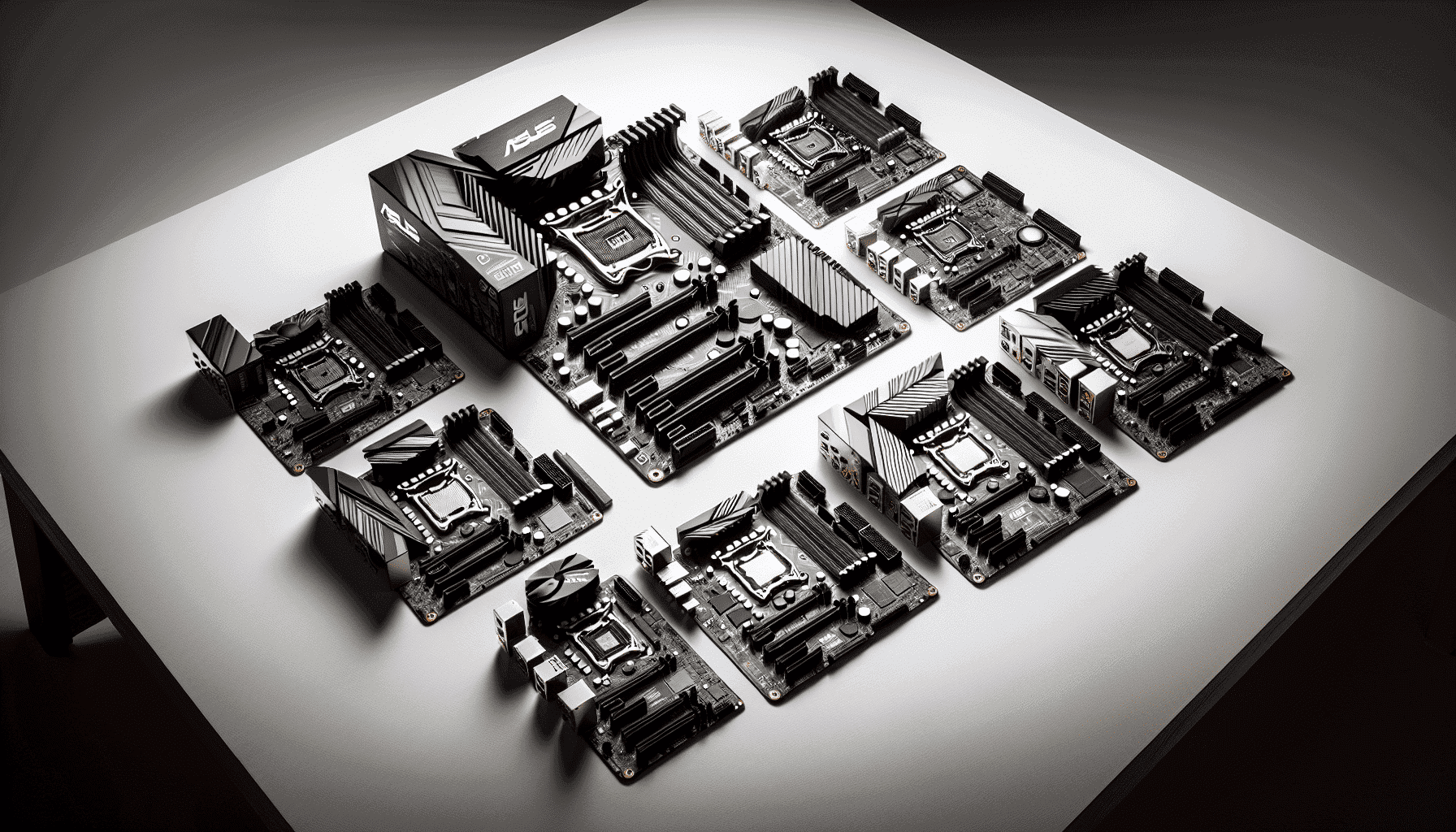
Most people don't think about their motherboard until it causes a problem. By then, you're either staring at a dead POST screen or watching your CPU throttle under load because the VRM is cooking itself. Pick the right board and you'll never think about it again. Pick the wrong one and you'll spend a Saturday afternoon on forums trying to work out why your Ryzen 7700X won't hold boost clocks. So the board matters. A lot.
The ASUS TUF GAMING B650M-PLUS AMD Ryzen AM5 Micro-ATX motherboard sits in the upper mid-range bracket, and the verdict is fairly simple: it's a genuinely good board for most AM5 builds, with 14 power stages, three M.2 slots including PCIe 5.0 support, 2.5Gb Ethernet, and a BIOS that's actually usable. It's not perfect. The Micro-ATX form factor will annoy some people, and you're paying for features you might not need. But 332 owners give it ★★★★½ (4.6), and that score holds up when you look at what they're actually saying. This board earns it.
The question isn't really "is it good?" It's "is it the right board for your build and your budget?" That's what this review answers.
Core Specifications
The B650M-PLUS covers the bases you'd expect at this price point and then some. You get the AMD AM5 socket, B650 chipset, Micro-ATX form factor, four DDR5 memory slots supporting up to 128GB at 6400MHz with EXPO, three M.2 slots (with the primary slot running PCIe 5.0), and a rear I/O that includes USB 3.2 Gen 1 Type-C alongside the standard array of USB-A ports. The 2.5Gb Ethernet is handled by a Realtek controller, which is fine for most people and a genuine step up from the 1Gb you'd find on cheaper boards. Fourteen power stages handle CPU power delivery, which is more than enough for the mainstream Ryzen 7000 chips this board is aimed at.
What's particularly notable is that PCIe 5.0 M.2 support. On a B650 board, that's not a given. Many B650 boards cap the primary M.2 slot at PCIe 4.0, so getting Gen 5 storage readiness here is a meaningful spec, especially if you're planning to drop in one of the newer high-speed NVMe drives down the line. The PCIe 4.0 x16 slot for the GPU is standard for this chipset tier, and that's absolutely fine since no current GPU needs more than PCIe 4.0 bandwidth in practice anyway.
The Aura Sync RGB is there if you want it, and absent if you don't care. ASUS's AI-powered software suite covers overclocking, cooling, networking and audio, though "AI-powered" in this context mostly means automated profiles with some adaptive logic rather than anything genuinely clever. Take the marketing at face value and you'll be disappointed. Use it as a starting point for fan curves and memory training and it's actually useful.
| Specification | Detail |
|---|---|
| Socket | AMD AM5 |
| Chipset | AMD B650 |
| Form Factor | Micro-ATX |
| Memory Slots | 4x DDR5 |
| Max Memory | 128GB |
| Memory Speed (OC) | Up to 6400MHz+ |
| Memory Standard | EXPO / XMP |
| M.2 Slots | 3 (primary: PCIe 5.0) |
| PCIe x16 Slot | PCIe 4.0 |
| Ethernet | Realtek 2.5Gb |
| USB (Rear, Type-C) | USB 3.2 Gen 1 Type-C |
| VRM Phases | 14 power stages |
| RGB | Aura Sync |
| Price | £155.01 (Price checked 06:00, 3 Oct 2026, UK time) |

Socket & CPU Compatibility
The AM5 socket is AMD's current platform, and it's going to be around for a while. AMD has committed to AM5 longevity in the same way they supported AM4 for years, which means buying into this board now doesn't feel like a dead end. The TUF GAMING B650M-PLUS supports the full Ryzen 7000 series, including the Ryzen 5 7600, Ryzen 7 7700X, Ryzen 9 7900X and the rest of the lineup. It's also compatible with the newer Ryzen 7000 series variants as they arrive, provided BIOS updates are applied.
If you're buying a newer Ryzen chip, check whether the board ships with a BIOS that already supports it. ASUS is generally good at pushing updates, and the TUF range tends to get support fairly quickly after new CPUs launch. But if you're building with a brand new chip, it's worth verifying on the ASUS compatibility list before you buy rather than discovering the problem when you're staring at a blank screen. Owner reviews don't flag this as a widespread issue on the B650M-PLUS specifically, which is reassuring.
One thing to be clear about: AM5 uses DDR5 only. There's no DDR4 support here, unlike some AM4 boards that offered both. That means your memory budget needs to account for DDR5 pricing. It's come down considerably since AM5 launched, so this is less painful than it was in 2022, but it's still a real cost to factor in. The good news is that the board's EXPO support means you can actually run your DDR5 kit at its rated speed without manually fiddling with timings, which is the sensible way to do it.
Chipset Features
The B650 chipset sits in the middle of AMD's current lineup, below the X670 and X670E flagships but well above the entry-level A620. What that means in practice is that you get overclocking support (unlike A620), PCIe 5.0 for storage (unlike some B650 implementations that only offer it on the GPU slot or not at all), and a solid set of USB and SATA connectivity. You don't get the dual PCIe 5.0 x16 slots or the expanded lane count of X670E, but for the vast majority of builds, that's not a meaningful loss.
The chipset provides the lanes for the three M.2 slots, the SATA ports, and the rear USB array. B650 is a single-die chipset (unlike X670 which uses two dies), which is why you see some lane limitations compared to the flagship. In practice, for a single-GPU, multi-SSD gaming or workstation build, B650 gives you everything you actually need. The chipset-level USB and SATA allocation on the B650M-PLUS is sensible, and owner reports don't flag any lane-sharing conflicts causing real-world problems.
Overclocking is supported across the board. Memory overclocking via EXPO is the main attraction for most users, but CPU overclocking is also on the table. The B650 chipset doesn't artificially limit CPU OC the way Intel's B-series chips do, so if you want to push your Ryzen 7000 chip beyond stock, this board will let you try. The 14 power stages mean it can actually sustain that without immediately running into thermal limits on the VRM, which is where cheaper B650 boards often fall over.
VRM & Power Delivery
This is where budget boards get caught out, and it's why the 14-phase power delivery on the B650M-PLUS is worth talking about properly. Fourteen power stages on a Micro-ATX board is a genuinely solid spec. It's not the 16 or 18-stage setups you'd find on X670E flagship boards, but it's well beyond what most B650 competitors offer at this price. More importantly, it's more than adequate for any Ryzen 7000 CPU you're realistically going to pair with a B650 board.
The TUF range has always been ASUS's "built to last" line, and the VRM heatsinks on these boards reflect that. They're not decorative. The heatsink coverage on the B650M-PLUS is proper thermal management, not cosmetic metal. Owner reviews are consistent on stability under sustained load, which is the real test. A board that throttles after 20 minutes of Cinebench because the VRM is running hot is useless regardless of what the spec sheet says. The B650M-PLUS doesn't have that problem, at least not with mainstream Ryzen 7000 chips.
If you're planning to run a Ryzen 9 7950X or similar high-TDP chip, you'd be better served by an X670E board with beefier power delivery. But that's not really the target audience for a B650M board. For a Ryzen 5 7600, Ryzen 7 7700X, or even a Ryzen 9 7900X, the 14-phase VRM here is more than comfortable. You're not going to hit a power delivery ceiling doing normal gaming, content creation, or even moderate overclocking. That's the honest assessment.
Memory Support
Four DDR5 slots, up to 128GB, and support for speeds up to 6400MHz with EXPO enabled. That's a strong memory spec for a B650 board. The 128GB ceiling is more than most people will ever need, but it's good to know it's there if you're running a workstation workload alongside your gaming. The four-slot configuration also means you can start with two sticks and add more later without replacing anything, which is a sensible upgrade path.
EXPO is AMD's memory overclocking standard, equivalent to Intel's XMP. When you buy a DDR5 kit rated at, say, 6000MHz, it ships at a default JEDEC speed (usually around 4800MHz) and EXPO is what unlocks the rated speed. On the B650M-PLUS, enabling EXPO in the BIOS is straightforward and owner reviews confirm it works reliably without the stability issues that plagued some early AM5 boards. Early AM5 memory compatibility was genuinely rough in 2022, but BIOS updates have sorted the majority of that out, and the B650M-PLUS benefits from those improvements.
The 6400MHz+ ceiling is. Most DDR5 kits top out around 6000MHz to 6400MHz at consumer price points, so this board can handle the fastest mainstream kits without issue. Going beyond 6400MHz puts you into enthusiast territory where you're spending serious money on memory for diminishing returns. For practical purposes, a good 6000MHz CL30 kit is the sweet spot for AM5 right now, and the B650M-PLUS handles that without any fuss. That's what matters.
Storage Options
Three M.2 slots is the headline here, and the primary slot running at PCIe 5.0 is genuinely useful forward-looking spec. PCIe 5.0 NVMe drives are now available from major manufacturers, offering sequential read speeds that dwarf even the fastest Gen 4 drives. You don't need one today, but having a board that supports them means you're not forced into an upgrade when prices come down and Gen 5 storage becomes mainstream. That's the practical value of the spec.
The other two M.2 slots run at PCIe 4.0, which is still fast. A good PCIe 4.0 NVMe drive like a Samsung 980 Pro or a WD Black SN850X will saturate most real-world workloads without hitting any meaningful bottleneck. Having three M.2 slots total means you can run an OS drive, a games drive, and a scratch or backup drive all without touching the SATA ports. For most modern builds that's a cleaner setup than mixing M.2 and SATA anyway.
SATA ports are present for those who still have 2.5-inch SSDs or mechanical drives from a previous build. The B650M-PLUS includes SATA connectivity as expected for a board at this level, which means you're not forced to bin your existing storage just because you're moving to AM5. Owner reviews don't flag any SATA or M.2 slot conflicts, which is on any board since lane sharing between M.2 and SATA can sometimes disable a SATA port when a particular M.2 slot is populated. No widespread complaints here on that front.
Expansion Slots & PCIe
The primary PCIe x16 slot runs at PCIe 4.0, which is correct for the B650 chipset. Every current GPU, from the RTX 4090 down to the RX 7600, runs at PCIe 4.0 x16 or lower in practice, and real-world gaming benchmarks consistently show negligible performance difference between PCIe 4.0 and PCIe 5.0 for graphics cards at current GPU generations. So the PCIe 4.0 GPU slot is not a compromise in any meaningful sense right now. Whether that changes with next-generation GPUs remains to be seen, but by then you'd likely be looking at a new platform anyway.
The slot itself is reinforced, which matters if you're running a heavy GPU with a large cooler. Unsupported GPU sag can damage the slot over time on cheaper boards. TUF boards have consistently used reinforced PCIe slots, and the B650M-PLUS continues that. It's not a glamorous feature but it's the kind of thing that matters for long-term reliability, which is supposed to be the point of the TUF range.
Additional PCIe slots below the primary x16 are present for expansion cards, though on a Micro-ATX board the physical space is more limited than on a full ATX. If you're planning to run a dedicated sound card, capture card, or network card alongside your GPU, check your case clearance carefully. Most gaming builds won't need more than the primary GPU slot and the M.2 slots, so this isn't a practical concern for the majority of buyers. But it's the form factor has physical constraints that a full ATX board wouldn't.
Connectivity & Rear I/O
The rear I/O includes USB 3.2 Gen 1 Type-C, which is confirmed in the product specs. That's a real-world useful port for connecting modern peripherals, external drives, and phones without an adapter. The Type-C implementation here is USB 3.2 Gen 1 rather than the faster Gen 2 or Gen 2x2, so you're looking at 5Gbps rather than 10Gbps or 20Gbps. Perfectly fine for most use cases, just if you're planning to use it for a high-speed external SSD enclosure.
The broader USB-A array on the rear I/O covers the typical mix of USB 3.x and USB 2.0 ports you'd expect. Internal headers for additional front-panel USB are present, which matters for case compatibility. Most modern cases have at least one USB 3.0 Type-A header on the front panel, and the B650M-PLUS accommodates that. Owner reviews don't flag any USB connectivity issues, which is a decent signal since USB problems tend to generate loud complaints when they exist.
Audio output is handled by the onboard audio solution with ASUS's AI-powered audio enhancements. The board's audio circuitry is decent for onboard audio, with the usual capacitor isolation and dedicated audio PCB layer you'd expect at this price point. If you're using a dedicated DAC/amp or USB audio interface, this is moot. But for headphone and speaker use straight from the rear I/O, the onboard audio on TUF boards has a decent reputation and owner reviews back that up. No video outputs are present on the rear I/O since the AM5 Ryzen 7000 desktop CPUs don't have integrated graphics that output to a display, so a discrete GPU is required.
WiFi & Networking
The 2.5Gb Ethernet is powered by a Realtek controller. 2.5Gb is five times the bandwidth of standard gigabit Ethernet, and while most home internet connections won't saturate even a 1Gb link, the benefit shows up in local network transfers, NAS access, and future-proofing. If you've got a 2.5Gb-capable router or switch, you'll notice the difference when moving large files around your home network. If you haven't, you'll still benefit when you eventually upgrade your networking gear.
WiFi is not listed in the verified product specifications for this board. The product listing and Amazon feature highlights don't confirm built-in WiFi, so rather than guess, assume you'll need a wired connection or a separate WiFi adapter if wireless is important to you. This is against the current ASUS product page before you buy. Some B650M-PLUS variants include WiFi and some don't, so confirm which SKU you're purchasing. The product title mentions USB4 support, which is a useful connectivity feature for high-speed external devices.
For most desktop builds, wired Ethernet is the right choice anyway. Latency is lower, bandwidth is more consistent, and you don't have interference from neighbouring networks to worry about. The 2.5Gb Realtek controller here is a solid implementation and owner reviews don't flag any driver issues or stability problems with it, which is the main thing to check since Realtek's older 1Gb controllers had a patchy reputation on some earlier platforms. The 2.5Gb parts have been more reliable in practice.
BIOS & Overclocking
ASUS's UEFI BIOS is genuinely one of the better ones out there. That's not faint praise. Most motherboard BIOSes are a mess of poorly labelled menus, inconsistent naming, and settings buried three levels deep. ASUS's implementation, particularly the AI Suite integration and the dual-mode interface (EZ Mode for quick setup, Advanced Mode for the full feature set), is more navigable than most of the competition. The TUF range uses the same BIOS foundation as ASUS's more expensive ROG boards, which means you're getting a mature, well-developed interface rather than something thrown together for a budget board.
Fan curve control is flexible and actually works. You can set curves per header, choose between temperature sources (CPU, motherboard, liquid), and set minimum duty cycles. This matters because a board that only lets you pick "silent" or "performance" presets is useless for anyone who wants to tune their system properly. The B650M-PLUS gives you proper control, and owner reviews consistently mention the fan management as a positive. That's a meaningful quality-of-life feature over the lifetime of a build.
For overclocking, the BIOS exposes the full range of EXPO memory profiles as well as manual timing and voltage controls for those who want to go further. CPU overclocking is supported with voltage and multiplier controls. The 14-phase VRM gives you enough headroom to push mainstream Ryzen 7000 chips without hitting power delivery limits. BIOS stability is well-regarded in owner reviews, with no widespread reports of settings not sticking or random resets. ASUS's BIOS update process via the EZ Flash utility is also one of the more painless implementations, which matters when AMD drops a new CPU and you need to update before it'll POST.
Build Quality & Aesthetics
The TUF Gaming branding is ASUS's "military-grade components, built to last" line, and it's not entirely marketing. The component selection on TUF boards has historically been more conservative and reliability-focused than the flashier ROG Strix range. Capacitors, chokes, and MOSFETs on TUF boards tend to be rated for higher temperatures and longer operational lifespans. Whether that translates to a board that lasts five years longer than a cheaper alternative is hard to quantify, but the owner review pattern on the B650M-PLUS doesn't show the kind of early failure complaints that occasionally surface on budget boards from less reputable brands.
The heatsink coverage is solid. The VRM heatsinks are chunky enough to actually do their job, and the M.2 heatsinks (where present) keep NVMe drives from thermal throttling under sustained load. The PCB itself has the slightly darker, more industrial look that defines the TUF aesthetic. Aura Sync RGB is present but not overwhelming. You can turn it off entirely through the BIOS or the Armory Crate software if you find RGB pointless. The board doesn't look cheap, which matters if you're building in a case with a side panel window.
The Micro-ATX form factor is worth addressing directly. Going Micro-ATX means you're giving up some of the expansion slot space and potentially some of the heatsink real estate compared to a full ATX board. ASUS has managed the thermal design well within those constraints, but it's a genuine trade-off. If you're building in a compact case, Micro-ATX is a deliberate and sensible choice. If you're building in a full tower and you want maximum expansion options, you might prefer the ATX version of this board. The B650M-PLUS is the right form factor choice for the right build, not a universal recommendation.
How It Compares
The obvious competition at this price point includes the MSI MAG B650 TOMAHAWK and the Gigabyte B650 AORUS Elite. Both are full ATX boards, which is the first meaningful difference. If you need Micro-ATX, the comparison narrows quickly. But if form factor is flexible, it's where the TUF B650M-PLUS sits relative to those alternatives.
The MSI MAG B650 TOMAHAWK is a popular choice and often lands at a similar price. It's a full ATX board with a strong VRM implementation and good BIOS. MSI's BIOS has improved significantly in recent years but still trails ASUS's in terms of polish and feature depth. The Gigabyte B650 AORUS Elite is another solid option, particularly for those who prefer Gigabyte's EasyTune overclocking software. Both competitors offer similar feature sets to the B650M-PLUS, so the decision often comes down to form factor preference, case compatibility, and which brand's ecosystem you're already invested in.
Where the TUF B650M-PLUS stands out is the combination of PCIe 5.0 M.2 support and 14 power stages in a Micro-ATX package. Finding that spec combination in a compact board at this price is genuinely difficult. If you're specifically building a compact AM5 system and you don't want to compromise on storage or power delivery, the B650M-PLUS is hard to beat in its category.
| Feature | ASUS TUF B650M-PLUS | MSI MAG B650 TOMAHAWK | Gigabyte B650 AORUS Elite |
|---|---|---|---|
| Form Factor | Micro-ATX | ATX | ATX |
| VRM Phases | 14 | 16+2 | 16+2+1 |
| M.2 Slots | 3 | 4 | 4 |
| Primary M.2 | PCIe 5.0 | PCIe 5.0 | PCIe 5.0 |
| Ethernet | 2.5Gb Realtek | 2.5Gb Realtek | 2.5Gb Realtek |
| DDR5 Max Speed | 6400MHz+ (OC) | 6600MHz+ (OC) | 6400MHz+ (OC) |
| BIOS Quality | Excellent | Good | Good |
| Price | £155.01 (Price checked 06:00, 3 Oct 2026, UK time) | Similar bracket | Similar bracket |

Final Verdict
The ASUS TUF GAMING B650M-PLUS AMD Ryzen AM5 Micro-ATX motherboard is a well-built, feature-complete board for AM5 builds where Micro-ATX is either required or preferred. The 14 power stages handle any mainstream Ryzen 7000 chip without complaint. The three M.2 slots with PCIe 5.0 primary support give you genuine storage headroom. The 2.5Gb Ethernet is a proper upgrade over gigabit. And the BIOS is one of the better implementations in the market, which you'll appreciate every time you need to adjust a fan curve or enable an EXPO profile. The 4.6-star average from 332 owners isn't a fluke; it reflects a board that does what it's supposed to do without drama.
The Micro-ATX form factor is the main limiting factor, and it's only a limitation if you need full ATX expansion. If you're building a compact system, it's actually the point. The TUF range's reliability focus suits people who want to build once and not think about the board again for five years. That's a legitimate design priority, and ASUS delivers on it here. The AI-powered software suite is marketing-speak for "automated profiles with some adaptive logic," but the underlying tools for fan control and memory training are genuinely useful once you strip the buzzwords away.
Who should buy this? Anyone building a compact AM5 system with a mainstream Ryzen 7000 chip who wants proper power delivery, PCIe 5.0 storage readiness, and a BIOS that won't make them want to throw the machine out of a window. Content creators, gamers, and workstation users who want a compact footprint without sacrificing features will find this hits the right balance.
Who should skip it? If you need full ATX for maximum expansion, look at the ATX version of this board or the MSI MAG B650 TOMAHAWK. If your budget is tighter and you're running a Ryzen 5 7600 with no plans to overclock or use high-speed storage, an entry-level B650 board in the lower mid-range bracket will do the job for less money. The honest truth is that a Ryzen 5 7600 paired with a cheaper B650 board will game identically to one paired with this board. The TUF B650M-PLUS earns its price if you're using the features. If you're not, you're paying for headroom you'll never use.
At £155.01 (Price checked 06:00, 3 Oct 2026, UK time), this sits in the upper mid-range bracket, and it delivers upper mid-range features. That's a fair exchange. Score: 8.5 out of 10. Solid, reliable, and genuinely well-specified for its size. Not flashy, not overpriced, not trying to be something it isn't. For an AM5 Micro-ATX build, it's one of the best options available right now.
One last thing: if you're on the fence about AM5 versus staying on AM4, the platform is mature enough now that the early teething issues are behind it. DDR5 pricing has normalised and the CPU lineup is strong. AM5 is the right platform for a new build in 2024 and beyond, and the B650M-PLUS is a proper foundation for it. Just make sure you've confirmed WiFi requirements before you order, since the spec sheet is silent on that and it's worth a quick check on the ASUS product page to confirm exactly what's in the box for your specific SKU.
What works. What doesn’t.
6 + 5What we liked6 reasons
- 14 power stages handle all mainstream Ryzen 7000 chips comfortably, with genuine thermal headroom for moderate overclocking
- PCIe 5.0 primary M.2 slot is a notable inclusion on a B650 board and provides useful forward-looking storage compatibility
- ASUS UEFI BIOS is among the best in the market, with flexible fan curve control, reliable EXPO profile activation, and a straightforward update process
- 2.5Gb Ethernet is a meaningful upgrade over standard gigabit, benefiting local network transfers and NAS access
- Three M.2 slots allow a clean all-NVMe storage setup without needing to use SATA ports
- 4.6-star average from over 330 owners reflects consistently stable real-world performance with no widespread early failure reports
Where it falls5 reasons
- Micro-ATX form factor limits expansion slot options compared to full ATX boards, which may frustrate users wanting maximum flexibility
- WiFi availability is not confirmed in the core specification and varies by SKU, requiring verification before purchase
- USB 3.2 Gen 1 Type-C on the rear I/O is limited to 5Gbps, which restricts high-speed external SSD enclosure performance
- Only one fewer M.2 slot than some ATX competitors at a similar price point
- AI-powered software suite is largely automated presets rather than genuinely intelligent tuning, despite the marketing language
Full specifications
12 attributes| Socket | AM5 |
|---|---|
| Chipset | B650 |
| Form factor | Micro-ATX |
| Bios flashback | false |
| M2 slots | 2 |
| MAX RAM | 192GB |
| MAX RAM GB | 128 |
| Network | 2.5GbE |
| Pcie 5 slots | 1 |
| Pcie slots | 1x PCIe 4.0 x16 |
| RAM slots | 4 |
| RAM type | DDR5 |
If this isn’t right for you
2 options 8.5 / 10
MSI PRO B760-P WIFI DDR4 Motherboard, ATX - Supports Intel 14th, 13th & 12th Gen Core Processors, LGA 1700 - DDR4 Memory Boost 5333+MHz/OC, PCIe 4.0 x16 Slots, M.2 Gen4 Slots, 2.5G LAN, Wi-Fi 6E
£129.95 · MSI
 8.5 / 10
MSI B650M GAMING PLUS WIFI Motherboard, mATX - Supports AMD Ryzen 9000/8000 / 7000 Series Processors, AM5 - DDR5 Memory Boost 7800+ MHz/OC, PCIe 4.0 x16, M.2 Gen4, Wi-Fi 6E
£143.50 · MSI
Frequently asked
7 questions01Does the ASUS TUF GAMING B650M-PLUS support PCIe 5.0 NVMe drives?+
Yes. The primary M.2 slot on the B650M-PLUS runs at PCIe 5.0, meaning it is compatible with the latest generation of high-speed NVMe drives. The other two M.2 slots operate at PCIe 4.0, which is still fast enough for the vast majority of workloads. This makes the board a sensible choice if you intend to upgrade to Gen 5 storage in the future without changing the motherboard.
02Is WiFi included with the ASUS TUF GAMING B650M-PLUS?+
WiFi availability is not confirmed in the core product specifications and appears to vary by SKU. Before purchasing, it is the exact listing on Amazon or the ASUS product page to confirm whether the specific version you are buying includes built-in wireless. If WiFi is important to your build, verify this before ordering rather than assuming it is included.
03Which Ryzen processors are compatible with this board?+
The board supports the full AMD Ryzen 7000 series on the AM5 socket, including the Ryzen 5 7600, Ryzen 7 7700X, Ryzen 9 7900X, and other 7000-series variants. Compatibility with newer Ryzen chips released after the board launched requires a BIOS update. ASUS maintains a CPU support list on their website, and it is advisable to check that list before purchasing if you intend to use a recently released processor.
04Can the B650M-PLUS handle overclocking?+
Yes. The B650 chipset supports CPU overclocking, and the 14 power stages on this board provide sufficient headroom for moderate overclocking of mainstream Ryzen 7000 chips such as the Ryzen 7 7700X. EXPO memory overclocking is also supported and straightforward to enable through the BIOS. However, if you intend to push a very high-TDP chip such as the Ryzen 9 7950X with aggressive overclocking, a higher-end X670E board with a beefier VRM would be more appropriate.
05What is the maximum RAM speed and capacity supported?+
The board supports up to 128GB of DDR5 across four slots, with overclocked speeds of up to 6400MHz and beyond when using EXPO-compatible memory kits. JEDEC base speeds are lower, and enabling EXPO in the BIOS is required to unlock your kit's rated speed. A 6000MHz CL30 DDR5 kit is widely considered the practical sweet spot for AM5 builds, and the B650M-PLUS handles this without issue.
06How does the TUF GAMING B650M-PLUS compare to the MSI MAG B650 TOMAHAWK?+
The primary difference is form factor. The TUF B650M-PLUS is Micro-ATX while the MSI MAG B650 TOMAHAWK is full ATX. The TOMAHAWK offers more M.2 slots (four versus three) and a slightly higher VRM phase count, which may matter for extreme overclocking. However, the TUF B650M-PLUS matches the TOMAHAWK on Ethernet, PCIe 5.0 M.2 support, and DDR5 speeds, and is generally regarded as having a more polished BIOS. If form factor is not a constraint, the choice often comes down to personal preference and case compatibility.
07Do I need a discrete graphics card for this motherboard?+
Yes. AMD's Ryzen 7000 desktop processors do not output video through the rear I/O on this board. There are no display outputs on the B650M-PLUS, so a discrete GPU installed in the PCIe x16 slot is required to connect a monitor. This is standard for AM5 desktop boards paired with non-G series Ryzen chips. If you need integrated graphics output, you would need a Ryzen 7000G series chip and a board that supports it.