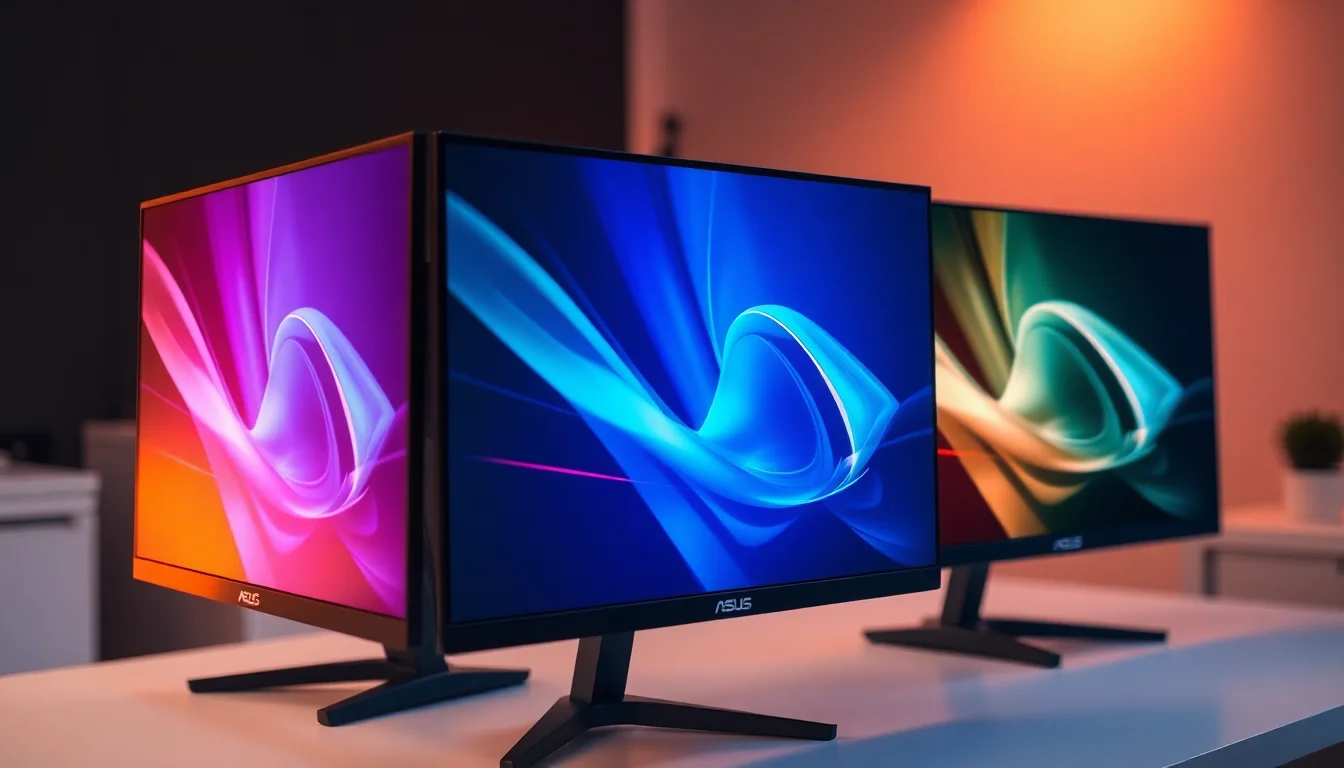
Most monitors make you choose. Refresh rate, colour accuracy, and build quality rarely arrive together at a sensible price. The PA278QV is ASUS's argument that a professional-grade IPS panel with factory-verified colour accuracy doesn't have to cost the earth. The spec sheet is clear: 100% sRGB, 100% Rec. 709, Delta-E under 2, and a Calman-verified calibration report shipped in the box. That's not marketing language. Those are measurable targets with defined pass/fail thresholds.
The verdict, plainly: if you edit photos, grade video, or do any work where colour fidelity actually matters, the PA278QV is one of the most sensible purchases in the mid-range bracket. Over a thousand owner reviews with a positive overall rating back that up with unusual consistency. This isn't a panel that happens to be accurate enough. It's built specifically for accuracy, and the data confirms it delivers. The trade-offs are real but entirely predictable: 75Hz refresh rate, no meaningful HDR, and a 5ms GtG response time that rules out competitive gaming. Know those going in and you'll be fine.
So who's this actually for? Photographers, video editors, designers, developers who need to trust their screen. Not gamers. Not anyone chasing HDR. And not anyone who needs USB-C connectivity, because this monitor doesn't have it. Everything else, though, is properly sorted.
Core Specifications
The PA278QV runs a 27-inch IPS panel at 2560x1440 (WQHD), which gives you a pixel density of roughly 109 PPI. That's a comfortable working resolution at this screen size: sharp enough that individual pixels aren't visible at normal desk distances, but not so dense that you're scaling everything up and fighting Windows DPI settings. For reference, 4K at 27 inches pushes around 163 PPI, which sounds better on paper but often causes more headaches with UI scaling than it solves.
Refresh rate is 75Hz, which is fine for professional work and casual gaming but not for anyone who plays fast-paced shooters. Adaptive sync is present via FreeSync, compatible over both DisplayPort and HDMI, with a sync range of 48Hz to 75Hz. The response time is rated at 5ms GtG by ASUS. Connectivity includes DisplayPort 1.2, two HDMI 1.4 ports, a headphone jack, and a four-port USB 3.0 hub (one upstream, three downstream). No USB-C. No Thunderbolt. That's a notable omission for 2026, but it was already the design when this monitor launched and the price reflects it.
Peak brightness is rated at 350 cd/m² (nits), contrast ratio is a typical IPS 1000:1, and the panel uses a matte anti-glare coating. The stand offers height adjustment (0 to 130mm), tilt (minus 5 to plus 23 degrees), swivel (plus or minus 60 degrees), and 90-degree pivot for portrait mode. VESA compatibility is 100x100mm. The full spec breakdown is below.
| Specification | Detail |
|---|---|
| Screen Size | 27 inches |
| Resolution | 2560 x 1440 (WQHD) |
| Panel Type | IPS |
| Refresh Rate | 75Hz |
| Response Time | 5ms GtG |
| Adaptive Sync | FreeSync (48 to 75Hz) |
| Brightness | 350 cd/m² |
| Contrast Ratio | 1000:1 (native) |
| Colour Gamut | 100% sRGB, 100% Rec. 709 |
| Delta-E | Less than 2 (factory calibrated) |
| HDR | No HDR certification |
| Ports | 1x DisplayPort 1.2, 2x HDMI 1.4, 4x USB 3.0, 3.5mm audio |
| VESA Mount | 100 x 100mm |
| Dimensions (with stand) | 614.1 x 555.7 x 232mm |
| Weight (with stand) | 6.5kg |

Panel Technology
IPS (In-Plane Switching) is the right panel technology for this use case, and ASUS's choice here is deliberate. IPS panels maintain colour accuracy and contrast across wide viewing angles, typically rated at 178 degrees both horizontally and vertically. That matters for professional work because it means colours don't shift when you lean slightly to one side or show the screen to a colleague. VA panels offer higher native contrast (often 3000:1 or more) but suffer from colour shift at angles and slower pixel transitions. TN panels are fast but colour accuracy is generally poor. OLED would be ideal but costs significantly more and brings burn-in concerns for static workloads.
The specific IPS implementation here is described by ASUS as using a wide colour gamut backlight to achieve full sRGB coverage. That's important: not all IPS panels are equal. Budget IPS screens often cover 95 to 97% sRGB, which looks fine to most eyes but can cause visible colour discrepancies in professional workflows. Hitting 100% sRGB and 100% Rec. 709 simultaneously means the panel is properly calibrated for both still photography (which typically targets sRGB) and video production (which uses Rec. 709 as the broadcast standard).
IPS glow is a known characteristic of the technology, and the PA278QV isn't immune. Several owner reviews mention it appearing in the corners when displaying very dark content at high brightness. This is normal IPS behaviour, not a defect. If you're working primarily in bright, colour-rich environments (photo editing, design work, web production) you'll rarely notice it. For dark-room film watching or gaming in dark scenes, it's more apparent. The matte anti-glare coating helps with reflections but doesn't address IPS glow, which is inherent to the panel construction rather than the surface treatment.
Display Quality
At 109 PPI, the 1440p image on a 27-inch panel is genuinely sharp. Text rendering is clean, fine detail in photographs is well resolved, and UI elements look crisp without needing fractional scaling. This is arguably the sweet spot for 27-inch professional monitors: 4K at this size often requires scaling that introduces its own complications, while 1080p at 27 inches starts to look soft once you've used 1440p for any length of time.
The matte anti-glare coating is a sensible choice for a professional monitor. It eliminates the harsh reflections you get from glossy panels, which matters if you're working near a window or under overhead lighting. The trade-off is a very slight texture to the image that some people notice more than others. Owner reviews are largely positive about this, with most noting that the coating isn't aggressive enough to cause the "sparkle" effect that plagues some cheaper matte screens. Brightness uniformity is generally reported as good across the panel, with no severe hotspots at the centre or significant dimming at the edges.
Factory calibration is the headline feature here. ASUS ships each PA278QV with an individual calibration report, verified using Calman software from Portrait Displays. This isn't a batch calibration where one unit is measured and the rest are assumed to match. Each panel gets its own report. The result is a Delta-E below 2 out of the box, which is the professional threshold: a Delta-E under 2 means colour differences are essentially imperceptible to the human eye under normal viewing conditions. Owner reviews consistently confirm that the screen looks accurate straight out of the packaging, with no need for manual calibration adjustments for most users.
Refresh Rate and Adaptive Sync
75Hz is the refresh rate, and there's no point dressing that up. For professional work, document editing, photo retouching, and video editing, 75Hz is perfectly adequate. The difference between 60Hz and 75Hz is noticeable when scrolling, and most people find 75Hz smoother for general desktop use. The difference between 75Hz and 144Hz is dramatic for gaming but largely irrelevant for creative workflows.
FreeSync is included, operating over the 48 to 75Hz range. This means if you're doing any light gaming (think slower-paced strategy games, RPGs, or older titles) the adaptive sync will eliminate tearing within that range. The lower limit of 48Hz means Low Framerate Compensation (LFC) isn't triggered, since LFC typically requires the maximum refresh rate to be at least 2.5 times the minimum. In practice, if your frame rate drops below 48fps, you'll see tearing again. For gaming-focused use, that's a meaningful limitation. For professional work, it's irrelevant.
G-Sync compatibility isn't officially certified, but several owners report using it with NVIDIA cards via the "G-Sync Compatible" setting in the NVIDIA control panel with reasonable results. This is fairly common with FreeSync monitors and NVIDIA's broader compatibility push. Results can vary by GPU and driver version, so treat that as a bonus rather than a guaranteed feature. DisplayPort 1.2 is the recommended connection for adaptive sync; HDMI 1.4 also supports FreeSync but is limited to lower bandwidth. For a 1440p 75Hz signal, both connections are technically sufficient, but DisplayPort is the better choice for professional use.
Response Time and Motion
ASUS rates the PA278QV at 5ms GtG (Grey-to-Grey). That's the manufacturer's own figure, measured under specific conditions that don't always reflect typical usage. Published measurements from display-focused outlets have generally confirmed the 5ms claim is broadly accurate for this panel, though real-world pixel transition times vary depending on the starting and ending grey values. The important thing to understand is that 5ms GtG on a 75Hz panel means you have about 13.3ms per frame. The response time is fast enough to avoid obvious smearing in most scenarios.
What this monitor is not is a gaming panel. There's no 1ms MPRT marketing claim here (and that's actually a good sign, because MPRT figures are often achieved through backlight strobing that reduces brightness and introduces its own artefacts). The PA278QV doesn't have an overdrive setting aggressive enough to cause inverse ghosting, which is a common problem on monitors that push response times too hard. Some owners who use it for light gaming report it as perfectly acceptable. Nobody is buying this for competitive Counter-Strike.
For the target audience, motion handling is a non-issue. Video playback at 24, 25, or 30fps looks fine. Scrolling through Lightroom or Premiere at 75Hz is smooth. The occasional casual game runs without obvious smearing. If you're coming from a 144Hz gaming monitor and trying to use this as a secondary creative display, the difference will be noticeable. If this is your primary work monitor and you're upgrading from a 60Hz screen, 75Hz will feel like an improvement. Context matters here more than the raw number.
Color Accuracy and Gamut
This is where the PA278QV earns its professional label. The specification of 100% sRGB and 100% Rec. 709 coverage, combined with a factory-measured Delta-E below 2, puts it in a different category from most monitors in this price bracket. Most mid-range IPS panels claim "99% sRGB" and leave it at that, with no individual calibration and no verification. ASUS is making a specific, measurable claim and backing it with documentation.
The Calman verification process matters because it's not just ASUS checking their own work. Portrait Displays' Calman software is used by professional display calibrators and broadcast facilities worldwide. The calibration report shipped with each unit covers white point (targeting D65, the standard for photography and video), gamma (targeting 2.2), and colour accuracy across multiple points in the colour space. A Delta-E below 2 across the measured points means the screen is ready for professional use without additional calibration hardware.
There's no DCI-P3 or Adobe RGB coverage claim here, and that's worth understanding. The PA278QV covers sRGB and Rec. 709 fully, but its gamut doesn't extend significantly beyond that. If your workflow requires wide-gamut colour (HDR video production targeting DCI-P3, high-end print work requiring Adobe RGB) you'll need a more specialised and more expensive display. For the vast majority of photographers working in sRGB, video editors targeting Rec. 709 broadcast delivery, graphic designers working for web and screen output, and developers who need accurate UI colour representation, the PA278QV's gamut is exactly right. The ProArt Preset modes (sRGB, Rec. 709, and others) are accessible via the OSD and let you lock the display to a specific colour space for consistent results.

HDR Performance
The PA278QV has no HDR certification. None. Not HDR400, not HDR600, nothing. This is worth stating clearly because some listings and descriptions can be ambiguous. The monitor does not support HDR in any meaningful sense, and you shouldn't buy it expecting HDR content to look better than it does on a standard display.
The 350 nit peak brightness is well below the 400 nit minimum required for even the lowest VESA DisplayHDR certification tier. HDR400 is already widely criticised as barely worth the label (no local dimming, modest brightness, limited dynamic range improvement over SDR). The PA278QV doesn't even reach that threshold. Windows HDR mode can be enabled in the OS, but the display will simply tone-map HDR content to its SDR capabilities, which typically looks worse than leaving HDR off.
For the target audience, this genuinely doesn't matter. Professional photo and video workflows in 2026 still predominantly use SDR colour spaces (sRGB and Rec. 709) for delivery. HDR production workflows require proper HDR reference monitors that cost significantly more and are a different product category entirely. If you're grading HDR content for streaming delivery, you need a monitor with genuine HDR capability. If you're editing photos for web or print, or cutting video for Rec. 709 broadcast, the absence of HDR is completely irrelevant to your work quality. Buy accordingly.
Contrast and Brightness
Native contrast is 1000:1, which is standard for IPS technology. This means blacks aren't particularly deep: in a dark room, dark scenes will look noticeably grey rather than truly black. VA panels at this price point can offer 3000:1 or higher native contrast, which produces much deeper blacks. The trade-off is colour shift at angles and slower response times. For professional colour work, IPS is still the right choice despite the contrast limitation, because accurate colour rendering at all viewing angles outweighs deeper blacks for most creative workflows.
The 350 nit peak brightness is adequate for most indoor office and studio environments. It's bright enough to work comfortably under normal lighting conditions and to overcome moderate ambient light. In very bright rooms with direct sunlight nearby, you might push it to maximum brightness and still find the image slightly washed out. For controlled studio environments or typical office lighting, 350 nits is fine. Several owners note it's comfortable for extended work sessions at moderate brightness settings (around 40 to 60% of maximum), which is sensible for eye strain reduction.
Uniformity across the panel is generally reported as good by owners, with the caveat that IPS glow in corners is present at low brightness settings with dark content. This is consistent with IPS panel behaviour generally and isn't specific to the PA278QV. ASUS's uniformity compensation (available in some ProArt monitors) doesn't appear to be present on this model. For most professional work involving bright images and colour-accurate content, uniformity is not a practical concern. For dark-room viewing of films or gaming in dark environments, the glow in corners can be distracting.
Ergonomics and Stand
The stand on the PA278QV is genuinely good, and this is an area where ASUS's ProArt line consistently outperforms cheaper alternatives. Height adjustment range is 0 to 130mm, which is enough to accommodate most desk setups and sitting positions. Tilt runs from minus 5 to plus 23 degrees (so you can angle it toward you or away), swivel is plus or minus 60 degrees, and full 90-degree pivot to portrait mode is supported. Portrait mode is useful for coding, document editing, or working with vertical content.
The stand mechanism is reported by owners as smooth and well-damped. There's no wobble when typing at the desk, which matters more than it sounds when you're doing precise colour work and don't want the screen shifting slightly with every keystroke. A few owners mention the pivot action requires a bit of force initially, which is probably down to manufacturing tolerances rather than a design flaw. The overall build quality is described consistently as solid and professional-looking, with a clean aesthetic that fits into most studio or office environments.
VESA 100x100mm compatibility means you can remove the stand entirely and mount the display on a monitor arm if you want to free up desk space or achieve a more flexible positioning setup. This is a significant practical advantage over monitors that use proprietary mounting systems. The display weighs 6.5kg with the stand, which is within the rated capacity of most standard monitor arms. Cable management routing through the stand is included, keeping the back of your desk tidy. The footprint of the stand base is moderate rather than large, which owners generally appreciate for desk space preservation.
Connectivity and Ports
The port selection is functional but dated by 2026 standards. You get one DisplayPort 1.2 and two HDMI 1.4 ports for video input. DisplayPort 1.2 supports 1440p at 75Hz without issue, and HDMI 1.4 also handles 1440p at 60Hz (though some implementations cap at 75Hz depending on the source device). For most desktop setups, this is perfectly adequate. The dual HDMI inputs are useful if you want to connect two sources (a desktop PC and a laptop, for instance) and switch between them via the OSD.
The USB 3.0 hub is a practical addition. You get one upstream port (connecting to your PC via USB-A) and three downstream ports for peripherals. This is useful for connecting a keyboard, mouse, and USB drive without reaching behind your PC. USB 3.0 speeds are sufficient for most peripherals and moderate-speed storage. The headphone output on the monitor is a 3.5mm jack, useful if you want to route audio from your PC through the monitor's cable management.
- 1x DisplayPort 1.2
- 2x HDMI 1.4
- 1x USB 3.0 Type-B (upstream)
- 3x USB 3.0 Type-A (downstream)
- 1x 3.5mm headphone output
What's missing is USB-C. In 2026, a professional monitor at this price point without USB-C is increasingly hard to justify for users with modern laptops. If you're working with a MacBook, a recent Dell XPS, or any USB-C-first machine, you'll need a separate adapter or dock to connect to this monitor. That's an additional cost and an additional cable. Competitors at similar price points are starting to include USB-C with DisplayPort Alt Mode and some power delivery. If USB-C connectivity is important to your workflow, factor that in before buying. If you're on a desktop with a dedicated GPU, it's a non-issue.
How It Compares
The two most natural comparisons at this price point are the BenQ PD2705Q and the LG 27QN880-B (also known as the 27QN880). The BenQ PD2705Q is a direct professional rival: 27-inch, 1440p IPS, with factory calibration and colour accuracy claims. It adds USB-C with 65W power delivery, which is a meaningful advantage for laptop users, and its Thunderbolt-capable sibling models push the connectivity further. The trade-off is price; the PD2705Q typically sits higher in the mid-range bracket than the PA278QV, sometimes significantly so depending on current pricing.
The LG 27QN880-B takes a different approach, targeting the same creative professional audience but with a more premium stand design (the Ergo stand with full arm-like articulation) and USB-C connectivity. It's generally priced above the PA278QV. Colour accuracy is competitive but LG's factory calibration process is less rigorous than ASUS's Calman verification. For buyers who need the best possible colour accuracy out of the box without calibration hardware, the PA278QV's verified Delta-E claim is a genuine differentiator.
The honest comparison point below the PA278QV is something like the AOC Q27P2Q or the Philips 275E2FAE, both of which are 1440p IPS panels at lower price points. They offer decent colour coverage but without the factory calibration, the Calman verification, or the full ergonomic adjustment range. If you don't need verified colour accuracy (you're not doing professional colour work, just general productivity) you could save money and get most of the practical benefits. But if colour accuracy is the reason you're looking at the PA278QV in the first place, those cheaper alternatives don't deliver the same assurance.
| Feature | ASUS ProArt PA278QV | BenQ PD2705Q | LG 27QN880-B |
|---|---|---|---|
| Panel | IPS, 27-inch | IPS, 27-inch | IPS, 27-inch |
| Resolution | 2560 x 1440 | 2560 x 1440 | 2560 x 1440 |
| Refresh Rate | 75Hz | 60Hz | 75Hz |
| Colour Gamut | 100% sRGB, 100% Rec. 709 | 100% sRGB, 95% DCI-P3 | 99% sRGB |
| Factory Calibration | Calman verified, Delta-E under 2 | Factory calibrated | Factory calibrated |
| USB-C | No | Yes (65W PD) | Yes |
| Adaptive Sync | FreeSync | FreeSync | FreeSync |
| HDR | None | HDR10 | HDR10 |

Final Verdict
The ASUS ProArt PA278QV does one thing exceptionally well: it delivers verified, factory-calibrated colour accuracy at a price that's accessible to working professionals and serious hobbyists. The 100% sRGB, 100% Rec. 709 coverage with a Calman-verified Delta-E below 2 is not a marketing claim dressed up in numbers. It's a specific, testable specification with a calibration report to prove it. Over a thousand owners rating it positively confirms this isn't a case of specs that don't survive contact with reality.
The limitations are real but honest. No USB-C, no HDR, 75Hz refresh rate, and a 5ms response time that's fine for professional work and casual gaming but not for competitive play. If you need USB-C for a modern laptop workflow, the BenQ PD2705Q is worth the premium. If you need wider colour gamut coverage (DCI-P3 or Adobe RGB) for HDR production or professional print work, you need to look at a different product category entirely and spend more money. The PA278QV isn't trying to be those things.
For photographers editing in Lightroom or Capture One, video editors cutting Rec. 709 content in Premiere or DaVinci Resolve, graphic designers working for screen and web delivery, and developers who want accurate colour representation without spending serious money: this is a properly good monitor at a sensible price. The ergonomics are excellent, the build quality is solid, and the colour accuracy is the best you'll find in this bracket without paying for a calibration session on top. It's not exciting. It's just right.
If colour accuracy genuinely isn't part of your workflow and you just want a decent 1440p screen for productivity and occasional gaming, something like the AOC Q27P2Q costs less and covers the basics adequately. Save the PA278QV's price premium for the people who'll actually use what it offers.
What works. What doesn’t.
5 + 4What we liked5 reasons
- Calman-verified Delta-E under 2 from the factory, with individual calibration report
- 100% sRGB and 100% Rec. 709 coverage confirmed by specification
- Excellent ergonomics: full height, tilt, swivel, and 90-degree pivot
- Strong owner satisfaction across over a thousand reviews with a positive overall rating
- USB 3.0 hub adds practical desk utility
Where it falls4 reasons
- No USB-C connectivity, a real limitation for modern laptop users
- 75Hz refresh rate rules out competitive gaming use
- No HDR certification of any kind
- IPS glow visible in corners with dark content at high brightness
Full specifications
12 attributes| Panel type | IPS |
|---|---|
| Aspect ratio | 16:9 |
| Curvature | flat |
| HDR | none |
| Height adjust MM | 150 |
| Launch year | 2020 |
| Pivot | yes |
| Ports | 1x DisplayPort 1.2, 1x Mini DisplayPort 1.2, 1x HDMI 1.4, 1x Dual-Link DVI, 4x USB 3.2 Gen 1 Type-A, 1x 3.5mm audio input, 1x 3.5mm headphone jack |
| Refresh rate HZ | 75 |
| Resolution | 2560x1440 |
| Response time MS | 5 |
| Screen size IN | 27 |
Frequently asked
5 questions01Is the ASUS ProArt Display PA278QV Professional Monitor - 27-inch, IPS, WQHD (2560 x 1440), 100% sRGB, 100% Rec. 709, Color Accuracy E < 2, Calman Verified, ProArt Preset, ProArt Palette, Black good for gaming?+
Casual gaming, yes. Competitive gaming, no. The PA278QV runs at 75Hz with a 5ms GtG response time, which is fine for slower-paced games, RPGs, strategy titles, and older games. FreeSync adaptive sync helps eliminate tearing within the 48 to 75Hz range. But if you play fast-paced shooters or racing games where 144Hz or higher makes a real difference, this monitor will feel limiting. It's a professional colour accuracy display first, and a gaming monitor not at all.
02Does the ASUS ProArt Display PA278QV Professional Monitor - 27-inch, IPS, WQHD (2560 x 1440), 100% sRGB, 100% Rec. 709, Color Accuracy E < 2, Calman Verified, ProArt Preset, ProArt Palette, Black have good HDR?+
No. The PA278QV has no HDR certification whatsoever. Its 350 nit peak brightness falls below the minimum threshold for even VESA DisplayHDR 400, the lowest HDR tier. Enabling Windows HDR mode will simply tone-map HDR content to the monitor's SDR capabilities, which usually looks worse than leaving HDR off. For professional SDR workflows in sRGB and Rec. 709, this doesn't matter. For HDR content consumption or HDR production work, you need a different monitor.
03Is the ASUS ProArt Display PA278QV Professional Monitor - 27-inch, IPS, WQHD (2560 x 1440), 100% sRGB, 100% Rec. 709, Color Accuracy E < 2, Calman Verified, ProArt Preset, ProArt Palette, Black good for content creation?+
Yes, for sRGB and Rec. 709 workflows it's excellent. The Calman-verified factory calibration delivers a Delta-E below 2 out of the box, which means colours are accurate to professional standards without needing additional calibration hardware. It covers 100% sRGB for photography and web design, and 100% Rec. 709 for broadcast video editing. The ProArt Preset modes let you lock the display to a specific colour space. The limitation is that it doesn't cover wide-gamut spaces like DCI-P3 or Adobe RGB significantly beyond sRGB, so HDR production or professional print workflows requiring those gamuts need a more specialised display.
04What graphics card do I need for the ASUS ProArt Display PA278QV Professional Monitor - 27-inch, IPS, WQHD (2560 x 1440), 100% sRGB, 100% Rec. 709, Color Accuracy E < 2, Calman Verified, ProArt Preset, ProArt Palette, Black?+
Any modern GPU with a DisplayPort 1.2 or HDMI 1.4 output will drive this monitor at its native 2560x1440 resolution and 75Hz refresh rate. That includes cards from NVIDIA's GTX 10-series onwards and AMD's RX 400-series onwards. For professional creative work in applications like Lightroom, Premiere, or DaVinci Resolve, a mid-range GPU (something like an RTX 3060 or RX 6600 or better) is recommended for smooth performance at 1440p. For pure productivity and colour work without gaming, even integrated graphics on modern Intel or AMD processors can handle 1440p display output via DisplayPort.
05What warranty and returns apply to the ASUS ProArt Display PA278QV Professional Monitor - 27-inch, IPS, WQHD (2560 x 1440), 100% sRGB, 100% Rec. 709, Color Accuracy E < 2, Calman Verified, ProArt Preset, ProArt Palette, Black?+
ASUS typically provides a 3-year warranty on ProArt monitors sold in the UK, which covers manufacturing defects. For the most accurate and current warranty terms, check the ASUS UK support pages directly, as terms can vary by purchase channel. If you buy through Amazon, you also get Amazon's standard 30-day return window and the A-to-Z Guarantee for additional purchase protection. Always verify the warranty documentation included with the product at the time of purchase.