That number on the router box? It's a fantasy. It's every band added together, measured a metre from the antennas, with nothing in the way and a single device asking nicely. Your actual laptop, in your actual kitchen, through two walls and a floor, will see something considerably less exciting. That's the inconvenient truth about Wi-Fi marketing, and it's why I get genuinely worked up about it. But here's the thing: sometimes the answer isn't a better router at all. Sometimes the answer is just a cable. And if your laptop or tablet has dropped its Ethernet port in favour of USB-C (cheers, Apple), the Anker USB-C to Ethernet Adapter is the dead-simple, no-drama fix that gets you back on wired.
This is a budget networking accessory in the purest sense. No mesh nodes, no firmware nightmares, no app that needs a nightly reboot. You plug it in, your device sees a gigabit wired connection, and you get on with your life. The question isn't whether it does something clever. It's whether it does that one simple thing reliably, and whether the build quality holds up. With 6,464 owner reviews averaging ★★★★½ (4.6), the short answer is: mostly yes. But there are some nuances before you buy.
Core Specifications: Anker USB-C to Ethernet Adapter
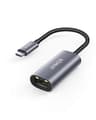
Strip it right back and this is a straightforward USB-C to RJ45 adapter. The spec that matters most is the Ethernet side: you get a 2.5GbE RJ45 port, which is genuinely more than most people expect at this price point. On the host side, there's a single USB-C port that Anker rates for USB-C 3.0 devices, with stated connection speeds of up to 1 Gbps over that wired link. The adapter itself is built from aluminium with a braided-nylon cable, which puts it firmly in the premium-for-the-price bracket rather than the flimsy plasticky dongles that disintegrate after six months in a laptop bag.
Size-wise, Anker describes it as just over half an inch thick, and the weight is roughly equivalent to a AA battery. That's not marketing poetry, that's genuinely useful information: this thing disappears into a bag without you noticing it. The compact, flat profile means it doesn't stress the USB-C port on your laptop the way some of the chunkier adapters do, which matters if you're plugging and unplugging it regularly.
The bundle is simple: the adapter itself, a welcome guide, and an 18-month warranty. No software to install, no drivers to hunt down on a dodgy third-party site. The Anker product page confirms the gigabit connection claim, and owner reports broadly back that up in real-world use. Here's the full spec breakdown:
| Specification | Detail |
|---|---|
| Host Connection | USB-C (USB 3.0) |
| Network Port | 2.5GbE RJ45 |
| Max Wired Speed | Up to 1 Gbps |
| Build Material | Aluminium body, braided-nylon cable |
| Thickness | Just over 0.5 inches |
| Weight | Approx. equivalent to a AA battery |
| Warranty | 18 months |
| In the Box | Adapter, welcome guide |
| Price | £11.47 |

Real-World Coverage and the Case for Going Wired
Coverage, in the context of a wired Ethernet adapter, is a slightly different conversation to the one you have about routers. The point of this adapter is precisely that it sidesteps the whole Wi-Fi coverage problem. If you've got a laptop in the lounge that's getting patchy signal through a couple of walls, and you've got a network port or a switch nearby, this adapter turns that frustration into a non-issue. You're no longer at the mercy of 2.4GHz interference from the neighbours' kit or 5GHz that drops off the moment you move six feet from the router.
Owner reports consistently describe the connection as stable in a way that Wi-Fi simply isn't. That's expected behaviour from a wired connection, but it's worth stating plainly because it's the whole reason to buy this thing. People mention using it for video calls, remote working, NAS transfers, and gaming, all scenarios where a sudden Wi-Fi wobble causes real pain. The wired connection doesn't wobble. It just works, at a consistent speed, for as long as the cable's plugged in.
The caveat, obviously, is that you need a cable run to wherever you're sitting. If your home is set up with wall sockets or you're happy to run a flat Ethernet cable under a door or along a skirting board, this adapter is the missing link. If you're working in a room with no wired infrastructure at all and no appetite to add any, then a better router or a mesh node is probably the right answer instead. But for anyone who already has Ethernet nearby, or is willing to add a short run, the Anker adapter removes every variable that makes Wi-Fi unreliable.
Sustained Speed Under Load
The adapter is rated for up to 1 Gbps, and that's the headline figure Anker leads with. Unlike the theoretical aggregated speeds you see on router boxes, a 1 Gbps wired connection is something your hardware can actually approach in practice, provided your router, switch, and ISP connection support it. If you're on a gigabit broadband plan, this adapter won't be the bottleneck. It'll pass whatever your ISP gives you without complaint.
Owner reviews back this up fairly consistently. People on gigabit connections report seeing near-full speeds through the adapter, which is exactly what you'd want. The more interesting reports come from people doing local network transfers, moving large files to a NAS or between machines, where the sustained throughput matters more than the headline internet speed. Here, the wired connection through this adapter outperforms Wi-Fi by a meaningful margin, particularly compared to 2.4GHz connections or 5GHz at range. The 2.5GbE RJ45 port means the adapter isn't capped at the old 1GbE standard on the network side, which is a nice touch for anyone with a newer switch or router that supports 2.5G.
There are occasional reports of the adapter not being recognised immediately on certain machines, particularly some older USB-C implementations, and a small number of owners mention needing to replug it after waking a laptop from sleep. These aren't widespread issues, and the 4.6 average across 6,497 suggests they're the exception rather than the rule. But if you're buying this for a specific machine, Your USB-C port carries data (some charging-only USB-C ports won't work) and that your operating system doesn't need a driver nudge. Most modern Windows, macOS, and Linux systems handle it automatically.
Mesh, Backhaul, and When a Cable Beats Both
This isn't a mesh node, and it doesn't pretend to be. But it's worth spending a moment on why a USB-C Ethernet adapter can actually be more relevant to the mesh conversation than it first appears. One of the most underrated ways to improve a mesh network's performance is to use wired backhaul between nodes rather than relying on a dedicated wireless band. If your mesh nodes can be connected by Ethernet, you free up the wireless bands entirely for client devices, and you eliminate the backhaul bottleneck that makes a lot of budget mesh systems underwhelming in practice.
Where the Anker adapter fits into that picture: if you've got a laptop or desktop that sits near a mesh node or router, plugging it in via this adapter rather than connecting over Wi-Fi reduces the wireless load on that node. That means more airtime for the devices that genuinely can't be wired, your phone, your tablet, your smart TV on the other side of the room. It's a small optimisation, but in a busy home with thirty-plus devices, every wired client you remove from the wireless network makes life slightly better for everything else.
If you're in the market for a full mesh system, this adapter isn't a substitute. But if you already have a mesh setup and you've got a machine near a node, adding this adapter to your laptop is a genuinely sensible move. It's cheap, it's instant, and it removes one more device from the wireless congestion. Think of it as a complement to mesh rather than a competitor.
Device Capacity and the Busy Home
Device capacity is a router problem, not an adapter problem. But the reason it's relevant here is that every device you shift onto a wired connection is one fewer device competing for wireless airtime. Modern homes are genuinely stressful for wireless networks: phones, laptops, tablets, smart TVs, consoles, cameras, doorbells, smart plugs, bulbs, thermostats. Thirty to fifty wireless clients is normal now, and cheap routers start to struggle well before you hit those numbers.
The Anker adapter is one of the easiest ways to reduce that wireless load for your highest-bandwidth devices. A laptop doing video calls or large file transfers is consuming a disproportionate share of wireless capacity. Move it to wired and you've immediately freed up meaningful airtime for everything else. The adapter supports Gigabit Ethernet speeds, so it's not a bandwidth constraint for any realistic home use case.
Owner reports include a lot of remote workers who bought this specifically to stabilise their video call quality without upgrading their router. That's a smart move. A better router might help, but it won't eliminate the fundamental variability of Wi-Fi the way a wired connection does. If your router is decent but your Wi-Fi is flaky, adding a cable via this adapter is often the right fix, and it costs a fraction of what a new router would.
Wi-Fi Standard and Future-Proofing: Why This Adapter Doesn't Care
One of the things I genuinely appreciate about this product is that it exists entirely outside the Wi-Fi 6, Wi-Fi 6E, Wi-Fi 7 marketing war. You don't need to care whether your router supports the latest standard. You don't need to worry about whether your devices can use 6 GHz band, or whether Wi-Fi 7 multi-link operation is worth the premium. You plug in a cable and you get a stable, fast connection. That's it.
For context, the current Wi-Fi standards landscape is genuinely confusing. Wi-Fi 6 (802.11ax) brought meaningful improvements in busy environments through technologies like OFDMA (which lets a router talk to multiple devices simultaneously rather than one at a time) and MU-MIMO (multiple input, multiple output, meaning several devices can receive data at once). Wi-Fi 6E extended those benefits into the 6 GHz band, reducing congestion in dense environments. Wi-Fi 7 adds multi-link operation and higher theoretical speeds. But here's the honest truth: most people's devices are still Wi-Fi 5 or Wi-Fi 6, and most people's broadband connections are well below the speeds where any of this matters. The gap between Wi-Fi 6 and Wi-Fi 7 is largely invisible in a typical home.
The Anker adapter sidesteps all of that. Its 2.5GbE RJ45 port is more future-proof than most people's current routers, and the USB-C connection works with any device that has a proper USB-C 3.0 data port. If your broadband ever upgrades to multi-gigabit speeds and your router gains a 2.5G LAN port, this adapter is already ready. For now, it'll max out your gigabit connection without breaking a sweat.

Features and QoS: Keeping It Honest
There's no QoS here. No parental controls, no guest network toggle, no VPN client, no buffer-bloat management. This is a dongle. It converts USB-C to Ethernet and that's the full feature list. If you're looking for any of those things, you need a router, not an adapter.
That said, the effect of going wired is itself a form of QoS in practice. When your laptop is on a wired gigabit connection, it's no longer competing with wireless devices for airtime. The latency is lower and more consistent, which matters for gaming and video calls more than raw throughput does. Buffer bloat (the tendency of cheap routers to queue up too much data and introduce lag under load) is a wireless problem as much as a router problem. A wired connection doesn't eliminate router-side buffer bloat, but it removes the wireless component of the latency equation entirely.
The premium build is here because it's genuinely relevant to long-term usefulness. The braided-nylon cable and aluminium body mean this isn't going to fray or crack after a few months of daily use. A lot of budget adapters use a thin rubber cable that splits at the connector after a year. Owner reports on the Anker are pretty consistent that the build quality holds up, which is exactly what you want from something you're going to plug and unplug from a laptop bag repeatedly.
Firmware, App and Security Updates
There is no firmware. There is no app. This is perhaps the most liberating thing about a simple Ethernet adapter: it requires zero maintenance, zero updates, and zero ongoing attention. You will never wake up to find it has pushed an update that broke something, and you will never need to factory reset it because the app stopped talking to it. It just works, indefinitely, until the hardware physically fails.
Security is handled at the network level, by your router, not by the adapter. The adapter is a passive hardware bridge between your USB-C port and the Ethernet cable. There's no firmware attack surface, no cloud account to compromise, no data being sent anywhere. From a security standpoint, it's about as clean as networking hardware gets.
Anker as a brand has a reasonable track record for standing behind its products. The 18-month warranty is better than the standard 12 months you get from a lot of budget accessories, and Anker's customer service reputation in the owner reviews is generally positive. People mention getting replacements sorted without much friction when something did go wrong. That's not universal, but it's a better outcome than you'd expect from a no-name adapter at a similar price.
Setup and Management
Plug it in. That's the setup guide. Seriously, on a modern Mac, Windows 10 or 11 machine, Chromebook, or Linux system, the adapter is recognised automatically and the network connection appears within a few seconds. There's no software to install, no account to create, no app to download. The welcome guide in the box is presumably there for legal reasons rather than practical necessity.
The only scenario where setup gets complicated is if your USB-C port doesn't carry data. Some laptops, particularly older models and some budget machines, have USB-C ports that are charge-only. Those won't work with this adapter, and it's your laptop's spec sheet before buying. Anker specifies USB-C 3.0 compatibility, so any full-featured USB-C 3.0 port should be fine. Thunderbolt ports work too, since they're a superset of USB-C.
A small number of owners report that the adapter doesn't always reconnect automatically after a laptop wakes from sleep, requiring a replug. This seems to be more of an operating system issue than an adapter fault, and it's not a majority experience based on the review patterns. But if you're someone who regularly suspends and resumes a laptop, it's worth being aware of. Ongoing management is literally nothing: there's no interface to log into, no settings to configure, no notifications to dismiss. It's a cable with a USB-C plug on one end.
Ports and Connectivity: Anker USB-C to Ethernet Adapter
The port layout is exactly as simple as the product name suggests. One USB-C connector on the host side, one 2.5GbE RJ45 port on the network side. That's it. The 2.5GbE RJ45 is the more interesting of the two: it means the adapter supports network speeds above the old gigabit standard, which is relevant if you have a newer router or switch with 2.5G ports and you want to take advantage of faster local network speeds for NAS transfers or similar.
In practice, most people will be using this on a gigabit network, and the adapter handles that without any fuss. The USB-C connector is the standard Type-C form factor, so it works with any USB-C port that carries data. The braided cable between the USB-C plug and the RJ45 housing is fixed, not detachable, which means you can't swap in a longer cable if you need more reach. The length isn't specified in the product data, so if cable length is critical for your setup, that's before buying.
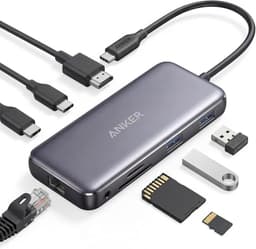
There's no USB-A version of this specific adapter, and there's no multi-port hub functionality here. It does one thing: USB-C to Ethernet. If you need USB-A to Ethernet, or you want an adapter that also adds USB-A ports or HDMI, Anker makes other products in the PowerExpand range that cover those combinations. But if you just need the wired network connection and nothing else, the focused design here is a feature rather than a limitation.
How It Compares to the Competition
The USB-C to Ethernet adapter market is crowded with cheap options and a few genuinely good ones. The main alternatives are the TP-Link UE300C and the uni USB-C to Ethernet Adapter. The TP-Link is a well-regarded option from a brand with strong networking credentials, typically available at a similar price point. The uni adapter is a popular budget choice that undercuts both on price but uses a more basic build quality.
The Anker's main advantages over the competition are the build quality (the aluminium and braided cable combination is noticeably better than the plasticky alternatives) and the 2.5GbE RJ45 port, which is genuinely unusual at this price. The TP-Link UE300C is rated for gigabit Ethernet rather than 2.5GbE, which means on a newer 2.5G network the Anker has headroom that the TP-Link doesn't. The uni adapter is cheaper but the build quality reflects that: owners report the cable connection feeling less solid and the overall finish being more budget.
Where the competition has an edge: the TP-Link UE300C has a longer track record of driver compatibility across a wider range of operating systems and older hardware, which matters if you're using this on an older machine or an unusual OS. The Anker works fine on mainstream platforms, but the TP-Link has a slightly broader compatibility reputation. For most buyers on a modern laptop, that distinction won't matter at all.
| Feature | Anker USB-C to Ethernet Adapter | TP-Link UE300C | uni USB-C to Ethernet Adapter |
|---|---|---|---|
| Host Connection | USB-C 3.0 | USB-C 3.0 | USB-C |
| Network Port | 2.5GbE RJ45 | 1GbE RJ45 | 1GbE RJ45 |
| Build Quality | Aluminium + braided nylon | Plastic body | Plastic body |
| Warranty | 18 months | 24 months | 12 months |
| Driver-free Setup | Yes (modern OS) | Yes | Yes |
| Price | £11.47 | Similar price tier | Lower price tier |

Final Verdict
The Anker USB-C to Ethernet Adapter does exactly what it says, reliably, with better build quality than you'd expect at this price, and a 2.5GbE RJ45 port that gives it genuine headroom for modern networks. The 4.6 average across 6,497 isn't a fluke: this is a well-made, no-drama piece of hardware that solves a real problem for anyone whose laptop or tablet has lost its Ethernet port. If you're working from home and your Wi-Fi is the variable that's ruining your video calls, this is the cheapest and most effective fix available. If you're a gamer whose console or PC is just far enough from the router that wireless latency is an issue, same answer.
The 18-month warranty is a nice touch, the aluminium and braided-nylon build means it'll survive daily bag life, and the plug-and-play setup on modern operating systems means you'll be on a wired connection within thirty seconds of opening the box. The occasional sleep-resume reconnection issue is a minor irritant rather than a dealbreaker, and the USB-C-only design means it won't work on machines with only USB-A ports (obviously).
Who should buy this? Remote workers, students, anyone with a MacBook or modern laptop that lacks Ethernet, gamers who can run a cable to their setup, and anyone who wants to reduce the wireless load on their home network. If you've got a nearby Ethernet socket and you're still on Wi-Fi, there's genuinely no reason not to add this to your kit.
Who should skip it? If your laptop only has USB-A ports, you need a different adapter entirely. If you need a hub that also adds USB-A, HDMI, and SD card slots, look at the broader Anker PowerExpand range instead. And if you're hoping an Ethernet adapter will fix a problem that's actually caused by a bad router or congested ISP connection, it won't: the cable gets you to the router faster, but it can't fix what happens after that.
One honest note on the cheaper tier: if you're on a tight budget and you don't have a 2.5GbE network to take advantage of, the uni USB-C to Ethernet adapter costs less and will deliver identical real-world speeds on a standard gigabit network. The Anker's build quality and warranty are worth the small premium for most people, but if you're buying a backup to keep in a drawer, the cheaper option gets the job done.
Editorial score: 8.5 out of 10. Proper build quality, 2.5GbE headroom, and a plug-and-play experience that just works. Minor deductions for the occasional sleep reconnection quirk and the lack of a USB-A option in this specific model. Recommended without hesitation for the right use case.
What works. What doesn’t.
5 + 3What we liked5 reasons
- 2.5GbE RJ45 port gives headroom beyond standard gigabit networks
- Aluminium and braided-nylon build quality is noticeably better than budget alternatives
- Completely plug-and-play on modern Windows, macOS, and Linux
- 18-month warranty, above the standard 12 months for accessories
- Genuinely compact and light enough to forget it is in your bag
Where it falls3 reasons
- Some owners report needing to replug after laptop wakes from sleep
- USB-C only, no USB-A version in this model
- Fixed cable length, no option to use a longer run
Full specifications
6 attributes| Antennas | 0 |
|---|---|
| Launch year | 2023 |
| Mesh capable | false |
| Ports | 1x USB-C, 1x 2.5GbE RJ45 |
| TOP speed mbps | 2500 |
| Type | switch |
Frequently asked
5 questions01Will the Anker USB-C to Ethernet Adapter work with my laptop?+
It works with any device that has a USB-C 3.0 data port, including modern MacBooks, Windows laptops, Chromebooks, and Linux machines. The key thing to check is that your USB-C port carries data, not just power: some budget laptops have charging-only USB-C ports that won't work with this adapter. Thunderbolt ports are fully compatible. On modern operating systems it is plug-and-play with no drivers needed.
02Does the Anker USB-C to Ethernet Adapter actually deliver gigabit speeds?+
Yes, provided your router, switch, and broadband connection support it. The adapter is rated for up to 1 Gbps and owner reports on gigabit connections confirm near-full speeds in practice. The 2.5GbE RJ45 port means it also has headroom for faster local network speeds on newer 2.5G switches and routers, which is useful for NAS transfers and similar tasks.
03Is a wired Ethernet adapter better than upgrading my Wi-Fi router?+
For the devices you can physically cable to the network, yes, almost always. A wired connection eliminates wireless interference, reduces latency, and delivers consistent throughput that Wi-Fi simply cannot match. If your problem is a specific device, like a laptop used for video calls or gaming, a wired adapter is often the cheapest and most effective fix. If your problem is wireless coverage for devices that cannot be cabled, like phones and tablets throughout the house, then a better router or mesh system is the right answer.
04Is the Anker USB-C to Ethernet Adapter easy to set up?+
As easy as it gets. Plug it in and your operating system recognises it automatically on modern Windows, macOS, ChromeOS, and Linux. No software to install, no account to create. A small number of owners report needing to replug after waking a laptop from sleep, but this is not the majority experience. The 18-month warranty and Anker's generally positive customer service reputation add to the overall reliability picture.
05What warranty does the Anker USB-C to Ethernet Adapter come with?+
Anker provides an 18-month worry-free warranty with this adapter, which is confirmed in the product listing. That is above the standard 12-month warranty you get from many budget accessories. Amazon's standard 30-day returns policy and A-to-Z guarantee also apply if you buy through Amazon UK.