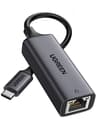
There's a particular kind of frustration that hits when your MacBook Pro or Steam Deck refuses to talk to a wired network because the RJ45 port simply isn't there. You want the stability of Ethernet, the low latency, the consistent throughput that Wi-Fi just doesn't deliver when there are three other people in the house hammering the same access point. And then you find out the fix costs less than a decent lunch. That's essentially the UGREEN USB C to Ethernet Adapter in a sentence.
The verdict? It's good. Genuinely good, for what it is. Gigabit speeds over a USB-C connection, plug-and-play on basically everything modern, an aluminium shell that doesn't feel like it'll snap in your bag, and over 10,700 owners rating it ★★★★½ (4.6). For a budget networking accessory, that's a strong signal. The caveats are real but narrow, and if you know what this is and what it isn't, you'll almost certainly be happy with it.
This isn't a router review where I'm picking apart backhaul architecture and QoS tables. This is a much simpler proposition: a small adapter that bridges the gap between a USB-C port and a wired Ethernet connection. But even simple kit deserves honest scrutiny, so here's the full picture, grounded in the spec sheet and what thousands of real owners consistently report.
Core Specifications of the UGREEN USB C to Ethernet Adapter
Strip away the marketing and what you've got here is a USB-C to RJ45 adapter built around a high-end chipset (UGREEN describe it as such, and the driverless behaviour on modern operating systems backs that up), housed in an aluminium shell. The headline number is 1Gbps, which is full Gigabit Ethernet. That's the same speed you'd get from a wired port built into a desktop PC. Not theoretical, not marketing Mbps inflated by combining bands. Just 1,000 megabits per second, the real thing.
It's also backward compatible with 100Mbps and 10Mbps networks, so if you're plugging into older infrastructure, it'll negotiate down gracefully. The USB-C connection is listed as USB 3.1 Type-C, and UGREEN specifically note Thunderbolt 3 compatibility, which matters for MacBook users because not every adapter plays nicely with Apple's implementation of the interface. The compatibility list is genuinely wide: MacBook Pro from 2016 through 2020, MacBook Air including 2022, iPad Pro and iPad Air, Dell XPS, ASUS ZenBook, Samsung Galaxy S21 and S22 series, Steam Deck, Nintendo Switch and Switch Lite, Surface Pro 7, Surface Book 2, Surface Laptop 3, Chromebooks, and more. That's not a cherry-picked list to look impressive; it reflects the fact that the chipset handles the USB-C to Ethernet translation in a way that most modern systems recognise without needing a driver.
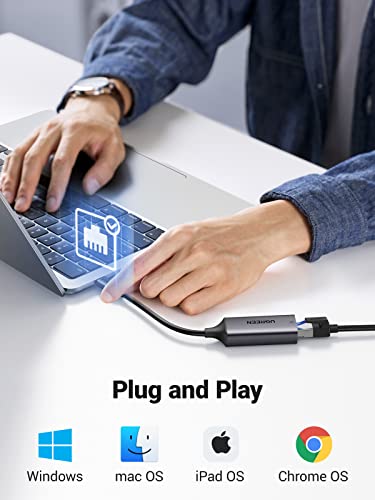
Driver situation: Windows 11, 10, 8.1, and 8 are plug-and-play. macOS is plug-and-play. iOS, Android, and Switch are plug-and-play. Windows 7, Windows XP, and Linux require a driver, which UGREEN provide on a disc included in the box. That's a sensible split. If you're on Windows 7 in 2026 you've got bigger problems, but at least the driver exists. The aluminium shell isn't just cosmetic either; it helps dissipate heat from the chipset during sustained transfers, which plastic-bodied budget adapters sometimes struggle with.
| Specification | Detail |
|---|---|
| Connection type | USB-C (USB 3.1, Thunderbolt 3 compatible) |
| Network port | RJ45 Gigabit Ethernet |
| Max speed | 1Gbps / 1000Mbps |
| Backward compatibility | 100Mbps / 10Mbps |
| Chipset | High-end built-in chip (driverless on modern OS) |
| Shell material | Aluminium |
| Driver required | No (Windows 11/10/8.1/8, macOS, iOS, Android, Switch) / Yes (Windows 7/XP, Linux) |
| Driver disc | Included in box |
| Compatible devices | MacBook Pro 2016-2020, MacBook Air 2017/2020/2022, iPad Pro/Air, Dell XPS, Steam Deck, Switch/Lite, Galaxy S21/S22, Surface Pro 7, Chromebook, and more |
| Price | £11.99 |
Real-World Coverage and Use Cases
Coverage isn't really the right word for an Ethernet adapter. What you're actually asking is: does it work reliably when plugged in, and does it hold a stable connection? The answer, based on what owners consistently report across 10,726 averaging 4.6 stars, is yes. The connection is stable. That's the whole point of wired Ethernet over Wi-Fi, and this adapter delivers it.
Where this matters most is exactly the use case UGREEN pitch: MacBooks and other thin laptops that dropped the RJ45 port to save space, and devices like the Steam Deck or Nintendo Switch where a wired connection transforms the online experience. Steam Deck owners in particular seem to love this thing for downloading large games without the inconsistency of Wi-Fi. Switch players report it working correctly for online gaming with noticeably lower latency than the console's built-in wireless. That tracks with what wired connections do: they remove the variables that cause Wi-Fi latency spikes, the interference, the distance from the router, the other devices competing for airtime.
For MacBook users with a dead or damaged RJ45 port (which is a common enough failure mode that UGREEN specifically call it out), this is the obvious fix. It also works for anyone setting up a MacBook in a location where running Ethernet directly is possible but the laptop lacks the port. Hotel rooms with wired connections, offices, university networks, anywhere that wired is available but your hardware can't use it natively. Owners who travel for work mention it frequently as a bag essential. Small and light enough that it genuinely lives in a laptop bag without being noticed.
Sustained Speed Under Load
The rated maximum is 1Gbps. That's Gigabit Ethernet, and it's a real, achievable number on a wired connection rather than a theoretical peak that requires ideal conditions and a tape measure to the router. Whether you actually see speeds close to that depends on your internet connection and your network infrastructure, not the adapter. If your broadband tops out at 100Mbps, the adapter isn't the bottleneck. If you're on a full-fibre gigabit connection and your router has a 1GbE LAN port, the adapter can carry the full load.
The USB 3.1 interface has more than enough bandwidth to handle Gigabit Ethernet without becoming the bottleneck itself. USB 3.1 Gen 1 runs at 5Gbps, so even at full 1Gbps Ethernet throughput you're using a fifth of the available USB bandwidth. That headroom matters for sustained transfers, and it's why USB 3.x adapters outperform older USB 2.0 versions that genuinely couldn't saturate a Gigabit connection. Owner reports of large file transfers and game downloads back this up: people consistently report getting the speeds their internet connection supports, not a degraded version of it.
The aluminium shell plays a small but real role here. Sustained high-throughput transfers generate heat in the chipset, and a metal housing dissipates it better than plastic. Cheaper adapters with plastic shells sometimes throttle under sustained load as the chipset temperature climbs. The aluminium construction on this one is a practical choice, not just an aesthetic one. Owners doing extended downloads or long video calls over wired connections don't report the kind of mid-session slowdowns that can affect budget plastic adapters.
Mesh, Backhaul, and Why This Adapter Changes the Equation
This isn't a mesh node or a router, so there's no backhaul to analyse in the traditional sense. But the adapter is directly relevant to anyone building or improving a wired home network, and that's worth unpacking. Mesh networking systems work best when their nodes can use wired backhaul rather than wireless. A mesh node connected via Ethernet doesn't steal any of your Wi-Fi bandwidth for the node-to-node link; it keeps that bandwidth entirely available for your devices. That's a meaningful difference in a busy home.
If you've got a mesh system and you want to wire a node to your switch or router, but the node's host device (say, a MacBook being used as a secondary device) lacks an RJ45 port, this adapter solves that. More practically: if you're using a laptop as a workstation and you want it on wired rather than competing with the rest of the household for Wi-Fi capacity, this is the clean solution. Wi-Fi spectrum is a shared resource. Every device on wireless is competing for airtime. Taking a laptop off Wi-Fi and onto wired frees up that airtime for everything else.
For Steam Deck users specifically, the wired connection via this adapter means the console isn't adding to the Wi-Fi congestion in the living room while downloading a 100GB game. It also means the download actually uses your full connection speed rather than whatever the Steam Deck's Wi-Fi can negotiate at that moment. That's the practical backhaul argument for a device like this: it's not about the adapter's own architecture, it's about what moving a device from wireless to wired does for your whole network's behaviour.
Device Capacity and the Wired Advantage
Modern homes are genuinely congested on Wi-Fi. Thirty to fifty connected devices is normal now: phones, laptops, tablets, smart TVs, consoles, cameras, doorbells, smart plugs, bulbs, speakers. Every wireless device is sharing the available spectrum, and even a good router with MU-MIMO and OFDMA can only do so much when the air is full. Wired connections don't compete with wireless devices at all. A laptop on Ethernet is one fewer device fighting for Wi-Fi capacity.
This adapter's broad device compatibility means you can wire up multiple different types of hardware without needing different adapters for each. One adapter works across a MacBook, a Steam Deck, an iPad Pro, and a Galaxy S22. That's genuinely useful in a household where several people have USB-C devices and occasionally need a wired connection. Owners who work from home mention using it to ensure their work laptop gets a stable connection during video calls, which is exactly the right use case: video calls are sensitive to packet loss and jitter in a way that browsing isn't, and wired connections eliminate both.
The plug-and-play nature across Windows, macOS, iOS, Android, and Switch means there's no friction when you hand it to someone else in the house or take it to a different device. You don't need to install drivers, configure anything, or explain how it works. Plug it in and the network appears. For households with a mix of technical and non-technical users, that simplicity is worth a lot. Owners consistently mention this as a reason they'd buy it again or recommend it.
Wi-Fi Standard and Future-Proofing: What This Adapter Actually Does
The Wi-Fi Alliance is busy pushing Wi-Fi 6, Wi-Fi 6E, and now Wi-Fi 7, and there's a lot of marketing noise around what each generation unlocks. But here's the honest answer: for a USB-C to Ethernet adapter, Wi-Fi standards are completely irrelevant. This device bypasses Wi-Fi entirely. It's a wired connection. There's no radio involved. The relevant standard is Ethernet, and specifically Gigabit Ethernet, which has been the dominant wired standard for years and remains the right speed tier for most home and office use.
Future-proofing on a Gigabit Ethernet adapter is straightforward. Gigabit is plenty for current broadband connections in the UK. Full-fibre connections top out around 900Mbps in practice, and most homes are on 100Mbps to 500Mbps packages. A Gigabit adapter isn't going to be the limiting factor for years. Multi-gigabit Ethernet (2.5GbE, 5GbE, 10GbE) exists, and USB-C adapters for those speeds also exist, but they cost considerably more and require routers and switches with multi-gig ports to make any difference. For the vast majority of users, Gigabit is the sensible choice right now.
The Thunderbolt 3 compatibility note is for MacBook users. Thunderbolt 3 uses the same physical connector as USB-C but with additional capabilities, and some adapters that claim USB-C compatibility don't actually work correctly on Thunderbolt 3 ports. UGREEN specifically list Thunderbolt 3 compatibility, and owner reports from MacBook users back this up. It works. That's not a given with every budget adapter in this space, and it's one reason this one has the review numbers it does.

Features and What You Actually Get
This is a single-function device. It converts USB-C to Gigabit Ethernet. There's no QoS configuration, no parental controls, no guest network, no VPN client, no app. And that's fine, because none of those things belong here. QoS lives in your router. Parental controls live in your router or your DNS settings. This adapter's job is to carry packets between your device and the network at Gigabit speeds, reliably, without requiring you to think about it. It does that job.
What counts as a feature here is the breadth of compatibility, the driverless operation on modern systems, and the physical build quality. The aluminium shell is a genuine differentiator at this price point. Most budget adapters in this category use plastic, which is fine for light use but less reassuring if you're dropping it in a bag daily or using it for sustained transfers. The aluminium construction also looks and feels more premium, which matters if you're using it with a MacBook where the aesthetic of the accessory is part of the picture.
The included driver disc for Windows 7, XP, and Linux is a small but thoughtful inclusion. Most people won't need it, but if you're managing older hardware, it means you're not hunting the internet for a driver that may or may not be current. UGREEN's support documentation is generally available through their official channels, and the chipset they use has good Linux community support as well. Owners on Linux who've needed the driver report finding it without much difficulty, which is more than you can say for some budget adapters that leave Linux users entirely on their own.
Firmware, App, and Long-Term Reliability
There's no firmware to update on a passive adapter like this. No app. No cloud account. No subscription. No security patches to wait for. This is actually one of the underrated advantages of simple, single-function hardware: there's nothing to go wrong at the software level. Your router needs firmware updates. Your mesh nodes need firmware updates. Your smart home hub needs firmware updates. This adapter does not. It works the same way on day one as it will on day one thousand.
The reliability picture from owner reviews is good. 4.6 stars across 10,726 is a strong signal. Negative reviews in this category tend to cluster around two issues: DOA units (which are a manufacturing defect risk with any hardware and covered by Amazon's returns policy) and compatibility issues with specific devices not on the supported list. The compatibility list UGREEN publish is detailed and honest; if your device is on it, owners report it working. If it's not on the list, you're taking a small risk.
UGREEN as a brand has a reasonable track record for standing behind their products. They're not a fly-by-night white-label operation; they have an established presence in the USB accessories market and their customer service gets reasonable marks in owner feedback. For a device at this price point, the combination of Amazon's 30-day return window and UGREEN's own support means you're not completely on your own if something goes wrong. The reboot question that matters so much for routers simply doesn't apply here. You plug it in when you need it and unplug it when you don't.
Setup and Management
Setup is: plug it in. That's it. On Windows 11, Windows 10, macOS, iOS, Android, and Switch, the adapter is recognised immediately and the wired connection appears. There's no wizard to run, no account to create, no app to download. The operating system handles the driver automatically. For most users, the first time they use it is also the last time they have to think about how it works.
For Windows 7, XP, and Linux, you'll need the driver from the included disc. That's a mild inconvenience, but it's an honest one. UGREEN don't pretend these systems are plug-and-play; they tell you upfront that a driver is needed and they provide it. The disc format is a bit dated (not everyone has an optical drive), but the driver is also available through UGREEN's support channels online. Linux users should note that the chipset has community support and most distributions will find a driver without needing the disc at all, depending on the kernel version.
Ongoing management is nonexistent, which is the right answer. You don't configure an Ethernet adapter. You don't check its status in an app. If your network connection is working, the adapter is doing its job. If it stops working, the troubleshooting process is: check the cable, check the port on the router or switch, try a different USB-C port on your device. That's the entire flowchart. For anyone who's spent an evening debugging a mesh node's wireless backhaul or trying to figure out why their router's QoS is prioritising the wrong device, the simplicity of this is genuinely refreshing.
Ports and Connectivity of the UGREEN USB C to Ethernet Adapter
The adapter has two connections: a USB-C plug on one end and an RJ45 socket on the other. The USB-C side is USB 3.1 with Thunderbolt 3 compatibility. The RJ45 side is Gigabit Ethernet, supporting 1000BASE-T at full speed and negotiating down to 100BASE-TX or 10BASE-T on slower networks. That's the complete port inventory. There's no USB passthrough, no additional ports, no power delivery. It's a single-function adapter and it makes no pretence of being anything else.
The USB 3.1 specification on the host side is important for sustained throughput. As noted earlier, USB 3.1 Gen 1 provides 5Gbps of bandwidth, which is five times the maximum Ethernet speed this adapter supports. That means the USB connection itself is never the bottleneck. Compare this to older USB 2.0 Ethernet adapters, which topped out at 480Mbps and genuinely couldn't saturate a Gigabit connection, often delivering 200 to 300Mbps in practice. The USB 3.1 interface here means you get what Gigabit Ethernet actually offers.
Thunderbolt 3 compatibility is in the ports context because it's a common point of confusion. Thunderbolt 3 and USB-C share a physical connector, but Thunderbolt 3 ports implement the USB Power Delivery and alternate mode specifications differently from standard USB-C. Some adapters that claim USB-C compatibility fail on Thunderbolt 3 ports because they don't handle the negotiation correctly. UGREEN's chipset choice handles this properly, which is why MacBook Pro and MacBook Air owners specifically call out that it works on their machines. It's not a given, and it's one of the things that separates this from the cheapest possible option in the category.
How It Compares to the Competition
The USB-C to Ethernet adapter market is crowded. You've got everything from unbranded white-label adapters at pocket-change prices to premium options from Anker, Cable Matters, and others. The UGREEN sits in the sensible middle: not the cheapest, but not trying to be. The aluminium shell and the verified Thunderbolt 3 compatibility put it a step above the cheapest plastic options, while the price keeps it well below the premium tier.
The main competition at this price point comes from the Anker USB-C to Ethernet Adapter and the Cable Matters USB-C to Gigabit Ethernet Adapter. Anker's version is similarly well-reviewed and also uses a quality chipset, but some variants lack the aluminium construction. Cable Matters makes solid adapters with good Linux support and is particularly popular with IT professionals, but their build quality at the budget end is more variable. Both are legitimate alternatives. The UGREEN's combination of aluminium shell, Thunderbolt 3 compatibility, and the breadth of the verified compatibility list is what keeps it competitive.
One thing: if you need USB passthrough (so you don't lose the USB-C port while using the adapter), you'll need a different product entirely, typically a USB-C hub with an Ethernet port built in. Those cost more and introduce more complexity. If all you need is the wired connection and you can spare the one USB-C port, this single-function adapter is the cleaner, cheaper, and more reliable choice. Hubs with Ethernet ports have more components to fail and more driver interactions to go wrong.
| Feature | UGREEN USB-C to Ethernet Adapter | Anker USB-C to Ethernet Adapter | Cable Matters USB-C to Gigabit Ethernet |
|---|---|---|---|
| Max speed | 1Gbps | 1Gbps | 1Gbps |
| USB interface | USB 3.1 Type-C | USB-C (USB 3.0) | USB-C (USB 3.0) |
| Thunderbolt 3 compatible | Yes (verified) | Yes (most variants) | Yes |
| Shell material | Aluminium | Plastic (most variants) | Plastic |
| Plug and play (Win 10/11, macOS) | Yes | Yes | Yes |
| Driver disc included | Yes (for Win 7/XP/Linux) | No (driver download) | Yes |
| Switch/Steam Deck compatible | Yes (verified) | Varies by model | Yes |
| Price | £11.99 | Similar tier | Similar tier |

Final Verdict
The UGREEN USB C to Ethernet Adapter does exactly what it says, reliably, across a genuinely wide range of devices, without needing you to install anything or configure anything on any modern operating system. The aluminium shell makes it feel like it'll last, the Thunderbolt 3 compatibility means MacBook users can trust it, and the 4.6-star average across 10,726 is about as strong a consensus as you get in this product category. At budget pricing, it's not a complicated decision.
The honest caveats: it's a single-function adapter, so you lose the USB-C port while it's in use. If that's a problem, you want a USB-C hub with Ethernet, which costs more and introduces more potential failure points. Windows 7 and Linux users need the driver, though it's included. And if your broadband connection is already at Gigabit speeds and you need multi-gig Ethernet to future-proof against faster connections coming, you'd need a different, more expensive adapter. But for the overwhelming majority of people who want a reliable wired connection from their USB-C device to their home or office network, this is the right tool.
If your budget is tighter still and you don't care about the aluminium shell or the Thunderbolt 3 verification, there are unbranded USB-C to Ethernet adapters at lower prices that work fine for basic use. But the UGREEN's price is already low enough that the step up to the aluminium build and the verified compatibility list is easy to justify. Don't spend more on a hub-style adapter unless you genuinely need the extra ports. This one, for this job, is sorted.
What works. What doesn’t.
5 + 3What we liked5 reasons
- True Gigabit speeds over USB 3.1, not bottlenecked by the USB interface
- Aluminium shell handles heat better than plastic budget alternatives
- Verified Thunderbolt 3 compatibility works correctly on MacBook Pro and Air
- Plug-and-play on Windows 10/11, macOS, iOS, Android, Switch, and Steam Deck
- Exceptionally wide device compatibility list, verified by owner reports
Where it falls3 reasons
- Occupies your only USB-C port with no passthrough
- Windows 7, XP, and Linux require driver installation from the included disc
- Single-function only: no extra ports, no USB passthrough
Full specifications
12 attributes| Device type | usb-adapter |
|---|---|
| Ethernet ports | 1 |
| Frequency bands | none |
| HAS bluetooth | none |
| Launch year | 2023 |
| MAX speed | 1000 |
| Mesh capable | false |
| Ports | USB-C input, RJ45 output |
| Speed | 1000Mbps |
| TOP speed mbps | 1000 |
| Weight | 0.03 |
| Wifi standard | none |
Frequently asked
5 questions01Will the UGREEN USB C to Ethernet Adapter work with my MacBook Pro or Steam Deck?+
Yes. UGREEN specifically verify compatibility with MacBook Pro 2016 through 2020, MacBook Air 2017, 2020, and 2022, and the Steam Deck. Thunderbolt 3 compatibility is confirmed, which means it works correctly on MacBook USB-C ports that implement Thunderbolt 3. Owner reports across more than 10,700 reviews back this up. Nintendo Switch and Switch Lite are also on the verified list.
02Do I need to install any drivers to use the UGREEN USB C to Ethernet Adapter?+
On Windows 11, 10, 8.1, and 8, macOS, iOS, Android, and Nintendo Switch, the adapter is plug-and-play with no driver installation required. Windows 7, Windows XP, and Linux require a driver, which is included on a disc in the box. UGREEN also make the driver available through their support channels online.
03Does the UGREEN USB C to Ethernet Adapter actually deliver Gigabit speeds?+
The adapter is rated for 1Gbps and uses a USB 3.1 interface that provides 5Gbps of bandwidth, so the USB connection itself is not the bottleneck. Whether you see speeds close to 1Gbps depends on your broadband connection and network infrastructure. If your internet connection supports it, the adapter can carry the full load. Owner reports of large file transfers and game downloads consistently describe getting the speeds their connection supports.
04Is the UGREEN USB C to Ethernet Adapter easy to set up?+
On modern operating systems, setup is plug-and-play. You connect the adapter to your USB-C port, plug in an Ethernet cable, and the wired connection appears. No app, no account, no configuration required. Owner feedback consistently highlights how simple it is to get working, which is one of the most frequently praised aspects in the reviews.
05What warranty and returns apply to the UGREEN USB C to Ethernet Adapter?+
The verified product data does not specify a manufacturer warranty period for this adapter. Amazon's standard 30-day return window applies to purchases made through Amazon UK, along with the A-to-Z Guarantee for buyer protection. For warranty queries beyond the return window, contacting UGREEN directly through their official support channels is the right approach.