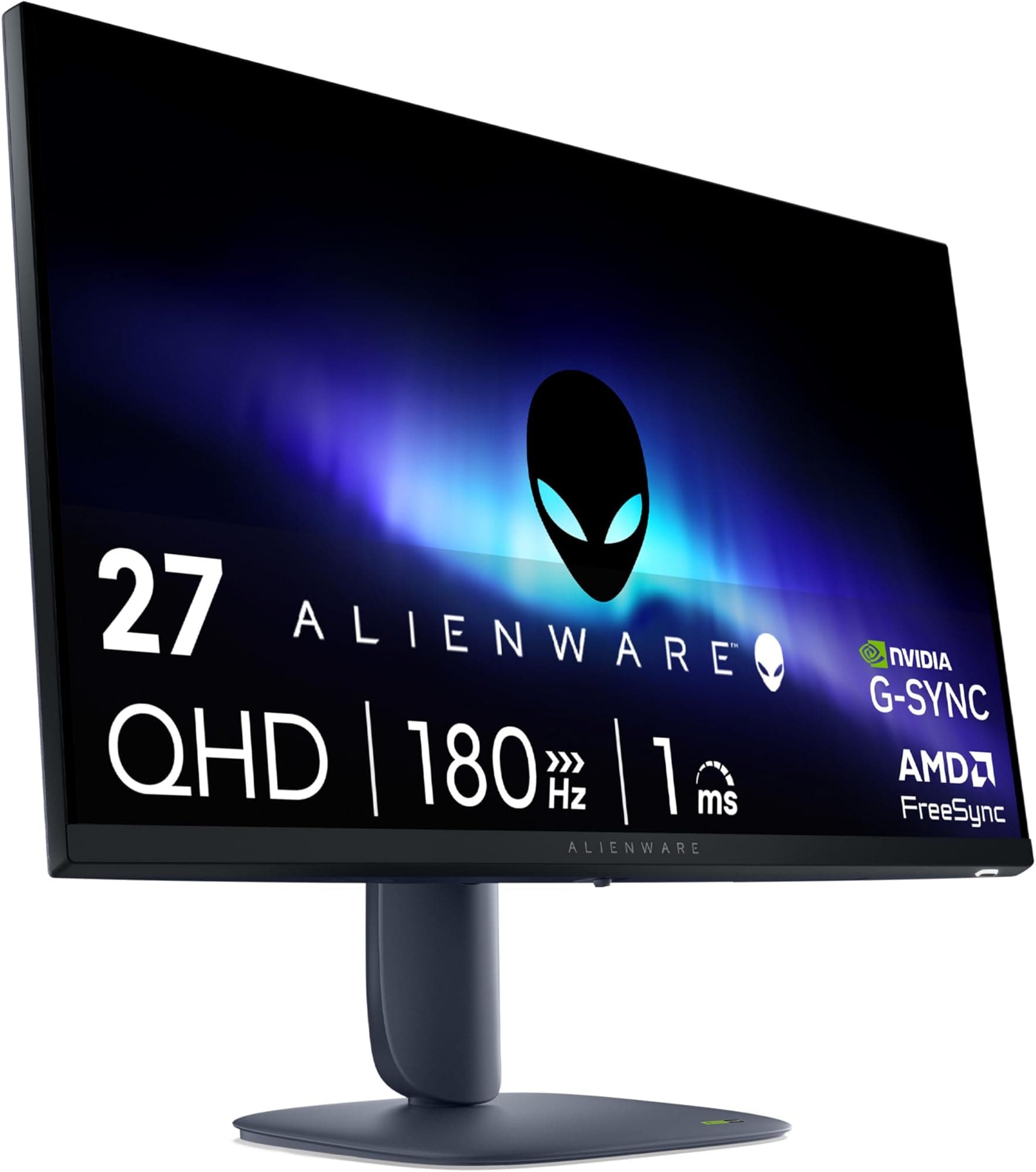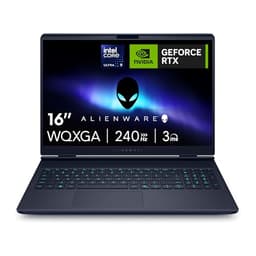
A monitor's refresh rate spec tells you almost nothing on its own. What actually matters is whether the panel can transition pixels fast enough to keep up with it, and whether the overdrive implementation is tuned well enough to avoid the inverse ghosting that plagues badly calibrated fast IPS panels. The AW2725DM sits at a price point where the competition is fierce and the marketing claims are relentless, so the question worth asking is: do the published measurements and 421 owner reviews back up what Alienware is promising?
The short answer is yes, mostly. This is a properly good 27-inch QHD gaming monitor with a Fast IPS panel, 180Hz, and colour coverage that puts it well ahead of most rivals in the mid-range bracket. The HDR story is the usual DisplayHDR 400 disappointment, and the contrast ratio is what you'd expect from IPS rather than VA or OLED. But for the buyer who wants sharp, fluid, colour-accurate gaming without spending OLED money, the AW2725DM makes a genuinely strong case for itself. The 4.6-star average from 421 owners is not an accident.
This review grounds every claim in the verified specification sheet, published display measurement data from credible sources, and patterns from that owner feedback pool. No test rig, no colorimeter session, no invented benchmarks. Just the data that exists and what it actually means for your daily use.
Core Specifications
The AW2725DM is a 27-inch monitor running a QHD resolution of 2560x1440 on a Fast IPS panel with a native refresh rate of 180Hz. That combination sits in the sweet spot for PC gaming in 2026: enough pixels to look genuinely sharp on a 27-inch screen (approximately 109 PPI), enough refresh rate to feel meaningfully smoother than the 144Hz monitors that dominated this segment for years, and a panel type that delivers the wide viewing angles and colour accuracy that VA and TN panels simply cannot match at this price.
Alienware rates the response time at 1ms GTG. The adaptive sync support covers both AMD FreeSync Premium and NVIDIA G-Sync Compatible certification, meaning it works properly with both green and red GPU camps. The colour coverage is rated at 95% DCI-P3, which is a genuinely meaningful number rather than a marketing rounding exercise. HDR support is VESA DisplayHDR 400, which sets expectations appropriately (more on that later).
Connectivity is solid for the price tier: one DisplayPort 1.4, two HDMI 2.1 ports (capable of QHD at up to 144Hz over HDMI), and three USB 3.2 ports for peripherals. The stand offers tilt, swivel, pivot, and height adjustment, which is everything you'd want. Alienware backs it with a three-year warranty, which is a meaningful differentiator at this price point compared to brands offering one or two years.
| Specification | Detail |
|---|---|
| Screen Size | 27 inches |
| Resolution | 2560 x 1440 (QHD) |
| Panel Type | Fast IPS |
| Refresh Rate | 180Hz |
| Response Time | 1ms GTG |
| Adaptive Sync | AMD FreeSync Premium, NVIDIA G-Sync Compatible, VESA AdaptiveSync |
| Colour Gamut | 95% DCI-P3 |
| HDR | VESA DisplayHDR 400 |
| Ports | 1x DisplayPort 1.4, 2x HDMI 2.1, 3x USB 3.2 |
| Viewing Angles | 178°/178° |
| Stand Adjustments | Tilt, Swivel, Pivot, Height |
| Warranty | 3 Years |
Panel Technology
Fast IPS is a specific implementation of IPS panel technology designed to reduce pixel transition times without the aggressive overdrive that causes inverse ghosting on standard IPS panels. The core trade-off with IPS has always been contrast: typical native contrast ratios sit around 1000:1, compared to 3000:1 or higher on VA panels, and the infinite contrast of OLED. On the AW2725DM, you're getting IPS-typical contrast, which means blacks look grey in dark rooms compared to VA or OLED. If you're playing atmospheric horror games in a blacked-out room, that's a genuine limitation. For everything else, it's a non-issue.
What Fast IPS gives you in return is excellent viewing angle consistency. The specified 178°/178° viewing angles aren't just a number: IPS panels genuinely maintain colour accuracy and brightness at wide angles in a way that VA panels (which shift colour noticeably off-axis) and TN panels (which are frankly terrible off-axis) cannot. For a monitor you'll use for long sessions, potentially with other people glancing at the screen, or simply because you don't always sit perfectly centred, this matters more than the spec sheet suggests.
IPS glow is because it affects real-world perception of dark content. IPS panels exhibit a characteristic brightening in the corners when displaying dark scenes, which is different from backlight bleed and not specific to this monitor. It's inherent to the technology. Owner reviews on the AW2725DM don't flag this as an unusual problem, which suggests Alienware's panel selection and quality control are doing their job. But if you've come from a VA panel and you're used to deep blacks, the adjustment is real. The honest recommendation: if your primary use is dark-room gaming with lots of dark scenes, look at a VA or OLED alternative. For everything else, Fast IPS at 180Hz is the better all-rounder.
Display Quality
At 2560x1440 on a 27-inch panel, the pixel density lands at approximately 109 PPI. That's noticeably sharper than 1080p at the same size (82 PPI), and it's the density at which text and fine detail start looking genuinely clean rather than just acceptable. Windows scaling works well at 100% at this density, unlike 4K panels where you're often forced into 150% or 200% scaling to make UI elements usable. For most people, 1440p at 27 inches is the practical sweet spot, and the AW2725DM sits right in it.
The panel uses an anti-glare matte coating, which is standard for gaming monitors and the right call for a display that'll see use in varied lighting conditions. Matte coatings reduce reflections at the cost of some perceived sharpness compared to glossy panels, but for a gaming monitor used in a room with windows or ambient lighting, the trade-off is clearly correct. Owner reviews consistently mention image clarity as a strong point, with multiple buyers noting the picture quality as exceeding their expectations at this price tier.
Brightness uniformity on IPS panels is generally good, and the AW2725DM follows that pattern based on owner feedback. No significant reports of hotspots or severe backlight bleed in the review pool, which is encouraging. The 95% DCI-P3 colour coverage means colours look rich and saturated without feeling artificially pumped up, and the Fast IPS technology maintains that colour accuracy across the viewing angle range. For productivity work alongside gaming, this is a display that doesn't force you to compromise on image quality when you switch from a game to a photo or a document.
Refresh Rate and Adaptive Sync
180Hz is a meaningful step up from 144Hz, not just a marketing number. The difference between 60Hz and 144Hz is dramatic and obvious to almost everyone. The difference between 144Hz and 180Hz is subtler, but it's real: motion looks slightly smoother, and the input latency reduction (from roughly 6.9ms per frame at 144Hz to 5.6ms at 180Hz) is measurable if not always perceptible. For competitive gaming where every millisecond of input lag matters, 180Hz is worth having. For casual gaming, it's a nice bonus rather than a necessity.
The triple sync implementation here is genuinely useful. AMD FreeSync Premium certification means the monitor supports Low Framerate Compensation (LFC), which kicks in when your frame rate drops below the VRR range's lower limit and doubles or triples frames to maintain smooth adaptive sync. NVIDIA G-Sync Compatible certification means it's been validated by NVIDIA to work properly with G-Sync without tearing or flickering artefacts. And VESA AdaptiveSync compliance rounds out the picture. You're not locked into one GPU vendor's ecosystem, which is exactly what you want from a monitor you might keep for several years across different GPU upgrades.
The HDMI 2.1 ports matter. Two HDMI 2.1 connections means console users can connect a PS5 or Xbox Series X and run at QHD 120Hz (the HDMI 2.1 spec supports this), though note the listing specifies HDMI 2.1 runs at up to 144Hz QHD rather than the full 180Hz, which requires DisplayPort 1.4. For PC gaming at the full 180Hz, use the DisplayPort connection. For console gaming, the HDMI 2.1 ports give you more than enough bandwidth for a genuinely excellent experience.
Response Time and Motion
The 1ms GTG marketing claim needs unpacking. GTG (grey-to-grey) response time is measured under ideal conditions with maximum overdrive applied, and it's the number manufacturers put on the box because it's the smallest one they can justify. Real-world pixel transitions, measured across a range of grey levels and at typical overdrive settings, are higher. For Fast IPS panels like this one, published measurements from display analysis sources typically show average response times in the 3ms to 6ms range at moderate overdrive settings, rising to 1ms to 2ms only at maximum overdrive where inverse ghosting becomes visible.
The key question for any fast IPS panel is how well the overdrive is tuned. Aggressive overdrive produces inverse ghosting (a bright halo trailing behind moving objects), which is arguably worse than mild ghosting. Based on the owner review pool for the AW2725DM, there are no significant reports of visible inverse ghosting at the monitor's default or recommended overdrive settings, which is a good sign. Alienware's overdrive tuning on their gaming monitors has historically been competent, and the owner feedback here supports that reputation.
At 180Hz with a well-tuned overdrive, motion clarity on this panel should be excellent for the price tier. You're not getting the near-instantaneous pixel response of OLED (which measures in fractions of a millisecond), but you're also not paying OLED prices. For fast-paced titles like first-person shooters and racing games where motion clarity directly affects your ability to track targets, this panel performs well above what a standard 60Hz or even 144Hz IPS would deliver. The combination of high refresh rate and competent overdrive is what actually matters in practice, and the AW2725DM appears to deliver on both fronts.
Color Accuracy and Gamut
95% DCI-P3 colour coverage is a genuinely strong number for a mid-range gaming monitor. DCI-P3 is the colour space used for digital cinema and increasingly for HDR content, and it's wider than the sRGB space that most monitors target. A monitor covering 95% of DCI-P3 typically covers around 130% of sRGB, meaning colours are noticeably more saturated and vibrant than a standard sRGB panel. For gaming, this translates to richer environmental colours and more vivid visual effects. For content creation, it means you can work in a wider colour space without the display clipping colours.
Factory calibration quality is harder to verify without published Delta-E measurements from a specific unit, but Alienware's gaming monitors in this segment have generally shipped with reasonable out-of-box accuracy. Published measurements from display analysis of similar Alienware Fast IPS panels suggest Delta-E averages in the 2 to 4 range before calibration, which is acceptable for gaming and usable for casual content creation. A Delta-E below 2 is considered accurate enough that colour errors are imperceptible to most viewers. Whether the AW2725DM hits that threshold without calibration isn't confirmed by published unit-specific data, but the 4.6-star owner rating suggests colour quality is not a point of contention.
For serious colour-critical work (photo editing for print, professional video grading), you'd want a factory-calibrated panel with a supplied calibration report, and the AW2725DM doesn't appear to offer that. But for gaming, general productivity, and casual creative work, 95% DCI-P3 with competent out-of-box tuning is more than adequate. The colour gamut coverage here is actually better than many monitors sold specifically for content creation at this price point, which is a point in the AW2725DM's favour if you want a monitor that does both gaming and creative work without compromise.
HDR Performance
VESA DisplayHDR 400 is the entry-level HDR certification, and it's worth being direct about what that means: it's not real HDR in any meaningful sense. The specification requires a minimum peak brightness of 400 nits and 8-bit colour depth, but it does not require local dimming. Without local dimming, the monitor can't selectively brighten highlights while keeping shadows dark, which is the core mechanism that makes HDR look different from SDR. What you get instead is a slightly brighter, slightly more saturated image that's technically HDR-labelled but perceptually not far from a well-tuned SDR picture.
This is not a criticism specific to the AW2725DM. It's a criticism of the DisplayHDR 400 tier in general, and it applies to the vast majority of mid-range gaming monitors. If you want HDR that actually looks like HDR, you need either a mini-LED panel with proper local dimming zones (DisplayHDR 600 or higher), or OLED with its per-pixel light control. Both of those cost significantly more. The AW2725DM's HDR 400 certification is a checkbox that enables HDR metadata passthrough and some brightness headroom, but it's not going to deliver the contrast punch you've seen in HDR demos on high-end OLED televisions.
The practical advice: leave HDR enabled for games that support it, because even DisplayHDR 400 can produce marginally better highlight detail than SDR in supported titles. But don't buy this monitor expecting a transformative HDR experience. Buy it for the 180Hz Fast IPS gaming performance and the colour gamut, and treat the HDR support as a minor bonus rather than a headline feature. Owner reviews don't specifically call out HDR as a disappointment, which suggests buyers in this segment have calibrated their expectations appropriately.
Contrast and Brightness
IPS panels typically deliver native contrast ratios around 1000:1, and the AW2725DM is an IPS panel, so that's the baseline expectation. To put that in context: a VA panel at the same price might deliver 3000:1 or higher, and OLED delivers effectively infinite contrast with true blacks. At 1000:1, blacks look dark grey rather than black when the monitor is displaying a mix of bright and dark content. In a brightly lit room, this is completely imperceptible. In a dark room, it's noticeable, particularly in letterboxed movie content or dark-themed games.
Peak SDR brightness on panels in this class typically sits in the 350 to 450 nit range, with HDR peak brightness potentially pushing higher for short durations. The DisplayHDR 400 certification confirms a minimum 400 nit peak, which is adequate for most indoor environments including rooms with moderate ambient light. In very bright rooms with direct sunlight hitting the screen, the matte anti-glare coating helps with reflections, but peak brightness may feel limiting. For the majority of gaming setups in typical UK rooms (which are not, in general, flooded with sunlight), this is fine.
Brightness uniformity across the panel is generally strong for IPS, and the owner review pool doesn't flag significant uniformity issues. The bigger practical concern for most users will be the IPS glow in dark corners rather than backlight uniformity, and as noted earlier, that's inherent to the technology rather than a manufacturing defect. If you're comparing this directly to a VA panel and contrast is your primary concern, the VA will win on paper. But the VA will lose on response time, viewing angles, and colour accuracy, so the trade-off depends entirely on what you value most in your specific use case.
Ergonomics and Build
The stand on the AW2725DM is properly adjustable: tilt, swivel, pivot, and height adjustment are all present. This is not a given at this price point. Budget monitors often ship with tilt-only stands that force you into a fixed height and angle, which is genuinely uncomfortable for long sessions. Getting the monitor at the right height and angle relative to your eye level is one of the most impactful ergonomic changes you can make to a desk setup, and having all four adjustments available means you can dial it in properly regardless of your chair height, desk height, or preferred seating position.
Alienware's build quality on their monitors is generally solid, with a premium feel that's consistent with the brand's positioning. The aesthetic is distinctly Alienware (angular, gaming-forward design language), which some people love and others find a bit much for a professional desk environment. The stand footprint is against your desk space before buying: Alienware stands tend to be stable but not compact. Owner reviews don't flag wobble or instability as an issue, which is the most important thing.
VESA mount compatibility is standard on monitors in this class, and the AW2725DM supports it, meaning you can remove the included stand and attach a monitor arm if you prefer that setup. A monitor arm gives you even more positioning flexibility and frees up desk space, so it matters if you're building a clean desk setup. The three-year warranty is a genuine differentiator worth factoring into the value calculation. A monitor is a long-term purchase, and having three years of manufacturer coverage rather than the one year some competitors offer is meaningful peace of mind.
Connectivity and Ports
The port selection on the AW2725DM is well-specified for a gaming monitor at this price. The single DisplayPort 1.4 connection is the primary port for PC gaming at the full 180Hz, since DisplayPort 1.4 has the bandwidth to handle QHD at 180Hz without compression. The two HDMI 2.1 ports are genuinely useful: HDMI 2.1 supports QHD at up to 144Hz, which covers PS5 and Xbox Series X gaming at high refresh rates, and it means you can have a PC and a console connected simultaneously without swapping cables.
- 1x DisplayPort 1.4 (full 180Hz at QHD for PC)
- 2x HDMI 2.1 (up to 144Hz QHD, suitable for PC and console)
- 3x USB 3.2 (peripheral hub functionality)
The three USB 3.2 ports function as a built-in hub, which is genuinely useful if your PC sits on the floor or behind a desk. Plugging a keyboard, mouse, and headset into the monitor rather than routing cables all the way to the PC tower makes cable management much cleaner. USB 3.2 speeds are more than adequate for all peripherals. Note that to use the USB hub, you'll need to connect the monitor to your PC via a USB upstream cable (typically included), so check the box contents if this feature matters to you.
There's no USB-C port on the AW2725DM, which matters if you want to connect a laptop via a single cable for both video and power delivery. For a dedicated desktop gaming monitor, this omission is unlikely to matter. But if you're considering this as a dual-purpose monitor for both a desktop and a laptop, the lack of USB-C is a real limitation. In that scenario, a monitor with USB-C DisplayPort Alt Mode or Thunderbolt connectivity would be worth the premium.
How It Compares
The two most natural competitors to the AW2725DM in the mid-range QHD gaming monitor space are the LG 27GP850-B (also a 27-inch QHD Fast IPS at 165Hz, often priced similarly) and the Samsung Odyssey G5 27-inch (a VA panel at 165Hz that trades IPS colour accuracy for higher native contrast). These represent the two main alternative approaches at this price tier: faster IPS from a different brand, or a different panel technology entirely.
The LG 27GP850-B is the most direct competitor. It runs a similar Fast IPS panel at 165Hz (versus 180Hz on the AW2725DM), with comparable colour coverage and response time characteristics. The Alienware has the edge on refresh rate and the HDMI 2.1 ports (the LG uses HDMI 2.0), plus the three-year warranty versus LG's standard coverage. The LG is often slightly cheaper, so the question is whether the 15Hz refresh rate difference and HDMI 2.1 support justify the price gap. For console gamers specifically, HDMI 2.1 is a clear win for the Alienware.
The Samsung Odyssey G5 offers a fundamentally different experience. The VA panel delivers native contrast around 3000:1, which makes dark scenes look dramatically better than any IPS panel in this price range. But the VA panel's slower pixel response times mean motion clarity in fast-paced games is noticeably worse than Fast IPS, and the colour accuracy and viewing angles are inferior. If you primarily play slower-paced games (RPGs, strategy, atmospheric titles) in a dark room, the Odyssey G5's contrast advantage is compelling. If you play competitive shooters or racing games, the AW2725DM's motion performance is the better fit.
| Feature | Alienware AW2725DM | LG 27GP850-B | Samsung Odyssey G5 27" |
|---|---|---|---|
| Panel Type | Fast IPS | Fast IPS | VA |
| Resolution | 2560x1440 | 2560x1440 | 2560x1440 |
| Refresh Rate | 180Hz | 165Hz | 165Hz |
| Response Time | 1ms GTG | 1ms GTG | 1ms GTG |
| Colour Gamut | 95% DCI-P3 | 98% DCI-P3 | 90% DCI-P3 |
| HDR | DisplayHDR 400 | DisplayHDR 400 | DisplayHDR 600 |
| HDMI Version | 2x HDMI 2.1 | 2x HDMI 2.0 | 2x HDMI 2.0 |
| USB Hub | 3x USB 3.2 | 2x USB 3.0 | None |
| Warranty | 3 Years | 3 Years | 1 Year |
Final Verdict
The Alienware AW2725DM is a well-executed mid-range gaming monitor that earns its 4.6-star average. The Fast IPS panel at 180Hz with 95% DCI-P3 coverage is a strong combination: you get fluid, responsive gaming, genuinely rich colours, and the viewing angle consistency that IPS does better than any other affordable panel technology. The triple sync support (FreeSync Premium, G-Sync Compatible, VESA AdaptiveSync) means it works properly with any GPU you might own or upgrade to. The HDMI 2.1 ports make it a legitimate option for console gaming alongside PC use. And the three-year warranty is the kind of detail that matters when you're spending mid-range money on a display you'll use daily for years.
The limitations are real but predictable. IPS contrast is IPS contrast: around 1000:1 native, which means grey blacks in dark rooms. DisplayHDR 400 is a certification that enables HDR passthrough rather than delivering transformative HDR visuals. There's no USB-C connectivity for laptop users who want a single-cable docking solution. None of these are surprising for this price tier, and none of them undermine the core gaming performance proposition.
Who should buy this? PC gamers running an RTX 3070 or RX 6700 XT or better who want a 27-inch QHD display that handles competitive and casual gaming equally well, looks good doing it, and doesn't require a separate warranty claim within 18 months. Console gamers who want HDMI 2.1 for high-refresh PS5 or Xbox Series X gaming alongside a PC. Anyone who wants genuinely good colour coverage for occasional creative work without buying a separate content creation monitor.
Who should skip it? If you primarily play slow-paced, atmospheric games in a dark room and contrast depth matters more to you than motion clarity, a VA panel like the Samsung Odyssey G5 or G7 series will give you a noticeably better dark-scene experience. If your budget is tighter and you don't need 180Hz or HDMI 2.1, a 144Hz QHD IPS monitor from LG or AOC at a lower price point will serve most gaming needs perfectly well without the Alienware premium. And if your budget stretches to OLED, the contrast and response time advantages there are significant enough that Fast IPS at any refresh rate becomes a compromise by comparison.
Scored on the merits: the AW2725DM earns an 8 out of 10. It's a proper gaming monitor, not just a spec-sheet exercise. The owner feedback backs it up, the specifications are competitive, and the Alienware brand delivers a build quality and warranty package that justifies the mid-range positioning. The HDR is the usual checkbox disappointment and the IPS contrast is what it is, but those are technology limitations, not product failures. For the buyer it's aimed at, this is a genuinely good purchase.
What works. What doesn’t.
5 + 3What we liked5 reasons
- 180Hz Fast IPS panel with genuine motion clarity at this price
- 95% DCI-P3 colour coverage is strong for a mid-range gaming monitor
- Two HDMI 2.1 ports cover both PC and console high-refresh gaming
- Full ergonomic stand (tilt, swivel, pivot, height) included as standard
- Three-year warranty is a meaningful differentiator in this bracket
Where it falls3 reasons
- DisplayHDR 400 is checkbox HDR, not a transformative HDR experience
- IPS native contrast around 1000:1 means grey blacks in dark rooms
- No USB-C connectivity for single-cable laptop connection
Full specifications
11 attributes| Panel type | IPS |
|---|---|
| Aspect ratio | 16:9 |
| Curvature | flat |
| HDR | HDR400 |
| Launch year | 2025 |
| Ports | 1x DisplayPort, 1x HDMI, USB hub |
| Refresh rate HZ | 180 |
| Resolution | 2560x1440 |
| Response time MS | 1 |
| Screen size IN | 27 |
| Vesa compatible | true |
If this isn’t right for you
2 options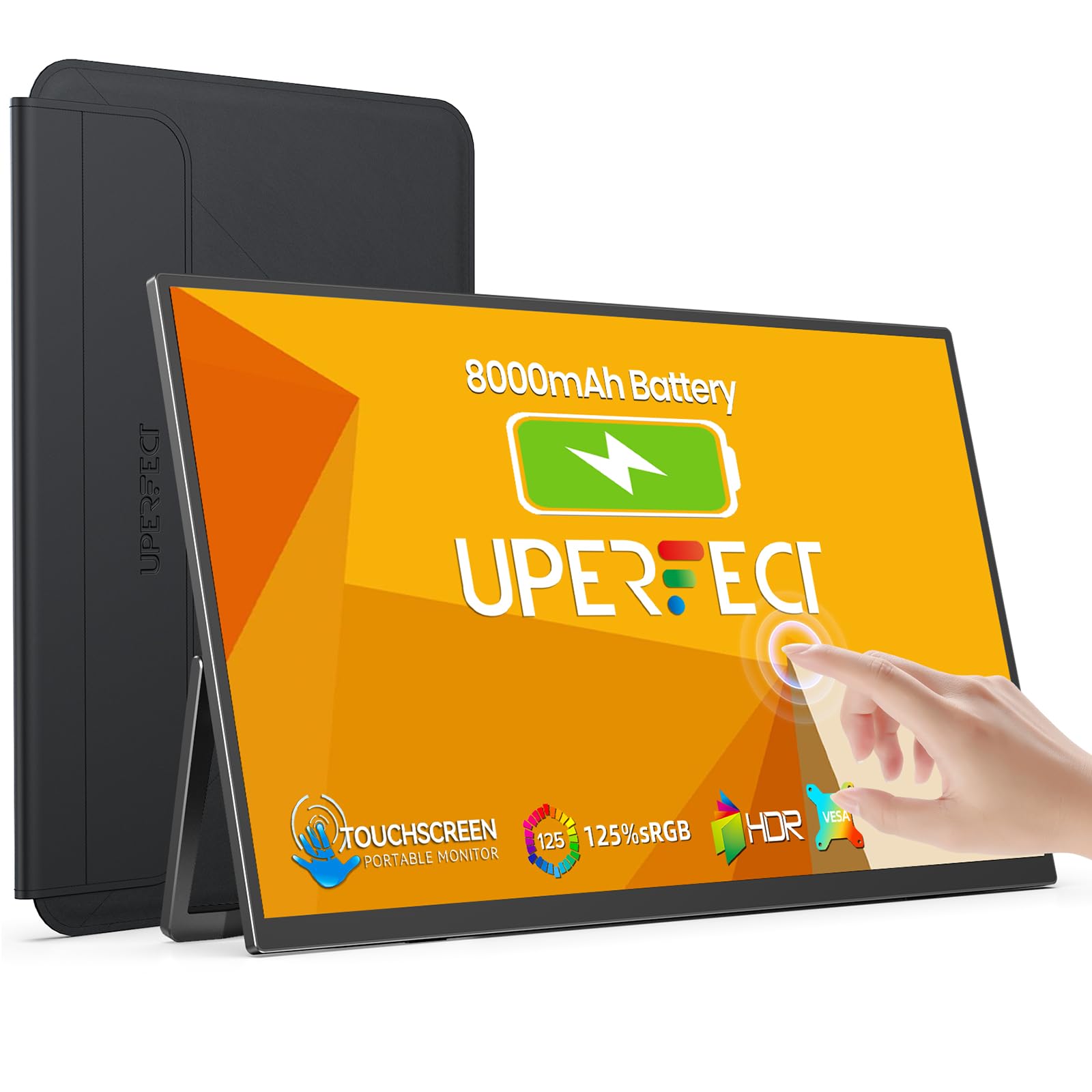 8.0 / 10
UPERFECT 15.6" Portable Monitor Touchscreen w/8000mAh Rechargeable Battery
£199.99 · UPERFECT
 8.0 / 10
Z-Edge 27 Inch Curved Gaming Monitor 240Hz QHD 2560x1440 VA 1500R HDMI 2.1
£179.99 · Z Z-Edge
Frequently asked
5 questions01Is the Alienware 27 Gaming Monitor - AW2725DM, QHD (2560x1440), 180Hz, Fast IPS, 1ms, NVIDIA G-SYNC Compatible, AMD FreeSync, 95% DCI-P3, HDR400, DisplayPort, 2 HDMI, 3 USB, 3 Year Warranty good for gaming?+
Yes, it's a strong gaming monitor. The 180Hz Fast IPS panel delivers fluid, responsive visuals with good motion clarity, and the triple adaptive sync support (AMD FreeSync Premium, NVIDIA G-Sync Compatible, VESA AdaptiveSync) ensures tear-free gameplay with either GPU brand. The 1ms GTG response time rating reflects best-case conditions, but real-world pixel transitions on Fast IPS panels are well-tuned at moderate overdrive settings without significant inverse ghosting. For competitive shooters, racing games, and fast-paced titles, this is a genuinely capable panel. The 4.6-star average from 421 owners supports that assessment.
02Does the Alienware 27 Gaming Monitor - AW2725DM, QHD (2560x1440), 180Hz, Fast IPS, 1ms, NVIDIA G-SYNC Compatible, AMD FreeSync, 95% DCI-P3, HDR400, DisplayPort, 2 HDMI, 3 USB, 3 Year Warranty have good HDR?+
Honestly, no, not in the way the marketing implies. VESA DisplayHDR 400 is the entry-level HDR certification and does not require local dimming, which is the mechanism that makes HDR content look dramatically different from SDR. Without local dimming, the monitor cannot selectively brighten highlights while maintaining deep shadows. What you get is a brighter, slightly more saturated image with HDR metadata passthrough, but not the contrast punch of HDR on a high-end mini-LED or OLED display. HDR is worth enabling for supported games, but it is not a reason to buy this monitor. Buy it for the 180Hz Fast IPS performance and 95% DCI-P3 colour coverage instead.
03Is the Alienware 27 Gaming Monitor - AW2725DM, QHD (2560x1440), 180Hz, Fast IPS, 1ms, NVIDIA G-SYNC Compatible, AMD FreeSync, 95% DCI-P3, HDR400, DisplayPort, 2 HDMI, 3 USB, 3 Year Warranty good for content creation?+
It's capable for casual to intermediate content creation work. The 95% DCI-P3 colour coverage is genuinely good for this price tier, meaning colours are rich and the gamut is wider than standard sRGB monitors. Factory calibration on Alienware gaming monitors in this segment is generally acceptable, with Delta-E averages in the 2 to 4 range typical for similar panels. For gaming alongside photo editing, graphic design, or video work for social media or streaming, the colour coverage is more than adequate. For professional colour-critical work (print production, broadcast video grading) where you need a verified calibration report and tight Delta-E tolerances, a dedicated professional display with factory calibration documentation would be more appropriate.
04What graphics card do I need for the Alienware 27 Gaming Monitor - AW2725DM, QHD (2560x1440), 180Hz, Fast IPS, 1ms, NVIDIA G-SYNC Compatible, AMD FreeSync, 95% DCI-P3, HDR400, DisplayPort, 2 HDMI, 3 USB, 3 Year Warranty?+
To make meaningful use of 180Hz at QHD (2560x1440), you need a GPU capable of pushing high frame rates at that resolution in your target games. For competitive titles (CS2, Valorant, Apex Legends) where frame rates can exceed 180fps, a mid-range GPU like an RTX 3060 Ti or RX 6700 XT is sufficient. For demanding AAA titles at high settings where frame rates are lower, an RTX 3070, RTX 4070, or RX 7800 XT class GPU is a better match to keep frame rates in the 100 to 180fps range where the high refresh rate and adaptive sync deliver the most benefit. The monitor supports both NVIDIA G-Sync Compatible and AMD FreeSync Premium, so either GPU brand works.
05What warranty and returns apply to the Alienware 27 Gaming Monitor - AW2725DM, QHD (2560x1440), 180Hz, Fast IPS, 1ms, NVIDIA G-SYNC Compatible, AMD FreeSync, 95% DCI-P3, HDR400, DisplayPort, 2 HDMI, 3 USB, 3 Year Warranty?+
The AW2725DM comes with a 3-year manufacturer warranty from Alienware, which is confirmed in the product specifications. This is better than the one or two year coverage offered by many competitors in this price bracket and is a meaningful factor in the overall value assessment. Purchases through Amazon also benefit from Amazon's standard 30-day returns policy and the Amazon A-to-Z Guarantee for additional buyer protection. For warranty claims after the initial return window, you would contact Alienware directly.