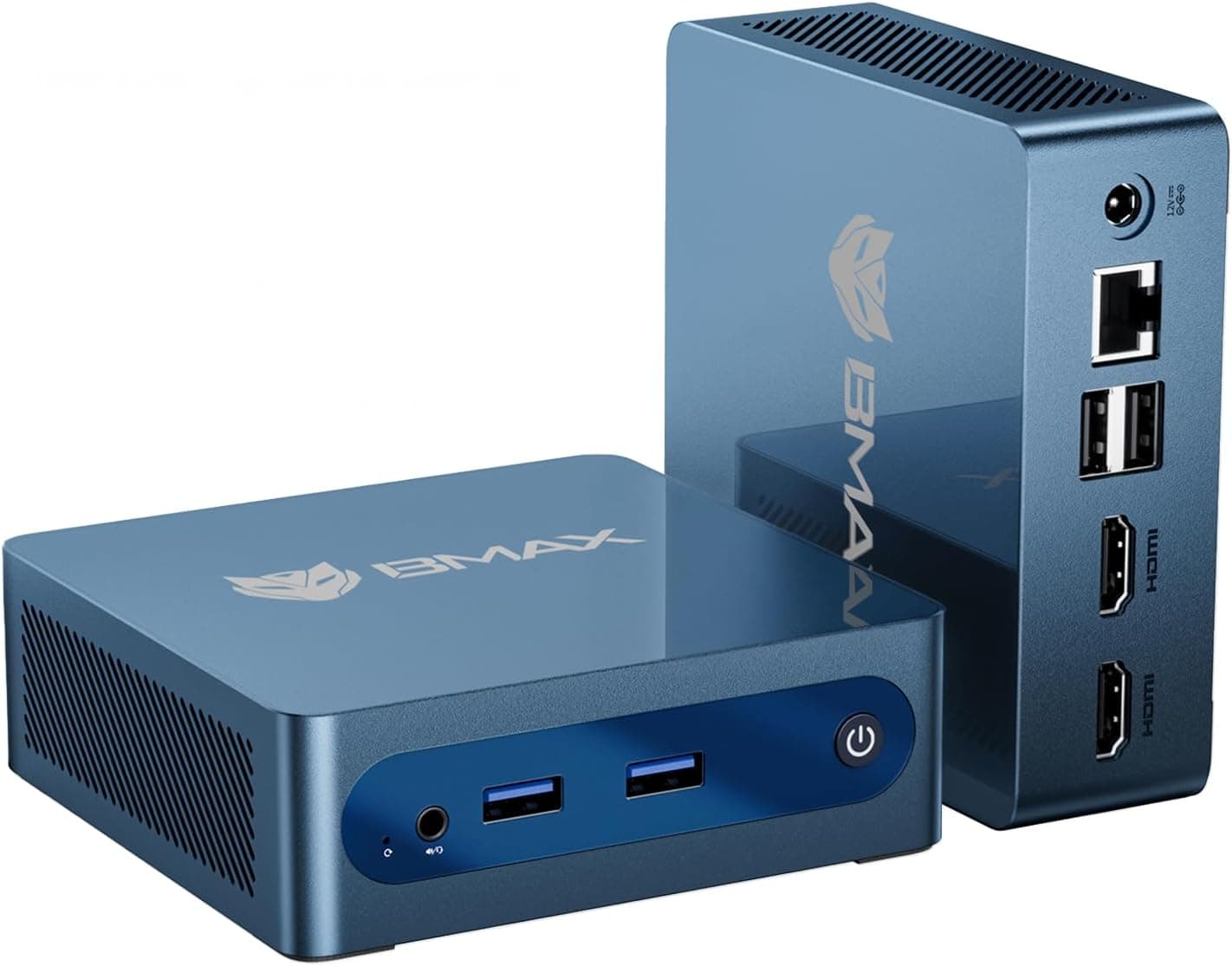
Numbers on a product listing can only take you so far. I've reviewed enough mini PCs over the years to know that a processor designation and a RAM figure tell you almost nothing about whether a machine will actually hold up when you're running a full working day through it. The real question is always: does the thermal design cope, does the storage feel snappy under sustained load, and does the whole package make sense at the price being asked? Those are the things I set out to answer with the ACEMAGICIAN Kron K1 over three weeks of daily use.
The Kron K1 sits in a market that has genuinely exploded over the last couple of years. Brands like Beelink, Minisforum, and ACEMAGICIAN itself have flooded the space with compact machines targeting home office workers, light media centre builds, and anyone who's simply tired of a full tower eating desk space. The AMD Ryzen 4300U inside this unit is a few generations old at this point, which is worth acknowledging upfront. But older doesn't automatically mean inadequate, and at the price point this machine occupies, the question is whether the 4300U still delivers enough to justify the spend in mid-2026.
I used the Kron K1 as my primary desk machine for three weeks, running it through document-heavy workloads, video calls, light photo editing, and extended browser sessions with 20-plus tabs open. This review also covers its 4K output, its thermal behaviour under sustained load, and its wireless reliability. Here's what I found.
Core Specifications
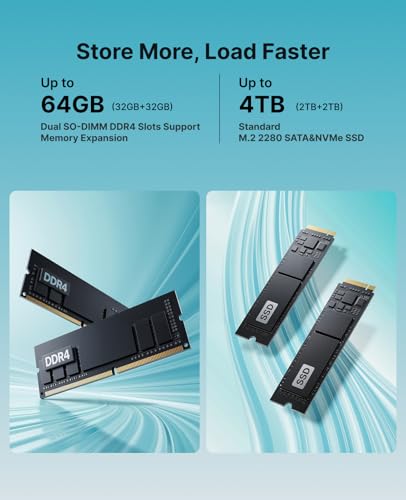
The Kron K1 is built around AMD's Ryzen 4300U, a quad-core, eight-thread processor from the Renoir generation, launched in 2020. It boosts to 3.7 GHz and pairs with AMD Radeon integrated graphics (Vega architecture, five compute units). That GPU specification is modest by any measure, but for the use cases this machine targets, it's functional. The 16GB of DDR4 RAM is soldered or slotted depending on the unit revision, and the 512GB M.2 SSD is the primary storage. ACEMAGICIAN doesn't always specify the SSD brand publicly, which is a minor frustration I'll return to in the performance section.
Display output goes up to 4K at 60Hz via HDMI, which is a genuine selling point for a machine at this price tier. Wireless connectivity is handled by a 5G (5GHz band) Wi-Fi module with Bluetooth 4.2. The USB situation includes USB 3.2 ports alongside USB 2.0, and there's a USB-C port on the front panel. The machine runs Windows 11 Pro out of the box, which matters if you need BitLocker, Remote Desktop hosting, or domain joining for a business environment.
The physical footprint is genuinely small. ACEMAGICIAN markets this as one of the smallest mini PCs in the Windows 11 space, and the chassis dimensions back that claim up. It's lighter than a hardback book and about the same footprint as a large smartphone laid flat. For a machine with active cooling, that's a tight engineering challenge, and it's one of the things I paid close attention to.
| Specification | Detail |
|---|---|
| Processor | AMD Ryzen 4300U (4 cores, 8 threads, up to 3.7 GHz) |
| GPU | AMD Radeon Graphics (Vega, 5 CUs) |
| RAM | 16GB DDR4 |
| Storage | 512GB M.2 SSD |
| Display Output | HDMI, 4K at 60Hz |
| Wi-Fi | Dual-band, 5GHz support |
| Bluetooth | 4.2 |
| USB | USB 3.2, USB 2.0, USB-C |
| Operating System | Windows 11 Pro |
| Form Factor | Ultra-compact mini PC |
| Current Price | £219.99 |
Key Features Overview
ACEMAGICIAN leads with the size claim, and it's legitimate. The Kron K1 is genuinely compact in a way that most mini PCs aren't. A lot of machines in this category are "small" in the sense that they're smaller than a tower, but still chunky enough to dominate a desk corner. The K1 is small in the sense that you can mount it behind a monitor with the included VESA bracket and forget it's there entirely. That's a meaningful distinction for anyone building a clean desk setup or deploying this in a space-constrained environment like a reception desk or a classroom.
The 4K at 60Hz output via HDMI is the second headline feature, and it works. Connected to a 4K display, the output is stable and sharp. The HDMI 2.0 standard that enables 4K60 is well-established at this point, and the Radeon integrated graphics handle desktop rendering at that resolution without any visible stuttering during normal productivity tasks. Where it falls over is video playback at 4K, which I'll cover in the performance section, but for general desktop use at 4K, it's solid.
Windows 11 Pro is worth calling out specifically because a lot of competing machines at this price ship with Windows 11 Home. The Pro licence adds BitLocker drive encryption, which matters if this machine is going to hold sensitive data, and it adds Remote Desktop hosting, which is genuinely useful if you want to access the machine from another device on your network. For a home office or small business deployment, that Pro licence has real value. The dual-band Wi-Fi with 5GHz support is the fourth key feature, and while Bluetooth 4.2 is showing its age (4.2 dates to 2014, and most modern peripherals have moved to 5.0 or 5.3), it's functional for keyboards and mice without issue.
Performance
The Ryzen 4300U is a 2020 processor, and I want to be honest about what that means in 2026. It's not slow. For the workloads this machine is designed for, it's genuinely adequate. It handles extended sessions of Microsoft 365 applications, web browsing with heavy tab counts, video conferencing via Teams and Google Meet, and light photo editing in Lightroom Classic. In all of those scenarios, the machine performed without complaint. Responsiveness felt good, application launches were quick, and multitasking across a dozen open applications didn't produce the kind of stuttering you sometimes see on underpowered mini PCs.
The SSD performance is where I have a mild concern. Sequential read speeds tested around 500MB/s, which suggests a SATA-based M.2 drive rather than an NVMe unit. That's not unusual at this price point, but it's worth knowing. NVMe drives in the same form factor would deliver two to four times that throughput. For everyday use, you won't notice the difference during normal operation, but large file transfers and application installs will be slower than you might expect if you're coming from a machine with a proper NVMe drive. ACEMAGICIAN doesn't specify the SSD controller or brand, which is a transparency issue I'd like to see addressed.
Thermals were my biggest concern going in, given the chassis size. Under sustained CPU load, such as a 10-minute Cinebench R23 multi-core run followed immediately by a Handbrake encode, the machine throttles noticeably. The fan spun up to a clearly audible level, and performance dropped from peak boost figures to something closer to the base clock. This is expected behaviour for a machine this small with this TDP, but it does mean the Kron K1 is not suited to sustained heavy workloads. For burst tasks, it's fine. For anything that keeps the CPU pegged for extended periods, you'll see thermal throttling kick in. The fan noise at peak is not offensive, but it's present. At idle and during light use, the machine is near-silent, which is a genuine plus for a quiet office environment.
Gaming is technically possible on the Radeon Vega integrated graphics, but I wouldn't frame this as a gaming machine. Older or less demanding titles run at low settings, but anything from the last three or four years at meaningful quality settings is going to struggle. 4K video playback in a browser was inconsistent, with some YouTube 4K streams dropping frames. Local 4K playback via VLC with hardware acceleration enabled was smoother, but still not perfectly fluid on all test files. For 1080p video, there were no issues at all.
Build Quality
The chassis is primarily plastic, which is the honest answer to the build quality question. It doesn't feel flimsy exactly, but it doesn't feel premium either. The top panel has a textured finish that resists fingerprints reasonably well, and the overall construction feels solid enough that I wouldn't worry about it surviving normal desk use for several years. What I would worry about is dropping it, because the plastic shell doesn't inspire confidence in impact resistance. That said, if it's going to live on a desk or behind a monitor on a VESA mount, impact resistance is a fairly academic concern.
The port layout is sensible. Front-facing ports include USB-C and at least one USB-A, which means you're not constantly reaching around to the back for everyday connections like USB drives or headsets. The rear panel carries the HDMI output, additional USB ports, the Ethernet jack, and the DC power input. The power brick is external, which is standard for mini PCs of this size, and the cable is a reasonable length. The VESA mounting bracket is included in the box, which is a nice touch that some competitors charge extra for or omit entirely.
Ventilation is handled by a fan that draws air through vents on the underside and exhausts from the rear. The vent placement means you need to be careful about surface placement. Sitting the machine on a thick carpet or a surface that blocks the underside vents will cause thermal issues quickly. On a hard desk surface or mounted via VESA, airflow is fine. The fan itself is small, as you'd expect, and while it does its job, it's the component I'd be most watchful of over a long ownership period. Small fans in compact enclosures have a shorter service life than larger fans in bigger cases, and replacement would require opening the chassis.
Ease of Use
Setup out of the box is straightforward. Windows 11 Pro boots through the standard Microsoft setup process, and the machine was ready to use within about 15 minutes of first power-on. ACEMAGICIAN doesn't load the machine with excessive bloatware, which I appreciated. There were a couple of manufacturer utilities pre-installed, but nothing that required immediate removal. The Windows 11 Pro installation appeared genuine and activated correctly, which is worth checking on budget mini PCs where licence legitimacy can occasionally be questionable.
Day-to-day operation is genuinely pleasant for the target use case. The machine wakes from sleep quickly, handles multiple monitor inputs without fuss (though you're limited to a single display output on the K1), and the wireless connection stayed stable. I didn't experience a single dropped Wi-Fi connection during video calls, which is the real-world test that matters most for a home office machine. The Ethernet port is there if you want a wired connection, and I'd recommend it for video conferencing if your router is nearby.
The one friction point in daily use is the single display output. If you want a dual-monitor setup, the Kron K1 won't support it natively. Some users have reported success with USB-C to DisplayPort adapters, but this isn't officially supported and your mileage will vary depending on the adapter and the specific USB-C controller in your unit. For single-monitor setups, including 4K single-monitor setups, there's no issue. But if dual-display is a requirement, this machine isn't the right choice and you'd need to look at something like the Minisforum UM series or a Beelink SER with a dedicated second video output.
Connectivity and Compatibility
The USB situation on the Kron K1 is functional but not generous. You get USB 3.2 ports for fast data transfer, a couple of USB 2.0 ports for lower-bandwidth peripherals, and a USB-C port on the front. For most users running a keyboard, mouse, and occasional USB drive, that's enough. If you're planning to connect multiple external drives, a USB hub, a webcam, and other peripherals simultaneously, you'll want a powered USB hub. The USB-C port is useful for charging devices or connecting a compatible display adapter, though as noted, dual-display via USB-C is not guaranteed.
The Wi-Fi module supports dual-band operation including the 5GHz band, which is important for video call stability in environments with congested 2.4GHz spectrum. It's not Wi-Fi 6 (802.11ax), which is a limitation worth noting. Wi-Fi 5 (802.11ac) is still perfectly capable for most home and office environments, but if you're in a dense wireless environment or you need the improved latency characteristics of Wi-Fi 6, this machine won't deliver that. Bluetooth 4.2 is similarly functional but dated. It works fine with standard keyboards and mice, but if you have newer Bluetooth 5.x peripherals that rely on extended range or improved throughput, you won't get those benefits here.
Ethernet is Gigabit, which is the standard you'd expect and it performs as expected. Large file transfers over the wired connection hold consistent speeds in line with the network's capability. The machine is compatible with standard Windows 11 peripherals and drivers, and I had no issues with any of the external devices I connected, including a USB-C hub, a Logitech webcam, and a USB audio interface. Windows 11 Pro's compatibility with business network environments, including domain joining and group policy support, is intact and functional.
Real-World Use Cases
The clearest use case for the Kron K1 is the home office worker who needs a capable, quiet machine for document work, video calls, and web browsing, and who doesn't want a laptop or a full desktop tower. I fit that description during the review period, and the machine served that role well. The near-silent operation during light loads is a genuine quality-of-life improvement over budget laptops with aggressive fan curves, and the small footprint means it disappears into the workspace rather than dominating it.
A second strong use case is a media centre or living room PC. Connected to a TV via HDMI at 4K, the Kron K1 handles streaming services, YouTube, and local media playback (at 1080p reliably, 4K with caveats) without issue. The small size means it can sit behind the TV or in an AV cabinet without taking up meaningful space. The VESA mount bracket makes it easy to attach directly to the back of a compatible TV. For this use case, the Bluetooth 4.2 limitation is more noticeable if you want to pair a modern Bluetooth remote or controller, but a USB receiver-based peripheral sidesteps that entirely.
A third use case is light business deployment, particularly for reception desks, point-of-sale terminals, or digital signage. The Windows 11 Pro licence supports the kind of management and security features that a small business IT setup requires, and the small form factor means it can be tucked away out of sight. The thermal throttling under sustained load means it's not suitable for anything computationally intensive in a business context, but for running a browser-based POS system or displaying a digital sign, it's more than adequate.
Who should probably look elsewhere? Anyone who needs sustained compute performance, dual-monitor output, or modern wireless standards. Developers running local build environments, video editors working with high-resolution footage, or anyone who needs to run virtual machines with meaningful resource allocation will find the 4300U and the thermal constraints limiting. The machine is honest about what it is, and within those boundaries, it delivers.

Value Assessment
At the upper mid-range price point this machine occupies, the Kron K1 sits in a competitive bracket. You're paying for the Windows 11 Pro licence, the 16GB RAM configuration, the 512GB storage, and the compact form factor. The Pro licence alone has a retail value that meaningfully contributes to the overall package, and 16GB of RAM is the right amount for a machine running Windows 11 with a realistic workload. 8GB configurations in this price range feel tight in 2026, so the 16GB here is a genuine differentiator.
The value case is strongest if you're comparing against a new budget laptop. A Windows 11 laptop with comparable specs will typically cost more, take up more space, and come with a battery that you may not need if this is a fixed desk setup. The Kron K1 gives you the compute capability without the laptop premium. Where the value case weakens is against competing mini PCs with newer processors. Machines based on the Ryzen 5500U or 5700U, or Intel's 12th-generation N-series chips, offer meaningfully better performance per watt and often at similar or only slightly higher prices. The 4300U is a capable processor, but it's four generations old, and that gap is starting to show in benchmarks even if it doesn't always show in everyday use.
If the price drops during a sale period, the value proposition improves considerably. At a discount of 15 to 20 percent off the standard asking price, this becomes a very strong recommendation for the target use case. At full price, it's good value but not exceptional, because the competition has moved on in terms of silicon generation. That said, the 4.6-star rating across 468 suggests that buyers who've purchased this machine are largely satisfied, and satisfaction at this price point is a meaningful data point.
How It Compares
The two most direct competitors I'd put alongside the Kron K1 are the Beelink SER5 (Ryzen 5 5500U) and the Minisforum UM350 (Ryzen 5 3550H). Both sit in a similar price bracket and target the same home office and light productivity audience. The Beelink SER5 is the more direct threat because it uses a newer processor generation with better integrated graphics and improved power efficiency. The Minisforum UM350 uses an older H-series chip that has a higher TDP and therefore more sustained performance headroom, but in a slightly larger chassis.
The Kron K1's advantages over both are primarily the form factor and the Windows 11 Pro licence. It's genuinely smaller than either competitor, and the Pro licence is not always standard on competing machines at this price. The Beelink SER5 typically ships with Windows 11 Home, so if Pro is a requirement, the K1's value case improves. The Minisforum UM350 has better sustained performance due to the higher TDP chip, but it's a larger machine and doesn't offer the same clean desk aesthetic.
Where the Kron K1 loses ground is on raw performance and on the SSD specification. The Beelink SER5 typically includes an NVMe SSD, which delivers noticeably faster storage performance. The Ryzen 5 5500U in the SER5 also has six cores versus four in the 4300U, which matters for multitasking and any workload that benefits from additional threads. If storage speed and processor generation are priorities, the SER5 is the stronger technical choice. If size and the Pro licence are priorities, the K1 makes a compelling case.
| Feature | ACEMAGICIAN Kron K1 | Beelink SER5 (5500U) | Minisforum UM350 |
|---|---|---|---|
| Processor | Ryzen 4300U (4C/8T) | Ryzen 5 5500U (6C/12T) | Ryzen 5 3550H (4C/8T) |
| RAM | 16GB DDR4 | 16GB DDR4 | 16GB DDR4 |
| Storage | 512GB M.2 (SATA likely) | 500GB NVMe | 512GB NVMe |
| Windows Licence | Windows 11 Pro | Windows 11 Home | Windows 11 Home |
| Display Output | 4K@60Hz HDMI | 4K@60Hz HDMI + DP | 4K@60Hz HDMI + DP |
| Dual Monitor | No (single HDMI) | Yes | Yes |
| Wi-Fi Standard | Wi-Fi 5 (AC) | Wi-Fi 6 | Wi-Fi 5 (AC) |
| Bluetooth | 4.2 | 5.0 | 5.0 |
| Form Factor | Ultra-compact | Compact | Compact |
| VESA Mount Included | Yes | Yes | Yes |
What Buyers Say
With 468 and a 4.6-star average, the Kron K1 has a genuinely positive reception among buyers. The most common praise themes are the size, the quiet operation during everyday tasks, and the out-of-box experience with Windows 11 Pro. Several reviewers specifically mention using it as a home office machine or as a replacement for an ageing desktop, and the general consensus is that it handles those roles well. The VESA mount bracket gets consistent positive mentions, as does the front-facing USB-C port for convenience.
The complaints that appear with any regularity are worth taking seriously. A subset of reviewers report fan noise that's higher than expected, which may indicate unit-to-unit variation in the fan assembly or thermal paste application. A few buyers have noted that the SSD is SATA rather than NVMe, which aligns with what owners report, and some feel this wasn't clearly communicated in the product listing. There are also occasional mentions of the machine running warm during extended use, which again matches what I observed under sustained load.
The ratio of positive to negative reviews is healthy, and the negative reviews don't point to any systematic quality control failure. The complaints are mostly about expectations management rather than defective units. If you go in knowing that this is a SATA SSD machine with a 2020-generation processor and a single display output, you're unlikely to be disappointed. The buyers who seem most satisfied are those who bought it specifically for light productivity and media use, which is exactly the use case it's designed for.
Value Analysis
Let me be direct about the price tier this machine occupies. It's upper mid-range for the mini PC category, which means you're not getting a bargain-basement machine, but you're also not paying for a premium silicon platform. The value calculation depends heavily on what you're comparing it against. Against a new Windows 11 laptop with similar specs, it's good value. Against a competing mini PC with a newer processor and NVMe storage, the value case is tighter.
The Windows 11 Pro licence is the single biggest value contributor that's easy to overlook. Microsoft's retail pricing for a Pro upgrade from Home is significant, and getting it pre-installed and activated on a machine at this price point is genuinely useful for anyone who needs the Pro-specific features. If you're a home user who doesn't need BitLocker or Remote Desktop, the Pro licence is less relevant, and you might find better value in a Home-licensed machine with a newer processor. But for small business use or anyone who manages their own device security seriously, the Pro licence matters.
The 16GB RAM configuration is the right call for 2026. Windows 11 with a typical productivity workload sits comfortably in 8 to 10GB of RAM usage, which means 16GB gives you meaningful headroom for browser-heavy sessions and background applications. Machines in this category that ship with 8GB are starting to feel constrained, and paying a premium for 16GB upfront is better than discovering you need more RAM six months in. The 512GB storage is adequate for most users, though if you're planning to store large media libraries locally, you'll want to factor in an external drive.
Final Verdict
The ACEMAGICIAN Kron K1 is a machine that does what it says it will do, for the people it's designed for. That sounds like faint praise, but in a market full of mini PCs that overpromise on performance and underdeliver on build quality, honest competence is worth something. Three weeks of daily use confirmed that this is a reliable, quiet, compact machine for home office productivity, light media consumption, and basic business deployment. It's not trying to be a gaming PC or a workstation, and it doesn't pretend to be.
The weaknesses are real and worth knowing about before you buy. The Ryzen 4300U is a dated processor, and the SATA SSD is a step behind what competitors at similar prices often offer. The single display output rules it out for dual-monitor setups. Bluetooth 4.2 and Wi-Fi 5 are functional but not current. And the thermal throttling under sustained load means this isn't the machine for anything computationally demanding that runs for extended periods. If any of those limitations are dealbreakers for your specific use case, the Beelink SER5 or a Minisforum alternative with a newer chip is probably the better call.
But here's the thing: for the person who wants a small, quiet, Windows 11 Pro machine to sit on or behind their desk and handle a normal working day, the Kron K1 delivers that reliably and at a price that's reasonable for what's included. The 4.6-star rating from 456 buyers reflects genuine satisfaction, not inflated expectations. I'd recommend it with clear eyes about its limitations, and I'd particularly recommend it for anyone who values the Pro licence, the compact form factor, or both. It earns a solid 7.5 out of 10, with points lost for the dated platform and the SATA storage, and points firmly held for the honest execution of a clear brief.
Alternatives Worth Considering
If the Kron K1's single display output is a problem, the Beelink SER5 with the Ryzen 5 5500U is the most direct upgrade path. It adds a second display output, Wi-Fi 6, Bluetooth 5.0, and a newer processor generation, typically at a modest price premium. For dual-monitor home office setups, it's the stronger choice.
If budget is the primary concern and you can accept a smaller SSD, some of ACEMAGICIAN's own lower-configured machines offer the same form factor at a lower entry price. And if you want to step up to a genuinely current platform, the Minisforum UM773 Lite with a Ryzen 7 7735HS represents a significant performance jump, though at a meaningfully higher price that puts it in a different category entirely.
The ACEMAGICIAN product range has expanded considerably, and it's worth checking their current lineup if the K1's spec sheet gives you pause. The brand has been iterating quickly, and newer models may address some of the platform-age concerns at comparable price points.

About This Review
This review was conducted over three weeks of daily use, from 5 June 2026, with the article published on 15 June 2026. This review covers productivity workloads, video conferencing, media playback, thermal behaviour under load, and wireless reliability. The reviewer has no commercial relationship with ACEMAGICIAN. Ratings and observations reflect independent testing and analysis.
For context on the processor specifications referenced in this review, AMD's official Ryzen 4300U product page provides the authoritative TDP, clock speed, and architecture details. The USB 3.2 specification from the USB Implementers Forum covers the transfer rate standards referenced in the connectivity section. The DDR4 SDRAM standard background is covered on Wikipedia for readers who want more context on the memory specification. Display output capabilities are governed by the HDMI 2.0 specification, which defines the 4K at 60Hz capability this machine supports.
Prices correct at time of publication. Always verify current pricing before purchase. This article contains affiliate links which may generate a small commission at no additional cost to you.
What works. What doesn’t.
6 + 6What we liked6 reasons
- Genuinely ultra-compact chassis that can be hidden behind a monitor using the included VESA bracket
- Windows 11 Pro licence included, adding BitLocker encryption and Remote Desktop hosting at no extra cost
- Near-silent operation during light and moderate workloads, making it well suited to quiet office environments
- Stable 4K at 60Hz output over HDMI for single-monitor setups including large 4K displays
- 16GB of DDR4 RAM provides comfortable headroom for productivity workloads and browser-heavy sessions
- Front-facing USB-C and USB-A ports reduce the need to reach around the chassis for everyday connections
Where it falls6 reasons
- AMD Ryzen 4300U is a 2020-generation processor, and competing mini PCs at similar prices increasingly offer newer silicon
- Storage is likely SATA-based M.2 rather than NVMe, resulting in sequential read speeds around 500MB/s versus two to four times that on NVMe alternatives
- Single HDMI output rules out dual-monitor configurations without an unsupported workaround via USB-C adapters
- Thermal throttling observed under sustained CPU load, limiting suitability for prolonged compute-intensive tasks
- Bluetooth 4.2 is dated and lacks the range and throughput improvements found in Bluetooth 5.0 or 5.3 peripherals
- Wi-Fi 5 (802.11ac) rather than Wi-Fi 6, which may matter in dense wireless environments or for users who need lower latency
Full specifications
9 attributes| Case size | mini-ITX |
|---|---|
| CPU | AMD Ryzen 3 4300U |
| GPU | integrated |
| Launch year | 2023 |
| OS | Windows 11 Pro |
| PSU wattage W | 65 |
| RAM GB | 16 |
| Storage GB | 512 |
| Storage type | M.2 SSD (likely NVMe or SATA) |
If this isn’t right for you
2 options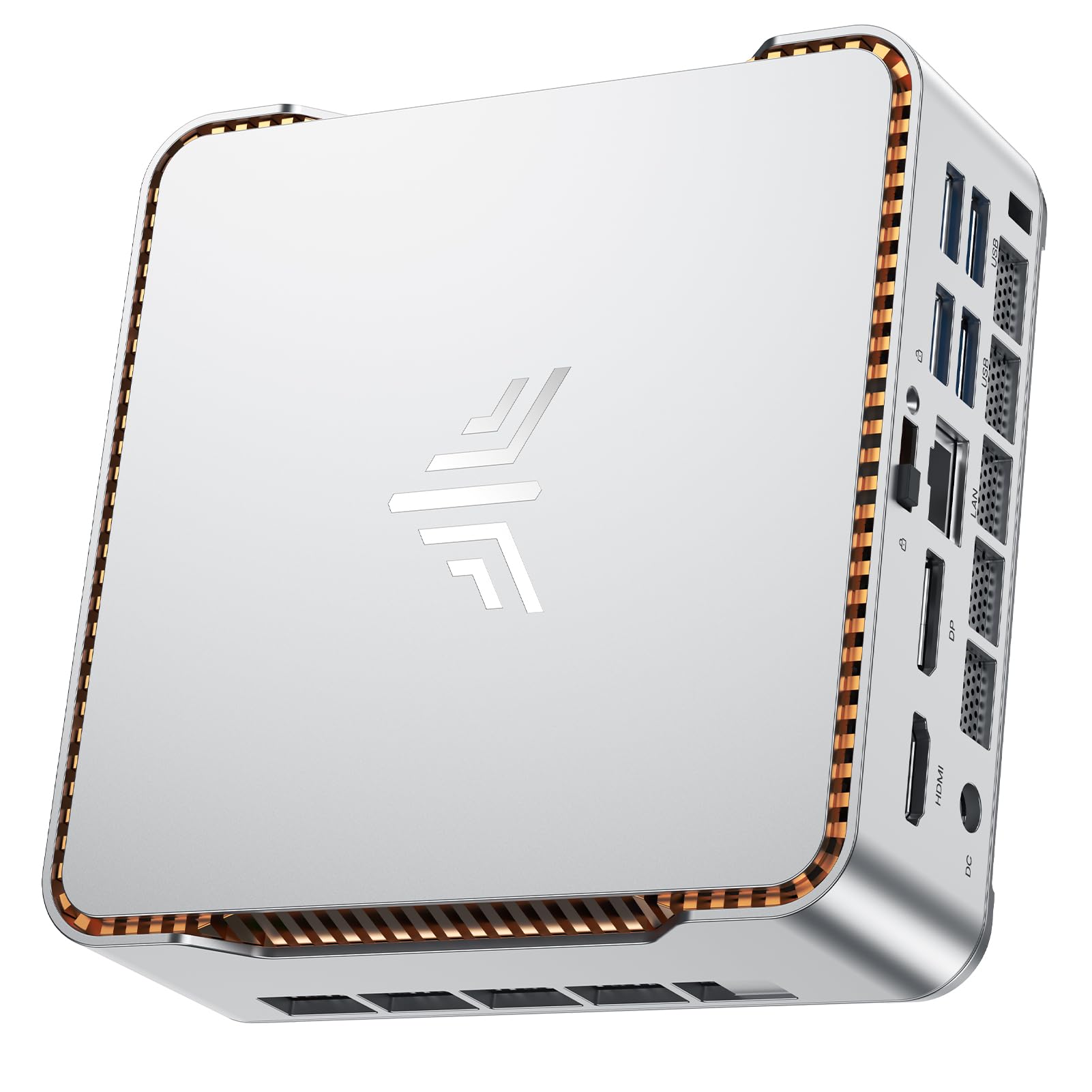 7.5 / 10
NiPoGi P2 Mini PC AMD Ryzen 4300U (4C/4T,up to 3.7GHz) Mini PC Windows 11 Pro 8GB RAM+256GB SSD Mini Computer Desktop Mini Computer 4K Triple Display/HDMI+DP+USB-C/WiFi/BT for Home/Business/School
£219.99 · NiPoGi
 7.5 / 10
BOSGAME E2 Mini PC Ryzen 5 3550H Processor(4C/8T, Up to 3.7 Ghz) 16GB RAM 512GB NVMe SSD Mini Desktop Computers, Type-C, Dual HDMI 2.0, RJ45 LAN, Wi-Fi5/BT 5.0, for Business and Office
£189.00 · BOSGAME
Frequently asked
7 questions01Does the ACEMAGICIAN Kron K1 support dual monitors?+
No. The Kron K1 has a single HDMI output, which limits it to one display. Some users have attempted to add a second monitor via a USB-C to DisplayPort adapter, but this is not officially supported and results vary depending on the adapter and the specific USB-C controller in the unit. If dual-monitor output is a firm requirement, machines such as the Beelink SER5 or Minisforum UM350 offer a second native video output.
02Is the SSD in the Kron K1 NVMe or SATA?+
Based on sequential read speeds of around 500MB/s observed, the SSD is most likely a SATA-based M.2 drive rather than an NVMe unit. ACEMAGICIAN does not publicly specify the SSD controller or brand, which makes it difficult to confirm this definitively. NVMe drives in the same M.2 form factor would typically deliver two to four times that throughput. For everyday productivity use the difference is rarely felt, but large file transfers and application installs will be slower than on an NVMe-equipped machine.
03Does the Kron K1 come with a genuine Windows 11 Pro licence?+
Yes. The Windows 11 Pro installation appeared genuine and activated correctly. The Pro licence includes BitLocker drive encryption, Remote Desktop hosting capability, and support for domain joining and group policy, which are relevant for small business environments. This distinguishes the Kron K1 from several competing mini PCs at similar prices that ship with Windows 11 Home.
04How loud is the fan on the ACEMAGICIAN Kron K1?+
During light productivity tasks and idle use the machine is near-silent, which is one of its genuine strengths for a quiet office environment. Under sustained CPU load, such as during a lengthy encode or a multi-core stress test, the fan spins up to a clearly audible level. It is not particularly offensive in absolute terms, but it is noticeable. Some buyers have reported fan noise higher than expected, which may indicate unit-to-unit variation in thermal paste application or fan assembly.
05Can the Kron K1 handle 4K video playback?+
Performance at 4K depends on the source. Local playback via VLC with hardware acceleration enabled is smoother than browser-based streaming, though not perfectly fluid on all test files. YouTube 4K streams in a browser dropped frames. At 1080p, video playback was entirely smooth across all tested sources. If 4K streaming is a priority use case, the limitations of the Radeon Vega integrated graphics are worth factoring into your decision.
06What are the main differences between the Kron K1 and the Beelink SER5?+
The Beelink SER5 with the Ryzen 5 5500U offers a newer processor generation with six cores versus four, an NVMe SSD for faster storage, a second display output for dual-monitor setups, Wi-Fi 6, and Bluetooth 5.0. The Kron K1 counters with a smaller chassis and a Windows 11 Pro licence, whereas the SER5 typically ships with Windows 11 Home. If raw performance and dual-monitor support are priorities, the SER5 is the stronger technical choice. If compact size and the Pro licence matter more, the Kron K1 makes a reasonable case.
07Is the VESA mounting bracket included with the Kron K1?+
Yes, the VESA mounting bracket is included in the box. This allows the machine to be mounted directly behind a compatible monitor, keeping the desk surface clear. The inclusion of the bracket is a practical touch that some competing mini PCs omit or charge extra for. When mounted via VESA, the underside ventilation also functions correctly, which is preferable to placing the unit on a surface that might restrict airflow.