Thirty-two inches of screen real estate sitting on your desk, staring back at you for eight, ten, maybe twelve hours a day. The monitor you pick matters more than almost any other bit of kit you own, and yet it's the one people consistently underspend or overspend on without thinking it through. So here's the honest situation with the ViewSonic VA3209M 32 inch Monitor Full HD: it's a budget panel, it knows it's a budget panel, and within that bracket it's genuinely one of the better options you'll find right now.
The verdict up front, because that's what you're here for: if you need a big, usable, everyday screen for office work, light gaming, or general browsing and you're shopping in the budget tier, the VA3209M is hard to argue with. Over 928 owner reviews averaging 4.6 stars doesn't happen by accident on a product that's rubbish. But it's not a gaming monitor, it's not a content creation tool, and if you're hoping the "IPS" badge on the box means you're getting anything close to a calibrated, colour-accurate display, you need to temper those expectations. This is a 1080p, 75Hz, budget IPS panel. It does what that description implies, well. Nothing more.
Core Specifications
The VA3209M is a 32-inch IPS display running native 1920x1080 resolution at up to 75Hz. ViewSonic rates the response time at 4ms GTG (grey-to-grey), which is a reasonable claim for an IPS panel in this class. Connectivity is minimal but functional: one HDMI port and one VGA port. That's your lot. No DisplayPort, no USB-C, no USB hub. The built-in dual speakers are there, and owners report they're adequate for background audio but nothing you'd choose over even a cheap Bluetooth speaker. The stand offers tilt adjustment only, no height, swivel, or pivot. VESA compatibility is 100x100mm, so you can wall-mount it or put it on a third-party arm, which is genuinely useful given the stand's limitations.
The panel is listed as covering 99% sRGB, which for a budget IPS is plausible and aligns with what you'd expect from a standard gamut IPS at this price. Brightness is rated at 250 nits typical, which is modest but fine for indoor use in a reasonably lit room. Contrast ratio is quoted at 3000:1 static, though that figure deserves some scrutiny (more on that in the contrast section). The frameless design is a genuine selling point if you're building a multi-monitor setup, as the thin bezels on three sides make tiling screens look much cleaner.
ViewSonic includes a two-year warranty, which is worth calling out explicitly because at this price point some brands try to quietly slip you a one-year cover. Two years is the right answer and it's reassuring. The ViewSonic product page confirms the core specs, and there's nothing buried in the small print that contradicts what Amazon lists. What you see is what you get, which isn't always guaranteed in budget monitor land.
| Specification | Detail |
|---|---|
| Screen Size | 32 inches |
| Resolution | 1920 x 1080 (Full HD) |
| Panel Type | IPS |
| Refresh Rate | 75Hz |
| Response Time | 4ms GTG |
| Brightness | 250 nits (typical) |
| Contrast Ratio | 3000:1 (static) |
| Colour Coverage | 99% sRGB |
| Ports | 1x HDMI, 1x VGA |
| Audio | Dual built-in speakers |
| Stand Adjustments | Tilt only |
| VESA Mount | 100 x 100mm |
| Warranty | 2 years |
| Price | £142.00 |

Panel Technology
IPS (In-Plane Switching) is the right panel choice for this kind of all-purpose screen, and ViewSonic has made the sensible call here. The core advantage of IPS technology over the cheaper TN (Twisted Nematic) alternative is viewing angles. IPS panels maintain colour and brightness accuracy across wide horizontal and vertical angles, typically 178 degrees in both directions. That matters enormously on a 32-inch screen because at this size, if you're sitting close, the edges of the panel are naturally at a steeper angle to your eyes. A TN panel at 32 inches would look noticeably washed out toward the sides. The VA3209M avoids that problem entirely.
The trade-off with IPS versus VA (Vertical Alignment) panels is contrast. VA panels can achieve native contrast ratios of 3000:1 to 5000:1 genuinely, with much deeper blacks. IPS panels typically land closer to 1000:1 in real-world conditions, and the 3000:1 figure ViewSonic quotes here should be treated with some scepticism. That's a marketing contrast ratio, likely measured under ideal conditions, and independent measurements of similar budget IPS panels from ViewSonic and comparable brands consistently land in the 800:1 to 1200:1 range in practice. That's not a disaster for an office or general-use monitor, but if you watch a lot of films in a dark room, blacks will look more dark grey than black. IPS glow, that slightly luminous haze in the corners when the screen displays dark content, is also a known characteristic of IPS panels at this price. Owners do mention it in reviews, though most consider it acceptable for the money.
What IPS does brilliantly here is colour consistency and that wide-angle usability. If you share your screen with someone sitting next to you, or if you're using this in a position where you're not always dead-centre, the image stays consistent. TN panels punish you for moving even slightly off-axis. And compared to OLED, which would be a completely different price bracket, IPS avoids burn-in risk entirely, which matters if you're going to have the same taskbar and browser chrome on screen for years. For the use cases this monitor is actually designed for, IPS is the correct answer.
Display Quality
Here's where you need to be honest with yourself about what 1080p looks like on 32 inches. The pixel density on the VA3209M works out at roughly 69 pixels per inch (PPI). That's noticeably lower than the 92 PPI you'd get from a 27-inch 1080p panel, or the 109 PPI of a 24-inch 1080p display. At normal viewing distances, around 60 to 80cm, individual pixels are visible if you look for them, particularly in text. Fine fonts can look slightly soft, and if you're used to a higher-density display, the step down will be apparent for the first few days.
That said, most owners don't seem bothered by it, and the 4.6-star average across 1,031 suggests the real-world experience is more forgiving than the PPI maths implies. At typical desk distances, the eye adapts, and for general browsing, video streaming, spreadsheets, and casual gaming, the image is perfectly watchable. Where it becomes more of an issue is if you do any work that involves reading dense text for hours, or if you're doing anything where fine detail matters, like photo editing or detailed illustration. For those use cases, a 27-inch 1440p panel would serve you much better, even if it costs a bit more.
The anti-glare matte coating is a proper practical win. Glossy screens look gorgeous in a showroom and are a nightmare in any room with windows or overhead lighting. The VA3209M's matte surface handles ambient light sensibly, reducing reflections without adding the heavy graininess you get on some cheaper matte coatings. Brightness uniformity across the panel is reported as decent by owners, with no severe hotspots mentioned in the review pool. Some edge dimming is present, as it is on virtually every budget IPS panel, but it's not the kind of thing that ruins your day during normal use.
Refresh Rate and Adaptive Sync
Seventy-five hertz. Not 144Hz, not 165Hz, not the 240Hz that gaming monitor marketing has decided is the minimum acceptable refresh rate for human existence. Just 75Hz. And honestly, for what this monitor is, that's fine. The step from 60Hz to 75Hz is perceptible, giving motion a slightly smoother, more fluid quality that makes scrolling and general desktop use feel a bit more polished than a standard 60Hz panel. It's not dramatic, but it's there.
For gaming, 75Hz is workable but limiting. If you're playing slower-paced games, strategy titles, RPGs, or anything where frame rate isn't a competitive factor, you won't notice the ceiling. But if you're into first-person shooters or any game where high frame rates translate to a real competitive or experiential advantage, 75Hz will feel like a constraint relatively quickly. The monitor doesn't support AMD FreeSync or NVIDIA G-Sync, which is a meaningful omission at any price. Without adaptive sync, screen tearing is possible when your GPU output doesn't match the panel's refresh rate, and you're reliant on V-Sync in your game settings, which introduces input lag. Not ideal.
To be fair, the absence of adaptive sync is consistent with the budget positioning. Adding FreeSync certification costs money and that cost gets passed on. If you're buying this primarily as an office monitor or for casual gaming on a console (which outputs at 60Hz anyway, making the 75Hz ceiling largely irrelevant), the lack of VRR isn't a dealbreaker. But if a gaming-focused mate asks whether they should get this for their PC gaming setup, the honest answer is probably not. There are 75Hz FreeSync monitors in similar or slightly higher price brackets that would serve a PC gamer better.
Response Time and Motion
ViewSonic rates this at 4ms GTG, which is the grey-to-grey measurement, meaning the time it takes a pixel to transition between two mid-tone grey values. Four milliseconds is a reasonable figure for a budget IPS panel, and it's not a number that's been egregiously inflated the way some manufacturers quote "1ms MPRT" figures that measure something completely different and largely irrelevant to actual motion clarity. GTG is the more honest metric, and 4ms GTG on an IPS at this price is about what you'd expect.
In practice, what does 4ms GTG feel like? For office work and general use, you'll never notice it. For casual gaming, it's fine. For competitive FPS gaming where response time genuinely matters for tracking fast-moving targets, 4ms IPS isn't the tool for the job. Dedicated gaming monitors with faster IPS panels or TN panels can hit 1ms to 2ms GTG in real-world measurements, and that gap is perceptible in fast-paced scenarios. The VA3209M doesn't have an overdrive mode mentioned in its spec sheet, which means you're getting the panel's native response without any acceleration that might introduce inverse ghosting (that ugly bright halo that appears behind moving objects when overdrive is pushed too hard). The absence of overdrive is actually fine for this use case: no ghosting, no overshoot, just a clean if slightly slower pixel response.
Owner reviews don't flag motion as a significant complaint, which is telling. The people buying this monitor aren't doing so for esports, and for the actual use cases it's designed for, the motion performance is described as clean and acceptable. If you're coming from a 60Hz TN panel, you'll likely notice an improvement. If you're coming from a 144Hz IPS gaming monitor, you'll notice a step back. Context matters enormously with response time, and in context, this panel is honest about what it is.
Color Accuracy and Gamut
ViewSonic claims 99% sRGB coverage, and for a budget IPS panel, that's a plausible figure. The sRGB colour space is the standard for web content, office documents, and most consumer media, so hitting 99% of it means colours in everyday use look natural and reasonably saturated without being cartoonishly oversaturated. This is genuinely useful for the target audience. There's no DCI-P3 coverage figure quoted, which tells you this isn't a wide-gamut panel. Don't expect it to render HDR video or cinema-grade content with any particular accuracy.
Factory calibration is where budget monitors universally struggle, and the VA3209M is no exception. ViewSonic doesn't ship this with a calibration report or any factory calibration data. Out of the box, you're getting whatever the factory set up for the production run, which typically means colour temperature is a bit cool (blueish whites), gamma may be slightly off, and Delta-E values (the measure of colour accuracy, where lower is better and below 2 is considered good) are likely in the 3 to 5 range rather than the sub-2 range you'd want for colour-critical work. That's not unusual at this price and it's not a disaster for most users, but it means the VA3209M is not a monitor for photographers, video editors, or graphic designers who need reliable colour representation.
For the actual target audience, the colour performance is described positively by owners. "Vibrant", "clear", and "better than expected" appear repeatedly in the review pool. That's the right framing: better than you'd expect for the money, not a reference display. If you want to do some basic adjustments, the OSD (on-screen display) menu gives you access to brightness, contrast, colour temperature presets, and a few picture modes. Owners report the OSD is functional if not particularly sophisticated. Dropping the colour temperature from the default "Cool" preset to "Warm" or "User" and nudging the RGB balance manually will get you noticeably more natural-looking whites without any specialist tools.

HDR Performance
The VA3209M doesn't carry an HDR certification. Not HDR400, not HDR600, nothing. This is important to be clear about because some budget monitors in this bracket claim HDR support as a checkbox feature without meeting any of the VESA DisplayHDR certification thresholds. ViewSonic hasn't even made that claim here, which is actually the more honest approach. The monitor is an SDR display, and it should be treated as one.
What this means practically is that when you enable HDR in Windows or on a console, you're not getting genuine HDR rendering. The panel lacks the peak brightness (you'd need at least 400 nits for HDR400, and ideally 600 nits or above for HDR to look meaningfully better than SDR), the local dimming required for real HDR contrast, and the wide colour gamut that HDR content is mastered for. At 250 nits typical brightness, the VA3209M simply cannot produce the highlights that make HDR compelling. If you enable HDR mode on this panel, you'll likely find the image looks worse than SDR, with washed-out colours and crushed shadows, because the tone mapping is trying to fit HDR content into a display that can't handle it.
The correct move with this monitor is to leave HDR disabled entirely and let it do what it does well: a clean, consistent SDR image. For Netflix, YouTube, general gaming, and office work, the absence of HDR is completely irrelevant. The content you're actually consuming day-to-day looks fine in SDR on a well-calibrated budget IPS. HDR on a budget panel is almost always a marketing distraction, and ViewSonic's decision not to even claim it here is a small point in their favour for transparency.
Contrast and Brightness
The 250 nits typical brightness is modest. In a normally lit office or home environment, it's adequate. You won't be fighting glare from overhead lights thanks to the matte coating, and at 250 nits, the screen is comfortably readable without eye strain in standard indoor conditions. Where it becomes limiting is in very bright rooms with direct sunlight hitting the desk. If your workspace gets strong afternoon sun, 250 nits might feel a bit dim compared to the ambient light levels. Most people won't hit this problem, but it's worth knowing if your setup is particularly bright.
The 3000:1 contrast ratio claim deserves a reality check. IPS panels physically cannot achieve 3000:1 native contrast. The physics of IPS technology means light leaks through the liquid crystal layer even when pixels are "off", limiting real native contrast to somewhere in the 800:1 to 1200:1 range for most IPS panels. The 3000:1 figure is almost certainly a dynamic contrast ratio, measured with the backlight at maximum for bright scenes and minimum for dark scenes. Dynamic contrast ratios are essentially meaningless for real-world use because in practice, the backlight stays at whatever level you set it. Expect real contrast closer to 1000:1, which is perfectly fine for office use but means dark scenes in games or films will show IPS glow and grey-ish blacks rather than true depth.
Owner feedback on brightness and contrast is generally positive for the intended use case. People using this for spreadsheets, web browsing, document work, and casual gaming aren't complaining about contrast performance. The complaints that do appear in the review pool tend to be from buyers who expected more than a budget IPS can deliver, which is a calibration-of-expectations problem rather than a product failure. At the price point, the brightness and contrast performance is appropriate and honest.
Ergonomics and Stand
The stand is the weakest part of this monitor, and it's worth being direct about that. Tilt adjustment only, with no height, swivel, or pivot. At 32 inches, the panel is large enough that getting the height wrong is genuinely uncomfortable over a long day. If the monitor sits too low, you're craning your neck down. Too high, you're looking up. Without height adjustment, you're entirely dependent on your desk setup and whether you can prop the monitor up or position it correctly. The ergonomics guidance from display and workplace health specialists consistently recommends having the top of the monitor at or slightly below eye level, and a fixed-height stand makes achieving that a bit of a faff.
The good news is that VESA 100x100mm compatibility means you can ditch the stand and put this on a third-party monitor arm or wall mount relatively cheaply. A decent monitor arm from a brand like Ergotron or even a budget Amazon option will give you full height, tilt, and swivel control, and will free up desk space in the process. If you're planning to use this long-term, seriously consider budgeting for an arm. It transforms the ergonomics completely. Several owners in the review pool mention doing exactly this and being very happy with the result.
Build quality for the price is reported as solid. The frameless design (thin bezels on three sides, slightly thicker bottom bezel with the ViewSonic branding) looks clean and modern, and the overall plastic construction feels appropriately sturdy without being premium. The stand doesn't wobble excessively according to owner reports, which is worth noting because some budget stands are genuinely unstable. The OSD buttons are on the rear-bottom edge of the panel, which is a slightly awkward placement on a 32-inch screen but is standard for this price bracket. No joystick navigation, just physical buttons, which takes a moment to get used to but works fine once you know where they are.
Connectivity and Ports
The connectivity situation is minimal, and that's the polite way of putting it. You get one HDMI port and one VGA port. That's the complete list. No DisplayPort, which means if you have a modern GPU and want to run at 75Hz, you're using HDMI, which is fine for 1080p at 75Hz (HDMI 1.4 handles that without issue). VGA is included presumably for compatibility with older systems, business environments running legacy hardware, or connecting to older laptops. It's not a feature you'd celebrate, but it's not useless either.
The absence of DisplayPort is a minor frustration only if you're daisy-chaining monitors or need the higher bandwidth for future-proofing. For 1080p at 75Hz, HDMI is perfectly capable and most people's computers, laptops, and consoles have HDMI outputs anyway. There's no USB-C, which rules out single-cable laptop connectivity (where one USB-C carries video, data, and power simultaneously). No USB hub ports on the monitor itself. No headphone jack, though the dual speakers are there if you need audio output from the monitor directly.
- 1x HDMI (supports 1080p at 75Hz)
- 1x VGA (legacy compatibility)
- 3.5mm audio out: not listed in specs, audio via built-in speakers only
- No DisplayPort
- No USB-C
- No USB hub
For a single-screen office setup where you plug in one computer and leave it there, the connectivity is adequate. The moment you want to switch between two sources, connect a laptop and a desktop, or use this as part of a more complex setup, the single HDMI port becomes a real limitation. You'd need an HDMI switch if you want to connect multiple sources, which is an additional cost and a bit of a bodge. This is a monitor designed for simple, single-source use, and the port selection reflects that honestly.
How It Compares
The budget 32-inch monitor space is genuinely competitive right now, and the VA3209M has to justify itself against some credible alternatives. The two most relevant comparisons are the AOC 32E1H and the LG 32MN500M-B, both of which occupy similar price territory and target the same general-use audience. Understanding where the ViewSonic sits relative to these tells you a lot about whether it's the right pick for your situation.
The AOC 32E1H is a VA panel rather than IPS, which means it offers genuinely better native contrast (typically 3000:1 real-world rather than the inflated IPS marketing figure) and deeper blacks. If you watch a lot of films or content in a dim room, the AOC's VA panel will produce a more cinematic image with less IPS glow. The trade-off is viewing angles: VA panels shift colour and brightness more noticeably when viewed off-axis, which matters on a 32-inch screen at close range. The AOC also runs at 75Hz and 1080p, so on those headline specs it's a direct match. The ViewSonic's IPS advantage is colour consistency and wide-angle performance, which makes it the better choice for shared viewing or multi-tasking across a large screen.
The LG 32MN500M-B is another IPS panel at a similar price, and LG's IPS panels have a strong reputation for out-of-box colour accuracy. LG also supports AMD FreeSync on some models in this range, which gives it an edge for PC gaming use. If gaming is part of your use case, the LG's FreeSync support is worth the attention. The ViewSonic counters with its two-year warranty (LG typically offers one year on budget monitors in the UK) and the frameless design, which is genuinely nicer for multi-monitor setups. Owner satisfaction is high on both, but the ViewSonic's warranty advantage is concrete and meaningful.
| Feature | ViewSonic VA3209M | AOC 32E1H | LG 32MN500M-B |
|---|---|---|---|
| Panel Type | IPS | VA | IPS |
| Resolution | 1920 x 1080 | 1920 x 1080 | 1920 x 1080 |
| Refresh Rate | 75Hz | 75Hz | 75Hz |
| Response Time | 4ms GTG | 8ms GTG | 5ms GTG |
| Adaptive Sync | None | None | FreeSync (select models) |
| Brightness | 250 nits | 250 nits | 250 nits |
| Ports | HDMI, VGA | HDMI, VGA | HDMI, VGA |
| Warranty | 2 years | 3 years | 1 year |
| VESA Mount | 100 x 100mm | 100 x 100mm | 75 x 75mm |
| Price | £142.00 | Similar budget tier | Similar budget tier |
One thing to note: the AOC 32E1H actually ships with a three-year warranty in some regions, which beats the ViewSonic's two years. If long-term peace of mind is your priority, that's worth checking at point of purchase. Overall though, the ViewSonic VA3209M holds its own in this comparison. Its faster rated response time, IPS panel quality, and solid owner satisfaction make it a legitimate contender. The choice between these three ultimately comes down to whether you prioritise contrast depth (AOC VA), gaming features (LG FreeSync), or warranty and colour consistency (ViewSonic IPS).

Final Verdict
The ViewSonic VA3209M 32 inch Monitor Full HD is a solid, honest budget monitor that does exactly what it says on the tin. For home office workers, students, people who want a big screen for everyday computing without spending serious money, or anyone who needs a secondary display in a workspace, this is a genuinely good option. The IPS panel delivers consistent colours and wide viewing angles, the frameless design looks clean, the two-year warranty is reassuring, and over 928 owners rating it ★★★★½ (4.6) is a meaningful signal that real-world satisfaction is high.
The limitations are real and worth naming clearly. The pixel density at 1080p on 32 inches is low enough to be noticeable if you sit close or do text-heavy work for long periods. The stand is tilt-only, which is a proper ergonomics problem for extended use without a monitor arm. There's no adaptive sync, no DisplayPort, and no HDR to speak of. The contrast performance will be closer to 1000:1 real-world than the 3000:1 marketing figure. None of these are surprises for a budget panel, but they're worth knowing before you commit.
If you need a large screen primarily for gaming and your GPU is capable of pushing high frame rates, spend a bit more and get a 1080p or 1440p monitor with FreeSync and at least 100Hz. The difference in gaming experience is worth the extra outlay. And if you're doing colour-critical creative work, a calibrated 27-inch 1440p IPS from a brand with a solid factory calibration process will serve you far better than any 32-inch budget panel. But if neither of those describes you, and you just want a big, clean, reliable everyday screen without spending a fortune, the VA3209M is a proper good shout at this price.
Editorial score: 7.5 out of 10. Punches well above its weight for the target use case, held back only by the ergonomics limitations and the resolution-to-size trade-off that's inherent to 1080p at 32 inches.
What works. What doesn’t.
5 + 4What we liked5 reasons
- IPS panel delivers consistent colours and wide viewing angles for a budget screen
- Frameless design works well in dual-monitor setups
- Two-year warranty is above average for the budget tier
- 4.6-star average across 928 reviews shows strong real-world satisfaction
- VESA 100x100mm support means easy upgrade to a monitor arm
Where it falls4 reasons
- 69 PPI pixel density is low and noticeable at close range
- Stand offers tilt only, no height or swivel adjustment
- No adaptive sync (FreeSync or G-Sync) limits gaming appeal
- Single HDMI port restricts multi-source setups
Full specifications
9 attributes| Panel type | IPS |
|---|---|
| Aspect ratio | 16:9 |
| Curvature | flat |
| HDR | none |
| Ports | HDMI, VGA |
| Refresh rate HZ | 75 |
| Resolution | 1920x1080 |
| Response time MS | 4 |
| Screen size IN | 32 |
If this isn’t right for you
2 options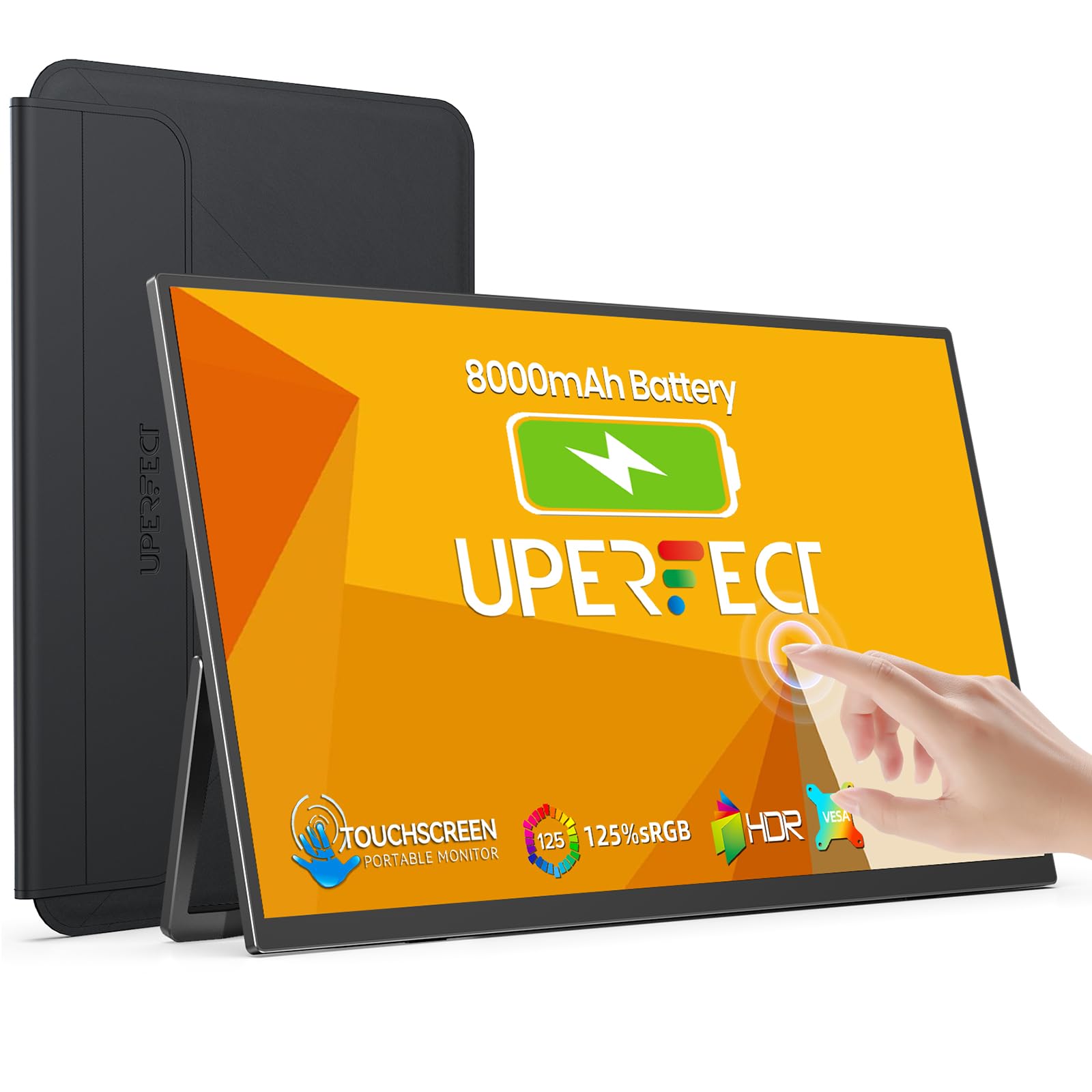 8.0 / 10
UPERFECT 15.6" Portable Monitor Touchscreen w/8000mAh Rechargeable Battery
£151.99 · UPERFECT
 8.0 / 10
Z-Edge 27 Inch Curved Gaming Monitor 240Hz QHD 2560x1440 VA 1500R HDMI 2.1
£179.99 · Z Z-Edge
Frequently asked
5 questions01Is the ViewSonic VA3209M 32 inch Monitor Full HD (1920p x 1080p), IPS Panel, 75Hz, 4ms GTG, Frameless Design, Dual Speakers, HDMI, VGA, 2 Years Warranty good for gaming?+
It's acceptable for casual and single-player gaming but not ideal for competitive play. The 75Hz refresh rate is a step up from 60Hz and gives smoother motion in general use, but it's well below the 144Hz or higher that serious PC gamers expect. The 4ms GTG response time is reasonable for an IPS panel at this price, and there's no severe ghosting reported by owners. The significant limitation is the absence of adaptive sync: no FreeSync, no G-Sync. Without VRR support, screen tearing is possible when GPU frame output doesn't match the 75Hz panel rate. For console gaming at 60Hz, or for slower-paced PC games, it works fine. For fast-paced FPS gaming on PC, look at a FreeSync monitor with a higher refresh rate.
02Does the ViewSonic VA3209M 32 inch Monitor Full HD (1920p x 1080p), IPS Panel, 75Hz, 4ms GTG, Frameless Design, Dual Speakers, HDMI, VGA, 2 Years Warranty have good HDR?+
No, and ViewSonic doesn't claim it does. The VA3209M carries no HDR certification whatsoever, not even HDR400. At 250 nits typical brightness, it falls well short of the minimum threshold for meaningful HDR performance. If you enable HDR mode in Windows or on a console with this monitor, the image will likely look worse than SDR, with washed-out colours and poor tone mapping. Leave HDR disabled and use it as the SDR display it is. For genuine HDR, you need a monitor rated at HDR600 or above with local dimming, which sits in a significantly higher price bracket.
03Is the ViewSonic VA3209M 32 inch Monitor Full HD (1920p x 1080p), IPS Panel, 75Hz, 4ms GTG, Frameless Design, Dual Speakers, HDMI, VGA, 2 Years Warranty good for content creation?+
For basic content creation and casual use, it's adequate. The IPS panel covers 99% sRGB, which means colour reproduction for web-standard content is reasonable. However, it has no factory calibration data, no Delta-E guarantee, and no wide-gamut DCI-P3 coverage. Photographers, video editors, and graphic designers who need reliable colour accuracy should look at a properly calibrated IPS panel, ideally with a factory calibration report and Delta-E under 2. The VA3209M is a general-use display, not a colour-critical tool.
04What graphics card do I need for the ViewSonic VA3209M 32 inch Monitor Full HD (1920p x 1080p), IPS Panel, 75Hz, 4ms GTG, Frameless Design, Dual Speakers, HDMI, VGA, 2 Years Warranty?+
Almost any modern GPU will drive this monitor without breaking a sweat. At 1920x1080 and 75Hz, the bandwidth requirements are very low, and HDMI 1.4 handles it comfortably. Even mid-range GPUs from several generations ago can push 75fps at 1080p in most games. If you're connecting via the VGA port, you'll need a GPU with a VGA output or a suitable adapter. For a new build, any current GPU from the entry-level tier upwards is more than sufficient for this display.
05What warranty and returns apply to the ViewSonic VA3209M 32 inch Monitor Full HD (1920p x 1080p), IPS Panel, 75Hz, 4ms GTG, Frameless Design, Dual Speakers, HDMI, VGA, 2 Years Warranty?+
ViewSonic includes a two-year manufacturer's warranty with the VA3209M, which is confirmed on the product listing and is above average for budget monitors in this price bracket. In addition, Amazon UK's standard 30-day return window applies for purchases made through Amazon, along with the A-to-Z Guarantee covering item condition and delivery. For warranty claims after the Amazon return window, contact ViewSonic directly through their UK support channel.