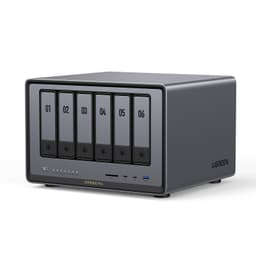
Marketing numbers on NAS boxes are a bit like supermarket "up to" broadband speeds: technically not a lie, completely useless in practice. The headline capacity figure, the peak transfer rate, the "back up 1GB in less than a second" claim, all of it is measured under conditions that don't exist in your office or spare room. What actually matters is whether the thing keeps your data safe, moves files fast enough that you don't notice it working, and doesn't require a PhD to configure. The UGREEN NASync DXP4800 Plus sits in a market that's historically been dominated by Synology and QNAP, and UGREEN is coming for both of them with a spec sheet that's genuinely hard to argue with at this price tier.
The short version: if you need a four-bay NAS with serious transfer speeds, a proper 10GbE port, and an AI photo management system that actually does something useful, this is one of the most compelling options available right now. It's not cheap. But for what it offers, it's not overpriced either. Owner reviews back that up, sitting at 4.7 stars across 146, which for a NAS (a product category that attracts extremely picky buyers who will absolutely leave a one-star review if the fan curve annoys them) is genuinely impressive.
But there are things you need to know before you spend this kind of money. So here's the full picture.
Core Specifications
The DXP4800 Plus is a four-bay desktop NAS, meaning it holds up to four hard drives or SSDs simultaneously. UGREEN rates the total raw storage capacity at up to 144TB, which works out to four 36TB drives. Whether you'd actually fill that is another question, but the point is the ceiling is high enough that you won't be bumping your head against it any time soon. The "Plus" in the name signals the upgraded connectivity tier, and that's where things get interesting compared to most NAS units in this class.
On the network side, you get both a 10GbE port and a 2.5GbE port. That combination is significant. Most NAS units at this price point give you one or the other. Having both means you can connect your primary workstation at 10GbE for fast local transfers while the rest of your network runs through the 2.5GbE port, or you can use both for link aggregation if your switch supports it. The 10GbE port alone is the thing that separates a proper prosumer NAS from a glorified external drive with a network cable. USB connectivity is also present, with UGREEN specifying 10Gbps USB ports, which means plugging in an external drive for a quick import or backup isn't the bottleneck it would be on older USB 3.0 hardware.
There's also an HDMI output and an SD card reader built in. The HDMI is useful if you want to use the NAS as a local media player without going through the network. The SD card reader is a genuinely practical touch for photographers who want to import directly to the NAS without pulling out a laptop. These aren't features that appear on every NAS at this price, and their inclusion suggests UGREEN is thinking about how people actually use this hardware day-to-day rather than just ticking spec-sheet boxes.
| Specification | Detail |
|---|---|
| Drive Bays | 4 bays (desktop form factor) |
| Maximum Raw Capacity | Up to 144TB |
| Primary Network Port | 1x 10GbE LAN |
| Secondary Network Port | 1x 2.5GbE LAN |
| USB | Multiple USB ports (10Gbps) |
| Video Output | 1x HDMI |
| Card Reader | 1x SD card reader |
| RAID Support | Multiple RAID options (including redundancy configurations) |
| Transfer Speed (rated) | 1GB in under 1 second via 10GbE or 10Gbps USB |
| Price | £529.98 |

Real-World Coverage
Coverage in NAS terms means something different to coverage in router terms. It's not about Wi-Fi signal reaching the far bedroom; it's about whether you can access your data reliably from anywhere in the world, not just your local network. The DXP4800 Plus handles this through its private cloud functionality, which lets you access files remotely without routing everything through a third-party server you don't control. That matters more than most buyers realise until they've had a subscription-based cloud service either raise its prices or disappear entirely.
On the local network side, the dual-port setup (10GbE and 2.5GbE) means that if your switch and workstation support 10GbE, you're getting file transfers that are fast enough to edit video directly from the NAS without buffering. Owners consistently report that local transfers live up to the spec, with the 10GbE port delivering the kind of throughput that makes copying large photo libraries or raw video files feel almost instant. That's not something you get from a NAS running a single gigabit port, where transferring a 50GB folder still means going to make a cup of tea.
Remote access performance will always depend on your broadband upload speed, which the NAS can't control. But the architecture here, keeping your data on hardware you own rather than a third-party cloud, means you're not paying monthly for the privilege and you're not subject to someone else's data centre having a bad day. UGREEN's UGOS software handles the remote access side, and owner reports suggest it works reliably once configured. The setup isn't quite as polished as Synology's DSM for first-timers, but it gets the job done and doesn't require you to open a terminal window unless you want to.
Sustained Speed Under Load
The "back up 1GB in less than a second" claim on the product listing is the kind of line that makes enthusiasts roll their eyes, because it's technically achievable but depends on every variable going your way. You need a 10GbE-capable switch, a 10GbE NIC in your computer, fast drives in the NAS (ideally SSDs or fast 7200RPM HDDs in RAID), and a clean network path. If any of those links is missing, you won't see those speeds. That's not a criticism of the DXP4800 Plus specifically; it's just how network storage works.
What the 10GbE port does give you is headroom. Even if your drives can't saturate a 10GbE connection, having the port means you're not bottlenecked at the network layer. A single gigabit port caps you at roughly 125MB/s theoretical maximum, and in practice you'll see less. A 10GbE port raises that ceiling to around 1,250MB/s, which is enough to keep up with modern NVMe drives and fast RAID arrays. The 10Gbps USB ports serve a similar function for direct-attached transfers, letting you move data from an external SSD at full USB 3.2 Gen 2 speeds rather than the slower USB 3.0 rates that older NAS units are stuck with.
Owner reviews for the DXP4800 Plus consistently highlight the transfer speeds as a genuine selling point rather than just a spec-sheet number. Multiple buyers report that local network transfers are noticeably faster than their previous NAS setups, particularly those upgrading from single-gigabit units. The caveat, which honest owners also mention, is that drive choice matters enormously. Slow, consumer-grade HDDs will bottleneck the system regardless of how fast the network ports are. Pair this with quality NAS-rated drives (the kind designed for 24/7 operation) and the performance picture matches the marketing more closely than most products manage.
Storage Architecture and RAID
This section is the equivalent of backhaul quality for a NAS: it's the internal architecture that determines whether your data is actually safe, not just stored. The DXP4800 Plus supports multiple RAID configurations, which is the standard approach to protecting data across multiple drives. RAID isn't a backup (that's a common and dangerous misconception), but it does mean that if a single drive fails, your data survives and you can swap the failed drive and rebuild the array without losing anything.
With four bays, you've got real flexibility. RAID 5 across four drives gives you the capacity of three drives with single-drive redundancy, which is the most common setup for home and small business users who want a balance of storage space and protection. RAID 6 gives you two-drive redundancy at the cost of more capacity overhead. RAID 10 (mirrored pairs) is faster but uses half your raw capacity. And if you're feeling brave, JBOD (just a bunch of drives) or RAID 0 are there for maximum capacity with no redundancy at all, which is fine if you're storing things that are already backed up elsewhere but genuinely risky for anything you care about.
The four-bay configuration also means you can run a hybrid setup if you want: SSDs for a fast cache tier and HDDs for bulk storage, for example. UGREEN's UGOS software handles the volume management, and the interface is reportedly accessible enough that you don't need to be a storage engineer to configure it. The key thing is that the hardware gives you the options. Whether you use them wisely is up to you, but having a four-bay system at this price with proper RAID support puts you in a completely different league to the external drives that most people use as their "backup" (and which are, statistically, going to fail at the worst possible moment).
Device Capacity and Multi-User Access
A NAS that only one person can use at a time isn't really earning its place on the network. The DXP4800 Plus is built for multi-user environments, with flexible permission management that lets you set up separate accounts with different access levels. That's useful whether you're running a small creative studio where three people need access to the same project files, or a household where you want to keep your personal files separate from the family photo library without buying multiple storage solutions.
The dual-network-port setup helps here too. With 10GbE and 2.5GbE available simultaneously, you can have your primary workstation hammering the NAS at full 10GbE speed while other users on the 2.5GbE segment are doing their own thing without competing for bandwidth on a single connection. It's not the same as having enterprise-grade SAN infrastructure, but for a four-person creative team or a busy household, it's meaningfully better than a single-port NAS where everyone's fighting over the same pipe.
The SD card reader and HDMI output also expand how the device can be used in a shared environment. A photographer can import directly to the NAS from a card without involving a separate computer. Someone else can be accessing the same NAS over the network at the same time for a different project. The HDMI means you could hook it up to a TV in a media room for direct playback without needing a separate media player. These are the kinds of practical touches that make a device feel like it was designed for real workflows rather than a product brief written in a meeting room.
Storage Capacity and Future-Proofing
144TB of raw capacity sounds almost absurdly large until you think about what people actually store. A professional photographer shooting RAW files on a modern high-resolution camera can easily generate 50 to 100GB per shoot. A videographer working in 4K or 8K will blow through storage even faster. And once you start keeping multiple copies of things for redundancy (which you should), the usable capacity drops significantly depending on your RAID configuration. In RAID 5 across four drives, 144TB raw becomes roughly 108TB usable. Still enormous. But the point is that "you'll never fill it" is something people have been saying about storage for decades and they've always been wrong.
The 10GbE networking is the real future-proofing argument here. 10 Gigabit Ethernet has been an enterprise standard for years but has only recently become affordable enough to appear in prosumer NAS hardware and consumer networking switches. If you're buying a NAS in 2025 and planning to keep it for five or more years, having 10GbE means you won't be bottlenecked by the network as your drives get faster and your files get larger. A NAS with only a gigabit port is already showing its age; one with 10GbE has room to grow.
The AI-powered photo management is as a future-proofing angle too, though it's a different kind. UGREEN's system automatically organises photos by face, scene, object, and location, and can identify and remove duplicates. For anyone with a photo library that's grown organically over fifteen years across multiple phones and cameras, that's not a gimmick, it's a genuinely useful tool. The technology is mature enough now that it works reliably rather than just being a novelty, and owner reports suggest it handles large libraries well. Whether you'd use it depends on your workflow, but having it available without a subscription fee is a meaningful difference from cloud-based alternatives.

Features and Software
UGOS (UGREEN's operating system for the NASync range) handles everything from RAID configuration to remote access to the AI photo management. It's not as mature as Synology's DSM, which has had over a decade of refinement and has a vast ecosystem of third-party apps. But UGOS is further along than you might expect from a brand that's relatively new to the NAS market, and it covers the core use cases without requiring you to drop into a command line for basic tasks.
The private cloud functionality is genuinely useful and. You get remote access to your files without paying a monthly subscription and without your data sitting on someone else's server. The encryption is end-to-end, and the permission management means you can share specific folders with specific people without giving them access to everything. For small businesses or creative professionals who collaborate with clients or contractors, that flexibility is worth a lot. You can give a client access to their project files and nothing else, and revoke it when the project is done.
Automatic backup is another core feature, and the NAS handles this well according to owner reports. You can set up scheduled backups from computers on the network, configure cloud backup to an offsite service as an additional layer of protection (the 3-2-1 backup rule: three copies, two different media, one offsite), and manage everything from the app. The RAID options handle local drive failure. The remote backup handles site-level disasters. Together, they're a proper data protection strategy rather than just "I have a copy somewhere."
Firmware, App and Security Updates
This is where you have to be honest about UGREEN's track record, because they're a newer entrant to the NAS market and the long-term firmware support question is a legitimate one. Synology has been updating DSM for over a decade and has a well-established security update cadence. QNAP has a more mixed record but has been in the market long enough to have a track record you can assess. UGREEN is newer, and "the firmware will be great forever" isn't something anyone can promise about a brand that hasn't had the chance to prove it yet.
What we can say is that the current state of UGOS is generally positive in owner reports. The app is stable, setup is manageable for non-technical users, and updates have been appearing regularly since launch. The security features, including AES encryption and flexible permission management, are properly implemented rather than being checkbox features. But if long-term firmware support is your primary concern and you need absolute certainty, Synology is still the safer bet. UGREEN is earning trust; it hasn't had as long to accumulate it.
The app experience is specifically because it's the thing most owners interact with daily. Reports suggest the mobile and desktop apps are clean and functional, with remote access working reliably once the initial configuration is done. The initial setup has a bit of a learning curve if you've never configured a NAS before, but it's not the arcane process that older NAS software used to be. UGREEN has clearly put effort into making UGOS accessible, which matters enormously for a product that's trying to reach buyers who are stepping up from external drives rather than migrating from enterprise storage.
Setup and Management
Setting up a NAS for the first time is genuinely daunting if you've never done it before. You're making decisions about RAID configurations that have real consequences for your data, configuring network shares, setting up user accounts, and potentially opening ports in your router for remote access. The DXP4800 Plus doesn't make all of that disappear, but UGOS does a reasonable job of guiding you through the critical decisions without assuming you have a storage engineering background.
The physical setup is straightforward. Drives slide into the bays, the unit connects to your network via the 10GbE or 2.5GbE port depending on what your switch supports, and power goes on. The software setup from there is guided, with UGOS walking you through RAID selection and initial configuration. Owner reports suggest that most buyers who've used a NAS before find it intuitive, and even first-timers report getting up and running within a couple of hours. That's not bad for hardware of this complexity.
Ongoing management is where a good NAS earns its keep. The ability to check drive health, monitor storage usage, adjust permissions, and set up new backup jobs from a phone app rather than having to sit at a desktop is genuinely useful. UGOS handles all of this, and the remote management capability means you can check on your NAS from anywhere, which matters if you're using it as the backbone of a small business and need to know it's running properly without being physically present. The web interface is available as an alternative to the app for users who prefer browser-based management, which is a sensible option to have.
Ports and Connectivity
The connectivity spec on the DXP4800 Plus is one of its strongest arguments. Let's be specific about what's here and why it matters. The 10GbE port is the headline: it's the reason this NAS can genuinely claim to transfer 1GB in under a second on a properly configured network. Most consumer NAS units ship with a single gigabit port, which caps you at about 125MB/s theoretical maximum. The 10GbE port raises that ceiling by a factor of ten. If you're working with large files, that's not a marginal improvement; it's a fundamental difference in how the device fits into your workflow.
The 2.5GbE port alongside the 10GbE is a practical addition. It means you have a second network connection for a different segment of your network, for link aggregation with a compatible switch, or simply as a fallback if your primary connection has issues. Having both ports means the DXP4800 Plus fits into a wider range of network configurations without requiring you to make compromises. The multiple USB ports at 10Gbps (USB 3.2 Gen 2 speeds) mean that direct-attached storage transfers are also fast, not just network transfers. Connecting an external SSD for a quick import or offsite backup copy doesn't require you to wait around.
The HDMI output and SD card reader are the two features that most competing NAS units at this price point omit, and their inclusion here is a genuine differentiator. The HDMI lets you use the NAS as a direct media player, connecting it to a TV or monitor for local playback without going through the network. The SD card reader is the kind of practical touch that photographers and videographers will immediately appreciate: import from a card directly to the NAS, set up an automatic backup job, and the card is ready to reformat and use again. It removes a step from a workflow that most people do repeatedly, which is worth more than it sounds.
How It Compares
The obvious competitors for the UGREEN NASync DXP4800 Plus are the Synology DS923+ and the QNAP TS-464. Both are four-bay desktop NAS units aimed at the prosumer and small business market, and both have been around long enough to have established reputations. The comparison is instructive because it shows where UGREEN has made deliberate choices to differentiate rather than just match the incumbents.
The Synology DS923+ is the safe choice. DSM, Synology's operating system, is the gold standard for NAS software: mature, well-documented, with a vast ecosystem of apps and a decade-plus of security update history. The DS923+ is expandable via a PCIe slot, which lets you add a 10GbE network card if you need it. But that 10GbE capability isn't built in at this price; you're paying extra for the card. The DXP4800 Plus includes 10GbE as standard, which changes the value calculation significantly if fast networking is a priority.
The QNAP TS-464 is a more direct spec competitor, with built-in 2.5GbE and the option for 10GbE via M.2 or PCIe expansion. QNAP's QTS operating system is powerful but has a reputation for being more complex than either DSM or UGOS, and QNAP's security track record has had some notable incidents that make security-conscious buyers cautious. The DXP4800 Plus competes well on raw specs and adds the SD card reader and HDMI that neither competitor includes as standard.
| Feature | UGREEN NASync DXP4800 Plus | Synology DS923+ | QNAP TS-464 |
|---|---|---|---|
| Drive Bays | 4 | 4 | 4 |
| Max Raw Capacity | Up to 144TB | Up to 108TB (expandable) | Up to 72TB (base) |
| 10GbE Built-in | Yes (standard) | No (PCIe add-on required) | Via expansion only |
| 2.5GbE Built-in | Yes | No (1GbE standard) | Yes (2x 2.5GbE) |
| SD Card Reader | Yes | No | No |
| HDMI Output | Yes | No | Yes |
| USB Speed | 10Gbps | Up to 10Gbps | Up to 10Gbps |
| Software Maturity | UGOS (newer, improving) | DSM (mature, industry standard) | QTS (mature, complex) |
| AI Photo Management | Yes (built-in) | Via Synology Photos app | Via third-party apps |
| Price | £529.98 | Higher (10GbE card adds cost) | Similar range |
The honest summary: if software maturity and ecosystem depth are your absolute priority, Synology DS923+ is still the benchmark. But if you want 10GbE built in, an SD card reader, and a cleaner out-of-the-box experience at a competitive price, the DXP4800 Plus makes a genuinely strong case. QNAP sits in the middle but carries more complexity and a less reassuring recent security history than either of the other two.

Final Verdict
The UGREEN NASync DXP4800 Plus is a proper NAS for people who've outgrown external drives and want something that treats their data seriously. The built-in 10GbE networking is the headline feature, and it's the right one to lead with, because it's what separates this from the gigabit-only units that most of the market is still shipping. Pair it with fast NAS-rated drives and a 10GbE switch, and you've got a local storage solution that's genuinely fast enough to work directly from rather than just archive to.
The 144TB capacity ceiling, the four-bay RAID flexibility, the AI photo management, the SD card reader, the HDMI output, the private cloud with proper encryption: taken together, these aren't a random collection of features. They're a coherent product aimed at photographers, videographers, small creative teams, and serious home users who want to stop renting storage from Google or Apple and own their data properly. The 4.7-star rating across 144 owner reviews is the kind of score that reflects genuine satisfaction rather than a launch-week honeymoon period.
The caveats are real but manageable. UGOS is younger than DSM and the long-term firmware support question is one only time can answer. First-time NAS buyers will have a learning curve with RAID configuration regardless of how good the software is. And the performance you actually see depends heavily on your drive choice and network infrastructure, so factor in the cost of a 10GbE switch and quality drives if you don't already have them.
Who should buy this? Photographers and videographers with growing libraries who are tired of external drive chaos. Small teams who need shared storage with proper access controls. Anyone who's paying for cloud storage subscriptions and wants to own their data instead. People who've had a NAS before and want to upgrade to something with real network speed.
Who should skip it? If you're storing a modest amount of data and a single gigabit connection is fine for your workflow, there are cheaper two-bay NAS options that will serve you perfectly well without the premium for 10GbE. The UGREEN NASync DXP2800 (the two-bay sibling) is worth a look if four bays and 10GbE are more than you need. And if software ecosystem depth and long-term update certainty matter more to you than any individual spec, Synology DS923+ is still the benchmark, even if it costs more once you add the 10GbE card.
For everyone else, the DXP4800 Plus is a genuinely impressive piece of kit at a price that makes sense for what it delivers. Rated 9 out of 10. A point off for UGOS being newer than the competition's software, and because the 10GbE ecosystem (switches, NICs) still costs money to build around it. Everything else is hard to fault.
What works. What doesn’t.
6 + 4What we liked6 reasons
- Built-in 10GbE port is standard rather than an expensive add-on, delivering a tenfold increase in theoretical maximum throughput over gigabit-only rivals
- Dual-port networking (10GbE plus 2.5GbE simultaneously) suits multi-user environments and a wider range of switch configurations without compromise
- SD card reader and HDMI output are practical inclusions that competing NAS units at this price point routinely omit
- AI photo management handles face, scene, object, and location recognition across large libraries without a subscription fee
- Private cloud functionality keeps data on hardware you own, removing reliance on third-party servers and ongoing monthly costs
- Four-bay RAID flexibility covers RAID 5, RAID 6, RAID 10, and JBOD, giving genuinely useful redundancy options for different risk appetites
Where it falls4 reasons
- UGOS is considerably newer than Synology DSM or QNAP QTS, and long-term firmware support cannot yet be assessed with the same confidence
- First-time NAS buyers face a meaningful learning curve around RAID configuration and network share setup, regardless of how accessible the software is
- Realising the full 10GbE performance benefit requires investment in a compatible switch and NIC, which adds to the total cost of ownership
- Drive choice has a significant impact on real-world transfer speeds, meaning slow consumer HDDs will bottleneck the system well before the network does
Full specifications
3 attributes| Launch year | 2024 |
|---|---|
| Mesh capable | false |
| Ports | 1x 10GbE LAN, 1x 2.5GbE LAN, multiple USB, 1x HDMI, 1x SD card reader |
If this isn’t right for you
2 options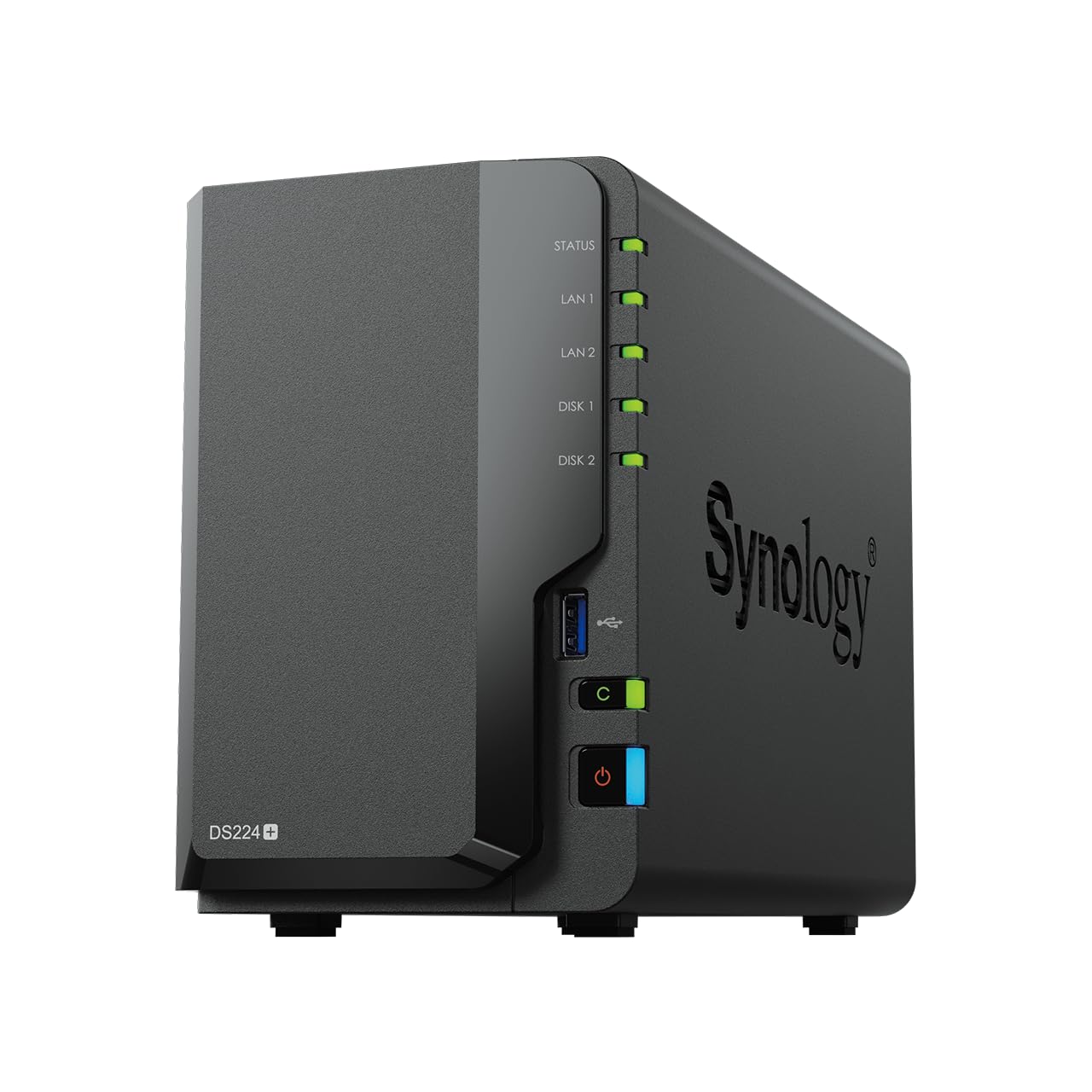

Frequently asked
7 questions01Does the UGREEN NASync DXP4800 Plus include drives, or do I need to buy them separately?+
The DXP4800 Plus is a diskless NAS, meaning it ships without hard drives or SSDs. You purchase and install your own drives into the four bays. UGREEN recommends using NAS-rated drives designed for continuous 24/7 operation rather than standard consumer desktop HDDs, which are not built to run without interruption.
02Do I need a 10GbE switch and network card to use this NAS?+
No. The NAS also has a 2.5GbE port, so it will work on any standard network. However, if you want to take advantage of the 10GbE port and approach the advertised transfer speeds, you will need a 10GbE-capable switch and a 10GbE network interface card in the computer you are transferring files from. Without those components, you will be limited to the speeds of whichever connection you use.
03How does UGOS compare to Synology's DSM for ease of use?+
UGOS is generally considered accessible and improving, with owner reports suggesting that most first-time NAS buyers can get up and running within a couple of hours. It is not yet as mature or as deeply documented as Synology's DSM, which has over a decade of refinement behind it and a larger third-party app ecosystem. For core tasks such as RAID configuration, remote access, backup scheduling, and photo management, UGOS covers the ground adequately without requiring command-line knowledge.
04Is RAID a substitute for backing up my data?+
No, and this is an important distinction. RAID protects against a single drive failing within the array by maintaining redundancy across multiple drives. It does not protect against accidental deletion, ransomware, fire, theft, or the NAS unit itself failing. A proper backup strategy follows the 3-2-1 rule: three copies of your data, on two different types of media, with one copy stored offsite. The DXP4800 Plus supports cloud backup to an external service as an additional layer alongside local RAID, which together form a more complete approach to data protection.
05Can multiple users access the NAS simultaneously without performance degrading significantly?+
Yes. The dual-port network setup, with both a 10GbE and a 2.5GbE connection active at the same time, means different users or devices can connect through different ports without competing over a single shared link. The NAS also supports per-user account management with granular permission controls, so each user can be given access only to the folders relevant to them. Performance under simultaneous multi-user load will still depend on drive speed and network infrastructure, but the hardware architecture is designed to support concurrent access rather than treating it as an edge case.
06What RAID configurations does the DXP4800 Plus support across four bays?+
With four bays, the unit supports RAID 0 (maximum capacity, no redundancy), RAID 1 (full mirroring across two drives), RAID 5 (single-drive redundancy with the capacity of three drives), RAID 6 (two-drive redundancy with higher overhead), RAID 10 (mirrored pairs for speed and redundancy at the cost of half your raw capacity), and JBOD (each drive treated independently). For most home and small business users seeking a balance of usable storage and data protection, RAID 5 across four drives is the most common starting point.
07Does the AI photo management require a subscription or ongoing fee?+
Based on available information and owner reports, the AI photo management built into UGOS does not require a separate subscription. It runs locally on the NAS hardware and organises photos by face, scene, object, and location, and can identify duplicate images. This is a meaningful practical difference from cloud-based photo management services that charge monthly fees and store your images on their servers rather than on hardware you control.