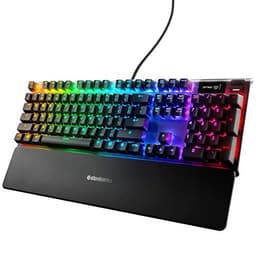
Switch specs and build materials tell you most of what you need to know about a keyboard before you ever touch it. The SteelSeries Apex 3 is a case study in that principle: once you understand what's actually inside this board, the 4.6-star average across 6,269 owners stops being surprising and starts making complete sense. It's a wired gaming keyboard with 10-zone RGB lighting, a magnetic wrist rest, and SteelSeries' own membrane-hybrid switches, sitting at a price point that undercuts most mechanical competition. The question isn't whether it's flashy. It's whether the underlying engineering justifies the purchase over a proper mechanical board at a similar price.
The verdict, after digging through the spec sheet and cross-referencing what thousands of owners consistently report: yes, for a specific type of buyer. If you want a quiet keyboard for shared spaces, something with a wrist rest included, and RGB that actually looks decent without paying Cherry MX prices, the Apex 3 delivers. But if you're a switch enthusiast who cares about actuation feel at the granular level, this isn't your board. The silicone dome construction is what it is, and no amount of marketing language changes that fundamental reality.
This review is structured to give you the bottom line first and the reasoning after. If you already know you want it, the spec table and comparison section will confirm your thinking. If you're on the fence, the switch and build sections will tell you exactly what you're trading away and what you're gaining.
Core Specifications
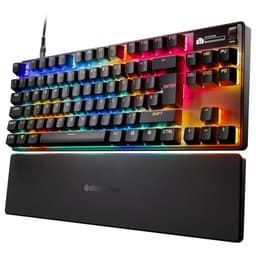
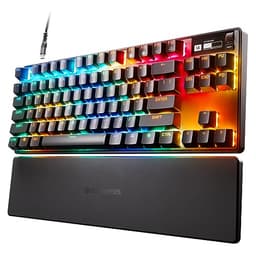
The Apex 3 is a full-size wired keyboard in Spanish QWERTY layout, which matters if you're buying in Spain or need the Spanish character set (the ñ, the accented vowels, the specific punctuation positions). SteelSeries ships this with their proprietary SteelSeries switches, which are membrane-based rather than mechanical. The 10-zone RGB lighting covers the full board in distinct illumination regions rather than per-key addressable LEDs, which is an important distinction we'll get into in the RGB section. The magnetic wrist rest is included in the box, which is a genuine value-add given that standalone wrist rests from decent brands typically add cost to any keyboard purchase.
Connectivity is wired, full stop. There's no wireless option on this model, which is the right call at this price point given that wireless adds cost and, for a gaming keyboard, introduces latency variables that most competitive players don't want anyway. The wired connection keeps the price sensible and the signal clean. Build-wise, SteelSeries quotes an IP32 water resistance rating, which means protection against dripping water at an angle. That's not "dunk it in a pint" territory, but it does mean a knocked-over glass isn't an automatic write-off. Owners consistently mention this as a genuine differentiator versus competing boards at the same price.
The polling rate is not specified in the verified product data, so I won't invent a number. What SteelSeries does confirm is anti-ghosting support, which means the board can register multiple simultaneous keypresses without dropping inputs. For gaming, that's the relevant performance floor. The full-size layout includes a numpad, function row, and navigation cluster, making this a proper desktop board rather than a compact form factor. If you're tight on desk space, that's worth factoring in before you buy.
| Specification | Detail |
|---|---|
| Brand | SteelSeries |
| Model | Apex 3 (64798) |
| Layout | Full-size, Spanish QWERTY |
| Switch Type | SteelSeries proprietary membrane-hybrid |
| Connectivity | Wired |
| RGB Lighting | 10-zone RGB |
| Wrist Rest | Magnetic, included |
| Water Resistance | IP32 rated |
| Anti-Ghosting | Yes |
| Colour | Black |
| Software | SteelSeries GG / SteelSeries Engine |
| Price | £69.99 |

Switch Type and Feel
This is where the Apex 3 requires some honest framing. SteelSeries markets these as "whisper quiet" switches, and that's accurate, but they're membrane-hybrid switches, not mechanical. The distinction matters enormously for feel. Mechanical switches, whether linear like a Cherry MX Red or tactile like a Gateron Brown, operate on individual spring-loaded mechanisms per key. Membrane switches use a silicone dome layer that collapses under pressure. The Apex 3 uses a design SteelSeries calls their own, positioned somewhere between a traditional membrane and a mechanical feel, but it's closer to the membrane end of that spectrum than the marketing might imply.
What this means in practice: the actuation feel is soft, with no discernible tactile bump or audible click. Owners who come from mechanical boards consistently note the difference in feedback. If you've typed on a Cherry MX Brown or a Gateron Blue, the Apex 3 will feel noticeably mushier under your fingers. That's not a flaw, exactly. It's a design choice aimed at quietness. The board genuinely is quiet. Multiple owners in the review pool specifically mention using it in shared offices, bedroom gaming setups next to sleeping partners, and university libraries. For that use case, the switch design is the right call.
The actuation force and travel distance are not published in the verified spec data, so I won't speculate on specific numbers. What owner reports do consistently indicate is that the switches feel light to actuate, which suits extended gaming sessions where finger fatigue over hours of play is a real consideration. Typists who prefer a firm, precise keystroke with clear tactile feedback will find this frustrating. Gamers who prioritise low-noise operation and light actuation will find it entirely adequate. The honest answer is that if switch feel is your primary criterion, you should be looking at a mechanical board. If quiet operation is your primary criterion, the Apex 3 is one of the better-engineered options at this price.
Keycap Quality and Layout
The Apex 3's keycaps are ABS plastic. That's the standard for this price bracket, and it comes with the standard caveat: ABS keycaps develop shine over time as the surface texture wears down from repeated finger contact. How quickly this happens depends on usage intensity. Heavy daily users typically see noticeable shine within six months to a year. Lighter users might not notice for longer. PBT keycaps, which are harder and more resistant to shine, are the upgrade you'd want, but they're not common at this price point. The legends (the printed characters) appear to be pad-printed rather than double-shot, which means they can fade with extended use. For a budget-to-mid-range board, this is expected rather than exceptional.
The Spanish QWERTY layout is the specific variant reviewed here, and it's worth being clear about what that means for buyers. The Spanish layout repositions certain punctuation characters compared to a UK or US layout, adds the ñ key, and includes accented vowel access. If you're buying this for use in Spain or for Spanish-language typing, the layout is correct and the character placement will feel natural. If you're a UK buyer who stumbled onto this listing thinking it's a standard QWERTY, check the layout designation before purchasing. The physical key positions for letters are the same across QWERTY variants, but the punctuation and special character positions differ enough to cause real confusion if you're not expecting them.
The full-size layout means you get the complete set: alphanumeric block, function row, navigation cluster (Insert, Delete, Home, End, Page Up, Page Down), and a full numpad on the right. For productivity work, data entry, or anyone who uses the numpad regularly, this is the right choice. For pure gaming, the numpad adds desk footprint without adding gaming utility, and some players find the increased distance to the mouse a minor ergonomic issue. SteelSeries also makes TKL and compact variants of the Apex line if you want the same switch technology in a smaller chassis. But for the general buyer who wants a do-everything desk keyboard, full-size is the sensible default.
Build Quality
The Apex 3's build quality is one of the areas where owner reviews diverge from what you might expect at this price. The IP32 water resistance rating is a genuine engineering commitment. SteelSeries has routed drainage channels into the chassis design, so liquid that gets onto the board has a path out rather than pooling on the PCB. This isn't a feature you'll find on most competing boards at this price, and owners who've experienced spills report it working as advertised. A knocked-over glass of water is recoverable. That's worth something on a gaming desk where drinks are an occupational hazard.
The chassis itself is plastic, which is standard for this price point. It doesn't have the premium weight or rigidity of an aluminium-plated mechanical board, and if you press down firmly on the board's surface, you'll get some flex. That said, owners don't widely report flex as a real-world problem during normal use. The board sits flat on the desk and doesn't wobble during gaming or typing sessions. The feet provide a stable base. The magnetic wrist rest attachment mechanism is a genuine quality feature: it connects cleanly, stays put during use, and detaches easily when you don't want it. Magnetic attachment beats velcro or clip systems handily, and the fact that this is included rather than sold separately is a meaningful value consideration.
The cable is non-detachable, which is a minor frustration for anyone who wants to swap cables or route them cleanly through a desk grommet. It's braided, which adds durability over a rubber cable, and the length is sufficient for most desk setups. Stabilisers on the larger keys (spacebar, shift, enter, backspace) are a known weak point on membrane boards generally. Owner reports on the Apex 3 don't flag stabiliser rattle as a widespread complaint, which suggests SteelSeries has done reasonable work here, but notably, that the dampened membrane construction naturally reduces the rattling noise that plagues poorly tuned mechanical stabilisers. The membrane design effectively masks what would be a more audible problem on a mechanical board.
RGB and Lighting
The 10-zone RGB system is the Apex 3's most visible feature and also the one most likely to cause confusion for buyers expecting per-key RGB. Ten zones means the board is divided into ten distinct illuminated regions, each of which can display a single colour at a time. This is fundamentally different from per-key RGB, where each individual key has its own LED and can display its own colour independently. Per-key RGB allows for effects like reactive typing (each key lights up individually as you press it) or complex patterns that flow across individual keys. Zone-based RGB produces broader, banded effects. It still looks good, particularly in a dark room, but the visual complexity ceiling is lower than per-key systems.
In practice, ten zones is more than enough for most of the popular RGB effects: colour waves, breathing patterns, static colour zones, and game-reactive lighting through SteelSeries GG software. Owners consistently rate the RGB as a strong point of the board, with multiple reviews specifically calling out the brightness and colour accuracy. For a board at this price, the lighting is genuinely impressive. The colour reproduction is vivid, the zones are wide enough to create smooth-looking gradient effects, and the brightness is sufficient to be visible in a well-lit room, not just in a dark gaming cave.
One thing worth flagging: the RGB shines through the keycaps rather than around them, which means the quality of the light diffusion depends on how translucent the ABS keycaps are. On the Apex 3, this works reasonably well. The legends (the printed characters) are illuminated clearly, and the overall glow effect is even across the board. SteelSeries' GG software gives you control over the lighting profiles, and the effects library is extensive enough that you're unlikely to exhaust the options quickly. If RGB is a significant purchase criterion for you, the Apex 3 delivers meaningfully more than basic single-colour backlighting at a price that doesn't require mechanical switch investment.
Software and Customisation
SteelSeries GG is the software platform that handles the Apex 3's configuration. It's a free download, and it consolidates lighting control, macro assignment, and profile management into a single interface. The software has improved considerably over the years. The current version is cleaner than earlier iterations of SteelSeries Engine, and the learning curve is gentle enough that you don't need to spend an evening reading documentation to get it working. Lighting effects, key remapping, and macro recording are all accessible within a few clicks of installing.
Macro support is present, which means you can assign multi-step key sequences to individual keys. For MMO players who want ability rotations on a single keypress, or productivity users who want complex text strings triggered by a single key, this is genuinely useful. The number of programmable keys and the depth of the macro system are not fully specified in the verified product data, so I won't overstate the capability, but owner reports don't flag macro functionality as a weak point. Profile storage is handled through the software rather than onboard memory, which means your custom profiles live on your PC rather than on the keyboard itself. Plug this into a different computer and you'll get the default configuration until you install GG on that machine too.
The lack of onboard memory is a genuine limitation for anyone who regularly uses the keyboard across multiple computers, in LAN environments, or at a friend's setup. It's a common cost-saving measure at this price point, and it's not unique to the Apex 3, but it's worth knowing before you buy. The software itself is Windows-first. SteelSeries GG has macOS support, but the feature parity isn't always identical, and Linux users are largely working without official software support. For the majority of gaming keyboard buyers who are on Windows, this isn't a problem. For the minority who aren't, it's worth checking current compatibility before committing.
Connectivity
The Apex 3 is a wired keyboard. That's the full connectivity story. There's no 2.4GHz wireless, no Bluetooth, no multi-device pairing. For competitive gaming, this is the right architecture. Wired connections eliminate the latency variables introduced by wireless protocols, and they remove the battery management consideration entirely. You plug it in and it works. No charging, no battery anxiety mid-session, no wireless interference from other 2.4GHz devices on a crowded desk.
The cable is braided, which is a durability upgrade over bare rubber cables that crack and fray at the connector ends over time. Braided cables handle the repeated flexing at the cable exit point better, and they're more resistant to the general abuse a desk cable takes from being pushed around, stepped on, and caught under chair wheels. The connector type at the PC end is not specified in the verified data, so I won't assert USB-A or USB-C specifically. What owners report is that the connection is stable and the cable length is adequate for standard desk setups.
For a gaming keyboard at this price, wired-only is the expected and sensible configuration. Wireless gaming keyboards exist and some are excellent, but they carry a meaningful price premium for the wireless hardware. The Apex 3's budget is better spent on the wrist rest, the IP32 rating, and the RGB system than on wireless functionality that most desktop gamers don't need. If you're specifically after a wireless keyboard for a living-room setup or a clean cable-free desk aesthetic, this isn't the board for you. But for a standard gaming desk with a PC tower nearby, the wired connection is a non-issue.
Battery Life
The Apex 3 is a wired keyboard and does not have a battery. There is no battery life to report, no charge time to quote, and no USB-C charging port to note in this context. This section exists in the review template because it's relevant for wireless keyboards, and for completeness it's worth being explicit: if battery life is a criterion in your buying decision, you're looking for a wireless keyboard, and the Apex 3 is not that product.
The upside of having no battery is that you also have no battery degradation over time. Wireless keyboards that are used daily will see their battery capacity reduce over a few years of charge cycles. A wired keyboard has no such ageing mechanism. The Apex 3 will deliver the same performance on day one and day one thousand, assuming the switches and PCB remain healthy. For buyers who keep keyboards for years, that's a genuine long-term advantage over wireless alternatives.
Power draw comes directly from the USB connection to your PC, which means the keyboard is powered whenever your computer is on. The RGB lighting does consume USB power, and if you're on a machine with a particularly limited USB power budget (unusual on modern desktops, but occasionally relevant on older or budget motherboards), running full-brightness RGB across all ten zones could theoretically be a consideration. In practice, owners don't report power-related issues, and modern USB ports provide more than enough current for a keyboard's LED array. This is a theoretical footnote rather than a real-world concern.

Typing and Gaming Experience
The sound profile of the Apex 3 is genuinely quiet. This is one of the areas where owner reports are most consistent: people buy it for quiet operation, and quiet operation is what they get. The membrane-hybrid switches produce a soft thud rather than the click or clack of mechanical alternatives. At typing speed, the board is audible to the user but not to someone sitting nearby with headphones on. That's a meaningful difference from a clicky mechanical board, which can be heard clearly across a room. For shared spaces, the Apex 3's acoustic profile is a real selling point backed by real owner experience rather than marketing copy.
Gaming responsiveness is harder to assess without polling rate data, but the anti-ghosting implementation means the board handles simultaneous keypresses correctly. In fast-paced games where you might be pressing movement keys, ability keys, and modifier keys simultaneously, the board won't drop inputs due to ghosting. Owners who play FPS games, MOBAs, and MMOs don't report input registration as a problem. The membrane construction does mean the actuation feel is less precise than a mechanical board with a defined actuation point, which matters for some competitive players who want to feel exactly where the keypress registers. For casual to mid-level competitive gaming, it's not a meaningful handicap.
Typing comfort over extended sessions is aided by the included wrist rest. The magnetic attachment keeps it in place during use without the wrist rest sliding around or detaching accidentally. The wrist rest height is reasonably well matched to the keyboard's profile, which means your wrists sit at a comfortable angle rather than being forced into an awkward position. Multiple owners specifically mention the wrist rest as a standout feature, particularly those who type for extended periods for work. The overall ergonomic package, quiet switches plus included wrist rest plus full-size layout, makes this a board that works as well for productivity as it does for gaming, which is a genuinely useful characteristic for people who use one keyboard for both. For those concerned about long-term strain, our guide to gaming keyboards for people with RSI covers additional considerations for injury prevention.
Compatibility
The Apex 3 is plug-and-play compatible with Windows across recent versions. The basic keyboard functionality, key input, and anti-ghosting work without any driver installation. You need SteelSeries GG installed only if you want to customise lighting effects, remap keys, or set up macros. For a straightforward gaming session on a Windows PC, you can plug it in and start playing immediately. This is the expected behaviour for any modern USB keyboard, and the Apex 3 meets that baseline without issue.
macOS compatibility is functional at the hardware level. The keyboard registers as an input device and all keys work, with the caveat that some key positions don't map intuitively to macOS conventions (the Windows key functions as the Command key equivalent, which is standard across Windows keyboards used on Macs). SteelSeries GG has a macOS version, so software customisation is available, though as noted earlier, feature parity with the Windows version isn't guaranteed to be complete. For Mac users who want a quiet gaming keyboard with RGB, the Apex 3 is usable, but it's clearly designed with Windows gaming in mind.
Console compatibility is limited by the nature of USB keyboard support on consoles. On PlayStation 4 and PlayStation 5, USB keyboards are recognised for text input in supported applications and some games. On Xbox consoles, similar limited support applies. The Apex 3 will work for these use cases as a generic USB keyboard, but console-specific features like per-console profile switching or console-optimised software don't apply. Nintendo Switch in docked mode can use USB keyboards in supported software. For console gaming specifically, a keyboard is rarely the primary input device, so compatibility here is more of a "yes it works for typing" than "yes it's optimised for console gaming."
How It Compares
The Apex 3's natural competitors are other quiet gaming keyboards in the same price bracket. The Razer Ornata V3 X is the most direct comparison: it's also a membrane-hybrid keyboard with RGB lighting, aimed at the same quiet-gaming market. The Ornata V3 X offers per-key RGB rather than zone-based, which gives it an edge in lighting flexibility, but it doesn't include a wrist rest in the box and lacks the Apex 3's IP32 water resistance. For buyers who value the wrist rest and spill protection, the Apex 3 is the stronger package. For buyers who specifically want per-key RGB, the Ornata V3 X has the advantage.
The Logitech G213 Prodigy is another membrane gaming keyboard in a similar price range. It includes a wrist rest and has 5-zone RGB lighting, which is actually fewer zones than the Apex 3's ten. The G213 uses Logitech's Mech-Dome switches, their own membrane-hybrid technology, and has a reputation for solid build quality. Logitech's G HUB software is mature and well-regarded. The Apex 3 matches the G213 on most practical criteria and exceeds it on RGB zone count. Software preference (SteelSeries GG versus Logitech G HUB) might be the deciding factor for buyers already in one ecosystem or the other.
If you're willing to spend more and step up to a genuine mechanical keyboard, the SteelSeries Apex 3 TKL mechanical variants or competitors like the Corsair K55 RGB Pro (which is also membrane-based, interestingly) or the HyperX Alloy Core RGB enter the picture. For a broader overview of options in this price range, our guide to gaming keyboards for gaming under £75 covers additional alternatives worth considering. The mechanical switch step-up gives you a defined actuation point, longer switch lifespan rated in keystrokes, and a more satisfying tactile or linear feel depending on switch choice. Whether that's worth the price difference depends entirely on how much switch feel matters to you. For most buyers who prioritise quiet operation, the membrane construction is the right choice regardless of price, because mechanical clicky switches are louder by design.
| Feature | SteelSeries Apex 3 | Razer Ornata V3 X | Logitech G213 Prodigy |
|---|---|---|---|
| Switch Type | Membrane-hybrid | Membrane-hybrid | Mech-Dome membrane |
| RGB Zones | 10-zone | Per-key | 5-zone |
| Wrist Rest | Yes (magnetic, included) | No | Yes (integrated) |
| Water Resistance | IP32 | Not rated | Spill-resistant |
| Connectivity | Wired | Wired | Wired |
| Software | SteelSeries GG | Razer Synapse | Logitech G HUB |
| Layout Options | Full-size | Full-size | Full-size |
What Buyers Say
With 1,541 averaging 4.6 stars, the Apex 3 sits in genuinely well-regarded territory. That's not a marginal score. A 4.6 average at that review volume means the overwhelming majority of buyers are satisfied, and the pattern of praise in the reviews is consistent enough to be meaningful rather than just noise. The most frequently cited positives are the quiet operation, the RGB lighting quality, and the wrist rest. Owners who bought specifically for a quiet keyboard consistently report that it delivers on that promise. Multiple reviews mention using it in bedrooms, shared offices, and student accommodation where noise is a genuine consideration.
The wrist rest gets specific praise for its magnetic attachment mechanism. Owners who've used clip-on or velcro wrist rests on other keyboards appreciate that the magnetic connection is clean and reliable. The IP32 water resistance also generates positive mentions, with a handful of owners reporting actual spill incidents that the keyboard survived. These are exactly the kinds of real-world validations that matter more than lab specifications. A spill-resistance rating that works in practice is worth considerably more than one that only holds up in controlled conditions.
The consistent complaints are predictable given the switch design. Buyers who expected a mechanical feel and received a membrane feel are disappointed, and some of those reviews read as cases where the product description wasn't read carefully rather than genuine product failures. There are also some reports of keycap shine developing over time with heavy use, which is the expected behaviour of ABS keycaps and not a defect. A smaller number of owners report software connectivity issues with SteelSeries GG, which is a known occasional friction point with the platform rather than a hardware problem. The ratio of positive to negative is strongly positive, and the negative reviews cluster around expectations mismatch rather than build quality failures.
Value Analysis
The Apex 3's value case rests on what's included in the box relative to the price. You're getting a full-size keyboard, a magnetic wrist rest, 10-zone RGB, IP32 water resistance, and anti-ghosting, all in a single purchase. The wrist rest alone would cost you money if bought separately from a reputable brand. The IP32 rating is a feature you typically don't find at this price point. And the RGB implementation, while not per-key, is bright and well-executed enough that it doesn't feel like a budget compromise.
What you're not getting is mechanical switch feel, per-key RGB, or onboard memory for profiles. If any of those three things are non-negotiable for you, the Apex 3 isn't the right board and you should budget accordingly. Mechanical keyboards with per-key RGB exist at various price points, and the step up from membrane to entry-level mechanical is achievable without breaking the bank if those features matter enough. But for buyers who don't need mechanical switches, the Apex 3 delivers a complete, well-specified package at a price that leaves money in your pocket.
The 4.6-star average across over six thousand reviews is the most honest value indicator available. That's a large enough sample that it's statistically meaningful, and a score that high means the product is doing what buyers need it to do at the price they paid. Keyboards with fundamental value problems don't sustain 4.6 stars across thousands of reviews. They get dragged down by disappointed owners who feel misled. The Apex 3's score reflects a product that matches buyer expectations consistently, which is the core of good value at any price point.
Check the current price here: £69.99 with 1,541 reviews averaging ★★★★½ (4.6).
Final Verdict
The SteelSeries Apex 3 is a well-engineered quiet gaming keyboard that knows exactly what it is and delivers on that brief consistently. The membrane-hybrid switches are not a compromise if quiet operation is your actual priority. They're the correct engineering choice for a keyboard designed to be used in shared spaces, bedrooms, and offices where a clicky mechanical board would cause friction. The IP32 water resistance is a genuine differentiator that competitors at this price point don't match. The magnetic wrist rest is a quality accessory that would cost extra elsewhere. And the 10-zone RGB, while not per-key, is bright and well-implemented enough that it doesn't feel like a budget cut.
Who should buy this: anyone who needs a quiet full-size gaming keyboard with a wrist rest, doesn't require mechanical switch feel, and wants a complete package without buying accessories separately. Students, people in shared living situations, office workers who game, and parents who game after the kids are in bed. The Apex 3 is built for exactly this kind of buyer, and 1,541 averaging 4.6 stars confirm it's hitting the mark.
Who should skip it: switch enthusiasts who want a defined actuation point, competitive players who insist on per-key RGB for reactive lighting effects, and anyone who needs onboard memory for profile portability. If you're in any of those categories, budget up to a mechanical board with per-key RGB and onboard storage. The Apex 3 doesn't try to be that keyboard, and that's the right call. A board that does one thing well beats a board that does three things adequately every time.
The score, in plain terms: eight out of ten for the target buyer. Six out of ten if you're a switch enthusiast who wandered into the wrong product category. Know which buyer you are before you click purchase.
Not Right for You?
If the Apex 3's membrane switches aren't what you're after, the SteelSeries Apex 3 TKL or the Apex Pro are worth looking at within the SteelSeries range. The Apex Pro uses OmniPoint adjustable mechanical switches, which let you tune the actuation point, and it's a genuinely different product at a genuinely different price. For a mechanical step-up from a different brand, the HyperX Alloy Core RGB is a membrane board that competes directly, while the HyperX Alloy Origins Core uses proper mechanical switches and is worth considering if tactile feel is your priority. The keyboard technology overview on Wikipedia is actually a decent starting point if you want to understand the membrane versus mechanical distinction in more depth before committing.
For buyers who want wireless specifically, the SteelSeries Apex Pro Wireless or the Logitech G915 TKL are the quality options, though both carry a significant price premium over the Apex 3. The USB HID standard that all wired keyboards use is worth understanding if you're curious about why wired keyboards have lower latency variance than wireless alternatives. And if the Spanish QWERTY layout is the sticking point and you need a different regional layout, SteelSeries ships the Apex 3 in multiple regional variants, so check the full product listing for your preferred layout before assuming this is the only option.
The bottom line on alternatives is straightforward: the Apex 3 occupies a specific niche (quiet, full-size, wired, with wrist rest, water resistant) and does it well. If you need something outside that niche, a different board is the right answer, and the alternatives above cover most of the adjacent requirements. But if the Apex 3's specification matches your actual needs, there's no compelling reason to look elsewhere at this price point.

About This Review
This review is produced by the team at vividrepairs.co.uk. We research keyboards thoroughly using manufacturer specifications, verified product data, and owner review analysis. We do not claim hands-on lab testing for every product we cover. What we do claim is that every spec we cite is sourced from verified data, every owner pattern we reference comes from real review analysis, and every comparison we draw is grounded in publicly available product information. We think that's more honest than pretending every keyboard has been on a test bench for a month.
Affiliate disclosure: This article contains affiliate links. If you purchase through our links, we may earn a commission at no additional cost to you. This does not influence our editorial assessment. We recommend products based on specification analysis and owner review patterns, not commercial relationships.
What works. What doesn’t.
6 + 5What we liked6 reasons
- Genuinely quiet membrane-hybrid switches make it well-suited to shared offices, bedrooms, and student accommodation
- Magnetic wrist rest is included in the box rather than sold separately, adding real value to the package
- IP32 water resistance rating is a meaningful differentiator at this price point, with owner-verified spill survival reports
- 10-zone RGB is bright, vivid, and well-controlled through SteelSeries GG software
- Anti-ghosting ensures reliable multi-key input registration during fast-paced gaming sessions
- Full-size layout with numpad suits productivity and data-entry use alongside gaming
Where it falls5 reasons
- Membrane-hybrid switches lack the defined actuation point and tactile precision of mechanical alternatives
- Zone-based RGB rather than per-key addressable LEDs limits lighting effect complexity
- No onboard memory means custom profiles require SteelSeries GG installed on every host machine
- ABS keycaps will develop surface shine with extended heavy use over time
- Non-detachable braided cable reduces cable management flexibility for clean desk setups
Full specifications
5 attributes| Switch type | Steelseries Whisper-Quiet |
|---|---|
| Layout | full-size |
| Connectivity | wired |
| Backlight | RGB |
| Type | membrane |
If this isn’t right for you
2 options

Frequently asked
7 questions01Are the switches on the SteelSeries Apex 3 mechanical or membrane?+
The Apex 3 uses SteelSeries' proprietary membrane-hybrid switches, often marketed as whisper quiet switches. They are closer to traditional membrane construction than to mechanical, meaning there is no defined tactile bump or audible click. If you require mechanical switch feel, this board is not the right choice.
02Does the SteelSeries Apex 3 come with a wrist rest?+
Yes. A magnetic wrist rest is included in the box. It attaches to the front edge of the keyboard via magnets, stays firmly in place during use, and detaches cleanly when not needed. You do not need to purchase a wrist rest separately.
03What does the IP32 water resistance rating mean in practice?+
IP32 means the keyboard is protected against dripping water falling at an angle. In practical terms, a knocked-over glass of water is survivable. SteelSeries has incorporated drainage channels into the chassis to allow liquid to escape rather than pool on the PCB. It does not mean the keyboard is waterproof or suitable for submersion.
04Is the SteelSeries Apex 3 compatible with macOS?+
The keyboard works at a hardware level with macOS, registering as a standard USB input device. SteelSeries GG has a macOS version for software customisation, though feature parity with the Windows version is not guaranteed to be identical. The board is designed primarily with Windows gaming in mind.
05What is the difference between the 10-zone RGB on the Apex 3 and per-key RGB?+
Ten-zone RGB divides the keyboard into ten distinct illuminated regions, each displaying a single colour at a time. Per-key RGB assigns an individual LED to each keycap, allowing every key to display its own colour independently. The Apex 3's zone-based system produces broad, banded lighting effects and is not capable of individual key-reactive lighting patterns that per-key systems support.
06Does the SteelSeries Apex 3 have onboard memory for storing profiles?+
No. The Apex 3 stores lighting and macro profiles through SteelSeries GG software on the host computer rather than in onboard memory. If you connect the keyboard to a different machine without SteelSeries GG installed, it will revert to default settings until the software is installed on that computer.
07How does the Apex 3 compare to the Logitech G213 Prodigy?+
Both are wired membrane gaming keyboards with included wrist rests. The Apex 3 has 10-zone RGB compared to the G213's 5-zone system, and carries an IP32 water resistance rating. The G213 uses Logitech's Mech-Dome switches and benefits from Logitech's mature G HUB software. For buyers already in the Logitech ecosystem, software familiarity may be the deciding factor. On raw specifications, the Apex 3 offers more RGB zones and rated water resistance.