Finding a capable gaming keyboard under £50 is genuinely achievable in 2024, though shoppers chasing true wireless freedom at this price point will need to set realistic expectations. The budget gaming keyboard market has matured considerably over the past year: Hall Effect magnetic switches have trickled down from premium tiers, compact 60% layouts have become mainstream, and well-known brands such as SteelSeries, Logitech and Corsair now compete directly with aggressive newcomers. This guide is aimed at PC gamers, students and home-office workers who want tactile feedback, RGB lighting and a clutter-free desk without spending over £50. Whether you prioritise a genuine 2.4 GHz wireless connection, a mechanical switch feel, or simply the best build quality at the lowest possible price, there is a viable option in this pool. For those with a slightly higher budget, our guide to gaming keyboards under £100 expands the selection considerably. One caveat worth stating upfront: truly wireless gaming keyboards at this price are rare, so several picks here are wired or use a wireless combo bundle.
Quick Verdict
Best Overall: Logitech G413 TKL SE, for its reliable Romer-G Tactile switches, compact tenkeyless layout and brand pedigree at under £45.
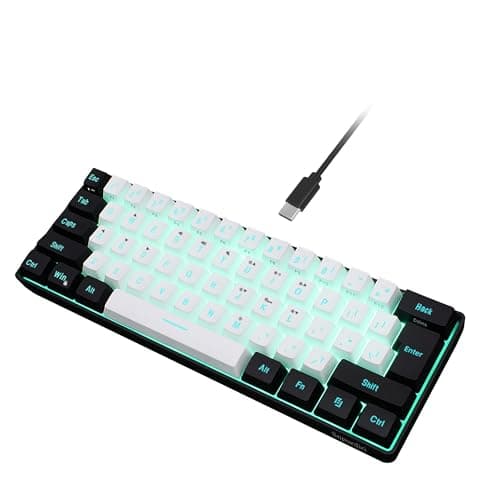
Best Value: Dierya DK61se, a genuine 60% mechanical keyboard with hot-swap support and a street price under £30 that punches well above its weight.
Best Wireless Pick: Snpurdiri 2.4G Wireless Keyboard and Mouse Combo, the only true wireless option in this pool and a solid choice for couch gaming or a cable-free desk setup.
Spec Comparison
The SteelSeries Apex 3 TKL is the choice for gamers who want a well-known brand, a compact form factor and a keyboard that can survive the occasional spilled drink without being written off. Its IP54 water and dust resistance rating is genuinely unusual at this price bracket and makes it a practical option for messy desks, shared gaming setups or anyone who has previously mourned the loss of a keyboard to a knocked-over glass.
SteelSeries uses its own Whisper-Quiet membrane switches on the Apex 3 TKL. These are not mechanical switches, but SteelSeries has invested in making them feel more premium than typical rubber-dome membranes. The actuation is smooth and the noise level is notably low, making this one of the better choices for shared living spaces, late-night gaming sessions or office environments where clatter would cause friction with neighbours or flatmates.
The RGB lighting is delivered through an 8-zone system rather than per-key illumination, which means individual key customisation is not possible. For most gamers this is a reasonable trade-off at this price, and the lighting effects available through SteelSeries Engine software are polished and visually appealing. The software itself is one of SteelSeries' strengths, offering macro programming, lighting customisation and profile management that rivals far more expensive keyboards.
The tenkeyless layout keeps the footprint compact and the build quality is solid, with a plastic chassis that feels more robust than its price suggests. Key rollover and anti-ghosting are handled well, supporting simultaneous key presses without missed inputs during intensive gaming moments. The USB cable is non-detachable, which is a minor inconvenience for travel, but the overall package is polished.
Where the Apex 3 TKL falls short is in the switch feel itself: dedicated mechanical keyboard enthusiasts will notice the membrane action immediately, and the lack of per-key RGB is a tangible limitation for those who enjoy fine-tuned lighting setups. However, for its target audience of casual to mid-level gamers who prioritise durability and quietness, it is an excellent choice.
Verdict: The best option for gamers who want IP54 water resistance and quiet switches from a reputable brand, with capable software support to boot.
Pros
- IP54 water and dust resistance is a rare and practical feature at this price point
- Whisper-Quiet membrane switches are among the quietest in this pool, ideal for shared spaces
- SteelSeries Engine software offers polished macro and lighting customisation
Cons
- 8-zone RGB rather than per-key illumination limits individual key lighting control
- Membrane switches will not satisfy users seeking genuine mechanical feedback
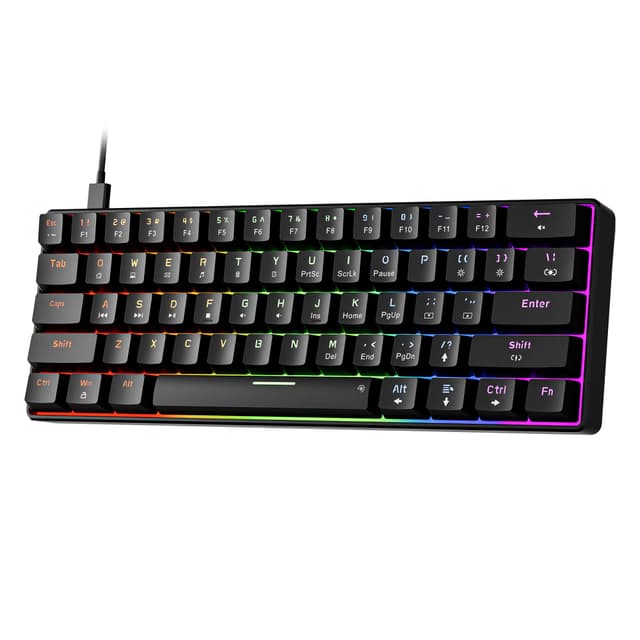
The AULA WIN60 HE is the most technically interesting keyboard in this pool by some margin. Hall Effect magnetic switches, which use magnets rather than physical contact points to register keypresses, have until recently been confined to keyboards costing £80 or more. The WIN60 HE brings this technology to under £50, making it a genuinely compelling proposition for performance-focused gamers who follow keyboard hardware trends.
Hall Effect switches offer two core advantages over traditional mechanical switches. First, they have no physical contact wear, meaning the switches should theoretically last far longer than standard mechanical options. Second, and more importantly for gamers, the actuation point is adjustable. Users can configure exactly how far the key needs to travel before it registers, allowing for hair-trigger inputs in fast-paced games or a more deliberate actuation for typing. This level of tunability is extraordinary at this price.
The 60% layout removes the function row, numpad and navigation cluster, leaving only the alphanumeric keys and modifiers. This makes the WIN60 HE extremely compact and portable, but it does mean that functions like F-keys and arrow keys require the use of a function layer, which takes time to learn. Gamers who rely on F-keys for in-game bindings should factor this into their decision.
Per-key RGB lighting is present and looks vivid on the WIN60 HE, with customisation available through AULA's software. Build quality is reasonable for the price, with a plastic chassis that is acceptably sturdy. The USB-C connection is a welcome modern touch, making the cable easier to replace and more durable at the port than micro-USB alternatives.
The main trade-off here is that AULA is a less established brand than Logitech or SteelSeries, and long-term driver and software support is less certain. The 60% layout is also not for everyone. But for the technically curious gamer who wants adjustable actuation and Hall Effect durability at a budget price, the WIN60 HE is a remarkable product.
Verdict: The most technically advanced keyboard in this pool, with Hall Effect switches and adjustable actuation that punch well above the £47.99 asking price.
Pros
- Hall Effect magnetic switches offer adjustable actuation point, a premium feature at this price
- No physical contact wear means the switches should outlast traditional mechanical options significantly
- USB-C connectivity is a modern, durable choice over older connector standards
Cons
- 60% layout requires learning function layers for F-keys and navigation, which has a learning curve
- AULA's long-term software and firmware support is less proven than established brands
The Corsair K55 RGB PRO is the full-size option in this roundup and the pick for gamers who have not yet made the jump to compact layouts and still want a numpad, dedicated media keys and a recognisable brand name. Corsair's reputation for build quality and software support is well established, and the K55 RGB PRO delivers a polished experience that belies its sub-£40 price tag.
The keyboard uses a quiet membrane switch mechanism rather than mechanical switches. Corsair has tuned these to be reasonably responsive, and the typing experience is comfortable for extended sessions, though the lack of tactile bump will disappoint anyone coming from a mechanical keyboard. The quietness is a genuine advantage in shared environments, and the membrane action is consistent across all keys without the key-to-key variation that can affect cheaper membrane boards.
IP42 dust and spill resistance is a practical inclusion, offering basic protection against accidental liquid contact. It is not as robust as the SteelSeries Apex 3 TKL's IP54 rating, but for everyday desk use it provides meaningful peace of mind. Six-zone RGB lighting covers the full keyboard length and is customisable through Corsair's iCUE software, which is one of the most feature-rich peripheral management platforms available and supports lighting synchronisation across Corsair products.
The full-size layout includes six dedicated macro keys on the left side, which are programmable through iCUE. This is a notable feature at this price and useful for MMO players, content creators or anyone who relies on macro shortcuts. Dedicated media controls and a volume roller on the top right add further convenience without requiring software interaction.
The main limitations of the K55 RGB PRO are its membrane switches and its size. The full-size layout occupies considerably more desk space than the TKL and 60% options in this pool, and the non-detachable USB cable adds minor inconvenience. For buyers who want a full-size board with macro keys, iCUE support and Corsair's brand assurance, however, it is a strong choice.
Verdict: The best full-size option in this pool, with dedicated macro keys, iCUE software support and IP42 protection from a brand with a proven track record.
Pros
- Six dedicated macro keys on the left side are programmable via Corsair iCUE software
- iCUE software enables RGB synchronisation with other Corsair peripherals and deep customisation
- IP42 dust and spill resistance adds practical protection for everyday desk use
Cons
- Full-size layout occupies significantly more desk space than TKL or 60% alternatives
- Membrane switches lack the tactile response of mechanical options at a similar price
Buying Guide
Wireless vs Wired at This Budget
True wireless gaming keyboards under £50 are rare. The cost of reliable wireless circuitry, a stable 2.4 GHz transmitter and a rechargeable battery adds meaningful cost to any keyboard, which is why most options at this price point are wired. The Snpurdiri combo is the only genuinely wireless keyboard in this pool, and it achieves the price by using membrane switches and a basic build. If wireless connectivity is your absolute priority, it is the right choice. If you are willing to accept a cable in exchange for better switches and build quality, the wired options here offer significantly more for the money.
Mechanical vs Membrane Switches
Mechanical switches use individual spring-and-contact mechanisms for each key, providing tactile or audible feedback and generally longer lifespans rated at 50 to 100 million keystrokes. They are preferred by most dedicated gamers for their precision and feel. Membrane switches use a rubber dome beneath the keycap, which is quieter and cheaper to manufacture but offers less feedback and typically wears out faster. At this budget, you can get genuine mechanical switches in the Logitech G413 TKL SE, AULA WIN60 HE and Dierya DK61se. The Corsair K55 RGB PRO and SteelSeries Apex 3 TKL use membrane mechanisms, though both have been tuned to perform better than generic rubber-dome boards.
Layout Considerations
Full-size keyboards include a numpad and typically measure around 440 mm wide. Tenkeyless (TKL) keyboards remove the numpad, saving around 100 mm of desk width and allowing the mouse to sit closer to the keyboard, which is ergonomically beneficial for gaming. 60% keyboards go further, removing the function row and navigation cluster as well, leaving only the core typing keys. These are the most portable option but require learning function layers for missing keys. Consider how much desk space you have and whether you regularly use a numpad or F-keys before choosing a layout.
Software and Customisation
Software quality varies significantly across this pool. Corsair's iCUE and SteelSeries Engine are mature, well-supported platforms that offer deep customisation and cross-peripheral synchronisation. Logitech's G HUB is similarly capable. AULA and Dierya offer proprietary software that is functional but less polished and may receive less frequent updates. If software customisation and long-term support matter to you, the established brands have a clear advantage.
Build Quality Indicators
At this price, build quality varies widely. Look for keyboards with aluminium top plates rather than all-plastic construction, as these resist flex and feel more durable. Detachable cables are a convenience for transport and longevity, as fixed cables are a common failure point. IP ratings for dust and water resistance are a bonus. Keycap material matters too: PBT plastic resists shine better than ABS, though most budget keyboards use ABS with laser-etched legends.
The Logitech G413 TKL SE is the overall winner in this pool. It combines genuine Romer-G Tactile mechanical switches with an aluminium top plate, a compact tenkeyless layout and the reliability of Logitech's brand at under £45. For most gamers, it represents the best balance of performance, build quality and value available at this price point.
The Dierya DK61se earns the best value award for its hot-swappable Gateron optical switches and per-key RGB at under £30, a combination that is genuinely remarkable at the price. Keyboard enthusiasts on a tight budget should consider it seriously.
For anyone whose primary requirement is wireless connectivity, the Snpurdiri 2.4G Wireless Combo is the only option in this pool that delivers a cable-free experience, and it does so at a price that includes a wireless mouse. It will not satisfy competitive gamers, but for casual use and couch gaming it is a practical and affordable solution.