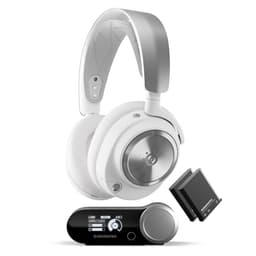
You know the drill. You walk into a shop, or more likely scroll through Amazon at midnight, and you see a headset with "GAMING" plastered all over the box in aggressive fonts. It costs more than a decent pair of regular headphones, and half the time it sounds worse. I've been testing headsets for eight years now, and that pattern is depressingly common. So when the SteelSeries Arctis Nova 5P landed on my desk, the first question I asked myself was: does this actually justify its upper mid-range price tag, or is it just another pair of headphones with a boom mic bolted on and a "gaming" tax applied?
The Nova 5P sits in SteelSeries' refreshed Arctis Nova lineup, positioned as the PlayStation-focused sibling to the Nova 5X (which targets Xbox and PC). This is a headset for a proper mix of gaming, from sweaty ranked matches in Warzone to slower-paced story time in Baldur's Gate 3, plus a fair bit of music and a couple of films. That's the only way to really know if a headset is worth your money. Test tones and spec sheets don't tell you much. Actual hours of use do.
So here's my full SteelSeries Arctis Nova 5P Gaming Headset Review UK 2026, covering everything from the sound signature to the mic quality, battery life, and whether the SteelSeries Sonar software is actually useful or just bloat. Let's get into it.
Core Specifications
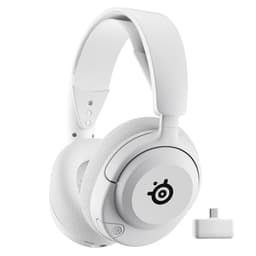
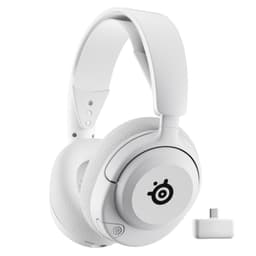
The Nova 5P is a wireless gaming headset built primarily for PlayStation 5, though it's got more platform flexibility than that branding suggests. It connects via a 2.4GHz USB-C dongle for low-latency wireless, and also supports Bluetooth 5.3 simultaneously, which is a genuinely useful feature I'll get into properly in the connectivity section. The headset itself is on the lighter side for a wireless unit, which you notice pretty quickly when you pick it up.
Driver size sits at 40mm, which is fairly standard for this category. SteelSeries uses what they call "Neodymium" drivers here, and the frequency response is rated at 20Hz to 20,000Hz, covering the full audible range on paper. The headset is designed to work with SteelSeries' Sonar software on PC, and there's also a companion app for mobile. Build-wise, you're looking at a mostly plastic construction with a steel headband slider, fabric-covered earcups, and a retractable microphone that tucks away when you don't need it.
Weight comes in at around 260g, which is reasonable for a wireless headset at this price. The earcups rotate flat for storage, and the headband has a decent amount of adjustment range. It's not the most premium-feeling thing in the world when you first handle it, but it doesn't feel cheap either. There's a USB-C charging port, a 3.5mm jack for wired use as a fallback, and physical controls on the left earcup for volume, mic mute, and power. Here's the full spec breakdown:
| Specification | Detail |
|---|---|
| Driver Size | 40mm Neodymium |
| Frequency Response | 20Hz - 20,000Hz |
| Wireless Connection | 2.4GHz USB-C dongle + Bluetooth 5.3 |
| Wired Connection | 3.5mm analogue jack |
| Microphone Type | Retractable boom mic |
| Battery Life (rated) | Up to 36 hours (2.4GHz), up to 30 hours (Bluetooth) |
| Charging | USB-C |
| Weight | Approx. 260g |
| Earcup Material | Fabric (AirWeave) |
| Platform Compatibility | PS5, PS4, PC, Mobile, Switch (wired) |
| Software | SteelSeries Sonar (PC), SteelSeries App (mobile) |
| Price | £99.98 |
Audio Specifications
The Nova 5P uses dynamic drivers, which is what you'd expect at this price point. Planar magnetic headsets are still largely a premium audiophile thing, and while a couple of gaming headsets have started experimenting with them, dynamic drivers done well can absolutely hold their own. The 40mm Neodymium drivers here are the same size SteelSeries has been using across the Nova line, though the tuning differs between models. Impedance isn't officially published by SteelSeries for this model, which is a bit annoying, but based on how it behaves from different sources it's likely in the 32-ohm range, meaning it'll drive fine from a PS5 controller or a phone without needing an amp.
Sensitivity is also not officially listed, which is a recurring frustration with gaming headset manufacturers. They'll give you the frequency response range (20Hz to 20kHz) but leave out the stuff that actually tells you how loud it'll get and how efficiently it converts power to sound. What I can tell you from actual use is that the Nova 5P gets plenty loud at moderate volume settings, and I never found myself maxing out the volume dial to hear things clearly. The wireless connection via the 2.4GHz dongle delivers audio without any noticeable compression artefacts, which is more than you can say for some cheaper wireless headsets.
The frequency response curve in practice leans into a mild V-shape, with a boosted low end and a slight lift in the upper mids and treble. It's not a flat, reference-style response, and it's not trying to be. This is a gaming headset tuned for entertainment rather than studio monitoring, and that's fine as long as you know what you're getting. The bass extension is decent, reaching down into sub-bass territory without completely falling apart, though it doesn't have the tightness you'd get from a closed-back audiophile headphone. Treble is present and reasonably detailed without being harsh, which matters when high-pitched game audio can get genuinely fatiguing over long sessions.
Sound Signature
Right, so the Nova 5P has a V-shaped sound signature, and I want to be clear about what that actually means in practice rather than just throwing the term out there. V-shaped means the bass and treble are both emphasised relative to the midrange. Voices and instruments that live in the mid frequencies can sound slightly recessed, but explosions sound punchy, gunshots have impact, and music with a strong beat feels energetic. For gaming, this is generally a popular tuning choice, and it works well here.
In competitive play, the V-shape is a bit of a double-edged thing. On one hand, the boosted treble helps with high-frequency directional cues like footsteps and distant gunfire, which is genuinely useful in something like Warzone or Apex. On the other hand, the slightly scooped mids mean that some positional audio detail that lives in that frequency range can feel a touch less precise compared to a more neutral headset. It's not a dealbreaker, but if you're a hardcore competitive player who prioritises positional accuracy above everything else, it's worth knowing. For most people, including me during three weeks of ranked play, it's absolutely fine.
For cinematic gaming and story-driven titles, the V-shape actually works really well. Playing through Baldur's Gate 3, the orchestral soundtrack sounded full and engaging, and the bass weight during combat added to the atmosphere nicely. Films are similarly enjoyable, with action sequences having real punch and dialogue remaining clear enough not to be a problem. Music is where the V-shape is most obvious. Pop and electronic music sounds great. Acoustic music or jazz, where the midrange warmth is important, sounds a bit thin. But honestly, most people gaming aren't sitting there listening to Miles Davis through their headset, so this is a minor point.
Sound Quality
Let me start with imaging, because that's what matters most for gaming. The Nova 5P does a solid job of placing sounds in space. During Warzone sessions, I could reliably identify the rough direction of footsteps and gunfire, and the headset gave me enough information to make good decisions. It's not the most precise imaging I've ever heard from a gaming headset, but it's well above average for the price. The soundstage is moderate in width, which is typical for a closed-back design. You're not going to get the open, airy presentation of an open-back headphone, but you're also not going to get sound leaking out during a late-night session.
Bass extension is genuinely good. There's real sub-bass presence when games call for it, like the low rumble of distant explosions or the thump of a soundtrack's kick drum. It doesn't get muddy or bloated, which is a common problem with gaming headsets that try to over-emphasise bass to sound impressive in a quick demo. The bass here is punchy rather than boomy, and it stays controlled even at higher volumes. I did notice a slight softness in very fast bass transients compared to a wired headset at a similar price, but it's subtle and most people won't care.
Treble clarity is one of the Nova 5P's stronger points. High-frequency detail is present and reasonably well-resolved, and I didn't experience any of the harsh, sibilant peaks that make some gaming headsets genuinely unpleasant to wear for long periods. Listening to music through this headset is a more enjoyable experience than I expected, and films with complex soundtracks come across well. The overall sound quality for gaming is comfortably above what you'd expect from a "gaming" headset at this price, and it genuinely competes with some regular headphones in the same bracket. That's not something I say lightly these things.
Microphone Quality
The Nova 5P uses a retractable boom microphone, which is my preferred mic setup for gaming headsets. You pull it out when you need it, push it back in when you don't, and it doesn't look ridiculous when you're wearing the headset outside or on a call. The mic itself is a unidirectional (cardioid) design, which means it's focused on picking up sound from directly in front of it and rejecting noise from the sides and rear. In practice, this works reasonably well for blocking out background noise like keyboard clatter and room echo.
Voice clarity is good. My teammates could hear me clearly during gaming sessions, and I didn't get any complaints about my audio sounding muffled or distant. There's a slight nasal quality to the mic's reproduction of my voice that I noticed when listening back to recordings, which is common with boom mics at this price point. It's not bad enough to be distracting in normal conversation, but if you're planning to use this for streaming or content creation, you'd want a dedicated USB microphone. For gaming comms, though, it's more than adequate. Better than most gaming headset mics, honestly.
Noise rejection is decent but not exceptional. In a quiet room, the mic sounds clean. In a noisier environment, like if you've got a fan running or someone else in the room, some of that background noise does bleed through. SteelSeries' Sonar software on PC includes noise cancellation processing for the mic, and that does help noticeably. Without it, on PS5 where you're relying on the hardware mic alone, it's acceptable but not impressive. The mic mute button on the left earcup is satisfying to press and there's a clear LED indicator so you know when you're muted, which sounds basic but counts for a lot on headsets where you're never quite sure if you're muted or not.
Comfort and Build
Comfort is the thing I care about most in a gaming headset, and it's the thing that gets glossed over in most reviews. You can have the best audio in the world, but if the headset is giving you a headache after two hours, it's useless. The Nova 5P is genuinely comfortable for long sessions. The suspension-style headband design, which SteelSeries has been using across the Arctis line for years, distributes weight well across the top of your head.
The earcups use SteelSeries' AirWeave fabric material, which is breathable and stays cooler than leatherette or pleather alternatives. Including some longer four or five hour sessions on weekends, I didn't experience the sweaty ear problem that plagues a lot of gaming headsets. The earcups are deep enough to comfortably fit my ears without them pressing against the driver housing, which is important for both comfort and sound quality. Clamp force is moderate, firm enough to keep the headset in place during energetic gaming but not so tight that it becomes uncomfortable. For glasses wearers, the Nova 5P is one of the more accommodating headsets at this price, with the fabric earcups being much kinder on the temples than rigid foam or leatherette.
Build quality is mostly plastic, which is fine for the price but does mean it doesn't feel as premium as some competitors. The steel headband slider is a nice touch and feels durable, and the adjustment mechanism has a satisfying click to it. The retractable mic mechanism feels solid and doesn't wobble when extended. My one concern is the earcup hinges, which feel slightly less substantial than the rest of the headset. They're fine for normal use, but I wouldn't want to stress-test them by throwing the headset around. The overall build is good enough for the price, just don't expect it to feel like a tank.
Connectivity
This is where the Nova 5P does something genuinely clever. It supports simultaneous 2.4GHz wireless (via a USB-C dongle) and Bluetooth 5.3 at the same time. What that means in practice is that you can have your PS5 connected via the dongle for gaming audio, and your phone connected via Bluetooth for calls or music, and the headset will mix both streams together. You get a Discord notification on your phone mid-game, you hear it without having to disconnect anything or fiddle with settings. It just works. Quick-switch wireless sounds like a minor convenience on paper, but being able to tap over to Bluetooth for a call is the kind of feature I'd miss if it wasn't there.
The 2.4GHz wireless connection is solid. In a typical UK living room setup, the PS5 sits on one side of the room and you're on the sofa about four metres away, often with a wall in between. No dropouts, no interference, no latency issues that I could detect during gaming. The USB-C dongle is small and unobtrusive, and the fact that it's USB-C rather than the older USB-A means it plugs directly into the PS5's front port without needing an adapter. On PC, the same dongle works fine, and you get access to the Sonar software for additional configuration.
There's also a 3.5mm wired option as a fallback, which is useful for platforms that don't support USB audio, like the Nintendo Switch in handheld mode. The wired connection sounds fine, though obviously you lose the wireless freedom. One thing worth mentioning is that the Bluetooth connection has slightly higher latency than the 2.4GHz connection, which is normal for Bluetooth. For music and calls it's completely fine, but I wouldn't recommend using Bluetooth for gaming if you can avoid it. Stick to the 2.4GHz dongle for anything where audio sync matters.

Battery Life
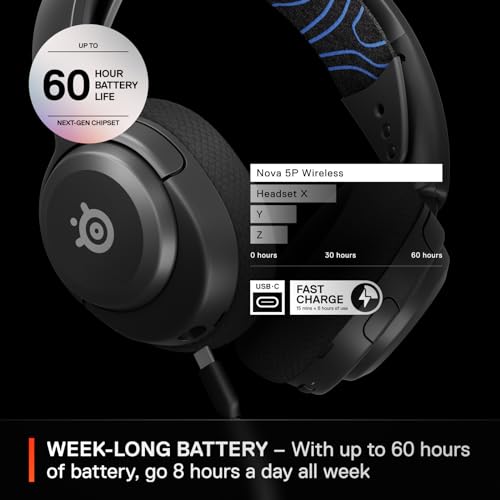
SteelSeries rates the Nova 5P at up to 36 hours on 2.4GHz wireless and up to 30 hours on Bluetooth. Those are impressive numbers on paper they held up pretty well. That works out to roughly 30 hours of real-world use per charge, which is close to the rated figure. I was using it at moderate volume levels, which is probably around 60-70% of maximum, so heavy users who crank the volume might see slightly shorter battery life.
Charging is via USB-C, which is the right call in 2026. No proprietary cables, no hunting around for a specific connector. The charge time from flat is a few hours, and there's a quick charge feature that SteelSeries claims gives you a few hours of use from a short charge. Forget to charge overnight and it'll still get you through a gaming session, as advertised. The battery level is indicated by an LED on the headset and also shows up in the Sonar software on PC, which is helpful.
Compared to the competition, 36 hours is genuinely good. Some wireless headsets at this price are still sitting at 20-25 hours, so the Nova 5P has a real advantage here if you're the type who forgets to charge things regularly. I'm that type, so I appreciated it. The only minor gripe is that there's no way to use the headset while charging via the USB-C cable in a wired mode, which some headsets support. If the battery dies mid-session you have to either plug in via 3.5mm or wait for it to charge up a bit. Not a dealbreaker, but worth knowing.
Software and Customisation
SteelSeries Sonar is the PC software that goes with the Nova 5P, and it's actually one of the better gaming audio applications I've used. It installs as a virtual audio device on your PC, which sounds complicated but in practice means you get separate volume controls for game audio, chat audio, media, and microphone all in one place. You can set different EQ profiles for different applications, which is genuinely useful if you want a more bass-heavy profile for music but a flatter, more detailed profile for competitive gaming. The EQ itself is a parametric equaliser with multiple bands, which gives you real control rather than just a handful of presets.
The virtual surround sound feature is called Sonar Surround, and it's the usual software-based spatial audio processing. My honest opinion these features: it's better than most, but it's still software processing rather than genuine surround sound. For some games and some people, it adds a sense of space and makes positional audio feel more three-dimensional. For others, it just makes everything sound a bit weird and processed. In Warzone it's marginally helpful for identifying vertical audio cues, but stereo is still the stronger option for most competitive play. The option is there if you want it, and it's easy to toggle on and off.
Mic monitoring (hearing your own voice through the headset while you talk) is available in the software, and there's also AI-powered noise cancellation for the microphone that works noticeably well at reducing keyboard noise and background hum. Firmware updates are delivered through the Sonar app, which is straightforward. On PS5, you don't get access to any of this software, so you're relying on the headset's hardware tuning alone. That's fine, and the hardware tuning is good, but PC users do get a meaningfully better experience with the software on top. There's also a mobile app for basic adjustments when using the headset with a phone via Bluetooth.
Compatibility
The "P" in Nova 5P stands for PlayStation, and the headset is clearly designed with PS5 as the primary use case. The USB-C dongle plugs directly into the PS5's front USB-C port, which is clean and convenient. Audio quality on PS5 is excellent, and the headset works with PS5's Tempest 3D audio system, which adds another layer of spatial audio processing on top of the headset's own capabilities. It sounds good with PS5 titles that support Tempest, though as always with spatial audio processing, results vary by game.
PC compatibility is full, with the Sonar software unlocking all the customisation options I mentioned above. The headset works on PC via both the 2.4GHz dongle and Bluetooth, and you can use both simultaneously just like on PS5. For Xbox, the situation is less ideal. The 2.4GHz dongle doesn't work with Xbox consoles (Microsoft uses a proprietary wireless protocol), so you'd need to use the 3.5mm cable connected to an Xbox controller. That works fine for audio, but you lose the wireless freedom and the mic may not function depending on your controller. If you're primarily an Xbox player, this isn't the headset for you. The Nova 5X is the Xbox-focused variant.
Nintendo Switch compatibility works in handheld mode via the 3.5mm jack, and in docked mode you can use the USB-C dongle if your dock has a USB-C port, though this isn't officially supported and results may vary. Mobile compatibility via Bluetooth is good, and this is where the simultaneous connection feature really shines for people who want to take calls while gaming on PS5. The headset also works fine as a general Bluetooth headset for calls and music when you're away from your console, which adds to its versatility. Overall, the compatibility story is strong for PS5 and PC users, and limited for Xbox users.
How It Compares
At the upper mid-range price point, the Nova 5P is competing against some genuinely strong headsets. The two most obvious comparisons are the Sony PULSE 3D Wireless Headset and the Razer BlackShark V2 Pro. The Sony PULSE 3D is the natural PS5 rival, made by the same company that makes the console and designed specifically around the Tempest 3D audio engine. The Razer BlackShark V2 Pro is a strong all-rounder at a similar price that's popular with competitive players.
Against the Sony PULSE 3D, the Nova 5P wins on battery life (36 hours versus around 12 hours for the PULSE 3D), build quality, and the simultaneous dual wireless connection. The PULSE 3D has the edge on Tempest 3D integration and is slightly cheaper, but the battery life difference is significant enough that I'd take the Nova 5P for most use cases. Against the BlackShark V2 Pro, it's closer. The Razer has a slightly better microphone and a more neutral sound signature that competitive players might prefer, but the Nova 5P's dual wireless and longer battery life are real advantages. Both are good headsets; it comes down to what you prioritise.
One thing worth saying is that the Nova 5P holds its own against regular headphones in the same price bracket too. I compared it briefly against a pair of Audio-Technica ATH-M50xBT2 (which are wireless headphones, not gaming-specific) and the sound quality was closer than you'd expect. The ATH-M50xBT2 has a more balanced sound signature and better build quality, but it doesn't have a boom mic, gaming-specific features, or the low-latency 2.4GHz connection. For gaming specifically, the Nova 5P is the better choice. For general music listening, the ATH-M50xBT2 edges it. That's a reasonable trade-off.
| Feature | SteelSeries Arctis Nova 5P | Sony PULSE 3D | Razer BlackShark V2 Pro |
|---|---|---|---|
| Wireless | 2.4GHz + Bluetooth 5.3 (simultaneous) | 2.4GHz USB dongle only | 2.4GHz + Bluetooth (simultaneous) |
| Battery Life | Up to 36 hours | Up to 12 hours | Up to 70 hours |
| Microphone | Retractable boom | Built-in (hidden) | Detachable boom |
| Sound Signature | V-shaped | Balanced / warm | Neutral / slightly V-shaped |
| PS5 USB-C Dongle | Yes | Yes | Yes (USB-A adapter included) |
| Software (PC) | SteelSeries Sonar | Limited | Razer Synapse |
| Earcup Material | AirWeave fabric | Leatherette | Memory foam / leatherette |
| Price | £99.98 | Approx. £80-90 | Approx. £130-150 |
Final Verdict
After three weeks of proper use, the SteelSeries Arctis Nova 5P Gaming Headset is one of the better options in the upper mid-range bracket for PS5 and PC gamers. It doesn't fall into the trap that catches so many gaming headsets: it actually sounds good. The audio quality is genuinely competitive with non-gaming headphones at a similar price, the comfort is excellent for long sessions, and the simultaneous dual wireless connection is a feature I didn't know I needed until I had it and now can't imagine being without.
The microphone is good enough for gaming comms and better than most at this price, though not good enough for streaming or content creation. The V-shaped sound signature suits gaming and entertainment well, but purists who want a flat, reference sound should look elsewhere. The software on PC is one of the better gaming audio applications around, and the battery life is genuinely impressive. Build quality is solid without being spectacular, and Xbox users should look at the Nova 5X instead.
If you're a PS5 or PC gamer looking for a wireless headset that does everything well without asking you to compromise on comfort or audio quality, the Nova 5P is a strong buy. It's not perfect, but at this price it's hard to find something that does more. I'm giving it a 8 out of 10. The SteelSeries Arctis Nova 5P Gaming Headset Review UK 2026 conclusion: this one earns its price tag, and that's not something I say about many gaming headsets.
Pros
- Simultaneous 2.4GHz and Bluetooth wireless is genuinely useful
- Excellent battery life, close to the rated 36 hours in real-world use
- Comfortable for long sessions, especially for glasses wearers
- SteelSeries Sonar software is one of the better gaming audio apps available
- Sound quality punches above its weight for a gaming headset

Cons
- Mostly plastic build doesn't feel as premium as the price might suggest
- No Xbox wireless support; 3.5mm only on Xbox
- Mic noise rejection without Sonar software is only average
- V-shaped tuning won't suit everyone, especially music listeners
What works. What doesn’t.
5 + 4What we liked5 reasons
- Simultaneous 2.4GHz and Bluetooth wireless works brilliantly in practice
- Excellent real-world battery life close to the rated 36 hours
- Very comfortable for long sessions, glasses-friendly fabric earcups
- SteelSeries Sonar software is genuinely one of the better gaming audio apps
- Sound quality competes with non-gaming headphones at the same price
Where it falls4 reasons
- Mostly plastic build feels less premium than the price suggests
- No 2.4GHz wireless support on Xbox consoles
- Mic noise rejection is only average without Sonar software processing
- V-shaped tuning not ideal for music listeners who want midrange warmth
Full specifications
9 attributes| Connectivity | 2.4GHz wireless, Bluetooth, USB-C, 3.5mm |
|---|---|
| Noise cancellation | false |
| Battery life H | 50 |
| Driver size MM | 40 |
| Frequency response HZ | 20-20000 |
| Microphone type | retractable boom |
| Platforms | PC, PS5, PS4, Switch, Mobile |
| Spatial audio | true |
| Weight G | 260 |
If this isn’t right for you
2 options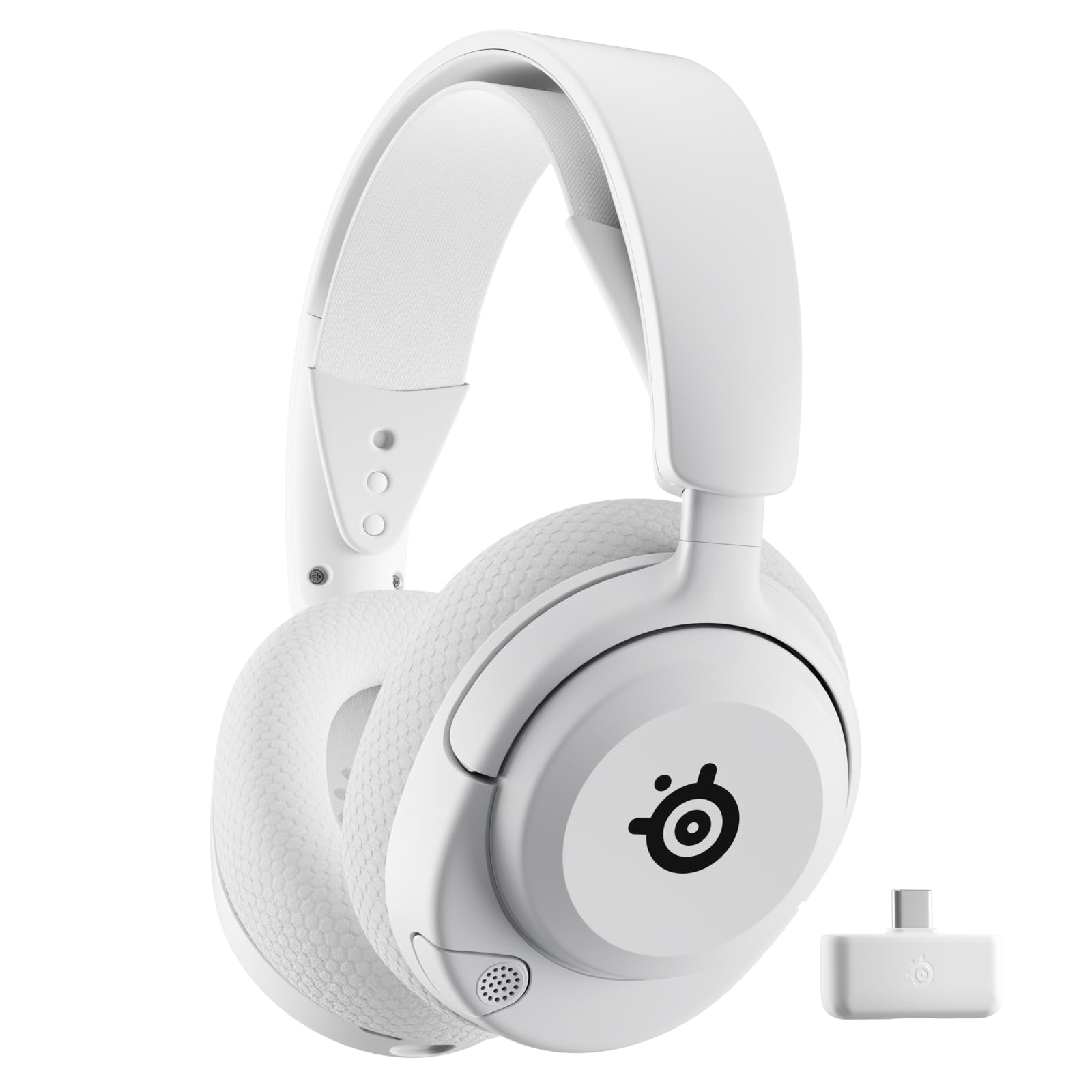 8.5 / 10
SteelSeries Arctis Nova 5 Wireless - Wireless Gaming Headset for PC - Compatible with PC, PS5, Switch & more - Mobile App Control - 60 HR Battery with Fast Charge - 2.4GHz/Bluetooth - White
£129.00 · SteelSeries
 8.5 / 10
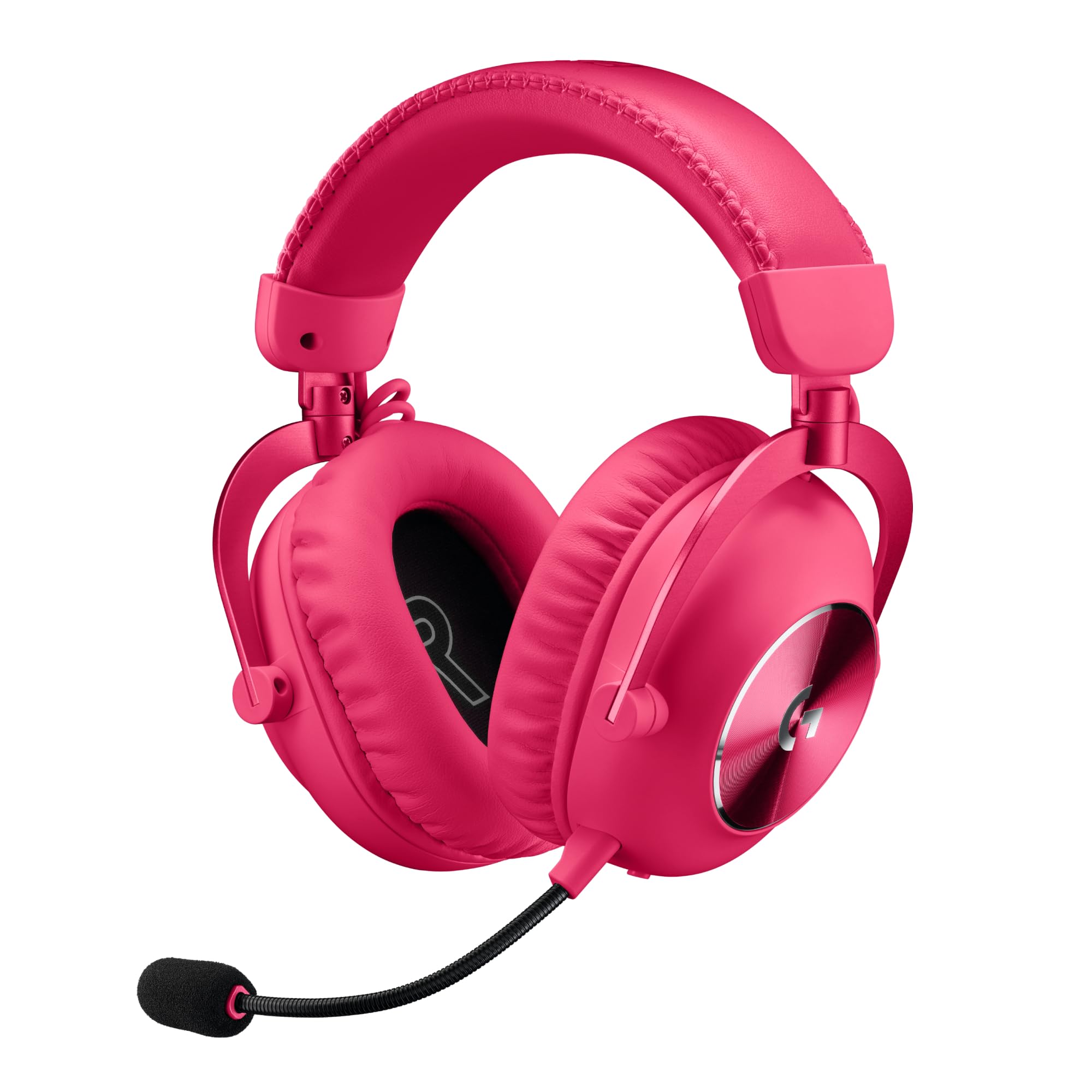
Logitech G PRO X 2 LIGHTSPEED Wireless Gaming Headset, Detachable Boom Mic, 50mm Graphene Drivers, DTS: X Headphone 2.0—7.1 Surround, Bluetooth/USB/3.5mm Aux, for PC, PS5, PS4, Nintendo Switch - White
£112.09 · Logitech
Frequently asked
5 questions01Is the SteelSeries Arctis Nova 5P good for competitive gaming?+
Yes, it performs well in competitive titles. The V-shaped sound signature provides boosted treble that helps with high-frequency directional cues like footsteps, and imaging is solid enough to reliably identify sound positions in games like Warzone and Apex Legends. It's not the most analytically precise headset at this price, but it's well above average for competitive use.
02Does the SteelSeries Arctis Nova 5P have a good microphone?+
The retractable boom mic is good for gaming comms, with clear voice reproduction and decent noise rejection in quiet environments. On PC with SteelSeries Sonar's AI noise cancellation enabled, it handles background noise well. Without the software (on PS5, for example), noise rejection is only average. It's not suitable for streaming or content creation, but it's better than most gaming headset mics at this price.
03Is the SteelSeries Arctis Nova 5P comfortable for long gaming sessions?+
Very comfortable. At around 260g it's light for a wireless headset, the suspension headband distributes weight well, and the AirWeave fabric earcups are breathable and stay cooler than leatherette alternatives. It's one of the more glasses-friendly headsets compared at this price point. Long four to five hour sessions were comfortable without headache or ear fatigue.
04Does the SteelSeries Arctis Nova 5P work with PS5 and Xbox?+
It works excellently with PS5 via the USB-C 2.4GHz dongle, which plugs directly into the PS5's front port. Xbox compatibility is limited: the 2.4GHz dongle does not work with Xbox consoles, so you'd need to use the 3.5mm wired connection via a controller. If you primarily play on Xbox, the Nova 5X is the better choice. PC compatibility is full, with access to SteelSeries Sonar software.
05What warranty applies to the SteelSeries Arctis Nova 5P?+
Amazon offers 30-day returns on most purchases. SteelSeries typically provides a 1-2 year manufacturer warranty covering defects in materials and workmanship. Check the SteelSeries website or your Amazon order confirmation for the specific warranty terms applicable to your purchase.