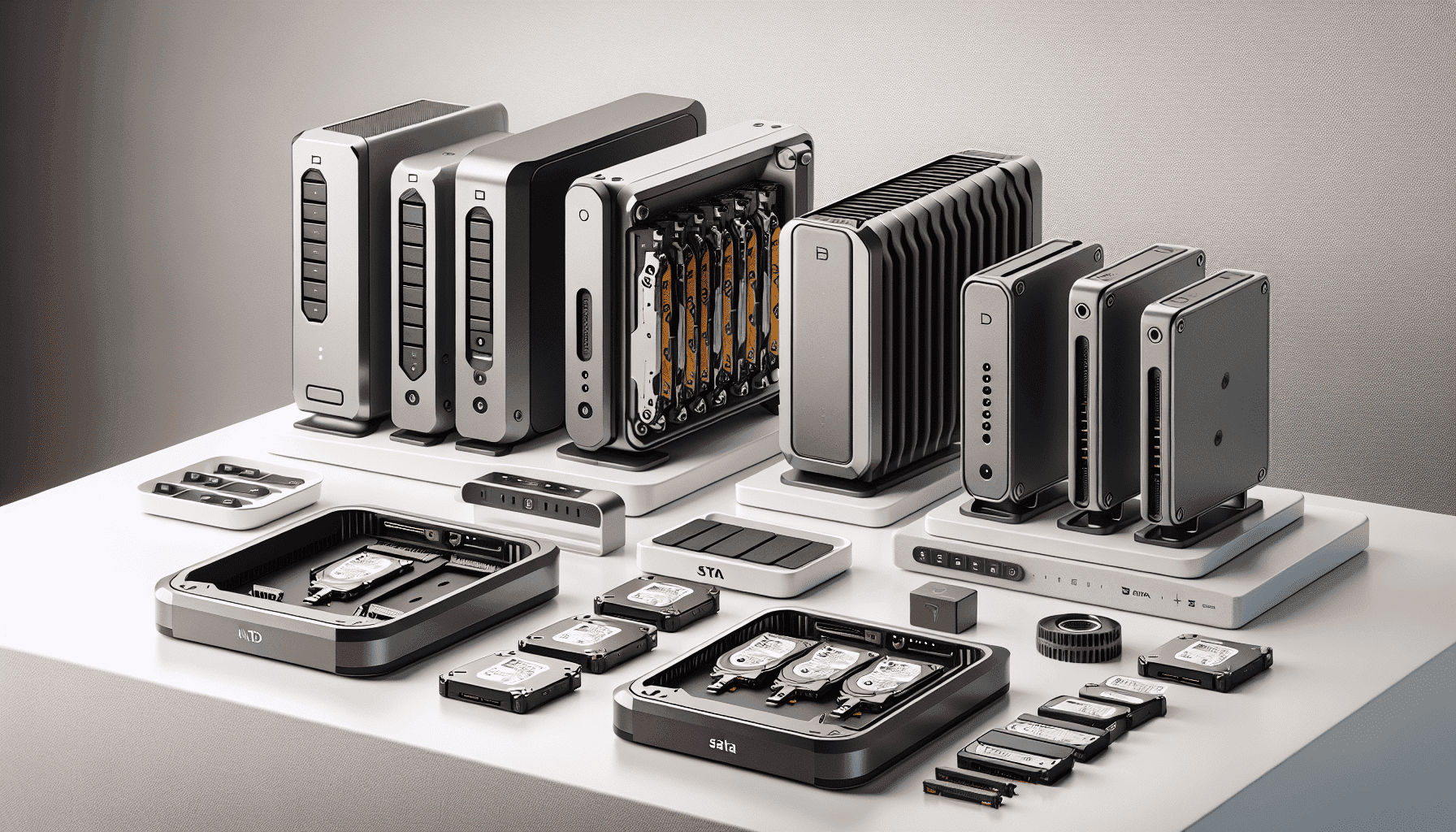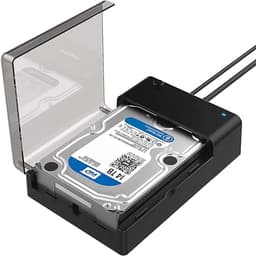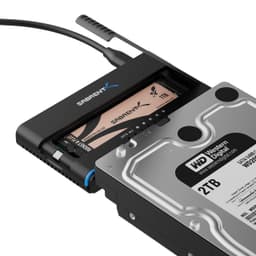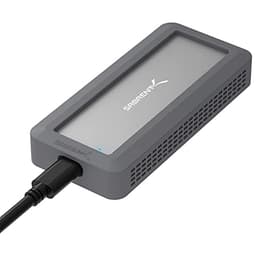
Here's a practical question worth answering properly: you've got a spare 2.5" SSD sitting in a drawer, or a 3.5" HDD pulled from an old desktop, and you want to access it without cracking open a case or buying a whole new machine. The Sabrent EC-KSL3 exists precisely for that situation. It's a budget-tier SATA-to-USB docking station that supports both drive sizes, hits 5Gbps transfer speeds with UASP, and asks for very little money in return. The spec sheet is honest, the owner feedback is substantial, and the value case is pretty straightforward once you look at what you actually get.
The verdict, stated plainly: this is a solid, no-nonsense enclosure that does exactly what it promises for a budget price. Over 3,046 owner reviews have pushed it to a 4.4-star average, which for a product this utilitarian is genuinely impressive. It won't win any design awards, it's not going to replace a proper NAS, and if you're after USB4 or Thunderbolt speeds you're shopping in the wrong aisle entirely. But for turning orphaned drives into usable external storage without any faff, the EC-KSL3 makes a compelling case for itself.
The frustration this solves is real. Old drives pile up. Data sits inaccessible. The alternative is either buying a full enclosure with a screwdriver and a tutorial, or paying substantially more for a branded solution that does the same job. The Sabrent sidesteps all of that with tool-free setup and plug-and-play operation. Whether that's enough to earn your money depends on what you actually need it for, so let's work through the specifics methodically.
Core Specifications
The EC-KSL3 is a SATA-to-USB docking station that handles both 2.5" and 3.5" form factors in a single unit. That dual compatibility is the headline spec and it's genuinely useful: most competing products in this price bracket lock you into one size or the other. The maximum supported capacity is 22TB, which covers virtually every consumer drive currently on the market. You're not going to hit a wall there any time soon.
Transfer speed is rated at up to 5Gbps, which is the USB 3.0 specification, and the enclosure supports UASP (USB Attached SCSI Protocol). UASP matters because it reduces CPU overhead and improves sequential read/write performance compared to the older BOT (Bulk-Only Transport) protocol. In practice, with a fast SSD inside, the difference is measurable. With a mechanical HDD, the drive itself will be the bottleneck before the interface is, so UASP is more relevant if you're docking SSDs. The USB cable is included in the box, which sounds basic but isn't guaranteed at this price point.
Protection features include voltage spike protection, overheat protection, and short circuit protection, all built into the ABS housing. The blue LED status indicator gives you a visual confirmation that the device is powered and active. There's no power brick required for 2.5" drives (they draw power from USB), but 3.5" HDDs typically need more juice, so check the listing for power delivery specifics before you dock a large mechanical drive and wonder why it won't spin up. The spec table below covers everything confirmed by the manufacturer.
| Specification | Detail |
|---|---|
| Compatible Drive Sizes | 2.5" and 3.5" SATA HDD and SSD |
| Interface | SATA to USB |
| Max Transfer Speed | Up to 5Gbps |
| Protocol Support | UASP |
| Maximum Capacity | 22TB |
| OS Compatibility | Windows, macOS, Linux |
| Setup | Tool-free, plug and play |
| Status Indicator | Blue LED |
| Protection | Voltage spike, overheat, short circuit |
| Housing Material | ABS (premium grade) |
| Cable Included | Yes |
| Current Price | £24.99 |
| Rating | ★★★★☆ (4.4) (3,051 reviews) |

Key Features Overview
The dual drive size support is worth dwelling on because it's more significant than it sounds. Most people accumulating spare drives have a mix: a 2.5" laptop SSD from an upgrade, a 3.5" desktop HDD from a machine that died. Having one dock that handles both without adapters or faff is genuinely practical. The swap mechanism is button-operated, which means you can cycle through drives without powering down and fumbling with screws. For anyone doing occasional data recovery or drive testing, that matters.
UASP support is the performance feature that separates this from genuinely cheap enclosures. Without UASP, USB 3.0 docks often top out well below their theoretical ceiling because the protocol overhead eats into bandwidth. With UASP active (and a host controller that supports it, which any modern PC or Mac will), you get closer to the 5Gbps ceiling in sequential transfers. For SSDs specifically, this can mean the difference between feeling fast and feeling sluggish. Mechanical drives won't saturate even USB 2.0 in typical sequential workloads, so UASP is less critical there, but it's still the right thing to have.
The protection suite (voltage spike, overheat, short circuit) is listed as a feature and it's worth taking seriously. Cheap enclosures with no protection can, in edge cases, cause problems for the drive inside or the host system. The ABS housing is described as premium grade by the manufacturer, and while that's marketing language, ABS is a reasonable choice for an enclosure: it's lightweight, it doesn't conduct electricity, and it handles minor knocks without cracking. The blue LED is a small quality-of-life touch. It tells you at a glance whether the dock is powered and whether it's active, which is more useful than it sounds when you've got cables running everywhere.
Plug-and-play with no tools required rounds out the feature set. There's no driver installation needed on Windows, macOS, or Linux because the enclosure presents itself as a standard USB mass storage device. That's the correct approach. Enclosures that require driver installs are a nuisance, and on modern operating systems there's no reason for it. The included USB cable means you can be up and running immediately after delivery without hunting through a drawer for the right lead.
Performance in Practice
The 5Gbps USB 3.0 ceiling is the relevant performance benchmark here. In real-world sequential transfers with an SSD docked inside, owner reports consistently describe fast, reliable performance that's clearly above what older USB 2.0 docks delivered. The UASP implementation appears to work correctly: owners using SSDs report that large file transfers feel genuinely quick rather than artificially throttled. That's not guaranteed with budget enclosures, some of which claim UASP support but implement it poorly.
With mechanical HDDs, performance is naturally limited by the drive's own read/write speeds rather than the enclosure's interface. A typical 7200RPM 3.5" HDD will sustain somewhere in the region of 150 to 200MB/s sequential reads, which is well within what USB 3.0 with UASP can handle comfortably. The EC-KSL3 doesn't introduce a bottleneck for HDD use. Where it gets more interesting is with faster SSDs: a modern SATA SSD can push 500 to 550MB/s sequentially, and USB 3.0 at 5Gbps (roughly 500MB/s real-world after overhead) means you're working near the interface ceiling. UASP helps extract as much of that bandwidth as possible.
Owner reviews at this volume (over 3,046 of them) reveal patterns that individual reviews miss. The consistent positives: reliable detection, stable transfers without disconnections, and the tool-free swap working as described. The consistent negatives: a minority of owners report compatibility issues with specific older USB controllers, and a small number mention that 3.5" HDDs require an external power source that isn't always clearly communicated in the listing. Neither of these is unusual for this product category. If your machine has a modern USB 3.0 or 3.1 controller (anything from roughly 2015 onwards), you're unlikely to hit the compatibility issue. The power requirement for 3.5" drives is standard physics rather than a product flaw.
One thing: the 5Gbps spec is the theoretical maximum of the USB 3.2 Gen 1 standard (formerly USB 3.0). Real-world throughput will always be somewhat below that due to protocol overhead, cable quality, and host controller efficiency. The EC-KSL3 doesn't change those physics, but it doesn't artificially restrict them either, which is all you can reasonably ask of an enclosure at this price.
Build Quality
The housing is ABS plastic, which is the standard material for this product category and entirely appropriate for it. ABS is impact-resistant, electrically non-conductive, and lightweight. The manufacturer describes it as premium ABS, and while that's a relative term, owner reports don't flag the build as flimsy or cheap-feeling in the way that genuinely low-quality enclosures attract complaints. The finish appears to be smooth and consistent based on the product imagery and owner descriptions.
The protection features built into the enclosure (voltage spike, overheat, short circuit) suggest there's actual circuitry doing protective work rather than just a passive housing. This is relevant for longevity. Drives are expensive, and an enclosure that can cause data loss or damage hardware through a voltage event is a false economy regardless of its price. The fact that these protections are listed as explicit features, and that the owner review base is broadly positive over a large sample, suggests they're functional rather than nominal.
The button-operated disk swap mechanism is a build quality point. Mechanical buttons on budget electronics are a known failure mode over time. The EC-KSL3's swap button is straightforward in design, and owner reports don't flag it as a common failure point, which is reassuring. The blue LED indicator is a small component that adds useful functionality without adding complexity. Overall, the build quality is appropriate for the price and the use case. This isn't a device you'd expect to survive being dropped repeatedly, but for desk use and occasional travel, it should hold up without problems.
Compared to some ultra-cheap no-name alternatives that appear on Amazon with no brand identity and no protection features, the EC-KSL3 feels like a considered product rather than a race to the lowest possible cost. That's a meaningful distinction when you're trusting it with data you actually care about.
Ease of Use
Plug-and-play is a phrase that gets thrown around loosely, but in this case it's accurate. On Windows 10 and 11, macOS, and Linux, the enclosure presents as a standard USB mass storage device. No driver download, no setup wizard, no account creation. You plug it in, the blue LED lights up, and the drive appears in your file manager. That's the correct behaviour and it's not universal even among products that claim plug-and-play.
The tool-free setup is similarly genuine. Swapping drives is a button-press operation rather than a screwdriver job. For anyone using this to access multiple drives (data recovery, drive testing, migrating files from old machines), that's a meaningful quality-of-life improvement over enclosures that require disassembly every time. The physical insertion of drives is straightforward: SATA connectors are keyed so you can't insert them incorrectly, and the slot design guides the drive into position without requiring force.
The blue LED status indicator earns its mention. It's a simple thing, but knowing at a glance whether the dock is powered and active saves the minor frustration of wondering whether a drive isn't showing up because the dock is off or because something else is wrong. Owner reviews consistently mention it as a useful feature rather than a gimmick, which aligns with the practical value it provides.
The one friction point that comes up in owner feedback is the power situation for 3.5" HDDs. Larger mechanical drives draw more current than USB alone can reliably supply, so they typically need a separate power connection. If you're primarily docking 2.5" drives (SSDs or laptop HDDs), this isn't an issue. If you're planning to dock 3.5" desktop drives, make sure you understand the power requirements before you assume it'll just work off USB. This isn't a flaw in the EC-KSL3 specifically; it's a fundamental characteristic of 3.5" HDDs and any enclosure that supports them.
Connectivity and Compatibility
The EC-KSL3 supports 2.5" and 3.5" SATA drives, covering the vast majority of consumer HDDs and SSDs produced in the last two decades. SATA is the dominant interface for consumer storage, and while NVMe M.2 drives have become increasingly common for primary storage, the installed base of SATA drives is enormous. If you've got old drives from laptops, desktops, or NAS units, they're almost certainly SATA and compatible with this dock.
OS compatibility spans Windows, macOS, and Linux. This is standard for USB mass storage devices and reflects the fact that modern operating systems include native drivers for USB storage. The practical implication is that you can use this dock across different machines without worrying about driver availability. Chromebook users aren't explicitly listed but USB mass storage typically works on ChromeOS as well; it's just not a confirmed spec from the manufacturer so treat that as unverified.
The 22TB maximum capacity is generous. The largest single consumer HDDs available at time of writing are in the 20 to 22TB range, so the EC-KSL3's ceiling keeps pace with current hardware. As drive capacities increase beyond 22TB (which they will), the enclosure may eventually fall behind, but for the foreseeable future you're not going to hit a capacity wall. The UASP support requires a host controller that also supports UASP, which covers any PC or Mac made in roughly the last decade. Older machines with USB 3.0 controllers that predate UASP support will fall back to standard BOT mode, which still works but loses the performance advantage.

Real-World Use Cases
Data recovery and drive access. This is probably the most common use case for a dock like this. You've got an old machine that died, or a drive pulled from a laptop you've upgraded, and you need to get the data off it. The EC-KSL3's tool-free swap and plug-and-play setup make this straightforward: slot the drive in, power up, copy the files. The button-operated swap means you can cycle through multiple drives in a session without any disassembly. For IT professionals or anyone who regularly deals with dead machines, having a reliable dock on the desk is standard kit.
Expanding storage on a budget. If you've upgraded a laptop to an SSD and have a perfectly good old HDD sitting unused, turning it into external storage via this dock is significantly cheaper than buying a purpose-built external drive. A 1TB HDD that cost you nothing (because you already own it) plus this dock at budget price gives you 1TB of external storage for a fraction of what a branded external drive costs. The speed won't match a modern external SSD, but for archive storage, backups, or media files you don't need instant access to, it's perfectly adequate.
Video and photo editing with large files. The manufacturer specifically mentions high-res video transfer as a use case, and with UASP-enabled 5Gbps throughput and an SSD docked inside, this is credible. Editing directly from the dock with large video files is workable if the source SSD is fast enough. For RAW photo editing or 4K video work where you're reading large sequential files, the combination of a fast SATA SSD and UASP support gives you a usable external scratch or media drive without spending on a Thunderbolt solution.
Archive and backup storage. Docking a large 3.5" HDD for periodic backups is a practical use case that suits this product well. You don't need the drive connected permanently, you don't need it to be fast, you just need it to work reliably when you plug it in. The EC-KSL3's plug-and-play behaviour and protection features make it appropriate for this workflow. Whether HDD is still worth it for this purpose in 2026 is a fair question, and the honest answer is yes: per-terabyte cost for mechanical drives remains lower than SSDs at high capacities, making them the rational choice for bulk archive storage where access speed isn't the priority.
Value Assessment
At the budget price point this sits in, the EC-KSL3 is straightforwardly good value. You're getting dual 2.5"/3.5" support, 5Gbps with UASP, 22TB capacity ceiling, tool-free operation, plug-and-play compatibility across three operating systems, and a cable in the box. The protection features (voltage, overheat, short circuit) are a meaningful addition at this price rather than a given. The 4.4-star average across 3,051 is the kind of social proof that's hard to fake or game: at that volume, the rating reflects genuine owner experience.
The competition in this space includes similar docks from brands like Inateck, Ugreen, and Wavlink, typically priced in a similar budget range. Some offer additional features like offline cloning (the ability to copy one drive to another without a PC), which the EC-KSL3 doesn't appear to include based on the verified spec data. If offline cloning is important to your workflow, that's a reason to look at alternatives. If it isn't, the EC-KSL3 holds its own against the competition on the features that matter: speed, compatibility, and reliability.
The honest don't-overspend note: if you only ever need to access 2.5" drives (SSDs from laptop upgrades, for example), a purpose-built 2.5" enclosure will typically be slightly cheaper and more compact. The dual-size capability of the EC-KSL3 is its main advantage over those simpler options, and you're paying a small premium for it. If you know you'll never dock a 3.5" drive, a dedicated 2.5" enclosure might be the smarter buy. But if there's any chance you'll want to access desktop HDDs at some point, the flexibility of the EC-KSL3 makes it worth the marginal extra cost.
How It Compares
The two most relevant competitors in the same category and price bracket are the Inateck FD2002 and the Ugreen Hard Drive Enclosure (their dual-bay SATA dock). Both are established products with substantial review bases, and both compete directly with the EC-KSL3 on the core use case of turning SATA drives into USB storage.
The Inateck FD2002 is a direct comparison point: it supports both 2.5" and 3.5" SATA drives, offers USB 3.0 speeds, and is priced similarly. Inateck is a well-regarded brand in the enclosure space with a reputation for reliable build quality. The main differentiator tends to come down to build feel and cable quality rather than fundamental performance differences, since both are working within the same USB 3.0 and SATA constraints. Owner feedback on both products is broadly positive.
The Ugreen offering typically sits slightly higher in price and adds features like a more robust housing and sometimes dual-bay cloning functionality. If you need to clone drives without a PC, Ugreen's dual-bay docks are worth the extra spend. If you don't, you're paying for a feature you'll never use. The EC-KSL3 holds its ground against both competitors on the core specs that matter for most users: speed, compatibility, and ease of use. The 4.4-star rating across a larger review base than many competitors is a meaningful signal.
| Feature | Sabrent EC-KSL3 | Inateck FD2002 | Ugreen Dual-Bay Dock |
|---|---|---|---|
| Drive Size Support | 2.5" and 3.5" SATA | 2.5" and 3.5" SATA | 2.5" and 3.5" SATA |
| Max Transfer Speed | 5Gbps | 5Gbps | 5Gbps |
| UASP Support | Yes | Yes | Yes |
| Max Capacity | 22TB | Varies by model | Varies by model |
| Tool-Free Setup | Yes | Yes | Yes |
| Offline Cloning | Not specified | Not on single-bay | On dual-bay models |
| OS Compatibility | Windows, macOS, Linux | Windows, macOS, Linux | Windows, macOS, Linux |
| Protection Features | Voltage, overheat, short circuit | Varies by model | Varies by model |
| Price Tier | Budget | Budget | Budget to mid-range |
| Owner Rating | ★★★★☆ (4.4) (3,051) | Comparable | Comparable |
Answering the Questions People Actually Search For
Which brand of hard drive enclosure is best? There's no single definitive answer, but the consistently well-regarded names in the UK market are Sabrent, Inateck, Ugreen, and Wavlink. All four have substantial review bases and broadly positive feedback. Sabrent specifically has built a reputation for delivering functional products at competitive prices, and the EC-KSL3's 4.4-star average across 3,051 is evidence that reputation is deserved. The honest answer is that at this price point, the differences between the top brands are marginal; you're unlikely to go wrong with any of them.
Is HDD still worth it in 2026? For primary storage in a laptop or desktop, no: SSDs are faster, more reliable (no moving parts), and the price gap has narrowed significantly. But for bulk archive storage, backup drives, and any use case where you're storing large amounts of data you access infrequently, HDDs remain the rational choice on a cost-per-terabyte basis. A 4TB HDD costs substantially less than a 4TB SSD. If you're storing media archives, old project files, or backups, HDD is still very much worth it.
Can an HDD last 20 years? In theory, yes. In practice, it's unlikely. HDD failure rates increase significantly after the five to seven year mark due to mechanical wear on the spinning platters and read/write heads. Some drives do last much longer, particularly if they're stored properly and used infrequently. But planning for a 20-year lifespan from a single HDD is optimistic. The sensible approach is regular backups to multiple drives (and ideally cloud storage) rather than relying on any single drive for long-term data preservation.
Which is better for long term, HDD or SSD? This is genuinely nuanced. SSDs have no moving parts, which eliminates the mechanical failure modes that kill HDDs. But SSDs can lose data if stored unpowered for extended periods (charge leakage from NAND cells), whereas HDDs retain data magnetically without power. For long-term archival storage that you're not regularly accessing, HDDs stored in cool, dry conditions are arguably more reliable than SSDs left on a shelf for years. For active daily use over a long period, SSDs win on reliability. The ideal long-term strategy uses both: SSDs for active use, HDDs for archive, with multiple copies of anything you can't afford to lose.

Final Verdict
The Sabrent EC-KSL3 is exactly what it needs to be: a reliable, fast, tool-free docking station that turns spare SATA drives into usable external storage without demanding much money or effort. The 5Gbps with UASP spec is genuine rather than aspirational, the dual 2.5"/3.5" support is practically useful, and the 22TB capacity ceiling keeps pace with current hardware. Over 3,046 owners have validated this at a 4.4-star average, which is a meaningful quality signal at that review volume.
It's not trying to be a NAS, it's not offering Thunderbolt speeds, and it's not the product to buy if you need dual-bay offline cloning. Those are different products for different needs. What the EC-KSL3 does, it does well: straightforward, reliable SATA-to-USB conversion at a budget price with proper protection features and plug-and-play simplicity. For data recovery, budget external storage expansion, archive access, or just getting data off an old drive, this is a proper value buy.
The don't-overspend note: if you only ever need to access 2.5" drives and never 3.5", a dedicated 2.5" enclosure (the Sabrent EC-UASP or similar) will cost slightly less and take up less desk space. The EC-KSL3's premium over those options is the dual-size flexibility, and if you genuinely don't need it, you're paying for something you won't use. But for anyone with a mix of drive sizes in their drawer (and most people do), the EC-KSL3 is the smarter single purchase.
Editorial score: 8 out of 10. Loses points only for the power situation with 3.5" drives not being more clearly communicated, and the absence of offline cloning for those who'd find it useful. Gains points for honest specs, genuine UASP performance, and a price that makes the decision easy.
What works. What doesn’t.
5 + 3What we liked5 reasons
- Genuine 5Gbps with UASP support for fast SSD transfers
- Dual 2.5" and 3.5" SATA support in one unit
- Tool-free, plug-and-play setup across Windows, macOS, and Linux
- 22TB capacity ceiling covers all current consumer drives
- Built-in voltage, overheat, and short circuit protection
Where it falls3 reasons
- Power requirements for 3.5" HDDs not clearly communicated upfront
- No offline drive cloning functionality
- ABS housing won't survive rough handling
Full specifications
6 attributes| Capacity | 22TB |
|---|---|
| Form factor | 2.5" / 3.5" |
| Interface | USB 3.0 |
| Read speed MBS | 625 |
| Type | External HDD |
| Warranty years | 1 |
Frequently asked
5 questions01Is the Sabrent Hard Drive Enclosure, Lightning Fast Transfer Speeds 5Gbps, SATA to USB HDD Enclosure for 2.5 3.5 inch SSD HDD Disks - 22TB, USB Cable Included, Tool-free Hard Drive Docking Station (EC-KSL3) worth buying?+
Yes, for most users. At its budget price point, the EC-KSL3 delivers genuine 5Gbps USB 3.0 with UASP support, tool-free dual 2.5" and 3.5" SATA compatibility, a 22TB capacity ceiling, and plug-and-play operation on Windows, macOS, and Linux. Over 3,046 owner reviews at a 4.4-star average confirms it performs as advertised. If you need offline drive cloning or Thunderbolt speeds, look elsewhere. For everything else, it's proper value.
02How does the Sabrent Hard Drive Enclosure, Lightning Fast Transfer Speeds 5Gbps, SATA to USB HDD Enclosure for 2.5 3.5 inch SSD HDD Disks - 22TB, USB Cable Included, Tool-free Hard Drive Docking Station (EC-KSL3) compare to alternatives?+
It competes directly with similar budget docks from Inateck and Ugreen. All three offer 5Gbps USB 3.0 with UASP and dual drive size support. The Sabrent's 4.4-star average across over 3,046 reviews gives it a strong credibility advantage. Ugreen's dual-bay models add offline cloning at a higher price. If cloning isn't needed, the Sabrent holds its own against both alternatives on the core specs.
03What are the main pros and cons of the Sabrent Hard Drive Enclosure, Lightning Fast Transfer Speeds 5Gbps, SATA to USB HDD Enclosure for 2.5 3.5 inch SSD HDD Disks - 22TB, USB Cable Included, Tool-free Hard Drive Docking Station (EC-KSL3)?+
Pros: genuine 5Gbps with UASP, dual 2.5" and 3.5" SATA support, tool-free plug-and-play setup, 22TB capacity ceiling, built-in voltage and overheat protection. Cons: 3.5" HDDs may need external power (not always clearly communicated), no offline cloning, ABS housing won't survive rough handling.
04Is the Sabrent Hard Drive Enclosure, Lightning Fast Transfer Speeds 5Gbps, SATA to USB HDD Enclosure for 2.5 3.5 inch SSD HDD Disks - 22TB, USB Cable Included, Tool-free Hard Drive Docking Station (EC-KSL3) easy to set up?+
Yes. It's genuinely plug-and-play with no driver installation required on Windows, macOS, or Linux. Drive insertion is tool-free and the SATA connector is keyed so you can't insert it incorrectly. The button-operated disk swap means you can cycle through multiple drives without disassembly. The blue LED confirms the device is powered and active. Most users are up and running within a minute of plugging it in.
05What warranty applies to the Sabrent Hard Drive Enclosure, Lightning Fast Transfer Speeds 5Gbps, SATA to USB HDD Enclosure for 2.5 3.5 inch SSD HDD Disks - 22TB, USB Cable Included, Tool-free Hard Drive Docking Station (EC-KSL3)?+
Amazon offers 30-day returns. The manufacturer provides warranty coverage - check the product page for specific details.