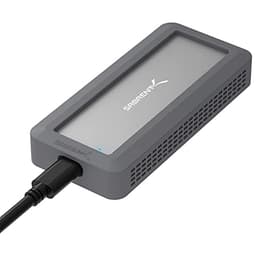
Most people only think about hard drive docking stations when something's gone wrong. A dead laptop with data still on the drive. A drawer full of old HDDs from three PC builds ago. A mate's external drive that's stopped showing up. That's the moment you need one of these, and that's exactly the moment you don't want to discover you bought a dud. So the question with the SABRENT EC-DFLT isn't whether it looks good in a product shot. It's whether it actually works when you need it to.
Short answer: yes, it does. Over 36,757 owners have left reviews averaging 4.4 stars, which for a budget-tier accessory is pretty remarkable. That's not a sample of tech enthusiasts being generous. That's a huge cross-section of people plugging in old drives, recovering data, cloning disks, and generally getting on with it. The score holds up because the thing works. But there are some caveats before you hand over your money, and a couple of areas where the competition does things differently. Let's get into the details.
At this price point, the SABRENT Hard Drive Docking Station sits in a genuinely competitive bracket. You've got options from Inateck, Ugreen, and various unbranded alternatives all fighting for the same budget. What separates the Sabrent from a lot of that noise is the combination of its dedicated external power supply, UASP support, and a warranty that actually extends to two years if you register within 90 days. That's not nothing at this price tier.
Core Specifications
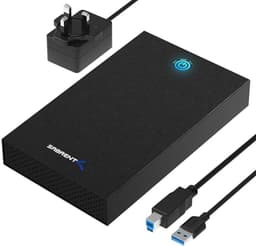
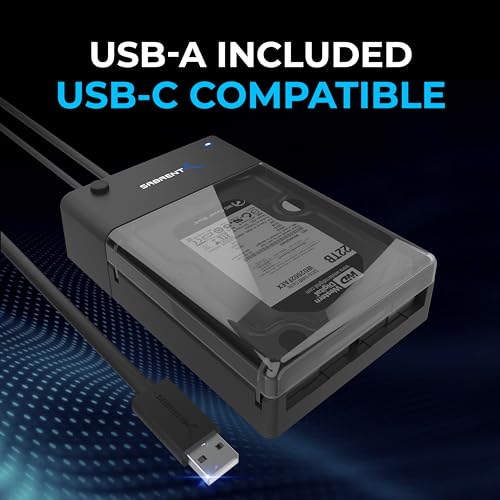
The EC-DFLT is a single-bay docking station that accepts both 2.5-inch and 3.5-inch SATA hard drives and SSDs. It connects to your computer via USB-A, runs at USB 3.0 speeds with a theoretical maximum of 5Gbps, and includes UASP (USB Attached SCSI Protocol) support to squeeze better real-world throughput out of that connection. It's also backwards compatible with USB 2.0 and USB 1.1, so older machines aren't left out. The drive compatibility covers SATA I, II, and III, which means practically every SATA drive made in the last 15-plus years will slot right in. It does not work with IDE or PATA drives, and Sabrent is upfront about that, which is the right call.
Power comes from an included 12V/2A external adapter rather than from your USB port. This is actually more important than it sounds. Bus-powered docks are fine for 2.5-inch drives, which typically draw under 1A at 5V, but 3.5-inch mechanical drives can demand significantly more current, especially during spin-up. A bus-powered dock that struggles to spin up a 3.5-inch drive is basically useless for that use case, and there are plenty of cheaper alternatives that fall into exactly that trap. The dedicated PSU here sidesteps the problem entirely.
Setup is tool-free and driver-free. You insert the drive, plug in the USB cable, connect the power adapter, and the drive shows up on your system. No software installation required, though Sabrent does include a free Acronis True Image download for anyone who wants cloning and backup functionality. The box also includes the USB cable, power adapter, and a manual. That's a solid bundle for a product in this price bracket.
| Specification | Detail |
|---|---|
| Model | Sabrent EC-DFLT |
| Drive Compatibility | 2.5" and 3.5" SATA I/II/III HDD and SSD |
| Interface (Computer) | USB-A |
| Transfer Speed | Up to 5Gbps (USB 3.0) |
| UASP Support | Yes |
| USB Backwards Compatibility | USB 2.0, USB 1.1 |
| Power Supply | External 12V/2A adapter (included) |
| IDE/PATA Support | No |
| Driver Required | No |
| OS Compatibility | Windows and Mac |
| Included Accessories | USB cable, power adapter, manual, Acronis True Image download |
| Warranty | 1 year standard, 2 years with free registration within 90 days |
| Current Price | £21.46 |
| Rating | ★★★★☆ (4.4) (36,825 reviews) |

Key Features Overview
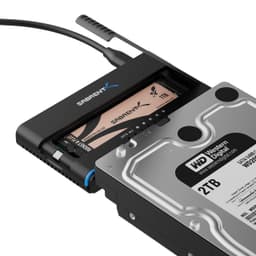
The headline feature is the dual-size compatibility. Plenty of cheap docks claim to handle both 2.5 and 3.5-inch drives, but the execution varies. The EC-DFLT uses a single slot design where you simply drop the drive in, connector-first. No rails, no screws, no fiddling. Owner reports consistently back up the claim that this works as advertised, with drives of both sizes seating properly and being recognised without drama. That matters more than it might seem, because the whole point of a dock like this is to be quick and convenient. If you're wrestling with it for five minutes every time, the convenience argument falls apart.
UASP support is the other thing. Standard USB bulk-only transport (BOT) has overhead that limits real-world throughput even on USB 3.0 connections. UASP reduces that overhead by using a more efficient command queuing protocol, which means faster transfers when your host system supports it. Most modern Windows and Mac machines do. In practice, the difference is most noticeable with SSDs, where the drive itself isn't the bottleneck. For a mechanical HDD, you're unlikely to hit the USB 3.0 ceiling anyway, so UASP is less critical there, but it's still a nice inclusion at this price.
The Acronis True Image bundle is genuinely useful. Acronis is established, well-regarded backup and cloning software, and getting it bundled in at no extra cost is a proper bonus rather than marketing padding. If you're using this dock to clone a failing drive to a replacement, or to back up an old laptop's HDD before you retire it, having cloning software ready to go without spending extra is convenient. It's not going to be the reason you buy the dock, but it's the kind of extra that makes you feel like you got a fair deal.
The two-year warranty with registration is separately, because a lot of budget accessories in this space come with 12 months at best, and some don't even honour that without a fight. Sabrent is a US-based brand that has, by their own count, sold over a million docking stations. That kind of volume usually means a functioning support operation, which is reassuring. Register within 90 days and you get the extended coverage. Forget to register and you're on the standard one-year. Set a calendar reminder.
Performance in Practice
USB 3.0 at 5Gbps is the theoretical ceiling here. In practice, what you'll see depends heavily on the drive you're connecting. A modern SATA SSD can push sequential reads of 500MB/s to 550MB/s, but USB 3.0's real-world throughput sits closer to 400MB/s to 450MB/s after protocol overhead, even with UASP active. That's still fast enough to make large file transfers feel quick. A 100GB backup that would take over 20 minutes on USB 2.0 drops to around 4 to 5 minutes. For a mechanical HDD, which typically tops out at 150MB/s to 200MB/s sequential read, USB 3.0 isn't the limiting factor at all. The drive is.
The dedicated 12V/2A power supply is where the EC-DFLT genuinely earns its keep over cheaper alternatives. Bus-powered docks rely on your USB port for all the current they need, and while USB 3.0 ports can supply up to 900mA at 5V, older 3.5-inch desktop drives can demand significantly more than that during spin-up. The result on underpowered docks is drives that fail to initialise, throw errors, or disconnect randomly under load. The EC-DFLT avoids all of that. Owner reviews consistently report reliable spin-up with older, high-capacity 3.5-inch drives, including some that other docks reportedly struggled with. That's the real-world proof that the external PSU approach is the right call for this use case.
Where some owners do report issues is with intermittent disconnections, typically on specific USB controllers or when using the dock through a hub rather than directly into a motherboard or laptop port. This isn't unique to the Sabrent; it's a common complaint across the entire budget dock category, and it usually points to the host controller rather than the dock itself. The fix is almost always to plug directly into a port on the machine. if you're planning to run this through a USB hub permanently.
A smaller subset of reviews flag that the dock can run warm during extended use. Again, this is par for the course with enclosures and docks that don't have active cooling. For occasional use, data recovery, and periodic backups, it's a non-issue. If you're planning to run a drive in this dock as a permanent always-on storage solution, an enclosed NAS or a proper external drive enclosure with better thermal management would be the smarter choice. The EC-DFLT is built for convenience and occasional heavy use, not 24/7 operation.
Build Quality
The EC-DFLT is a plastic unit, and it looks like one. Nobody's pretending otherwise. At this price point, you're not getting brushed aluminium and precision machining. What you are getting is a construction that owners generally describe as solid enough for the job, with a slot that holds drives firmly without feeling flimsy or loose. The drive insertion mechanism is simple, which is both its strength and its only real limitation. Simple mechanisms don't break easily, but they also don't offer the secure retention that a proper enclosure with a locking lid provides.
The connector inside the dock is the most critical part from a durability standpoint, and this is where budget docks often fall down over time. SATA connectors are rated for a certain number of insertion cycles, and a dock that gets used frequently will eventually show wear. Owner reviews don't flag this as a widespread issue on the EC-DFLT, which suggests the internal connector is at least reasonably robust. But if you're planning to swap drives in and out multiple times a day, every day, you should factor in that all SATA connectors have a finite lifespan. That's not a Sabrent-specific criticism; it's just physics.
The power brick is external and fairly chunky, which some people find annoying on a desk. It's the trade-off for having reliable power delivery without drawing from the USB port. The cable lengths on both the USB and power cables appear adequate based on owner descriptions, giving enough reach to position the dock sensibly without the cables being so long they become a nuisance. The overall footprint is compact enough that it doesn't dominate a workspace when in use, and small enough to tuck into a drawer between jobs. For something that most people will use periodically rather than constantly, that portability is a genuine plus.
Ease of Use
This is where the EC-DFLT genuinely shines. The setup process, according to both the product listing and the overwhelming majority of owner reports, is about as simple as it gets. Plug in the power adapter. Connect the USB cable to your computer. Insert the drive. Done. Windows and Mac both recognise the drive without any driver installation. If the drive is already formatted and healthy, it shows up in your file manager within seconds. No software prompts, no compatibility warnings, no faffing about.
For someone who needs to recover data from a drive without a technical background, that simplicity is genuinely valuable. A lot of data recovery situations involve people who are stressed about losing files, not people who enjoy configuring hardware. The fact that you can hand this to someone who's never done anything like it before and they'll figure it out without a manual is a real selling point. Owner reviews from less technical users are consistently positive on this front, with many specifically mentioning how straightforward the process was compared to what they expected.
The tool-free design extends to not needing any screws or adapters for the different drive sizes. A 2.5-inch SSD slots in the same way as a 3.5-inch mechanical drive. The slot is sized to accommodate both, and the SATA connector at the bottom of the slot handles the alignment. Some owners note that 2.5-inch drives can feel a little loose in the slot compared to 3.5-inch drives, which is a consequence of the slot being sized for the larger format. It doesn't cause connection issues in practice, but it matters if you're the sort of person who likes things to feel snug. Ejecting drives is handled through your operating system's safe remove function, same as any external drive.

Connectivity and Compatibility
The EC-DFLT connects to your computer via USB-A, which is still the most common port type on desktop PCs and remains present on the majority of laptops even as USB-C adoption grows. If your machine only has USB-C ports (a growing reality on thin-and-light laptops), you'll need a USB-A to USB-C adapter or hub, which is a minor inconvenience but worth factoring in. The dock itself doesn't include a USB-C cable or adapter. For most desktop and mid-range laptop users in 2026, USB-A availability isn't a problem.
SATA compatibility covers the full range: SATA I (1.5Gbps), SATA II (3Gbps), and SATA III (6Gbps). In practice, the USB 3.0 interface is the bottleneck before SATA speed becomes relevant, so whether your drive is SATA I or SATA III, you'll see similar real-world transfer speeds through this dock. The key exclusion is IDE/PATA drives. If you've got a drive from the early 2000s or before with the wide ribbon cable connector, this dock won't work with it. Sabrent is clear about this in the product listing, which is the right approach. IDE docks exist, but they're a separate product category.
OS compatibility covers Windows and Mac out of the box. Linux users generally report success as well, since the dock presents as a standard USB mass storage device, but Linux isn't officially listed as supported. Chromebooks with USB-A ports should also work for basic file access, though again, that's not an officially supported configuration. The backwards compatibility with USB 2.0 and USB 1.1 means you can use this with genuinely ancient hardware if you need to, though transfer speeds will be limited by the older interface. On a USB 2.0 connection, you're looking at real-world speeds of around 25MB/s to 40MB/s, which is functional but slow for large transfers.
Real-World Use Cases
The most common use case, and the one this dock handles better than almost anything else at the price, is data recovery from a drive pulled out of a dead or dying machine. Laptop died but the drive's fine? Plug it in here, copy your files off, done. Desktop motherboard failed? Same deal. The no-driver, no-software approach means you can do this on any available machine without worrying about compatibility. Owner reviews are full of exactly this scenario, and the success rate described is high.
Drive cloning is the second big use case, and the included Acronis True Image software makes this more accessible than it would otherwise be. If you're upgrading a laptop from an HDD to an SSD, for example, you can clone the old drive to the new one using this dock and Acronis, then swap the drives. It's not the fastest process in the world, but it works, and having the software included means you're not paying extra for it. Plenty of people in the owner reviews specifically mention using the dock for exactly this purpose.
Periodic backup is another solid fit. If you've got a 3.5-inch drive that you use for monthly backups of important files, plugging it into this dock when you need it and unplugging it when you're done is a reasonable workflow. The external power supply means large-capacity desktop drives spin up reliably. The USB 3.0 speeds mean a full backup of a few hundred gigabytes doesn't take all day. And storing the drive separately from your computer when it's not in use gives you a degree of physical security that a permanently connected drive doesn't.
What it's less suited for is permanent, always-on storage. If you want a drive that's always connected and always accessible, a proper external hard drive enclosure with a secured lid and better thermal management is a more appropriate choice. The open-slot design of a dock means the drive is exposed to dust and the occasional knock, and the thermal performance under continuous load isn't something a dock like this is optimised for. Use it for what it's designed for, and it'll serve you well.
Value Assessment
At the current price of £21.46, the EC-DFLT is genuinely good value. The combination of USB 3.0 with UASP, a dedicated external power supply that handles 3.5-inch drives properly, dual-size compatibility, driver-free operation, and a bundled Acronis True Image licence would be a reasonable package at twice the price. The fact that it comes with a two-year warranty (with registration) and is backed by a brand that has sold over a million units adds a layer of reassurance that you don't always get in this price bracket.
The main competition at similar prices includes options from Inateck and Ugreen, both of which produce capable alternatives. Some of those alternatives offer USB-C connectivity, which is a meaningful advantage if your laptop has moved away from USB-A. Some offer dual-bay designs if you need to clone drives without a computer in the loop. But many of the cheaper options in this space are bus-powered, which creates the 3.5-inch drive spin-up problem described earlier. If you're primarily working with 3.5-inch desktop drives, the EC-DFLT's external PSU is a genuine differentiator worth paying for.
If you only ever work with 2.5-inch drives and SSDs, a smaller, bus-powered enclosure might actually suit you better. They're often cheaper, more portable, and the power limitation doesn't matter for 2.5-inch drives. But if there's any chance you'll need to access 3.5-inch drives, the EC-DFLT is the safer choice. And given that most people accumulating old drives over the years will have a mix of sizes, the versatility is worth having.
How It Compares
The two most relevant competitors in this space are the Inateck FD2002 and the Ugreen USB 3.0 Hard Drive Docking Station. Both are popular, well-reviewed products that sit in a similar price bracket and target the same use cases. The Inateck FD2002 is a single-bay dock with USB-C connectivity, which gives it an edge on modern thin-and-light laptops that have dropped USB-A. It also uses an external power supply for 3.5-inch drive compatibility. The trade-off is that it typically costs a little more and doesn't include bundled cloning software.
The Ugreen option is a solid all-rounder with a clean design and reliable performance reports. Ugreen has built a strong reputation in the accessories space for quality that punches above its price point, and their docking station is no exception. Some versions offer dual-bay functionality, which is useful if you want to clone drives directly without a computer. However, the USB-A only versions are bus-powered in some configurations, which brings back the 3.5-inch drive reliability question. the specific model's power spec before buying.
The Sabrent's strongest arguments are its proven track record (that review count doesn't lie), the included Acronis software, and the clarity of its external power supply for 3.5-inch drives. Its weakest point compared to the Inateck is the USB-A only connection, which will matter more as USB-C becomes universal. For now, for most desktop and mid-range laptop users, it's not a dealbreaker. But it's something to factor in if you're future-proofing.
| Feature | Sabrent EC-DFLT | Inateck FD2002 | Ugreen USB 3.0 Dock |
|---|---|---|---|
| Drive Bays | Single | Single | Single / Dual (model dependent) |
| Computer Connection | USB-A | USB-C | USB-A |
| Transfer Speed | USB 3.0 / 5Gbps | USB 3.1 / 5Gbps | USB 3.0 / 5Gbps |
| UASP Support | Yes | Yes | Yes |
| External Power Supply | Yes (12V/2A) | Yes | Varies by model |
| 2.5" and 3.5" Support | Yes | Yes | Yes |
| Cloning Software Included | Yes (Acronis True Image) | No | No |
| Warranty | 2 years (with registration) | Typically 18 months | 18 months |
| Driver Required | No | No | No |
| IDE/PATA Support | No | No | No |
Final Verdict
The SABRENT Hard Drive Docking Station EC-DFLT is a proper workhorse of a product. It's not glamorous. It won't win any design awards. But it does exactly what it's supposed to do, reliably, without fuss, and at a price that makes it an easy recommendation for anyone who regularly needs to access drives outside of a machine. The 36,757-review, 4.4-star average isn't a fluke. It's the result of a product that consistently delivers on a simple promise.
The external power supply is the detail that separates this from a lot of the cheap competition. If you're only ever going to plug in 2.5-inch drives and SSDs, you might get away with a smaller, cheaper, bus-powered alternative. But the moment you need to spin up an old 3.5-inch desktop drive, those cheaper options often let you down, and that's usually exactly when you need the thing to work. The EC-DFLT handles it without drama.
The USB-A only connection is the one area where this product is starting to show its age. As more laptops drop USB-A entirely, that's going to become a more significant limitation. If you're already on a USB-C only machine, the Inateck FD2002 is worth a look instead. But for the majority of users with a standard desktop or a laptop that still has USB-A ports, it's a non-issue.
If you genuinely only work with 2.5-inch drives and want something more portable, look at a bus-powered 2.5-inch enclosure. They're cheaper, more compact, and don't need a separate power brick. But if you need the flexibility to handle any SATA drive that comes your way, the EC-DFLT is the smarter buy. It covers the bases, it comes with useful software, and it's backed by a warranty that's better than most at this price. Solid product. Recommended without hesitation for the right use case.
What works. What doesn’t.
5 + 3What we liked5 reasons
- External 12V/2A power supply ensures reliable spin-up for 3.5-inch desktop drives
- USB 3.0 with UASP support for faster real-world transfer speeds
- Tool-free, driver-free setup works on Windows and Mac out of the box
- Acronis True Image cloning software included at no extra cost
- Two-year warranty with free registration within 90 days
Where it falls3 reasons
- USB-A only connection limits compatibility with modern USB-C only laptops
- Open-slot design not suited for always-on or dusty environments
- Some owners report intermittent disconnections when used through a hub rather than direct port
Full specifications
4 attributes| Capacity | 20TB |
|---|---|
| Form factor | 2.5-inch and 3.5-inch |
| Interface | USB 3.0 |
| Type | SATA HDD/SSD |
Frequently asked
5 questions01Is the SABRENT Hard Drive Docking Station, SSD HDD 2.5 3.5 Inch SATA to USB Adapter, External SSD Enclosure Hard Drive Reader, Fast Data Transfer Hard Drive Enclosure, Tool-Free (EC-DFLT) worth buying?+
Yes, for most people who need to access SATA hard drives outside of a machine. At its price point, the combination of USB 3.0 with UASP, an external power supply that handles 3.5-inch drives reliably, driver-free operation, and a bundled Acronis True Image licence makes it excellent value. The 4.4-star average across over 36,757 reviews backs that up. The main caveat is USB-A only connectivity, which may be limiting if your machine has moved to USB-C.
02How does the SABRENT Hard Drive Docking Station, SSD HDD 2.5 3.5 Inch SATA to USB Adapter, External SSD Enclosure Hard Drive Reader, Fast Data Transfer Hard Drive Enclosure, Tool-Free (EC-DFLT) compare to alternatives?+
Against the Inateck FD2002, the Sabrent wins on bundled software and warranty length but loses on connectivity (USB-A vs USB-C). Against cheaper bus-powered docks, the Sabrent's external 12V/2A power supply is a significant advantage for 3.5-inch drive reliability. Against Ugreen alternatives, it's broadly comparable in performance with the added bonus of Acronis True Image included.
03What are the main pros and cons of the SABRENT Hard Drive Docking Station, SSD HDD 2.5 3.5 Inch SATA to USB Adapter, External SSD Enclosure Hard Drive Reader, Fast Data Transfer Hard Drive Enclosure, Tool-Free (EC-DFLT)?+
Pros: External power supply for reliable 3.5-inch drive spin-up, USB 3.0 with UASP support up to 5Gbps, completely tool-free and driver-free setup, Acronis True Image cloning software included, and a two-year warranty with registration. Cons: USB-A only connection limits modern USB-C laptop compatibility, open-slot design isn't ideal for permanent or dusty environments, and some users report disconnections when used through a USB hub.
04Is the SABRENT Hard Drive Docking Station, SSD HDD 2.5 3.5 Inch SATA to USB Adapter, External SSD Enclosure Hard Drive Reader, Fast Data Transfer Hard Drive Enclosure, Tool-Free (EC-DFLT) easy to set up?+
Yes, extremely. No drivers, no software installation, and no tools required. You plug in the power adapter, connect the USB cable to your computer, insert the drive, and it shows up automatically on Windows and Mac. Owner reviews consistently highlight how straightforward the process is, even for users with limited technical experience.
05What warranty applies to the SABRENT Hard Drive Docking Station, SSD HDD 2.5 3.5 Inch SATA to USB Adapter, External SSD Enclosure Hard Drive Reader, Fast Data Transfer Hard Drive Enclosure, Tool-Free (EC-DFLT)?+
Amazon offers 30-day returns. Sabrent provides a standard one-year warranty, which extends to two years if you complete their free product registration within 90 days of purchase. Sabrent is a US-based brand with a significant sales history, which suggests a functional support operation behind that warranty.