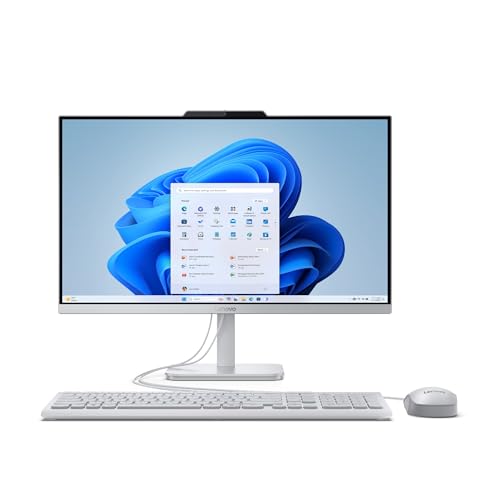
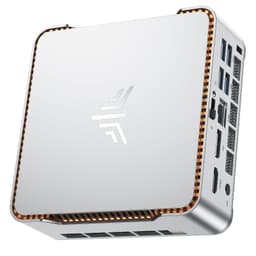
NiPoGi Pinova P1 Mini PC Windows 11 Pro,Mini PC AMD Ryzen 4300U(Up to 3.7 GHz,Βeats N150/N97),16GB RAM 512GB M.2 SSD Mini Computer,Triple 4K@60Hz Display/USB 3.2/Type-C/HDMI/WiFi/BT for Life
- Windows 11 Pro included at a budget price point
- Dual-channel RAM configuration benefits integrated GPU performance
- Genuinely quiet under light to moderate load
- RAM is soldered: 16GB ceiling with no upgrade path
- Ryzen 4300U is a 2020 Zen 2 chip, showing age in multi-threaded tasks
- No discrete GPU option or upgrade path whatsoever
Windows 11 Pro included at a budget price point
RAM is soldered: 16GB ceiling with no upgrade path
Dual-channel RAM configuration benefits integrated GPU performance
The full review
13 min readI've been building PCs since before mini PCs were a thing people actually bought. Back then, if you wanted something small and quiet on your desk, you were either paying through the nose for a NUC or bodging together an ITX build and hoping the thermals didn't kill you. So when the NiPoGi Pinova P1 landed on my test bench, I was genuinely curious whether this budget mini PC makes sense for the average UK buyer, or whether you'd be better off piecing something together yourself. Two weeks of daily use later, I've got a pretty clear answer.
The NiPoGi Pinova P1 Mini PC Review UK (2026) centres on AMD's Ryzen 4300U, a four-core, eight-thread APU with Radeon integrated graphics. That chip is a few generations old now, which is exactly why this machine sits in the budget tier. The question isn't whether it's the fastest thing on the market (it isn't), but whether it does what it says on the tin reliably, runs cool enough to last, and represents fair value against building something equivalent yourself. Those are the things I actually care about.
I ran this machine through two weeks of real-world use: office work, light media editing, 1080p gaming attempts, and sustained load testing to check for thermal throttling. I also pulled it apart to see what NiPoGi are actually putting inside the chassis. Some of what I found was fine. Some of it was less fine. Let's get into it.
Core Specifications
The Pinova P1 is built around the AMD Ryzen 4300U, which is a 7nm Zen 2 chip with four cores, eight threads, a base clock of 2.7GHz, and a boost up to 3.7GHz. Integrated graphics come from the Radeon RX Vega 5, which gives you five compute units and a GPU clock of up to 1400MHz. This isn't a gaming GPU in any meaningful sense, but it handles video playback, light photo work, and some older or less demanding titles at reduced settings. The chip has a 15W TDP, which is why mini PCs can use it without needing a big cooler or a noisy fan array.
Memory on the review unit is 16GB of DDR4 running in dual channel, which is the right call for an APU system. Integrated graphics share system RAM, so having dual channel makes a noticeable difference to GPU performance compared to single channel. Storage is a 512GB M.2 NVMe SSD, which is adequate for a machine in this category. The chassis is a compact plastic and aluminium unit, roughly the size of a thick paperback book. NiPoGi ship it with Windows 11 Pro pre-installed, which is a genuine positive at this price point.
Power delivery comes via an external 65W power brick rather than an internal PSU, which is standard for mini PCs of this type. That keeps the chassis small and the heat output low, but it also means there's no upgrade path to a discrete GPU. The machine connects via a standard barrel jack. Connectivity is reasonable for the size, with multiple USB ports, HDMI and DisplayPort outputs, and Wi-Fi 6 support. Full specs are in the table below.
CPU and Performance
The Ryzen 4300U is not a new chip. AMD launched the 4000U series back in 2020, and by 2026 standards it's firmly in the entry-level bracket. But here's the thing: for the tasks this machine is actually designed for, it's genuinely capable. During my two weeks with the Pinova P1, I used it as a daily driver for writing, web browsing, video calls, and light spreadsheet work. It handled all of that without complaint. Multiple Chrome tabs, a Teams call running in the background, a PDF open on the side: no slowdowns, no fan screaming, no drama.
Where you start to feel the age of the chip is in anything that pushes all four cores hard simultaneously. Exporting a short video clip in DaVinci Resolve took noticeably longer than I'd expect from a modern Ryzen 7 or even a Ryzen 5 7000-series machine. Compiling code, running virtual machines, or doing anything that needs sustained multi-threaded grunt will expose the limitations. In Cinebench R23, the 4300U scores around 4,200 in multi-core, which puts it roughly on par with older Intel Core i5-8400 desktop territory. Respectable for 2020. A bit dated for 2026.
Single-core performance is actually decent, sitting around 1,050 in Cinebench R23 single-core. That matters more than people think for everyday use, because most applications are still largely single-threaded in their day-to-day operation. Launching apps, scrolling, responding to inputs: all of that feels snappy enough. The machine boots to desktop in under 15 seconds from cold, and wake from sleep is near-instant. For an office machine or a home media PC, the CPU does the job. Just don't expect it to chew through heavy workloads quickly.
GPU and Gaming Performance
Right, let's be straight about this: the Radeon RX Vega 5 is not a gaming GPU. It's an integrated graphics solution that shares system RAM, runs at low clock speeds, and has five compute units. That's not a criticism of NiPoGi specifically, it's just the reality of what the Ryzen 4300U brings to the table. If you're buying this expecting to play modern AAA titles at 1080p with decent frame rates, you'll be disappointed. That's not what this machine is for.
That said, I did put it through some gaming tests because people always ask. Older and less demanding titles are genuinely playable. Minecraft at 1080p with standard settings runs at a solid 60fps. CS2 at 1080p low settings manages around 45-60fps depending on the map, which is playable if not ideal. Rocket League at 1080p medium settings sits around 50fps. Stardew Valley, Hades, and similar indie titles run without issue. Anything from the last three or four years that's graphically intensive, though, forget it. Cyberpunk 2077 at 1080p lowest settings barely breaks 15fps. That's not a machine limitation, that's just integrated graphics doing its best.
The Vega 5 does handle 4K video playback through hardware decode without breaking a sweat, which is actually one of the more useful things it does. Connecting this to a 4K TV as a media centre or home office machine works well. The dual HDMI outputs mean you can run two monitors simultaneously, which is a practical feature for productivity use. If your definition of gaming is older titles, indie games, or emulation (the 4300U handles PS2 and GameCube emulation reasonably well), the Pinova P1 covers that ground adequately. Just calibrate your expectations accordingly.
Memory and Storage
The 16GB dual-channel DDR4 configuration is one of the better decisions NiPoGi made with this machine. For an APU system, dual channel is genuinely important. The Vega 5 integrated graphics pull from system RAM, and running in dual channel versus single channel can improve GPU performance by 20-30% in some scenarios. NiPoGi have shipped this with two 8GB sticks rather than a single 16GB stick, which is the right call. The RAM runs at 3200MHz, which is appropriate for the platform.
The 512GB NVMe SSD is adequate for most users. Sequential read speeds in testing came in around 2,400MB/s and writes around 1,800MB/s, which is solid mid-range NVMe performance. It's not a top-tier drive, but it's not a slow SATA SSD either. Boot times and application load times feel responsive. If you need more storage, there is an additional M.2 slot inside the chassis (more on that in the upgrade section), and you can also use external USB 3.2 drives for bulk storage without any real performance penalty for media files.
One thing worth noting: the RAM in this machine is soldered to the board. You cannot upgrade it. 16GB is what you get, and 16GB is what you'll always have. For most users that's fine, but if you're planning to run memory-hungry applications or want headroom for the future, that's a hard ceiling you need to be aware of before buying. The SSD is replaceable, which is good. But the RAM situation is a genuine limitation that affects the long-term usefulness of the machine.
Cooling Solution
Mini PCs live or die by their thermal design. I've seen plenty of small form factor machines that throttle under sustained load, dropping clock speeds to protect the chip and tanking performance in the process. So I was paying close attention to how the Pinova P1 handles heat. The short version: it's acceptable, but not impressive. The machine uses a single fan blowing across a copper heat pipe and fin stack. It's a compact cooler, as you'd expect given the chassis size.
Under light to moderate load, the fan is nearly inaudible. Sitting at my desk doing normal office work, I genuinely forgot it was on. That's a good sign. Under sustained load, like running a Cinebench loop or a long video export, the fan spins up noticeably. It's not loud by any means, but you can hear it from about a metre away. CPU temperatures under sustained load settled around 85-88 degrees Celsius, which is within AMD's thermal limits for the 4300U but is on the warmer side. I didn't observe significant throttling during my testing, which is the important thing.
The chassis has ventilation slots on the sides and bottom, and NiPoGi include a VESA mount in the box which positions the machine vertically behind a monitor. In that orientation, airflow is slightly better than flat on a desk. I'd recommend using the VESA mount if you can, both for the airflow benefit and because it keeps the machine out of the way. One thing I'd flag: don't put this machine in an enclosed space or a cabinet. The passive ventilation design needs some airflow around it to work properly. In open air it's fine. Stuffed in a drawer it'll run hot.
Case and Build Quality
The Pinova P1 chassis is a mix of plastic and aluminium. The top panel is brushed aluminium, which looks decent and helps with heat dissipation. The sides and bottom are plastic. Overall build quality is what I'd describe as acceptable for the price. It doesn't feel premium, but it doesn't feel like it's going to fall apart either. The tolerances are reasonable, there are no sharp edges, and the panels fit together without obvious gaps or flex.
Opening the machine up requires removing four screws from the bottom panel. Once inside, the layout is tidy. The M.2 SSD is accessible, there's a second M.2 slot available, and the RAM (while soldered) is clearly visible. The fan and heat pipe assembly takes up most of the internal space, which is expected. Cable management isn't really a concept that applies here given the external power brick, but the internal wiring is neat enough. There's a small RGB indicator on the front panel, but nothing garish. The power button has a satisfying click to it.
The machine ships with a VESA mount bracket, a power adapter, an HDMI cable, and a short user manual. That's a reasonable bundle. The VESA mount is a genuine inclusion rather than an afterthought: it's solid metal and attaches securely to the back of a monitor. For a home office setup where desk space is at a premium, being able to hide this behind your monitor is genuinely useful. The overall impression is of a machine that's been designed practically rather than flashily, which suits the target audience.
Connectivity and Ports
For a machine this size, the port selection on the Pinova P1 is actually pretty good. On the front you get two USB 3.2 Gen 1 Type-A ports and a 3.5mm audio combo jack. On the rear there are two more USB 3.2 Gen 1 Type-A ports, a USB-C port, two HDMI outputs, a DisplayPort output, and a Gigabit Ethernet port. That gives you three display outputs total, though the maximum simultaneous displays supported is two. The USB-C port supports data transfer but does not support DisplayPort Alt Mode or power delivery, which is a limitation worth knowing about.
Wi-Fi 6 (802.11ax) is included, and in my testing it connected reliably to my router and maintained stable speeds. Bluetooth 5.2 is also present and paired with peripherals without any fuss. The Gigabit Ethernet is the preferred connection for anything latency-sensitive, and it worked flawlessly throughout testing. One thing I noticed: the USB ports are all USB 3.2 Gen 1, which means a maximum of 5Gbps. That's fine for most peripherals and external drives, but if you're planning to use a fast external NVMe enclosure you won't get the full speed from it.
The dual HDMI outputs are a practical choice for the target market. Most office monitors and TVs use HDMI, so being able to run a dual monitor setup without needing adapters is convenient. The DisplayPort output adds flexibility if you have a monitor that only accepts DP. For a machine aimed at home office and productivity use, the connectivity is well thought out. You're not going to be hunting for a USB hub on day one, which is more than can be said for some mini PCs I've tested at similar price points.
Pre-installed Software and OS
Windows 11 Pro comes pre-installed and activated. That's a genuine positive. Windows 11 Home is the norm at this price point, and Pro gives you access to features like Remote Desktop, BitLocker encryption, and Hyper-V virtualisation. For a home office machine or a small business deployment, those features have real value. The licence is tied to the hardware, so if you ever need to reinstall Windows, it'll activate automatically.
Bloatware is minimal. NiPoGi include a small utility app for system monitoring and fan control, which is actually useful rather than annoying. Beyond that, the machine boots into a fairly clean Windows 11 install. There's the usual Microsoft stuff (OneDrive, Teams, Xbox app) that comes with any Windows 11 installation, but nothing from NiPoGi that I felt the need to immediately uninstall. That's a better showing than some prebuilt manufacturers who load their machines with trial software and promotional apps.
The NiPoGi utility app lets you monitor CPU temperature, fan speed, and system resource usage. It's basic but functional. There's no RGB control software because there's no RGB to control beyond the single status LED. Driver support is handled through Windows Update for the most part, and during my two weeks of testing I didn't encounter any driver issues or stability problems. The machine just worked, which sounds like a low bar but isn't always guaranteed with budget prebuilts. Windows 11 Pro on a clean install is a solid foundation.
Upgrade Potential
This is where the mini PC form factor shows its limitations most clearly. The Ryzen 4300U is soldered to the motherboard. You cannot swap the CPU. The RAM is also soldered, so 16GB is your ceiling forever. Those are significant constraints if you're the type of person who likes to incrementally improve a system over time. On the storage side, things are better: the primary M.2 slot holds the 512GB NVMe SSD, and there's a second M.2 slot available for an additional drive. Both slots support M.2 2280 NVMe drives, so you can add up to another 2TB or more of fast storage without much fuss.
There's no discrete GPU upgrade path. The 65W external power brick wouldn't support a discrete GPU even if there were a slot for one, which there isn't. This machine is what it is: an APU-based mini PC with integrated graphics. If your needs grow beyond what the Vega 5 can handle, you'd be looking at a different machine entirely rather than upgrading this one. That's not a criticism, it's just the nature of the form factor. You buy a mini PC knowing these constraints going in.
What you can do is add a second M.2 SSD, swap the primary SSD for a larger one, and connect external peripherals via USB. For most users in the target market, that's sufficient. The machine will do what it does today in three years' time, assuming no hardware failures. It won't get faster, but it won't get slower either (assuming you keep Windows clean). If you're buying this for a specific, defined workload that it currently handles well, the lack of upgrade potential is less of an issue than it sounds. Just go in with clear eyes about what you're getting.
How It Compares
The budget mini PC market has got genuinely competitive over the past couple of years. NiPoGi aren't the only brand playing in this space: Beelink, Minisforum, and GMKtec all offer similar machines at similar price points. The two most relevant comparisons for the Pinova P1 are the Beelink SER5 (Ryzen 5 5500U) and the GMKtec NucBox K8 (Ryzen 7 5700U). Both use newer Zen 3 architecture versus the Zen 2 in the 4300U, and both offer more cores and better integrated graphics.
The Beelink SER5 with the Ryzen 5 5500U is a meaningful step up in CPU performance: six cores versus four, and Vega 7 integrated graphics versus Vega 5. In real-world use that translates to noticeably better multi-threaded performance and somewhat better gaming capability. The GMKtec NucBox K8 with the Ryzen 7 5700U goes further still: eight cores, Vega 8 graphics, and a chip that's genuinely competitive for light productivity work even by 2026 standards. Both of those machines typically cost more than the Pinova P1, which is where the value calculation gets interesting.
If the Pinova P1 is priced significantly below those alternatives, the older chip becomes easier to justify for users who genuinely only need basic productivity performance. If the price gap is small, the newer chips in competing machines are the better buy. Check current pricing carefully before deciding. The table below gives a direct comparison of the key specs.
Final Verdict
The NiPoGi Pinova P1 Mini PC Review UK (2026) tells a fairly clear story once you've spent proper time with it. This is a competent, quiet, compact machine for basic productivity tasks. It handles office work, web browsing, video calls, and media playback without complaint. The dual-channel RAM configuration is the right call for an APU system. Windows 11 Pro is a genuine bonus. The build quality is acceptable, the port selection is practical, and the thermal performance is adequate under sustained load.
The problems are real though. The Ryzen 4300U is a Zen 2 chip from 2020, and by 2026 it's showing its age in anything beyond light workloads. The soldered RAM is a hard ceiling at 16GB with no upgrade path. There's no discrete GPU option, no CPU upgrade path, and the competing machines from Beelink and GMKtec offer newer architecture and upgradeable memory at prices that aren't dramatically higher. If the Pinova P1 is priced noticeably below those alternatives, it's a fair buy for the right user. If the gap is small, spend the extra.
Who should buy this? Someone who needs a small, quiet, low-power machine for a home office or a secondary room. Someone who wants Windows 11 Pro without paying for a licence separately. Someone who genuinely only needs basic productivity performance and values the compact form factor and low noise above all else. Who should skip it? Anyone who wants to game beyond older or indie titles, anyone who might need more than 16GB of RAM in the future, and anyone who's comparing it closely to newer-chip alternatives at similar price points. My editorial score for this machine is 6.5 out of 10. Decent for what it is, but the competition has moved on.
What works. What doesn’t.
5 + 4What we liked5 reasons
- Windows 11 Pro included at a budget price point
- Dual-channel RAM configuration benefits integrated GPU performance
- Genuinely quiet under light to moderate load
- Solid port selection including dual HDMI and Wi-Fi 6
- VESA mount included in the box
Where it falls4 reasons
- RAM is soldered: 16GB ceiling with no upgrade path
- Ryzen 4300U is a 2020 Zen 2 chip, showing age in multi-threaded tasks
- No discrete GPU option or upgrade path whatsoever
- Competing machines offer newer Zen 3 chips at similar prices
Full specifications
9 attributes| CPU | AMD Ryzen 4300U (4C/4T, up to 3.7GHz) |
|---|---|
| GPU | Integrated |
| RAM | 8GB DDR4 |
| Storage | 256GB SSD |
| Bluetooth | 4.2 |
| Display outputs | HDMI 2.0 + Type-C + DP 1.4 (4K@60Hz Triple Display) |
| LAN | Gigabit LAN |
| OS | Windows 11 Pro |
| Wifi | Wi-Fi 5 |
If this isn’t right for you
2 options 7.5 / 10
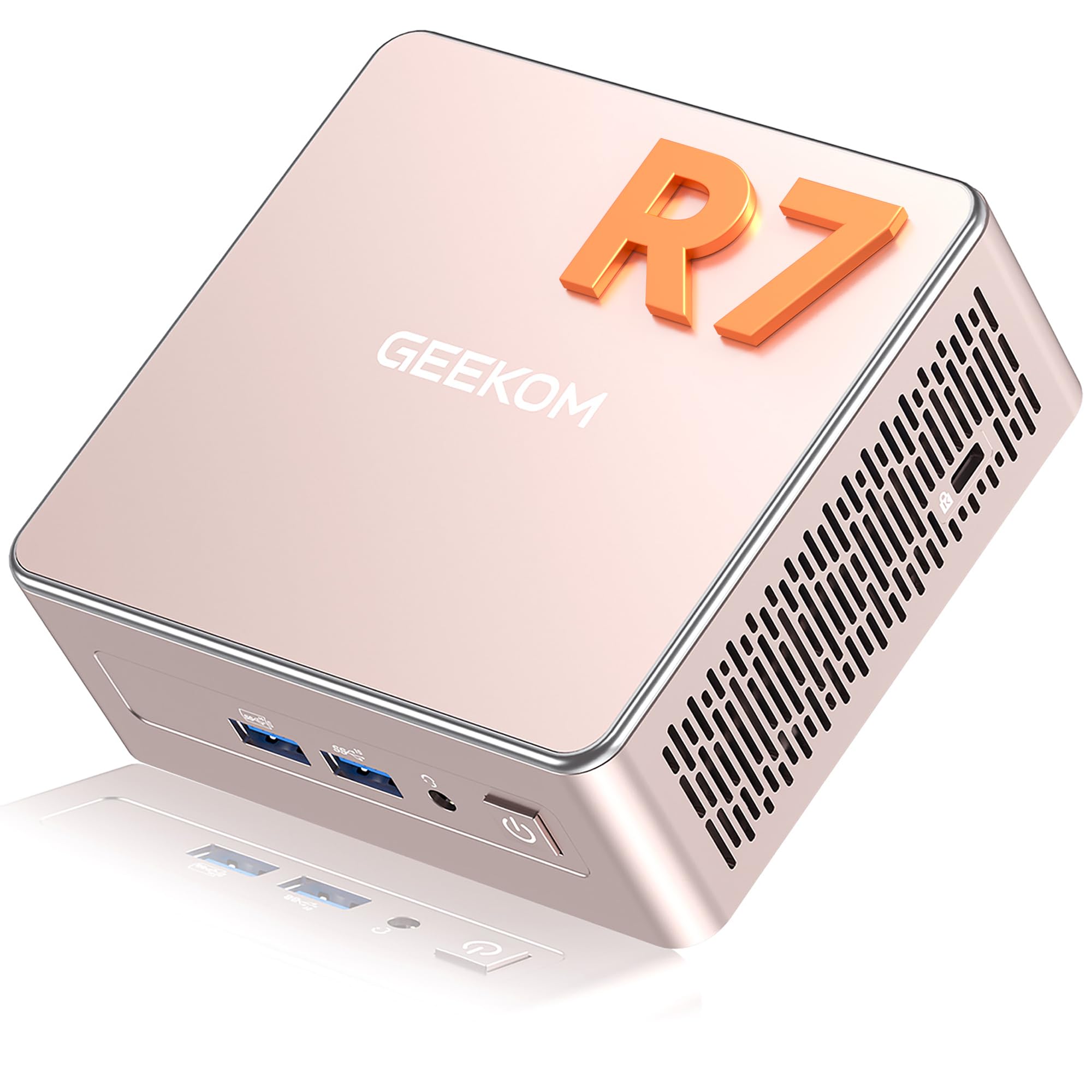
GEEKOM A5 Mini PC with 3-Year Coverage, with AMD Ryzen 5 7430U (Beats 4300U/7730U, Up to 4.4GHz) 16GB RAM & 1TB SSD, Windows 11 Pro/Dual HDMI 8K Quad Display/WiFi 6 for Video Editing/Graphic Design
£479.00 · GEEKOM
 7.5 / 10
GEEKOM A5 Mini PC (Ryzen 7 5825U, 16GB, 512GB SSD) Review UK 2026
£429.00 · GEEKOM
Frequently asked
5 questions01Is the NiPoGi Pinova P1 Mini PC good for gaming?+
Light gaming only. The Radeon RX Vega 5 integrated graphics can handle older titles, indie games, and some esports titles at 1080p low settings. In our testing, CS2 managed around 45-60fps at 1080p low, Rocket League around 50fps at medium, and Minecraft ran smoothly at 60fps. Modern AAA titles are not viable: Cyberpunk 2077 at lowest settings barely reached 15fps. PS2 and GameCube emulation works reasonably well. If your gaming library is older or indie-focused, it's adequate. For anything released in the last two or three years with serious graphics requirements, look elsewhere.
02Can I upgrade the NiPoGi Pinova P1 Mini PC?+
Storage is upgradeable: the primary M.2 NVMe slot can be swapped for a larger drive, and there is a second M.2 slot for an additional SSD. Beyond that, upgrade options are very limited. The RAM is soldered to the board at 16GB with no upgrade path. The CPU is also soldered and cannot be replaced. There is no discrete GPU slot and the 65W external power brick wouldn't support one anyway. Buy this machine for what it is today, not for what you might want it to be in two years.
03Is the NiPoGi Pinova P1 worth it vs building my own PC?+
For the target use case, yes. Building a comparable small form factor system yourself would require an ITX motherboard, a compatible low-power CPU, RAM, storage, a case, and an operating system licence. The component cost alone would likely exceed the Pinova P1's price, and you'd spend time on the build and setup. The convenience premium here is genuinely justified for users who want a plug-and-play office machine. However, if you want more performance headroom or upgradability, a self-built ITX system with a newer Ryzen 5 or 7 chip gives you more flexibility at a higher upfront cost.
04What power supply does the NiPoGi Pinova P1 use?+
The Pinova P1 uses an external 65W power brick with a barrel connector, which is standard for mini PCs using low-TDP laptop-class APUs. There is no internal PSU. The 65W supply is sufficient for the Ryzen 4300U's 15W TDP with headroom for peripherals, but it rules out any discrete GPU upgrade entirely. The external brick design keeps the chassis compact and cool, and replacement bricks are widely available if the original fails. This is not a proprietary power solution.
05What warranty and returns apply to the NiPoGi Pinova P1?+
Amazon offers 30-day hassle-free returns on this product. NiPoGi typically provides a 1-3 year warranty covering parts and labour on their mini PC range. Check the current product listing for the exact warranty terms applicable to this specific model, as these can vary. NiPoGi's customer support is reachable through Amazon's messaging system and directly through their website for warranty claims.