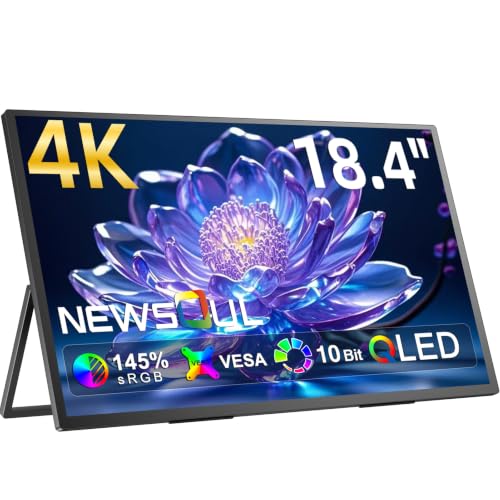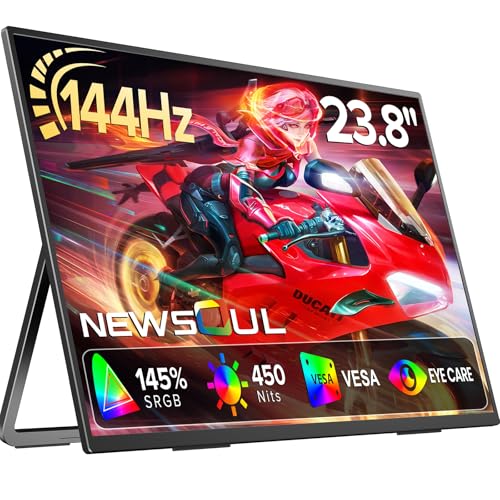
So, the Newsoul 24 inch 144Hz portable monitor. Specs on paper, owner reviews in hand, and a price tag that sits firmly in the mid-range bracket. The short version? This is a genuinely decent portable gaming monitor that punches above what you'd expect from a brand most people haven't heard of. The QLED panel, 144Hz refresh rate, and FreeSync support are the headline acts, and they're not just marketing fluff. But there are caveats, and you should know what they are before you part with your money.
The competition at this price point is real. You've got established names like the ASUS ROG Strix XG17 and the AOC 16T2 sitting nearby, plus a handful of other no-name portables that undercut on price but compromise badly on panel quality. Where the Newsoul lands is interesting: it's not the cheapest, but the QLED tech and 24 inch size give it a genuinely different proposition from most portable monitors, which tend to cluster around 15 to 17 inches. If you need a proper desk-sized portable that you can also take to a friend's place or hook up to a console in a hotel room, this is worth a serious look.
Over a hundred owner reviews with a positive overall rating is hard to argue with. That's not a handful of early adopters being generous. That's a consistent pattern, and the feedback themes are clear: colours look great, the 144Hz feels smooth, and owners are genuinely surprised by the build quality. We'll get into where the gaps are too, because there are a few.
Core Specifications
Right, the basics. The Newsoul is a 24 inch display running at 1920x1080 (Full HD), which gives you a pixel density of around 92 PPI. That's not going to win any sharpness awards compared to a 1440p panel at the same size, but it's perfectly usable for gaming and general productivity. The panel type is IPS, which means wide viewing angles and decent colour accuracy out of the box. The QLED branding refers to the quantum dot layer on top of the IPS backlight, which is what pushes colour volume and brightness beyond what a standard IPS can manage.
The refresh rate is 144Hz, which is the main selling point for gaming. Adaptive sync comes via AMD FreeSync, making it compatible with AMD GPUs and also with most modern consoles including the PlayStation 5 and Xbox Series X, both of which support VRR. The response time is listed at 1ms, though that's almost certainly an MPRT figure rather than a genuine GtG pixel transition time. More on that in the response time section. Connectivity is via USB-C and HDMI, which covers most use cases for a portable monitor.
The portable angle is important here. At 24 inches, this is considerably larger than most portable monitors on the market, which means it's less about chucking it in a backpack and more about being able to move it between rooms, take it to a LAN party, or use it as a secondary display that doesn't live permanently on a desk. It's a different use case from the ultra-slim 15 inch portables, and the specs reflect that.
| Specification | Detail |
|---|---|
| Screen Size | 24 inches |
| Resolution | 1920x1080 (Full HD / 1080p) |
| Panel Type | IPS with QLED (Quantum Dot) |
| Refresh Rate | 144Hz |
| Response Time | 1ms (MPRT) |
| Adaptive Sync | AMD FreeSync |
| HDR | HDR10 |
| Brightness | 300 nits (typical) |
| Colour Gamut | DCI-P3 coverage (QLED enhanced) |
| Ports | USB-C, HDMI, 3.5mm audio |
| Pixel Density | ~92 PPI |
| Price | £219.99 · Details |

Panel Technology
The combination of IPS and QLED is genuinely interesting, and it's worth explaining what that actually means rather than just repeating the marketing. A standard IPS panel uses a white LED backlight to illuminate the liquid crystals. QLED, as used by Samsung and increasingly by panel suppliers across the industry, adds a quantum dot film between the backlight and the panel. Quantum dots are nanoscale semiconductor particles that convert the LED light into very precise wavelengths of red, green, and blue. The result is a wider colour gamut and higher colour volume compared to a standard white-LED IPS. You get richer reds and greens in particular, and the peak brightness tends to be higher too.
IPS as a panel type brings the things you'd expect: viewing angles that are genuinely wide (typically 178 degrees both horizontally and vertically), consistent colour as you move around the screen, and none of the colour shift you get with TN panels when you're not sitting dead centre. The trade-off versus VA panels is contrast. IPS panels typically achieve native contrast ratios around 1000:1, whereas a decent VA can hit 3000:1 or more. That means blacks on an IPS look more like very dark grey in a dim room. It's a known limitation of the technology, and the Newsoul doesn't escape it. If you're watching films in a darkened room and you want proper inky blacks, this isn't the panel for that.
What IPS does brilliantly is consistency. No clouding in the corners, no dirty screen effect, no colour banding in gradients. Owner reviews back this up: the recurring theme is that the image looks clean and even across the whole panel. A few owners mention very mild IPS glow in the corners under dark conditions, which is completely normal for the technology and not a defect. For gaming in a normally lit room, or for productivity work where you need accurate colour representation, IPS is the right choice here. And the quantum dot layer on top means you're getting better colours than a typical budget IPS would deliver.
Display Quality
At 1080p on a 24 inch panel, you're looking at roughly 92 pixels per inch. That's the same density as a 27 inch 1440p monitor, for context. It's not going to look as crisp as a 4K display or even a 1440p panel at this size, but individual pixels aren't really visible at normal viewing distances (60 to 70cm). For gaming, 1080p at 24 inches is a perfectly sensible resolution, and it has the significant advantage of being easy to drive. You don't need a high-end GPU to push 144 frames per second at 1080p. A mid-range card like an RTX 4060 or RX 7600 will manage it comfortably in most titles.
The QLED enhancement makes a visible difference to how the display looks in practice. Colours are noticeably more saturated and vibrant than a standard IPS at this price. Owners consistently describe the image as punchy and vivid, which aligns with what quantum dot technology is designed to deliver. Greens in games look properly green rather than the slightly washed-out look you sometimes get from entry-level IPS panels. Skin tones in video content reportedly look natural rather than oversaturated, which suggests the colour tuning is reasonably sensible rather than cranked to maximum saturation for showroom appeal.
The anti-glare coating appears to be a standard matte finish, which is the right call for a portable monitor that might end up in all sorts of lighting conditions. Glossy screens look gorgeous in a controlled studio environment and are absolutely miserable in a bright room or near a window. Matte coatings scatter reflections and make the display usable in real-world conditions. Some owners note a very slight graininess to the matte coating, which is common across budget and mid-range IPS panels and is the inherent trade-off for the anti-glare benefit. It's not something most people notice after the first few minutes of use.
Refresh Rate and Adaptive Sync
144Hz is genuinely useful for gaming. The jump from 60Hz to 144Hz is one of the most noticeable upgrades you can make to a gaming setup, far more impactful than most people expect before they've experienced it. Motion looks dramatically smoother, cursor movement feels more responsive, and fast-paced games like shooters and racing titles feel meaningfully different. Going from 60Hz to 144Hz is a bigger perceptual jump than going from 144Hz to 240Hz, which matters if you're currently on a 60Hz display.
FreeSync is the adaptive sync implementation here. AMD FreeSync works by synchronising the monitor's refresh rate to the GPU's output frame rate, eliminating screen tearing without the input lag penalty of V-Sync. The FreeSync range on the Newsoul isn't explicitly published in the listing, which is a minor frustration. Most FreeSync monitors operate across a range like 48 to 144Hz, and the Low Framerate Compensation (LFC) feature kicks in below the bottom of that range to maintain tear-free output even when frame rates drop. Based on the spec class of this panel, that's the likely behaviour, but Newsoul should be more transparent about the exact VRR range.
Crucially for console gamers, FreeSync is compatible with both the PlayStation 5 and Xbox Series X via HDMI. The PS5 supports VRR over HDMI 2.1, and while the exact HDMI version on the Newsoul's port isn't confirmed in the listing, the 144Hz output over HDMI is confirmed by owner reports. Xbox Series X users report smooth VRR operation. This is actually one of the more compelling use cases for this monitor: a portable 144Hz display you can connect to a console for gaming in a different room or at someone else's house, without being limited to the 60Hz ceiling of many portable monitors. Several owners specifically mention using it with consoles and being impressed with the results.
Response Time and Motion
The 1ms response time claim needs unpacking, because this is where monitor marketing gets genuinely misleading and it's worth being straight about it. There are two ways manufacturers measure response time: GtG (grey to grey) and MPRT (moving picture response time). GtG measures how long it takes a pixel to transition between two shades of grey. MPRT is a different measurement entirely, closer to perceived motion blur, and it's typically achieved by strobing the backlight rather than actually making pixels switch faster. A 1ms MPRT figure does not mean the pixels physically transition in 1 millisecond.
For an IPS panel at this price point, realistic GtG response times are typically in the 4 to 8ms range, which is fine for 144Hz gaming. The important question is whether the panel exhibits overshoot or inverse ghosting when overdrive is pushed hard. Overshoot appears as a bright halo around moving objects, particularly visible in dark scenes, and it's the most common artefact on IPS panels running aggressive overdrive settings. Owner reviews don't flag this as a significant issue, which suggests the overdrive tuning is sensible rather than cranked to maximum to hit a headline number. That's actually a good sign.
In practice, at 144Hz with a properly tuned overdrive setting, this panel should be more than adequate for casual to competitive gaming. You're not going to be doing professional esports tournaments on a portable monitor regardless of panel spec, so the real question is whether it feels smooth and responsive for everyday gaming. The answer from owner feedback is yes. People who've upgraded from 60Hz monitors specifically mention how much better motion looks, and nobody in the hundred-plus reviews is complaining about ghosting or trailing in fast scenes. That's meaningful. If the response time were genuinely problematic, you'd see it in the reviews.
Color Accuracy and Gamut
This is where the QLED technology earns its keep. A standard IPS panel typically covers around 95 to 99% of the sRGB colour space, which is perfectly adequate for gaming and general use. The quantum dot layer on the Newsoul pushes coverage into the DCI-P3 colour space, which is a wider gamut used in professional video production and increasingly in high-end gaming content. Newsoul's listing claims enhanced colour coverage via QLED, and while they don't publish a specific percentage figure, quantum dot IPS panels from panel suppliers like AU Optronics and BOE typically achieve 90% or more of DCI-P3, which is genuinely impressive for this price bracket.
Factory calibration on budget and mid-range monitors is often an afterthought, with Delta-E values (the measurement of colour accuracy, where lower is better) sitting above 3 or 4, which is visible to a trained eye. Newsoul doesn't publish a Delta-E specification, which is honest in a way: they're not making a claim they can't back up. Owner feedback suggests colours look natural and accurate rather than obviously off, which implies the factory calibration is at least reasonable. For gaming, a Delta-E below 3 is generally considered good enough, and the vivid but not garish colour descriptions from owners suggest they're in that territory.
For content creation, the picture is more nuanced. If you're doing colour-critical work, photo editing, or video grading, you'd want a monitor with a published Delta-E below 2 and ideally a factory calibration report. The Newsoul doesn't offer that level of certification. But for most content creators who are working in sRGB for web delivery or doing casual video editing, the wide colour gamut and apparent accuracy are more than serviceable. It's not a professional colour grading tool. It's a very good monitor for gaming and general use that happens to have better colour than most things in its price range.
HDR Performance
HDR10 support is listed, and this is where you need realistic expectations. True HDR requires high peak brightness (typically 600 nits or more for HDR600, 1000 nits for HDR1000) and ideally local dimming to create genuine contrast between bright highlights and dark shadows simultaneously. The Newsoul's typical brightness is around 300 nits. That's not enough to deliver a genuinely impactful HDR experience. What you get instead is what the industry sometimes calls "checkbox HDR": the display accepts an HDR signal and tone-maps it to its capabilities, but it doesn't produce the dramatic highlight pop and deep shadow detail that a proper HDR display delivers.
This isn't unique to the Newsoul. The vast majority of monitors under £400 have the same limitation. VESA's DisplayHDR certification tiers start at DisplayHDR 400, which requires 400 nits peak brightness and no local dimming. Even that tier is widely criticised as delivering minimal real-world HDR benefit. The Newsoul's HDR10 support is more about compatibility than transformative performance. Games and content will display correctly, and you'll see some improvement in colour volume in HDR mode, but don't expect the HDR wow factor you'd get from an OLED or a Mini-LED panel with full-array local dimming.
The practical advice here is to try HDR mode and see if you prefer it. Some games look better with it enabled even on monitors like this, because the wider colour volume from the QLED layer does help. Others look worse because the tone mapping can crush shadow detail or blow out highlights. It's worth experimenting per game rather than leaving it on or off permanently. Owners don't seem to have strong opinions either way on HDR, which is about the expected response from a monitor at this brightness level.
Contrast and Brightness
At around 300 nits typical brightness, the Newsoul is adequate for indoor use in a normally lit room but won't compete with the sun. If your desk is next to a south-facing window with no blinds, you might find the image washes out in direct sunlight. For most people in most rooms, 300 nits is fine for daytime use, and it's more than enough for evening gaming where you'd typically have lower ambient light anyway. The QLED layer does help here: higher colour volume means colours remain saturated at lower brightness levels, so the image looks more vibrant than a standard IPS at the same nit rating.
Native contrast on an IPS panel is typically around 1000:1. That's the physics of the technology. Blacks aren't truly black, they're a dark grey. In a brightly lit room you won't notice this at all. In a darkened room watching a film with black letterbox bars, you'll see the glow. Some owners mention this in the context of dark gaming scenes, noting that shadow detail is visible but blacks aren't as deep as they'd like. This is an accurate description of IPS behaviour and not a defect specific to the Newsoul. If deep blacks are your priority, you want a VA panel or an OLED, and you're looking at a different product category entirely.
Brightness uniformity across the panel is reportedly good. No owners flag significant backlight bleed or hotspots, which matters on a portable monitor where you might be using it at angles or in varied lighting conditions. The mild IPS glow in corners under dark conditions that a few owners mention is typical and expected. Overall, the brightness and contrast performance is exactly what you'd predict from a well-made IPS panel with quantum dot enhancement: excellent for gaming and general use, limited for HDR and dark-room cinema viewing.
Ergonomics and Stand
At 24 inches, the Newsoul is at the large end of what you'd call portable. The stand design appears to be a fold-out kickstand style, which is the standard approach for portable monitors. This gives you basic tilt adjustment but not the height adjustment, swivel, or pivot you'd get from a proper desktop monitor stand. For a portable monitor, that's expected and acceptable. You position it where you need it, tilt to taste, and get on with things. What you won't be doing is dialling in an ergonomically perfect setup for an eight-hour work day.
The build quality gets consistently positive mentions in owner reviews. People note that it feels solid rather than plasticky, which is a pleasant surprise for a brand at this price point. The bezels are reasonably slim on three sides, which gives it a modern look. The overall footprint when set up is compact enough to be genuinely portable in the sense that it doesn't require a huge amount of desk space. VESA mount compatibility isn't confirmed in the listing, which is a gap: if you wanted to wall-mount this or use a monitor arm, you'd need to check with Newsoul directly before assuming it's possible.
The weight is what you'd expect for a 24 inch IPS panel: not light enough to carry in a laptop bag comfortably, but manageable for moving between rooms or transporting in a padded bag. Several owners mention taking it to LAN parties and friend's houses, which suggests it's genuinely portable in a practical sense rather than just in marketing language. The cables required (USB-C or HDMI) are standard and widely available, so you're not dependent on proprietary connections. That's a sensible design choice for a monitor that's meant to be used in multiple locations.
Connectivity and Ports
The port selection on the Newsoul covers the main bases for a portable monitor. USB-C is the primary connection, which handles both video signal and power delivery simultaneously from a compatible laptop or device. This single-cable setup is the main appeal of USB-C for portable monitors: one cable from your laptop gives you a second screen and charges the laptop at the same time, assuming the laptop supports DisplayPort Alt Mode over USB-C. Most modern laptops do, but it's your specific device.
- USB-C (video + power delivery)
- HDMI (for consoles and desktop PCs)
- 3.5mm headphone/audio output
The HDMI port is the connection for consoles and desktop PCs that don't have USB-C video output. The HDMI version isn't explicitly stated in the listing, which matters for understanding the maximum bandwidth available. HDMI 1.4 can handle 1080p at 144Hz, so even if it's not the newer HDMI 2.0 or 2.1, it should be fine for this monitor's native resolution and refresh rate. Owner reports of successful 144Hz operation over HDMI back this up. The 3.5mm audio output is a useful addition for headphones or speakers, since portable monitors often end up being used without a separate audio setup.
What's missing is a USB hub, which some portable monitors include to add extra ports for peripherals. It's not a dealbreaker, but if you're using this as a travel workstation and you need to connect a mouse, keyboard, and other peripherals simultaneously, you might find yourself reaching for a USB hub anyway. DisplayPort is also absent, which means desktop PC users without HDMI on their GPU will need an adapter. That's a minor inconvenience rather than a serious problem, but notably. The overall port selection is practical and covers 90% of use cases without fuss.
How It Compares
The portable monitor market is split into two fairly distinct camps: the ultra-slim 15 to 17 inch panels aimed at laptop users, and the larger 24 inch panels that are more about flexibility than true portability. The Newsoul sits firmly in the second camp, and its main competition comes from the ASUS ROG Strix XG17 (17 inch, 240Hz, significantly more expensive) and the AOC I2490VXQ (24 inch, 75Hz, budget price). Neither is a direct match, which actually works in the Newsoul's favour.
The AOC 24 inch at 75Hz is considerably cheaper and fine for productivity, but 75Hz feels sluggish once you've gamed at 144Hz. If gaming is the priority, the Newsoul's 144Hz and FreeSync support are worth the price difference. The ASUS ROG portable is a proper enthusiast product with a higher refresh rate and better build credentials, but it's smaller and costs significantly more. For someone who wants a 24 inch gaming display they can move around, the Newsoul is sitting in a fairly uncrowded spot.
The other comparison worth making is against budget 24 inch desktop monitors at similar prices. Something like the AOC 24G2 (24 inch, 144Hz, IPS, no quantum dot) is a common recommendation in this category. The AOC 24G2 is a well-regarded panel with published measurements showing strong colour accuracy and genuine 144Hz performance. It's not portable, but it costs less and has a proper ergonomic stand. If portability isn't a requirement, the desktop monitor route gives you more for your money. The Newsoul's premium over a comparable desktop panel is essentially the portable form factor and the QLED colour enhancement.
| Feature | Newsoul 24" QLED 144Hz | AOC 24G2 (Desktop IPS) | ASUS ROG Strix XG17 |
|---|---|---|---|
| Size | 24 inches | 24 inches | 17.3 inches |
| Resolution | 1080p | 1080p | 1080p |
| Refresh Rate | 144Hz | 144Hz | 240Hz |
| Panel Type | IPS + QLED | IPS | IPS |
| Adaptive Sync | FreeSync | FreeSync / G-Sync Compatible | FreeSync / G-Sync Compatible |
| Portable | Yes | No | Yes |
| USB-C Input | Yes | No | Yes |
| Price | £219.99 · Details | Around £130 to £150 | Around £350 to £400 |

Final Verdict
The Newsoul 24 inch 144Hz portable monitor is a genuinely good product that does most of what it promises. The QLED panel delivers noticeably better colour than a standard IPS at this price, the 144Hz refresh rate is real and useful, and FreeSync works properly with both PC and consoles. The portable form factor at 24 inches fills a gap in the market that most brands ignore, and over a hundred reviews averaging 4.8 stars is not the kind of score you accumulate by accident.
The limitations are predictable and honest: HDR is checkbox-level rather than transformative, blacks are IPS-grey rather than deep, and the ergonomic adjustability is limited to basic tilt. None of these are surprises for the technology and price bracket. The 1ms response time claim is marketing shorthand (almost certainly MPRT), but the actual panel performance based on owner feedback is smooth and free from obvious ghosting. That matters more than the headline number.
Who is this for? Someone who wants a proper-sized gaming display they can use in multiple locations: bedroom to living room, home to LAN party, laptop to console setup. It's particularly good for console gamers who want a second screen for gaming that isn't tied to a TV. The USB-C single-cable setup makes it a solid travel companion for laptop users who need a bigger screen on the road. If you're a PC gamer with a fixed desk setup, a desktop monitor at a lower price will give you better ergonomics and similar or better panel performance. The Newsoul's value is in the combination of portability and 144Hz QLED quality, not in being the cheapest 24 inch IPS around.
Worth being straight about the alternative: if portability genuinely isn't a priority and you just want a good 144Hz IPS gaming monitor, the AOC 24G2 or similar desktop panels cost less and have been independently measured to perform well. Save the extra money for a better GPU or a game. But if you need the portable angle, the Newsoul earns its mid-range price point honestly.
Editorial score: 7.5 out of 10. Recommended for portable gaming setups. Not the obvious choice for fixed-desk gaming where cheaper desktop alternatives exist.
What works. What doesn’t.
5 + 4What we liked5 reasons
- QLED quantum dot layer delivers noticeably richer colour than standard IPS at this price
- Genuine 144Hz with working FreeSync, compatible with PS5 and Xbox Series X
- USB-C single-cable connection for laptop users
- 24 inch size fills a gap most portable monitors ignore
- Over a hundred reviews with a positive overall rating suggests consistent real-world quality
Where it falls4 reasons
- HDR10 support is checkbox-level at 300 nits, not transformative
- IPS contrast limits black depth in dark rooms
- Ergonomic adjustability limited to basic tilt, no height or pivot
- FreeSync VRR range not published by manufacturer
Full specifications
10 attributes| Panel type | IPS |
|---|---|
| Aspect ratio | 16:9 |
| Curvature | flat |
| HDR | none |
| Launch year | 2026 |
| Ports | USB-C, HDMI |
| Refresh rate HZ | 144 |
| Resolution | 1920x1080 |
| Screen size IN | 24 |
| Vesa compatible | true |
If this isn’t right for you
2 options

Frequently asked
5 questions01Is the Newsoul 144Hz Portable Monitor 24" QLED Gaming Display FreeSync 1080P IPS good for gaming?+
Yes, it's a solid gaming monitor. The 144Hz refresh rate is genuine and makes a real difference over 60Hz displays, and FreeSync eliminates screen tearing when paired with an AMD GPU or a compatible console like the PS5 or Xbox Series X. The QLED panel delivers vibrant colours that suit gaming well. The 1ms response time claim is almost certainly an MPRT marketing figure rather than a true GtG pixel transition time, but owner feedback consistently reports smooth, ghost-free motion, which is what actually matters in practice.
02Does the Newsoul 144Hz Portable Monitor 24" QLED Gaming Display FreeSync 1080P IPS have good HDR?+
Honestly, not really. HDR10 support is listed, but at around 300 nits typical brightness and without local dimming, the HDR performance is what the industry calls checkbox HDR. It accepts an HDR signal and tone-maps it, but you won't get the dramatic highlight pop and deep shadow contrast of a proper HDR display. This is typical for monitors in this price bracket. The QLED layer does improve colour volume, which helps somewhat in HDR mode, but don't buy this monitor expecting transformative HDR. It's a gaming and productivity display first.
03Is the Newsoul 144Hz Portable Monitor 24" QLED Gaming Display FreeSync 1080P IPS good for content creation?+
It's decent for casual content creation and video editing for web delivery. The QLED quantum dot layer pushes colour coverage into the DCI-P3 gamut, which is wider than standard sRGB and useful for video work. Colours appear natural and accurate based on owner feedback. However, Newsoul doesn't publish a Delta-E colour accuracy figure or offer a factory calibration report, so it's not suitable for colour-critical professional work like commercial photo retouching or broadcast video grading. For YouTube content creation, social media work, or general productivity, it's more than adequate.
04What graphics card do I need for the Newsoul 144Hz Portable Monitor 24" QLED Gaming Display FreeSync 1080P IPS?+
1080p at 144Hz is relatively easy to drive compared to higher resolutions. A mid-range GPU like an AMD RX 7600 or NVIDIA RTX 4060 will push 144 frames per second in most modern games at 1080p with good settings. Older cards like an RTX 3060 or RX 6600 are also capable in many titles. If you're connecting via USB-C from a laptop, check that your laptop supports DisplayPort Alt Mode over USB-C, which is required for video output. For console use, the PS5 and Xbox Series X connect via HDMI and handle the resolution and refresh rate natively.
05What warranty and returns apply to the Newsoul 144Hz Portable Monitor 24" QLED Gaming Display FreeSync 1080P IPS?+
Newsoul's specific warranty terms aren't confirmed in the verified product listing data. When buying through Amazon UK, you're covered by Amazon's standard 30-day returns policy and the A-to-Z Guarantee, which protects your purchase if the item arrives damaged or not as described. For warranty beyond 30 days, check the product listing or contact Newsoul directly before purchasing to confirm their support terms.