
I've built in a lot of cases over the years, and honestly, the ones that stick in my memory are usually the ones that made me want to throw a screwdriver across the room. You know the type: panels that don't quite line up, cable routing channels so shallow you're basically cable-tying everything to a prayer, or GPU clearance so tight you're filing down a bracket just to get your card seated. So when I cracked open the MSI MPG GUNGNIR 300R AIRFLOW WHITE Mid-Tower PC Case, I wasn't going in with rose-tinted glasses. I was going in with a tape measure and a healthy dose of scepticism.
MSI has been pushing harder into the case market over the last few years, and the Gungnir line sits in their MPG (Gaming Performance) tier, which means it's supposed to be a proper enthusiast option without crossing into the silly-money territory. The white version in particular has been getting a lot of attention, and I can see why at a glance: it looks clean, the mesh front is genuinely open, and it ships with four 120mm ARGB fans already installed. But looks and specs on a product page are one thing. Three weeks of actual building and running hardware inside it is another. So let's get into it.
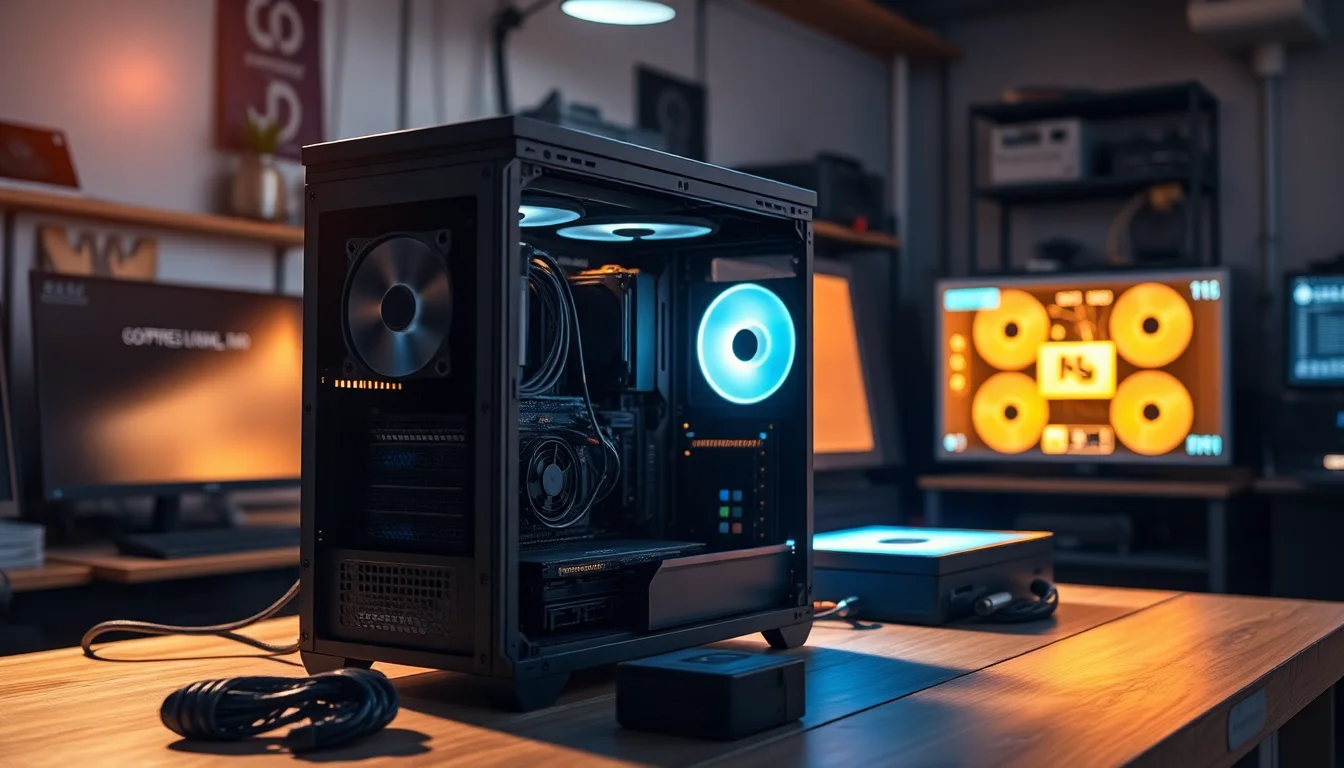
I ran a mid-to-high-end build inside this case for the full testing period, including a 360mm AIO, a full-length GPU, and an E-ATX motherboard to really stress-test the clearances. I also did a second, smaller build with a standard ATX board and a large air cooler, just to see how it handled different configurations. Here's everything I found.
Core Specifications
The Gungnir 300R is a mid-tower chassis, but it's on the larger end of that category. MSI has built this to accommodate E-ATX motherboards up to 280mm wide, which immediately puts it in a different league from a lot of competitors at this price point that technically claim E-ATX support but then give you about 2mm of clearance on the right side. The overall external dimensions come in at around 480mm (H) x 220mm (W) x 480mm (D), so it's not a compact case by any stretch, but it's not going to dominate your desk either.
It ships with four 120mm ARGB fans: three at the front as intake and one at the rear as exhaust. There's a built-in ARGB and fan hub controller, which is a genuinely useful inclusion because it means you're not hunting for spare motherboard headers or buying a separate hub. The front panel includes a USB Type-C port running at 20Gbps (that's USB 3.2 Gen 2x2 for those keeping track), two USB Type-A 3.0 ports, and a combined audio jack. The tempered glass side panel is on the left, showing off your build, and the right side panel is steel.
Weight-wise, the case comes in at around 9.5kg without any components, which feels solid without being ridiculous to move around. The steel used is 0.7mm SPCC, which is pretty standard for this price tier. It's not going to flex like a budget case, but it's not the 1mm steel you'd find on something like a Fractal Torrent either. The PSU shroud runs the full length of the bottom, which keeps things looking tidy, and there are magnetic dust filters on the front, bottom, and top.
| Specification | Detail |
|---|---|
| Form Factor | Mid-Tower |
| Motherboard Support | E-ATX (up to 280mm), ATX, mATX, Mini-ITX |
| Dimensions (H x W x D) | ~480 x 220 x 480mm |
| Max GPU Length | 400mm (standard), 380mm with front radiator |
| Max CPU Cooler Height | 170mm |
| PSU Clearance | Up to 200mm |
| Included Fans | 4 x 120mm ARGB (3 front intake, 1 rear exhaust) |
| Fan Mounts (Total) | Front: 3 x 120mm / 2 x 140mm; Top: 3 x 120mm / 2 x 140mm; Rear: 1 x 120mm |
| Radiator Support | Front: up to 360mm; Top: up to 360mm; Rear: 120mm |
| Drive Bays (3.5") | 2 |
| Drive Bays (2.5") | 4 (2 dedicated, 2 shared with 3.5" trays) |
| Expansion Slots | 7 + 2 vertical GPU slots |
| Front I/O | 1 x USB-C (20Gbps), 2 x USB-A 3.0, 1 x Audio Combo |
| Vertical GPU Support | Yes (riser cable not included) |
| Dust Filters | Front, Bottom, Top (magnetic) |
| Weight | ~9.5kg |
| Current Price | £111.10 |

Form Factor and Dimensions
The Gungnir 300R sits in that sweet spot of mid-tower sizing where it's big enough to be genuinely easy to build in, but not so massive that it becomes a desk anchor. At 480mm deep, it'll fit on most standard desks without hanging over the edge, and the 220mm width means it's not going to crowd your monitor or peripherals. If you're coming from a compact case like an NZXT H510 or a Corsair 4000D, this will feel noticeably larger, but that extra space is doing real work rather than just being wasted volume.
The footprint is sensible. The case sits on four rubber-tipped feet that are tall enough to give the bottom intake filter proper clearance from your desk surface, which matters more than people realise. I've seen cases with 5mm feet that basically choke their own bottom intake, and this isn't one of them. The feet feel solid and don't slide around, which is a small thing but one of those details that tells you the designers actually thought about real-world use.
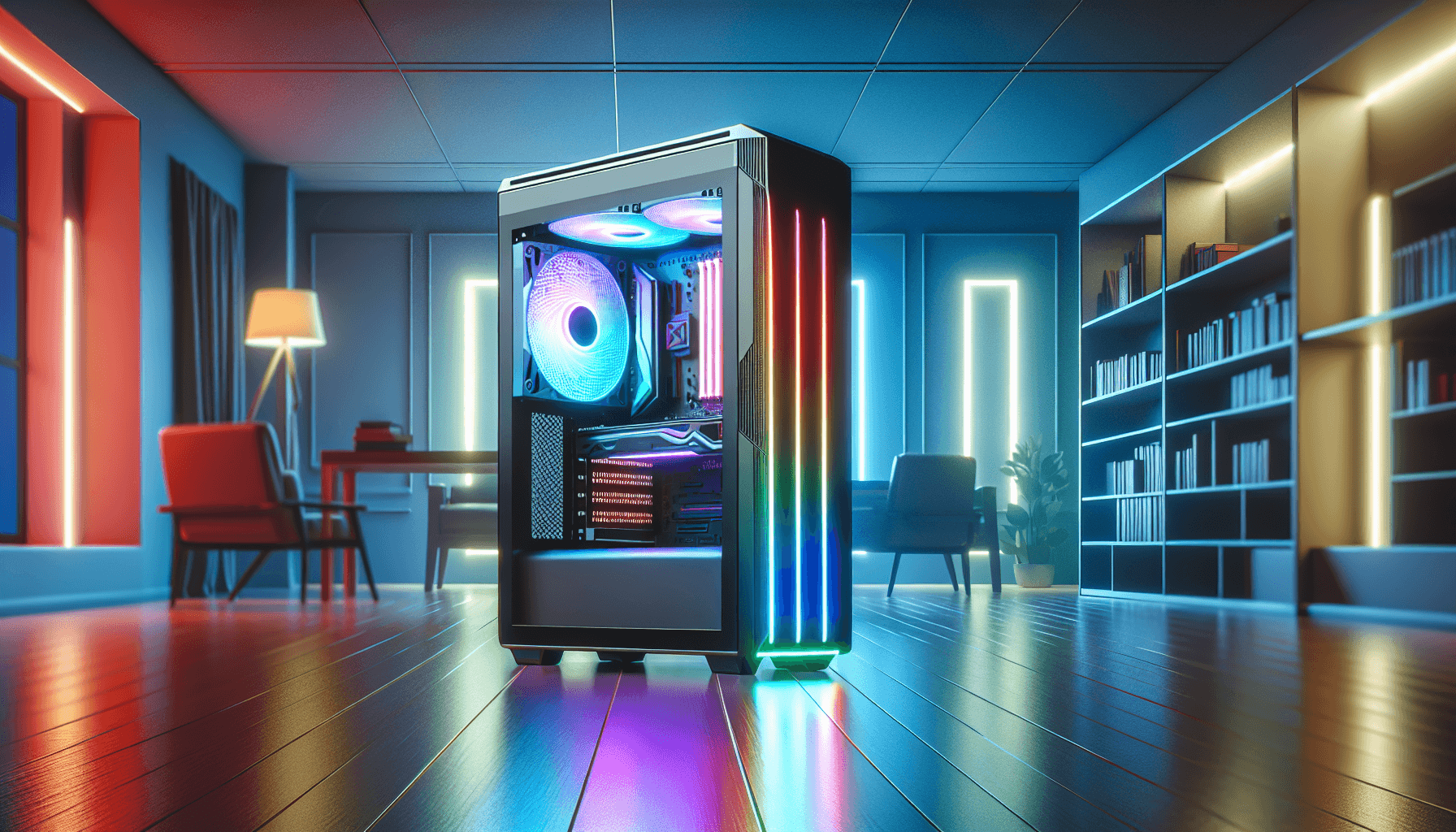
The overall silhouette is clean and modern without being try-hard about it. The white finish on the exterior panels is a matte-ish white that doesn't show fingerprints as badly as some glossy white cases I've worked with. The mesh front panel is the dominant visual feature, and it's genuinely open mesh rather than the decorative-mesh-over-solid-panel trick some manufacturers pull. You can actually see daylight through it, which is exactly what you want for airflow. The tempered glass left panel is held on with a thumb screw at the rear and pops off cleanly. No fighting with it.
Motherboard Compatibility
This is where the Gungnir 300R genuinely earns some points. E-ATX support is listed on a lot of cases, but the reality is often disappointing. Some cases technically fit an E-ATX board but leave you with almost no clearance for cables on the right side, or the standoff layout doesn't actually match common E-ATX board dimensions. MSI has done this properly here. The motherboard tray supports E-ATX boards up to 280mm wide, which covers the vast majority of E-ATX boards you'd actually buy, including popular options from ASUS, Gigabyte, and MSI's own MEG and MPG ranges.
I tested with a standard ATX board first, and the standoff layout is clean and well-labelled. The pre-installed standoffs are in the right positions for ATX, and there are additional standoffs included in the accessories bag for other form factors. The motherboard tray itself has a large CPU backplate cutout, which is properly sized. I've been in cases where the cutout is just barely big enough and you end up having to partially remove the board to swap a cooler. Not an issue here. The cutout is generous enough that even larger backplates aren't a problem.
For mATX and Mini-ITX builds, the case obviously has a lot of unused space, but that's not really a criticism. If you're building mATX, you're probably doing it for component compatibility reasons rather than size, and the extra room just makes the build process easier. The cable management options (more on those later) are equally useful regardless of board size. One thing worth noting: the seven standard expansion slots plus the two vertical GPU slots means you've got plenty of flexibility for multi-card setups or high-end audio cards alongside your GPU, though in practice most people will be running a single GPU in 2026.
GPU Clearance
MSI quotes 400mm of GPU clearance in the standard horizontal orientation, and in practice that's accurate. I fitted a 340mm card without any drama, and there's clearly room to spare. Even with a 360mm front radiator installed, you're looking at around 380mm of usable GPU length, which still covers pretty much every current consumer GPU. The RTX 5090 Founders Edition, for reference, comes in at around 336mm, so you're fine. Triple-fan cards from AIB partners that push towards 360mm are also accommodated without issue.
The vertical GPU mount is one of the headline features here, and MSI has included a proper vertical GPU bracket and stand rather than just cutting some slots in the chassis and calling it done. The bracket positions the GPU close to the tempered glass panel, which is exactly what you want for showing off a nice card. The vertical mount uses the two dedicated PCIe slots at the top of the expansion area. One important caveat: the riser cable is not included. You'll need to budget for a PCIe 4.0 riser cable separately, which typically adds another £20-30 to the build cost. That's a bit annoying at this price point, but it's not unusual for the category.
Clearance between a vertically mounted GPU and the tempered glass panel is around 40mm with the included bracket, which is enough for airflow and doesn't look cramped through the glass. I did notice that with a particularly thick triple-fan card in vertical orientation, you want to make sure your GPU's power connectors are routed cleanly, because space gets tighter on the top edge of the card. Not a dealbreaker, just something to plan for. The GPU support stand that's included is a nice touch for preventing GPU sag in horizontal orientation, and it's adjustable, which means it actually works with different card thicknesses rather than just being decorative.
CPU Cooler Clearance
170mm of CPU cooler clearance is the quoted figure, and I measured it myself and got 171mm, so MSI is being honest rather than optimistic. That 170mm figure covers the vast majority of popular tower coolers. The Noctua NH-D15 comes in at 165mm, the be quiet! Dark Rock Pro 4 at 162mm, and even some of the chunkier Thermalright options sit under 170mm. You'd have to be going for something genuinely unusual to hit the ceiling here. So if you're planning an air-cooled build, you're sorted.
For AIO liquid cooling, the front panel supports radiators up to 360mm, the top supports up to 360mm, and the rear takes a single 120mm. I ran a 360mm AIO mounted at the front during my main testing period, with the radiator fans as intake pushing air through the radiator into the case. This is generally the preferred orientation for AIOs in airflow-focused cases, and the Gungnir 300R handles it well. The front mounting points are solid, the radiator sits flush, and there's no flexing or rattling once everything is tightened down.
Top-mounted 360mm AIO installation is also possible, but I'd note that with a full-size ATX or E-ATX board, you'll want to check your RAM clearance. Tall RAM with large heatspreaders can occasionally conflict with top-mounted radiators in cases of this width. In my testing with standard-height DDR5 (around 35mm), there was no issue, but if you're running something like G.Skill Trident Z5 with the taller heatspreaders, measure first. The pump head mounting area on the CPU socket has plenty of room regardless of which radiator position you choose, and the large backplate cutout makes pump head installation straightforward.
Storage Bay Options
Storage options in the Gungnir 300R are decent but not exceptional. You get two 3.5-inch drive bays in a cage behind the PSU shroud, plus four 2.5-inch mounting points (two dedicated, and two more on the 3.5-inch trays themselves). For most modern builds this is fine. The reality is that most people are running one or two NVMe SSDs on the motherboard and maybe a single 2.5-inch SATA SSD for extra storage, so the 3.5-inch cage is often used for a single HDD at most.
The 3.5-inch drive trays are tool-free for hard drives, using rubber grommets to hold the drives in place and reduce vibration. It works well enough, though I've seen more elegant implementations. The 2.5-inch mounting points use screws, which is standard. The drives behind the PSU shroud are completely hidden from view, which keeps the interior looking clean through the glass panel. There's no tool-free 2.5-inch mounting on the back of the motherboard tray, which would have been a nice addition for hiding SSDs neatly.
M.2 storage is handled entirely by your motherboard, which is how it should be in 2026. The case doesn't need to provide M.2 slots because every modern motherboard has at least two, and most mid-to-high-end boards have three or four. So the lack of any case-mounted M.2 brackets isn't a criticism. If you're building a pure NVMe setup with no 2.5-inch or 3.5-inch drives at all, the storage cage can be removed entirely to improve airflow to the front fans, which is a genuinely useful option that not every case offers.

Cable Management
Cable management in the Gungnir 300R is one of its stronger points. The rear panel cavity gives you around 25-28mm of space between the motherboard tray and the right side panel, which is enough to route cables without forcing the panel shut. I've worked in cases with 20mm or less back there, and it's genuinely miserable. Here, you can actually route cables properly and still close the panel without it bowing outward.
There are multiple cable routing channels with rubber grommets throughout the motherboard tray, positioned sensibly for the main 24-pin ATX connector, the CPU power cables, and GPU power routing. Velcro straps are pre-installed at several points along the tray, which I appreciate. Some cases include cable ties instead, which work but aren't reusable when you inevitably need to reroute something. The PSU shroud has a cutout on the right side for routing cables from the PSU up into the main chamber, and it's sized generously enough that even a bundle of modular cables doesn't feel cramped.
The full-length PSU shroud does a lot of heavy lifting aesthetically. It hides the PSU, the drive cage, and most of the cable mess in the lower section of the case, leaving the main chamber looking clean. The gap between the shroud and the front of the case is where your front fan cables and front panel connectors route through, and there's a dedicated channel for this that keeps things tidy. One minor gripe: the front panel connector cables (the small ones for power switch, reset, and LEDs) are a bit short. If your motherboard's front panel header is positioned in an awkward spot, you might find yourself stretching them slightly. Not a major issue, but worth knowing.
Airflow and Thermal Design
This is where the MSI MPG GUNGNIR 300R AIRFLOW WHITE Mid-Tower PC Case really makes its case (sorry). The mesh front panel is the real deal. It's not a token mesh pattern over a solid panel; it's an open mesh that lets air flow through with minimal restriction. Combined with the three 120mm ARGB fans at the front pulling air in, you've got a proper positive-pressure intake setup right out of the box. The rear exhaust fan completes the basic airflow path, and the top panel also has a mesh section for either additional exhaust fans or a top-mounted radiator.
During my three weeks of testing, I monitored CPU and GPU temperatures under sustained load using a 360mm AIO at the front and the stock rear exhaust fan. Temperatures were competitive with other well-ventilated cases in this price range. The key thing is that the mesh front genuinely doesn't restrict intake airflow the way a tempered-glass-fronted case does. If you've ever swapped from a glass-front case to a mesh-front case and seen your temperatures drop 5-8 degrees Celsius, you'll know what I mean. The Gungnir 300R is firmly in the mesh-front camp, and it shows in the thermals.
The included 120mm ARGB fans are decent for bundled fans. They're not going to replace a set of Noctua NF-A12x25s, but they move a reasonable amount of air and aren't embarrassingly loud at mid-speed. The ARGB lighting is bright and even, and the hub controller means you can daisy-chain them without hunting for spare headers. The dust filters on the front, bottom, and top are magnetic and pull off easily for cleaning, which is exactly how dust filters should work. I cleaned them once during the testing period and the process took about 30 seconds. No tools, no fuss.
Front I/O and Connectivity
The front I/O panel is positioned on the top of the case, angled slightly forward, which is a sensible placement for a case that'll sit on a desk. The layout gives you the power button (large, easy to find in the dark), a reset button, two USB 3.0 Type-A ports, a USB Type-C port, and a single combined audio jack for headphones and microphone. The USB Type-C port running at 20Gbps is the headline here, and it's a proper USB 3.2 Gen 2x2 implementation rather than the slower Gen 2 (10Gbps) that some cases pass off as "USB-C."
That 20Gbps Type-C port requires a motherboard with a USB 3.2 Gen 2x2 internal header, which is worth checking before you buy. Most mid-to-high-end motherboards from the last couple of years have this header, but budget boards sometimes don't. If your board only has a Gen 2 (10Gbps) header, the port will still work, just at half the rated speed. Not a case design flaw, just something to be aware of when pairing components.
The two USB Type-A ports are USB 3.0 (5Gbps), which is standard and perfectly adequate for mice, keyboards, USB drives, and most peripherals. I'd have liked to see one of them upgraded to 10Gbps, but at this price point that's a minor wish rather than a real complaint. The combined audio jack works fine. It's not audiophile-grade, but it's clean enough for gaming headsets and general use. The power button has a satisfying click to it and the RGB ring around it ties into the ARGB ecosystem, which is a nice touch without being over the top.
Build Quality and Materials
The overall build quality of the Gungnir 300R is solid for the price tier. The 0.7mm SPCC steel panels feel substantial enough that the case doesn't flex when you pick it up or move it around. Panel alignment is good out of the box, with the tempered glass side panel sitting flush and the top mesh panel fitting without any gaps or rattles. I did check for sharp edges, which is always one of my first tests with a new case, and I'm happy to report there are none that would catch your hands during a normal build. The edges are rolled or deburred properly.
The tempered glass left panel is 4mm thick, which is standard for this category. It's held on by a single thumb screw at the rear and uses a hinge-style mechanism at the front, so you unscrew the back and swing it open. It's a clean system that works well, though I slightly prefer the magnetic latch systems some competitors use because they're even faster to remove. The right steel panel uses two thumb screws and slides off, which is fine. No complaints there.
The white finish on the exterior is applied evenly and doesn't show obvious brush marks or inconsistencies. After three weeks of handling, the panels haven't picked up any noticeable scuffs from normal use. The interior is also white, which helps with visibility during the build process and looks great through the glass panel once everything is installed. White interiors do show dust more obviously than black ones, so you'll want to stay on top of cleaning, but that's a lifestyle choice rather than a design flaw. The ARGB fans and any RGB components look particularly good against a white interior backdrop.
How It Compares
At this price point, the Gungnir 300R is competing primarily with the Corsair 4000D Airflow and the Fractal Design Pop Air. Both are well-regarded cases with strong airflow credentials, and both sit in a similar price bracket. The Corsair 4000D Airflow is probably the most direct competitor: it's a mesh-front mid-tower with good clearances and a strong reputation for build quality. The Fractal Pop Air is slightly more budget-friendly but brings Fractal's typically excellent build quality and clean aesthetic.
Where the Gungnir 300R wins outright is in the included accessories. Four ARGB fans with a hub controller, a vertical GPU bracket and stand, and a USB-C 20Gbps front port are all things you'd pay extra for with the Corsair or Fractal options. The E-ATX support is also more genuine here than on the 4000D, which technically supports E-ATX but with tighter clearances. Where the Gungnir 300R falls slightly short is in the premium feel of the panels: the Fractal Pop Air has slightly better panel rigidity, and the Corsair 4000D's build quality is arguably a touch more refined.
But here's the thing: when you factor in what you're getting in the box with the Gungnir 300R versus what you'd need to add to the Corsair or Fractal to match it, the MSI often works out better value overall. Four decent ARGB fans alone would cost you £30-40 if bought separately, and the vertical GPU bracket adds another £15-20 of value. So on a total-cost-of-ownership basis, the Gungnir 300R makes a strong argument for itself.
| Feature | MSI MPG Gungnir 300R Airflow White | Corsair 4000D Airflow | Fractal Design Pop Air |
|---|---|---|---|
| Form Factor | Mid-Tower | Mid-Tower | Mid-Tower |
| Max Motherboard | E-ATX (280mm) | E-ATX (limited) | ATX |
| Included Fans | 4 x 120mm ARGB | 2 x 120mm (non-ARGB) | 3 x 140mm (non-ARGB) |
| Max GPU Length | 400mm | 360mm | 467mm |
| Max CPU Cooler Height | 170mm | 170mm | 185mm |
| Front Radiator Support | 360mm | 360mm | 360mm |
| USB-C Front I/O | Yes (20Gbps) | Yes (10Gbps) | Yes (10Gbps) |
| Vertical GPU Support | Yes (bracket included) | Yes (bracket included) | No |
| Dust Filters | Front, Bottom, Top | Front, Bottom | Front, Bottom, Top |
| ARGB Hub Included | Yes | No | No |
| Price | £111.10 | Similar tier | Similar tier |

Final Verdict
The MSI MPG GUNGNIR 300R AIRFLOW WHITE Mid-Tower PC Case is a genuinely good case that gets more right than it gets wrong. The mesh front delivers real airflow rather than just the appearance of it, the E-ATX support is legitimate rather than a marketing stretch, and the included accessories, particularly the four ARGB fans with hub controller and the vertical GPU bracket, add real value that you'd otherwise be spending extra on. Three weeks of building and running hardware inside it left me with a positive impression overall.
The things I'd flag as genuine weaknesses are relatively minor. The front panel connector cables could be a touch longer, the riser cable for vertical GPU mounting isn't included (which feels like an oversight at this price), and the steel thickness, while adequate, isn't quite as premium as what you'd find on a Fractal or a be quiet! case. But none of these are dealbreakers. They're the kind of compromises you accept at this price point in exchange for everything else the case offers.
If you're building a mid-to-high-end system, particularly one with an E-ATX board or a card you want to show off vertically, the Gungnir 300R Airflow White is a strong choice. The white interior and exterior look excellent, the airflow is genuinely good, and the build experience is pleasant rather than frustrating. At the current price shown below, it represents solid value in the enthusiast case category. I'd buy it again.
Our Rating: 8.5 / 10
- Genuine mesh-front airflow with four ARGB fans included
- Real E-ATX support up to 280mm board width
- USB-C 20Gbps front I/O is ahead of most competitors
- Vertical GPU bracket and stand included in the box
- Clean cable management with good rear clearance
What works. What doesn’t.
5 + 3What we liked5 reasons
- Genuine open-mesh front panel delivers real airflow improvement
- Four 120mm ARGB fans plus hub controller included in the box
- Legitimate E-ATX support up to 280mm board width
- USB-C 20Gbps front I/O beats most competitors at this price
- Vertical GPU bracket and stand included without extra cost
Where it falls3 reasons
- PCIe riser cable for vertical GPU not included
- Front panel connector cables are slightly short
- 0.7mm steel is adequate but not class-leading for rigidity
Full specifications
12 attributes| Form factor | Mid-Tower |
|---|---|
| MAX GPU length | 340 |
| MAX cooler height | 170 |
| Radiator support | Front: 120/140/240/280/360mm, Top: 120/240mm, Rear: 120mm |
| CPU cooler clearance MM | 170 |
| Dimensions MM | 215 x 430 x 450 |
| Drive bays | 2x 2.5" + 2x 3.5" |
| Fans included | 4 |
| GPU clearance MM | 340 |
| MAX FAN count | 6 |
| MAX radiator MM | 360 |
| PSU support | ATX up to 250mm (without 3.5" HDD tray) |
If this isn’t right for you
2 options 8.5 / 10
Fractal Design North Charcoal Black - Wood Walnut front - Mesh side panels - Two 140mm Aspect PWM fans included - Type C USB - ATX Airflow Mid Tower PC Gaming Case
£109.99 · Fractal Design
 8.5 / 10
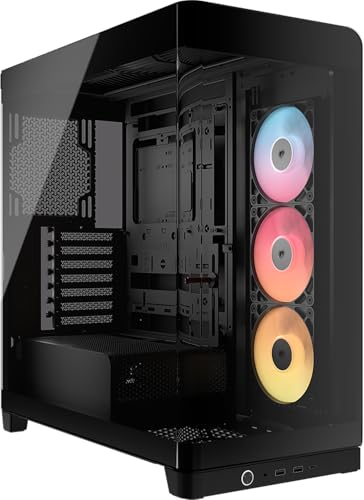
CORSAIR FRAME 4500X RS-R ARGB Panoramic Glass Mid-Tower PC Case – InfiniRail Mounting System, Fits Dual 360mm Radiators, GPU Anti-Sag, 3x RS120R Fans Included – Black
£79.99 · Corsair
Frequently asked
5 questions01Is the MSI MPG GUNGNIR 300R AIRFLOW WHITE Mid-Tower PC Case - E-ATX Capacity, 4 x 120mm ARGB Fans with Hub Controller, Vertical GPU Support & Stand, Dust Filters, Cable Routing, USB Type-C (20Gbps) good for airflow?+
Yes, genuinely so. The front panel is true open mesh rather than a decorative pattern over a solid panel, which makes a measurable difference to intake airflow. Three 120mm ARGB fans are pre-installed at the front as intake, with a fourth at the rear as exhaust. The top panel also supports up to a 360mm radiator or additional exhaust fans. Magnetic dust filters on the front, bottom, and top keep dust manageable without restricting airflow significantly. In testing, temperatures under sustained load were competitive with other well-regarded mesh-front cases in this price range.
02What's the GPU clearance on the MSI MPG GUNGNIR 300R AIRFLOW WHITE Mid-Tower PC Case - E-ATX Capacity, 4 x 120mm ARGB Fans with Hub Controller, Vertical GPU Support & Stand, Dust Filters, Cable Routing, USB Type-C (20Gbps)?+
MSI quotes 400mm of GPU clearance in the standard horizontal orientation, which is accurate based on real-world measurement. With a 360mm front radiator installed, usable GPU length drops to around 380mm, which still accommodates virtually every current consumer graphics card including triple-fan AIB variants. For vertical GPU mounting, the included bracket positions the card close to the tempered glass panel with approximately 40mm of clearance between the card and the glass. Note that the PCIe riser cable required for vertical mounting is not included and needs to be purchased separately.
03Can the MSI MPG GUNGNIR 300R AIRFLOW WHITE Mid-Tower PC Case - E-ATX Capacity, 4 x 120mm ARGB Fans with Hub Controller, Vertical GPU Support & Stand, Dust Filters, Cable Routing, USB Type-C (20Gbps) fit a 360mm AIO?+
Yes. The front panel supports radiators up to 360mm, and the top panel also supports up to 360mm. The rear takes a single 120mm radiator or fan. Front-mounted 360mm AIO installation is straightforward and well-supported by the mounting points. For top-mounted 360mm AIOs, check your RAM heatspreader height first: standard-height DDR5 around 35mm has no clearance issues, but very tall heatspreaders on some enthusiast RAM kits can be tight. Front mounting with fans in intake orientation is the recommended setup for maximum thermal performance in this case.
04Is the MSI MPG GUNGNIR 300R AIRFLOW WHITE Mid-Tower PC Case - E-ATX Capacity, 4 x 120mm ARGB Fans with Hub Controller, Vertical GPU Support & Stand, Dust Filters, Cable Routing, USB Type-C (20Gbps) easy to build in?+
Yes, the build experience is genuinely pleasant. The rear cable management cavity offers around 25-28mm of clearance, which is enough to route cables properly without forcing the panel shut. Multiple rubber-grommeted cable routing channels are well-positioned for the main ATX power, CPU power, and GPU power cables. Pre-installed Velcro straps make cable bundling easy and reusable. The large CPU backplate cutout means you can swap coolers without removing the motherboard. The main frustration is that the front panel connector cables are slightly short, which can be awkward if your motherboard's front panel header is in an inconvenient position.
05What warranty and returns apply to the MSI MPG GUNGNIR 300R AIRFLOW WHITE Mid-Tower PC Case - E-ATX Capacity, 4 x 120mm ARGB Fans with Hub Controller, Vertical GPU Support & Stand, Dust Filters, Cable Routing, USB Type-C (20Gbps)?+
Amazon offers 30-day hassle-free returns if the case doesn't suit your build. MSI typically provides a 2-year warranty on manufacturing defects for their MPG series cases, covering issues like panel defects, structural problems, and included fan failures. Check the product listing and MSI's official support pages for the exact warranty terms applicable to your purchase, as these can vary by region and retailer.