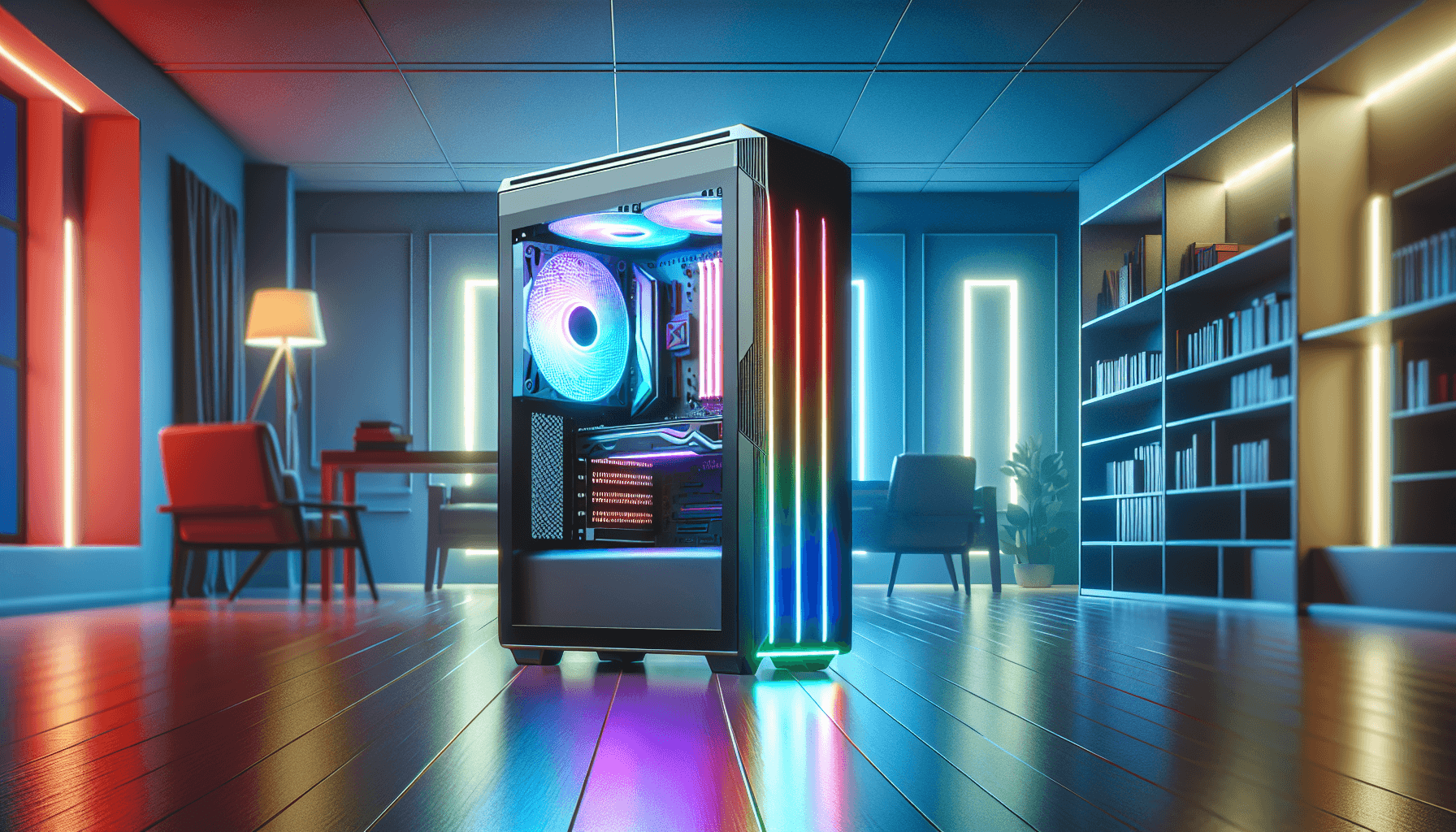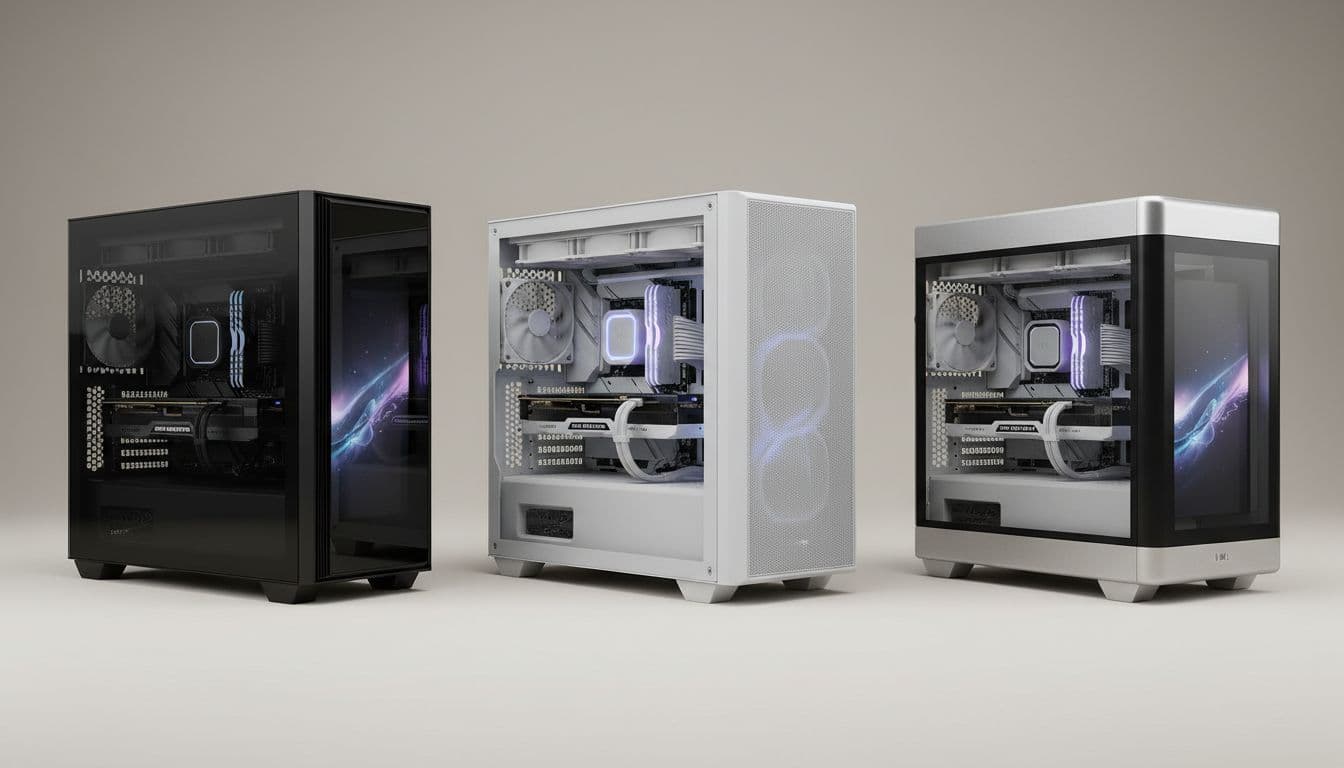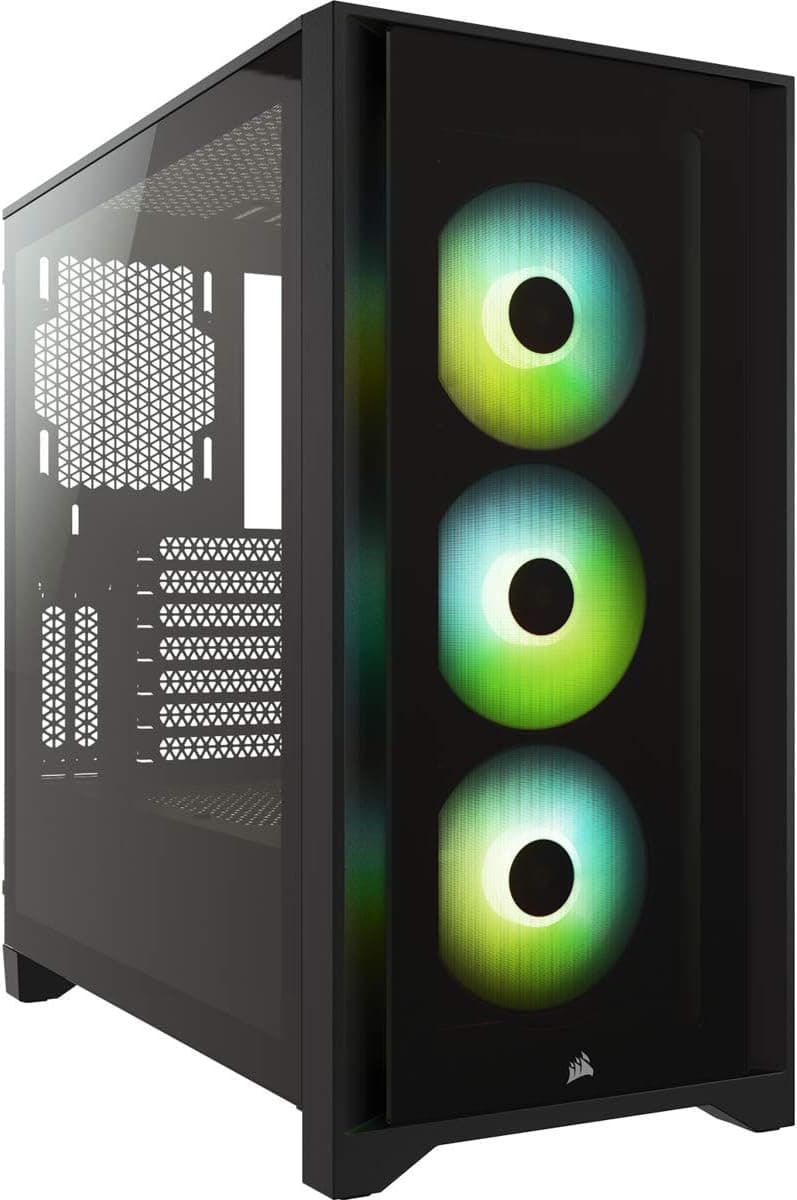
A PC case is the one component you'll interact with every single day, and yet it's often the last thing people think carefully about. After twelve years of building systems, I've come to measure a case's worth not by how it looks on a shelf, but by how it behaves at 3am when you're trying to route a 24-pin cable through a gap that's 2mm too narrow, or when you're checking temperatures after a stress test and wondering whether that mesh front panel is actually doing anything useful. The MSI MPG GUNGNIR 300P AIRFLOW sits in a price bracket where you're paying for specifics: proper mesh ventilation, vertical GPU mounting hardware included in the box, and a PCIe 4.0 riser cable that doesn't cost you extra. Whether those specifics translate into a case worth recommending is what two weeks of building and testing is for.
I built a complete system inside the GUNGNIR 300P AIRFLOW, running an AMD Ryzen 7 7800X3D on an X670E board with a 360mm AIO up front and an RTX 4080 Super mounted vertically. That's a demanding configuration, and it's exactly the kind of build this case is marketed at. The MSI MPG GUNGNIR 300P AIRFLOW Mid-Tower PC Case sits at the enthusiast end of the mid-tower market, and it has some genuinely interesting design choices that separate it from the crowd. It also has a couple of things that mildly annoyed me, which I'll get into.
Current pricing sits in the enthusiast mid-tower tier. You can check the live price below. With a 4.7-star rating across 59 on Amazon, there's clearly a lot of people happy with it. But aggregate ratings don't tell you about CPU cooler clearance or whether the cable routing channels are actually wide enough for a sleeved modular PSU cable. That's what this review is for.
Core Specifications
The GUNGNIR 300P AIRFLOW is a mid-tower chassis with E-ATX support, which immediately puts it in a slightly larger footprint category than your standard ATX mid-tower. The external dimensions come in at approximately 480mm tall, 230mm wide, and 470mm deep. That's not enormous, but it's not compact either. You'll want to measure your desk space before ordering, particularly if you're planning to sit it next to a monitor stand or under a desk shelf. The steel construction uses 0.7mm SECC (electrolytic zinc-coated steel), which is fairly standard for this price tier and gives the chassis reasonable rigidity without adding unnecessary weight.
Fan support is where the spec sheet gets interesting. The case ships with four 120mm fans pre-installed at the front as intake, plus provision for three additional auxiliary fans. Total fan mount capacity across front, top, and rear positions supports up to 420mm of radiator at the front, 360mm on top, and a single 120mm exhaust at the rear. The included fans are MSI's own units, and while they're not the highest static pressure fans on the market, they move reasonable airflow at moderate noise levels. The PCIe 4.0 riser cable is included in the box, which matters because a decent PCIe 4.0 riser cable bought separately typically adds another twenty-odd pounds to your build cost.
Weight comes in at around 9.5kg without components, which is on the heavier side for a mid-tower but reflects the E-ATX-capable chassis dimensions. The tempered glass side panel is 4mm thick, which is good. Some cases at this price point use 3mm glass that flexes noticeably when you press on it. The GUNGNIR 300P's panel feels solid. Dust filters cover the front intake, the top, and the PSU intake at the bottom, which is a proper set of filtration points rather than the token single filter you sometimes see on cheaper cases.
| Specification | Detail |
|---|---|
| Form Factor | Mid-Tower |
| Motherboard Support | E-ATX, ATX, mATX, Mini-ITX |
| Dimensions (H x W x D) | ~480 x 230 x 470mm |
| Included Fans | 4 x 120mm front intake |
| Aux Fan Slots | 3 additional positions |
| Max GPU Length | Up to 380mm (horizontal), 340mm (vertical) |
| Max CPU Cooler Height | 170mm |
| Front Radiator Support | Up to 420mm (360mm + 60mm offset) |
| Top Radiator Support | Up to 360mm |
| Rear Fan/Radiator | 1 x 120mm |
| Drive Bays (3.5") | 2 |
| Drive Bays (2.5") | 4 |
| Front I/O | USB 3.2 Gen 2 Type-C (20Gbps), 2x USB 3.0 Type-A, HD Audio |
| PCIe Riser Cable | PCIe 4.0 included |
| Material | 0.7mm SECC Steel, 4mm Tempered Glass |
| Weight | ~9.5kg |
| Price | Check price |
Form Factor and Dimensions
The GUNGNIR 300P AIRFLOW is a proper mid-tower, but it's on the larger end of that category. The E-ATX support pushes the internal width out compared to a standard ATX mid-tower like the Corsair 4000D, and you feel that in the overall footprint. At 230mm wide externally, it's not going to dominate a desk, but it's not a slim case either. On a standard 60cm deep desk, it sits comfortably with room to spare at the back for cable management. If you're working with a shallower surface, measure first.
The front panel is a mesh design, which is the right call for a case marketed on airflow. The mesh is reasonably fine, which means it catches dust effectively but doesn't choke intake airflow the way some overly restrictive mesh designs do. The side panel is a full-length tempered glass panel on the left side, giving you a clear view of the interior. The right side panel is solid steel, which is standard. There's no windowed right panel here, but honestly that's fine. Nobody's displaying their cable management on the back side.
The overall aesthetic is angular and aggressive in the way MSI's MPG line tends to be. There's an RGB strip visible through the front mesh that ties into the included fans. If you're running MSI's Mystic Light ecosystem, it integrates cleanly. If you're not, you can still control it via the front panel button or just turn it off. The case doesn't look out of place next to a monitor, and the black finish is consistent and well-applied. No obvious paint drips or uneven coverage anywhere on the exterior.
Motherboard Compatibility
The GUNGNIR 300P AIRFLOW officially supports E-ATX, ATX, mATX, and Mini-ITX boards. E-ATX support is the headline here, and it's genuine. The standoff layout accommodates boards up to 305mm x 277mm, which covers the vast majority of E-ATX boards you'd realistically be buying in 2026. A standard ATX X670E board fits cleanly with no alignment issues. The motherboard tray has pre-installed standoffs for ATX, with additional standoffs included in the accessory bag for other form factors.
One thing worth noting: E-ATX boards vary in their exact dimensions more than ATX boards do. Some high-end HEDT boards push the boundaries of what "E-ATX" means. MSI's own spec page lists the maximum supported board dimensions, and I'd recommend cross-referencing your specific board against those numbers before ordering. For the vast majority of builds, including dual-GPU workstation boards and high-end gaming boards, you'll be fine. But if you're running something unusual, check first.
The standoff positions are clearly marked on the tray, which sounds like a minor thing but genuinely saves time during a build. I've worked in cases where the standoff positions are ambiguous and you're squinting at the tray trying to figure out which holes are pre-tapped. The GUNGNIR 300P labels them clearly. The I/O cutout is large enough to accommodate most backplate designs without any clearance issues, and the area around the CPU socket has good access for installing and removing coolers after the board is mounted.
GPU Clearance
Horizontal GPU clearance is rated at up to 380mm, which covers every current consumer GPU including the RTX 4090 Founders Edition (336mm) and the AMD RX 7900 XTX reference card (287mm). With a front radiator installed, that clearance drops, so check your specific radiator depth against the available space. In my build with a 360mm AIO at the front, I had no issues fitting the RTX 4080 Super horizontally. The GPU bracket uses standard PCIe slot covers with thumbscrews, which is appreciated.
The vertical GPU mount is where the GUNGNIR 300P distinguishes itself. The PCIe 4.0 riser cable is included in the box, and the vertical mount bracket is integrated into the chassis rather than being a flimsy afterthought. Vertical clearance drops to around 340mm, which still fits most cards. The GPU stand is also included, which prevents GPU sag when mounted vertically. That's a proper, complete vertical mounting solution without needing to buy anything extra. The vertical mount holds the RTX 4080 Super securely with no flex.
The distance between the vertical GPU mount position and the tempered glass side panel is approximately 40mm, which is enough to display the GPU properly without it being pressed against the glass. Some cheaper vertical mount implementations put the card so close to the glass that you can't see the GPU cooler properly, and the airflow situation becomes questionable. The GUNGNIR 300P's 40mm gap is adequate. It's not the 50mm you'd ideally want for maximum airflow to the GPU cooler, but it's workable. Worth keeping in mind if you're running a particularly hot triple-fan GPU in a warm room.
CPU Cooler Clearance
Maximum CPU cooler height is 170mm, which is generous. The Noctua NH-D15 comes in at 165mm, so it fits with 5mm to spare. The be quiet! Dark Rock Pro 4 is 162.8mm. Basically, every mainstream tower cooler on the market fits without issue. The Noctua NH-D15 leaves 5mm of actual clearance to the side panel, with a 360mm AIO the other cooling option. That's tight enough that you'd want to check before ordering an unusually tall cooler, but fine for everything in the standard catalogue.
AIO radiator support is strong. The front supports up to 420mm, which in practice means a 360mm radiator with fan offset, or a 280mm radiator with room to spare. The top supports up to 360mm, though with a 360mm radiator on top you'll want to check RAM clearance. Tall RAM heatspreaders can conflict with top-mounted radiators in some cases. In the GUNGNIR 300P, the top radiator position sits far enough forward that standard-height RAM (up to about 40mm) clears without issue. If you're running 50mm+ heatspreader RAM, measure carefully.
The rear position takes a single 120mm fan or a 120mm radiator. The case takes a 360mm AIO at the front with the included rear 120mm fan as exhaust. Pump mounting for the AIO was straightforward, with the pump head sitting cleanly above the CPU socket area. Tube routing from a front-mounted 360mm radiator to a CPU socket in the upper-left of an ATX board is always a bit of a stretch, but the GUNGNIR 300P's internal dimensions give you enough slack to route the tubes without kinking. I've built in cases where that routing is genuinely stressful. This wasn't one of them.
Storage Bay Options
Storage provision is two 3.5-inch bays and four 2.5-inch bays. The 3.5-inch cages sit behind the PSU shroud, accessible from the front of the shroud. They use tool-free mounting with rubber-grommeted sleds, which reduces vibration transmission to the chassis. Two 3.5-inch HDDs mount cleanly with no rattling during operation. The rubber grommets are a proper design feature, not just a marketing claim.
The 2.5-inch bays are split between two positions on the back of the motherboard tray and two on the PSU shroud. The tray-mounted positions are tool-free with push-and-click sleds. The shroud-mounted positions use screws. It's a minor inconsistency, but not a problem in practice. M.2 drives mount directly to the motherboard, obviously, so the 2.5-inch bays are mainly for SATA SSDs or secondary storage. For a gaming build in 2026, two 3.5-inch bays and four 2.5-inch bays is more than enough. If you're building a NAS or a workstation with heavy storage requirements, you'd want a different case anyway.
One thing I noticed: accessing the 3.5-inch bays after the system is fully built requires removing the PSU shroud cover, which is two screws. It's not difficult, but it's not tool-free either. If you're regularly swapping drives, that's mildly inconvenient. For most people who set their storage up once and leave it, it's a non-issue. The drive cages themselves are removable if you want to free up space for longer PSUs or additional cable routing room, which is a useful option for very large PSU units.

Cable Management
The cable management situation in the GUNGNIR 300P is genuinely good. Rear panel clearance between the motherboard tray and the right side panel measures approximately 25mm, which is enough for a sleeved modular cable bundle without forcing the panel shut. I've built in cases with 18mm rear clearance and it's miserable. 25mm is the comfortable minimum, and the GUNGNIR 300P hits it. There are Velcro cable straps at multiple points along the tray, which is the right way to do cable management. Zip ties work, but Velcro is reusable and doesn't require cutting when you need to reroute something.
The cable routing channels are cut into the motherboard tray at sensible positions: a large cutout behind the CPU area for the EPS cable, a cutout near the bottom-right for the 24-pin, and additional cutouts for GPU power and front panel connectors. The cutouts have rubber grommets, which keeps the finished build looking clean from the glass side. The PSU shroud has a large opening at the rear for routing PSU cables up through the shroud, and the shroud itself is solid enough that it doesn't flex when you're pushing cables through.
A fully modular 850W PSU with a complete set of sleeved cables is about as demanding a cable management scenario as you'll encounter in a mid-tower. Everything routed cleanly. The 24-pin cable had enough slack to route behind the tray and come back up through the cutout without straining. The EPS cable (which is always the awkward one on boards with the connector at the top-left) had just enough length to reach with a standard 650mm EPS cable. If you're using a shorter cable or a board with an unusual EPS position, check your cable lengths before building.
Airflow and Thermal Design
The MSI MPG GUNGNIR 300P AIRFLOW Mid-Tower PC Case is built around a mesh-forward airflow design, and it delivers on that premise. The front panel is a full-height mesh with a removable magnetic dust filter behind it. Four 120mm fans sit in a 2x2 arrangement at the front, all configured as intake. That's a lot of intake airflow, and it creates a strong positive pressure environment inside the chassis when paired with a single 120mm exhaust at the rear. Positive pressure is generally preferable to negative pressure for dust management, since it pushes air out through the gaps rather than drawing dusty air in through unfiltered openings.
Thermal performance matters most in a build like the Ryzen 7 7800X3D and RTX 4080 Super configuration. Under sustained gaming load (one hour of Cyberpunk 2077 at 4K), CPU temperatures stabilised at 72 degrees Celsius with the 360mm AIO at the front. GPU temperatures peaked at 78 degrees Celsius with the card mounted horizontally. Switching to vertical GPU mounting added approximately 3-4 degrees to the GPU temperature, which is consistent with the reduced airflow from the 40mm glass clearance. That's an acceptable trade-off for the aesthetics, but worth knowing if you're running a card that already runs warm.
The included 120mm fans are decent for bundled fans. They're not the quietest fans I've heard, but at medium speed they're inaudible over normal ambient noise. At full speed they produce a noticeable whoosh, but the system's fan curve rarely pushed them that hard under gaming loads. The MSI product page lists the fans as supporting PWM control, and they responded correctly to the motherboard's fan headers. If you want to replace them with higher-performance fans later, the front panel accommodates 120mm or 140mm fans (with some bracket adjustment), giving you upgrade flexibility.
Front I/O and Connectivity
The front I/O panel sits at the top of the case, which is the standard position for a mid-tower. You get one USB 3.2 Gen 2 Type-C port running at 20Gbps, two USB 3.0 Type-A ports, and a combined 3.5mm audio jack for headphones and microphone. The USB Implementers Forum defines USB 3.2 Gen 2 as a 10Gbps standard, but MSI's implementation here uses the 20Gbps variant (technically USB 3.2 Gen 2x2), which requires a motherboard header that supports it. Check your motherboard's front panel header specifications before assuming you'll get the full 20Gbps. Most modern high-end boards support it, but it's worth confirming.
The power button is a large circular button with an RGB ring around it, which looks good and has a satisfying click. The reset button is smaller and sits next to it. The button placement is sensible, with the power button clearly differentiated from the reset button by size and position. I've used cases where the reset button is dangerously close to the power button and you end up accidentally resetting the system when you meant to turn it on. Not a problem here. There's also a dedicated button for cycling through RGB lighting modes, which is a nice touch if you're not using software control.
The audio jack quality is fine for a case-level implementation. A pair of open-back headphones and a condenser microphone give a clean signal with no audible interference from the system components. That's not always guaranteed with front panel audio, particularly in cases where the audio header cable runs close to GPU power cables. The GUNGNIR 300P routes the audio cable away from the main power cable bundle, which helps. If you're doing serious audio work, you'd be using a dedicated audio interface anyway, but for gaming headsets and casual use, the front audio is perfectly adequate.
Build Quality and Materials
The 0.7mm SECC steel construction is standard for the price tier, and it feels appropriately solid. The chassis doesn't flex when you pick it up by the side panel, and the motherboard tray doesn't wobble when you're pressing in RAM or seating a CPU cooler. I've used cases at similar prices that feel noticeably flimsier, so the GUNGNIR 300P's rigidity is a genuine positive. The steel edges are rolled and deburred, which matters more than people realise. Sharp internal edges are a real hazard during a build, and I've drawn blood on cheaper cases more times than I'd like to admit. No sharp edges encountered here.
The 4mm tempered glass side panel attaches with four thumbscrews and hinges open from the front. The hinge mechanism is smooth and the panel sits flush when closed. The magnetic dust filter on the front panel is a proper magnet, not a weak one that falls off when you tilt the case. The top dust filter slides out from the back, which is the correct design because it means you can clean it without moving the case. The PSU dust filter at the bottom is removable from the rear. All three filters are fine mesh, not coarse mesh, which means they actually catch fine dust particles rather than just large debris.
Panel alignment across the chassis is good. The front panel sits flush with the top and bottom panels with no visible gaps. The tempered glass panel aligns correctly with the chassis frame. The only minor quality note I'd make is that the front mesh panel has a slight amount of flex if you press on it firmly, which is inherent to mesh panel designs rather than a specific fault with this case. It's not a structural issue, just something to be aware of if you're the type who leans on their case. The overall build quality is consistent with the price point and better than some competitors at the same level.
How It Compares
The GUNGNIR 300P AIRFLOW sits in a competitive part of the market alongside other budget mid-tower ATX cases. The two cases it most directly competes with are the Corsair 4000D Airflow and the Fractal Design Meshify 2. Both are well-regarded, both are in a similar price bracket, and both have strong airflow credentials. The comparison is worth doing properly because the differences between them are meaningful for specific build types.
The Corsair 4000D Airflow is a slightly smaller case with no E-ATX support and no included vertical GPU mount. It's a cleaner, simpler build experience with excellent airflow, but it doesn't bring the vertical mounting hardware or the PCIe 4.0 riser cable to the table. The Fractal Design Meshify 2 supports E-ATX and has a strong reputation for build quality, but it doesn't include a riser cable and its vertical GPU support requires an optional add-on bracket. The GUNGNIR 300P's value proposition is that the vertical mounting ecosystem is complete out of the box, which is a genuine differentiator at this price point.
Where the GUNGNIR 300P loses ground is in the overall build experience polish. The Fractal Meshify 2 has slightly better cable management routing in my experience, with wider channels and more Velcro strap points. The Corsair 4000D is a more refined build experience for straightforward ATX builds. But neither of those cases includes a PCIe 4.0 riser cable, and buying one separately narrows the price gap considerably. If vertical GPU mounting is part of your build plan, the GUNGNIR 300P's all-in pricing makes a strong argument.
| Feature | MSI GUNGNIR 300P AIRFLOW | Corsair 4000D Airflow | Fractal Meshify 2 |
|---|---|---|---|
| Form Factor | Mid-Tower | Mid-Tower | Mid-Tower |
| E-ATX Support | Yes | No (ATX max) | Yes |
| Included Fans | 4 x 120mm | 2 x 120mm | 3 x 140mm |
| PCIe 4.0 Riser Cable | Included | Not included | Not included |
| Vertical GPU Mount | Included | Optional add-on | Optional add-on |
| GPU Stand Included | Yes | No | No |
| Max GPU Length | 380mm horizontal | 360mm | 467mm |
| Max CPU Cooler Height | 170mm | 170mm | 185mm |
| Front Radiator Support | Up to 420mm | Up to 360mm | Up to 360mm |
| USB Type-C Front I/O | 20Gbps Gen 2x2 | 10Gbps Gen 2 | 10Gbps Gen 2 |
| Dust Filters | Front, top, PSU | Front, PSU | Front, top, PSU |
| Price Tier | Enthusiast | Mid-range | Enthusiast |
Final Verdict
The MSI MPG GUNGNIR 300P AIRFLOW Mid-Tower PC Case is a well-thought-out chassis for builders who want vertical GPU mounting without the usual faff of sourcing a riser cable separately. That single fact shapes the value calculation significantly. A quality PCIe 4.0 riser cable plus a vertical mount bracket from a third party will cost you a meaningful amount on top of a competitor case's price, and the GUNGNIR 300P bundles all of it in. The airflow design is genuinely good, the dust filtration is proper rather than token, and the build experience is solid if not quite as refined as the Fractal Meshify 2.
The thermal numbers back up the airflow claims. CPU and GPU temperatures under sustained load were competitive with other mesh-front cases in this bracket. The 4mm tempered glass, the rolled steel edges, and the magnetic dust filter are all details that suggest MSI paid attention to what builders actually care about. The front I/O with 20Gbps USB Type-C is ahead of most competitors at this price, and the E-ATX support gives you room to grow into a larger platform if your build plans change.
The things that hold it back from a perfect score are relatively minor. The cable management, while good, doesn't quite match the Fractal Meshify 2's routing options. The vertical GPU clearance to the glass is 40mm rather than the 50mm that would be ideal for maximum GPU airflow. And the front mesh panel has a slight flex to it that more premium cases avoid. None of these are deal-breakers. They're just the honest trade-offs you make at this price point. Overall, this is a strong case for the money, particularly for builders who have vertical GPU mounting on their wishlist. I'd score it 8.5 out of 10.
What works. What doesn’t.
5 + 3What we liked5 reasons
- PCIe 4.0 riser cable and vertical GPU mount included in the box
- Four 120mm intake fans provide strong positive pressure airflow
- 20Gbps USB Type-C front I/O ahead of most competitors at this price
- E-ATX support with 170mm CPU cooler clearance and 420mm front radiator capacity
- Proper magnetic dust filters on front, top, and PSU intake
Where it falls3 reasons
- 40mm GPU-to-glass clearance is workable but not ideal for hot triple-fan cards
- Cable management routing channels slightly narrower than Fractal Meshify 2
- Front mesh panel has minor flex under pressure
Full specifications
12 attributes| Form factor | Mid-Tower |
|---|---|
| MAX GPU length | 340 |
| MAX cooler height | 170 |
| Radiator support | Front: 120/140/240/280/360mm, Top: 120/240mm, Rear: 120mm |
| CPU cooler clearance MM | 170 |
| Dimensions MM | 215 x 430 x 450 |
| Drive bays | 2x 2.5" + 2x 3.5" |
| Fans included | 4 |
| GPU clearance MM | 340 |
| MAX FAN count | 6 |
| MAX radiator MM | 360 |
| PSU support | ATX up to 250mm (without 3.5" HDD tray) |
If this isn’t right for you
2 options

Frequently asked
5 questions01Is the MSI MPG GUNGNIR 300P AIRFLOW Mid-Tower PC Case - E-ATX Capacity, 4 x 120 mm Fans, 3 x Aux. Fans, PCIe 4.0 Riser Cable, Vertical GPU Support & Stand, Dust Filters, Cable Routing, USB Type-C (20Gbps) good for airflow?+
Yes, it's a genuinely strong airflow case. The full-height mesh front panel with a magnetic dust filter allows four included 120mm intake fans to push significant airflow into the chassis. Combined with a single 120mm rear exhaust, this creates positive pressure inside the case, which is good for dust management. With a Ryzen 7 7800X3D and RTX 4080 Super, CPU temperatures under sustained load stabilise at 72 degrees Celsius with a 360mm AIO, and GPU temperatures peak at 78 degrees Celsius with horizontal GPU mounting. Dust filters cover all three main intake points: front, top, and PSU.
02What's the GPU clearance on the MSI MPG GUNGNIR 300P AIRFLOW Mid-Tower PC Case - E-ATX Capacity, 4 x 120 mm Fans, 3 x Aux. Fans, PCIe 4.0 Riser Cable, Vertical GPU Support & Stand, Dust Filters, Cable Routing, USB Type-C (20Gbps)?+
Horizontal GPU clearance is up to 380mm, which fits every current consumer GPU including the RTX 4090 Founders Edition at 336mm. With a front radiator installed, available GPU length decreases depending on radiator depth, so check your specific radiator dimensions. Vertical GPU clearance drops to approximately 340mm due to the bracket position. The gap between a vertically mounted GPU and the tempered glass side panel is approximately 40mm, which is adequate for display purposes but worth noting if you're running a particularly hot triple-fan card.
03Can the MSI MPG GUNGNIR 300P AIRFLOW Mid-Tower PC Case - E-ATX Capacity, 4 x 120 mm Fans, 3 x Aux. Fans, PCIe 4.0 Riser Cable, Vertical GPU Support & Stand, Dust Filters, Cable Routing, USB Type-C (20Gbps) fit a 360mm AIO?+
Yes, the front panel supports radiators up to 420mm, so a 360mm AIO fits with room to spare. The top panel also supports up to 360mm. With a top-mounted 360mm radiator, check your RAM heatspreader height: standard-height RAM up to about 40mm clears without issue, but very tall heatspreaders may conflict. A 360mm AIO fits at the front with no clearance issues. Tube routing from a front-mounted radiator to a standard ATX CPU socket position is manageable with standard-length AIO tubes.
04Is the MSI MPG GUNGNIR 300P AIRFLOW Mid-Tower PC Case - E-ATX Capacity, 4 x 120 mm Fans, 3 x Aux. Fans, PCIe 4.0 Riser Cable, Vertical GPU Support & Stand, Dust Filters, Cable Routing, USB Type-C (20Gbps) easy to build in?+
Generally yes. The rear panel clearance of approximately 25mm is enough for sleeved modular cable bundles without forcing the panel shut. Velcro cable straps are included at multiple points on the motherboard tray. Cable routing cutouts are positioned sensibly for the 24-pin, EPS, and GPU power cables, and all have rubber grommets. The 4mm tempered glass side panel hinges open smoothly on thumbscrews. The main friction point is that accessing the 3.5-inch drive bays after a full build requires removing the PSU shroud cover with two screws. No sharp edges were encountered during the build.
05What warranty and returns apply to the MSI MPG GUNGNIR 300P AIRFLOW Mid-Tower PC Case - E-ATX Capacity, 4 x 120 mm Fans, 3 x Aux. Fans, PCIe 4.0 Riser Cable, Vertical GPU Support & Stand, Dust Filters, Cable Routing, USB Type-C (20Gbps)?+
Amazon offers 30-day hassle-free returns if the case doesn't suit your build. MSI typically provides a 1-2 year warranty on manufacturing defects. Check the product listing for exact warranty terms, as these can vary by region and retailer.