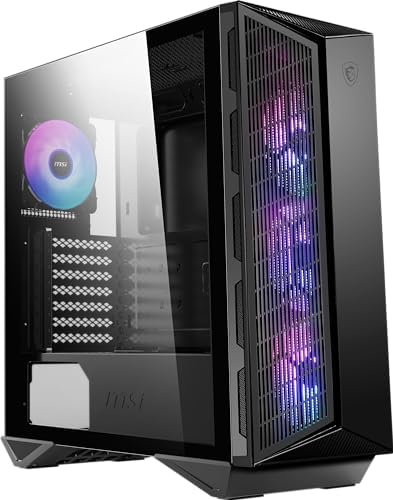
Case reviews tend to follow a predictable script: glamorous hero shots, a quick rundown of the spec sheet, and a verdict that could've been written before the box was even opened. What you rarely see is someone actually routing cables behind the motherboard tray, checking whether that 25mm of rear clearance is genuinely usable, or testing whether the dust filters survive more than a week before they start sagging. I've built in enough cases over the past 12 years to know the difference between a case that looks good in photos and one that's actually pleasant to spend three hours inside with a screwdriver.
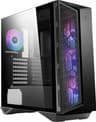
The MSI MPG GUNGNIR 111R Mid Tower Gaming PC Case sits in a competitive part of the market. It's priced in the enthusiast tier, which means it's going head-to-head with some genuinely strong competition from Corsair, NZXT, and Fractal. At this price point, you expect more than just a tempered glass side panel and some RGB fans thrown in. You expect proper cable management, decent airflow, and a build experience that doesn't make you want to bin the whole thing halfway through. So I spent several weeks with this case, built a full system inside it, and here's what I actually found.
For context, the build I used was a mid-range gaming rig: an ATX motherboard, a 280mm AIO cooler, a mid-length GPU, and a psu" class="vae-glossary-link" data-term="modular-psu">modular PSU with a reasonable cable count. Nothing exotic, but representative of what most people buying a case at this price will be putting inside it. The MSI MPG GUNGNIR 111R Mid Tower Gaming PC Case - Black, 4 x 120mm ARGB Fans, USB 3.2 Gen2x2 Type-C, Tempered Glass Panel, Magnetic Dust Filter, Mystic Light RGB, ATX, m-ATX, Mini-ITX was tested across several weeks of daily use, including a few cable management teardowns to check how the routing held up over time.
Core Specifications
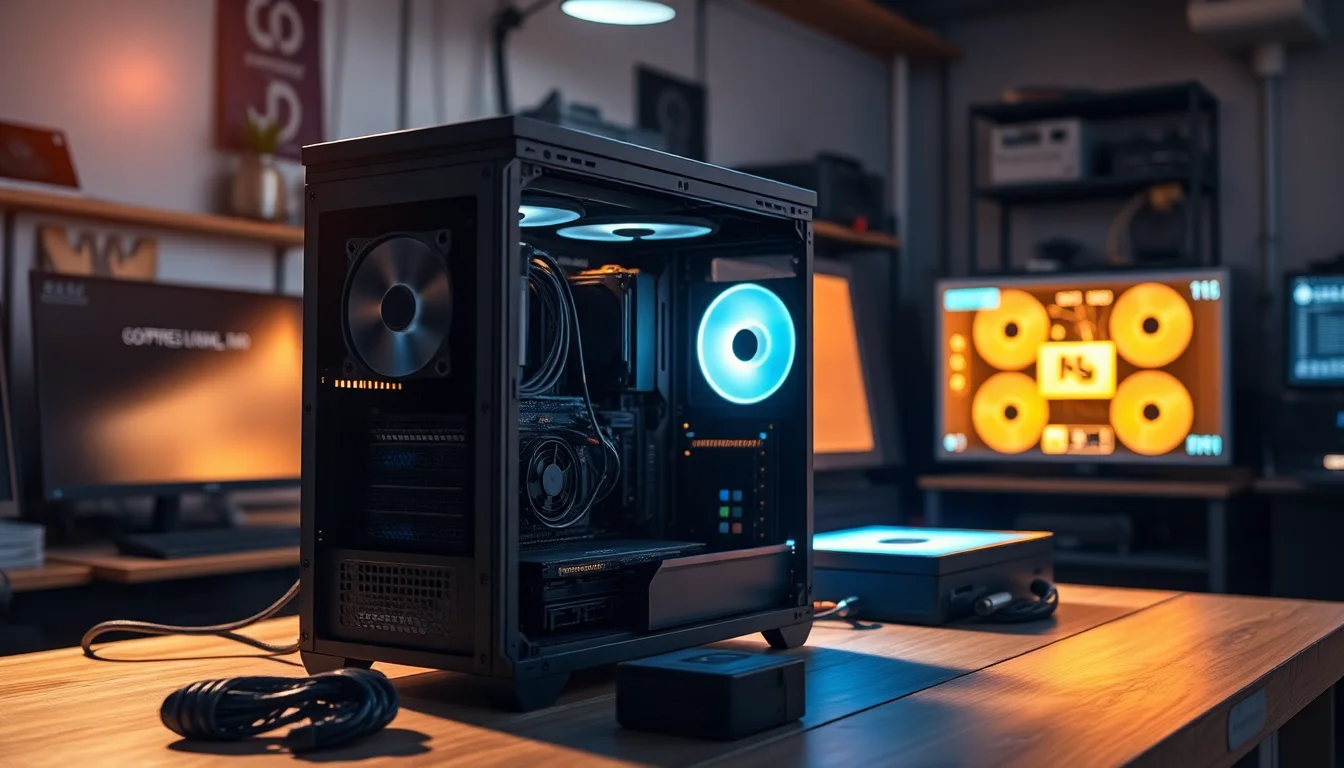
The GUNGNIR 111R is a mid-tower chassis supporting ATX, Micro-ATX, and Mini-ITX motherboards. The external dimensions come in at 210mm wide, 480mm tall, and 430mm deep, which puts it in the standard mid-tower footprint. It weighs around 7.5kg without any components, which is fairly typical for a case with a full tempered glass side panel and a steel chassis. The front panel is a mesh design, which is the right call for airflow, and the tempered glass side panel is fixed with four thumbscrews rather than a hinge mechanism.
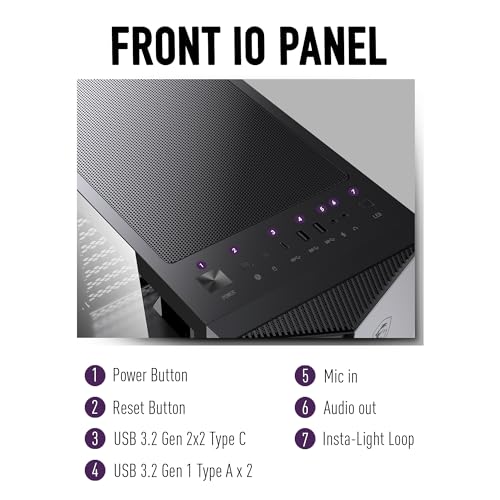
MSI includes four 120mm ARGB fans out of the box, which is genuinely good value at this price. Three are mounted at the front as intake and one at the rear as exhaust. The case supports up to six 120mm fans in total, or you can swap configurations for 140mm fans in certain positions. Radiator support is decent: up to 360mm at the front, 240mm at the top, and 120mm at the rear. The PSU shroud covers the bottom of the case, and there's a removable magnetic dust filter underneath for the PSU intake. The front I/O includes a USB 3.2 Gen 2x2 Type-C port, which is a proper headline feature at this price, alongside two USB 3.0 Type-A ports and a combined audio jack.
Drive support is reasonable without being exceptional: two 3.5-inch bays and two 2.5-inch bays. The 3.5-inch trays are tool-free for hard drives, which is a nice touch. There's also space to mount additional 2.5-inch drives behind the motherboard tray if you need more SSD capacity. The case uses 0.7mm SECC steel for the main chassis, which is standard for this price bracket. Not the thickest you'll find, but it doesn't flex noticeably during a build.
| Specification | Detail |
|---|---|
| Form Factor | Mid Tower |
| Motherboard Support | ATX, Micro-ATX, Mini-ITX |
| Dimensions (W x H x D) | 210mm x 480mm x 430mm |
| Weight | ~7.5kg |
| Included Fans | 4 x 120mm ARGB (3 front intake, 1 rear exhaust) |
| Max GPU Length | 380mm |
| Max CPU Cooler Height | 170mm |
| Front Radiator Support | Up to 360mm |
| Top Radiator Support | Up to 240mm |
| Rear Radiator Support | 120mm |
| Drive Bays (3.5") | 2 |
| Drive Bays (2.5") | 2 (+ additional behind tray) |
| Front I/O | USB 3.2 Gen 2x2 Type-C, 2x USB 3.0 Type-A, Audio |
| Side Panel | Tempered Glass (4mm) |
| Steel Thickness | 0.7mm SECC |
| Dust Filters | Magnetic (top, PSU bottom) |
| RGB | MSI Mystic Light ARGB |
| Current Price | £159.77 |
Form Factor and Dimensions
The GUNGNIR 111R sits comfortably in the standard mid-tower category. At 210mm wide, it's not going to dominate your desk the way a full tower does, but it's not a compact case either. The 430mm depth is worth noting if you're working with a shallower desk, but honestly, most mid-towers in this price range are similar. It fits on a standard desk without issue, and the footprint is predictable enough that you won't be surprised when it arrives.
The front panel design is one of the better-looking mesh fronts I've seen at this price. It's not a flat grille, it has some angular styling that fits the gaming aesthetic without going completely overboard. The tempered glass side panel is on the left, as you'd expect, and the right side panel is a solid steel panel with a slight lip that makes it easy to remove. Both panels come off with thumbscrews, and neither requires tools. That sounds basic, but you'd be surprised how many cases in this bracket still use standard screws on the side panels.
The overall footprint is sensible. It's not a case that's trying to be unusually compact or unusually large. If you've built in a Corsair 4000D or a Fractal Meshify C, you'll feel immediately at home with the internal layout. The PSU shroud runs the full length of the bottom, which keeps things looking tidy from the side panel view. The top of the case has a magnetic dust filter covering the top fan mounts, which is a practical detail that a lot of builders overlook until they're cleaning dust out of their radiator six months later.
Motherboard Compatibility
The GUNGNIR 111R officially supports ATX, Micro-ATX, and Mini-ITX motherboards. The standoff layout is pre-installed for ATX, which is the most common configuration, and there are clearly marked positions for the smaller form factors. I tested with a standard ATX board and had no issues with alignment or standoff placement. The motherboard tray has a large CPU cutout, which is important for installing coolers without removing the board, and it's genuinely large enough to be useful rather than just technically present.
One thing I want to flag for Mini-ITX builders: the case is physically quite large for a Mini-ITX build. You'll have a lot of empty space, and cable management becomes more of a challenge when you're routing cables across a much larger internal volume with a smaller board. It's not a dealbreaker, but if you're planning a Mini-ITX build specifically, there are more purpose-built options. For ATX and Micro-ATX, the fit is proper and the internal layout makes sense.
The motherboard tray itself has a reasonable number of cable routing holes, and they're positioned sensibly around the board. There are grommets on most of the holes, which is a nice touch. The grommets are rubber rather than the cheap plastic ones that crack after a few cable swaps. The 24-pin ATX cable routing hole is in the right place, the CPU power routing hole is at the top right of the tray, and there are additional holes for GPU power cables lower down. Nothing revolutionary, but everything is where you'd expect it to be.
GPU Clearance
MSI specifies a maximum GPU length of 380mm, which covers the vast majority of current graphics cards. For reference, an RTX 4080 Super is around 336mm, and even the larger triple-fan RTX 4090 variants from most manufacturers come in under 360mm. So in practice, you're unlikely to hit the limit with any current consumer GPU. I tested with a 310mm card and had plenty of room to spare, with no issues routing power cables alongside it.
There's no vertical GPU mount option included in the box, which is a bit of a miss at this price point. Some competitors include a riser cable and vertical mount bracket as standard. If you want to show off your GPU through the tempered glass panel, you'll need to buy a separate PCIe riser cable and bracket. The PCIe slot covers are tool-free, which is good, and they're the reusable type rather than the break-off kind. That matters if you're ever swapping expansion cards.
GPU sag is worth mentioning. With a heavier card installed, there's no included anti-sag bracket or support bar. For most mid-range cards this isn't an issue, but if you're fitting a large triple-fan card, you might want to pick up a GPU support bracket separately. The PCIe slots themselves feel solid, and the card seated properly without any flex in the slot during my testing. The clearance between the GPU and the front fans is adequate, with around 30mm of space between the front of a 310mm card and the rear of the front fan mounts.
CPU Cooler Clearance
The maximum CPU cooler height is 170mm, which is enough for most tower coolers on the market. The Noctua NH-D15 is 165mm, the be quiet! Dark Rock Pro 4 is 162.8mm, and the popular DeepCool AK620 is 160mm. So you've got a comfortable margin with all of the mainstream high-end air coolers. I wouldn't push it much beyond 165mm though, because the side panel clearance gets tight and you risk the glass panel pressing against the cooler fins.
For AIO liquid coolers, the front supports up to a 360mm radiator, the top supports up to 240mm, and the rear supports a 120mm. I tested with a 280mm AIO mounted at the front, and the installation was straightforward. The fan mounts at the front are on a removable bracket, which makes fitting a radiator much easier than cases where you have to work around fixed mounting points. The bracket slides out, you attach the radiator and fans, and then slide it back in. Proper design.
One thing to watch with a 360mm front radiator: depending on your RAM height, you may have limited clearance at the top of the radiator near the motherboard. Tall RAM heatspreaders (anything over about 40mm) can make this tight. Standard height RAM is fine. If you're running a 360mm front radiator and high-profile RAM simultaneously, check the clearances carefully before committing. The top 240mm radiator position is a cleaner option if you want to avoid that potential conflict, though you lose some intake capacity.
Storage Bay Options
Two 3.5-inch drive bays and two 2.5-inch bays is the headline figure, and it's honestly a bit lean for a case at this price. If you're running multiple hard drives for storage, you'll hit the limit quickly. That said, most modern builds are increasingly SSD-focused, with M.2 drives handling the primary storage and maybe one or two 2.5-inch SSDs for additional capacity. In that context, the bay count is adequate rather than generous.
The 3.5-inch trays are tool-free, using a push-and-click mechanism to secure drives. It works reliably and I didn't have any drives come loose during testing. The 2.5-inch bays use thumbscrews, which is fine. There's also space behind the motherboard tray to mount additional 2.5-inch drives using the included brackets, which is a useful overflow option if you need more SSD capacity without cluttering the main chamber. The brackets are a bit fiddly to access once the motherboard is installed, so plan your storage layout before you start the build.
M.2 storage is handled by your motherboard rather than the case, which is standard. The case doesn't include any dedicated M.2 mounting points, but that's not unusual. What would've been nice is a dedicated SSD mounting area on the PSU shroud, which some competitors offer. It's a minor point, but it's the kind of detail that makes a build look cleaner when you're done. The overall storage situation is workable for most builds, just don't expect to run a NAS-style multi-drive setup in here.
Cable Management
This is where I spend most of my time evaluating a case, because it's where the difference between a good build and a frustrating one actually lives. The GUNGNIR 111R has around 25mm of clearance behind the motherboard tray, which is enough to route cables without forcing the side panel on, but it's not the 30mm+ you get in some premium cases. I managed to route a full modular PSU cable set cleanly, but it required some deliberate planning. Stuffing cables in randomly and hoping the panel closes is not a strategy that works here.
There are Velcro cable tie points behind the tray, which is good. The routing holes are grommetted and positioned sensibly. The PSU shroud has a cable pass-through at the rear that makes routing power cables to the GPU reasonably clean. The 24-pin cable routes neatly through the hole on the right side of the motherboard tray, and the CPU power cable has a dedicated hole at the top. Where it gets a bit awkward is the GPU power cables, particularly if you're running a card that needs two or three 8-pin connectors. The routing hole positions mean you end up with a slight bend in the cables that's visible through the glass if you're not careful.
The PSU shroud itself is solid and covers the bottom of the case well. It hides the PSU and most of the cable bulk, which is the main job. There's a small opening at the front of the shroud for routing cables up to the motherboard area, and it's wide enough to handle a reasonable cable bundle. The included ARGB fan cables add to the cable count, and MSI includes a hub for managing the ARGB connections, which is a genuine help. Without the hub, you'd be dealing with four separate ARGB cables running to your motherboard, which would be a mess. The hub consolidates them into a single connection, and it mounts tidily behind the tray.
Airflow and Thermal Design
The mesh front panel is the right design choice for a gaming case, and MSI has done it properly here. The mesh is fine enough to catch a reasonable amount of dust while still allowing good airflow, and there's a magnetic dust filter behind it that pulls off easily for cleaning. The top panel also has a magnetic dust filter, which is a detail I genuinely appreciate. Magnetic filters are so much better than the clip-in or slide-out types that always seem to fall off at the wrong moment. You pull them off, tap them out, put them back. Done.
The four included 120mm ARGB fans are decent performers for bundled fans. They're not going to match a set of dedicated Noctua or be quiet! fans, but they move a reasonable amount of air and they're quiet enough at default speeds. The three front fans create a solid positive pressure intake when combined with the single rear exhaust, which is a sensible default configuration. For most gaming builds, this setup will keep temperatures in check without needing to add extra fans. If you're running a particularly hot CPU or GPU, adding a top exhaust fan would help, and the 240mm top mount gives you that option.
In terms of real-world thermals during my testing, the build ran comfortably. CPU temperatures under sustained load were in the expected range for the cooler I was using, and GPU temperatures were similarly unremarkable, which is exactly what you want. The mesh front genuinely makes a difference compared to solid-panel cases. I've built in cases with glass fronts at similar price points and the thermal difference is measurable. If airflow is a priority for you, the mesh front on the GUNGNIR 111R is a point in its favour. MSI's official product page lists the full fan and radiator configuration options if you want to plan a custom fan layout before buying.
Front I/O and Connectivity
The front I/O panel is on the top of the case, which is the standard position for mid-towers. The layout is clean: power button on the left, then the USB ports and audio jack, with the reset button tucked in. The power button has a subtle RGB ring around it that ties into the Mystic Light ecosystem, which is a nice touch without being excessive. The button itself has a satisfying click and doesn't feel cheap.
The USB 3.2 Gen 2x2 Type-C port is the headline feature here, and it's worth talking about properly. USB 3.2 Gen 2x2 delivers up to 20Gbps of bandwidth, which is genuinely fast for transferring large files to external SSDs. Most cases at this price include a standard USB 3.2 Gen 1 Type-C at best, so the Gen 2x2 implementation is a meaningful step up. The caveat is that your motherboard needs a matching internal header to use it at full speed. Not all motherboards have this, so check your board's spec sheet before assuming you'll get the full 20Gbps. If your board only has a Gen 1 header, the port will still work, just at reduced speed.
The two USB 3.0 Type-A ports are standard and work as expected. The combined audio jack is a single 3.5mm combo port rather than separate headphone and microphone jacks, which is a minor annoyance if you use a headset with separate plugs. You'll need a splitter adapter, which isn't included. It's a small thing, but it's the kind of detail that niggles when you're trying to plug in a headset and realise you need an adapter you don't have. The front I/O cable lengths are adequate for routing through the case, and the connectors are clearly labelled.
Build Quality and Materials
The 0.7mm SECC steel chassis is standard for this price bracket. It's not going to win any awards for rigidity, but it doesn't flex noticeably during a build and the panels align properly. I didn't find any sharp edges during my build, which is worth mentioning because it's something that varies a lot between manufacturers. MSI has done a decent job of rolling the edges on the internal cutouts and the drive bay area. No blood drawn during this build, which is more than I can say for a few cases I've worked in over the years.
The tempered glass side panel is 4mm thick, which is the standard for this price range. It's held on with four thumbscrews and sits flush against the chassis when closed. The glass itself is tinted slightly, which softens the RGB effect inside and makes it look a bit more premium than a clear panel. The panel doesn't rattle when the system is running, which is a basic requirement that some cheaper cases fail. The right-side steel panel is a simple push-fit with two thumbscrews at the rear, and it comes off cleanly without any resistance.
The overall fit and finish is good. Panel gaps are consistent, the front mesh panel clips on securely, and the magnetic dust filters sit flat without any sagging. The thumbscrews are knurled properly and don't strip easily. The PSU shroud is solid and doesn't flex when you press on it. None of this is exceptional, but it's all competent, and at the enthusiast price tier, competent execution across the board is what you're paying for. The RGB hub and fan controller feel slightly plasticky compared to the rest of the case, but they're hidden behind the tray so it doesn't really matter.
How It Compares
The GUNGNIR 111R sits in a genuinely competitive part of the market for budget mid-tower cases. The two cases it's most directly up against are the Corsair 4000D Airflow and the Fractal Design Meshify 2 Compact. Both are well-regarded, both have strong airflow credentials, and both are priced in a similar range. So how does the MSI stack up?
The Corsair 4000D Airflow is probably the most popular case in this price bracket right now. It has excellent airflow, a clean internal layout, and Corsair's build quality is consistently good. But it comes with only two fans included, compared to the GUNGNIR 111R's four. That's a meaningful difference in out-of-box value. The 4000D also doesn't include a Type-C front port on the base model, though the Airflow version does. The Fractal Meshify 2 Compact is a slightly different proposition: it's more compact, has a superb build quality, and Fractal's cable management design is genuinely excellent. But it's also typically priced higher, and it comes with two fans rather than four.
Where the GUNGNIR 111R wins is on out-of-box value: four ARGB fans, a USB 3.2 Gen 2x2 Type-C port, and magnetic dust filters at the front and top is a strong package. Where it loses ground is in cable management refinement (the Fractal is noticeably better) and in the absence of a vertical GPU mount option. For someone building a first enthusiast system who wants RGB, good airflow, and a fast front USB-C port without buying additional fans, the GUNGNIR 111R makes a compelling case for itself.
| Feature | MSI GUNGNIR 111R | Corsair 4000D Airflow | Fractal Meshify 2 Compact |
|---|---|---|---|
| Price Tier | Enthusiast | Enthusiast | Enthusiast/Premium |
| Included Fans | 4 x 120mm ARGB | 2 x 120mm | 2 x 140mm |
| Front Panel | Mesh | Mesh | Mesh |
| Front USB-C | USB 3.2 Gen 2x2 (20Gbps) | USB 3.1 Gen 1 (5Gbps) | USB 3.1 Gen 2 (10Gbps) |
| Max GPU Length | 380mm | 360mm | 341mm |
| Max CPU Cooler Height | 170mm | 170mm | 169mm |
| 360mm Front Radiator | Yes | Yes | Yes |
| Magnetic Dust Filters | Top + PSU bottom | Top + PSU bottom | Top + PSU bottom + front |
| Vertical GPU Mount | No (not included) | No (not included) | No (not included) |
| RGB | Yes (Mystic Light ARGB) | Optional (iCUE) | No |
| Cable Management Clearance | ~25mm | ~25mm | ~30mm |
| Drive Bays (3.5") | 2 | 2 | 2 |

Final Verdict
The MSI MPG GUNGNIR 111R Mid Tower Gaming PC Case is a solid, well-rounded mid-tower that punches reasonably well at its price point. It's not going to dethrone the Fractal Meshify 2 Compact for cable management refinement, and it's not going to out-airflow a dedicated mesh-only case with no RGB. But it's a genuinely good all-rounder that offers more out of the box than most of its direct competitors. Four ARGB fans, a USB 3.2 Gen 2x2 Type-C port, magnetic dust filters, and a clean mesh front is a strong package.
The build experience is good rather than great. The cable management space is adequate, the routing holes are sensibly placed, and the ARGB hub saves you from a cable nightmare. The 25mm rear clearance means you need to be deliberate about cable routing rather than just stuffing things in, but that's true of most cases in this price range. The included fans are better than average for bundled units, and the MSI Mystic Light ARGB integration works well if you're already in the MSI ecosystem.
Where I'd push back is on the lack of a vertical GPU mount option and the single combined audio jack on the front I/O. Neither is a dealbreaker, but at the enthusiast price tier, these are the kinds of details that separate a good case from a great one. The storage bay count is also a bit lean if you're planning a multi-drive setup. But for the target audience, which is someone building a mid-to-high-end gaming PC who wants RGB, good airflow, and a fast front USB-C port without buying a bunch of extra fans, the GUNGNIR 111R is a genuinely sensible choice. I'd give it an 8 out of 10. It does what it says, it does it well, and the out-of-box value is hard to argue with.
What works. What doesn’t.
5 + 4What we liked5 reasons
- Four ARGB fans included out of the box, better value than most competitors
- USB 3.2 Gen 2x2 Type-C front port delivers genuine 20Gbps bandwidth
- Magnetic dust filters on top and PSU bottom, easy to clean
- Mesh front panel provides solid airflow without sacrificing looks
- ARGB hub consolidates fan cables cleanly behind the tray
Where it falls4 reasons
- No vertical GPU mount option included at this price
- Single combined audio jack rather than separate headphone and mic ports
- 25mm rear cable clearance is adequate but not generous
- Only two 3.5-inch drive bays limits multi-drive storage builds
Full specifications
11 attributes| Form factor | Mid-Tower |
|---|---|
| CPU cooler clearance MM | 170 |
| Dimensions MM | 430 x 215 x 480 |
| Fans included | 4 |
| GPU clearance MM | 340 |
| MAX FAN count | 6 |
| MAX radiator MM | 240 |
| PSU support | ATX up to 250mm (without 3.5" HDD tray) |
| Side panel | tempered glass |
| Supported motherboard | ATX, Micro-ATX, Mini-ITX |
| Weight KG | 7.9 |
If this isn’t right for you
2 options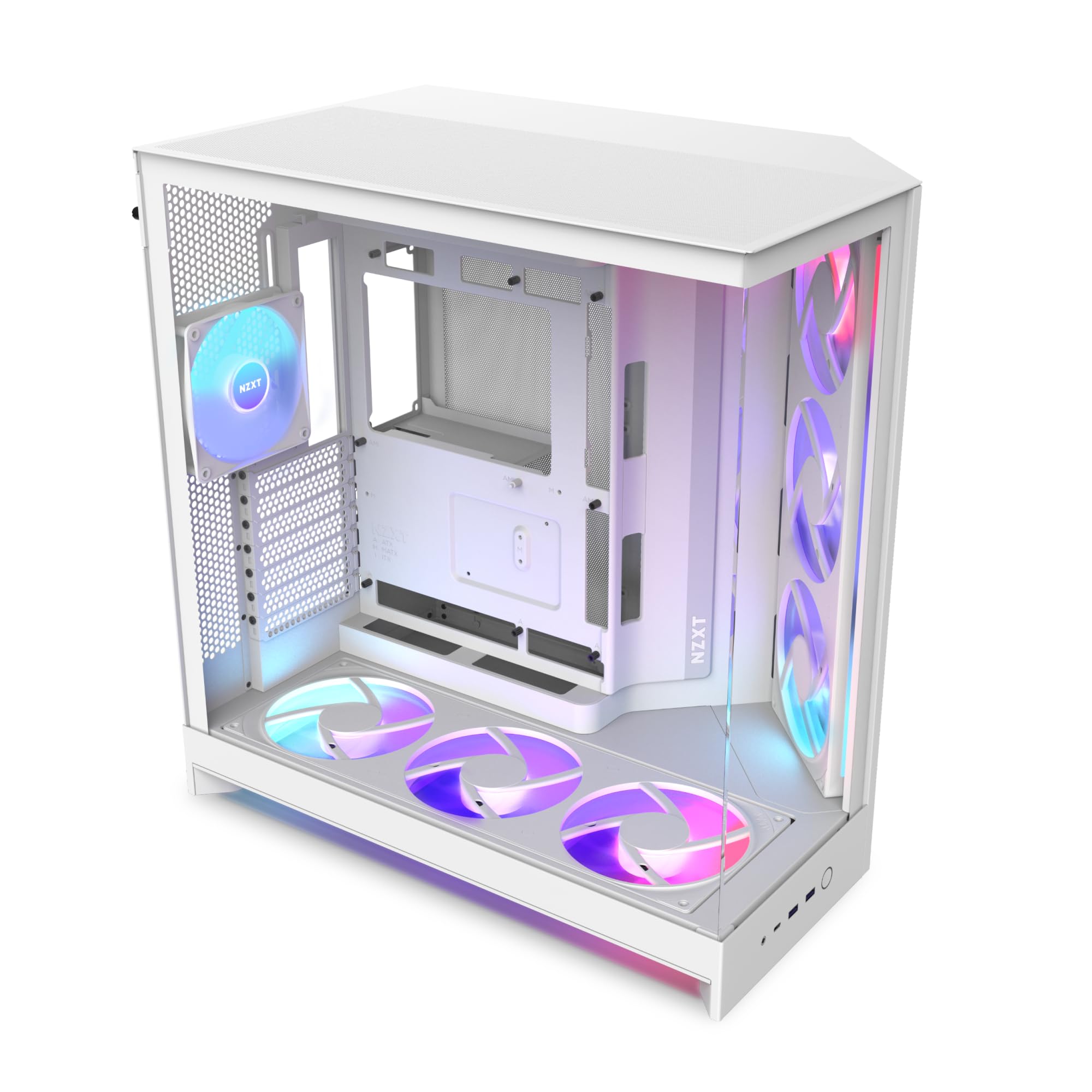 8.5 / 10
NZXT H9 Flow RGB+ (2025) – Large Dual-Chamber ATX Mid-Tower Airflow PC Case – Includes 7 RGB Fans (6 x 140mm, 1 x 120mm) & Control Hub – 420mm Radiator Support – Back-Connect Ready – White
£179.99 · NZXT
 8.5 / 10
Fractal Design North Charcoal Black - Wood Walnut front - Mesh side panels - Two 140mm Aspect PWM fans included - Type C USB - ATX Airflow Mid Tower PC Gaming Case
£109.99 · Fractal Design
Frequently asked
5 questions01Is the MSI MPG GUNGNIR 111R Mid Tower Gaming PC Case - Black, 4 x 120mm ARGB Fans, USB 3.2 Gen2x2 Type-C, Tempered Glass Panel, Magnetic Dust Filter, Mystic Light RGB, ATX, m-ATX, Mini-ITX good for airflow?+
Yes, the GUNGNIR 111R has a proper mesh front panel that allows good airflow into the case. It comes with three 120mm ARGB fans as front intake and one 120mm ARGB fan as rear exhaust, creating a positive pressure configuration that works well for most gaming builds. The magnetic dust filters on the top and PSU bottom help keep dust out without significantly restricting airflow. For high-end builds with demanding CPUs and GPUs, adding a top exhaust fan in the 240mm top mount position would improve thermals further, but the default configuration is solid for mid-range gaming systems.
02What's the GPU clearance on the MSI MPG GUNGNIR 111R Mid Tower Gaming PC Case - Black, 4 x 120mm ARGB Fans, USB 3.2 Gen2x2 Type-C, Tempered Glass Panel, Magnetic Dust Filter, Mystic Light RGB, ATX, m-ATX, Mini-ITX?+
The GUNGNIR 111R supports GPUs up to 380mm in length, which covers all current consumer graphics cards including large triple-fan RTX 4090 variants. If you install a 360mm front radiator, the effective GPU clearance may be reduced slightly depending on the radiator thickness, so check the combined measurements if you're planning both a large radiator and a very long GPU simultaneously. There is no vertical GPU mount included in the box, so if you want to display your GPU vertically through the tempered glass panel, you'll need to purchase a separate PCIe riser cable and bracket.
03Can the MSI MPG GUNGNIR 111R Mid Tower Gaming PC Case - Black, 4 x 120mm ARGB Fans, USB 3.2 Gen2x2 Type-C, Tempered Glass Panel, Magnetic Dust Filter, Mystic Light RGB, ATX, m-ATX, Mini-ITX fit a 360mm AIO?+
Yes, the front panel supports up to a 360mm radiator, making it compatible with 360mm AIO liquid coolers. The front fan bracket is removable, which makes fitting a radiator straightforward. One thing to watch: if you're using tall RAM heatspreaders (over approximately 40mm), you may experience clearance issues at the top of the radiator near the motherboard. Standard-height RAM is fine. The top panel supports up to a 240mm radiator, and the rear supports a 120mm radiator, giving you multiple AIO mounting options depending on your build priorities.
04Is the MSI MPG GUNGNIR 111R Mid Tower Gaming PC Case - Black, 4 x 120mm ARGB Fans, USB 3.2 Gen2x2 Type-C, Tempered Glass Panel, Magnetic Dust Filter, Mystic Light RGB, ATX, m-ATX, Mini-ITX easy to build in?+
The build experience is good overall. The large CPU cutout in the motherboard tray means you can install most coolers without removing the board. The cable routing holes are grommetted and sensibly positioned. The rear cable management space is around 25mm, which is enough to route a full modular PSU cable set cleanly, but you do need to be deliberate about cable organisation rather than just stuffing cables in. The included ARGB hub consolidates the four fan cables into a single connection, which saves a lot of cable clutter. The tool-free 3.5-inch drive trays and thumbscrew side panels make component swaps easy. No sharp edges were encountered during testing.
05What warranty and returns apply to the MSI MPG GUNGNIR 111R Mid Tower Gaming PC Case - Black, 4 x 120mm ARGB Fans, USB 3.2 Gen2x2 Type-C, Tempered Glass Panel, Magnetic Dust Filter, Mystic Light RGB, ATX, m-ATX, Mini-ITX?+
Amazon offers 30-day hassle-free returns if the case doesn't suit your build. MSI typically provides a 1-2 year warranty on manufacturing defects. Check the product listing for exact warranty terms.