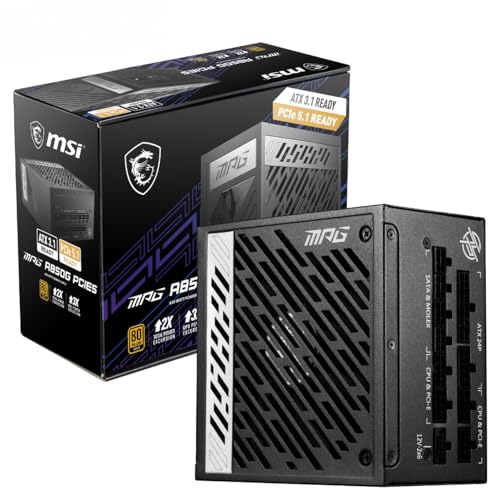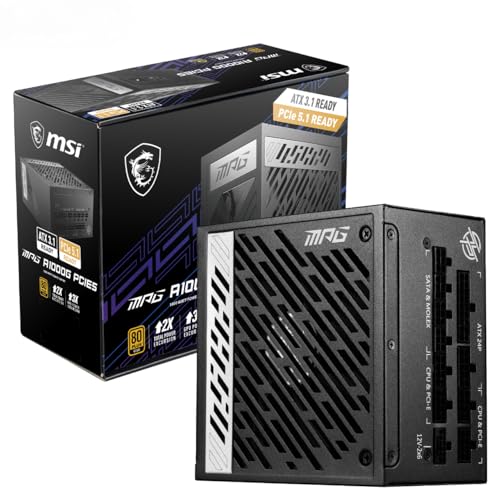
Most people spend weeks agonising over which GPU or CPU to buy, then grab whatever PSU is cheapest and hope for the best. That's backwards. The PSU is the one component that can take everything else down with it if it's dodgy, and the one that quietly costs you money every single day through wasted electricity. So when something like the MSI MPG A1000G PCIE5 Power Supply Unit, UK Plug - 1000W, 80 Plus Gold Certified, Fully Modular ATX 3.0, PCIe 5.0 GPU Support, Japanese 105°C Capacitors, 0% RPM Mode, Flat Cables - 10 Year Warranty lands at the upper mid-range price point, it deserves a proper look rather than a shrug.
The verdict? This is a genuinely strong 1000W PSU for anyone building around a current-gen high-end GPU. The 80 Plus Gold efficiency, native 12VHPWR connector, ATX 3.0 compliance, and a ten-year warranty make it one of the more complete packages in this wattage bracket. It's not the cheapest way to get 1000W, and if your build doesn't actually need this much headroom, there are smarter places to spend the money. But if you're running an RTX 4080, RTX 4090, or the AMD equivalent, this is exactly the kind of unit you want behind it. Hundreds of owners on Amazon agree, with a ★★★★½ (4.7) average from 460 reviews at time of writing.
The competition at this wattage includes the Corsair RM1000x and the be quiet! Straight Power 12 1000W, both of which are solid units. What the MSI brings that nudges it ahead for modern builds is ATX 3.0 compliance and a native PCIe 5.0 connector out of the box, which matters more than it might sound when you're powering cards that can spike well beyond their rated TDP in short bursts.
Core Specifications: MSI MPG A1000G PCIE5 Power Supply Unit
On paper, the MSI MPG A1000G PCIE5 hits all the marks you'd want from a premium 1000W unit. You get 80 Plus Gold certification, which means efficiency peaks around 90% at typical loads. The unit is fully modular, ATX 3.0 compliant, and ships with a native 16-pin 12VHPWR connector for PCIe 5.0 GPUs. The fan is a 135mm fluid dynamic bearing (FDB) unit, which is a meaningful step up from the plain sleeve bearings you'll find on cheaper PSUs. And the warranty is ten years, which is frankly exceptional and says something about how confident MSI is in the internals.
The single-rail design is early. Some builders still have an instinctive preference for multi-rail designs on the grounds that they're safer, but modern single-rail units from reputable manufacturers are well-protected and actually simpler to work with because you're not juggling rail current limits across components. MSI has backed this up with a full suite of protection features, which we'll get into later. The capacitors are Japanese-rated 105 degrees Celsius units, which is the spec you want to see rather than the cheaper 85-degree alternatives that turn up in budget PSUs.
The cable bag is included in the box, which is a small thing but genuinely appreciated. Flat black cables are standard here, and they're much easier to route than the old round sleeved designs that used to plague mid-range units. Here's the full spec breakdown:
| Specification | Detail |
|---|---|
| Wattage | 1000W |
| Efficiency Rating | 80 Plus Gold (up to 90%) |
| ATX Standard | ATX 3.0 |
| Modularity | Fully Modular |
| Fan Size | 135mm Fluid Dynamic Bearing (FDB) |
| Zero RPM Mode | Yes (below 40% TDP, manually disableable) |
| PCIe 5.0 Support | Yes (native 16-pin 12VHPWR, up to 600W) |
| Capacitors | Japanese 105°C |
| Design | Half-bridge LLC with DC-to-DC, Active PFC |
| Rail Design | Single-rail |
| Warranty | 10 Years |
| Price | £119.99 · Details |

Wattage and Capacity
1000W is a lot of power. More than most builds will ever actually use at the wall. But that's not quite the right way to think about it. The question isn't whether your system will draw 1000W continuously (it almost certainly won't), it's whether the PSU can handle the peaks without flinching. And this is exactly where ATX 3.0 compliance becomes relevant. Under the older ATX 2.x standard, a PSU was only required to handle transient power spikes up to 1.5x its rated output for very brief periods. ATX 3.0 tightens this up significantly, requiring the unit to handle up to 2x total power excursions and 3x GPU power excursions. In practice, this means the MSI A1000G can absorb the kind of sharp power spikes that modern GPUs throw out without triggering overcurrent protection and crashing your system.
For context on what 1000W actually covers: an RTX 4090 has a total board power of 450W, and a high-end Intel or AMD CPU might add another 150 to 250W under full load. Throw in storage, fans, and RAM and you're looking at a system that might peak at 750W to 850W in a genuinely demanding scenario. That leaves you real headroom, which is good for longevity (PSUs run more efficiently and cooler when they're not constantly near their ceiling) and good for future-proofing if you upgrade the GPU down the line.
For a mid-range build with something like an RTX 4070 Super and a Ryzen 7 or Core i7, 1000W is overkill. You'd be fine with 750W and you'd save some money. But for anyone running or planning to run an RTX 4080, RTX 4090, RX 7900 XTX, or whatever the next generation of power-hungry flagships looks like, 1000W with ATX 3.0 compliance is the sensible choice rather than the extravagant one. The MSI product page confirms the unit can deliver up to 600W through the 12VHPWR connector alone, which covers even the most demanding current-gen cards.
Efficiency Rating: 80 Plus Gold Certified
The 80 Plus certification scheme grades PSUs on how efficiently they convert mains AC power into the DC power your components actually use. A Bronze-rated unit hits around 85% efficiency at 50% load. Gold does better, reaching around 87% at 20% load, 90% at 50% load, and 87% at full load. That might sound like a small difference, but over the course of a year of regular use it translates to real money on your electricity bill, particularly in the UK where unit rates are not exactly forgiving right now.
To put some rough numbers around it: if your system draws 400W from the wall at typical gaming load (a reasonable estimate for a high-end build), a Gold-rated PSU wastes around 44W as heat. A Bronze unit at the same load wastes closer to 60W. That 16W difference, running for six hours a day, adds up to around 35kWh per year. At current UK electricity rates that's a few pounds annually, which isn't going to make or break anyone's budget, but it compounds over the ten-year warranty period and it means less heat inside your case, which is always a good thing for component longevity.
The Gold rating also reflects better capacitor quality, better transformer design, and generally tighter voltage regulation under varying loads. It's not just about efficiency percentages in isolation. It's a proxy for overall build quality, and in that sense it matters more than the raw numbers suggest. The MSI A1000G uses a half-bridge LLC resonant converter topology paired with a DC-to-DC converter design for the secondary rails, which is the architecture you'll find in quality units at this price point and above. This isn't a budget PSU with a Gold sticker slapped on it.
Modularity and Cable Management: MSI MPG A1000G PCIE5 Power Supply Unit
Fully modular means every single cable detaches from the PSU itself, including the 24-pin ATX motherboard cable. This is the ideal setup for cable management because you only plug in what you actually need. No cable graveyard stuffed behind the motherboard tray. No bundles of unused Molex connectors rattling around inside your case. If you're building in a mid-tower with decent cable routing channels, a fully modular PSU makes a noticeable difference to how tidy the finished build looks and how well air can circulate.
The flat black cables MSI ships with the A1000G are genuinely easier to work with than round sleeved cables. They bend where you need them to bend, they sit flatter in routing channels, and they look cleaner behind glass panels. The included cable storage bag is a thoughtful touch. It means the cables you don't use don't end up loose in a drawer somewhere waiting to be lost. Small thing, but it suggests MSI thought about the actual user experience here rather than just the spec sheet.
Cable lengths are not officially specified in the Amazon listing, but owner feedback consistently mentions that the cables are long enough for full-tower cases without being so long they become a management problem in mid-towers. The 12VHPWR cable is native rather than an adapter, which is the right call. Using an adapter on a high-power GPU connector adds a potential failure point and can cause issues with the connector seating properly. If you're spending this kind of money on a PSU to run a PCIe 5.0 GPU, you want the native cable.
Connectors and Compatibility
The connector lineup on the MSI A1000G is well-suited to modern high-end builds. The headline is the native 16-pin 12VHPWR connector, which handles PCIe 5.0 GPUs from both NVIDIA and AMD without needing an adapter. This is the connector standard developed under PCI-SIG's PCIe 5.0 specification and it's capable of delivering up to 600W to a single GPU, which covers everything currently on the market and then some.
Beyond the GPU connector, you get the standard ATX 24-pin for the motherboard and EPS 8-pin for the CPU. SATA coverage is solid at six connectors, which handles most storage configurations without daisy-chaining. Three Molex connectors cover older peripherals, case fans on older controllers, and similar legacy needs. The PCIe 8-pin count of two means you've got options for older GPU configurations or secondary power connections if needed.
- 1x ATX 24-pin motherboard connector
- 1x EPS 8-pin CPU power connector
- 1x Native 16-pin 12VHPWR (PCIe 5.0, up to 600W)
- 2x PCIe 8-pin connectors
- 6x SATA power connectors
- 3x Molex connectors
The single EPS 8-pin is worth a mention. Most modern high-end motherboards have two EPS connectors (an 8-pin and a 4-pin, or two 8-pins), and some extreme overclocking boards want both populated. For the vast majority of gaming builds this won't be an issue, but if you're running a high-end HEDT platform with serious overclocking ambitions, double-check your motherboard's requirements. For a standard ATX gaming build with an Intel Core or AMD Ryzen processor, one EPS 8-pin is perfectly adequate.
Voltage Regulation and Ripple
The MSI A1000G uses a half-bridge LLC resonant converter design with DC-to-DC conversion for the 3.3V and 5V rails. This matters because it's the topology associated with tight voltage regulation and low ripple, which are the two things you actually want from a PSU's internals. Ripple is the AC noise that rides on top of the DC output. Too much of it and you get instability, particularly in sensitive components like high-frequency memory and storage controllers. The ATX specification allows up to 120mV of ripple on the 12V rail. Quality units in this class typically come in well under that.
The single-rail design means all 1000W is available on the 12V rail without current limits partitioned between multiple rails. This is genuinely useful for high-power GPUs that can pull significant current through the PCIe connector, because there's no risk of tripping a rail current limit mid-session. The active PFC (Power Factor Correction) design also means the unit plays nicely with UK mains power and doesn't cause issues with other equipment on the same circuit, which is a minor but real benefit in a home environment.
Under transient loads, which is where ATX 3.0 compliance really earns its keep, the A1000G is specified to handle GPU power excursions up to 3x the GPU's rated power for brief periods. In practice this means if your GPU is rated at 300W but spikes to 600W for a few milliseconds during a heavy compute burst, the PSU absorbs that without triggering protection or causing a voltage droop that crashes the system. This is exactly the kind of behaviour that was causing instability issues with older ATX 2.x PSUs paired with RTX 4090s when those cards first launched.

Thermal Performance
The 135mm FDB fan is one of the better choices MSI could have made here. Fluid dynamic bearings last longer than sleeve bearings and run more quietly, particularly as they age. A 135mm fan can also move the same volume of air at lower RPM compared to a 120mm unit, which contributes to quieter operation under moderate loads. The fan sits behind a mesh grille at the base of the PSU (assuming standard bottom-mount orientation) and draws air through the unit and exhausts it out the rear.
The 0% RPM mode is the feature that makes this particularly appealing for quiet builds. Below 40% load (so below around 400W of output), the fan stops completely. Completely silent. No bearing noise, no airflow noise, nothing. The PSU relies on passive cooling at these loads, which is entirely viable given the Gold efficiency rating means relatively little heat is generated in the first place. For a gaming PC that spends most of its time browsing, streaming, or in lighter workloads, this means the PSU contributes zero noise to the system for the majority of its operating hours.
When the fan does kick in above 40% load, it ramps up gradually rather than jumping to full speed. Owner feedback consistently describes the fan as inaudible or near-inaudible under typical gaming loads, only becoming noticeable under sustained heavy workloads like extended rendering or stress testing. There's a manual button on the rear of the unit to disable the 0% RPM mode if you'd rather have active cooling at all times, which is a sensible option for small cases with limited airflow where you might not want the PSU running passively.
Acoustic Performance
Honestly, this is one of the stronger selling points of the A1000G and it doesn't get enough attention in the headline specs. The combination of a 135mm FDB fan and 0% RPM mode below 40% load means this PSU is genuinely quiet in real-world use. For a gaming build that peaks at 600W to 700W under load but spends most of its time at much lower draw, the fan will be off more often than it's on.
No specific decibel figures are published for this unit, so we're not going to invent numbers. What the owner review pattern shows is consistent satisfaction with noise levels. Multiple reviewers specifically mention that the PSU is inaudible during normal use and only becomes detectable during heavy sustained loads. That's exactly what you'd expect from a 135mm FDB fan with semi-passive operation, and it's consistent with how similar units from other manufacturers perform at this spec level.
For a build where noise matters, whether that's a home office setup, a living room PC, or just someone who finds fan noise irritating, the A1000G is a solid choice. It won't be the noisiest component in your system under typical conditions. If you're running a high-end air cooler or multiple case fans, those will almost certainly be louder than the PSU for most of the time you're using the machine. That's the kind of acoustic profile you want from a power supply.
Build Quality
Japanese 105-degree Celsius capacitors are the spec to look for in a quality PSU. The alternative is Chinese-sourced 85-degree capacitors, which are cheaper, age faster, and are more prone to failure under sustained high temperatures. The 105-degree rating doesn't mean the caps run at 105 degrees (they shouldn't), it means they're rated to handle that temperature without degradation, which gives them a much larger safety margin in a hot case environment. This is part of why MSI can offer a ten-year warranty with any confidence.
The half-bridge LLC resonant converter topology is associated with better efficiency and lower switching losses compared to older active clamp forward designs. It's not the cheapest design to implement, which is part of why you don't see it in budget units, but it's the right choice for a PSU targeting Gold efficiency at 1000W. The DC-to-DC converter design for the minor rails (3.3V and 5V) means those rails are regulated independently from the 12V rail, which improves cross-load regulation and reduces the chance of voltage excursions when the load balance between rails shifts.
The active PFC circuit improves power factor to close to unity, which means the PSU draws cleaner current from the mains and is less likely to cause issues on shared circuits. The physical build quality, based on owner feedback and the component spec list, is consistent with what you'd expect from a unit in this price bracket. The modular connector panel feels solid, the cables seat positively, and there's no reported flex or creaking in the chassis. For a ten-year warranty to be commercially viable, MSI needs these internals to last, and the component choices suggest they've thought about that.
Protection Features
The A1000G covers the full set of protections you'd want: OCP (Over Current Protection), OVP (Over Voltage Protection), OPP (Over Power Protection), OTP (Over Temperature Protection), SCP (Short Circuit Protection), and UVP (Under Voltage Protection). That's six protection mechanisms, which is comprehensive. Some budget units skip UVP or OTP and rely on the others to catch most failure scenarios. Having all six means the PSU can detect and respond to a wider range of fault conditions before they cause damage to your components.
OCP is particularly important in a single-rail design. Without per-rail current limits, the OCP needs to be calibrated carefully to trip before sustained overcurrent can damage the PSU or connected components, but not so sensitively that it trips on normal transient spikes. ATX 3.0 compliance implies the OCP thresholds are set with modern GPU power behaviour in mind, so you shouldn't see nuisance trips from legitimate GPU power spikes the way some older PSUs behaved with first-gen RTX 4000 cards.
OTP (Over Temperature Protection) shuts the unit down if internal temperatures exceed safe limits. This is the last line of defence in a poorly ventilated case or if the fan fails. SCP provides immediate shutdown in the event of a dead short on any output rail, protecting both the PSU and anything connected to it. Frankly, for a PSU that's going to be running a GPU worth several hundred pounds, you want all of these protections present and properly implemented, and the A1000G delivers that. Before finalising your build's power requirements, it's worth running your component list through a PSU calculator to confirm 1000W is the right call for your specific setup.
How It Compares
The two most direct competitors to the MSI A1000G at 1000W in the UK market are the Corsair RM1000x and the be quiet! Straight Power 12 1000W. Both are well-regarded units with strong reputations. The Corsair RM1000x is a proven design with an excellent track record, 80 Plus Gold certification, and a ten-year warranty of its own. The be quiet! Straight Power 12 goes one step further with 80 Plus Platinum certification on some variants, and be quiet! has a deserved reputation for acoustic performance.
Where the MSI A1000G differentiates itself is ATX 3.0 compliance and the native 12VHPWR connector. The older RM1000x (the non-Shift variant) predates ATX 3.0 and uses an adapter for 12VHPWR rather than a native cable. Corsair has updated their lineup since, but it's which specific variant you're comparing. The be quiet! Straight Power 12 is ATX 3.0 compliant on its newer revisions and is genuinely competitive, though it typically sits at a slightly higher price point for equivalent wattage.
For pure value at 1000W with ATX 3.0 and Gold efficiency, the MSI A1000G holds its own well. The ten-year warranty matches the Corsair and beats many rivals. The FDB fan and 0% RPM mode put it on equal acoustic footing with the be quiet! unit. If you can find the Corsair RM1000x 2024 variant at a lower price, that's a legitimate alternative. But at current pricing, the MSI isn't overcharging for what it delivers.
| Feature | MSI MPG A1000G PCIE5 | Corsair RM1000x (2024) | be quiet! Straight Power 12 1000W |
|---|---|---|---|
| Wattage | 1000W | 1000W | 1000W |
| Efficiency | 80 Plus Gold | 80 Plus Gold | 80 Plus Platinum |
| ATX Standard | ATX 3.0 | ATX 3.0 | ATX 3.0 |
| Modularity | Fully Modular | Fully Modular | Fully Modular |
| 12VHPWR | Native 16-pin | Native 16-pin | Native 16-pin |
| Fan | 135mm FDB | 135mm FDB | 135mm FDB |
| Zero RPM | Yes (below 40%) | Yes | Yes |
| Warranty | 10 Years | 10 Years | 10 Years |
| Price | £119.99 · Details | Check Amazon | Check Amazon |

Final Verdict
The MSI MPG A1000G PCIE5 Power Supply Unit, UK Plug - 1000W, 80 Plus Gold Certified, Fully Modular ATX 3.0, PCIe 5.0 GPU Support, Japanese 105°C Capacitors, 0% RPM Mode, Flat Cables - 10 Year Warranty is a well-specified, properly built 1000W PSU that does exactly what it says on the tin. The ATX 3.0 compliance and native 12VHPWR connector make it genuinely future-proof for current and next-gen high-end GPUs. The 80 Plus Gold efficiency is the right tier for a unit at this price. The ten-year warranty is exceptional and reflects genuine confidence in the component quality. And the 0% RPM mode with a 135mm FDB fan means it's quiet enough for any environment where that matters.
The ★★★★½ (4.7) average from 460 Amazon reviews backs up what the spec sheet suggests. Owners consistently praise the build quality, the cable management, and the noise levels. There are no widespread reports of failures, DOA units, or protection circuit issues, which matters more than any single spec when you're trusting a component with your entire build.
Who should buy this? Anyone building or upgrading around an RTX 4080, RTX 4090, RX 7900 XTX, or whatever the next generation of flagship GPUs looks like. Anyone who wants a PSU they can genuinely forget about for a decade. Anyone who cares about cable management and wants flat cables with a storage bag rather than a tangled mess. And anyone who values quiet operation, because this thing is genuinely silent for most of its working life.
Who should skip it? If your build peaks at 600W or less, which covers the majority of mid-range gaming rigs, a quality 750W Gold unit will serve you just as well and save you money at the upper mid-range bracket. There's no performance benefit to buying 1000W of headroom you'll never use. A well-regarded 750W unit from Corsair, be quiet!, or Seasonic will give you the same efficiency, similar noise levels, and leave you with cash for a better GPU or cooler. Don't overspend on wattage you don't need. But if you do need 1000W with ATX 3.0 and PCIe 5.0 support, the MSI A1000G is one of the better answers to that question in the current market.
What works. What doesn’t.
5 + 3What we liked5 reasons
- ATX 3.0 compliant with native 12VHPWR for PCIe 5.0 GPUs
- 80 Plus Gold efficiency up to 90% at 50% load
- 135mm FDB fan with 0% RPM mode below 40% load - genuinely quiet
- Japanese 105C capacitors and ten-year warranty
- Fully modular with flat cables and included storage bag
Where it falls3 reasons
- 1000W is overkill for mid-range builds - you're paying for headroom you may never use
- Single EPS 8-pin may not satisfy high-end HEDT boards that want dual CPU power
- Upper mid-range pricing means cheaper 750W alternatives suit most builders
Full specifications
9 attributes| Efficiency rating | Gold |
|---|---|
| Form factor | ATX |
| ATX version | ATX 3.1 |
| FAN size MM | 135 |
| Generation | MPG A1000G PCIE5 |
| Modularity | fully_modular |
| Pcie 5 ready | true |
| Warranty years | 10 |
| Wattage W | 1000 |
Will it run on what you have?
Free toolIf this isn’t right for you
2 options

Frequently asked
5 questions01Is the MSI MPG A1000G PCIE5 Power Supply Unit good for gaming?+
Yes, particularly for high-end gaming builds. The 1000W output with ATX 3.0 compliance handles the power spikes produced by current flagship GPUs like the RTX 4090 and RX 7900 XTX, and the native 12VHPWR connector delivers up to 600W to a PCIe 5.0 GPU without needing an adapter. For mid-range builds with GPUs like the RTX 4070 or RX 7800 XT, a quality 750W Gold unit is sufficient and more economical.
02What wattage PSU do I need for an RTX 4090 build?+
MSI and NVIDIA both recommend at least 850W for an RTX 4090 system, and 1000W is the sensible choice if you want headroom and ATX 3.0 transient handling. The RTX 4090 has a 450W TDP, and a high-end CPU adds another 150W to 250W under full load. A 1000W ATX 3.0 compliant unit like the MSI A1000G covers that comfortably with room to spare.
03Is 80 Plus Gold efficiency worth the extra cost over Bronze?+
At the 1000W level, yes. Gold efficiency means around 90% conversion at 50% load versus around 85% for Bronze. The electricity savings over a ten-year warranty period are real, and more importantly, Gold certification is a proxy for better component quality throughout the unit. The price difference between Gold and Bronze at 1000W is typically modest relative to the total build cost, and the component quality improvement justifies it.
04How long is the warranty on the MSI MPG A1000G PCIE5?+
Ten years. That is one of the longest warranties available in the PSU market and is a genuine differentiator at this price point. It covers manufacturing defects and component failures under normal use conditions. The ten-year commitment from MSI reflects the quality of the Japanese 105-degree Celsius capacitors and the overall build specification. Many competing units at similar prices offer five to seven years.
05Is the MSI MPG A1000G PCIE5 fully modular?+
Yes, it is fully modular. Every cable including the 24-pin ATX motherboard connector detaches completely from the PSU body. This means you only install the cables your build actually needs, which simplifies routing, improves airflow by eliminating unused cable bundles, and makes the finished build look considerably tidier. MSI includes a cable storage bag for unused cables, which is a practical touch.